BitDive MCP Server
Python MCP server for BitDive trace analysis, request reproduction, and regression management.
Potencia tu agente
Instalación del publicador. No es un endpoint de PlugMCP.
Host a copy with our keys and logs.
Aún no hay una versión empaquetada en el registro. Sigue el README del repositorio.
¿URL remota o un comando en tu máquina? En qué se diferencian las dos instalaciones
Ejecutar en PlugMCP
A new server you create. It is not this listing's official endpoint. Use the publisher install when you want their URL and their credentials.
AbrirDel publicador
This repository exposes BitDive monitoring and QA operations to MCP clients such as Cursor, Claude Desktop, and other agent runtimes. The implementation lives in server.py and connects to the BitDive Monitoring API while adding its own formatting, normalization, and comparison logic on top.
Use this repository from the
python-mcp-serverbranch.
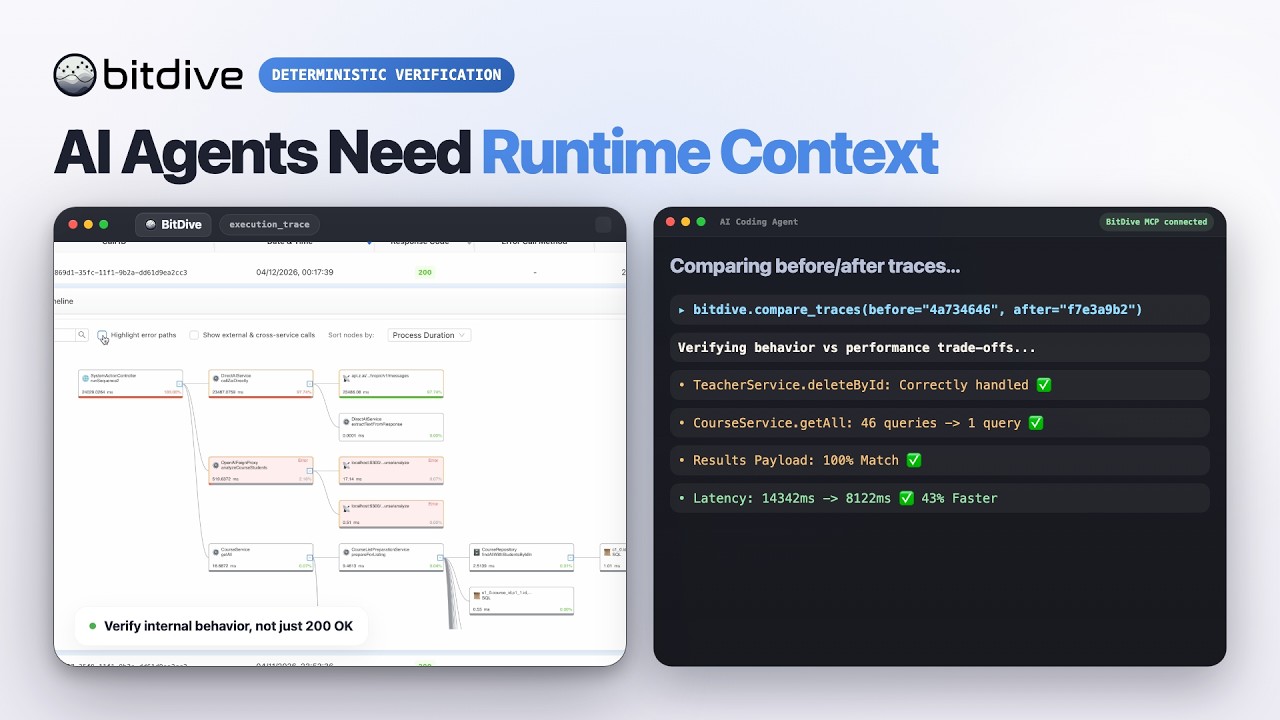
Watch the BitDive product demo on YouTube:
This server is not just a thin API proxy.
It wraps BitDive API endpoints and makes them usable for agent workflows:
Use this server when an AI agent or developer needs to:
The current server exposes 24 MCP tools.
Tool names follow their intent: discovery tools (you do not have an id yet) start with get_*_heatmap / list_* / find_* / search_*; inspect tools (you already have a call_id) start with get_trace*; compare tools diff traces.
get_system_heatmap or list_recent_calls to find a method or fresh call_id.get_trace_overview for a quick tree; get_trace for full de-noised payloads (default for deep analysis).compare_traces for before/after; open get_trace when the diff needs payload proof.get_replay_command, run it, wait ~45s, then list_recent_calls again.Tool names encode intent: discovery tools when you do not have a call_id yet; get_trace* when you do.
Several important behaviors are implemented inside server.py, not just delegated to the backend API.
get_trace_overview builds a readable execution treeget_trace returns the whole tree with full fidelity but without raw Jackson/type-wrapper noise (typically 50-65% smaller than get_trace_raw, secrets redacted, child calls ordered chronologically)get_trace_raw and get_trace_subtree are also redacted; use them only when you need the verbatim shape or a single method boundarycompare_traces detects method-path drifttraceId, and callId can be ignored for cleaner diffscurl and PowerShell commands are generated from recorded headers, method, URL, and bodyhttpxmcpInstall dependencies:
pip install -r requirements.txt
Every tool also accepts an optional mcp_token parameter. If omitted, the server falls back to BITDIVE_MCP_TOKEN.
stdio modepython server.py
streamable-http modeMCP_TRANSPORT=streamable-http MCP_HOST=0.0.0.0 MCP_PORT=8000 python server.py
{
  "mcpServers": {
    "bitdive": {
      "command": "python",
      "args": [
        "/absolute/path/to/server.py"
      ],
      "env": {
        "BITDIVE_MCP_TOKEN": "your-token"
      }
    }
  }
}
BitDive Model Context Protocol (MCP) server. The Autonomous Quality Loop for AI agents. Provides real runtime context, before/after trace comparison, and integration testing workflows.
Herramientas
Aún no hay lista de herramientas. Los servidores remotos la reciben tras la primera comprobación de estado.
Preguntas frecuentes
Copia en esta página la configuración stdio para Cursor, Claude Desktop, Claude Code o VS Code. Usa la instalación del publicador, no un proxy de PlugMCP.
Este registro no indica ninguna variable de entorno obligatoria.
BitDive se ejecuta localmente por stdio.
Última comprobación: 2026-10-27. BitDive Model Context Protocol (MCP) server. The Autonomous Quality Loop for AI agents. Provides real runtime context, before/after trace comparison, and integration testing workflows.