Demo

Potencia tu agente
Instalación del publicador. No es un endpoint de PlugMCP.
Host a copy with our keys and logs.
Aún no hay una versión empaquetada en el registro. Sigue el README del repositorio.
¿URL remota o un comando en tu máquina? En qué se diferencian las dos instalaciones
Ejecutar en PlugMCP
A new server you create. It is not this listing's official endpoint. Use the publisher install when you want their URL and their credentials.
AbrirDel publicador
Model Context Protocol (MCP) server that provides access to Azure Resource Graph queries. It allows you to retrieve information about Azure resources across your subscriptions using Resource Graph queries.
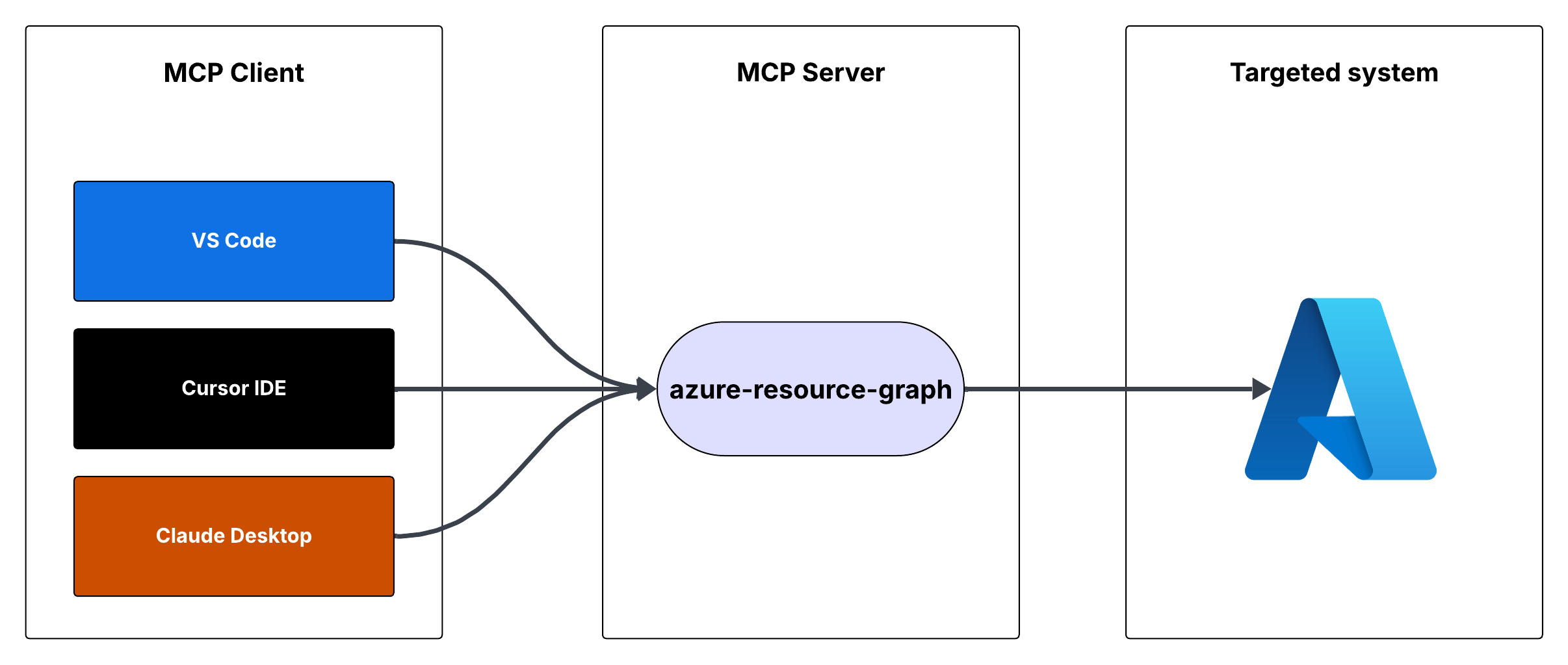
This is a Model Context Protocol (MCP) server that provides access to Azure Resource Graph queries. It allows you to retrieve information about Azure resources across your subscriptions using Resource Graph queries.
You can run the MCP server using either Cursor IDE or Visual Studio Code.
To integrate the MCP server with Cursor IDE:
C:\YOUR_WORKSPACE\azure-resource-graph-mcp-server)npm install
npm run build
{
"mcpServers": {
"azure-resource-graph-mcp-server": {
"command": "node",
"args": [
"C:\\YOUR_WORKSPACE\\azure-resource-graph-mcp-server\\build\\index.js"
],
"env": {
"SUBSCRIPTION_ID": "xxxxxx-xx-xx-xx-xxxxxx"
},
}
}
}
Note: Make sure to update the path to match your local repository location.
To integrate the MCP server with Visual Studio Code:
npm install
npm run build
Ctrl+Shift+P, type "Settings (JSON)" and select "Preferences: Open User Settings (JSON)"{
"mcp": {
"servers": {
"azure-resource-graph": {
"type": "stdio",
"command": "node",
"args": [
"C:\\YOUR_WORKSPACE\\azure-resource-graph-mcp-server\\build\\index.js"
],
"env": {
"SUBSCRIPTION_ID": "xxxxxx-xx-xx-xx-xxxxxx"
},
}
}
}
}
Note: Make sure to update the path to match your local repository location.
The MCP server will now be available to use within VS Code with cursor integration.
The server provides the following tool:
Retrieves resources and their details from Azure Resource Graph.
Parameters:
subscriptionId (optional): Azure subscription ID (defaults to configured ID)query (optional): Custom Resource Graph query (defaults to "Resources | project id, name, type, location")First, make sure you're logged in to Azure CLI by running:
az login
This step is crucial for local development as the DefaultAzureCredential will automatically use your Azure CLI credentials.
Set up your environment variables:
.env.example to .envAZURE_SUBSCRIPTION_ID in .env with your actual subscription IDAZURE_TENANT_ID, AZURE_CLIENT_ID, AZURE_CLIENT_SECRET) are optional when using Azure CLI authenticationMake sure you have proper Azure credentials configured. The server uses DefaultAzureCredential which supports:
If using environment variables, set up:
The server includes robust error handling for:
To work on this project:
src directorynpm run buildThis project is licensed under the MIT License. See the LICENSE file for details.
Model Context Protocol (MCP) server that provides access to Azure Resource Graph queries. It allows you to retrieve information about Azure resources across your subscriptions using Resource Graph que
Resumen general
Model Context Protocol (MCP) server that provides access to Azure Resource Graph queries. It allows you to retrieve information about Azure resources across your subscriptions using Resource Graph queries.
Herramientas
Aún no hay lista de herramientas. Los servidores remotos la reciben tras la primera comprobación de estado.
Preguntas frecuentes
Copia en esta página la configuración stdio para Cursor, Claude Desktop, Claude Code o VS Code. Usa la instalación del publicador, no un proxy de PlugMCP.
Este registro no indica ninguna variable de entorno obligatoria.
Azure Resource Graph se ejecuta localmente por stdio.
Última comprobación: 2026-10-28. Model Context Protocol (MCP) server that provides access to Azure Resource Graph queries. It allows you to retrieve information about Azure resources across your subscriptions using Resource Graph queries.
