Screenshots
Potencia tu agente
El comando propio del publicador. No es un endpoint de PlugMCP.
Host a copy with our keys and logs.
npx -y @myrialabs/[email protected]Claude Code no tiene enlace de instalación para un comando local. Copia el comando de abajo y ejecútalo en una terminal.
claude mcp add myrialabs-clopen -- npx -y @myrialabs/clopen@0.4.48Ejecútalo en una terminal.
{ "mcpServers": { "myrialabs-clopen": { "command": "npx", "args": [ "-y", "@myrialabs/[email protected]" ] } }}claude_desktop_config.json
¿URL remota o un comando en tu máquina? En qué se diferencian las dos instalaciones
Ejecutar en PlugMCP
A new server you create. It is not this listing's official endpoint. Use the publisher install when you want their URL and their credentials.
AbrirDel publicador
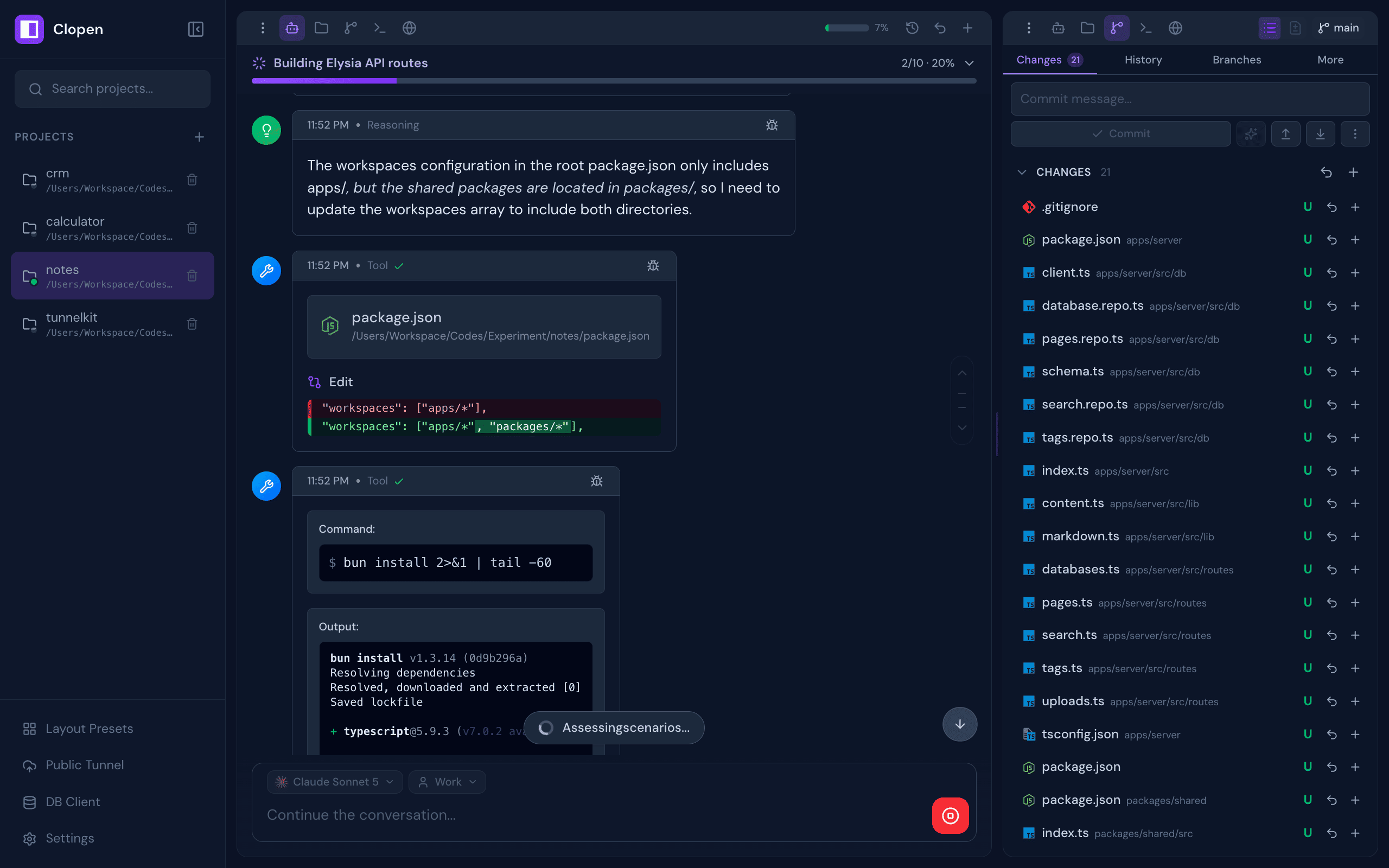
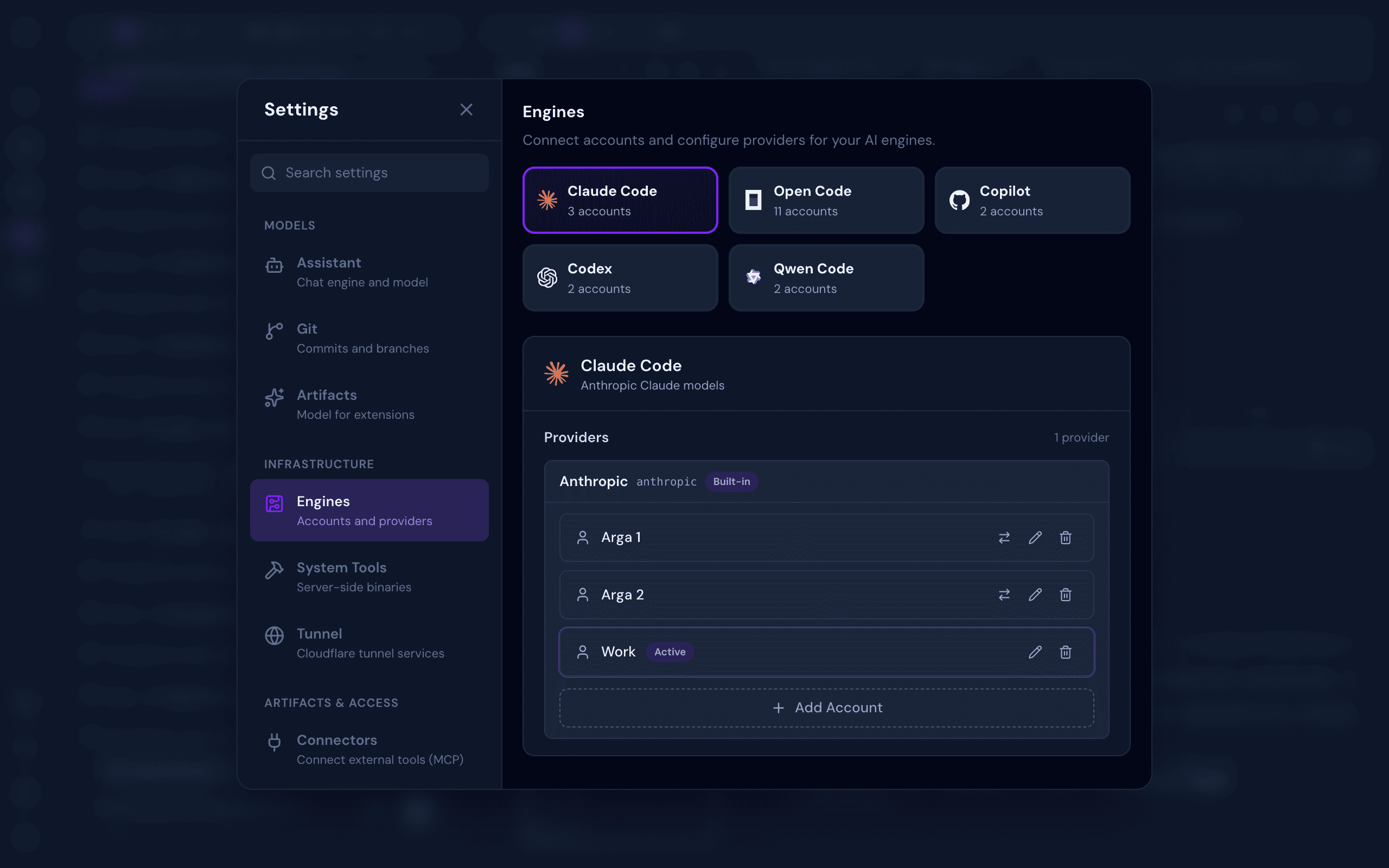
All-in-one web workspace for AI coding agents — Claude Code, OpenCode, Codex, Copilot, Qwen Code, Pi, Cline, and Cursor — with chat, terminal, git, browser preview, database client, checkpoints, and real-time collaboration
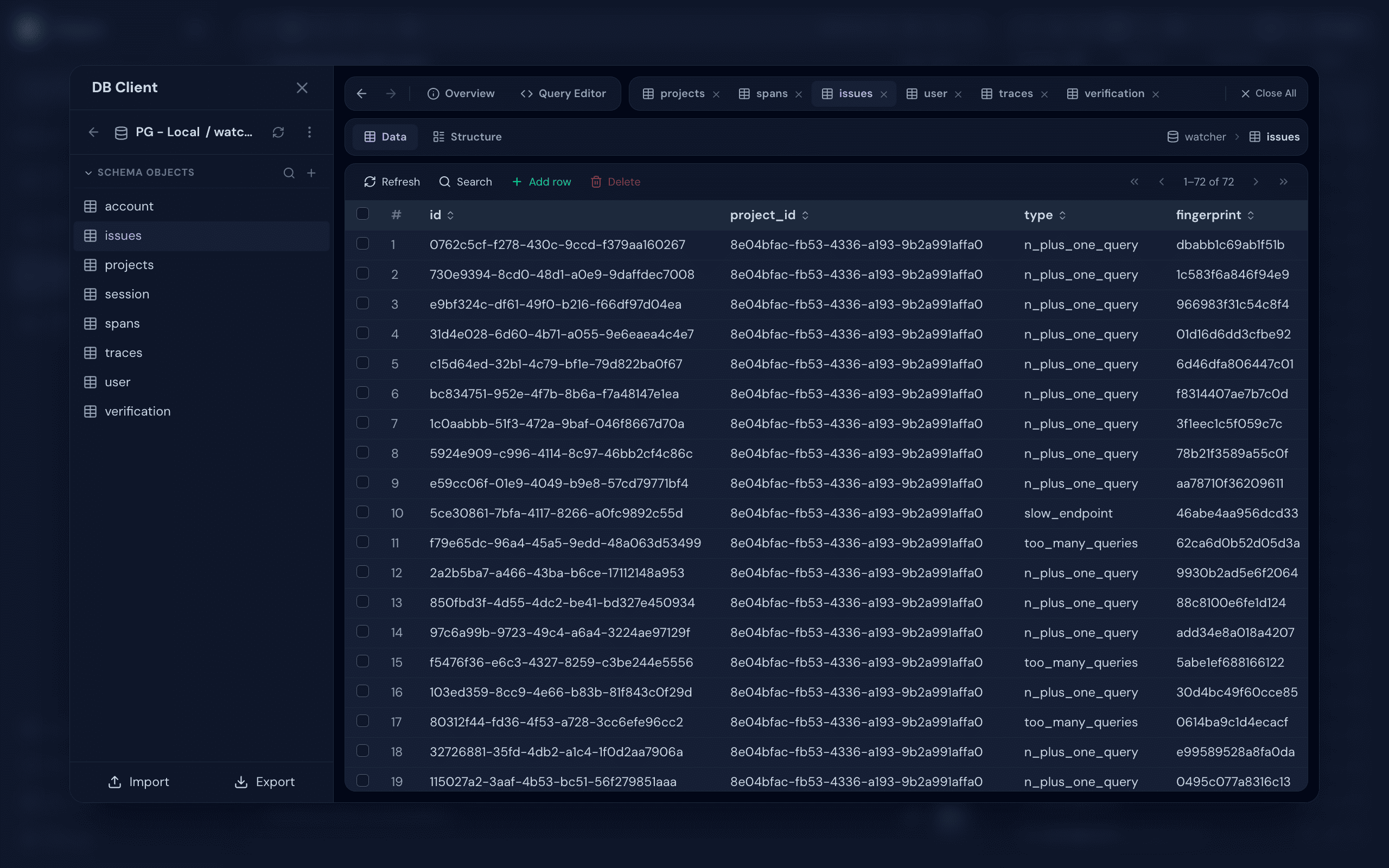
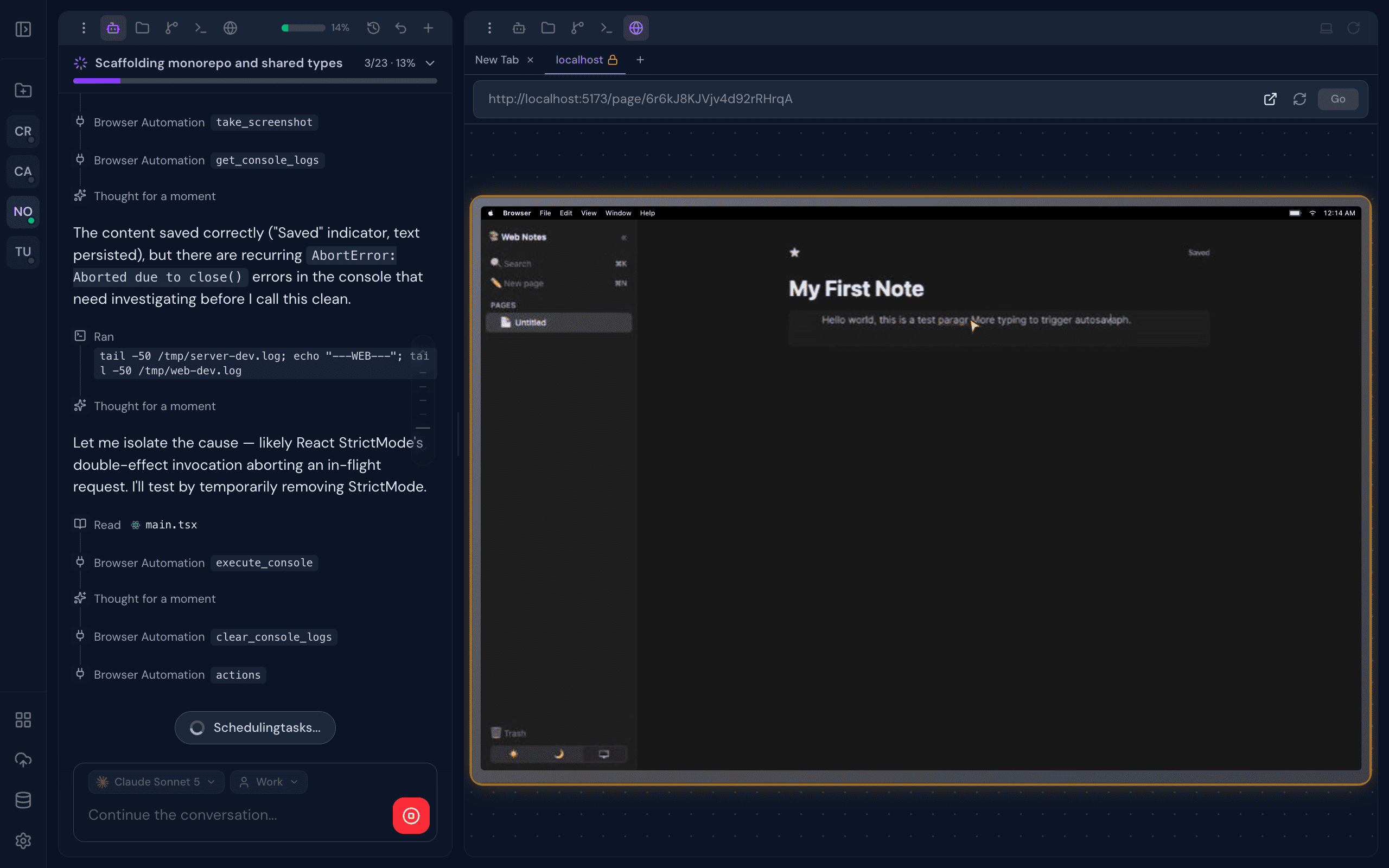
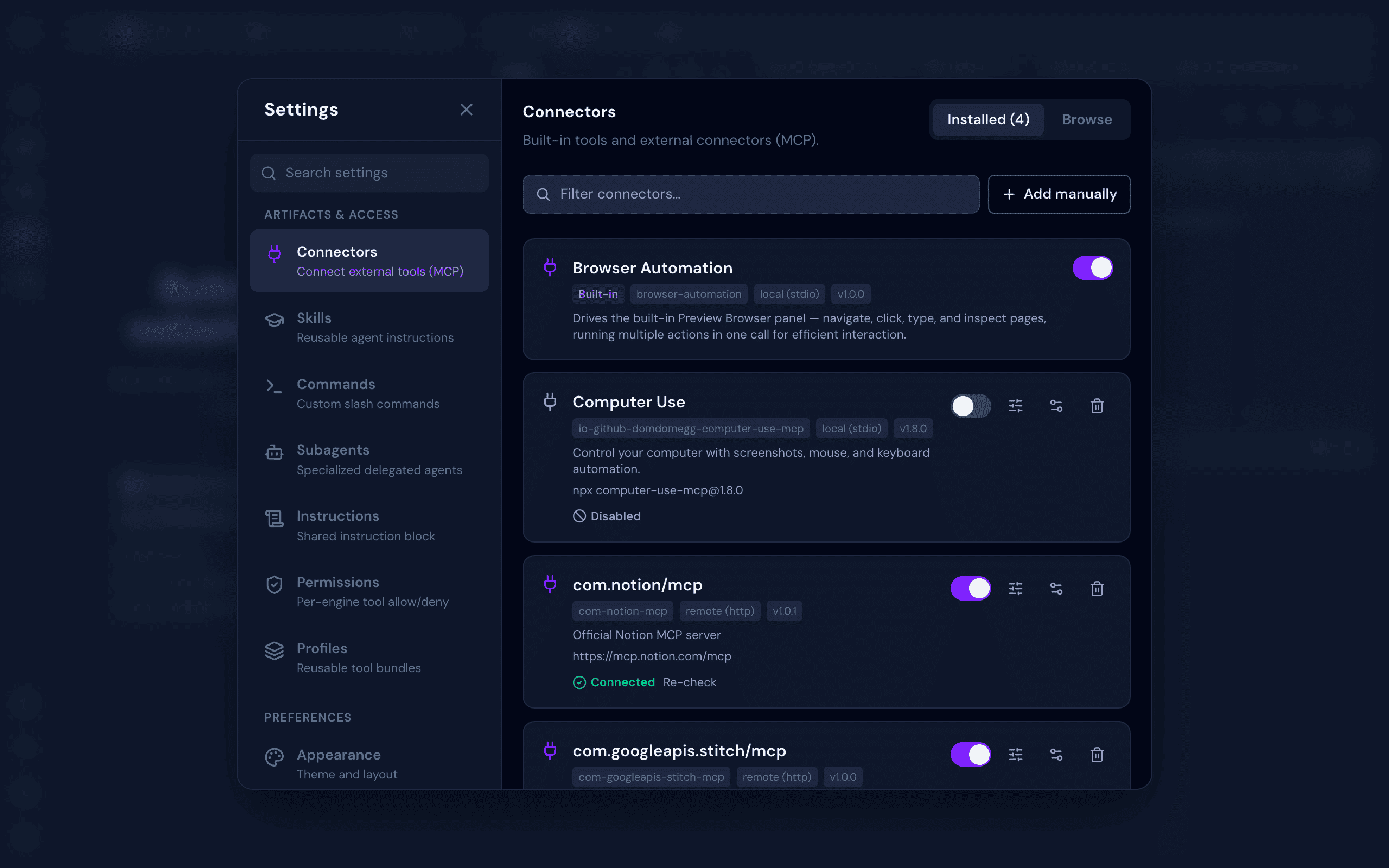
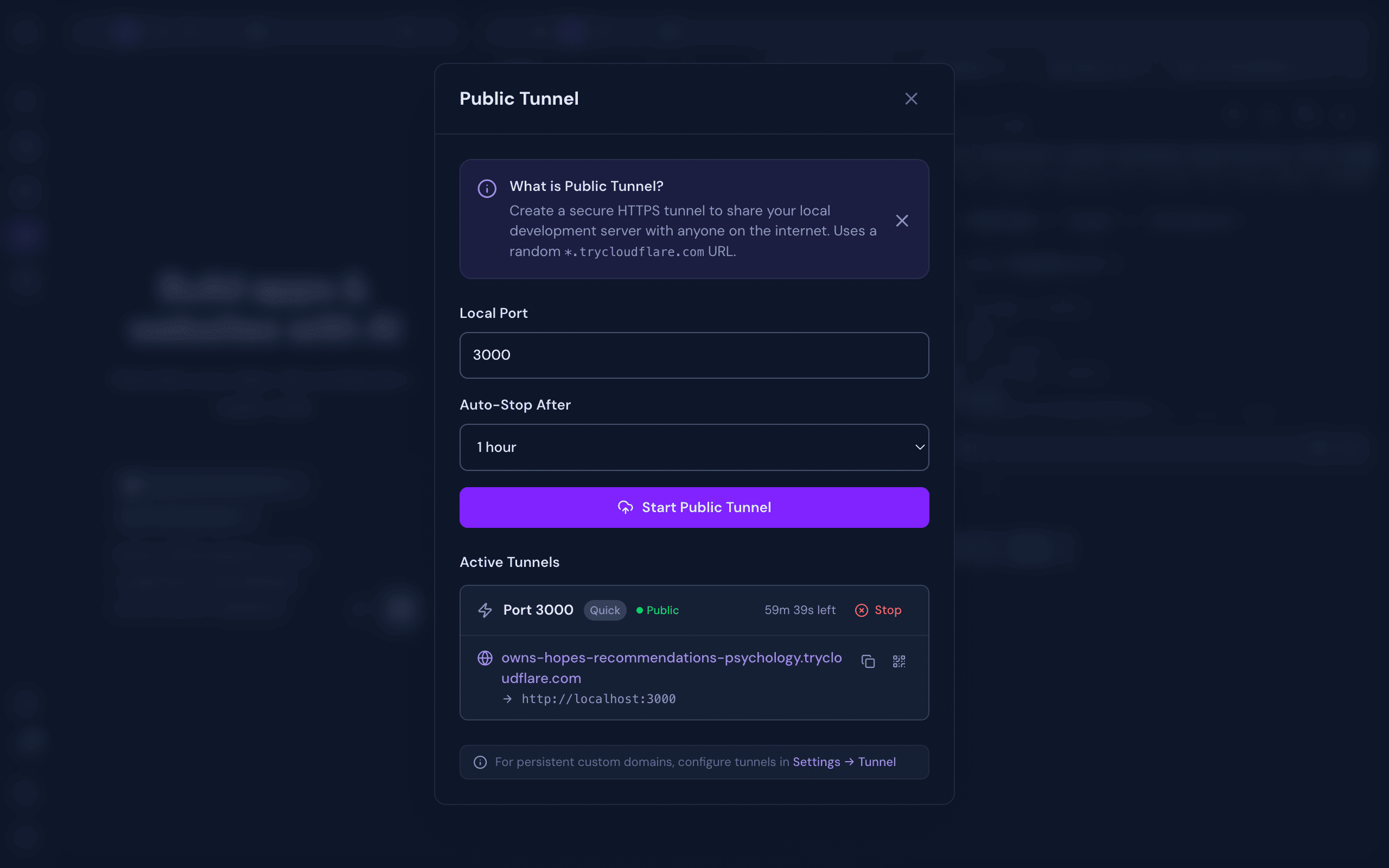
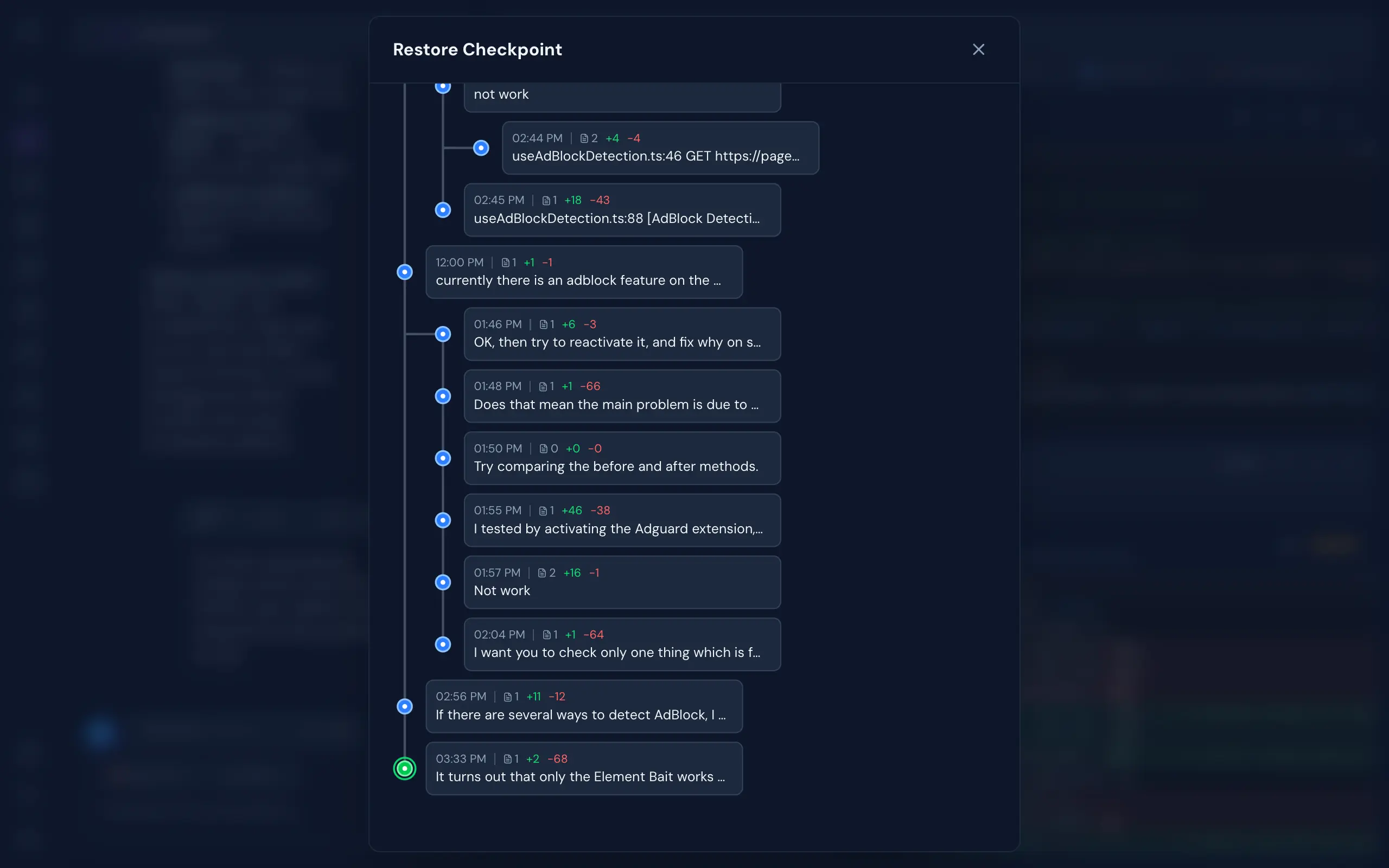
A complete development environment designed around AI-assisted workflows, built to disappear into the background and just work.
~/.clopen/stack/engines) — isolated from your global setup, no PATH pollutionbun add -g @myrialabs/clopen
clopen update
Or manually via Bun:
bun add -g @myrialabs/clopen
You can also update from the Settings → Maintenance → Updates section in the web UI.
clopen
Starts the server on http://localhost:9141.
On first launch, a setup wizard guides you through:
You can change the authentication mode anytime in Settings → Security → Authentication.
To invite team members (With Login mode), go to Settings → Team → Invite and generate an invite link (valid for 15 minutes).
If you lose your admin token:
clopen reset-pat
This regenerates and displays a new admin PAT.
Clopen is open source and contributions are welcome! Whether it's a bug fix, new feature, or improvement to docs — feel free to open an issue or submit a pull request.
git clone https://github.com/myrialabs/clopen.git
cd clopen
bun install
bun run dev     # Start development server
bun run check   # Type checking
When running in development mode, Clopen uses ~/.clopen-dev instead of ~/.clopen, keeping dev data separate from any production instance.
Each AI engine's config/state (credentials, sessions, logs) is isolated under ~/.clopen/engine/<engine>/user/ rather than the engine's global location (~/.codex, ~/.copilot, ~/.qwen, the OpenCode XDG dirs), so Clopen never mixes with — or disturbs — your own standalone CLI usage.
See CONTRIBUTING.md for guidelines and DECISIONS.md for architectural decisions.
clopen --port 9145
Or kill the existing process:
# Unix/Linux/macOS
lsof -ti:9141 | xargs kill -9

# Windows
netstat -ano | findstr :9141
taskkill /PID <PID> /F
MIT License - see LICENSE for details.
If Clopen is useful to you, consider supporting its development:
Repository: github.com/myrialabs/clopen · Issues: Report a bug or request a feature
All-in-one web workspace for AI coding agents — Claude Code, OpenCode, Codex, Copilot, Qwen Code, Pi, Cline, and Cursor — with chat, terminal, git, browser preview, database client, checkpoints, and r
{ "mcpServers": { "myrialabs-clopen": { "command": "npx", "args": [ "-y", "@myrialabs/[email protected]" ] } }}Resumen general
All-in-one web workspace for AI coding agents — Claude Code, OpenCode, Codex, Copilot, Qwen Code, Pi, Cline, and Cursor — with chat, terminal, git, browser preview, database client, checkpoints, and real-time collaboration
Herramientas
Aún no hay lista de herramientas. Los servidores remotos la reciben tras la primera comprobación de estado.
Preguntas frecuentes
Copia en esta página la configuración stdio para Cursor, Claude Desktop, Claude Code o VS Code. Usa la instalación del publicador, no un proxy de PlugMCP.
Este registro no indica ninguna variable de entorno obligatoria.
@myrialabs/clopen se ejecuta localmente por stdio.
Última comprobación: 2026-11-15. All-in-one web workspace for AI coding agents — Claude Code, OpenCode, Codex, Copilot, Qwen Code, Pi, Cline, and Cursor — with chat, terminal, git, browser preview, database client, checkpoints, and real-time collaboration