dsh-mcp-panel
- 1024 store channel:
npm i -g dsh1024once, thendsh1024 plugin --profile web add dsh-mcp-panel(counts toward the deepseek1024.com install ranking).
Potencia tu agente
El comando propio del publicador. No es un endpoint de PlugMCP.
Host a copy with our keys and logs.
npx -y [email protected]Claude Code no tiene enlace de instalación para un comando local. Copia el comando de abajo y ejecútalo en una terminal.
claude mcp add perrylink-dsh-mcp-panel -- npx -y dsh-mcp-panel@0.6.31Ejecútalo en una terminal.
{ "mcpServers": { "perrylink-dsh-mcp-panel": { "command": "npx", "args": [ "-y", "[email protected]" ] } }}claude_desktop_config.json
¿URL remota o un comando en tu máquina? En qué se diferencian las dos instalaciones
Ejecutar en PlugMCP
A new server you create. It is not this listing's official endpoint. Use the publisher install when you want their URL and their credentials.
AbrirDel publicador
npm i -g dsh1024 once, then dsh1024 plugin --profile web add dsh-mcp-panel (counts toward the deepseek1024.com install ranking).
MCP management console for the official DeepSeek Harness MCP client: /mcp command with health diagnostics and pipeline trial calls, a Settings MCP tab with server CRUD (approval-gated writes, automatic backups) and a tool trial console over the official tool pipeline (Apache-2.0, dsh-plugin).
The MCP management console for the official DeepSeek Harness MCP client — add, edit, remove, and trial-call MCP servers from a settings page, with honest status, health diagnostics, and safe, reversible profile writes.
Official client = bridge, this plugin = console: read status through the mcp/status seam, write only append-only, approval-gated profile patches.
Official repository. This is the only official repository of dsh-mcp-panel, maintained by PerryLink. Same-name repositories under other accounts are not affiliated.
dsh plugin --profile <name> add dsh-mcp-panel
📖 Ecosystem knowledge base — measured data, not marketing: plugin development guide · plugin-selection data · maintenance criteria.
main): dsh plugin --profile web add github:PerryLink/dsh-mcp-panel — the prepare script builds with production dependencies only.dsh plugin --profile web add dsh-mcp-panel.pnpm pack in this repo, then dsh plugin --profile web add ./dsh-mcp-panel-<version>.tgz.mcp-panel row from cordis.patch.yml (the web surface hot-reloads it), delete the package from the profile's node_modules, and verify with dsh web --dump-config that no mcp-panel row remains.这个插件是 DSH 插件家族的一员(95 个,全部 Apache-2.0)。如果你在用,给个 star —— 它不会解锁任何功能,但会让下一个人在搜索里更容易找到它。
English: part of a 95 plugin family for DeepSeek Harness. If it is useful, a star helps the next person find it — nothing is gated behind it.
The MCP management console for the official DeepSeek Harness MCP client — add, edit, remove, and trial-call MCP servers from a settings page, with honest status, health diagnostics, and safe, reversible profile writes.
Official client = bridge, this plugin = console: read status through the mcp/status seam, write only append-only, approval-gated profile patches.
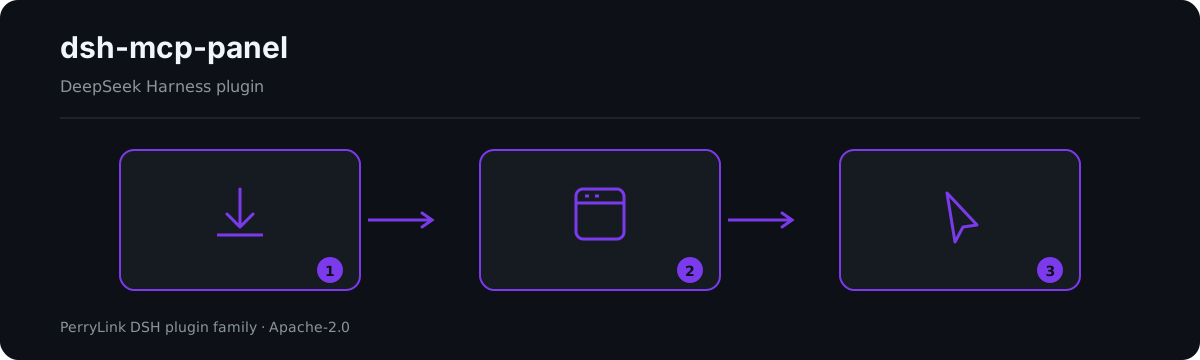
Workflow overview: install → open panel → act. The examples below use the real command surface.
dsh-mcp-panel is the experience layer on top of the official MCP client: a read-only runtime view plus safe, reversible profile writes.
/mcp command — one row per server: transport, target, tool count, connection status (from the upstream seam; unknown when unobserved), last error, reconnect count — model-readable, session-log reconstructable, five output languages./mcp <server> tools — model-visible mcp__* tool names and descriptions./mcp <server> health — derived self-heal suggestions (ENOENT → missing dependency, ECONNREFUSED, timeouts, 401/403/404, DNS, rate limit, reconnect exhaustion…); exit code / stderr tail honestly labeled pending upstream support until the client exposes them./mcp <server> disable / enable — turn one server row off or back on without editing the profile patch by hand./mcp <server> probe — one Streamable HTTP connectivity probe for that server (background job)./mcp <server> call <tool> [json] — trial-call through the official tool pipeline (ctx.tools.execute()); pre-execute permission policy, approval, guards, and post-execute all apply.insert for add and id-targeted overrides (- id: + name: + disabled:/config:) for edit/remove → clipboard copy or approval-gated write with automatic backups and loader re-verification.list_mcp_resources / list_mcp_resource_templates / read_mcp_resource tools (bridged by the shipped @deepseek-ai/dsh-mcp-resources service); results are shown in the tab only, never in model context.catalogEntries appends/overrides entries, and catalogToConfigInput turns one into a one-click add.exportConfigs() serializes the server rows to a versioned JSON document (a !!js row exports as null with a reason), and importPreview() parses an export back into per-server add patch fragments for review.mcp__* tool → JSON args → canonical JSON result + rendered content; capped by trialMaxResultChars; panel-only, never model context.@deepseek-ai/dsh-mcp-client is the only bridge: one plugin instance per MCP server, configured as a hand-written cordis.yml row, connecting the transport, syncing tools, and registering mcp__<server>__<tool> names. This plugin never replaces it — it is the experience layer on top:
                    ┌────────────────────────────────────────────┐
 profile            │  cordis.yml / cordis.patch.yml             │
 composition        │   - id: mcp-github                          │
 (one row per       │     name: '@deepseek-ai/dsh-mcp-client'     │
  server, hand-     │     config: { serverName, transport, … }    │
  written)          │   - id: mcp-panel                           │
                    │     name: dsh-mcp-panel   ◄── this plugin   │
                    └───────────────┬────────────────────────────┘
                                    │
        ┌───────────────────────────┴───────────────────────────┐
        │                                                        │
   ┌────▼──────────────┐        ┌───────────────────────────┐    │
   │ @deepseek-ai/dsh- │        │ dsh-mcp-panel (console)   │    │
   │ mcp-client        │        │                           │    │
   │ • transport       │        │ • /mcp command            │    │
   │ • tool sync       │        │ • Settings → Plugins →    │    │
   │ • mcp__* tools    │◄──────►│   MCP tab: CRUD, trial    │    │
   │ • mcp/status seam │ status │ • health diagnostics      │    │
   └───────────────────┘        │ • probes, capabilities    │    │
                                └───────────────────────────┘    │
The console reads the client through its proposed mcp/status observability seam (not yet shipped upstream; feature-detected) (event + mcpStatus query service), the tool registry, and the loader; it writes only the profile's patch layer — append-only, approval-gated, always backed up. Transport, OAuth, and protocol stay untouched.
The console's output IS cordis.patch.yml vocabulary — the same lines you would write by hand, generated, previewed, and applied safely.
dsh plugin --profile web add github:PerryLink/dsh-mcp-panel
# 1. install the bundle into your profile
dsh plugin --profile web add github:PerryLink/dsh-mcp-panel

# or from npm (published releases)
dsh plugin --profile web add dsh-mcp-panel

# 2. restart and verify the row
dsh --profile web --dump-config | grep -A3 'id: mcp-panel'
Then open Settings → Plugins → MCP, or run:
/mcp
/mcp everything tools
/mcp everything health
/mcp everything call echo '{"message": "hi"}'
These are the plugin's real entry points; install once, then call one.
Command
/mcp github tools
Output
Tools of "github" (1, model-visible public names):
- mcp__github__create_issue — Create a new issue in a GitHub repository
Observed from plugins/dsh-mcp-panel/tests/command.spec.ts:99-110; renderer at src/command.ts:352-360
Input
/mcp nope tools
Output
Unknown MCP server "nope" (configured: github)
Observed from plugins/dsh-mcp-panel/src/command.ts:104-105; plugins/dsh-mcp-panel/tests/command.spec.ts:152-157
/mcp <server> tools/mcp <server> healthAll tunables are Schemastery Config fields (changeable from cordis.yml). cordis.patch.yml documents the common keys inline; the full key list lives in the table below.
Resources ARE bridged upstream: the base bundle mounts @deepseek-ai/dsh-mcp-resources, the official client registers each connection's resource provider into ctx.mcpResources, and that package owns the three shared tools (list_mcp_resources, list_mcp_resource_templates, read_mcp_resource). The console feature-detects the service and the registered tools, and offers a read-only Resources browser (list / templates / URI read) on every server card — each call runs through the OFFICIAL tool pipeline, and results never enter model context.
MCP prompt templates and resource subscriptions remain deferred upstream; the capabilities board marks Prompts pending upstream support.
dshWorkshop manifest declares network:outbound and native-code:none.cordis.patch.yml fragments (approval-gated, backup-first). URL query credentials, userinfo passwords, header values, bearer tokens, and JWTs are redacted before rendering; configured headers never enter any snapshot, and env/header values never leave the host (the editor sees keys only).unknown / — with statusSource: 'derived'; exit codes and stderr tails are never invented.cordis.patch.yml; it appends generated operations, keeps the newest backupCount backups, and re-verifies every write against the loader's re-applied state before reporting success (a skipped patch never reads as success).unknown / -1 / —.$DSH_HOME/cordis.patch.yml, which a profile-layer patch cannot reach).pnpm run typecheck && pnpm run typecheck:ci && pnpm test && pnpm run build && pnpm run verify:self-contained && pnpm run verify:artifacts && pnpm pack
scripts/verify-headless.mjs boots the real web profile and prints the exact /mcp output. Releases: node scripts/release.mjs <x.y.z> runs the full gate, commits, and tags v<x.y.z> locally (never pushes).
dsh, dsh-plugin, deepseek-harness, deepseek, cordis, mcp, mcp-client, observability, panel
This project is part of the DeepSeek Harness plugin family from PerryLink. The roster stays collapsed below so every README keeps a short first screen; expand it to see every row and its status.
Apache License 2.0 © 2026 dsh-mcp-panel contributors
MCP management console for the official DeepSeek Harness MCP client: /mcp command with health diagnostics and pipeline trial calls, a Settings MCP tab with server CRUD (approval-gated writes, automati
{ "mcpServers": { "perrylink-dsh-mcp-panel": { "command": "npx", "args": [ "-y", "[email protected]" ] } }}Resumen general
MCP management console for the official DeepSeek Harness MCP client: /mcp command with health diagnostics and pipeline trial calls, a Settings MCP tab with server CRUD (approval-gated writes, automatic backups) and a tool trial console over the official tool pipeline (Apache-2.0, dsh-plugin).
Herramientas
Aún no hay lista de herramientas. Los servidores remotos la reciben tras la primera comprobación de estado.
Preguntas frecuentes
Copia en esta página la configuración stdio para Cursor, Claude Desktop, Claude Code o VS Code. Usa la instalación del publicador, no un proxy de PlugMCP.
Este registro no indica ninguna variable de entorno obligatoria.
Dsh MCP Panel se ejecuta localmente por stdio.
Última comprobación: 2026-10-27. MCP management console for the official DeepSeek Harness MCP client: /mcp command with health diagnostics and pipeline trial calls, a Settings MCP tab with server CRUD (approval-gated writes, automatic backups) and a tool trial console over the official tool pipeline (Apache-2.0, dsh-plugin).