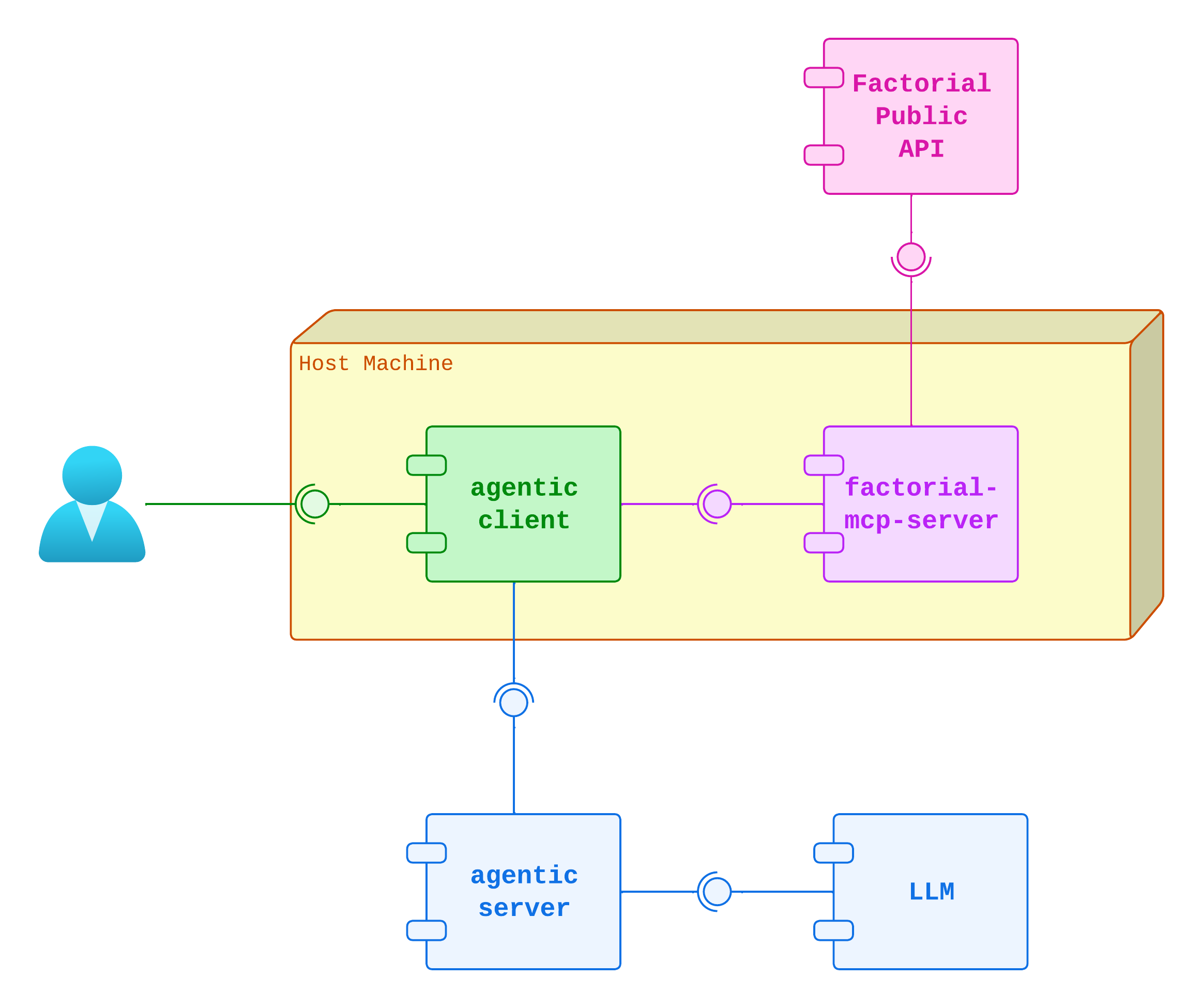
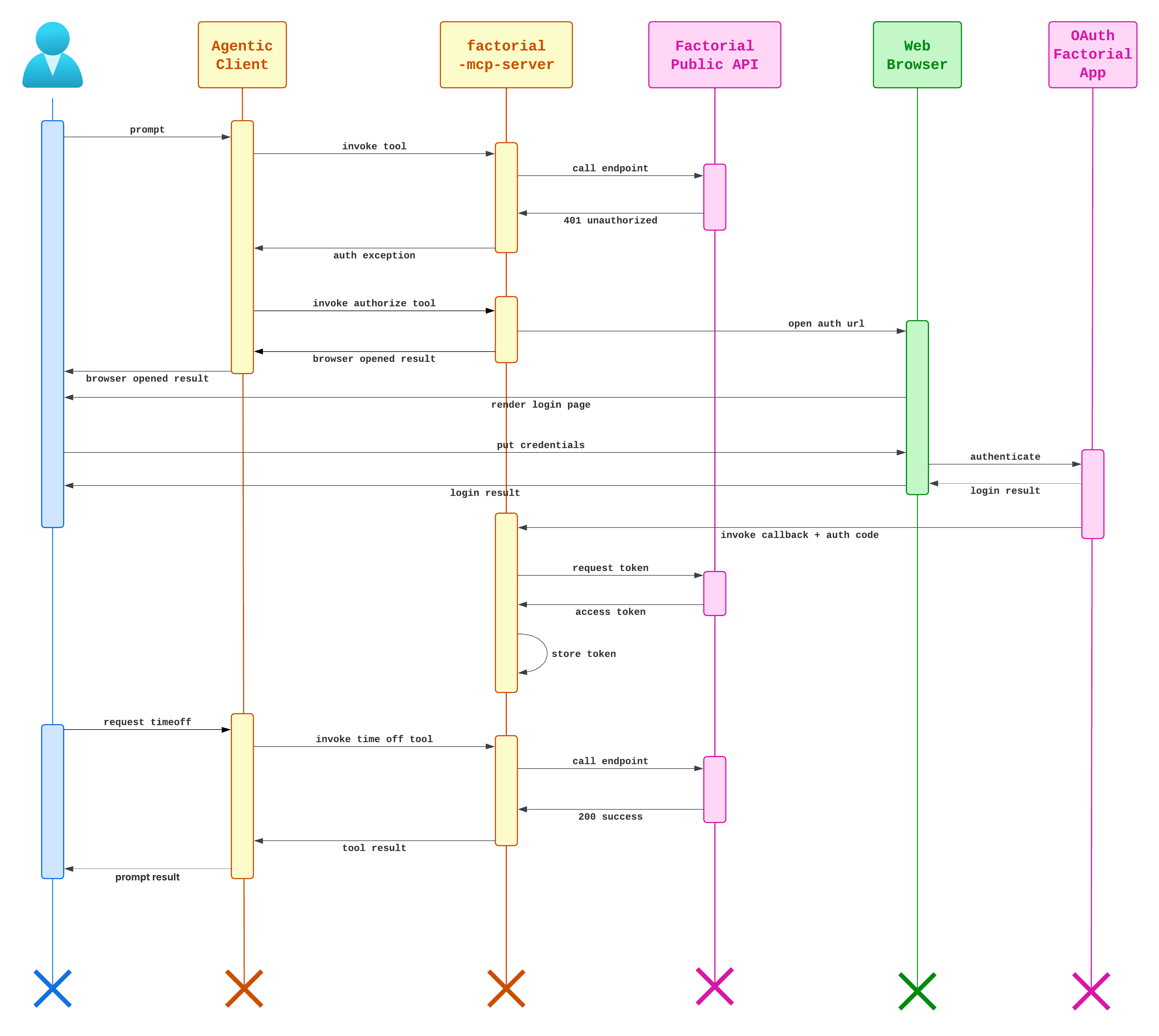
Configure the MCP server in your AI client:
{
  "mcpServers": {
    "mcp-factorial": {
      "command": "docker",
      "args": [
        "run",
        "-i",
        "--rm",
        "-p",
        "7000:7000",
        "-v",
        "factorial-mcp-server_cache:/app/data",
        "-e",
        "EXIT_ON_EOF=true",
        "-e",
        "OAUTH2_APPLICATION_ID",
        "-e",
        "OAUTH2_APPLICATION_SECRET",
        "ghcr.io/ratek-20/factorial-mcp-server:latest",
        "--transport",
        "stdio"
      ],
      "timeout": 120000,
      "trust": false,
      "includeTools": [
        "get_available_vacation_days",
        "request_time_off",
        "read_time_offs",
        "approve_time_off",
        "update_time_off",
        "delete_time_off",
        "get_leave_types",
        "get_current_employee",
        "get_employee",
        "authorize"
      ]
    }
  }
}
{
  "mcpServers": {
    "mcp-factorial": {
      "tools": [
        "get_available_vacation_days",
        "request_time_off",
        "read_time_offs",
        "approve_time_off",
        "update_time_off",
        "delete_time_off",
        "get_leave_types",
        "get_current_employee",
        "get_employee",
        "authorize"
      ],
      "command": "docker",
      "args": [
        "run",
        "-i",
        "--rm",
        "-p",
        "7000:7000",
        "-v",
        "factorial-mcp-server_cache:/app/data",
        "-e",
        "EXIT_ON_EOF=true",
        "-e",
        "OAUTH2_APPLICATION_ID",
        "-e",
        "OAUTH2_APPLICATION_SECRET",
        "ghcr.io/ratek-20/factorial-mcp-server:latest",
        "--transport",
        "stdio"
      ]
    }
  }
}
claude mcp add --transport stdio mcp-factorial -- \
  docker run -i --rm -p 7000:7000 \
  -v factorial-mcp-server_cache:/app/data \
  -e EXIT_ON_EOF=true \
  -e OAUTH2_APPLICATION_ID \
  -e OAUTH2_APPLICATION_SECRET \
  ghcr.io/ratek-20/factorial-mcp-server:latest \
  --transport stdio
⚠️ Important: The syntax and structure may vary between AI clients. Consult your client's documentation for the exact configuration format.
If you keep credentials in a local .env file, load it into your shell before starting the AI client:
set -a
source .env
set +a