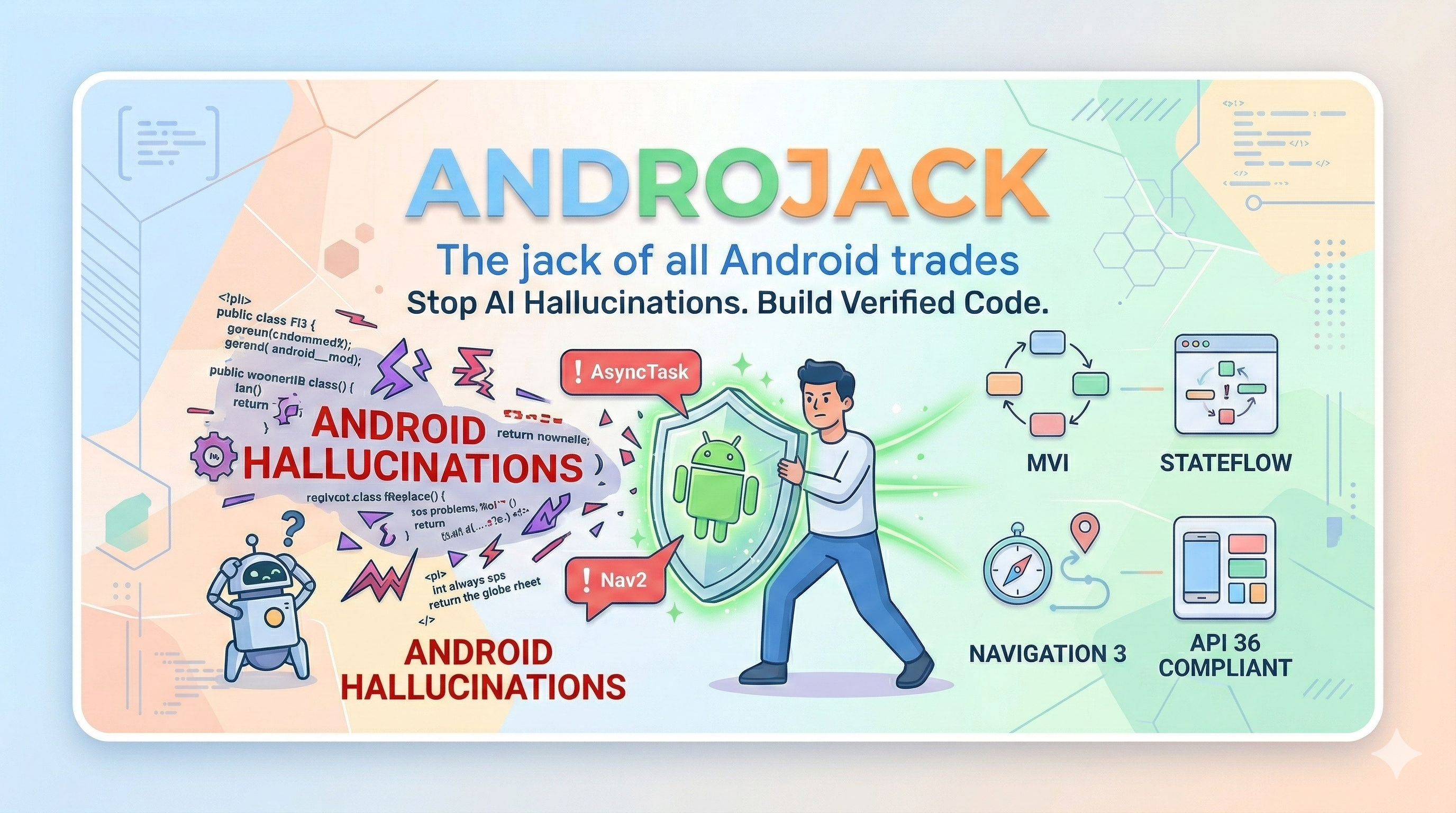
In 2025, the Stack Overflow Developer Survey asked 49,000 developers about their experience with AI coding tools. The results should alarm every Android engineer:
84% of developers now use AI coding tools — up from 76% the year before.
Trust in AI accuracy collapsed from 40% to just 29% in a single year.
35% of all Stack Overflow visits in 2025 are now triggered by developers debugging and fixing AI-generated code.
The gap between usage and trust is not a coincidence. It is the product of a structural problem: AI models predict tokens, not APIs. They were trained on a snapshot of the world and have no mechanism to know what changed at API 30, what shipped at Google I/O 2025, or what Google Play now rejects at review time.
For Android developers, this failure mode is uniquely dangerous. Android has the fastest-moving ecosystem in mobile development — a new Compose BOM every month, Navigation 3 going stable after seven years of Nav2, Android 16 rewriting the rules on screen orientation locking — and most AI tools have training data that is six months to two years stale by the time you use them.
The result is not just bad code. It is confidently bad code.
⚡ What Actually Breaks In Practice — Documented Evidence
These are not hypothetical risks. They are documented failure modes from real developer projects.
A published case study from Atomic Robot documented a live Navigation 2 → Navigation 3 migration using both Gemini and Claude — with internet access enabled on both. The conclusion, verbatim:
"LLMs still hallucinate versions. Even with internet access, both agents wanted to use an outdated release candidate instead of the stable 1.0.0 release."
Navigation 3 went stable in November 2025 after seven years of the same library. It is a complete architectural rethink: back stacks are now plain Kotlin lists, the monolithic nav graph is gone, and NavDisplay replaces NavController. Google's own migration guide is so aware that AI tools get this wrong that it now contains special "AI Agent:" annotations — instructions embedded directly in the official docs for AI tools to follow. An AI tool that generates Nav2 code for a new Compose project in 2026 is not making a small mistake. It is creating an architectural incoherence that requires a full rewrite to fix.
Jetpack Compose ships a new BOM every month. Since most models' training cutoffs, these APIs changed:
API
Status
What goes wrong
ContextualFlowRow / ContextualFlowColumn
Deprecated in Compose 1.8
AI still generates them — compile warning today, removal tomorrow
TestCoroutineDispatcher
Removed from coroutines-test 1.8+
AI still generates it — non-deterministic test failures in CI
FlowRow overflow parameter
Deprecated in 1.8
Subtle behavioral regression at runtime, silent in most linting setups
AnchoredDraggableState.confirmValueChange
Deprecated
Incorrect drag behavior at anchor boundaries
Navigation 2 in new projects
Superseded by Nav3 stable Nov 2025
Architectural dead-end that requires a rewrite to fix
Every one of these compiles. Most run without errors. The bugs surface later in CI flakiness, UI regressions, or Play Store review failures.
Android 16 made a platform-level change affecting every published app: on devices ≥600dp — tablets, foldables, ChromeOS — apps can no longer lock screen orientation or restrict resizability. Since August 31, 2026, Google Play requires new apps and updates to target API 36 (extension available to November 1, 2026). Android 17 / API 37 removes the remaining opt-out.
An AI tool generating android:screenOrientation="portrait" or android:resizeableActivity="false" today is generating code that triggers App Compatibility warnings in Play Console, fails large-screen quality checks, and gets apps demoted in Play Store search results.
The business impact is not theoretical: Foldable users spend 14× more on apps than phone-only users. Tablet + phone users spend 9× more. FlipaClip saw 54% growth in tablet users within four months of going adaptive.
Kotlin Multiplatform went mainstream in 2025 — over 900 new KMP libraries published, Room added KMP support, companies now hire specifically for KMP skills. When a developer on a KMP project asks an AI tool to add database support, the AI generates Android-only Room code. It compiles. It runs perfectly on Android. The iOS build fails. The developer spends hours debugging before realizing the root cause: their AI tool does not know KMP exists.
🧩 What AndroJack Does
AndroJack is a documentation-grounded Android engineering MCP server. It gives your AI coding assistant 23 specialized tools that fetch live, verified answers from official Android and Kotlin sources — instead of predicting from stale training data.
It does not make the AI smarter. It makes the AI accountable to evidence.
Think of it as a pre-build linter for LLMs. While other tools retrieve documentation, AndroJack acts as a strict architectural gatekeeper.
Without AndroJack:  You ask → AI predicts from stale weights → Code (possibly wrong)

With AndroJack:     You ask → AI calls tool → Tool fetches official source live
                             → AI reads verified answer → Code (grounded)
⚠️ Honest Activation Model — Two Levels
[!IMPORTANT]
This is the most important thing to understand before you install AndroJack.
Level
What's Active
What the AI Does
Level 1 — Tools only
23 tools registered in IDE
AI may call the right tool. Depends on the IDE and the AI's judgment.
Level 2 — Tools + Grounding Gate
23 tools + mandatory pre-generation rulebook
AI must call the correct tool for every decision before writing code.
Level 3 — Full loop-back
Level 2 + android_code_validator
AI validates every code block against 34 rules. Errors must be fixed before the user sees the code.
Level 1 is passive. The tools are available but the AI decides when to use them. An AI building a Compose screen may call architecture_reference but skip material3_expressive — and ship M3E violations silently.
Level 2 is active. The androjack_grounding_gate system prompt maps every task type to the correct tool. Building Compose UI? The AI is mandated to call material3_expressive first. Adding a dependency? It must call gradle_dependency_checker. No exceptions.
Level 3 is the loop-back.android_code_validator runs on every code block the AI generates before returning it to the user. 34 rules covering removed APIs, deprecated patterns, Android 16/17 compliance, and Compose-First migration signals. Comments are ignored, so a migration note like // replaced AsyncTask never triggers a false FAIL. Results come back as text and as structuredContent with an output schema. Verdict FAIL means the AI must fix and re-validate — the user never sees the broken code.
→ For full grounding, always activate Level 2 + Level 3. See Getting the Full Guarantee below.
🪲 What Can Still Break — Even at Level 3
[!IMPORTANT]
AndroJack is a documentation-grounding and API-validation tool. It is not a Compose layout engine, a design system enforcer, or a runtime renderer. Level 3 catches removed APIs and deprecated patterns. It cannot catch every class of Android bug. This is not a limitation of AndroJack — it is a fundamental property of static text analysis applied to a visual, runtime-rendered UI framework.
The following bugs were encountered in a real Android app built with AndroJack at Level 2 (v1.4.0). They are documented here honestly so you know exactly what to watch for — and where to reach for different tools.
[!WARNING]
The following bugs were found in a real project. They are valid, API-current Compose code that violates design system constraints, accessibility minimums, or architectural boundaries. Static text scanning cannot detect them.
// Compiles and runs. Level 3 sees no violation.
// The bug: Text inside MultiChoiceSegmentedButtonRow truncates because a
// fixed height modifier prevents the Roboto Flex variable font from expanding.
MultiChoiceSegmentedButtonRow {
    SegmentedButton(/* fixed height modifier */) {
        Text("Light")
    }
}
[!NOTE]
This is an absence bug. The correct modifier is missing — no wrong one is present. Use visual testing or runtime inspection.
// Correct Material 3 API. Level 3 sees no violation.
// The bug: disabled state colours fail WCAG AA 4.5:1 contrast against surface.
Button(enabled = false, onClick = {}) {
    Text("INITIALIZE VAULT")
}
[!NOTE]
This is a runtime visual property bug. Use paparazzi screenshot tests or Google's Accessibility Scanner.
// A missing try/catch produces no pattern match.
class VaultViewModel : ViewModel() {
    fun initializeVault() {
        viewModelScope.launch {
            val result = repository.initialize() // Missing try/catch
            _uiState.value = UiState.Success(result)
        }
    }
}
[!WARNING]
UDF architecture violations require Detekt with custom rules or unit tests verifying exception mapping.
🗂️ Defence-in-Depth: The Right Tool for Each Bug Class
Bug Class
Real Example
Right Tool
Removed / deprecated API
AsyncTask, TestCoroutineDispatcher
✅ AndroJack Level 3
Android 16 violations
screenOrientation, resizeableActivity=false
✅ AndroJack Level 3
Android 17 violations
static final reflection, LAN without permission
✅ AndroJack Level 3
Architecture (flagged root)
GlobalScope leaking to UI
✅ AndroJack Level 3
Absent modifier / missing constraint
PH-UI-009 (innerPadding)
🔧 Android Lint / IDE inspector
Runtime contrast / colour failures
PH-UI-003 (WCAG)
🔧 paparazzi + Accessibility Scanner
Touch target violations
PH-UX-008
🔧 Accessibility Scanner
Architecture boundary (missing catch)
PH-AR-004 (stack trace to UI)
🔧 Detekt + ViewModel unit tests
🎯 The Killer Argument
"Can your agents.md file tell me the Gradle version that shipped last Tuesday?"
No markdown file can. No rules in .cursorrules can. No SKILL.md can.
✅ Only a live tool call can.
That's the job AndroJack exists to do — and nothing else in the current ecosystem does it for Android specifically.
What you need
agents.md / SKILL.md
AndroJack MCP
Format output a specific way
✅ Perfect
Works too
Follow team conventions
✅ Perfect
Works too
Latest Gradle version right now
❌ Guesses from memory
✅ Fetches live
Is AsyncTask removed?
❌ May be wrong
✅ Verified against SDK
Android 16 Play Store rules
❌ Unknown
✅ Official source
Prompt engineering controls how the AI responds. MCP controls what the AI knows.
✨ What AndroJack Covers — 23 Tools
#
Tool
What It Does
What Breaks Without It
1
🔍 search
Official doc excerpts — Google Developer Knowledge API (optional key) or a verified index of canonical pages
AI reasons from memory — possibly wrong today
2
⚠️ component
Deprecated/removed check on 40+ APIs
Compiles fine, breaks at runtime/review
3
📐 architecture
Guides for 40+ topics — MVVM, Nav3, MVI...
AI gives 2022 advice; misses Nav3
4
🐛 debugger
Parses stacktraces → official docs + Issue Tracker link
AI hallucinates fixes for known bugs
5
📦 gradle
Live lookup from Google Maven (highest stable, pre-release flagged) + BOM resolution
Flags: --format=text|json|sarif, --target-sdk=N, --min-sdk=N, --fail-on=error|warning|never. Exit codes: 0 pass, 1 violations, 2 usage error or the scan could not check everything (no matching files, a file over 1 MiB, or the 20k-file cap) — a gate never passes on a partial scan.
Optional configuration
Variable
Effect
ANDROJACK_DEVELOPER_KNOWLEDGE_API_KEY
Use Google's Developer Knowledge API as the doc-search backend (full-text search over developer.android.com). Without it, AndroJack uses its verified index of canonical pages. Privacy: search queries — including exception messages from android_debugger — are sent to Google.
ANDROJACK_OFFLINE=1
Zero outbound requests — tools return canonical links only. For air-gapped setups.
ANDROJACK_HTTP_TOKEN
serve requires Authorization: Bearer <token>. Mandatory for remote binds when a Google API key is set.
ANDROJACK_ALLOW_REMOTE_HTTP=1
Same as serve --allow-remote; also applies to --http.
ANDROJACK_HTTP_STATELESS=1 / serve --stateless
No MCP sessions — each request is self-contained (load-balancer friendly).
🧩 Manual Config / Copy / Paste
If you prefer to wire the server manually, or want to inspect the exact JSON before writing anything:
Run npx -y [email protected] install --list to preview detected IDEs and target config paths.
Recommended setup: use Google's tools for retrieval and task skills, and AndroJack as the enforcement step — android_code_validator inside the agent loop and androjack-mcp validate in CI. AndroJack does not try to out-search Google's own documentation index. With ANDROJACK_DEVELOPER_KNOWLEDGE_API_KEY set, it uses that index.
🔒 Security & Privacy
Property
Implementation
Domain allowlist
Requests only to Google/Android/Kotlin official domains, default HTTPS port, no embedded credentials
Redirects re-validated
Every redirect hop is checked against the allowlist (2.1.0) — an allowlisted host cannot bounce a fetch elsewhere
Untrusted-content boundary
All fetched text is normalized, scrubbed of injection patterns and spoofed boundary tags, and wrapped as untrusted before it reaches the agent
HTTPS only
Outbound documentation fetches refuse non-HTTPS URLs, cap body size, and redact query strings in retry logs
Local by default
serve binds to loopback only unless you explicitly pass --allow-remote
HTTP hardening
Origin/Host validation, body cap, session cap with idle eviction, optional bearer token, stateless mode
Transparent agent
User-Agent: AndroJack-MCP/2.1.0
Read-only
All 23 tools annotated readOnlyHint: true, destructiveHint: false, idempotentHint: true
Credentials
None required. The optional Google API key is sent only as a header, never in URLs or logs
Offline mode
ANDROJACK_OFFLINE=1 guarantees zero outbound requests
Security policy
Disclosure process and supported versions in SECURITY.md
📋 Changelog
v2.1.0 — Fix what didn't work, harden what did, enforce in CI
Doc search actually returns docs. v2.0 scraped client-rendered search pages and returned no documentation for any query. 2.1 uses Google's Developer Knowledge API (optional key) or a verified index of canonical pages.
Security: redirect allowlist bypass closed; all fetched content now goes through the untrusted-content boundary (v2.0 claimed this but only one tool did it); boundary-tag spoofing and zero-width/full-width evasion fixed; HTTP session-exhaustion DoS fixed; bearer auth and stateless mode; 7 dependency vulnerabilities (1 critical) patched.
No more confident wrong answers:Row → "DEPRECATED", Task → "REMOVED" registry false positives fixed; Android 17 games exemption corrected; fabricated Handoff API removed; Room 3 is stable (was described as alpha); Google Maven alphas no longer labelled "Latest Stable"; 19 dead documentation links replaced.
New:androjack-mcp validate CLI (text/JSON/SARIF) for CI; MCP resources for the rule catalogue; full tool annotations; AppFunctions guidance; Android Studio Rabbit 1 / AGP 9.4.
Lower token cost:tools/list ~28.5 KB → ~20.5 KB; repeated identical results in a session are replaced by a short pointer (pass refresh: true to get them again).
Tests: 85 → 196 (+1 opt-in live), including a 17-scenario black-box UAT suite driven through the real MCP SDK client. See test/uat/UAT_PLAN.md.
Content sanitizer for indirect prompt injection — src/content-sanitizer.ts neutralizes structural injection patterns (fake role markers, instruction-reset framing) in any externally-fetched text before it reaches the calling agent's context. android_debugger results from issuetracker.google.com — the only allowlisted domain indexing free-text, user-submitted content — are wrapped in an explicit untrusted-data boundary.
Dependency vulnerabilities patched — resolved 7 vulnerabilities (3 high) in transitive undici/qs via a cheerio update. Zero breaking changes, 0 vulnerabilities in the shipped tree.
Tool 23: android_developer_verification — Google's developer verification program enforces from September 30, 2026 (Brazil, Indonesia, Singapore, Thailand first; global 2027). Covers registration paths, timeline, enterprise exemptions, and CI/CD bulk-registration APIs.
Compose-First platform shift reflected — as of May 19, 2026, Android UI development is officially Compose First; View-based patterns (Fragments, RecyclerView, ViewPager) are flagged as maintenance-mode wherever queried, sourced directly from Google's own announcement rather than left silently outdated.
Compose 1.11 v2 Testing Framework — full migration guide for the new default StandardTestDispatcher behavior, plus a validator rule (UNCONFINED_DISPATCHER_COMPOSE_TEST) that flags the old assumption.
Navigation 3 Scene Decorators (1.1) — persistent chrome (bottom bars, rails, dialogs) without per-screen awareness.
Android Studio codename corrected — was two full codenames stale ("Panda 2"). Now correctly reflects Quail (2026.1.x) as current stable, AGP 9.2.0.
Android Skills positioning — documents Google's first-party Android Skills/CLI (April 2026) and positions AndroJack's validator as the complementary post-generation enforcement gate, not a competing retrieval layer.
28 validator rules (was 26) — added UNCONFINED_DISPATCHER_COMPOSE_TEST and NEW_FRAGMENT_CLASS_COMPOSE_FIRST.
Fabricated version numbers removed — a prior session's dependency version catalog example asserted several unverified version numbers. Replaced with only-confirmed values plus explicit CHECK_LIVE_VIA_gradle_dependency_checker placeholders.
Full version sync — closed a gap where src/version.ts had been bumped without propagating to package.json, all IDE config files, and manifest files — now enforced as a release checklist item.
v1.7.1 — Engineering Hardening & Community Parity
54-Test Coverage — Implemented comprehensive unit and contract tests for validator rules, HTML parser, LRU cache, and HTTP security layer.
Dependency Sanitization — Removed node-fetch (migrated to native fetch) and pruned stale overrides for a cleaner supply chain.
Rule Hardening — Improved Compose component detection for NavHost and BottomAppBar.
URL Remediation — Fixed broken documentation anchors for Android 17 ACCESS_LOCAL_NETWORK and handoff.
v1.7.0 — Android 17 / API 37 Support
Tool 22: android_api17_compliance — Full reference for Android 17 platform stability (March 26, 2026).
Validator rule expansion — (Corrected in 2.1.0: these notes originally claimed 31 rules, including Room 3.0 and ACCESS_LOCAL_NETWORK checks that never shipped. The real count was 26 → 28 in 2.0.0 and 34 in 2.1.0.)
WindowManager 1.5.0 — Added Large (1200dp) and Extra-large (1600dp) breakpoints and layout patterns.
Room 3.0 alpha — Support for modern SQLiteDriver migration paths.
👥 Authorship & Ownership
Vikas Sahani — Product Lead ([email protected]) Claude AI — AI Engineering Lead
Pas encore de liste d'outils. Les serveurs distants en obtiennent une après le premier contrôle d'état.
FAQ
Questions
Comment installer AndroJack MCP ?
Copiez sur cette page la configuration stdio pour Cursor, Claude Desktop, Claude Code ou VS Code. Elle utilise l'installation de l'éditeur, pas un proxy PlugMCP.
AndroJack MCP nécessite-t-il une clé API ?
Aucune variable d'environnement requise n'est indiquée sur cette fiche.
Quel transport AndroJack MCP utilise-t-il ?
AndroJack MCP s'exécute en local via stdio.
Quand AndroJack MCP a-t-il été vérifié pour la dernière fois ?
Dernière vérification : 2026-11-09. Android engineering MCP server with verified documentation grounding and AI validation tools.