MCP-Compose
Docker Compose for Model Context Protocol servers. Run multiple MCP servers with unified configuration, HTTP proxy, and container orchestration.
Alimenter votre agent
Installation de l'éditeur. Ce n'est pas un endpoint PlugMCP.
Host a copy with our keys and logs.
Pas encore de version packagée dans le registre. Suivez le README du dépôt.
URL distante ou commande sur votre machine ? Ce qui distingue les deux installations
Exécuter sur PlugMCP
A new server you create. It is not this listing's official endpoint. Use the publisher install when you want their URL and their credentials.
Lancer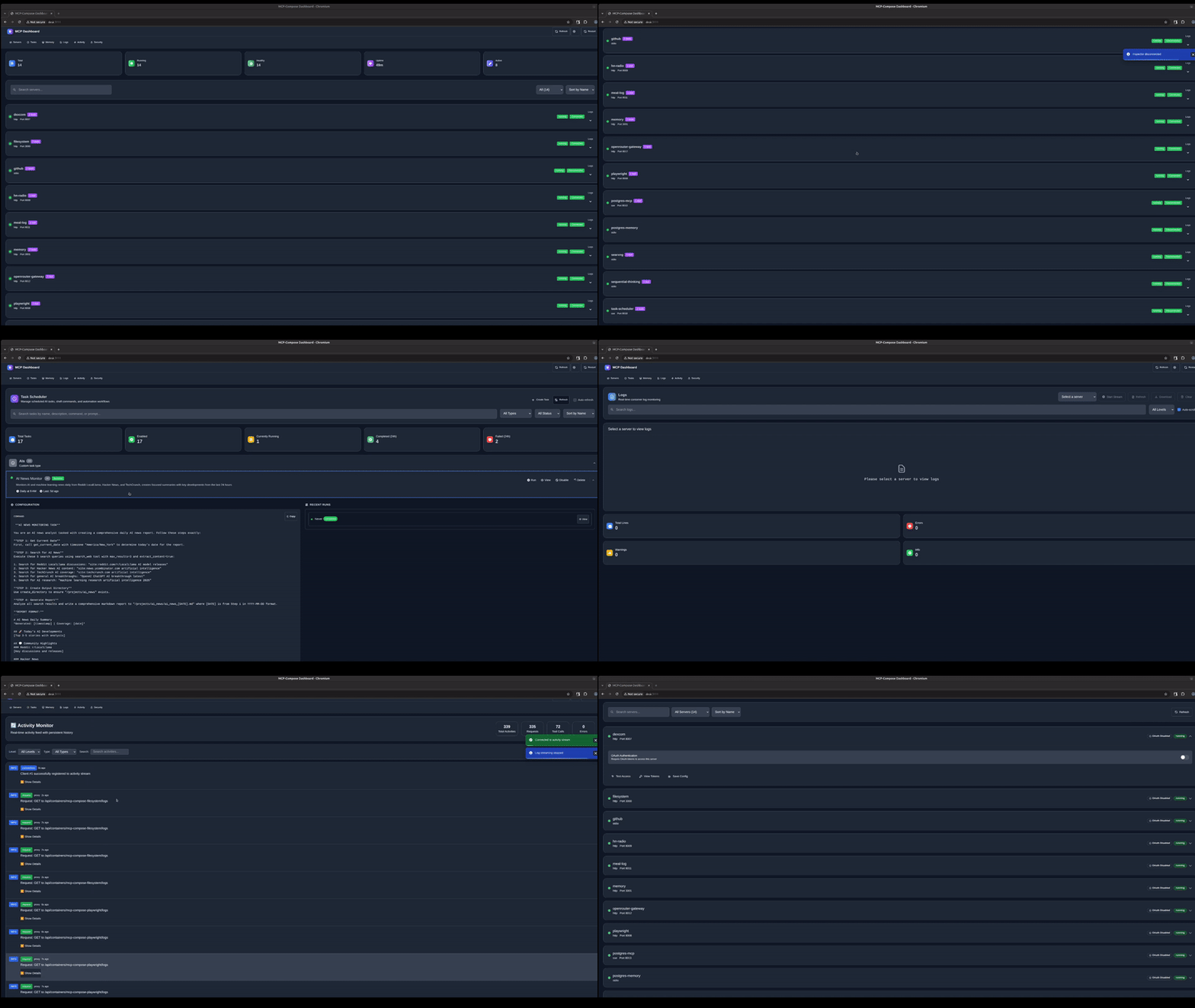
git clone https://github.com/phildougherty/mcp-compose.git
cd mcp-compose
make build

# Add to PATH
sudo cp build/mcp-compose /usr/local/bin/
# OR
export PATH="$PWD/build:$PATH"
mcp-compose init
Follow the prompts to create your configuration.
Create mcp-compose.yaml:
version: '1'
servers:
  filesystem:
    protocol: stdio
    command: npx
    args:
      - "-y"
      - "@modelcontextprotocol/server-filesystem"
      - "/tmp"
    capabilities: [resources, tools]
Start servers:
mcp-compose up
Start the HTTP proxy:
mcp-compose proxy --port 9876
Test it:
curl http://localhost:9876/api/servers
version: '1'
servers:
  filesystem:
    protocol: stdio
    command: npx
    args:
      - "-y"
      - "@modelcontextprotocol/server-filesystem"
      - "${HOME}"
    capabilities: [resources, tools]
    volumes:
      - "${HOME}:${HOME}:ro"

  memory:
    protocol: stdio
    command: npx
    args:
      - "-y"
      - "@modelcontextprotocol/server-memory"
    capabilities: [resources, tools]
Add Brave Search (requires API key from https://brave.com/search/api/):
  brave-search:
    protocol: stdio
    command: npx
    args:
      - "-y"
      - "@modelcontextprotocol/server-brave-search"
    capabilities: [tools]
    env:
      BRAVE_API_KEY: "${BRAVE_API_KEY}"
export BRAVE_API_KEY="your-api-key"
mcp-compose up
See examples/ for more configurations.
mcp-compose up                 # Start all services
mcp-compose up filesystem      # Start specific service
mcp-compose down               # Stop all services
mcp-compose down filesystem    # Stop specific service
mcp-compose restart            # Restart all services
mcp-compose ps                 # List service status
mcp-compose logs filesystem    # View logs
System services are infrastructure components (proxy, dashboard, task-scheduler, memory).
mcp-compose system up          # Start system services
mcp-compose system down        # Stop system services
mcp-compose system ps          # List system services
mcp-compose system status      # Health overview
mcp-compose system logs proxy  # View system logs
mcp-compose proxy --port 9876              # Start proxy
mcp-compose proxy --api-key $(openssl rand -hex 32)  # With authentication
mcp-compose dashboard          # Start web dashboard
# Access at http://localhost:3111
mcp-compose init               # Interactive setup wizard
mcp-compose validate           # Validate config file
mcp-compose create-config --type claude  # Generate client config
version: '1'

# Optional: proxy authentication
proxy_auth:
  enabled: true
  api_key: "${MCP_API_KEY}"

servers:
  my-server:
    protocol: string           # stdio, http, sse
    command: string            # Executable (e.g., npx, python, node)
    args: [string]             # Command arguments
    capabilities: [string]     # tools, resources, prompts, sampling
    env:                       # Environment variables
      KEY: value
    volumes:                   # Volume mounts
      - "host:container:mode"
STDIO (most common for NPM packages):
servers:
  my-server:
    protocol: stdio
    command: npx
    args: ["-y", "@modelcontextprotocol/server-filesystem", "/tmp"]
HTTP:
servers:
  my-server:
    protocol: http
    http_port: 8080
SSE (Server-Sent Events):
servers:
  my-server:
    protocol: sse
    http_port: 8080
    sse_path: /events
volumes:
  - "/host/path:/container/path:ro"   # Read-only
  - "/host/path:/container/path:rw"   # Read-write
  - "${HOME}/code:/workspace:ro"      # Environment variables
In your config:
env:
  API_KEY: "${MY_API_KEY}"
In your shell:
export MY_API_KEY="secret"
mcp-compose up
Never commit secrets to your config file. Use environment variables:
# Generate secure keys
export MCP_API_KEY=$(openssl rand -hex 32)
export OAUTH_CLIENT_SECRET=$(openssl rand -hex 32)
Reference in config:
proxy_auth:
  api_key: "${MCP_API_KEY}"
Generate config:
mcp-compose create-config --type claude --output ./claude-config
Copy contents to Claude Desktop settings.
# List tools
curl -X POST http://localhost:9876/filesystem \
  -H "Content-Type: application/json" \
  -d '{"jsonrpc":"2.0","id":1,"method":"tools/list"}'

# Call tool
curl -X POST http://localhost:9876/filesystem \
  -H "Content-Type: application/json" \
  -d '{
    "jsonrpc":"2.0",
    "id":1,
    "method":"tools/call",
    "params":{
      "name":"read_file",
      "arguments":{"path":"/tmp/test.txt"}
    }
  }'
mcp-compose ps
mcp-compose system status
mcp-compose logs filesystem
mcp-compose system logs proxy
mcp-compose validate
Port already in use:
lsof -i :9876
mcp-compose proxy --port 9877  # Use different port
Container not starting:
mcp-compose logs my-server     # Check logs
docker ps -a                   # Check container status
Authentication errors:
echo $MCP_API_KEY # Verify key is set
┌──────────────────────────────┐
│     MCP-Compose Proxy        │
│  (HTTP API + Authentication) │
└──────────────┬───────────────┘
               │
        ┌──────┼──────┐
        │      │      │
    ┌───▼──┐ ┌─▼──┐ ┌▼───┐
    │ FS   │ │ Mem│ │Search│
    │STDIO │ │HTTP│ │ SSE  │
    └──────┘ └────┘ └──────┘
GNU Affero General Public License v3.0 - see LICENSE.
Compose, manage, and run MCP servers as Docker containers. With a Unified API gateway built in.
Outils
Pas encore de liste d'outils. Les serveurs distants en obtiennent une après le premier contrôle d'état.
FAQ
Copiez sur cette page la configuration stdio pour Cursor, Claude Desktop, Claude Code ou VS Code. Elle utilise l'installation de l'éditeur, pas un proxy PlugMCP.
Aucune variable d'environnement requise n'est indiquée sur cette fiche.
MCP Compose s'exécute en local via stdio.
Dernière vérification : 2026-10-27. Compose, manage, and run MCP servers as Docker containers. With a Unified API gateway built in.
