abinnovision/payloadcms-commons
Power your agent
पब्लिशर की अपनी कमांड। PlugMCP एंडपॉइंट नहीं।
Host a copy with our keys and logs.
npx -y @abinnovision/[email protected]Claude Code में लोकल कमांड के लिए इंस्टॉल लिंक नहीं है। नीचे दी गई कमांड कॉपी करें और टर्मिनल में चलाएँ।
claude mcp add abinnovision-payloadcms-mcpx -- npx -y @abinnovision/payloadcms-mcpx@2.1.0टर्मिनल में चलाएँ।
{ "mcpServers": { "abinnovision-payloadcms-mcpx": { "command": "npx", "args": [ "-y", "@abinnovision/[email protected]" ] } }}claude_desktop_config.json
रिमोट URL या आपकी मशीन पर कमांड? दोनों इंस्टॉल में क्या अंतर है
PlugMCP पर चलाएँ
A new server you create. It is not this listing's official endpoint. Use the publisher install when you want their URL and their credentials.
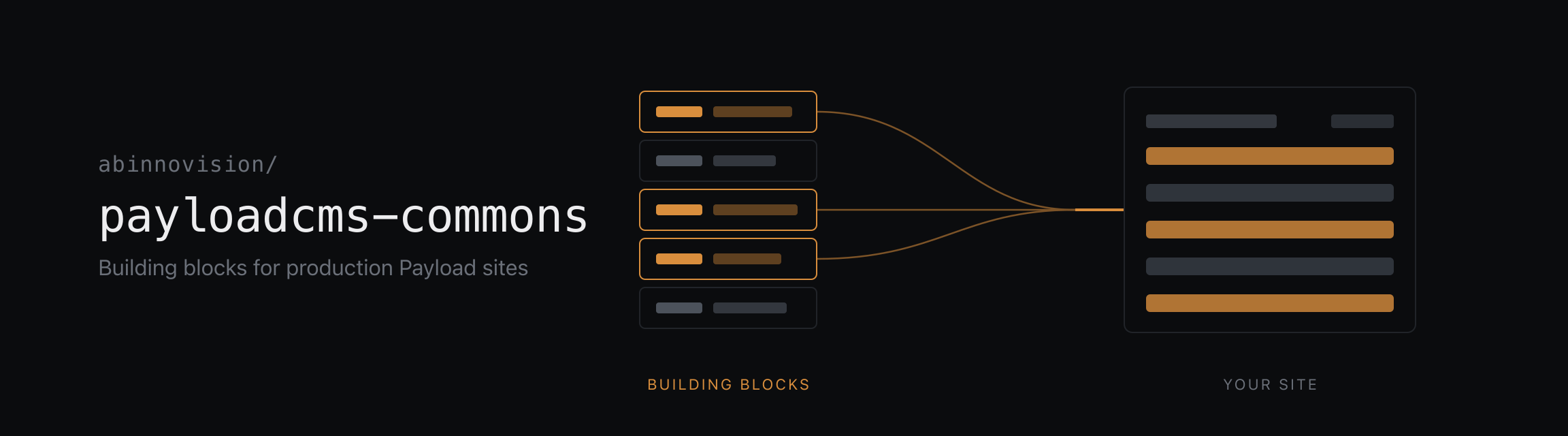
लॉन्चBuilding blocks for production Payload CMS sites.
Mostly plugins, built to be used together on the same site, each covering one concern and each installing on its own. Take the one you need or take all of them. Nothing here requires anything else here.
Packages publish as @abinnovision/payloadcms-<name>. A package that wraps
something already named keeps that name: mcpx for the MCP protocol,
email-lettermint for the Lettermint API. The others take a word from film and
printing for the job they do, and each README opens by saying what the word
means.
They are built for the same site, so where two of them meet the seam is already
there. A montage block component spreads viewfinder's markBlock() onto the
element it already renders, which makes every block addressable from live preview
at every nesting depth. Wayfinder's ./montage entrypoint parks compiled route
mappings on montage's render context, so a page reads them once per request
rather than once per link.
Those are the only seams, and each is optional from either side. Neither package knows the other exists: a block marks itself the same way without montage (wiring), and without montage wayfinder's glue is a short adapter over whatever context the app already has (both paths). colophon, mcpx and the Lettermint adapter touch nothing else at all.
apps/example-v3 mounts every package but the Lettermint adapter,
with the seams wired and a seed, written with dummy, that leaves a routed,
localized site to click through. It stays on Payload 3.
apps/example-v4 runs Payload 4 and mounts the packages
that support it so far: colophon, with a seed written with dummy.
.tool-versions)Yarn 4 monorepo with Turbo.
corepack enable)yarn install
yarn build            # Build all packages
yarn check            # Lint, format and type checks
yarn fix              # Auto-fix lint and format issues
yarn test             # Run all tests
yarn test-unit        # Run unit tests only
yarn test-integration # Run integration tests only
yarn dev              # Start the example apps in apps/
A new package follows the layout of an existing one: source under src/, tsdown
for the build, unit tests beside the source and integration tests under test/.
packages/mcpx is the fullest reference to copy from. The
private example app in apps/example-v3 is where a new package
gets exercised against the others.
Each package is versioned and released independently through
tallyrelease, so a new one has
to be added as a unit with release: true in
tallyrelease.yaml, plus a maintenance rule
release/<package>/{major}.x like the existing packages.
Merges to main publish a beta prerelease of every changed package. For
stable releases, tallyrelease keeps one release PR per package
(tallyrelease/release/main/<package>); merging it tags
payloadcms-<package>-v<version>, creates the GitHub release and publishes to
npm under latest.
When a package gets a new major and the previous one still needs fixes, cut a maintenance branch from the last release of the old major. The release PR of the new major shows the exact command, for example:
git push origin payloadcms-mcpx-v2.1.0:refs/heads/release/mcpx/2.x
Fixes go in as pull requests against that branch (or cherry-picks from main).
tallyrelease opens a release PR on the branch, limited to minor and patch
releases of that major, and publishes them under the backport dist-tag, so
latest stays on the newest major. Delete the branch once the major is no
longer supported. Without such a branch everything releases from main.
Apache-2.0
Payload CMS plugin exposing a fixed, schema-aware MCP tool surface with draft-only writes and per-API-key capabilities.
{ "mcpServers": { "abinnovision-payloadcms-mcpx": { "command": "npx", "args": [ "-y", "@abinnovision/[email protected]" ] } }}टूल
अभी टूल सूची नहीं है। रिमोट सर्वर को पहले हेल्थ चेक के बाद सूची मिलती है।
FAQ
इस पेज पर Cursor, Claude Desktop, Claude Code या VS Code के लिए stdio कॉन्फ़िग कॉपी करें। यह पब्लिशर का इंस्टॉल इस्तेमाल करता है, PlugMCP प्रॉक्सी नहीं।
इस रिकॉर्ड में कोई ज़रूरी एनवायरनमेंट वेरिएबल दर्ज नहीं है।
@abinnovision/payloadcms Mcpx stdio पर लोकल चलता है।
पिछली जाँच 2026-11-16 को हुई। Payload CMS plugin exposing a fixed, schema-aware MCP tool surface with draft-only writes and per-API-key capabilities.
