VSCode as MCP Server
A VSCode extension that turns your VSCode into an MCP server, enabling advanced coding assistance from MCP clients like Claude Desktop.
Power your agent
पब्लिशर का इंस्टॉल। PlugMCP एंडपॉइंट नहीं।
Host a copy with our keys and logs.
रजिस्ट्री में अभी कोई पैकेज्ड रिलीज़ नहीं है। रिपॉज़िटरी का README देखें.
रिमोट URL या आपकी मशीन पर कमांड? दोनों इंस्टॉल में क्या अंतर है
PlugMCP पर चलाएँ
A new server you create. It is not this listing's official endpoint. Use the publisher install when you want their URL and their credentials.
लॉन्चपब्लिशर से
A VSCode extension that turns your VSCode into an MCP server, enabling advanced coding assistance from MCP clients like Claude Desktop.
Expose VSCode features such as file viewing and editing as MCP, enabling advanced AI-assisted coding directly from tools like Claude Desktop
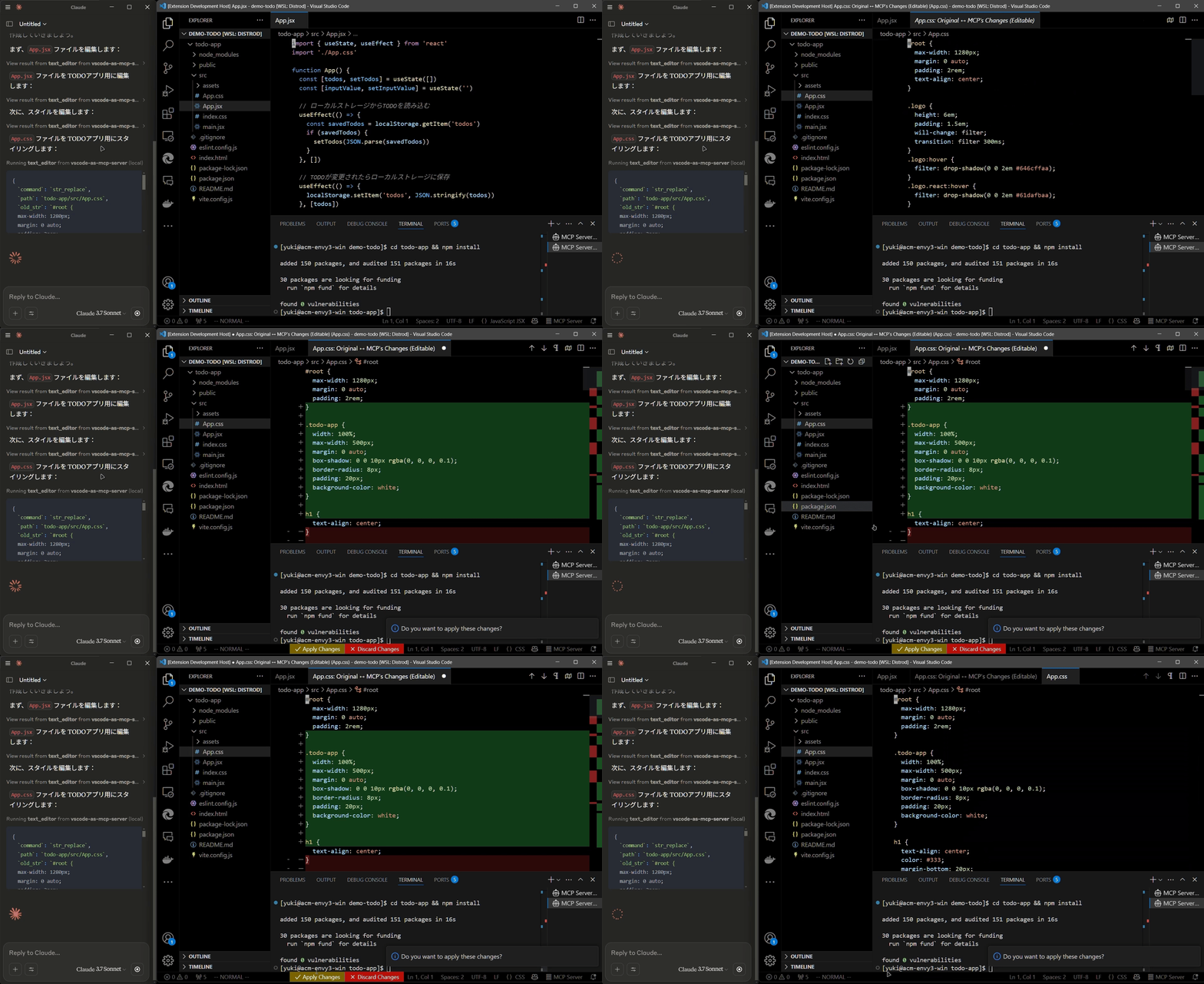
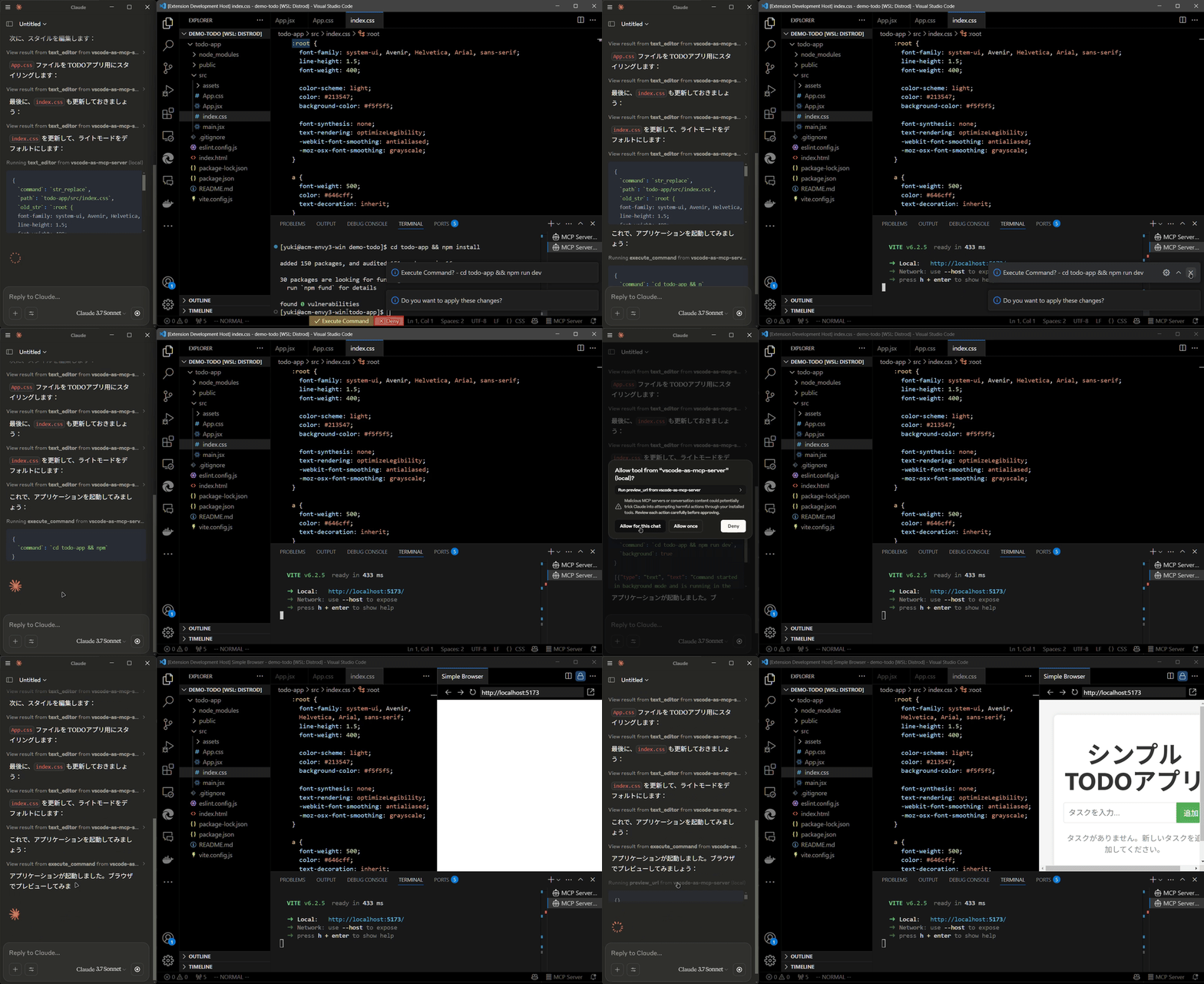
Install the extension from the VSCode Marketplace.
Configure your MCP client:
claude_desktop_config.json):{
"mcpServers": {
"vscode": {
"command": "npx",
"args": ["vscode-as-mcp-server"]
}
}
}
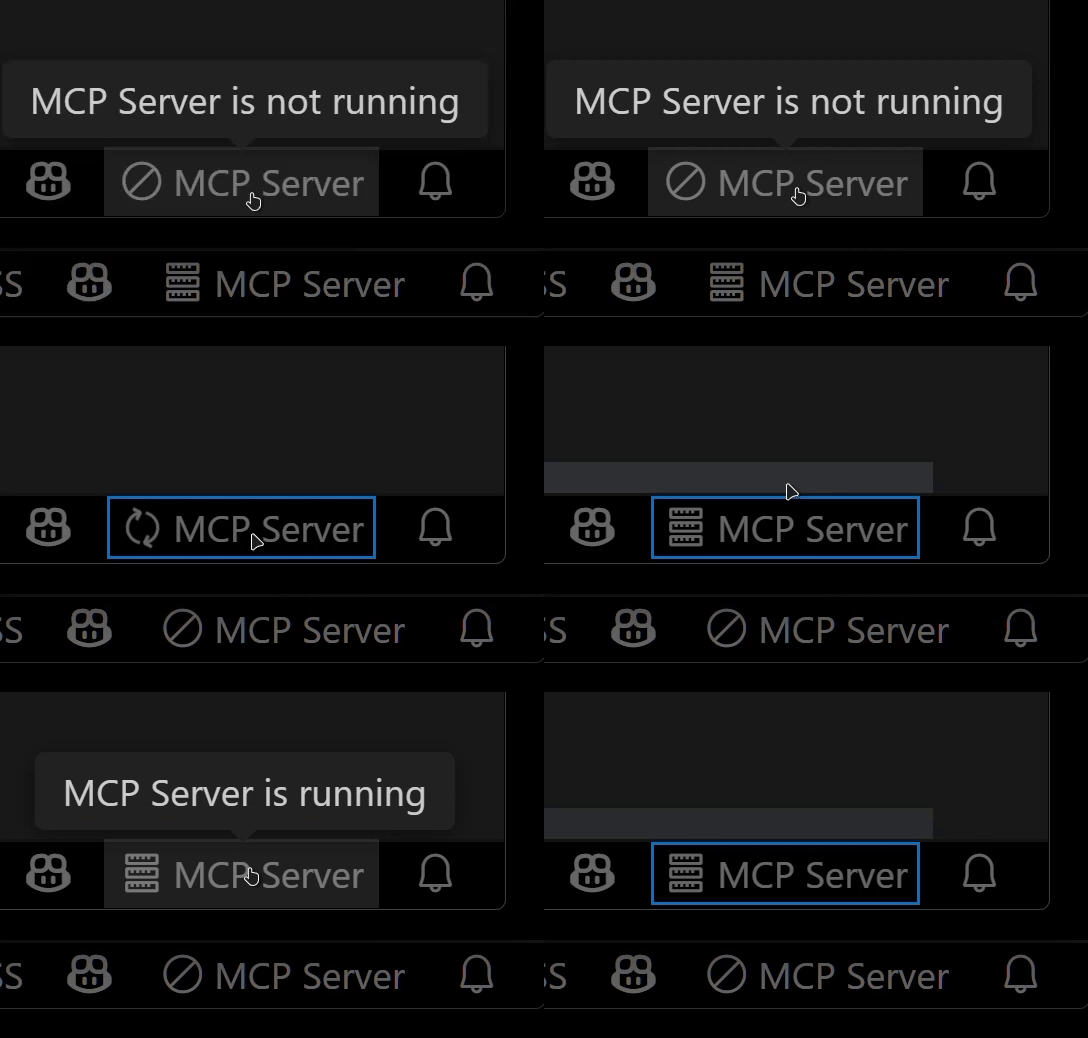
Check the MCP server status in the bottom-right VSCode status bar:

This extension was developed to mitigate high costs associated with metered coding tools (like Roo Code and Cursor). It's an affordable, self-hosted alternative built directly into VSCode.
Bug reports and feedback are very welcome! 🙇
Expose VSCode features such as file viewing and editing as MCP, enabling advanced AI-assisted coding directly from tools like Claude Desktop
टूल
अभी टूल सूची नहीं है। रिमोट सर्वर को पहले हेल्थ चेक के बाद सूची मिलती है।
FAQ
इस पेज पर Cursor, Claude Desktop, Claude Code या VS Code के लिए stdio कॉन्फ़िग कॉपी करें। यह पब्लिशर का इंस्टॉल इस्तेमाल करता है, PlugMCP प्रॉक्सी नहीं।
इस रिकॉर्ड में कोई ज़रूरी एनवायरनमेंट वेरिएबल दर्ज नहीं है।
Vscode As stdio पर लोकल चलता है।
पिछली जाँच 2026-10-26 को हुई। Expose VSCode features such as file viewing and editing as MCP, enabling advanced AI-assisted coding directly from tools like Claude Desktop
