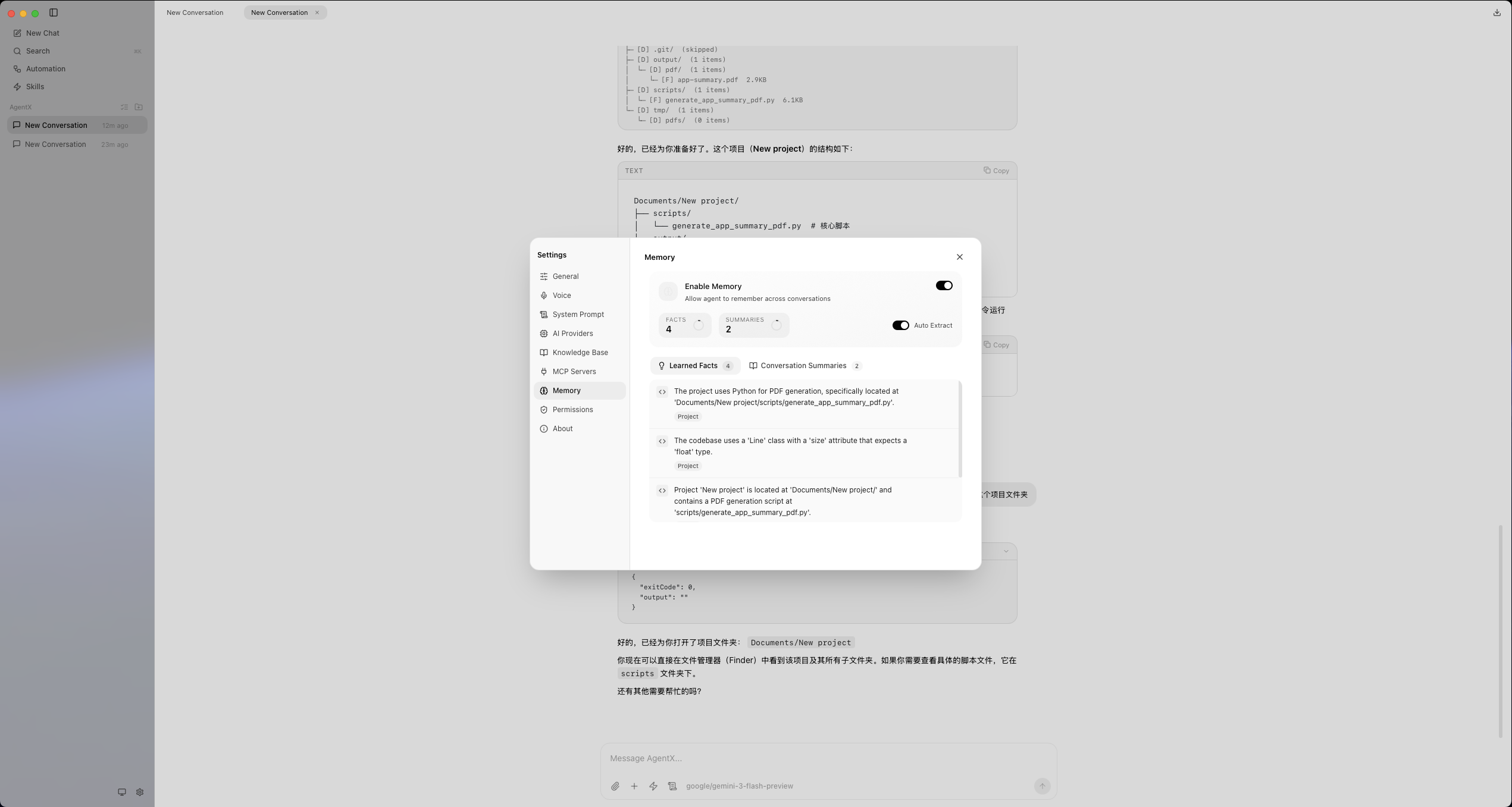
Screenshots
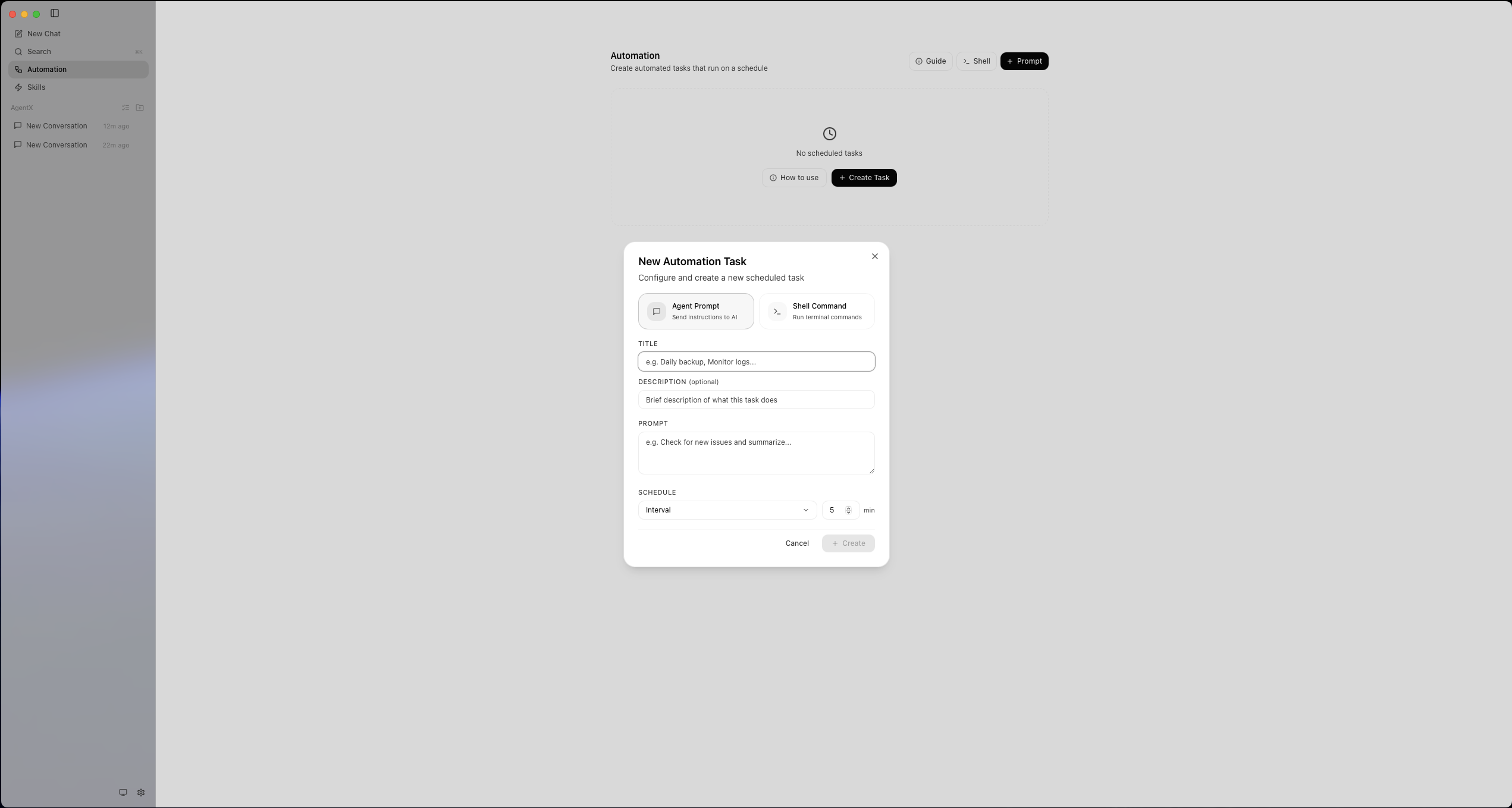

Power your agent
पब्लिशर का इंस्टॉल। PlugMCP एंडपॉइंट नहीं।
Host a copy with our keys and logs.
रजिस्ट्री में अभी कोई पैकेज्ड रिलीज़ नहीं है। रिपॉज़िटरी का README देखें.
रिमोट URL या आपकी मशीन पर कमांड? दोनों इंस्टॉल में क्या अंतर है
PlugMCP पर चलाएँ
A new server you create. It is not this listing's official endpoint. Use the publisher install when you want their URL and their credentials.
लॉन्चपब्लिशर से
Open-source AI desktop assistant. Chat with multiple LLM providers (OpenAI, Claude, OpenRouter) in a native app with agentic tool use, MCP server support, and built-in file/shell tools.
Download the latest version from the Releases page:
Note: AgentX currently only supports macOS. Windows and Linux are not supported.
Open the
.dmgand follow the installer. On first launch, go to Settings > Providers to add your API key.
AgentX is a local-first, general-purpose AI agent that runs as a native desktop application. Unlike cloud-only assistants, AgentX operates directly on your machine — reading and writing files, executing shell commands, and completing multi-step tasks autonomously through a turn-based reasoning loop.
It supports multiple LLM providers, a pluggable toolkit system, and intelligent context window management — all wrapped in a clean, modern UI.
Connect your own API keys. AgentX supports:
Switch between providers at any time. Each conversation remembers its provider context.
AgentX uses a turn-based agent loop — the LLM reasons, calls tools, observes results, and continues until the task is complete:
User message
  → LLM reasoning
    → Tool calls (parallel or sequential)
      → Tool results
        → LLM reasoning (next turn)
          → ... repeat until task complete
Long conversations are automatically optimized to fit within token budgets:
Default context budget: 100,000 tokens, keeping the 5 most recent turns uncompressed.
Tools and prompts are defined in YAML, making it easy to add new capabilities without touching code:
resources/toolkit/
├── prompts/         # System prompt templates (i18n-ready)
├── capabilities/    # Tool groups (file, shell, ...)
│   └── desktop/
│       ├── file/    # file_read, file_create, file_rewrite
│       └── shell/   # Shell execution tools
├── skills/          # High-level skill bundles
└── config/          # Global variables
Each capability includes:
Extend the agent loop with custom middleware hooks:
interface AgentMiddleware {
  beforeModelCall?: (ctx) => Promise<LLMMessage[] | void>;
  afterModelCall?: (ctx) => Promise<boolean | void>; // return true to stop
  beforeToolExecution?: (ctx) => Promise<Record<string, unknown> | void>;
  afterToolExecution?: (ctx) => Promise<void>;
}
Built-in: createContextMiddleware() for automatic context optimization.
Connect external Model Context Protocol servers to extend the agent with additional tools and resources — databases, APIs, custom services, and more.
Add persistent context entries (facts, preferences, project conventions) that are injected into every conversation. The agent always has access to your most important information.
On macOS, AgentX can request system permissions to unlock advanced capabilities:
Go to Settings > Permissions to grant each permission directly from the app.
# Clone
git clone https://github.com/axelulu/agentx.git
cd agentx

# Install dependencies
pnpm install

# Start development mode
pnpm dev
The app will open automatically. Add your LLM provider API key in Settings to start chatting.
pnpm --filter agentx dist:mac
Build artifacts are output to packages/agentx/src-tauri/target/release/bundle/.
AgentX is a modular pnpm monorepo with clear separation of concerns:
agentx/
├── packages/
│   └── agentx/                  # Tauri v2 desktop app
│       ├── src-tauri/           #   Rust backend (Tauri commands)
│       ├── src/                 #   React UI (Redux, Tailwind)
│       └── resources/toolkit/   #   YAML prompt & tool definitions
│
├── packages/
│   ├── agent/                   # Core agent loop (stateless)
│   │   ├── agent-loop.ts        #   Turn-based reasoning loop
│   │   ├── agent.ts             #   Stateful wrapper class
│   │   ├── tool-executor.ts     #   Parallel/sequential tool runner
│   │   └── middleware.ts        #   Composable middleware system
│   │
│   ├── toolkit/                 # YAML-driven prompt & tool system
│   │   ├── toolkit.ts           #   Main facade
│   │   ├── prompt-service.ts    #   Template parsing + variable substitution
│   │   ├── tool-service.ts      #   Tool definition registry
│   │   └── capability-registry/ #   Capability/skill scanner
│   │
│   ├── context/                 # Context window optimization
│   │   ├── context-manager.ts   #   Orchestrator
│   │   └── compression/         #   Tool compression, gradient, summarization
│   │
│   ├── desktop/                 # Desktop-specific runtime
│   │   ├── runtime.ts           #   DesktopRuntime facade
│   │   ├── providers/           #   OpenAI, Anthropic, Gemini adapters
│   │   ├── conversations/       #   JSON file persistence
│   │   ├── sessions/            #   Session runner (agent + events)
│   │   └── handlers/            #   File & shell tool implementations
│   │
│   ├── l10n/                    # Internationalization framework
│   └── l10n-cli/                # Translation CLI
┌──────────────┐     IPC      ┌──────────────────┐
│   Renderer   │ ◄──────────► │   Main Process   │
│  (React UI)  │   events     │  (IPC handlers)  │
└──────────────┘              └────────┬─────────┘
                                       │
                              ┌────────▼─────────┐
                              │  DesktopRuntime   │
                              │  ┌─────────────┐  │
                              │  │   Toolkit    │  │  YAML prompts + tools
                              │  ├─────────────┤  │
                              │  │   Agent      │  │  Turn-based loop
                              │  │   Loop       │──┤──► Tool Executor
                              │  ├─────────────┤  │
                              │  │  Context     │  │  Token optimization
                              │  │  Manager     │  │
                              │  ├─────────────┤  │
                              │  │  Provider    │──┤──► OpenAI / Anthropic / Gemini
                              │  │  Manager     │  │
                              │  └─────────────┘  │
                              └───────────────────┘
Open Settings > Providers in the app to add your API keys. You can configure multiple providers and switch between them.
For custom OpenAI-compatible endpoints (Ollama, vLLM, LM Studio, etc.), use the Custom provider type with your local base URL.
The toolkit automatically discovers capabilities in resources/toolkit/capabilities/. Each capability is a directory with:
# capabilities/desktop/file/tools/prompts/en.yaml
meta:
  name: File Tools
  version: "1.0"
tools:
  - name: file_read
    description: "Read entire file content"
    category: desktop
    input_schema:
      type: object
      properties:
        file_path:
          type: string
          description: "Absolute path to the file"
      required: [file_path]
To add a new tool:
capabilities/tools/prompts/en.yaml with the tool definitionprompts/en/rules.yaml with usage guidelinespackages/desktop/src/handlers/pnpm dev # Start app in development mode
pnpm build # Build all packages
pnpm build:prod # Production build
pnpm lint # Lint all packages
pnpm type-check # TypeScript type checking
pnpm test # Run tests
pnpm format # Format with Prettier
pnpm clean # Remove build artifacts
Contributions are welcome! Please follow the existing code conventions:
mainfeat:, fix:, docs:, etc.)pnpm lint && pnpm type-check && pnpm testThe project uses:
Open-source AI desktop assistant. Chat with multiple LLM providers (OpenAI, Claude, OpenRouter) in a native app with agentic tool use, MCP server support, and built-in file/shell tools.
टूल
अभी टूल सूची नहीं है। रिमोट सर्वर को पहले हेल्थ चेक के बाद सूची मिलती है।
FAQ
इस पेज पर Cursor, Claude Desktop, Claude Code या VS Code के लिए stdio कॉन्फ़िग कॉपी करें। यह पब्लिशर का इंस्टॉल इस्तेमाल करता है, PlugMCP प्रॉक्सी नहीं।
इस रिकॉर्ड में कोई ज़रूरी एनवायरनमेंट वेरिएबल दर्ज नहीं है।
Agentx stdio पर लोकल चलता है।
पिछली जाँच 2026-10-28 को हुई। Open-source AI desktop assistant. Chat with multiple LLM providers (OpenAI, Claude, OpenRouter) in a native app with agentic tool use, MCP server support, and built-in file/shell tools.
