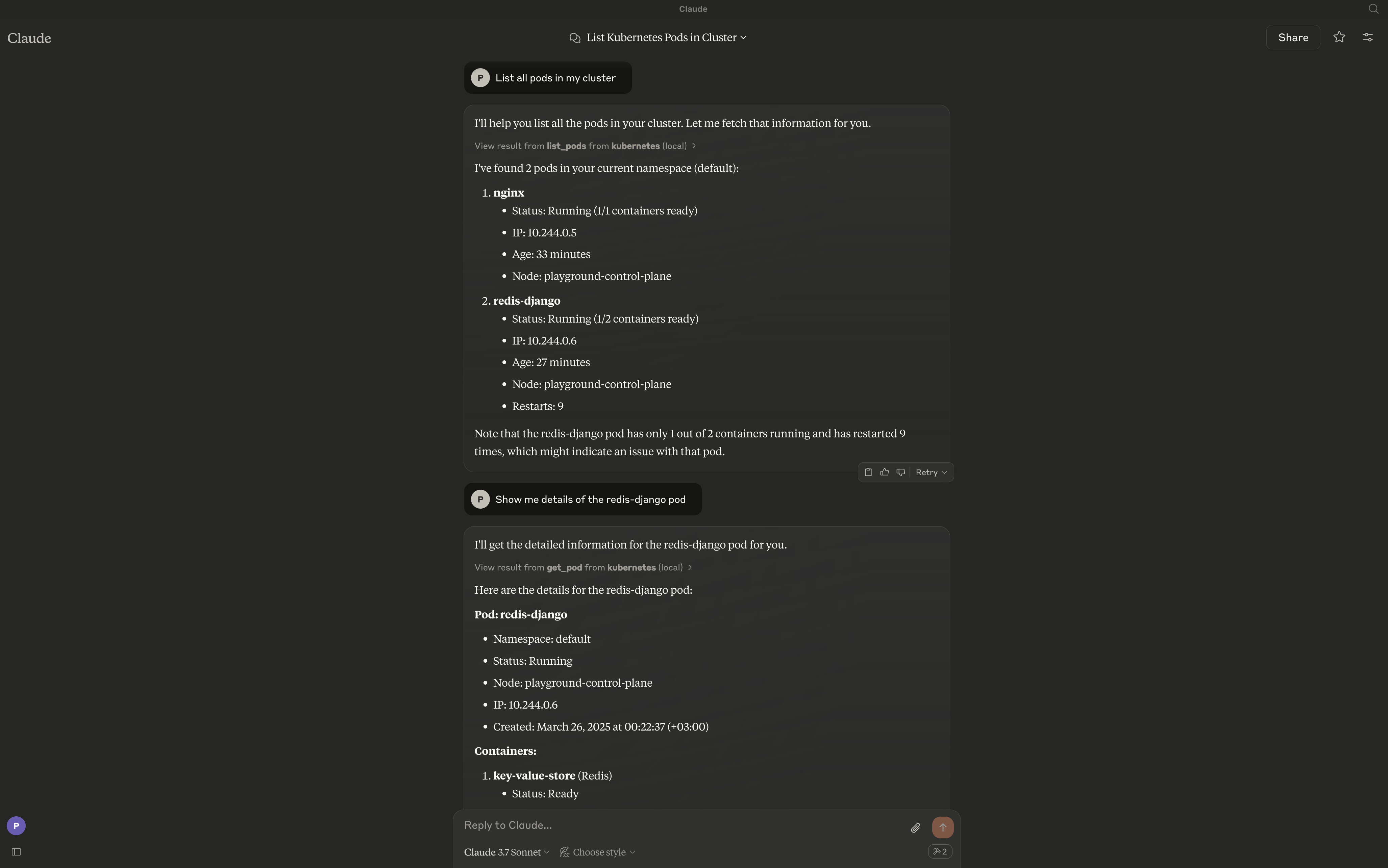
A Model Context Protocol (MCP) server for managing Kubernetes clusters from MCP-compatible clients like Claude Desktop, Cursor, and Continue.
Overview
Kai exposes Kubernetes operations as MCP tools, letting an LLM client manage your cluster through natural language — workloads, networking, config, storage, RBAC, custom resources, and raw manifests.
An MCP Server for Kubernetes
स्टार
20
टूल
—
अपटाइम
—
Features
Core Workloads
Pods - Create, list, get, delete, and stream logs
Deployments - Create, list, describe, and update
Jobs - Batch workload management (create, get, list, delete)
API Discovery - API resource exploration (list_api_resources)
Requirements
The server connects to your current kubectl context by default. Ensure you have access to a Kubernetes cluster configured for kubectl (e.g., minikube, Rancher Desktop, kind, EKS, GKE, AKS).
Installation
go install github.com/basebandit/kai/cmd/kai@latest
Container image
A multi-arch image (linux/amd64, linux/arm64) is published on Docker Hub:
docker pull cyclon/kai:v1.0.0
docker run --rm cyclon/kai:v1.0.0 -version
CLI Options
kai [options]

Options:
  -kubeconfig string        Path to kubeconfig file (default "~/.kube/config")
  -context string           Name for the loaded context (default "local")
  -in-cluster               Use in-cluster config (when running inside a pod)
  -transport string         stdio (default), streamable-http, or sse-legacy
  -sse-addr string          HTTP listen address for streamable-http/sse-legacy (default ":8080")
  -tls-cert string          Path to TLS certificate (enables HTTPS)
  -tls-key string           Path to TLS private key (enables HTTPS)
  -request-timeout duration Timeout for Kubernetes API requests (default 30s)
  -metrics                  Expose Prometheus metrics at /metrics (default true)
  -log-format string        json (default) or text
  -log-level string         debug, info, warn, error (default "info")
  -version                  Show version information
Logs are written to stderr in structured JSON format by default, making them easy to parse:
For non-stdio clients, run the streamable HTTP transport:
kai -transport=streamable-http -sse-addr=:8080
The MCP endpoint is http://localhost:8080/mcp. Health probes are at /healthz
and /readyz, and Prometheus metrics at /metrics. The legacy SSE transport
(-transport=sse-legacy, endpoint /sse) still works but is deprecated.
Custom Kubeconfig
By default, Kai uses ~/.kube/config. You can specify a different kubeconfig:
kai -kubeconfig=/path/to/custom/kubeconfig -context=my-cluster
Running Inside a Kubernetes Cluster
When deploying Kai inside a Kubernetes cluster, use the -in-cluster flag to automatically use the pod's service account credentials:
kai -in-cluster -transport=streamable-http -sse-addr=:8080
The recommended way to run Kai in-cluster is with kmcp (from kagent), which manages MCP servers as MCPServer resources:
kmcp creates the Deployment and Service for you. The service account needs RBAC for the resources Kai manages — broad get/list/watch, plus create/update/delete where you use mutating tools. See the kmcp deploy guide.
अभी टूल सूची नहीं है। रिमोट सर्वर को पहले हेल्थ चेक के बाद सूची मिलती है।
FAQ
सवाल
Kai कैसे इंस्टॉल करें?
इस पेज पर Cursor, Claude Desktop, Claude Code या VS Code के लिए stdio कॉन्फ़िग कॉपी करें। यह पब्लिशर का इंस्टॉल इस्तेमाल करता है, PlugMCP प्रॉक्सी नहीं।
क्या Kai के लिए API key चाहिए?
इस रिकॉर्ड में कोई ज़रूरी एनवायरनमेंट वेरिएबल दर्ज नहीं है।
Kai कौन सा ट्रांसपोर्ट इस्तेमाल करता है?
Kai stdio पर लोकल चलता है।
Kai की पिछली जाँच कब हुई थी?
पिछली जाँच 2026-10-27 को हुई। An MCP Server for Kubernetes