AutoCAD-MCP
Reliable AutoCAD automation for AI agents, with checked geometry, native 3D, and delivery evidence.
Power your agent
पब्लिशर का इंस्टॉल। PlugMCP एंडपॉइंट नहीं।
Host a copy with our keys and logs.
रजिस्ट्री में अभी कोई पैकेज्ड रिलीज़ नहीं है। रिपॉज़िटरी का README देखें.
रिमोट URL या आपकी मशीन पर कमांड? दोनों इंस्टॉल में क्या अंतर है
PlugMCP पर चलाएँ
A new server you create. It is not this listing's official endpoint. Use the publisher install when you want their URL and their credentials.
लॉन्च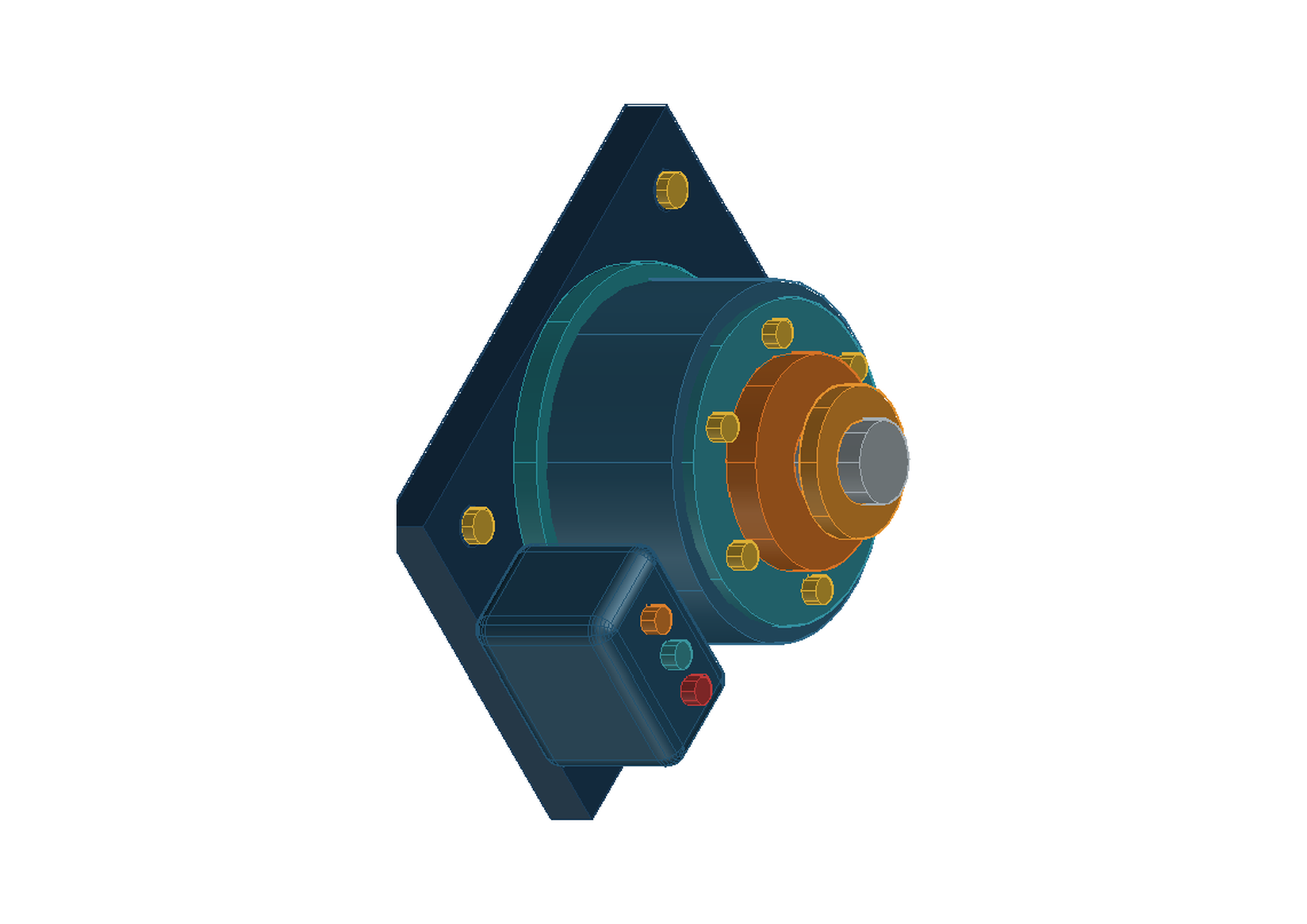
AutoCAD-MCP connects Codex, Claude Code, Claude Desktop, Cursor, and any standard MCP client to full AutoCAD, AutoCAD LT, or a headless DXF backend. It is built for agents that must prove what they drew, not merely report that a script ran.
The headless demo creates a mechanical DXF, runs semantic DRC, renders a deterministic PNG, and prints the evidence:
git clone https://github.com/beiming183-cloud/AutoCAD-MCP.git
cd AutoCAD-MCP
uv sync
uv run python examples/headless_demo.py
Expected result: ok: true, six entities, and drc_status: PASS. Outputs are written to demo-output/ unless AUTOCAD_MCP_OUTPUT_ROOT is set.
With a healthy, manually opened AutoCAD session, reproduce the promotional rotary actuator as editable native solids:
uv run python examples/generate_actuator_promo.py --record --pause 1.0
Recording mode activates AutoCAD once, creates a blank document, frames the planned model before the first write, pauses one second after each completed semantic step, and leaves the final document open. It deliberately skips PNG/PDF rendering and final rotation so no viewer or camera motion interrupts capture.
The server exposes 12 consolidated tools (drawing, entity, solid, product, layer, block, annotation, pid, transaction, view, job, system) over standard MCP stdio.
This edition is based on puran-water/autocad-mcp and retains its MIT license. Version 4.0 adds a native transactional worker, client-independent named-pipe protocol, external desktop supervisor, durable idempotency journal, and database-owned document revisions while retaining COM/LISP compatibility.
For startup failures caused by a damaged Python COM environment, an orphaned
acad.exe, or Activity Insights permissions, use the Windows AutoCAD recovery
runbook. system(operation="preflight") is
read-only and does not start AutoCAD.
The ezdxf headless backend works on any platform (Linux, macOS, WSL) for offline DXF generation without AutoCAD installed.
git clone https://github.com/beiming183-cloud/AutoCAD-MCP.git
cd AutoCAD-MCP
uv sync
The preferred industrial path is the .NET 8 worker under native/. It executes
mutations under DocumentLock plus a native database transaction and publishes
a current-user named pipe. Build, Authenticode-sign, verify, and install it with:
$env:AUTOCAD_MCP_AUTOCAD_DIR = "D:\cad\AutoCAD 2025"
.\native\scripts\build-plugin.ps1 `
  -AutoCADDir $env:AUTOCAD_MCP_AUTOCAD_DIR `
  -DotNet "D:\Codex\Tools\dotnet-sdk\dotnet.exe" `
  -CertificateThumbprint "YOUR_CODE_SIGNING_CERT_THUMBPRINT" `
  -Install
Installation refuses an unsigned DLL. Keep AutoCAD SECURELOAD enabled. The
bundle loads at AutoCAD startup and writes its worker descriptor to
%LOCALAPPDATA%\AutoCAD-MCP\workers.
For a stable desktop session, start the user-owned supervisor from an ordinary PowerShell window, not from an MCP client's sandbox:
$env:AUTOCAD_MCP_OUTPUT_ROOT = "D:\Codex\AutoCAD-MCP"
autocad-mcp-supervisor run `
  --acad-exe "D:\cad\AutoCAD 2025\acad.exe" `
  --window-mode quiet_minimized `
  --output-root "D:\Codex\AutoCAD-MCP"
The supervisor leaves AutoCAD visible in the taskbar but minimized, never opens
PDF/PNG viewers, and leaves AutoCAD running when supervision stops. Use
autocad-mcp-supervisor status from another terminal to inspect PID, HWND,
heartbeat, fatal-window state, and native-worker discovery.
Open AutoCAD or AutoCAD LT and load mcp_dispatch.lsp using APPLOAD:
APPLOAD in the AutoCAD command line<repo>/lisp-code/mcp_dispatch.lsp=== MCP Dispatch v4.0.0 loaded === and Ready for commands via (c:mcp-dispatch)Tip: Add the file to your AutoCAD Startup Suite (in the APPLOAD dialog) so it loads automatically with every drawing.
Add to your MCP client configuration (e.g. Claude Desktop claude_desktop_config.json):
{
  "mcpServers": {
    "autocad-mcp": {
      "command": "C:\\path\\to\\autocad-mcp\\.venv\\Scripts\\python.exe",
      "args": ["-m", "autocad_mcp"],
      "env": {
        "AUTOCAD_MCP_BACKEND": "file_ipc",
        "AUTOCAD_MCP_LISP_PATH": "C:\\path\\to\\autocad-mcp\\lisp-code\\mcp_dispatch.lsp"
      }
    }
  }
}
The same server command can be used in Claude Code project-level .mcp.json:
{
  "mcpServers": {
    "autocad": {
      "type": "stdio",
      "command": "C:\\path\\to\\autocad-mcp\\.venv\\Scripts\\python.exe",
      "args": ["-m", "autocad_mcp"],
      "env": {
        "PYTHONPATH": "C:\\path\\to\\autocad-mcp\\src",
        "AUTOCAD_MCP_BACKEND": "file_ipc",
        "AUTOCAD_MCP_NATIVE_PLUGIN": "auto",
        "AUTOCAD_MCP_AUTOSTART": "false",
        "AUTOCAD_MCP_VISIBLE": "true",
         "AUTOCAD_MCP_WINDOW_MODE": "preserve",
        "AUTOCAD_MCP_ACTIVATE_ON_DRAW": "false",
        "AUTOCAD_MCP_OUTPUT_ROOT": "D:/Codex/AutoCAD-MCP",
        "AUTOCAD_MCP_ACTIVITY_INSIGHTS_PATH": "D:/Codex/AutoCAD-MCP/activity-insights"
      }
    }
  }
}
Key points:
command must point to the Windows Python inside the project venv (not WSL python).AUTOCAD_MCP_BACKEND can be auto (tries File IPC, then falls back to ezdxf), file_ipc (recommended for engineering drawings), or ezdxf (headless only).AUTOCAD_MCP_NATIVE_PLUGIN=required fails closed when the signed native worker is absent; auto falls back to COM/LISP.AUTOCAD_MCP_AUTOSTART=true remains available for compatibility.AUTOCAD_MCP_APPLY_ACTIVITY_POLICY=true or
AUTOCAD_MCP_APPLY_WINDOW_POLICY_TO_EXISTING=true is explicitly set.If your MCP client runs in WSL (e.g. Claude Code), launch the server through cmd.exe so it runs as a native Windows process:
{
  "mcpServers": {
    "autocad-mcp": {
      "type": "stdio",
      "command": "cmd.exe",
      "args": ["/d", "/s", "/c", "cd /d C:\\path\\to\\autocad-mcp && .venv\\Scripts\\python.exe -m autocad_mcp"],
      "env": { "AUTOCAD_MCP_BACKEND": "auto" }
    }
  }
}
From your MCP client, call:
system(operation="status")
You should see backend: "file_ipc" if AutoCAD is running, or backend: "ezdxf" for headless mode.
skills/industrial-product-design is a client-neutral upstream workflow for briefs, concept gates, product architecture, configurations, motion, camera/render evidence, and honest CAD capability checks. Install or reference that folder in any SKILL.md-compatible client, then use mechanical-drafting-gbt downstream for GB/T manufacturing definition and release.
skills/industrial-product-design-gbt is the comprehensive variant. It adds research-source authority, human-factors evidence, form and surface review, backend routing, local reference-library indexing, and deterministic checks for document identity, 2D/3D interfaces, motion states, render viewsets, and revision-bound handoff manifests. Its personal library manifest is intentionally ignored; generate one locally from the included portable schema.
drawing — File/drawing managemententity — Entity CRUD + modificationCreate: create_line, create_circle, create_polyline, create_rectangle, create_arc, create_tangent_arc, create_ellipse, create_mtext, create_hatch, create_batch
create_batch accepts up to 500 structured entities in one MCP call. It supports line, circle, polyline, rectangle, arc, ellipse, text, mtext, and hatch records. A hatch can use entity_id: "$last" to reference the preceding entity. The native worker and headless backend provide atomic batches; the compatibility COM/LISP path uses an AutoCAD undo group and returns rollback evidence, but callers must treat an unverified compensation as a hard stop. This is the preferred high-throughput path; it does not enable arbitrary AutoLISP.
For ANSI31, pass angle: 0 to retain the pattern's native 45-degree section angle. scale and hatch layer are also explicit parameters. Every HATCH is read back by handle and checked for type, layer, pattern, angle, and scale; a mismatch is erased and returned as E_POSTCONDITION_MISMATCH.
Read: list, count, get
Modify: copy, move, rotate, scale, mirror, offset*, array, fillet*, chamfer*, trim*, extend*, break*, join*, constrain*, erase
* These native editing operations are File IPC only.
trimandextendrequire explicit entity IDs and pick points so AutoCAD never guesses which side to keep.
constrain reports whether the native command was accepted, but currently returns verified: false because the portable ActiveX API does not expose AutoCAD's associative constraint collection. Treat the constraint as review-required rather than release evidence.
solid - Native AutoCAD 3D solidscreate_box, create_cylinder, extrude, revolve, sweep, boolean
The solid tool is available on full AutoCAD through the native ActiveX object model. Box placement uses its center; cylinder placement uses the center of its base. Extrude, revolve, and sweep consume a closed profile handle; boolean accepts union, intersection, or subtract. AutoCAD LT and the ezdxf backend report these operations as unsupported. Edge fillets/chamfers and projected drawing views are not advertised yet because their prompt-driven workflows have not reached the same deterministic standard.
system.status includes an industrial_capabilities matrix. It explicitly separates verified features from unavailable stable edge/face selection, shelling, parametric assemblies, motion sweeps, surface analysis, and offscreen material rendering. Clients must not infer those features from basic solid support.
product - Industrial product features and evidencecreate_feature supports rounded_box, recessed_panel, module_reservation, port_cutout_usb_a, port_cutout_usb_c, rotary_layer, annular_gap, and detent_ring_placeholder. The rounded box is a real analytic AutoCAD B-rep assembled from intersecting boxes, edge cylinders, and spherical corners; its radius can be queried from the registered feature definition.
USB cutouts are deliberately gated. A production aperture requires module_status: supplier_controlled|measured, matching authority: supplier_drawing|physical_measurement, do_not_dimension_apertures: false, explicit dimensions, and a target solid. Unverified concepts must use module_reservation, which records that the envelope is not manufacturing authority.
Motion operations are set_motion, interference_sample, and clearance_sweep. They report broad-phase AABB or sampled rotated-AABB evidence and always state exact_brep_interference: false; release work still requires an exact native continuous sweep.
render_view accepts front, right, top, bottom, iso, rotated_iso, section, and exploded. Section/exploded views require caller-prepared geometry. The result includes fixed camera data, PNG hash, content bounds, non-background ratio, clipping, framing status, and optional pixel difference. Pass an allow-listed visual_style to request an AutoCAD display style; the response separately reports style readback, restoration verification, and material_render_verified (currently false for the compatibility plot path). This remains a native AutoCAD plot, not an offscreen material renderer.
set_review and review_summary keep appearance_review, ergonomics_review, adapter_clearance_review, cable_management_review, stability_review, and mains_rotation_safety_review separate from geometry/STEP validity. Each is PASS, FAIL, or NOT_EVALUATED; PASS requires evidence.
General fillet_edges and chamfer_edges reject volatile native edge indices with E_STABLE_FEATURE_SELECTION_UNAVAILABLE. Use analytic features now. A future OpenCascade/FreeCAD plugin may provide selector-based general edge operations without weakening the AutoCAD document and transaction contract.
On the COM/LISP compatibility backend, destructive product replacements
(recessed_panel, port_cutout_usb_a, and port_cutout_usb_c) fail closed with
E_COMPAT_FEATURE_TRANSACTION_UNAVAILABLE because ActiveX cannot prove an
atomic replacement. Use the signed native worker; the unsafe compatibility
fallback requires an explicit AUTOCAD_MCP_ALLOW_UNVERIFIED_COMPAT_CUTOUTS=true
and is unsuitable for release work.
The 3D protocol borrows proven patterns from build123d, build123d-mcp, FreeCAD MCP, and Open CASCADE fillet/chamfer APIs: explicit parameter sources, semantic/property selectors, measure-render-validate loops, and honest kernel capability boundaries.
layer — Layer managementlist, create, set_current, set_properties, freeze, thaw, lock, unlock
block — Block operationsannotation — Text, dimensions, leaderscreate_text, create_dimension_linear, create_dimension_aligned, create_dimension_angular, create_dimension_radius, create_leader
pid — P&ID operations (CTO symbol library)setup_layers, insert_symbol, list_symbols, draw_process_line, connect_equipment, add_flow_arrow, add_equipment_tag, add_line_number, insert_valve, insert_instrument, insert_pump, insert_tank
P&ID symbol insertion requires the CAD Tools Online (CTO) P&ID Symbol Library installed at
C:\PIDv4-CTO\. The ezdxf backend has built-in CTO library support. For the File IPC backend, some P&ID operations require additional LISP helpers — see the P&ID section in the wiki for setup details.
view — Viewport and diagnostic captureNormal validation is data-first: use drawing.audit after edits and drawing.render_preview at milestones. get_screenshot remains available only for diagnosing AutoCAD UI state. The MCP serializes AutoCAD calls and caps response/call bursts so a parallel screenshot loop cannot exhaust the client context.
transaction - Document-scoped transactionscontext, create, execute, plus compatibility begin, commit, rollback
For the native path, call context, then send one strict execute request with a
stable idempotency_key. The plugin validates the active document and revision,
opens one database transaction, rejects missing layers before creation, and
commits all operations or none. A document mismatch returns
E_DOCUMENT_ID_MISMATCH; stale revision data returns
E_DOCUMENT_REVISION_MISMATCH. Successful idempotent requests can be replayed;
failed requests are not cached and remain retryable.
{
  "operation": "execute",
  "doc_id": "acad-...",
  "expected_revision": 12,
  "idempotency_key": "gearbox-stage-01",
  "data": {
    "session_id": "native-...",
    "operations": [
      {
        "type": "solid.box",
        "resultId": "body",
        "featureId": "gearbox-body",
        "center": [0, 0, 20],
        "length": 120,
        "width": 80,
        "height": 40,
        "layer": "0"
      },
      {
        "type": "solid.cylinder",
        "resultId": "bore",
        "baseCenter": [0, 0, -1],
        "radius": 12,
        "height": 42,
        "layer": "0"
      },
      {
        "type": "solid.boolean",
        "resultId": "finished",
        "primaryRef": "body",
        "toolRef": "bore",
        "operation": "subtract",
        "layer": "0"
      }
    ]
  }
}
The older begin/commit/rollback operations remain for AutoCAD LT and
compatibility workflows. They use undo marks and do not replace the native
database transaction when the plugin is available.
Layer names are preconditions. Creating geometry on an absent layer returns E_LAYER_NOT_FOUND before mutation instead of silently falling back to layer 0.
edit entities -> drawing.audit -> native render_preview -> audit_dxf for final delivery
drawing.audit returns entity counts by type and layer, drawing bounds, units, a handle-independent geometry digest, geometry DRC, an endpoint topology graph, limited normalized entity geometry, and added/modified/removed handles since the previous audit. In addition to degenerate geometry, rules can check connection gaps, dangling endpoints, interior crossings, explicit tangent pairs, equal-radius groups, and cross-view projection alignment. limit is clamped to 500 so large drawings do not flood model context.
drawing.render_preview always returns a real PNG. Full AutoCAD writes it through the native PNG plot device without capturing the desktop or opening a viewer. The result includes DPI, pixel size, orientation correction, SHA-256, and the source geometry digest. Add visual_style to request a controlled display style; the response reports actual style restoration and whether material rendering was independently verified. drawing.plot_pdf remains the release-quality vector output.
drawing.deliver turns the active drawing into a traceable job rather than treating a successful script as a finished drawing. It creates an isolated folder under jobs, records the request under specs, audits the source, applies geometry gates, saves DWG/DXF/PDF, audits the exported DXF, compares type/layer counts, bounds, units and geometry digests, writes reports/validation.json, and records artifact sizes and SHA-256 hashes.
{
  "operation": "deliver",
  "data": {
    "name": "gearbox-output-shaft",
    "metadata": {"drawing_number": "GB-OS-001", "revision": "A"},
    "plot": {
      "paper": "A3",
      "orientation": "landscape",
      "plot_style": "monochrome.ctb",
      "scale_mode": "fixed",
      "scale": "1:1",
      "center": true
    },
    "validation": {
      "min_entities": 20,
      "required_layers": ["OUTLINE", "CENTER", "DIM"],
      "required_types": ["LINE", "CIRCLE", "DIMENSION"],
      "require_geometry_clean": true,
      "geometry_tolerance": 0.000001
    }
  }
}
The job contains specs/request.json, manifest.json, editable DWG and DXF files, a native PDF, audits/drawing-audit.json, and reports/validation.json. Failed validation or export leaves a failed manifest with step-level diagnostics.
system — Server managementstatus, ensure_ready, health, get_backend, runtime, init, recover, execute_lisp
status is observational and does not start AutoCAD. ensure_ready performs the full discovery/start/document/dispatcher/version/ping sequence and reports the detected AutoCAD product without assuming AutoCAD LT.
Tool failures use MCP isError=true and a stable structure containing code, message, recoverable, and recommended_action.
recover cancels stale AutoCAD command-line state and removes abandoned IPC files without calling the potentially blocked dispatcher. Arbitrary AutoLISP remains disabled unless AUTOCAD_MCP_ALLOW_ARBITRARY_LISP=true is explicitly configured.
execute_lispis an explicit opt-in escape hatch for trusted local use. Normal automation should use the structured tools andcreate_batch.
MCP Client (Codex / Claude Code / Claude Desktop / Cursor)
    │  stdio (JSON-RPC)
    ▼
Python MCP Server (autocad_mcp)
    │
    ├── File IPC Backend ──► C:/temp/*.json ──► mcp_dispatch.lsp
    │   ├── Full AutoCAD: COM ActiveDocument.SendCommand
    │   └── AutoCAD LT: PostMessageW(WM_CHAR) to MDIClient
    │
    └── ezdxf Backend ──► in-memory DXF (headless, no AutoCAD needed)
The File IPC backend sends (c:mcp-dispatch) to the active drawing. Full AutoCAD uses COM ActiveDocument.SendCommand; AutoCAD LT falls back to PostMessageW(WM_CHAR). Both paths avoid taking over normal mouse input.
The managed regression runners are deliberately fail-closed. A timed-out COM
call quarantines its STA worker (E_COM_STA_TIMEOUT) and refuses follow-up
requests until the MCP worker is restarted; a timed-out pytest slice attempts
to terminate its complete process tree and records any cleanup limitation.
This prevents a stalled AutoCAD/COM process from holding an MCP client turn
indefinitely.
mcp_dispatch.lspreadsAUTOCAD_MCP_IPC_DIRfrom the AutoCAD process environment and falls back toC:/temp.
drawing.audit_dxf is an offline operation and does not start AutoCAD, require an active document, or ping the dispatcher. drawing.plot_pdf defaults to A3, landscape, and FIT; the result includes requested settings, actual document/output paths, PDF mediabox dimensions, detected paper/orientation, and field-level differences.
uv sync
uv run pytest tests/ -v
AutoLISP was added to AutoCAD LT in the 2024 release (Windows only). AutoCAD LT for Mac does not support AutoLISP.
The mcp_dispatch.lsp dispatcher is fully compatible with LT 2024+.
DocumentLock, database transactions, database-event revisions, and stable XData feature IDs.SECURELOAD.rounded_box creates real radius geometry without relying on volatile native edge indices.E_STABLE_FEATURE_SELECTION_UNAVAILABLE; analytic features remain measurable and safe.Wblock and verifies the active source document and path did not change.E_OUTPUT_LOCKED without half-written artifacts.requested, actual, and diff; mismatches are deleted and fail the atomic batch.create_batch opens an AutoCAD undo transaction by default and rolls back the whole batch on failure.trim, extend, break, join, geometric constraints, and mathematically solved tangent arcs replace blind coordinate patching.save_as_dxf uses AutoCAD's export API and verifies that the active DWG remains unchanged.system.ensure_ready discovers or starts AutoCAD, ensures an active document, loads the configured or bundled dispatcher, verifies its version, and pings IPC.isError=true and use stable error codes such as E_DISPATCHER_NOT_LOADED, E_IPC_TIMEOUT, and E_OUTPUT_PATH_REJECTED.drawing.set_variables exposes a validated whitelist; setup_mechanical now applies millimeter and dimension defaults in addition to layers.$INSUNITS and a handle-independent geometry digest; delivery compares types, layers, bounds, units, digest, and DRC.plot_pdf and deliver apply and record paper, orientation, plot style, fixed/fit scale, centering, device, media, and paper units.~/Documents/AutoCAD-MCP; each client can override it with AUTOCAD_MCP_OUTPUT_ROOT (for example D:/CAD-Automation).drawing.deliver produces DWG, DXF, PDF, request/audit JSON, a step manifest, validation results, file sizes, and SHA-256 checksums.drawing.setup_mechanical creates OUTLINE, THIN, CENTER, HIDDEN, HATCH, DIM, and TEXT with monochrome GB/T lineweights.\\U+XXXX escapes.ANSI31 defaults to an added angle of zero.system.recover cancels stuck commands and cleans IPC state without waiting for the dispatcher.TEXT and MTEXT heights through their correct entity-specific attributes.view.show_window make automation observable in real time.view.fit_drawing can trigger it manually.PlotToFile; ezdxf writes deterministic PNG.ActiveDocument.SendCommand.acad.exe.acad.exe and waits for its window.execute_lisp — Run arbitrary AutoLISP code via temp file pattern. Turns the server from a fixed command set into an extensible automation platform.drawing tool..dwg files programmatically (FILEDIA suppressed)._.NEW, preserving the LISP dispatcher namespace.save with a path parameter uses SAVEAS; without path uses QSAVE.get_variables fix — Respects the names parameter; returns requested variables with proper type handling.AUTOCAD_MCP_IPC_TIMEOUT env var (1–300 seconds, default 10).asyncio.Lock prevents parallel initialization races.MIT
Client-neutral MCP server for AutoCAD automation, checked 2D/3D geometry, native previews, and headless DXF delivery.
टूल
अभी टूल सूची नहीं है। रिमोट सर्वर को पहले हेल्थ चेक के बाद सूची मिलती है।
FAQ
इस पेज पर Cursor, Claude Desktop, Claude Code या VS Code के लिए stdio कॉन्फ़िग कॉपी करें। यह पब्लिशर का इंस्टॉल इस्तेमाल करता है, PlugMCP प्रॉक्सी नहीं।
इस रिकॉर्ड में कोई ज़रूरी एनवायरनमेंट वेरिएबल दर्ज नहीं है।
AutoCAD stdio पर लोकल चलता है।
पिछली जाँच 2026-10-27 को हुई। Client-neutral MCP server for AutoCAD automation, checked 2D/3D geometry, native previews, and headless DXF delivery.
