What is Grapheteria?
A structured workflow framework bringing uniformity to agent orchestration:
- 🎨 Build complex agentic systems with visual building blocks and a consistent API
Power your agent
पब्लिशर का इंस्टॉल। PlugMCP एंडपॉइंट नहीं।
Host a copy with our keys and logs.
रजिस्ट्री में अभी कोई पैकेज्ड रिलीज़ नहीं है। रिपॉज़िटरी का README देखें.
रिमोट URL या आपकी मशीन पर कमांड? दोनों इंस्टॉल में क्या अंतर है
PlugMCP पर चलाएँ
A new server you create. It is not this listing's official endpoint. Use the publisher install when you want their URL and their credentials.
लॉन्च"Oh no 😵💫, not ANOTHER workflow library! " - I hear you. But being fashionably late means we've learned from everyone else's mistakes and cherry-picked their best ideas, while adding our own secret sauce.
While agent creation and tool-calling have standards, workflow creation is still a mess. Grapheteria fixes that with a clean framework that gives you what you need while letting you extend things however you want.
Code-based workflow builders make your brain hurt:
UI-only tools hit walls quickly:
Grapheteria blends code and UI seamlessly. Bounce between visual design and code customization without compromises. Get all the power of code with the clarity of visual debugging.
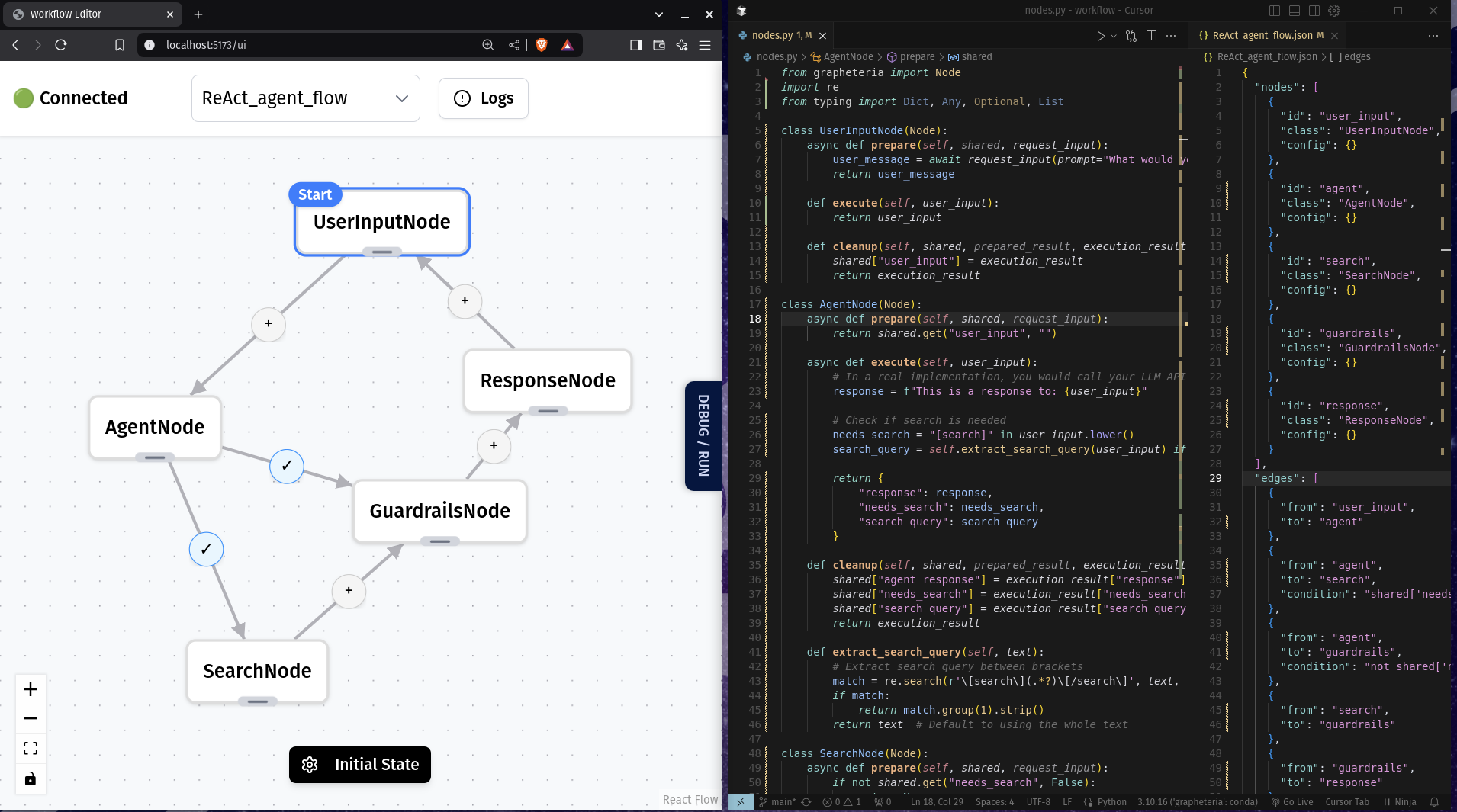
Write workflows without a PhD in API-ology:
start_node = InputNode(id="get_name")
process_node = ProcessNode(id="greet")
output_node = OutputNode(id="display")

start_node > process_node > output_node
Build sophisticated agent architectures with proven patterns:
%%{init: {'theme': 'neutral' }}%%
graph TD
    %% Chain of Thought
    subgraph "Chain of Thought"
    A1[Task Input] --> B1[Reasoning Step 1]
    B1 --> C1[Reasoning Step 2]
    C1 --> D1[Reasoning Step 3]
    D1 --> E1[Final Output]
    end

    %% Verification Loop
    subgraph "Verification Loop"
    A2[Input] --> B2[Generator]
    B2 --> C2[Critic]
    C2 -->|Pass| D2[Output]
    C2 -->|Fail| B2
    end

    %% ReAct Framework
    subgraph "ReAct Framework"
    A4[Problem] --> B4[Reason]
    B4 --> C4[Act]
    C4 --> D4[Observe]
    D4 -->|Repeat| B4
    D4 -->|Complete| E4[Solution]
    end

    %% Human-in-the-Loop
    subgraph "Human-in-the-Loop"
    A5[Input] --> B5[Agent Process]
    B5 -->|Uncertain| C5[Human Review]
    C5 --> D5[Incorporate Feedback]
    D5 --> B5
    B5 -->|Confident| E5[Output]
    end
Edit visually or with code - they stay perfectly in sync!
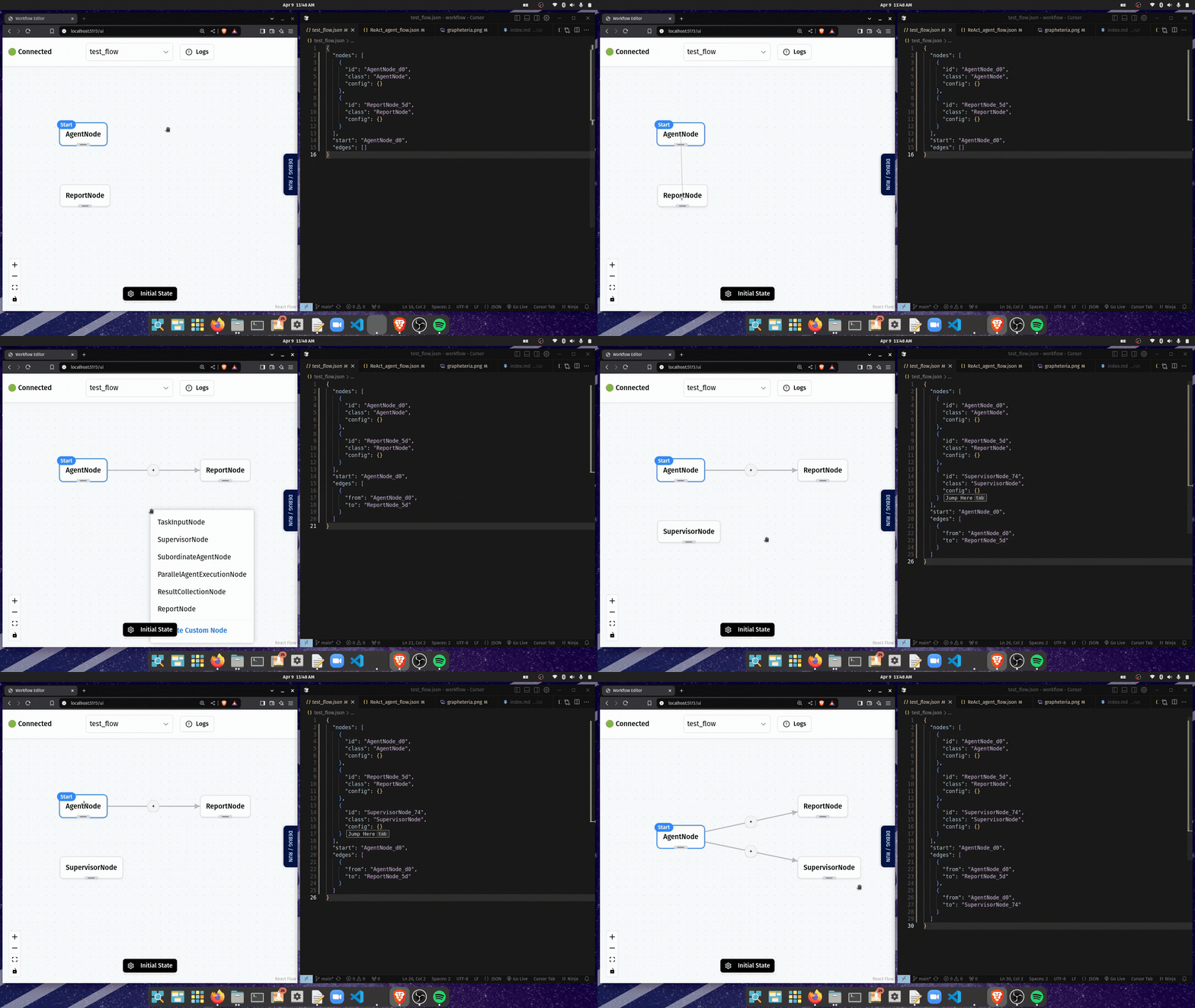
Made a mistake? No sweat:
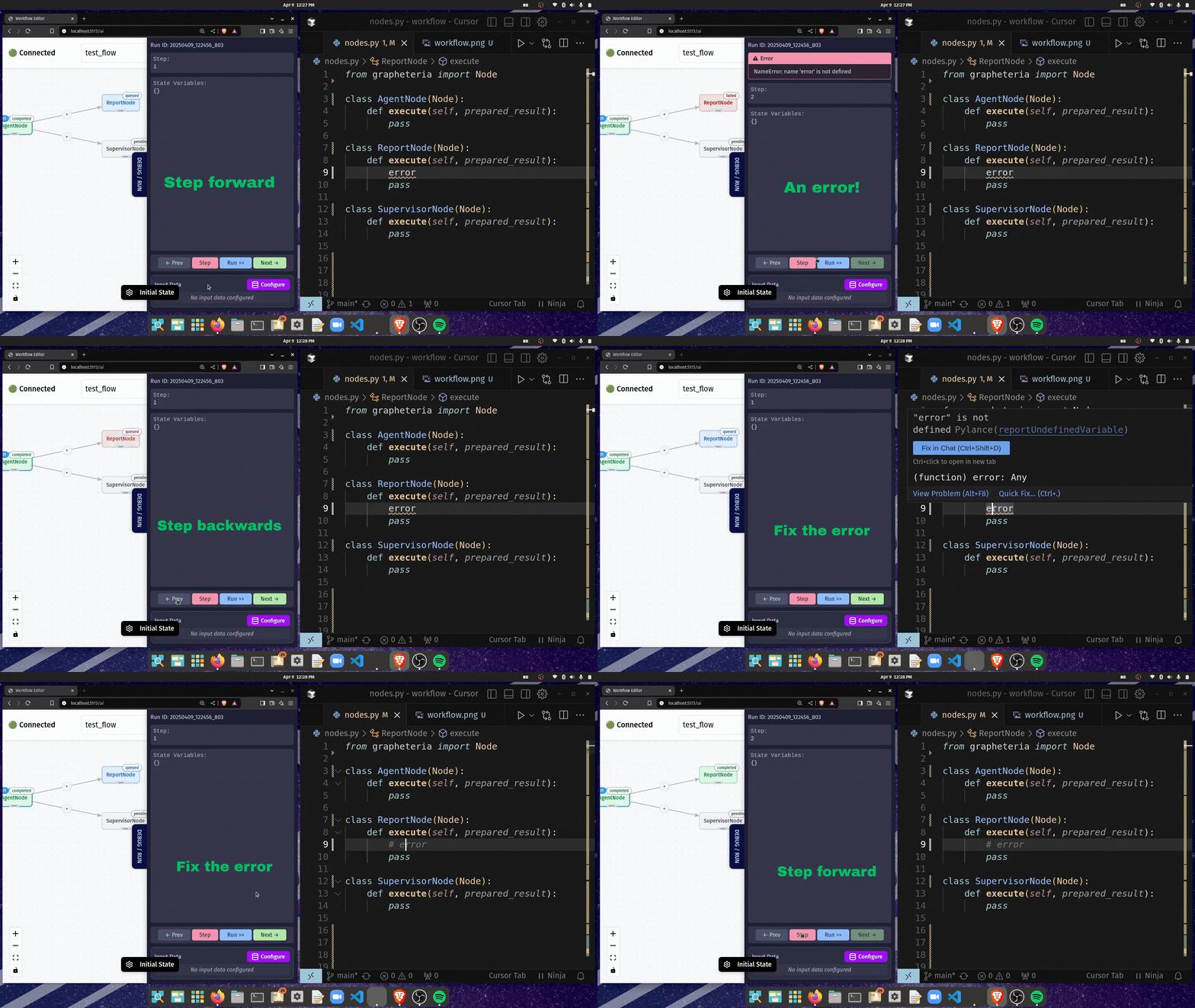
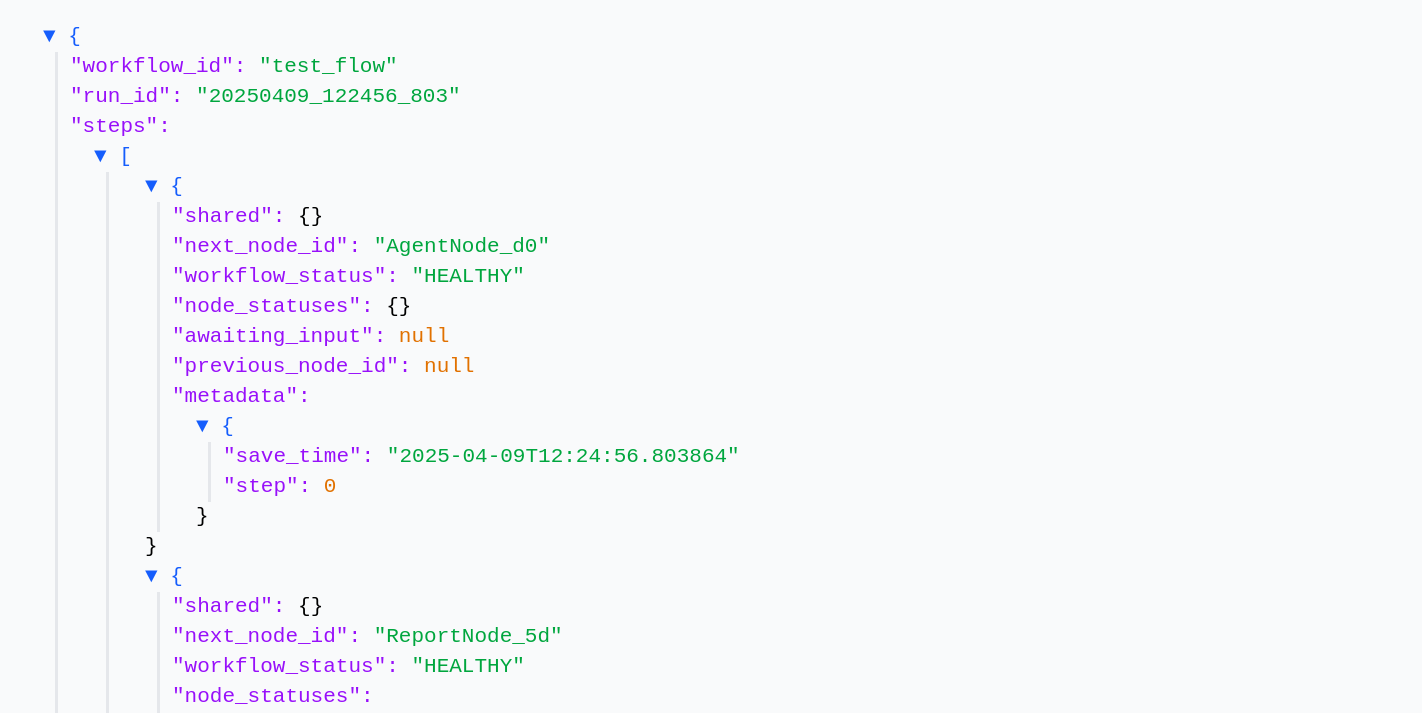
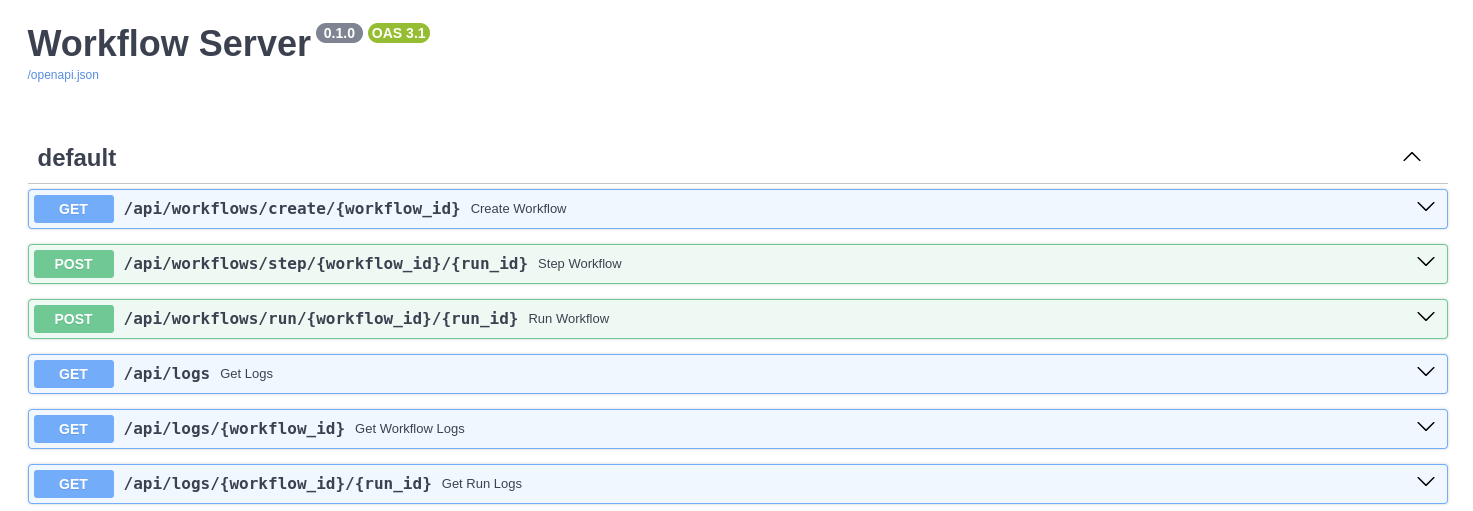
From your laptop to the cloud with minimal changes:
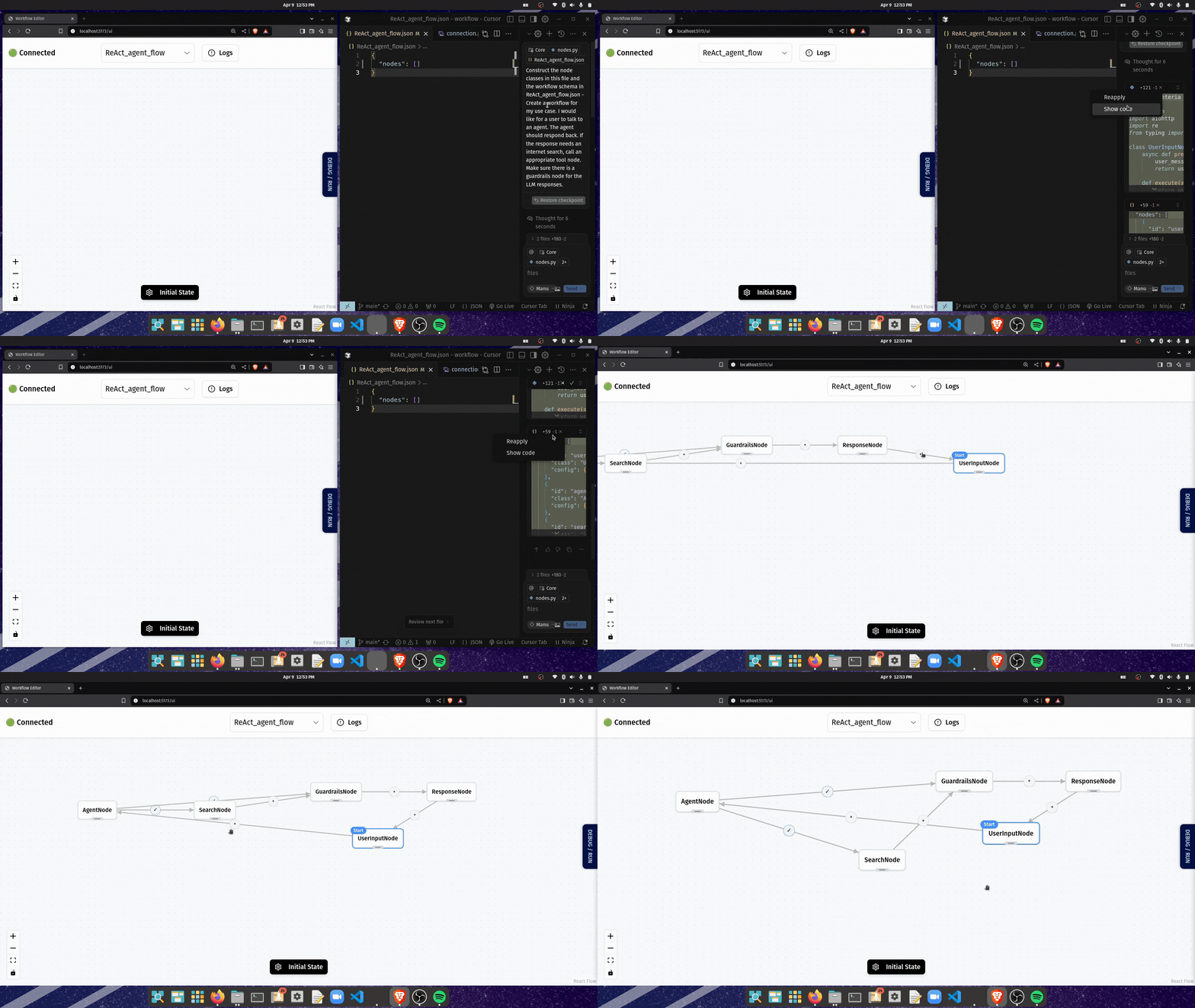
Describe what you want, then fine-tune:
# Create a virtual environment (recommended)
python -m venv venv
source venv/bin/activate  # On Windows: venv\Scripts\activate

# Install Grapheteria
pip install grapheteria
Note: Grapheteria requires Python 3.6 or higher.
Once installed, fire up the UI with:
grapheteria
This starts the Grapheteria interface and automatically syncs with your code.
Grapheteria: A structured framework bringing uniformity to agent orchestration!
टूल
अभी टूल सूची नहीं है। रिमोट सर्वर को पहले हेल्थ चेक के बाद सूची मिलती है।
FAQ
इस पेज पर Cursor, Claude Desktop, Claude Code या VS Code के लिए stdio कॉन्फ़िग कॉपी करें। यह पब्लिशर का इंस्टॉल इस्तेमाल करता है, PlugMCP प्रॉक्सी नहीं।
इस रिकॉर्ड में कोई ज़रूरी एनवायरनमेंट वेरिएबल दर्ज नहीं है।
Grapheteria stdio पर लोकल चलता है।
पिछली जाँच 2026-10-27 को हुई। Grapheteria: A structured framework bringing uniformity to agent orchestration!