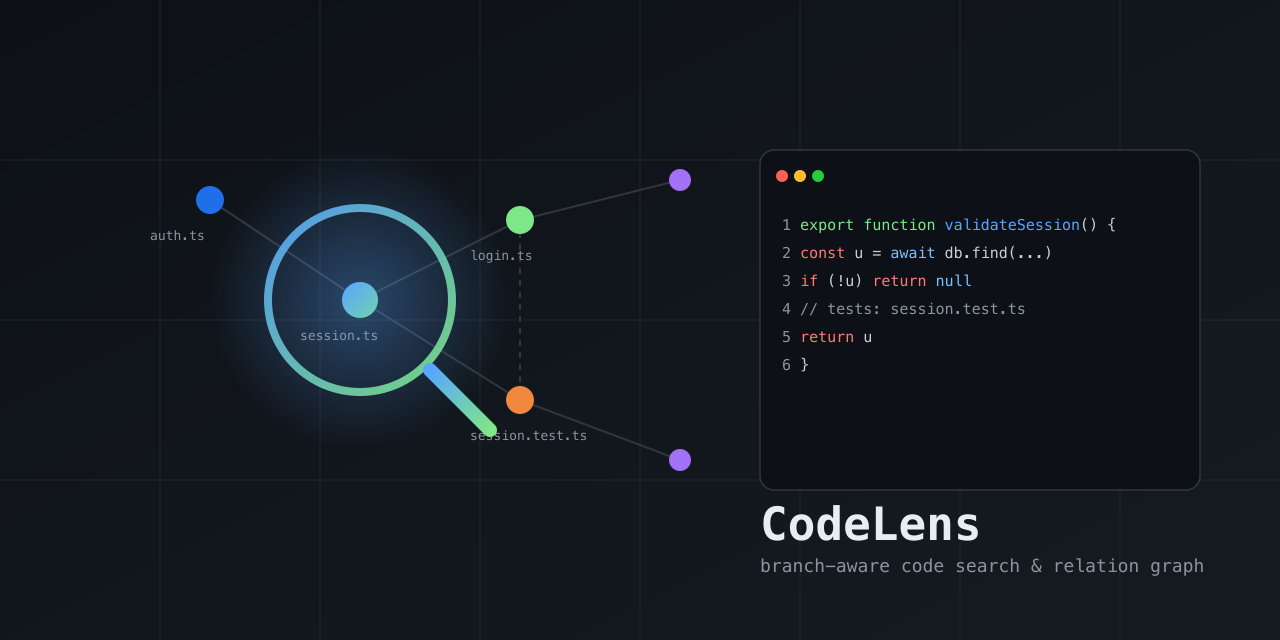
A local, branch-aware code search & relation graph — a lens into how
the code in a repo connects. Indexes the current branch into SQLite (FTS5
lexical + tree-sitter symbols + source-graph edges: imports / tests / calls /
inherits / defines / belongs_to) and returns compact, ranked, re-queryable handles so you
can find relevant files/symbols and walk their relationships without flooding
your context with raw grep/read output.
Local, branch-aware code search & relation graph. SQLite FTS5 + tree-sitter symbols + source-graph edges, exposed as an MCP server and CLI. No chat LLM required.
2026-11-14
स्टार
—
टूल
—
अपटाइम
—
No chat LLM is involved — retrieval is deterministic. Surfaced as an MCP
server and a CLI; works with any MCP-compatible client (Claude Code,
Cursor, Gemini CLI, Kiro, opencode, Codex CLI) or directly from the terminal.
Branch isolation — each branch/worktree has its own index; results never
leak across branches.
Relations, not just text — graph edges (imports / tests / callers / …)
ranked alongside FTS5 + symbol-name matches.
Explainable graph — resolved symbol calls stay distinct from file
dependencies. Relationships include source evidence, extraction methods, and
conservative confidence across the whole chain.
Documentation links — explicit repository-local Markdown references
connect design documents to code without an LLM.
Fresh — query tools auto-refresh changed files before answering, flag
budget-limited stale results, and cl_expand always reads from disk.
Singleton runtime — MCP entry processes for the same repo/worktree share
one local daemon, so one watcher/index coordinator serves many agent sessions.
Compact — returns ranked handles; expand only what you need.
Durable — saved contexts live in a separate DB and survive index rebuilds.
One command builds the tool, installs the codelens launcher, and wires the MCP
server into detected agents/IDEs automatically (Claude Code, Cursor, Gemini CLI,
Kiro, opencode, Codex CLI). Requires Node.js ≥ 22.5. The package is published on
npm as @fodx/codelens.
macOS / Linux:
curl -fsSL https://raw.githubusercontent.com/ex-git/codeLens/main/install.sh | sh
After it finishes, open a new terminal so your shell picks up the newly installed
codelens command. The agents detected during install are already configured;
to choose targets explicitly or re-run later:
codelens install --target all --yes        # wire all agents
codelens install --target claude,cursor,kiro    # wire specific agents
codelens install --target auto --location=local   # project-local config
codelens --print-config codex              # print a snippet, no writes
codelens uninstall                         # remove from all agents
Upgrade:
codelens upgrade --check   # is an update available?
codelens upgrade           # git pull + rebuild + refresh global agent config/routing
Upgrade reports the rebuilt version and re-applies global agent config + routing
for detected hosts that can be safely refreshed. Cursor's global config attaches
to the active workspace via ${workspaceFolder}. Kiro's global config pins the
workspace where codelens install --target kiro is run, so rerun that command
from the desired workspace if you need to retarget Kiro. After upgrading,
restart your agent.
Uninstall everything:
curl -fsSL https://raw.githubusercontent.com/ex-git/codeLens/main/install.sh | sh -s -- --uninstall
Note on clients/LLMs: MCP clients (Claude Code, Cursor, Kiro, …) bring their own
model — CodeLens has no LLM and configures none. The installer only wires the
MCP server + routing instructions into each host's config.
Installation checks and native dependency recovery
Run this after installation or a Node.js upgrade:
codelens --check-install
The command prints a JSON report and exits nonzero if any check fails. It tests
an in-memory SQLite FTS5 database and parses a sample with every language
grammar. It does not open or change your indexes. Standalone installers and
codelens upgrade run this check before reporting success.
CodeLens uses native better-sqlite3, tree-sitter, and language grammar
packages. Recent npm versions can skip their install scripts unless you
approve them. Installing the npm package can succeed while these dependencies
remain unusable. Some packages ship usable prebuilt binaries, so a script
warning alone does not prove failure.
Pi-managed npm installation: Run the following in Pi's npm project
(normally ~/.pi/agent/npm, or the custom project reported by the diagnostic).
Review the scripts before approving them:
Standalone or source installation: Use the same review, approval, and rebuild
commands in the CodeLens project directory (normally ~/.codelens/app).
Then run node build/src/server.js --check-install and rerun the installer if
it stopped before creating the launcher. Do not edit CodeLens's dependency
package.json inside node_modules; approvals belong to the consuming project.
Global npm or npx installation: These commands have no persistent consuming
project for npm install-scripts approve. On npm versions that support
--allow-scripts, pass a reviewed comma-separated package list at install time.
For example, after reviewing every named package:
For npx, use the same --allow-scripts=<list> and
--legacy-peer-deps options before --package=@fodx/codelens, then invoke
codelens --check-install. Older npm versions without install-scripts
use different script policies; check npm config get ignore-scripts and rebuild
after reviewing your policy. CodeLens never changes npm approvals automatically.
If native rebuilding fails, use Node.js 22 or 24 LTS and install Python plus a
C/C++ toolchain (Xcode Command Line Tools on macOS, compiler tools on Linux, or
Visual Studio Build Tools on Windows). A NODE_MODULE_VERSION mismatch usually
requires rebuilding with the same Node binary that launches CodeLens.
Restart your agent and CodeLens daemon after repair.
SQLite is required for startup. If the parser runtime or an individual grammar
is unavailable, CodeLens reports a warning on stderr and retains text search.
Symbols and parser-derived graph edges are unavailable for affected languages.
The strict installation check still fails so incomplete installations are visible.
Reindex affected repositories after repairing parser dependencies.
Supported agents / IDEs
The installer (codelens install --target <id>) writes the MCP server config
and routing instructions into each host's real config file. --location=global
(user-wide) is the default; --location=local writes project-local config
instead. All writes are idempotent and removable with codelens uninstall.
TOML [mcp_servers.codelens] block (command, args = ["--auto-index", "missing"]; local also adds --cwd <workspace>)
Pi Coding Agent
pi
pi install npm:@fodx/codelens (loads adapters/pi/codelens.extension.ts)
Pi extension that bridges the MCP server via pi.registerTool
command is the absolute path to the installed codelens launcher (written by
the installer); for a manual snippet use npx -y @fodx/codelens. CodeLens uses
root priority --cwd → MCP Roots → process cwd. Cursor config (global or
local) attaches to the active workspace via --cwd ${workspaceFolder}. Kiro
config (global or local) pins --cwd to the directory where codelens install
was run because Kiro's user MCP config has no portable workspace variable. Other
hosts pin the concrete workspace path for local installs and rely on MCP Roots
for global installs. Installed MCP configs default to --auto-index missing, so
CodeLens starts a detached background index when a workspace/branch has no
complete index yet; pass --auto-index never to disable. For MCP usage,
default entry processes proxy to one local daemon per repo/worktree; that daemon
owns the file watcher and index coordinator, so multiple agent sessions do not
multiply watchers for the same checkout.
Routing instructions are also written so the host prefers codelens tools for
discovery over raw grep/read:
Host
Instructions file (global → local)
Claude Code
~/.claude/CLAUDE.md → ./CLAUDE.md (+ slash commands in ~/.claude/commands/codelens-*.md)
Pi Coding Agent — install as a Pi package (the npm tarball ships the
extension under adapters/pi/ and is tagged pi-package, so it appears in the
Pi package gallery once published):
pi install npm:@fodx/codelens      # user-wide
pi install -l npm:@fodx/codelens   # project-local (.pi/settings.json)
pi -e npm:@fodx/codelens           # try it for one run without installing
npm discoverability:package.json is tagged pi-package (required for
the Pi gallery) plus descriptive keywords (mcp-server,
modelcontextprotocol, claude-code, cursor, gemini-cli, kiro,
opencode, codex) so the package is findable via npm search. Only pi-package is
confirmed to trigger a host gallery listing; the others are for search
discoverability and do not imply auto-listing in those hosts' marketplaces.
Install (MCP) — manual alternative
Add to your MCP client config (Claude Code, Cursor, Kiro, OpenCode, Gemini CLI,
Codex CLI):
npm install --legacy-peer-deps
npm run build
node build/src/server.js
Quickstart
Open a repo in your agent/IDE. Installed MCP configs auto-index missing
branch indexes in the background; cl_current may show status: "indexing"
with indexingStartedAt/indexingAgeMs until it finishes. You can still run
cl_refresh explicitly; if auto-index is already running, cl_refresh reports
status:"indexing" instead of duplicating work.
cl_explore(query: "session validation flow") → grouped previews + relationship map in one call.
cl_search(query: "session validation") → lean ranked handles when you only need locations.
cl_impact(symbol: "validateSession", path: "src/auth/session.ts") → callers/callees/affected tests before edits.
For symbol-to-symbol paths, use path#Scope.name targets. Path results are
static relationships, not runtime traces. Symbol impact keeps broader file
relationships in fileFallback. Documentation links appear as documents,
not callers. Read evidence and truncation/freshness fields before relying on
results; see docs/tools.md. Diff impact does not reconstruct
historical callers of removed code. Tours are reading aids, not execution traces.
See adapters/ for host-specific hook skeletons that nudge agents toward
codelens tools instead of raw grep/read.
CLI (non-MCP usage)
The codelens binary also works directly from the terminal:
codelens doctor          # health check
codelens index            # build/update the current branch index
codelens search "session validation"   # ranked search
codelens related src/auth/session.ts    # graph neighbors
codelens path src/routes/login.ts src/auth/session.ts  # static connection chain
codelens overview         # bounded architecture summary
codelens diff --base HEAD # combined staged/unstaged impact; includes untracked files
codelens tour --start src/server.ts --limit 8 # evidence-backed reading sequence
codelens stats           # index counts
codelens current         # repo/branch status
codelens eval .          # automatic repository evaluation + scorecard
Evaluate CodeLens on any repository
Run one command against a Git repository:
codelens eval /path/to/repo
The evaluator separates three different questions instead of mixing them into
one headline score:
Retrieval: full, lexical, FTS-only, and targeted rg receive the same
natural-language query and exact selected file inventory. Chunk-ranked
CodeLens pages are deduplicated to the same file-level top-K unit as rg.
The lexical arm
removes only graph weight and renormalizes the remaining default weights;
rg is a declared OR-term file-match heuristic rather than a ranked system.
Graph: known-target caller/test accuracy is reported separately from text
retrieval. Automatically generated graph labels are explicitly marked as
CodeLens self-consistency, not independent ground truth.
Freshness: edit/delete visibility is verified in a detached temporary Git
worktree.
The default automatic mode is a deterministic self-evaluation/regression
suite. It generates tasks from the evaluated repository and must not be used
as independent evidence that CodeLens outperforms another system. For an
independent benchmark, supply a reviewed frozen task file:
For graph accuracy, expectedPaths should be exhaustively reviewed for the
selected target and corpus; incomplete labels will correctly reduce measured
precision. independentGroundTruth is a declaration by the task-file author,
not something CodeLens can verify automatically.
Scale tiers are nested and reuse one frozen task set, so larger tiers add
search distractors instead of changing labels. Repeats are timing samples, not
extra tasks; metrics aggregate unique tasks and include deterministic 95%
bootstrap intervals. Low-confidence automatic Git-history tasks are
informational and do not affect thresholds. Latency is end-to-end and
machine-specific; rg timing includes process startup while CodeLens runs
in-process. Comprehensive multi-tier runs can take several minutes because each
tier builds a fresh index and executes the same frozen tasks; the freshness
suite builds a separate worktree index.
What evaluation results do—and do not—show
In one automatic self-evaluation on an anonymized large repository, full
CodeLens observed 93.5% top-10 locate success and 0.600 MRR, versus 48.4% and
0.377 for the fixed rg heuristic. This is evidence about file-level retrieval
for that generated task set—not evidence that an LLM became 45.1 percentage
points more accurate. A capable agent can reformulate queries and invoke raw
search repeatedly, which this deterministic rg arm does not model.
The same run measured full versus lexical CodeLens locate success at 93.5%
versus 90.3%, with MRR of 0.600 versus 0.598. Their confidence intervals
overlapped, so this run did not establish a material incremental benefit from
graph weighting. It also did not evaluate the separate cl_related or
cl_impact graph tools.
A defensible summary is:
On this repository's automatic self-evaluation, CodeLens increased the
probability that an expected file appeared near the top compared with a
fixed rg heuristic. The benchmark does not measure LLM or coding-agent
performance.
Claims about LLM search speed, task accuracy, token use, cost, or patch quality
require a controlled agent A/B test: the same model and engineering tasks with
raw tools alone versus those same tools plus CodeLens, scored using hidden tests
and repeated runs.
The evaluator prints elapsed phase progress to stderr and writes artifacts
outside the target repository under ~/.codelens/evals/:
results.json   # versioned measurements, methodology, task-set digest, and evidence
report.md      # per-suite and per-task-type scorecard
tasks.json     # reusable frozen task set and ground-truth declaration
The target worktree is treated as read-only. Freshness mutations occur only in
a detached temporary worktree, which is removed even after errors, and output
paths inside the target repository are rejected. Exit code 0 means applicable
thresholds passed, 2 means evaluation completed but thresholds failed, and
1 means the evaluator could not run.
This is not an end-to-end LLM benchmark. Frozen labels can still be incomplete
or subjective, automatic tasks remain self-evaluation, and performance varies
by repository and machine. Credible cross-system claims require reviewed tasks,
multiple representative repositories, and disclosure of the evaluator version
and methodology.
Development
npm run typecheck   # tsc --noEmit
npm run lint        # eslint
npm test            # vitest run
npm run build       # tsc + copy schema assets
npm run benchmark   # indexing, retrieval, and graph performance gates
npm run quality     # retrieval-quality fixture (recall@5/MRR/top-1/latency)
npm run eval:agent  # deterministic with/without-CodeLens discovery proxy
The benchmark checks cold-build SQL preparation counts, extraction from a
4,000-function file, and file/symbol lookups in a 100,000-edge sparse graph.
Repeated extraction and graph timings use medians. Workflow guards also check
50 changed-file comparisons, focused tours, SQL preparation counts, and serialized
response sizes in a 300-file fixture.
Docs
How CodeLens works — architecture, index layers, branch isolation, freshness, ranking, TTL, saved contexts, usage.
Static graph, not whole-program analysis — precise calls cover supported
TS/JS and Python forms. Dynamic dispatch, default-export identity, re-export
chains, and workspace aliases may remain file-level or unresolved. Empty
symbol results do not prove there are no callers. Communities are heuristic;
path/overview limits and partial freshness affect completeness.
Explicit documentation references only — Markdown links and inline-code
file references resolve to indexed code with supported grammars. Qualified
symbol fragments must resolve uniquely. Fenced examples, external URLs, and
repository escapes are excluded. Documents above the structural parsing
limit (512 KiB) remain searchable but do not produce document edges.
No vector/semantic search — there is no embedding model; ranking fuses
FTS5 BM25 + symbol-name + graph proximity + path + code/prose + exact-match
signals. Code identifiers are matched via bounded subtoken expansion
(e.g. session finds validateSession); a true semantic/vector layer is
still out of scope.
Auto-index is eager per branch — installed MCP configs start a detached
--auto-index missing build when a workspace/branch has no complete index.
cl_refresh remains available for explicit rebuilds and is guarded against
duplicating an active background index. A singleton repo/worktree daemon owns
the file watcher and handles incremental freshness thereafter (cold index
~3.5s for 2000 files).
Routing hooks are advisory (soft nudges, not hard blocks) per the no-
throttling design decision — raw reads remain allowed for editing/verification.
npm package — published on npm as
@fodx/codelens; releases are
published automatically from v* git tags via the publish workflow. Use
npx -y @fodx/codelens for manual MCP configuration. See
.github/workflows/publish.yml.
Windows not tested — path normalization handles backslashes, but fs.watch
recursive behavior and native builds are unverified on Windows.
अभी टूल सूची नहीं है। रिमोट सर्वर को पहले हेल्थ चेक के बाद सूची मिलती है।
FAQ
सवाल
@fodx/codelens कैसे इंस्टॉल करें?
इस पेज पर Cursor, Claude Desktop, Claude Code या VS Code के लिए stdio कॉन्फ़िग कॉपी करें। यह पब्लिशर का इंस्टॉल इस्तेमाल करता है, PlugMCP प्रॉक्सी नहीं।
क्या @fodx/codelens के लिए API key चाहिए?
इस रिकॉर्ड में कोई ज़रूरी एनवायरनमेंट वेरिएबल दर्ज नहीं है।
@fodx/codelens कौन सा ट्रांसपोर्ट इस्तेमाल करता है?
@fodx/codelens stdio पर लोकल चलता है।
@fodx/codelens की पिछली जाँच कब हुई थी?
पिछली जाँच 2026-11-14 को हुई। Local, branch-aware code search & relation graph. SQLite FTS5 + tree-sitter symbols + source-graph edges, exposed as an MCP server and CLI. No chat LLM required.