Install
mise
mise use -g github:masumedb/masume@latest
Update: mise upgrade github:masumedb/masume
npm (npx masume runs without installing)
npm install -g masume
Update:
Power your agent
पब्लिशर की अपनी कमांड। PlugMCP एंडपॉइंट नहीं।
Host a copy with our keys and logs.
npx -y [email protected]Claude Code में लोकल कमांड के लिए इंस्टॉल लिंक नहीं है। नीचे दी गई कमांड कॉपी करें और टर्मिनल में चलाएँ।
claude mcp add masume -- npx -y masume@0.0.17टर्मिनल में चलाएँ।
{ "mcpServers": { "masume": { "command": "npx", "args": [ "-y", "[email protected]" ] } }}claude_desktop_config.json
रिमोट URL या आपकी मशीन पर कमांड? दोनों इंस्टॉल में क्या अंतर है
PlugMCP पर चलाएँ
A new server you create. It is not this listing's official endpoint. Use the publisher install when you want their URL and their credentials.
लॉन्चपब्लिशर से
mise
mise use -g github:masumedb/masume@latest
Update: mise upgrade github:masumedb/masume
npm (npx masume runs without installing)
npm install -g masume
Update:
A database client for the terminal
npm update -g masumeGo (Go 1.27 or later)
go install github.com/masumedb/masume@latest
Update: run the same command again.
Homebrew
brew install masumedb/tap/masume
Update: brew upgrade masumedb/tap/masume
Scoop
scoop bucket add masumedb https://github.com/masumedb/scoop-bucket
scoop install masumedb/masume
Update: scoop update then scoop update masume
Script (Linux and macOS, installs to ~/.local/bin)
curl -fsSL https://raw.githubusercontent.com/masumedb/masume/master/install.sh | sh
MASUME_INSTALL_DIR is the install directory, and MASUME_VERSION is the release tag, such as v0.0.9. The default is the latest release. The script checks the archive against checksums.txt.
Update: run the script again. masume does not update itself.
Debian and Ubuntu
sudo dpkg -i masume_<version>_linux_<arch>.deb
Update: install the newer package with the same command.
Fedora and RHEL
sudo rpm -i masume_<version>_linux_<arch>.rpm
Update: sudo rpm -U masume_<version>_linux_<arch>.rpm
Alpine (the packages are unsigned)
sudo apk add --allow-untrusted masume_<version>_linux_<arch>.apk
Update: install the newer package with the same command.
From source
git clone https://github.com/masumedb/masume.git
cd masume
mise install
mise run install
Update: git pull, then mise run install.
The packages and archives are on the releases page. For an archive, unpack the tar.gz, or the zip on Windows, and put masume on the PATH.
Each release has a checksums.txt with the SHA-256 sum of every file, and a build provenance attestation for the archives, the packages and checksums.txt:
sha256sum -c checksums.txt --ignore-missing
gh attestation verify masume_<version>_linux_<arch>.tar.gz --repo masumedb/masume
masume
masume opens the connection picker. n adds a profile, and Enter connects. Ctrl+N returns to the picker from a connection. ? shows the keys, and Ctrl+K opens the command palette. When $DATABASE_URL is set, masume opens that connection instead.
A connection can also come from the command line:
masume postgres://[email protected]:5432/shop opens a URL.masume ./notes.db opens a SQLite file.masume --detect lists the databases in running Docker or Podman containers and in the pods of the current kubectl context.The first interactive run creates a starter configuration file. A profile can also be written by hand:
[profile.shop]
engine   = "postgres"
host     = "127.0.0.1"
port     = 5432
database = "shop"
user     = "ada"
auth     = "prompt"
env      = "dev"
mode     = "write"
auth = "prompt" prompts for the password at connection time. The password is kept only in memory unless it is saved to the keyring. See configuration for every setting.
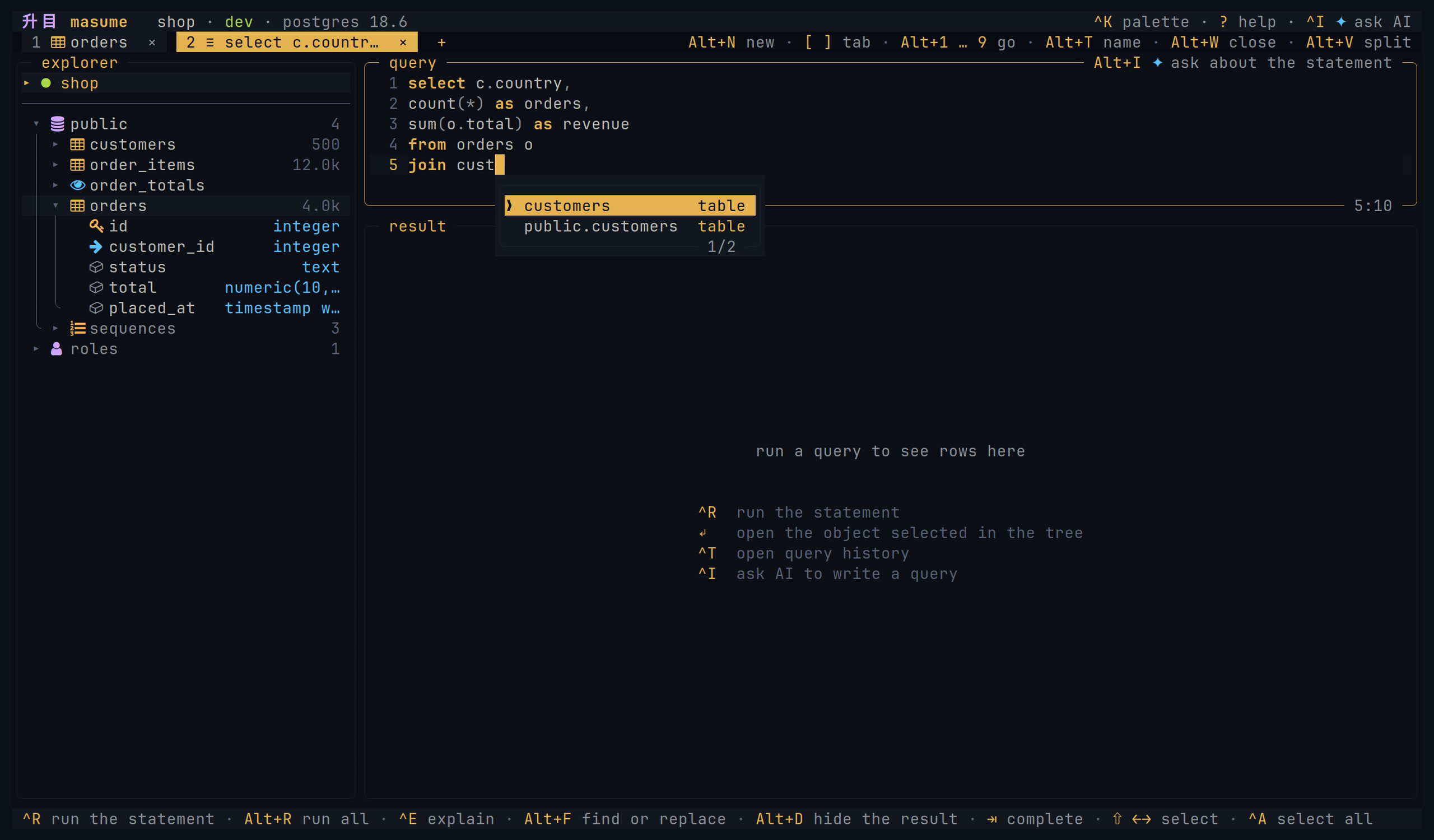
The explorer lists the database objects. Table views show data, columns, indexes, constraints, DDL, and query plans. An ER diagram shows a table and the tables linked to it by foreign keys.
The editor has syntax highlighting and completion from the database catalog. Local checks, and server checks where the engine supports them, mark errors before execution. A statement with :name placeholders opens a form for the values. Query plans are drawn as a tree with estimated or measured costs.
Query history and saved queries keep the statements. MongoDB takes a subset of shell syntax, Redis takes commands, one per line, and Cassandra takes CQL with the keyspace as the schema.
Ctrl+K opens it.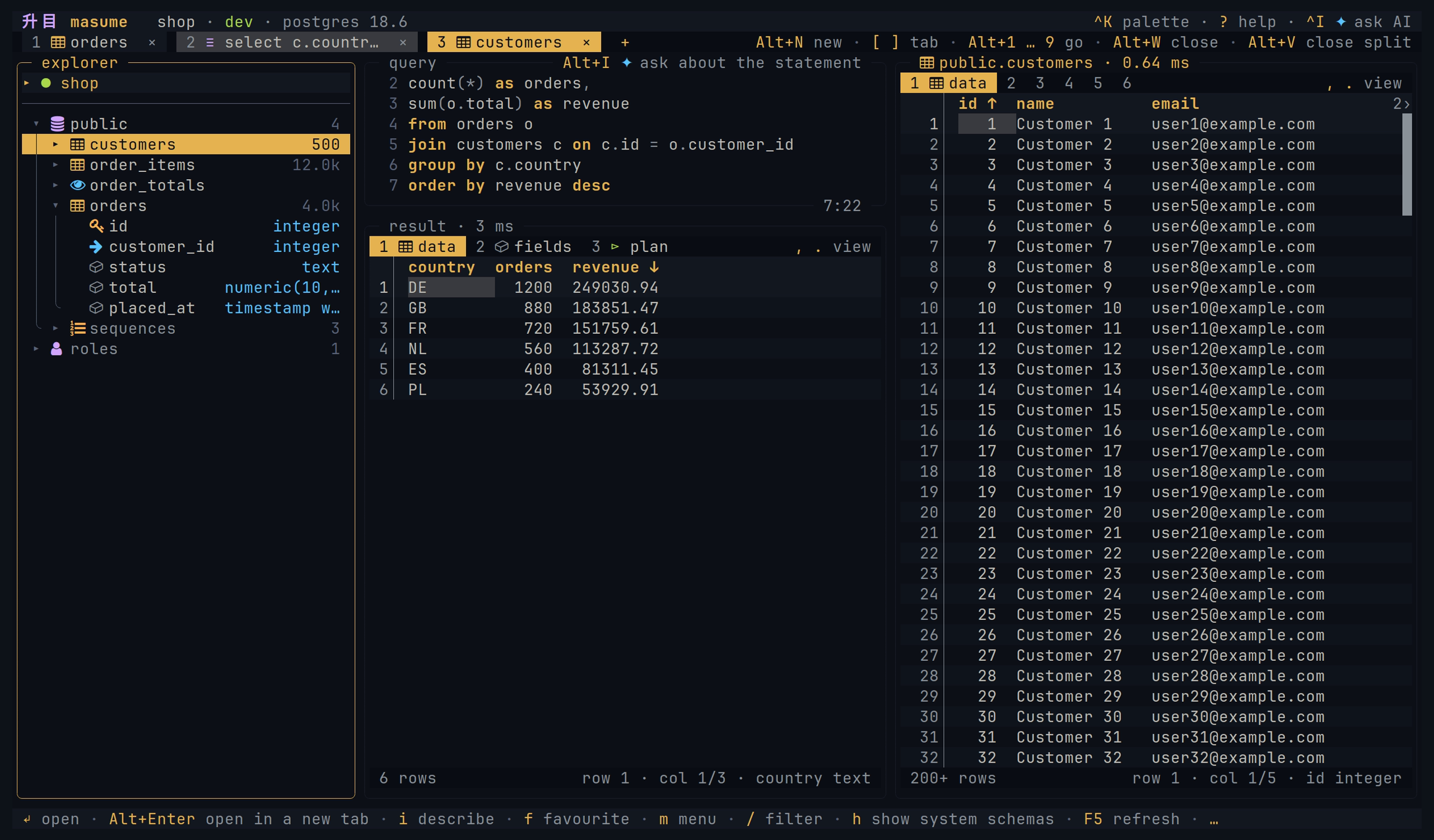
INSERT statements, row JSON, and column IN clauses. See copy and export.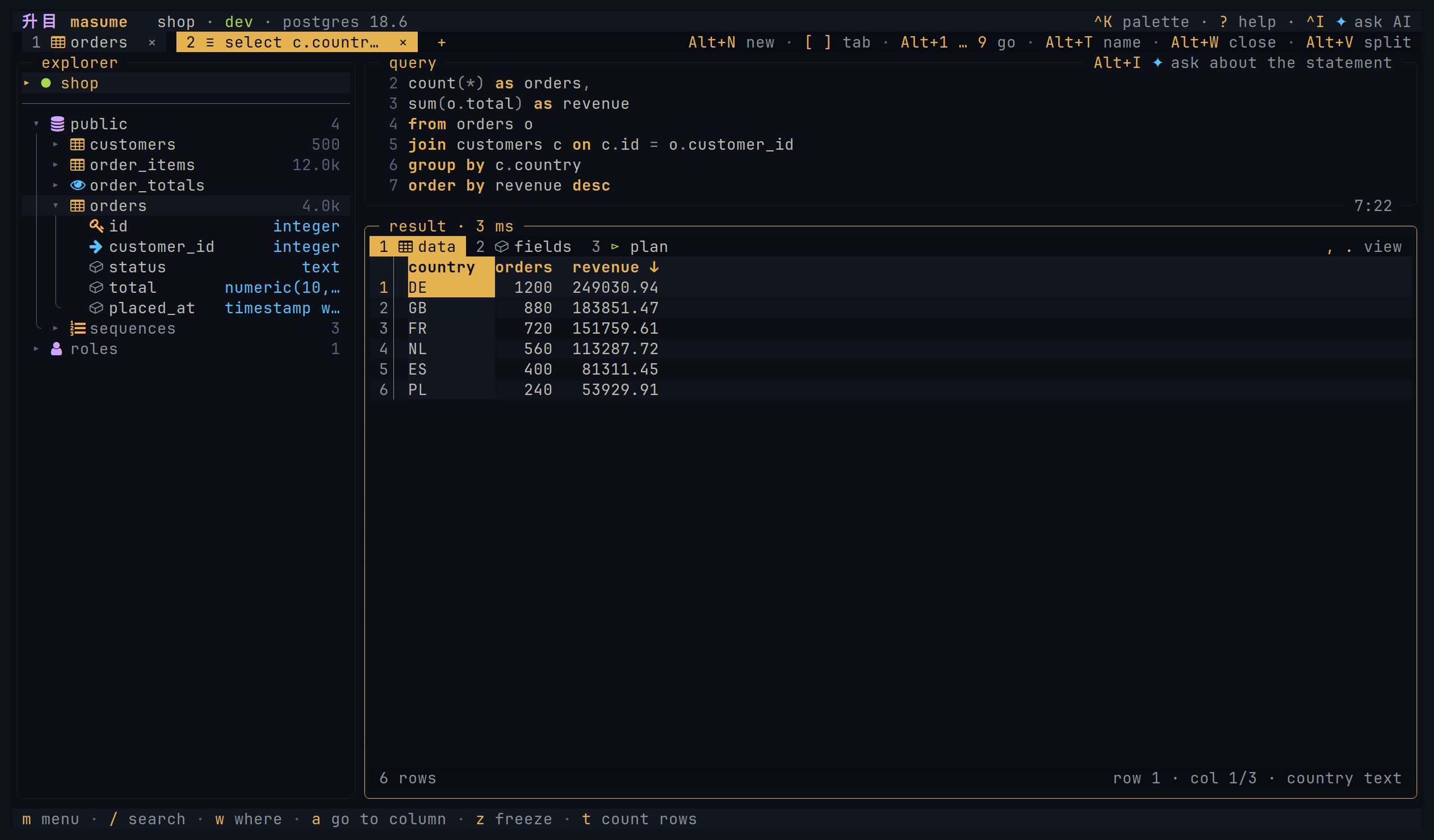
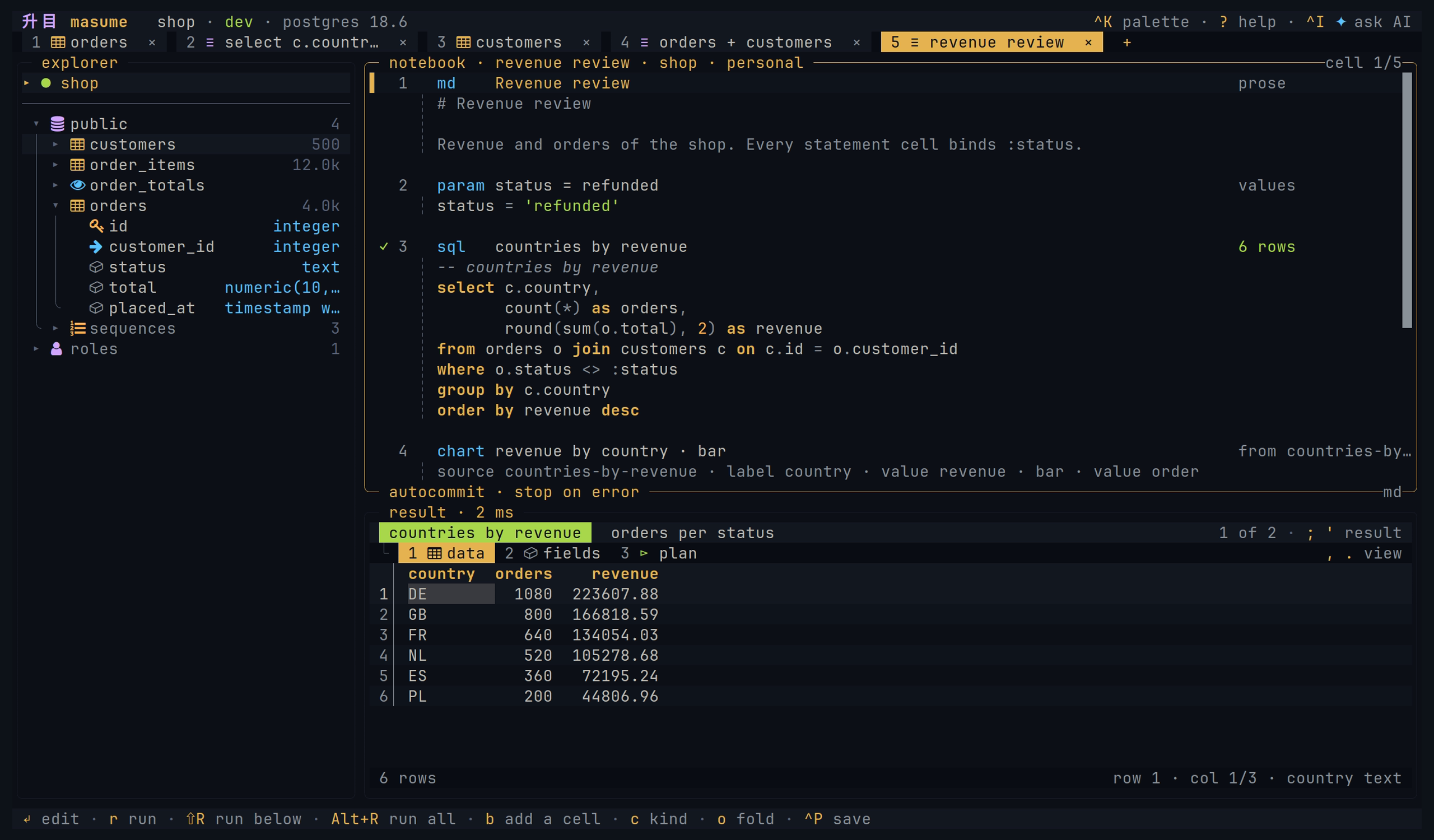
A notebook contains cells of prose, values, statements, and charts on one connection. Each cell keeps its result and its view. A notebook is a Markdown file, and masume nb run runs it. See notebooks.
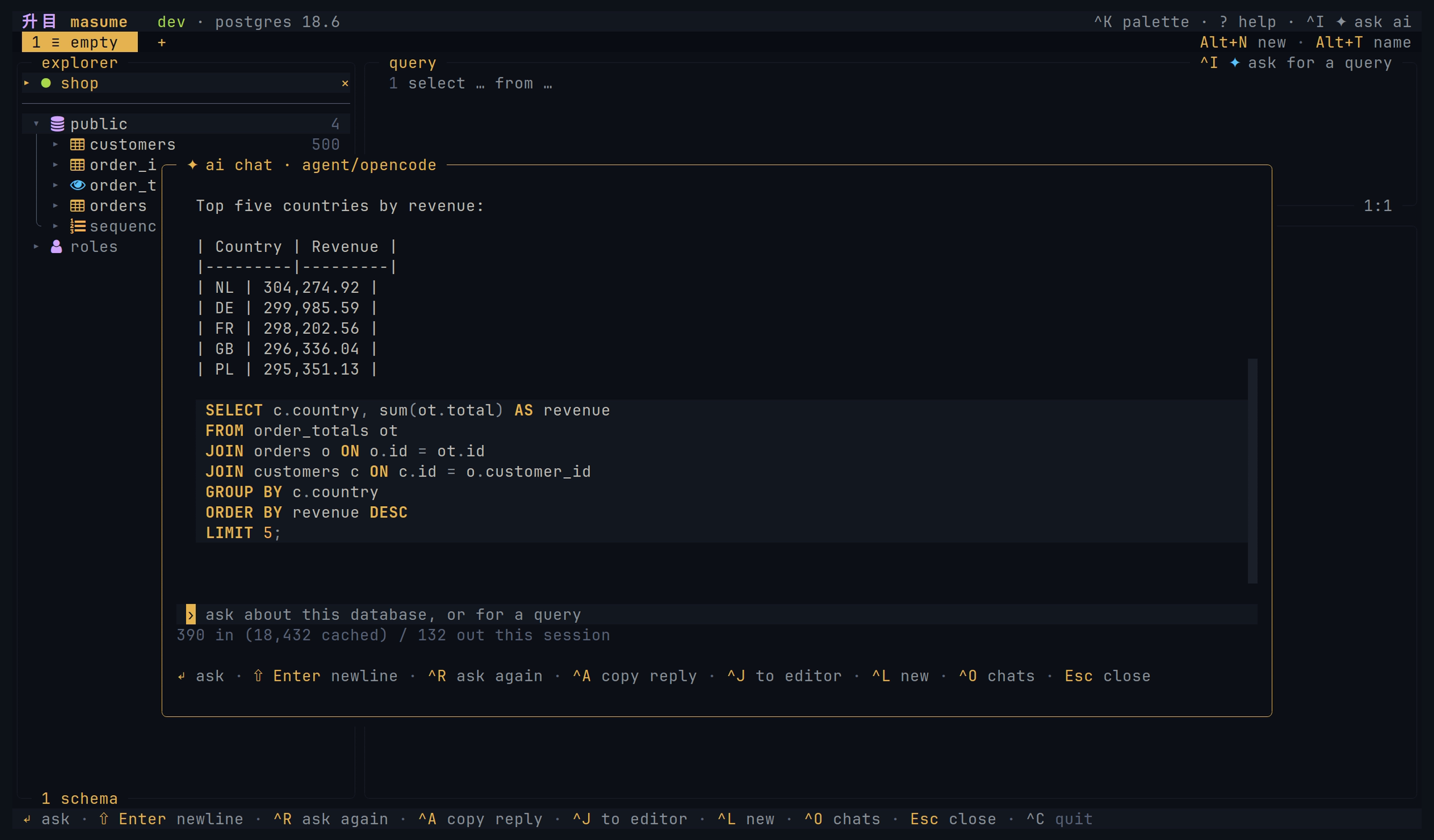
The AI chat uses the current connection and asks for confirmation before each query, including reads. It works with Anthropic, OpenAI, Grok, and OpenAI-compatible providers, or a coding agent such as Claude Code. [ai] enabled = false hides the chat. See AI chat.
masume --mcp serves the allowed profiles to an external agent over stdio. It opens its own connections, with an access level per profile and one for the whole server. See MCP server.
Both use the same database tools with different policies. See security limits.
masume --detect finds databases in running Docker or Podman containers, and in Kubernetes pods through kubectl port-forward. See databases in a container.A repository can share connections and saved queries in .masume.toml. masume reads the nearest one in or above the working directory:
[profile.dev]
engine   = "postgres"
host     = "127.0.0.1"
database = "shop"
user     = "shop"
env      = "dev"

[query.recent-orders]
sql         = "select * from orders order by created_at desc limit 50"
description = "the newest 50 orders"
See project file and project security.
masume run -p shop-prod -f json 'select count(*) from orders'
masume run -p shop -e ./reports/daily.sql --param day=2026-09-02
masume run ./notes.db -f csv 'select * from notes limit 100000' > notes.csv
masume run -p shop -f parquet 'select * from orders' > orders.parquet
See headless mode for formats, exit codes, dump, restore, schema compare, and notebooks.
masume                                   open the client
masume TARGET                            open a connection, postgres://you@host/shop
masume --profile NAME                    open a user or project profile
masume --detect                          open the picker with detected container and pod databases
masume run [TARGET | -p NAME] STATEMENT  run statements
masume nb run [TARGET | -p NAME] FILE    run a notebook
masume dump [TARGET | -p NAME] FILE      dump schema and data
masume restore [TARGET | -p NAME] FILE   restore a dump
masume diff SOURCE TARGET                compare the schemas of two connections
masume FILE.masume.md                    open a notebook file
masume --mcp                             serve allowed profiles over JSON-RPC on stdio
masume --mcp --profile NAME              serve one allowed profile
masume --mcp --check                     check enabled MCP profiles
masume --version, -v                     print the version
masume --help, -h                        print the help
Each command takes --help. A URL query key without a profile key of its own is passed to the driver. See connection targets, driver options, and headless mode.
See CONTRIBUTING.md.
Apache License 2.0. See LICENSE.
{ "mcpServers": { "masume": { "command": "npx", "args": [ "-y", "[email protected]" ] } }}टूल
अभी टूल सूची नहीं है। रिमोट सर्वर को पहले हेल्थ चेक के बाद सूची मिलती है।
FAQ
इस पेज पर Cursor, Claude Desktop, Claude Code या VS Code के लिए stdio कॉन्फ़िग कॉपी करें। यह पब्लिशर का इंस्टॉल इस्तेमाल करता है, PlugMCP प्रॉक्सी नहीं।
इस रिकॉर्ड में कोई ज़रूरी एनवायरनमेंट वेरिएबल दर्ज नहीं है।
Masume stdio पर लोकल चलता है।
पिछली जाँच 2026-10-28 को हुई। A database client for the terminal
