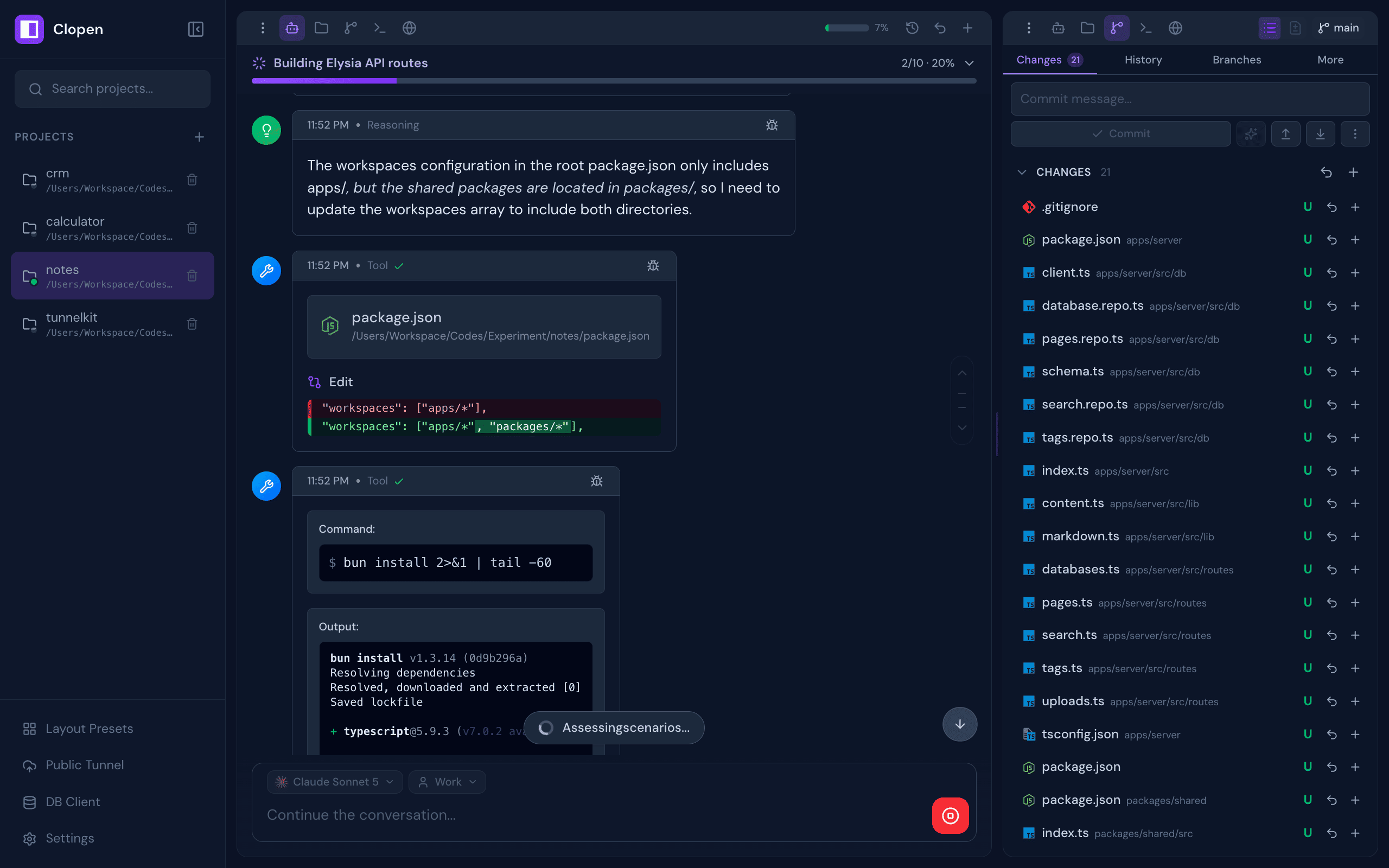
All-in-one web workspace for AI coding agents — Claude Code, OpenCode, Codex, Copilot, Qwen Code, Pi, Cline, and Cursor — with chat, terminal, git, browser preview, database client, checkpoints, and real-time collaboration
2026-11-16
स्टार
—
टूल
—
अपटाइम
—
Works on Any Device
Features
A complete development environment designed around AI-assisted workflows, built to disappear into the background and just work.
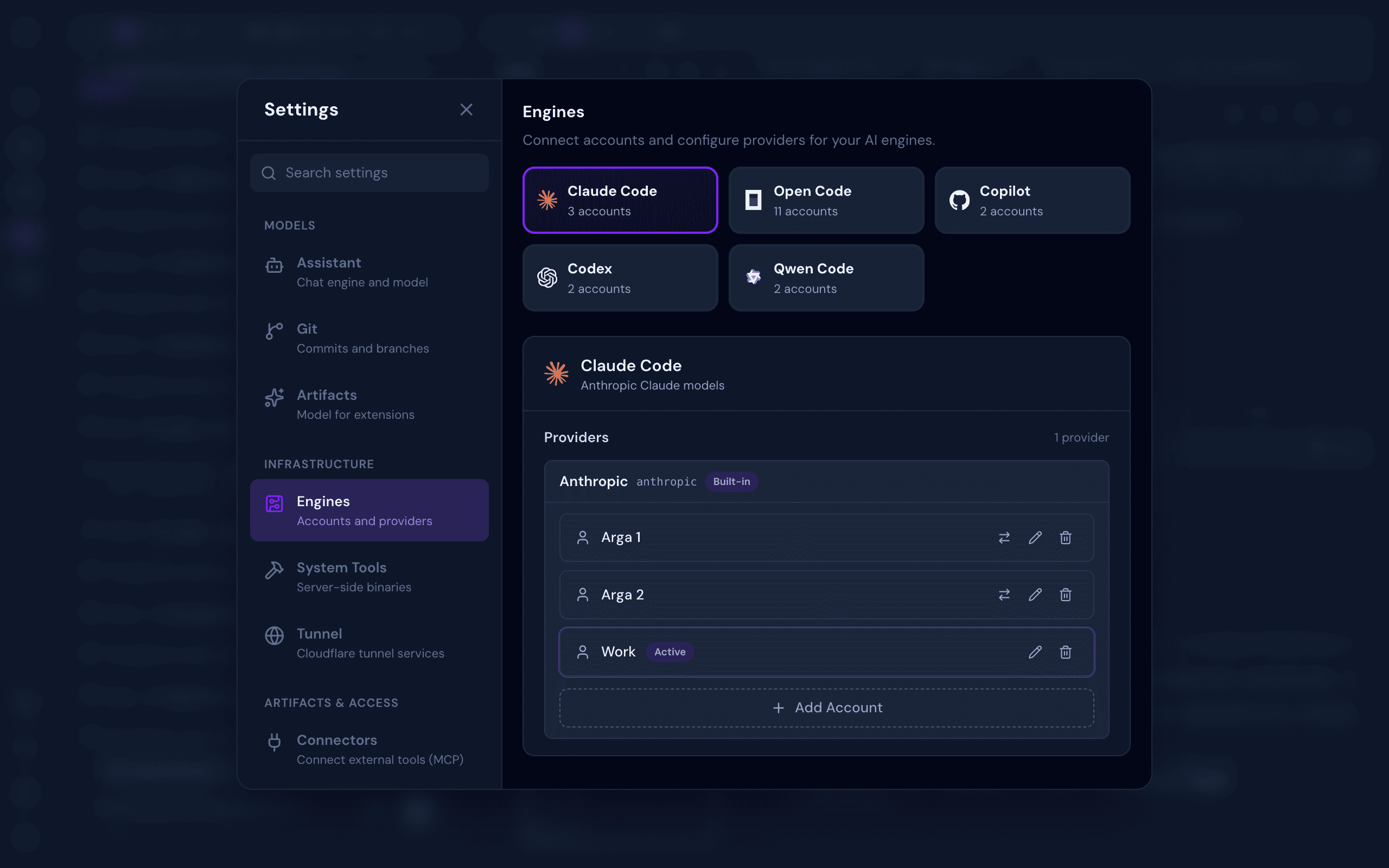
Multi-Engine Support — Switch between Claude Code, OpenCode, Codex, GitHub Copilot, Qwen Code, Pi, Cline, and Cursor as your AI engine, per session
Multi-Account Per Engine — Manage multiple accounts per engine (personal, work, or team) and switch between them instantly per chat session
Reasoning Effort Control — Dial a model's thinking level right from the chat input, using that engine's own levels. Set a default per model in Settings, and the choice is remembered and synced with everyone in the session
Integrated Terminal — Multi-tab xterm.js terminal with full keyboard control and complete ANSI/VT support, right inside your workspace
Full Git Management — Stage, commit, branch, push, pull, stash, log, and resolve conflicts, all from a clean UI
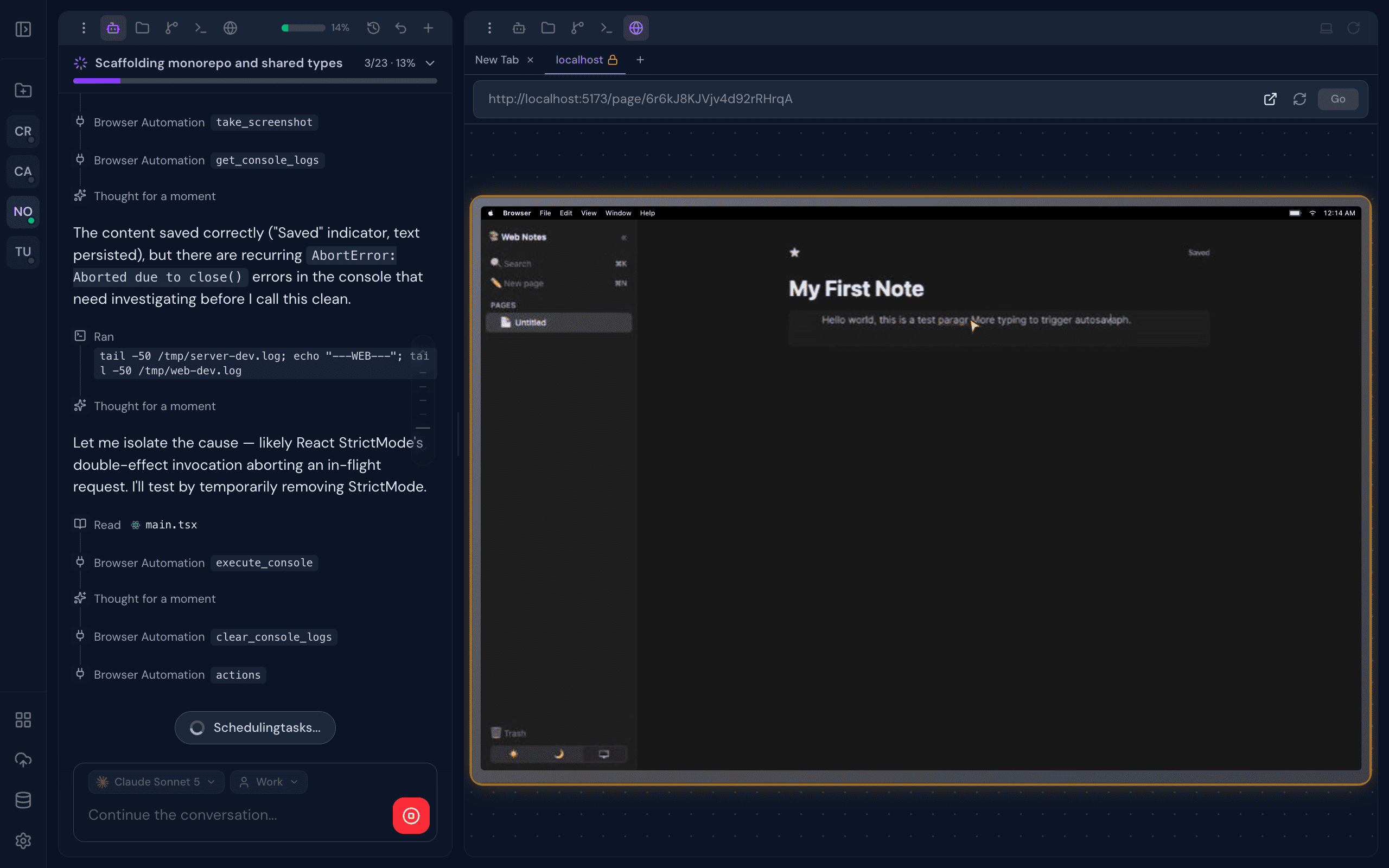
Real Browser Preview — A live browser preview streams directly into your workspace. Interact with your app manually, or let the AI drive: clicking, typing, and scrolling for autonomous visual testing
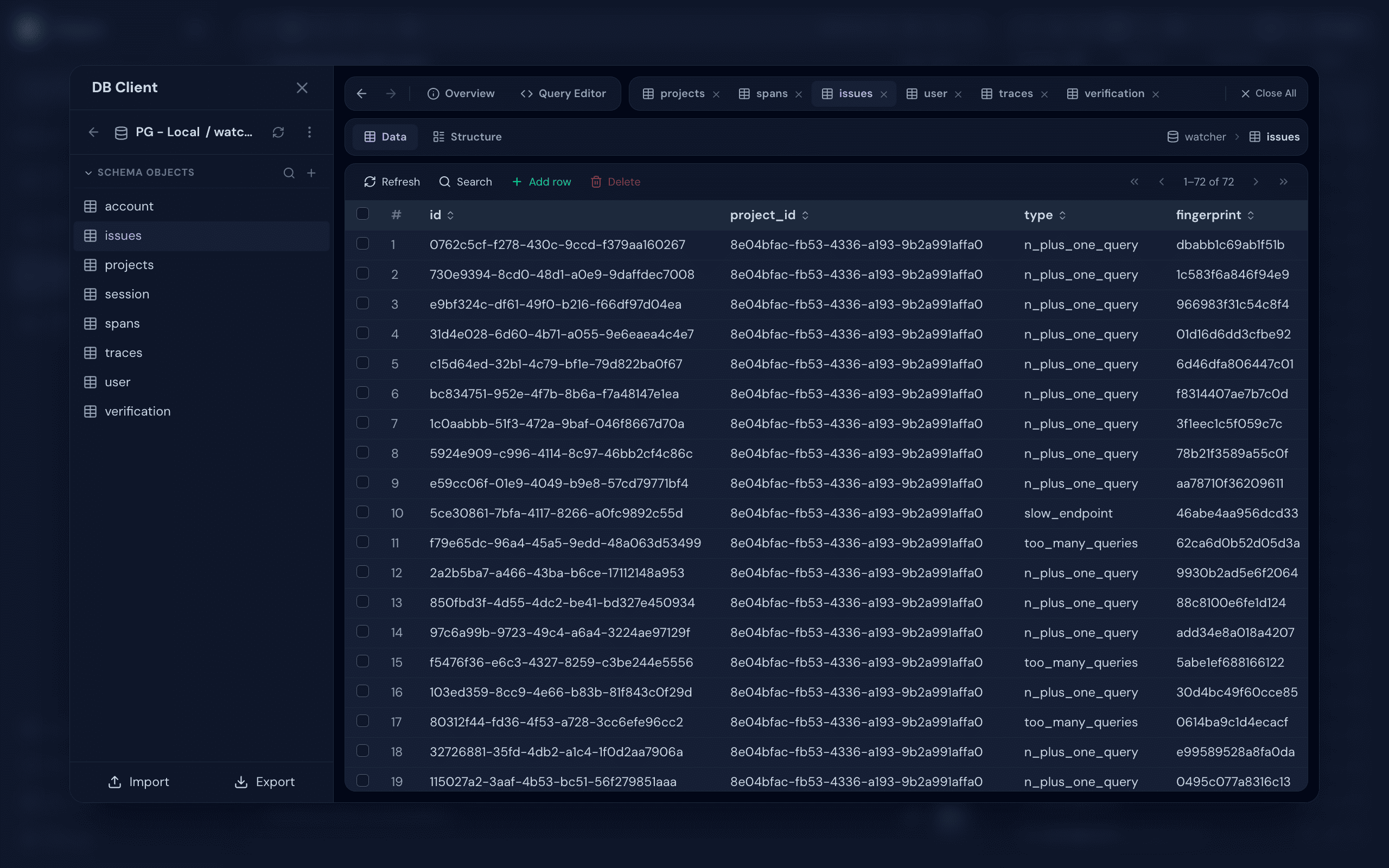
Database Client — Connect to PostgreSQL, MySQL, SQLite, MongoDB, and Redis. Browse schemas, run queries, and inspect data, with optional SSH tunneling for databases behind a bastion
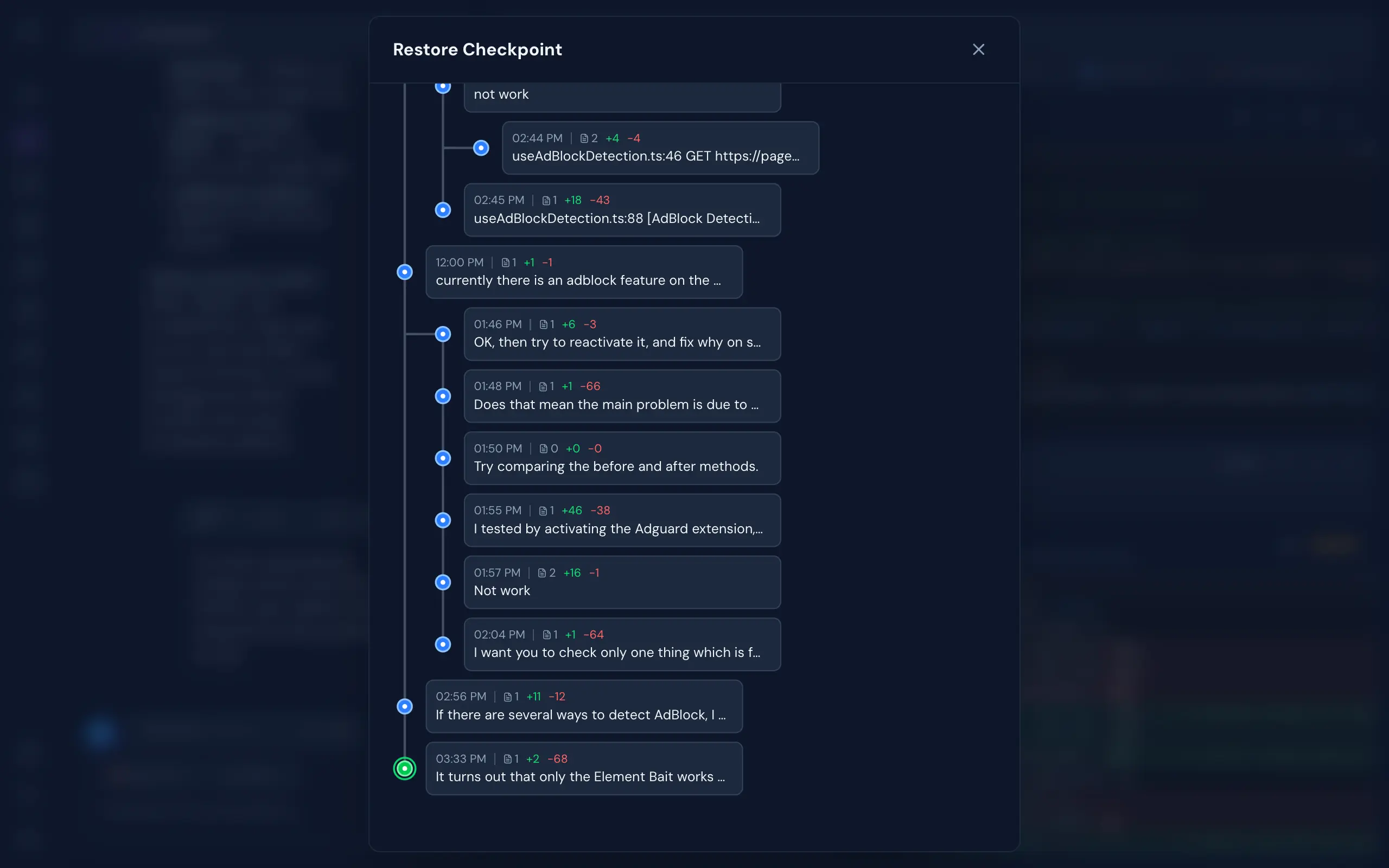
Git-Like Checkpoints — Multi-branch undo/redo with full file snapshots. Roll back to any point in your AI conversation without touching your actual git history
Real-Time Collaboration — See who's working on which project, and collaborate live in the same codebase
Monaco File Editor — VS Code's editor right in the browser. Full syntax highlighting, autocomplete, and live file watching, beside your AI chat
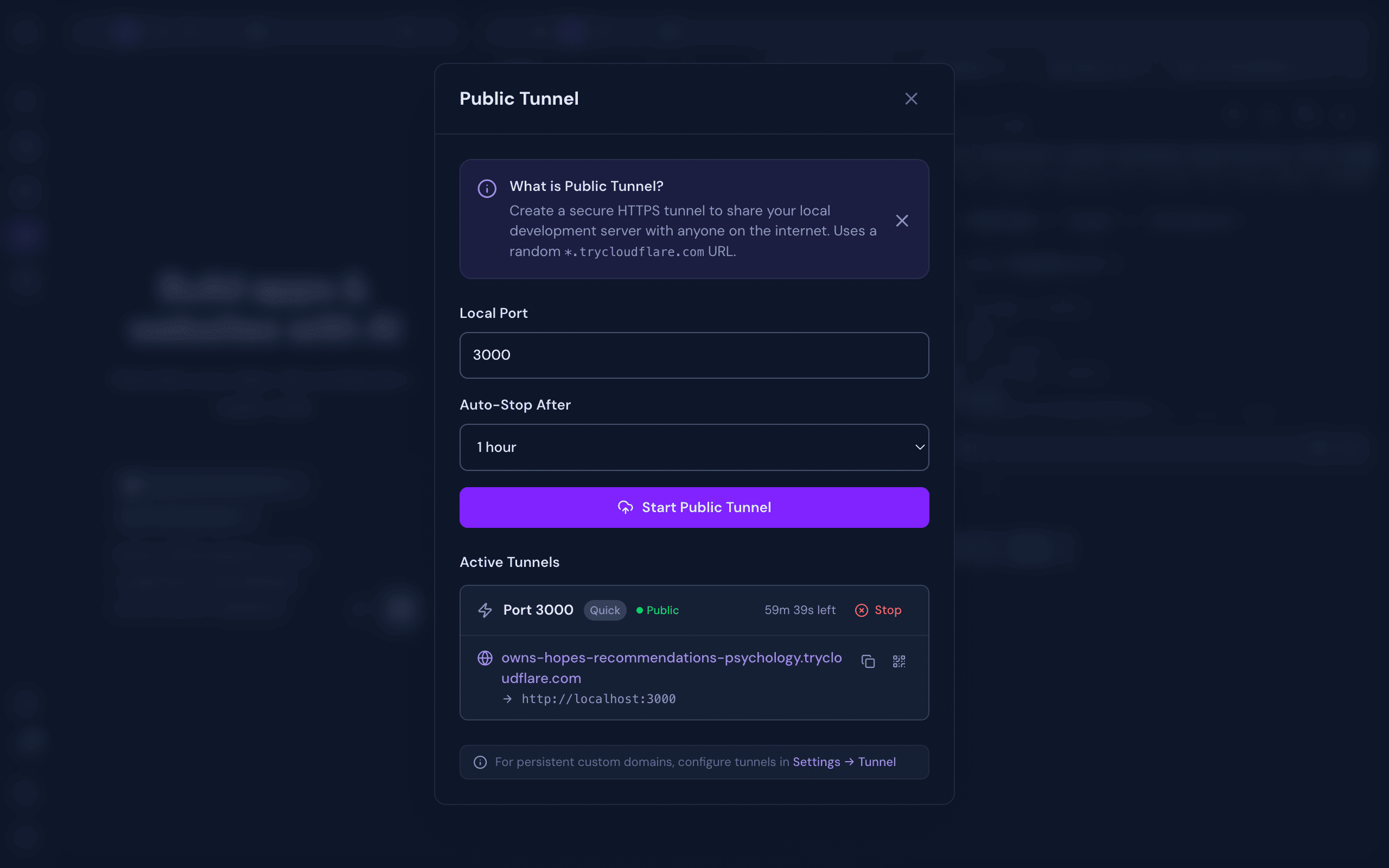
Cloudflare Tunnel — One-click public HTTPS URL for your local dev server. Built-in QR code for instant mobile access. Share your work without deploying
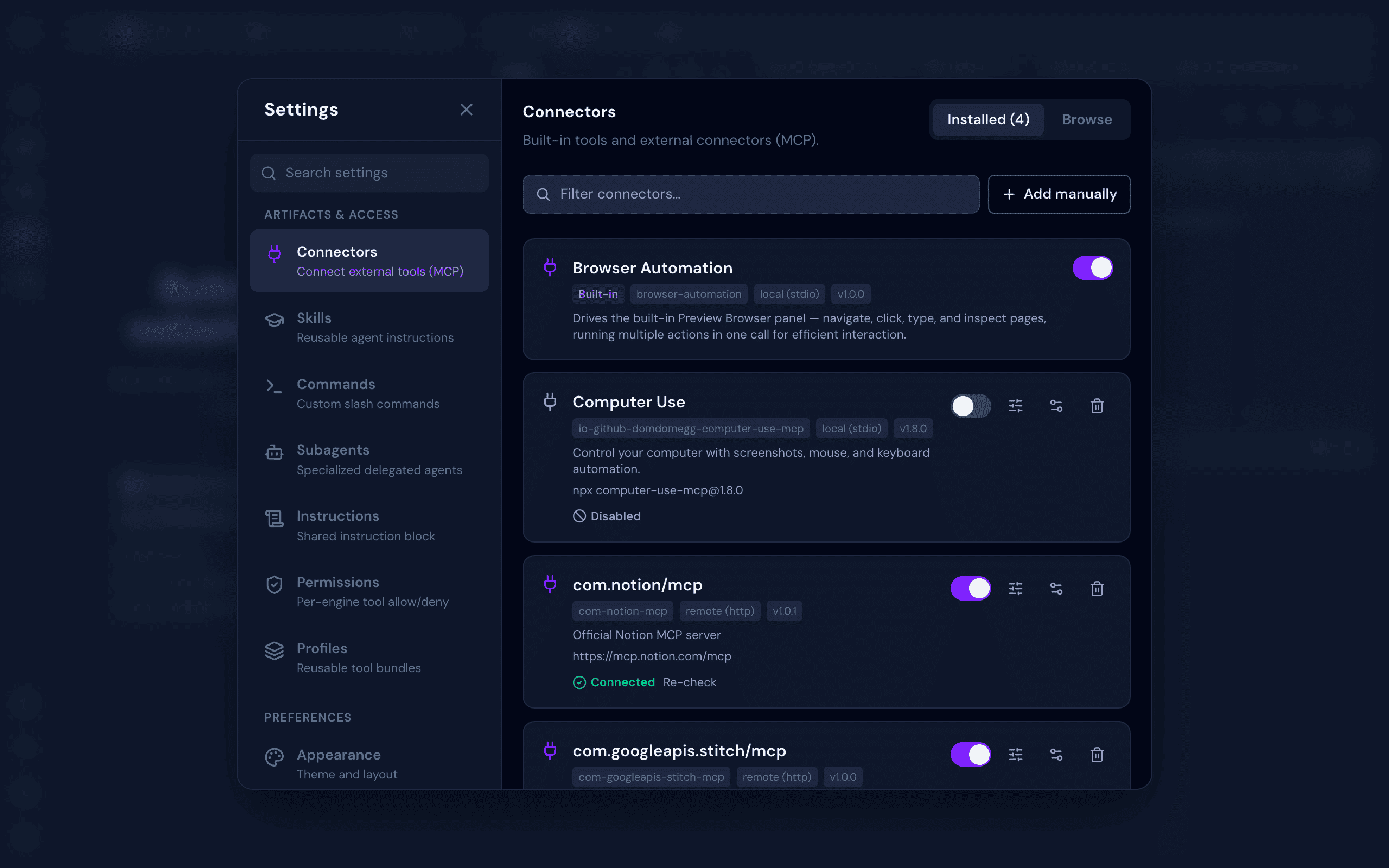
Integrations — Connect a third-party account once and every engine and project can use it. Credentials are sealed at rest with AES-256-GCM. Includes the full MCP surface: browse the official Model Context Protocol registry, connect with OAuth or custom env/headers, control tool exposure per engine, and sync every connector across all your AI engines
Skills, Commands & Subagents — Build reusable Skills, slash Commands, delegated Subagents, shared Instructions, and tool Permissions or Profiles once, synced automatically across every engine
Flexible Authentication — No Login or With Login mode with admin/member roles, invite links, rate-limited login, and CLI token recovery
Stack — Install AI engines, Git, Chrome, and Cloudflared (for Public Tunnel) from a one-click admin panel. Engines install on demand into a clopen-managed directory (~/.clopen/stack/engines) — isolated from your global setup, no PATH pollution
Background Processing — Chat, terminal, and other processes continue running even when you close the browser — come back later and pick up where you left off
Works on Any Device — Fully responsive across desktop, laptop, tablet, and mobile. Open your workspace from any device and continue exactly where you left off
At least one supported AI engine — Claude Code, OpenCode, Codex, GitHub Copilot CLI, Qwen Code, Pi, Cline, or Cursor. All install on demand from Settings → Stack after first launch (nothing is bundled into the clopen install), then sign in from Settings → Engines
Installation
bun add -g @myrialabs/clopen
Update
clopen update
Or manually via Bun:
bun add -g @myrialabs/clopen
You can also update from the Settings → Maintenance → Updates section in the web UI.
Usage
clopen
Starts the server on http://localhost:9141.
First-Time Setup
On first launch, a setup wizard guides you through:
Authentication mode — Choose between No Login (no authentication required, ideal for personal/local use) or With Login (login with Personal Access Token, supports team collaboration)
Admin account — If With Login mode is selected, create your admin account and save the generated PAT
Stack — Install Git, Chrome, Cloudflared, and any AI engine you don't have yet — straight from the wizard, no terminal needed
AI Engines — Check installation status for every engine and sign in to the ones you'll use. An engine that isn't installed yet links straight back to the Stack step
Preferences — Set dark mode, font size, sound notifications, and message layout (Classic cards or Compact lines)
You can change the authentication mode anytime in Settings → Security → Authentication.
To invite team members (With Login mode), go to Settings → Team → Invite and generate an invite link (valid for 15 minutes).
If you lose your admin token:
clopen reset-pat
This regenerates and displays a new admin PAT.
Contributing
Clopen is open source and contributions are welcome! Whether it's a bug fix, new feature, or improvement to docs — feel free to open an issue or submit a pull request.
git clone https://github.com/myrialabs/clopen.git
cd clopen
bun install
bun run dev     # Start development server
bun run check   # Type checking
When running in development mode, Clopen uses ~/.clopen-dev instead of ~/.clopen, keeping dev data separate from any production instance.
Each AI engine's config/state (credentials, sessions, logs) is isolated under ~/.clopen/engine/<engine>/user/ rather than the engine's global location (~/.codex, ~/.copilot, ~/.qwen, the OpenCode XDG dirs), so Clopen never mixes with — or disturbs — your own standalone CLI usage.
All-in-one web workspace for AI coding agents — Claude Code, OpenCode, Codex, Copilot, Qwen Code, Pi, Cline, and Cursor — with chat, terminal, git, browser preview, database client, checkpoints, and r
All-in-one web workspace for AI coding agents — Claude Code, OpenCode, Codex, Copilot, Qwen Code, Pi, Cline, and Cursor — with chat, terminal, git, browser preview, database client, checkpoints, and real-time collaboration
टूल
टूल
अभी टूल सूची नहीं है। रिमोट सर्वर को पहले हेल्थ चेक के बाद सूची मिलती है।
FAQ
सवाल
@myrialabs/clopen कैसे इंस्टॉल करें?
इस पेज पर Cursor, Claude Desktop, Claude Code या VS Code के लिए stdio कॉन्फ़िग कॉपी करें। यह पब्लिशर का इंस्टॉल इस्तेमाल करता है, PlugMCP प्रॉक्सी नहीं।
इस रिकॉर्ड में कोई ज़रूरी एनवायरनमेंट वेरिएबल दर्ज नहीं है।
@myrialabs/clopen कौन सा ट्रांसपोर्ट इस्तेमाल करता है?
@myrialabs/clopen stdio पर लोकल चलता है।
@myrialabs/clopen की पिछली जाँच कब हुई थी?
पिछली जाँच 2026-11-16 को हुई। All-in-one web workspace for AI coding agents — Claude Code, OpenCode, Codex, Copilot, Qwen Code, Pi, Cline, and Cursor — with chat, terminal, git, browser preview, database client, checkpoints, and real-time collaboration