🗣️ Qwen3-TTS Docker — All-in-One
Production-ready Docker deployment for Qwen3-TTS with a modern Web UI and full REST API. All models baked into a single Docker image — no downloads at runtime.
Power your agent
पब्लिशर का इंस्टॉल। PlugMCP एंडपॉइंट नहीं।
Host a copy with our keys and logs.
रजिस्ट्री में अभी कोई पैकेज्ड रिलीज़ नहीं है। रिपॉज़िटरी का README देखें.
रिमोट URL या आपकी मशीन पर कमांड? दोनों इंस्टॉल में क्या अंतर है
PlugMCP पर चलाएँ
A new server you create. It is not this listing's official endpoint. Use the publisher install when you want their URL and their credentials.
लॉन्चपब्लिशर से
Production-ready Docker deployment for Qwen3-TTS with a modern Web UI and full REST API. All models baked into a single Docker image — no downloads at runtime.
🗣️ Qwen3-TTS All-in-One Docker: Web UI + REST API + MCP Server | 10 Languages | Voice Clone/Design/Custom | GPU Auto-Management
| Custom Voice | Voice Design | Voice Clone |
|---|---|---|
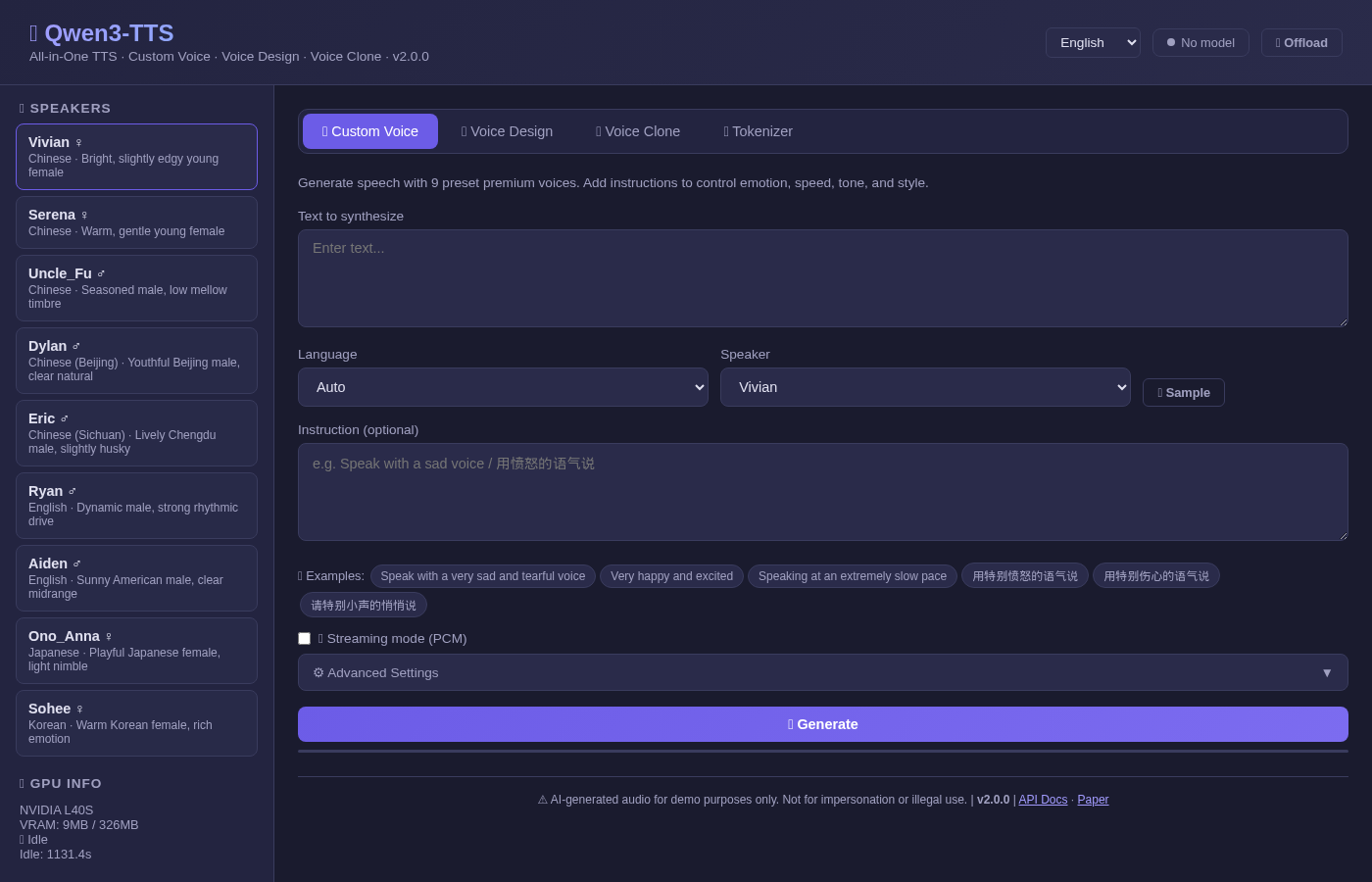 | 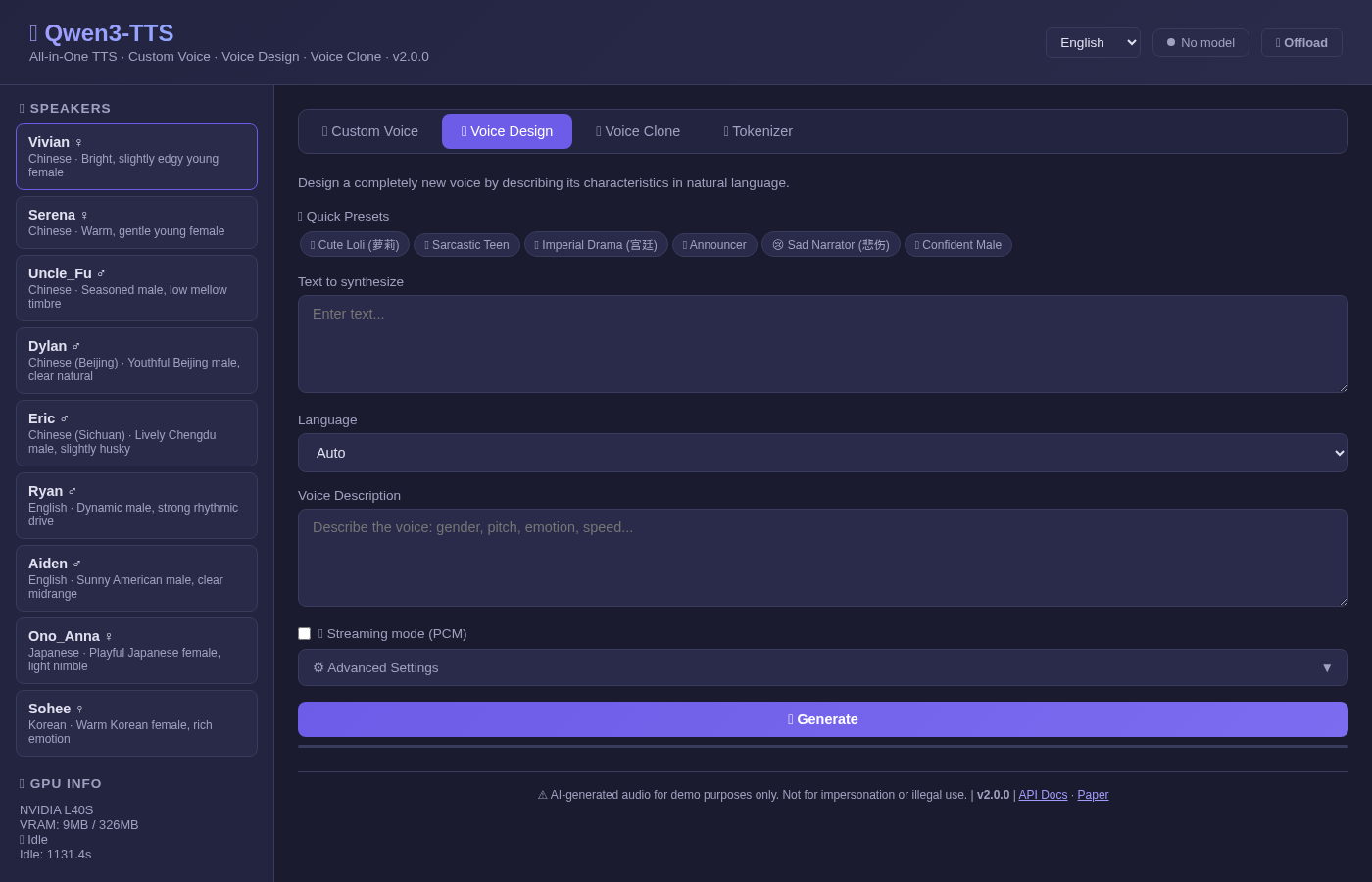 | 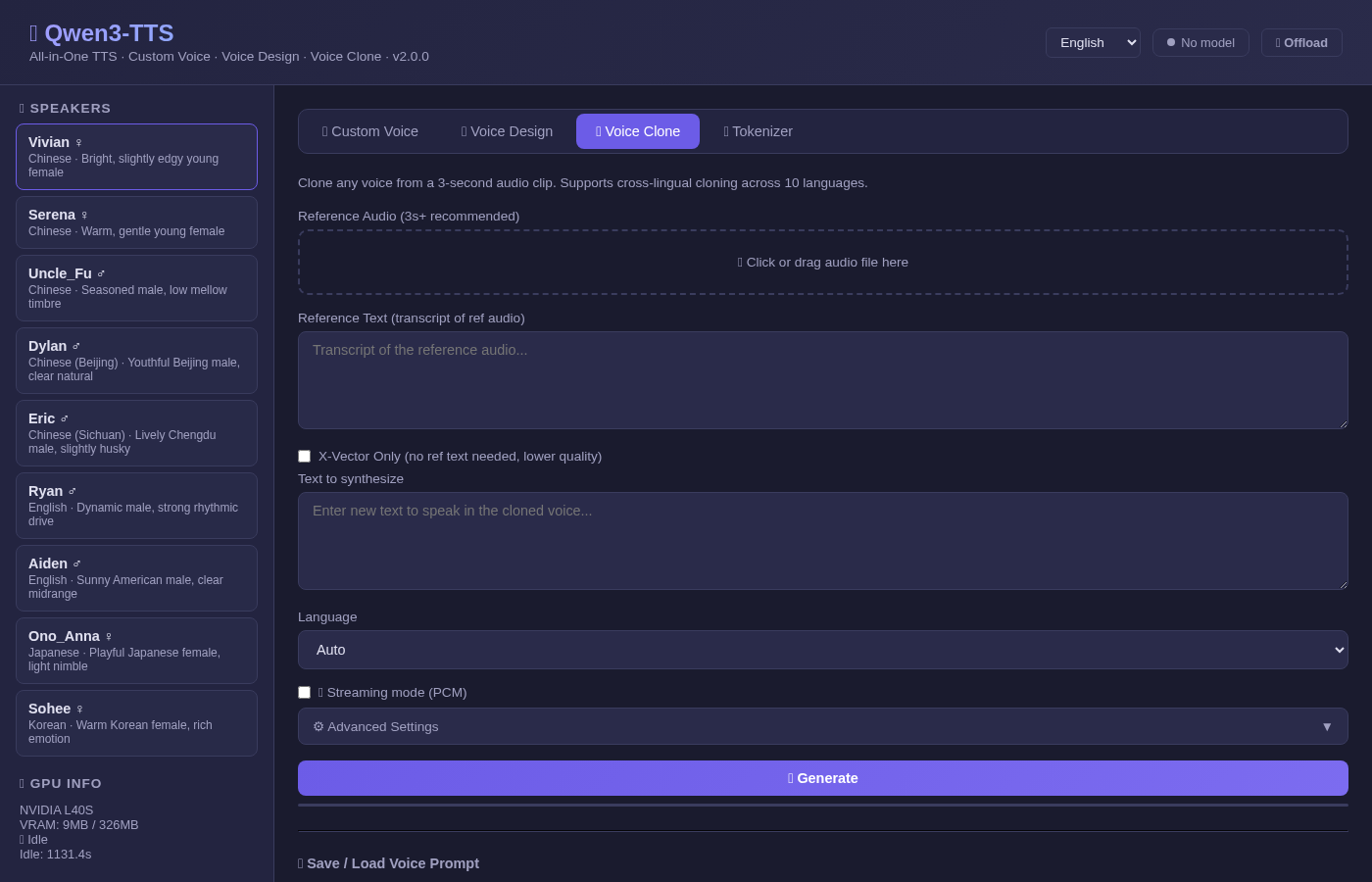 |
/docs.pt file, reuse across sessions# Pull the all-in-one image (~30GB with models)
docker pull neosun/qwen3-tts:2.0.0
# Run with GPU
docker run -d --name qwen3-tts \
--gpus '"device=0"' \
-p 8766:8766 \
neosun/qwen3-tts:2.0.0
git clone https://github.com/neosun100/Qwen3-TTS.git
cd Qwen3-TTS

# Edit .env to set your GPU
echo "NVIDIA_VISIBLE_DEVICES=0" > .env

docker compose up -d
git clone https://github.com/neosun100/Qwen3-TTS.git
cd Qwen3-TTS
bash start.sh
Then open: http://localhost:8766
curl -X POST http://localhost:8766/api/tts/custom-voice \
  -H "Content-Type: application/json" \
  -d '{
    "text": "Hello, this is a test.",
    "language": "English",
    "speaker": "Ryan",
    "instruct": "Speak with excitement"
  }' -o output.wav
curl -X POST http://localhost:8766/api/tts/voice-design \
  -H "Content-Type: application/json" \
  -d '{
    "text": "Hello world!",
    "language": "English",
    "instruct": "Young female voice, cheerful and bright"
  }' -o output.wav
curl -X POST http://localhost:8766/api/tts/voice-clone \
  -F "text=Hello from a cloned voice" \
  -F "language=English" \
  -F "ref_text=This is the reference transcript" \
  -F "[email protected]" \
  -o output.wav
TTS endpoints return timing headers for performance monitoring:
Important: Qwen3-TTS does not support true incremental audio streaming at the model level. The official Qwen team confirmed this in Issue #10:
"Streaming inference is supported at the model architecture level. Currently, our qwen-tts package primarily focuses on enabling quick demos... For streaming capabilities, ongoing development will be mainly driven by the vLLM-Omni community."
The /stream endpoints in this project generate the full audio first, then deliver it as chunked PCM data. This enables progressive playback via Web Audio API but does not reduce time-to-first-byte (TTFB).
For true streaming, monitor:
If you want to build the Docker image yourself:
git clone https://github.com/neosun100/Qwen3-TTS.git
cd Qwen3-TTS

# Download models first (~14GB total)
pip install -U "huggingface_hub[cli]"
mkdir -p models
huggingface-cli download Qwen/Qwen3-TTS-Tokenizer-12Hz --local-dir ./models/Qwen3-TTS-Tokenizer-12Hz
huggingface-cli download Qwen/Qwen3-TTS-12Hz-1.7B-CustomVoice --local-dir ./models/Qwen3-TTS-12Hz-1.7B-CustomVoice
huggingface-cli download Qwen/Qwen3-TTS-12Hz-1.7B-VoiceDesign --local-dir ./models/Qwen3-TTS-12Hz-1.7B-VoiceDesign
huggingface-cli download Qwen/Qwen3-TTS-12Hz-1.7B-Base --local-dir ./models/Qwen3-TTS-12Hz-1.7B-Base

# Build (uses pre-compiled flash-attn wheel — fast!)
docker build -t neosun/qwen3-tts:2.0.0 .
Building flash-attn from source requires CUDA development headers and takes 40+ minutes even with ninja. This Dockerfile downloads a pre-compiled wheel matching Python 3.12 + CUDA 12 + PyTorch 2.9, reducing install time to seconds.
The wheel is from the official flash-attention releases.
This project is licensed under the Apache 2.0 License. The Qwen3-TTS models are subject to the Qwen License.
🗣️ Qwen3-TTS All-in-One Docker: Web UI + REST API + MCP Server | 10 Languages | Voice Clone/Design/Custom | GPU Auto-Management
टूल
अभी टूल सूची नहीं है। रिमोट सर्वर को पहले हेल्थ चेक के बाद सूची मिलती है।
FAQ
इस पेज पर Cursor, Claude Desktop, Claude Code या VS Code के लिए stdio कॉन्फ़िग कॉपी करें। यह पब्लिशर का इंस्टॉल इस्तेमाल करता है, PlugMCP प्रॉक्सी नहीं।
इस रिकॉर्ड में कोई ज़रूरी एनवायरनमेंट वेरिएबल दर्ज नहीं है।
Qwen3 Tts stdio पर लोकल चलता है।
पिछली जाँच 2026-10-28 को हुई। 🗣️ Qwen3-TTS All-in-One Docker: Web UI + REST API + MCP Server | 10 Languages | Voice Clone/Design/Custom | GPU Auto-Management
