pilot — browser automation MCP for AI agents
Native Playwright-backed browser sessions by default. No Chrome extension required for QA automation.
Power your agent
पब्लिशर का इंस्टॉल। PlugMCP एंडपॉइंट नहीं।
Host a copy with our keys and logs.
रजिस्ट्री में अभी कोई पैकेज्ड रिलीज़ नहीं है। रिपॉज़िटरी का README देखें.
रिमोट URL या आपकी मशीन पर कमांड? दोनों इंस्टॉल में क्या अंतर है
PlugMCP पर चलाएँ
A new server you create. It is not this listing's official endpoint. Use the publisher install when you want their URL and their credentials.
लॉन्च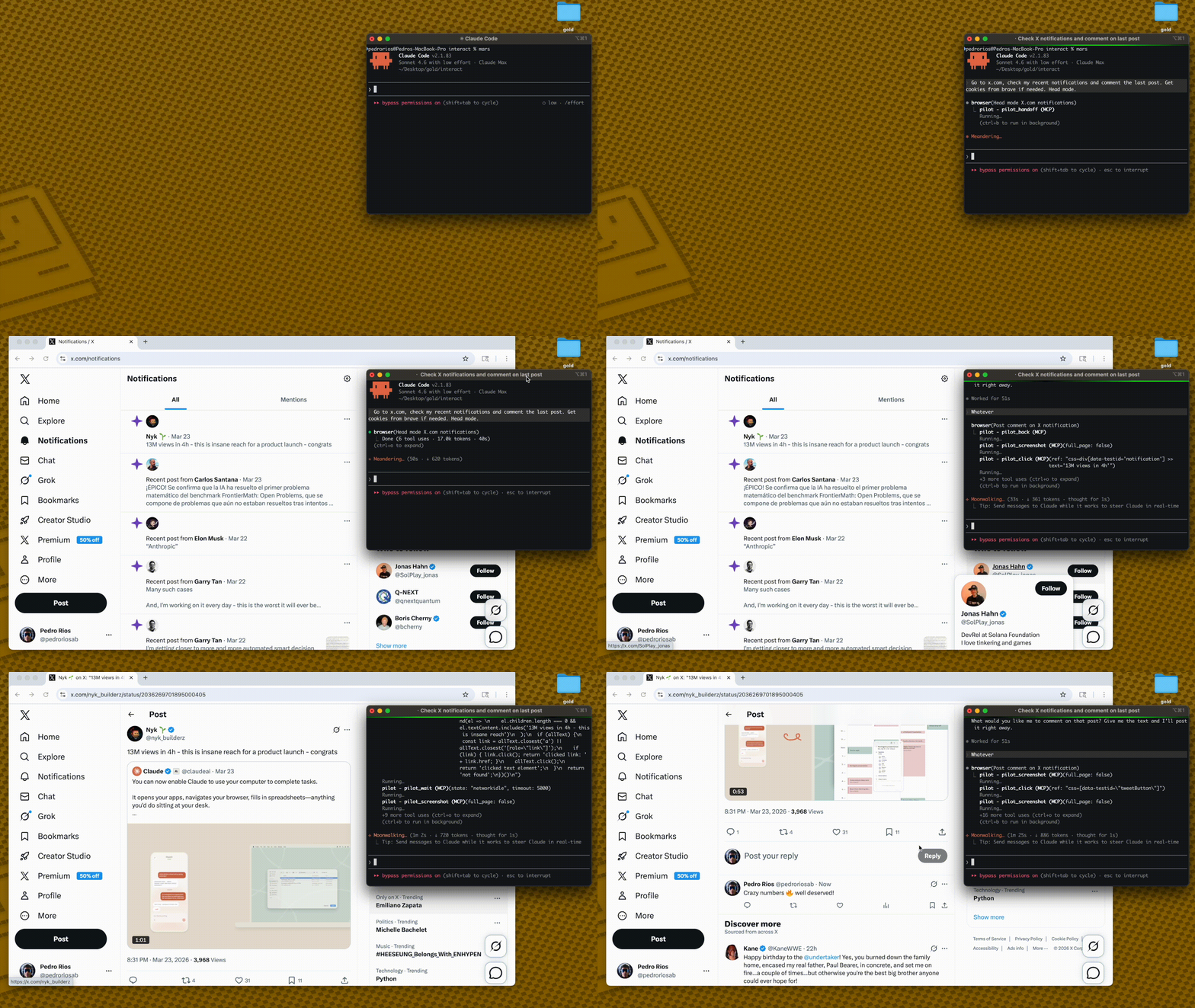
Pilot has two browser backends:
Native mode avoids chrome.tabs.captureVisibleTab() entirely, so screenshots do not depend on Chrome being foregrounded, a tab being visibly active, or the extension service worker being fresh.
AI Agent → MCP Server → Broker on 127.0.0.1:3131 → Native browser session
         (stdio)       (first process owns broker)  (Playwright context/page)
codex mcp add pilot \
  --env PILOT_BROWSER_MODE=native \
  --env PILOT_PROFILE=full \
  -- npx -y pilot-mcp
For a local checkout:
npm install
npm run build
codex mcp add pilot \
  --env PILOT_BROWSER_MODE=native \
  --env PILOT_PROFILE=full \
  -- node /absolute/path/to/pilot/dist/index.js
"Open https://example.com, take a screenshot, and summarize the page."
No extension install. No Chrome foreground requirement.
For full native-mode operations, stress commands, and cleanup checks, see docs/native-mode.md.
Other tools dump 50K+ chars per page into your context window. Pilot keeps things small:
Other tools:   navigate(58K) → navigate(58K) → answer        = 116K chars
Pilot:         navigate(2K)  → navigate(2K)  → snapshot(9K)  =  13K chars
snapshot_diff shows only what changed between actions — no redundant re-reads.
Less context = faster responses, cheaper API calls, fewer hallucinations.
LLMs degrade as tool lists grow. Load only what you need:
{
  "mcpServers": {
    "pilot": {
      "command": "npx",
      "args": ["-y", "pilot-mcp"],
      "env": { "PILOT_PROFILE": "standard" }
    }
  }
}
Default: standard. Full tool reference →
Native mode is the default:
PILOT_BROWSER_MODE=native
Use it for QA automation, parallel MCP sessions, and screenshot evidence.
Verify it before QA runs:
PILOT_HEADLESS=1 npm run stress:screenshots
npm run stress:codex
Expected: both report 6/6 passed.
Extension mode is legacy and opt-in:
PILOT_BROWSER_MODE=extension
Use it only when you need a user's already-authenticated real Chrome profile.
Import cookies from your real browser: pilot_import_cookies({ browser: "chrome", domains: [".github.com"] })
Supports Chrome, Arc, Brave, Edge, Comet via macOS Keychain / Linux libsecret. For CAPTCHAs: pilot_handoff → you intervene → pilot_resume.
If Chromium is missing:
npx playwright install chromium
PILOT_OUTPUT_DIRPILOT_PROFILE controls which tools are exposed (core / standard / full)Core architecture — ref-based element selection, snapshot diffing, annotated screenshots — ported from gstack by Garry Tan. Built on Playwright and the MCP SDK.
If Pilot is useful, star the repo — it helps others find it.
Chrome extension + MCP server — AI agents control a tab in your real browser, already logged in
टूल
अभी टूल सूची नहीं है। रिमोट सर्वर को पहले हेल्थ चेक के बाद सूची मिलती है।
FAQ
इस पेज पर Cursor, Claude Desktop, Claude Code या VS Code के लिए stdio कॉन्फ़िग कॉपी करें। यह पब्लिशर का इंस्टॉल इस्तेमाल करता है, PlugMCP प्रॉक्सी नहीं।
इस रिकॉर्ड में कोई ज़रूरी एनवायरनमेंट वेरिएबल दर्ज नहीं है।
Pilot stdio पर लोकल चलता है।
पिछली जाँच 2026-10-28 को हुई। Chrome extension + MCP server — AI agents control a tab in your real browser, already logged in
