Personal finance, keyboard-first. Available as a terminal UI or a desktop app — both running over the same local data: Plaid sync, CSV import, categorize, tag, search, analyze. Plus an MCP server so Claude can read and manage it for you.
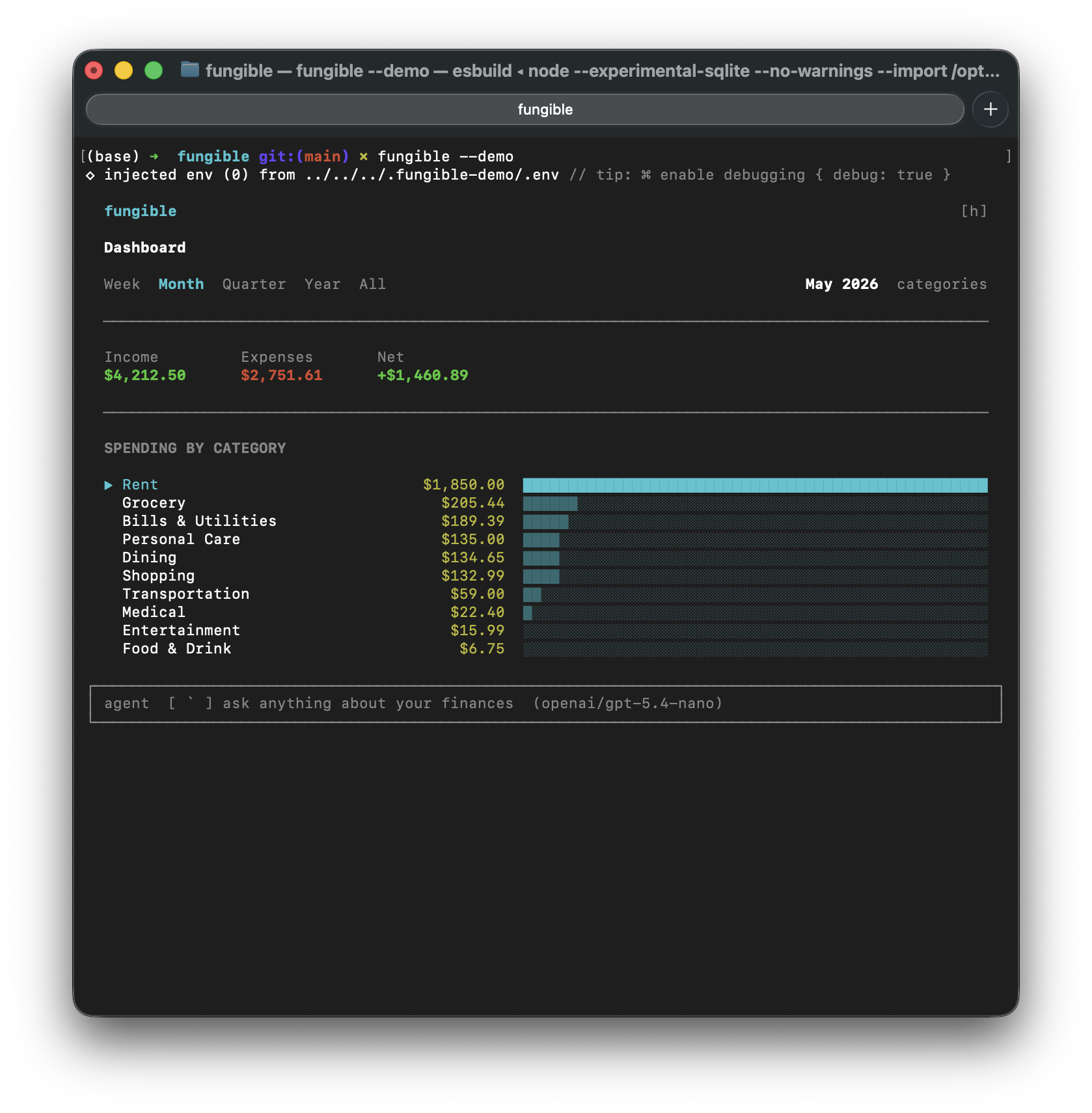 | 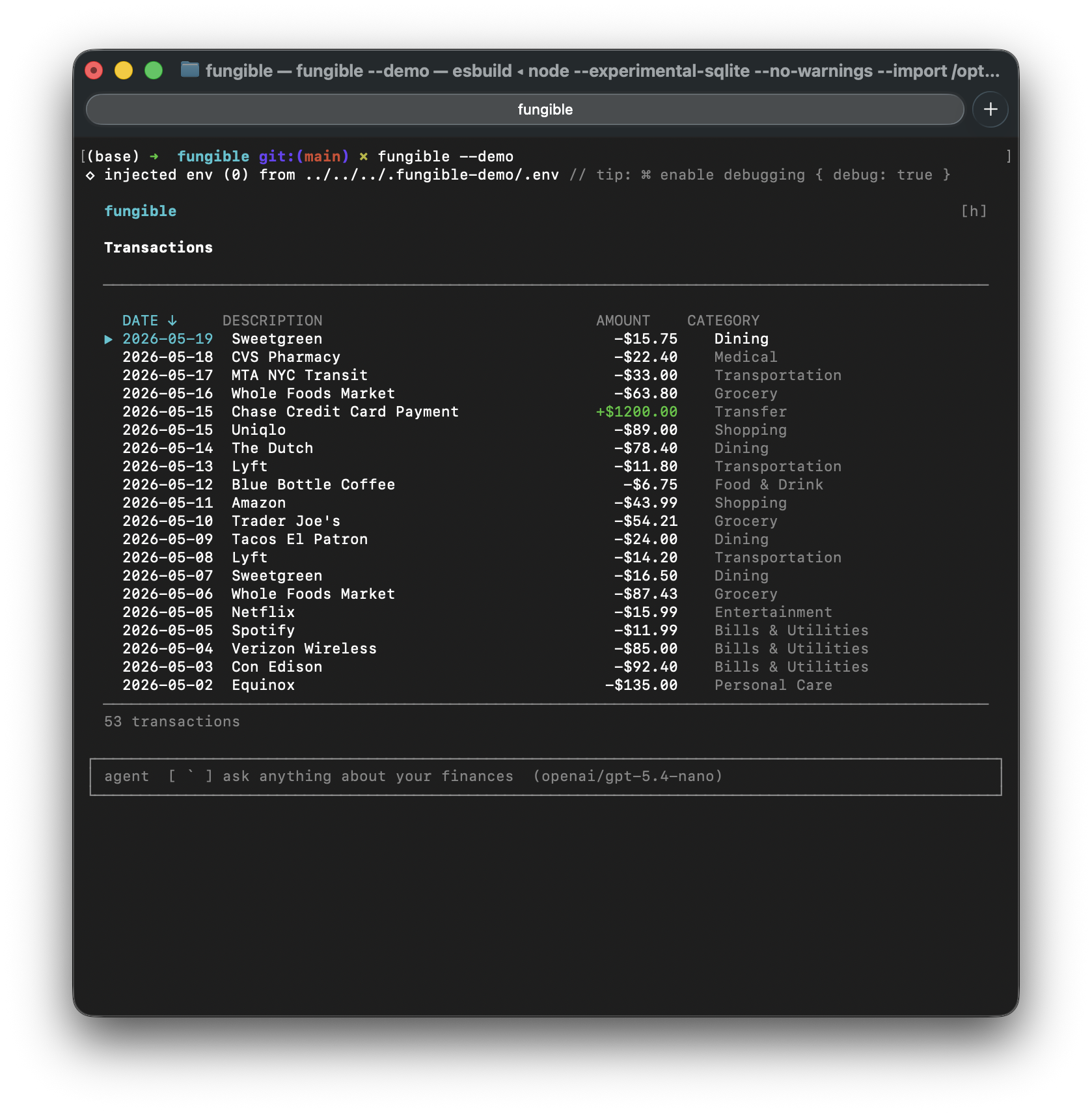 |
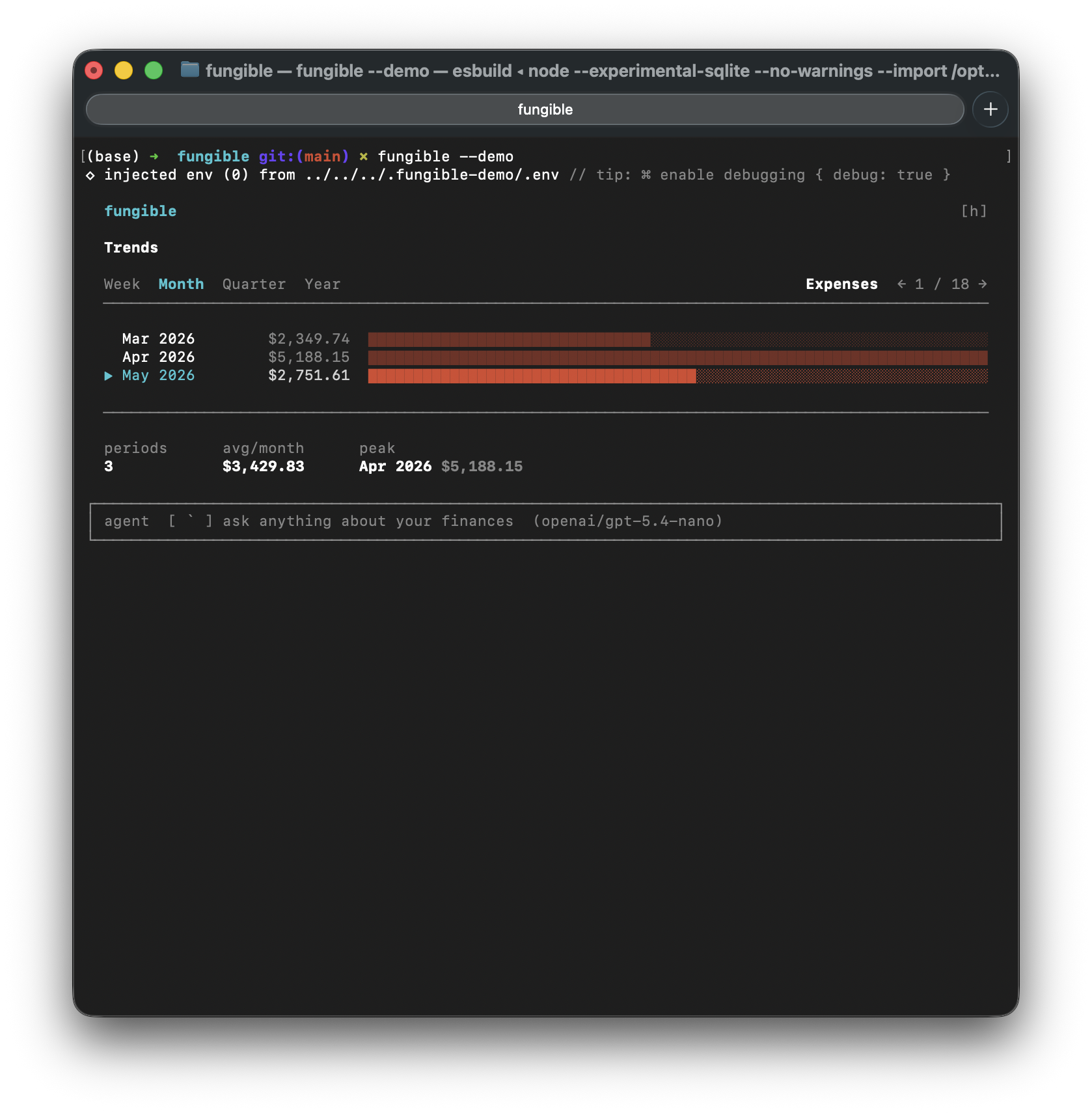 | 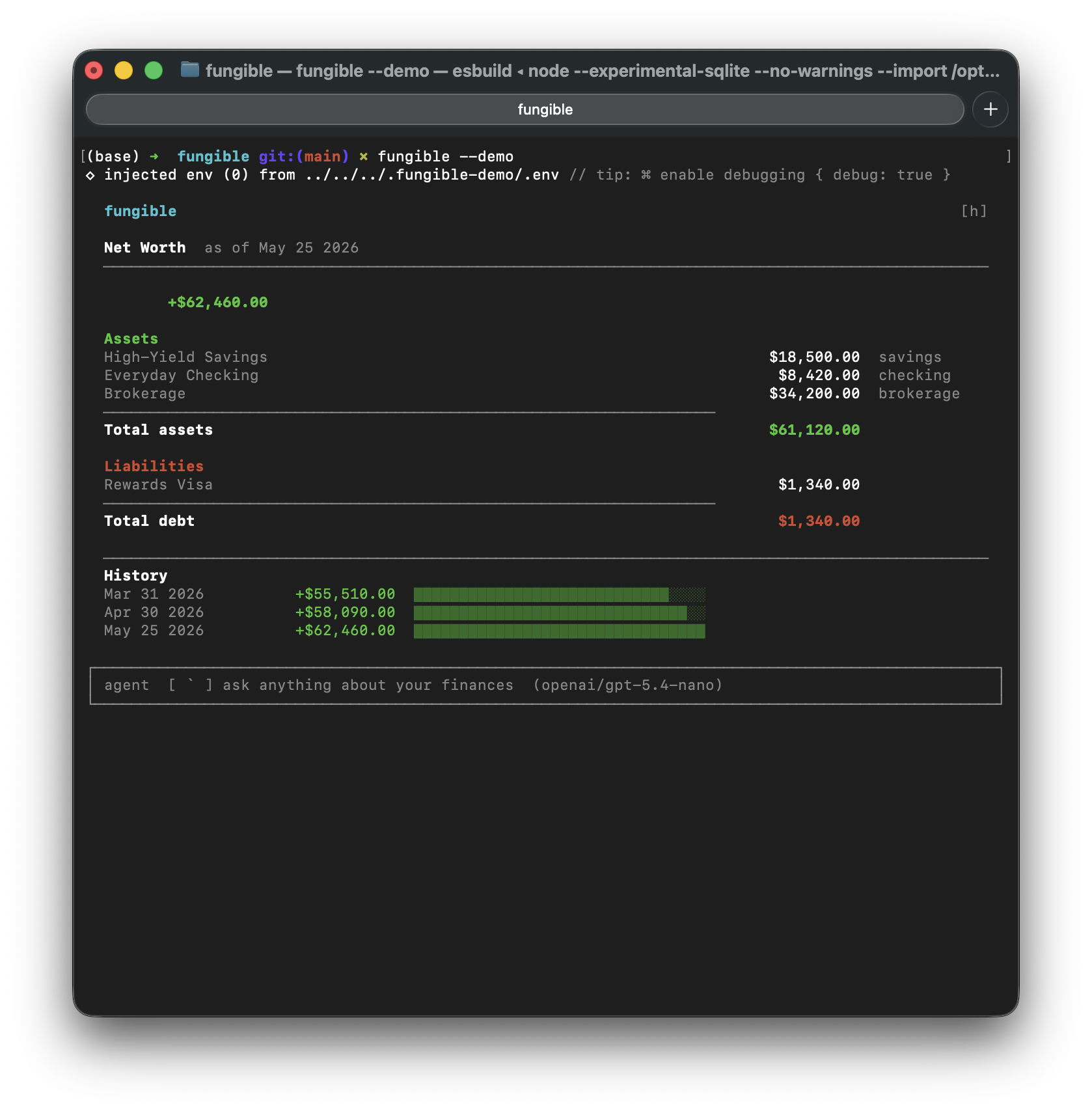 |
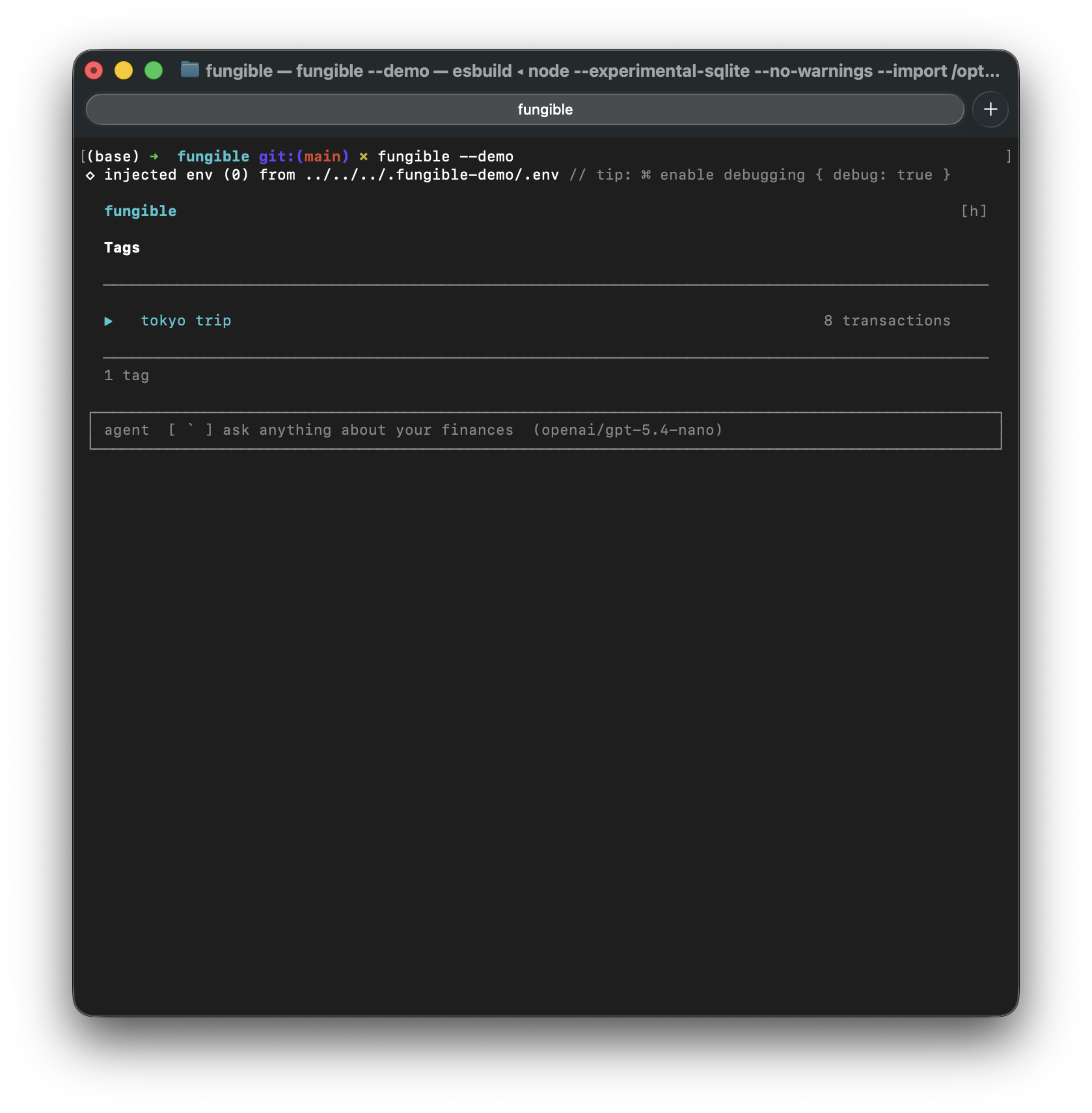 | 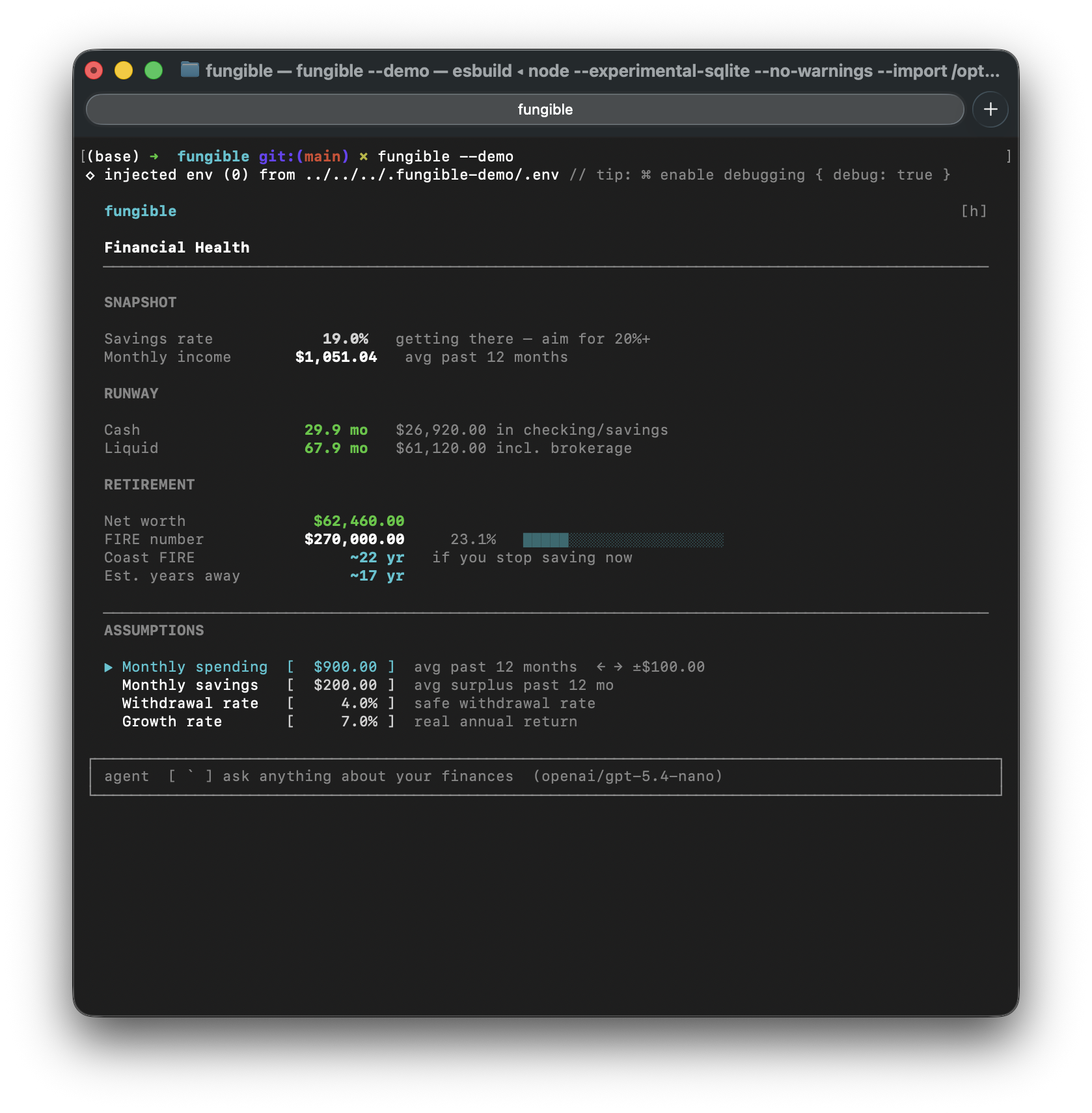 |
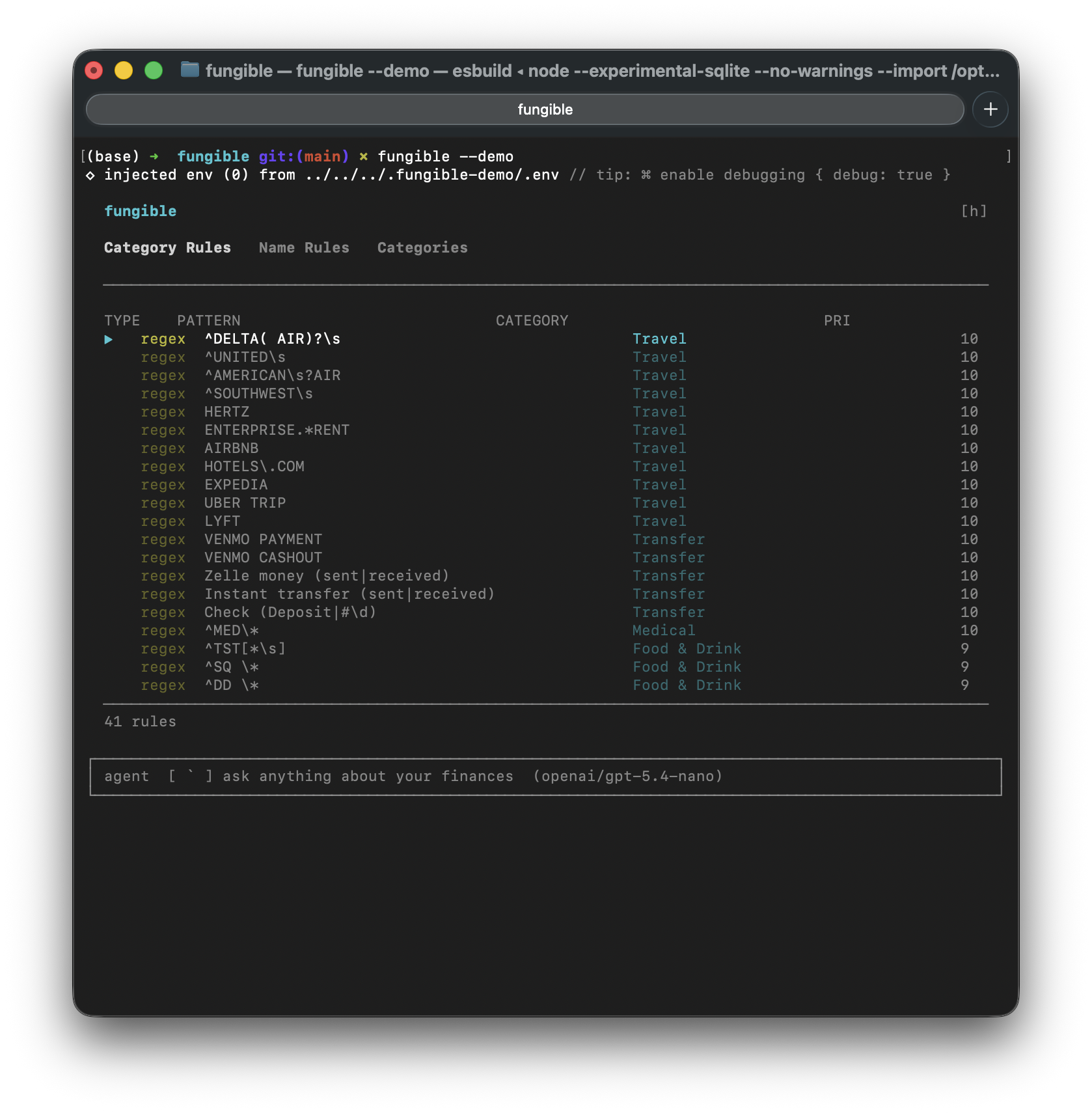 | 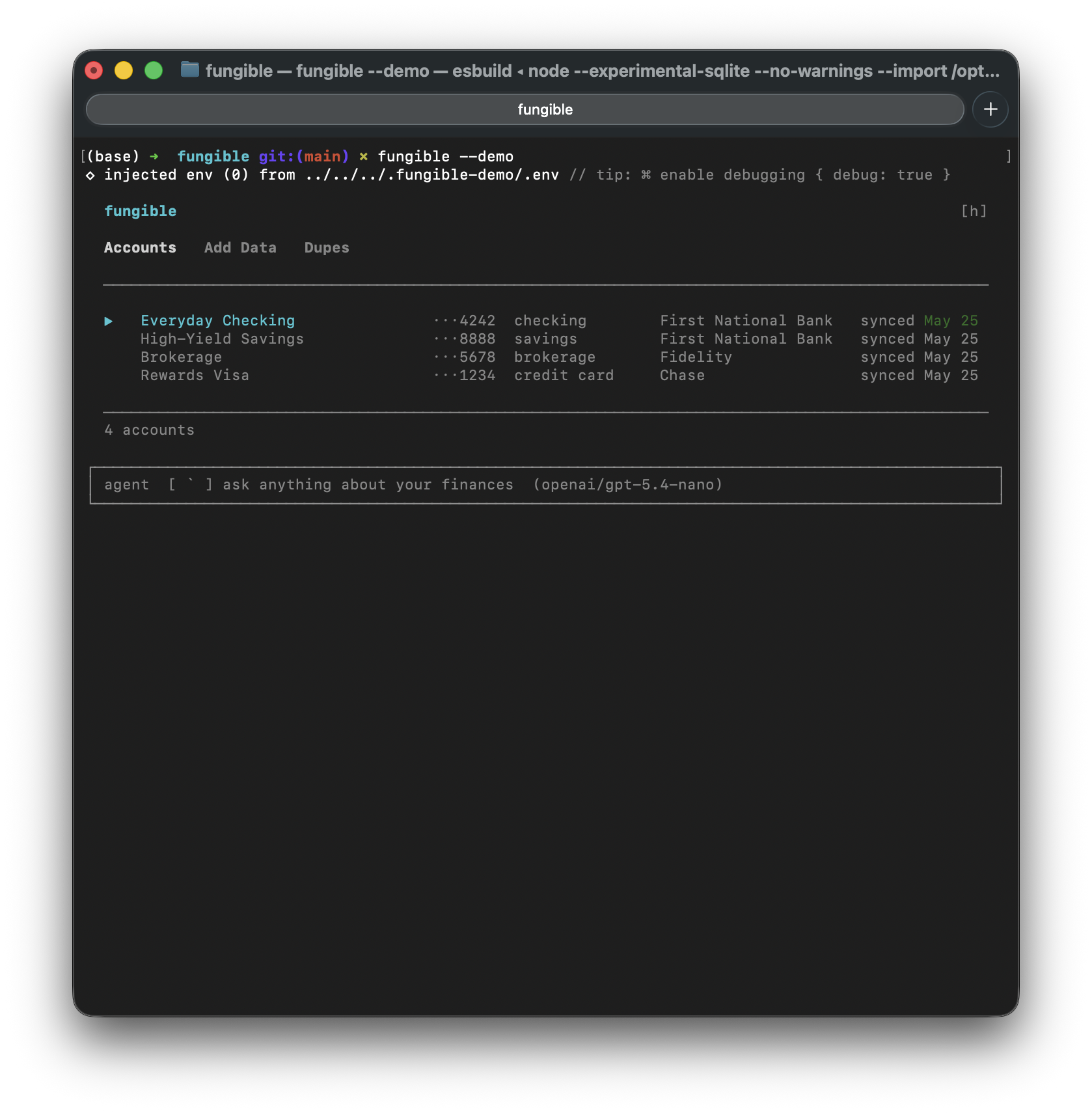 |
Power your agent
पब्लिशर का इंस्टॉल। PlugMCP एंडपॉइंट नहीं।
Host a copy with our keys and logs.
रजिस्ट्री में अभी कोई पैकेज्ड रिलीज़ नहीं है। रिपॉज़िटरी का README देखें.
रिमोट URL या आपकी मशीन पर कमांड? दोनों इंस्टॉल में क्या अंतर है
PlugMCP पर चलाएँ
A new server you create. It is not this listing's official endpoint. Use the publisher install when you want their URL and their credentials.
लॉन्चपब्लिशर से
Personal finance, keyboard-first. Available as a terminal UI or a desktop app — both running over the same local data: Plaid sync, CSV import, categorize, tag, search, analyze. Plus an MCP server so Claude can read and manage it for you.
Terminal UI and Desktop GUI for personal finance — Plaid sync, CSV import, AI assistant, and MCP server
| |
| |
| |
| |
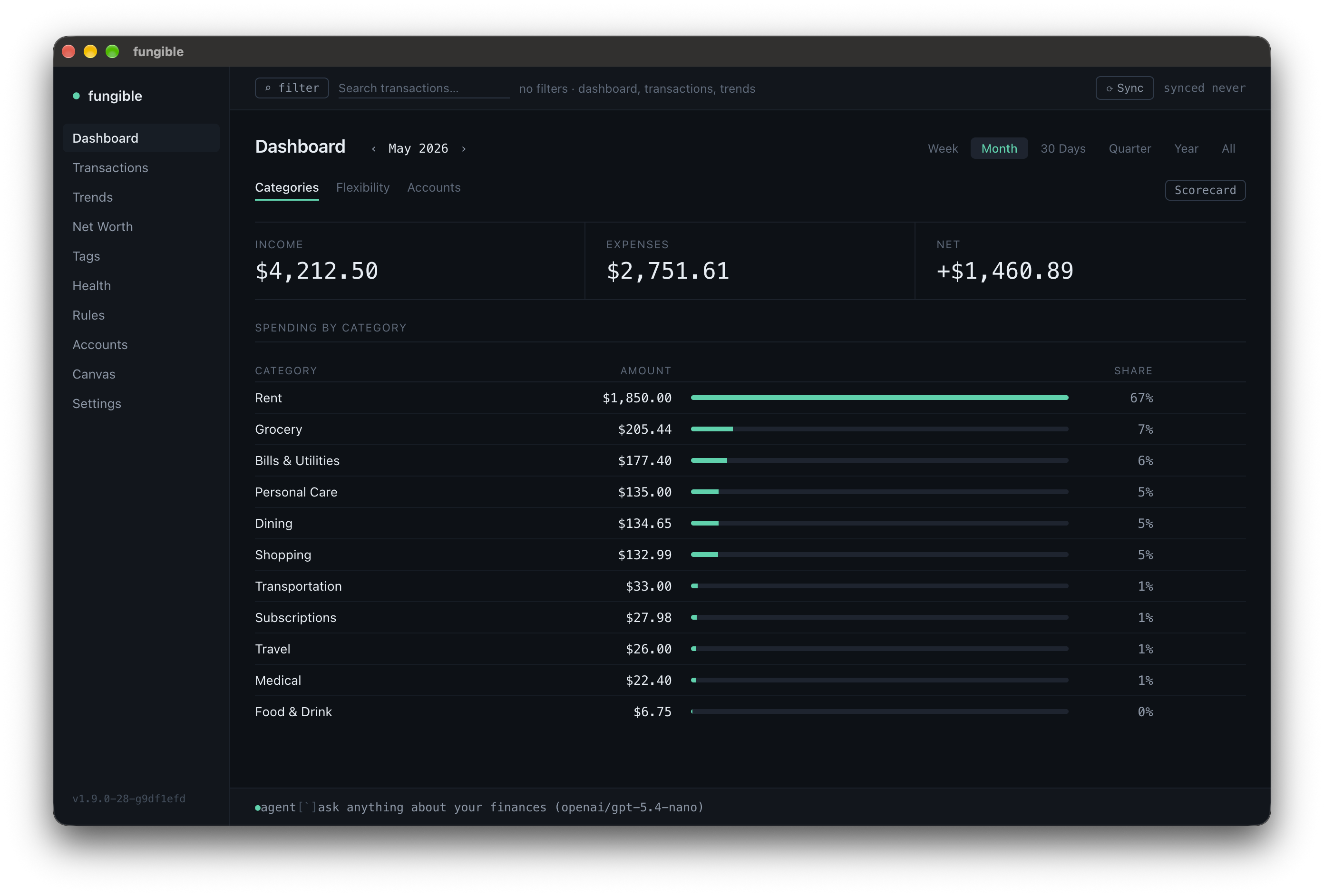 | 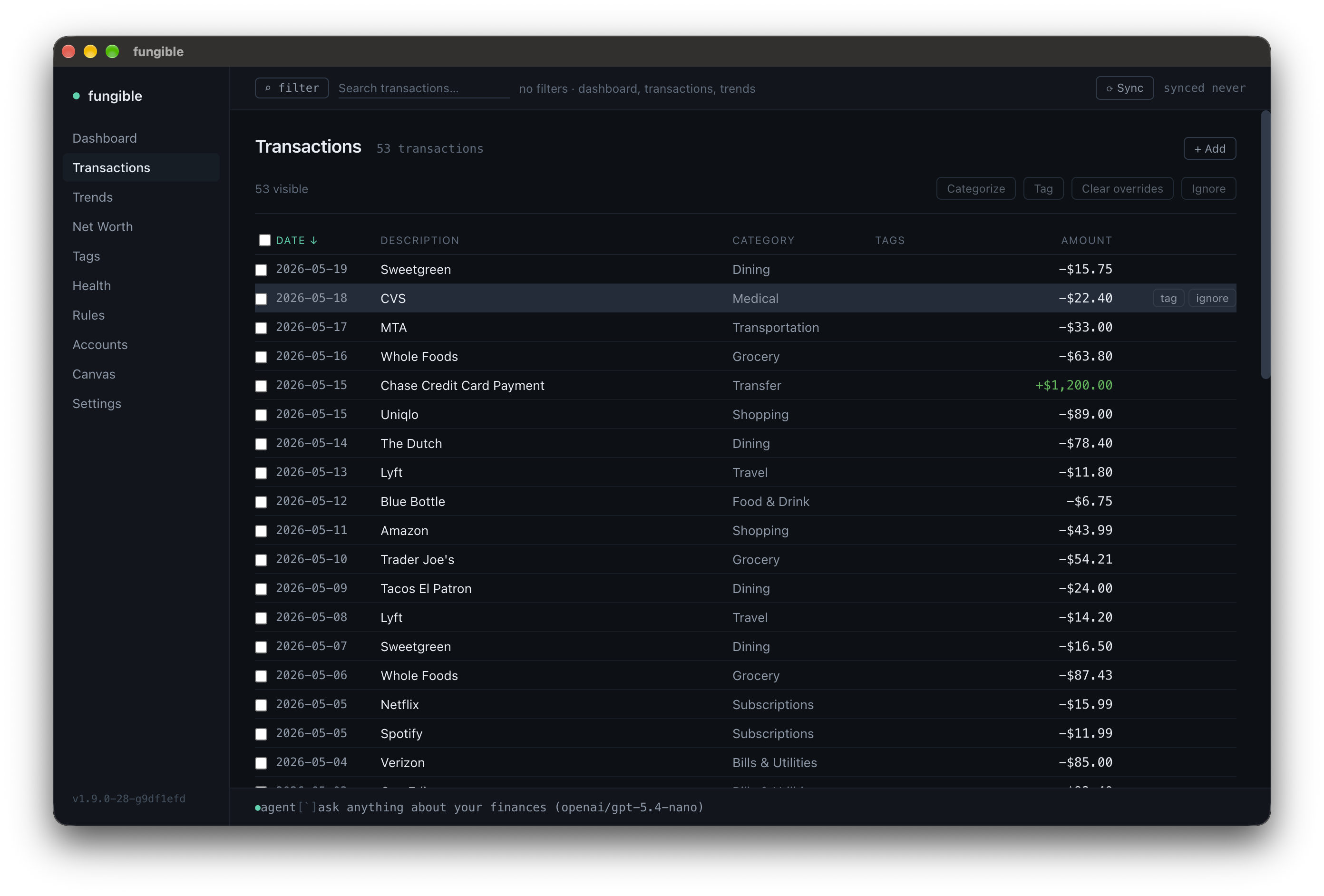 |
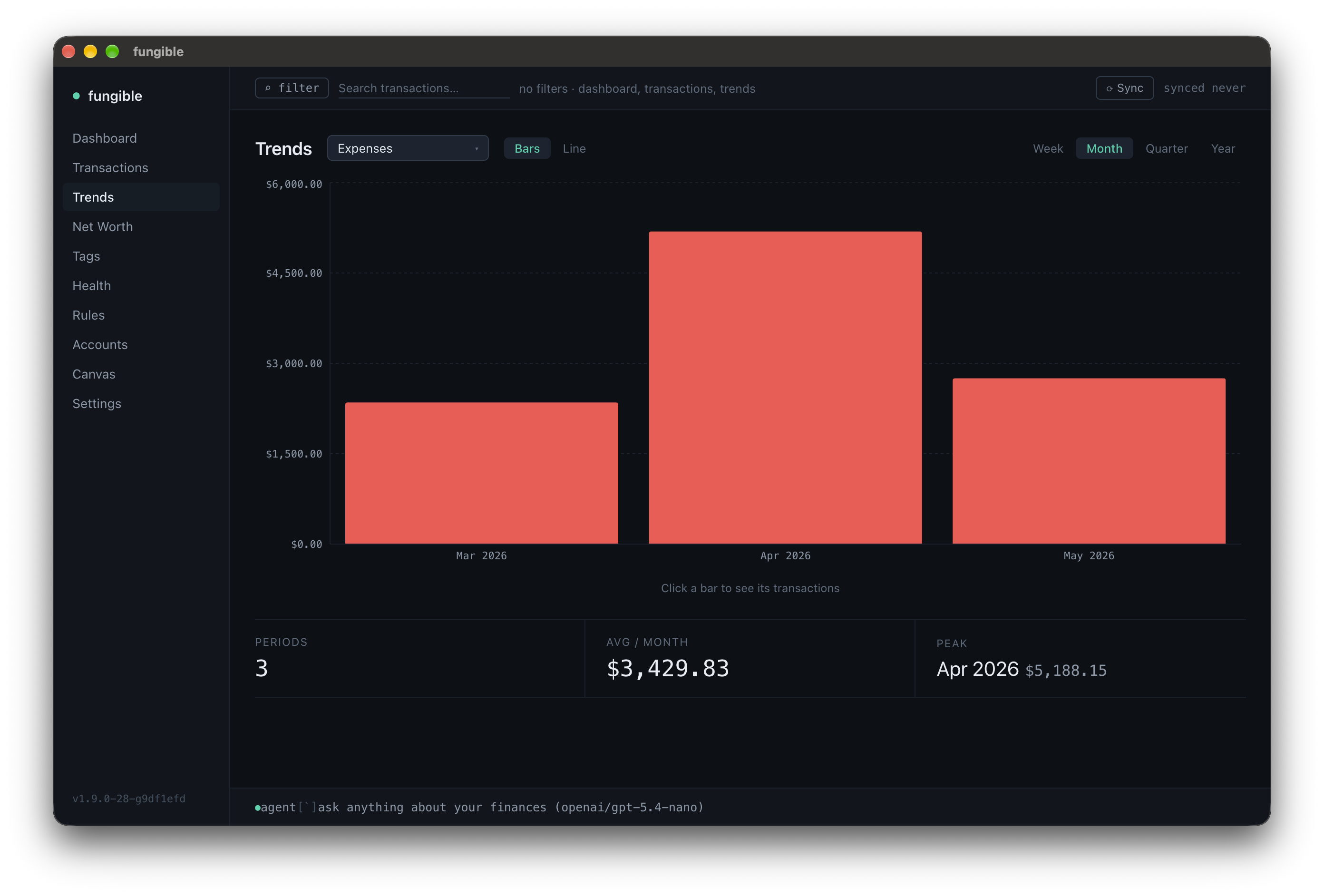 | 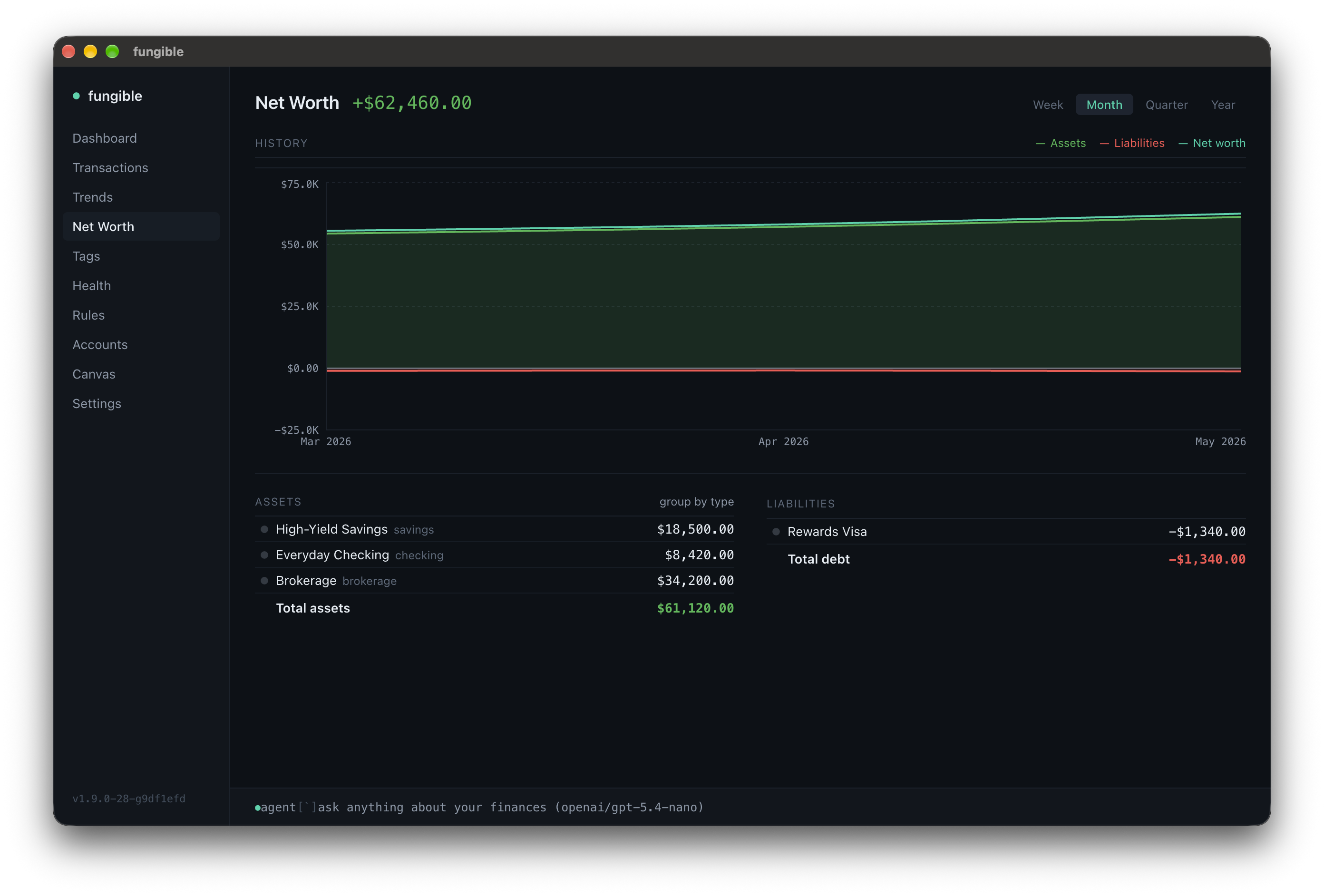 |
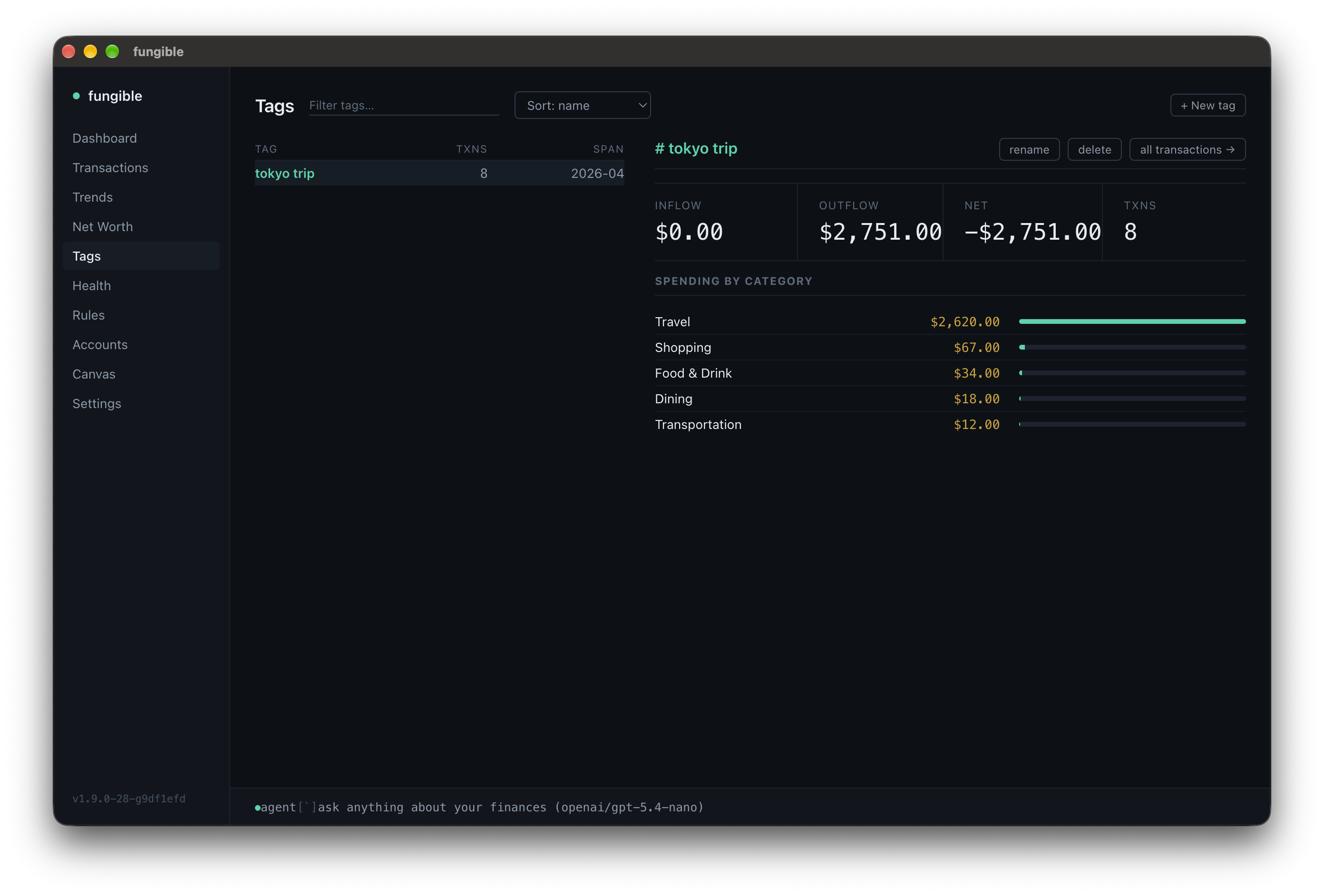 | 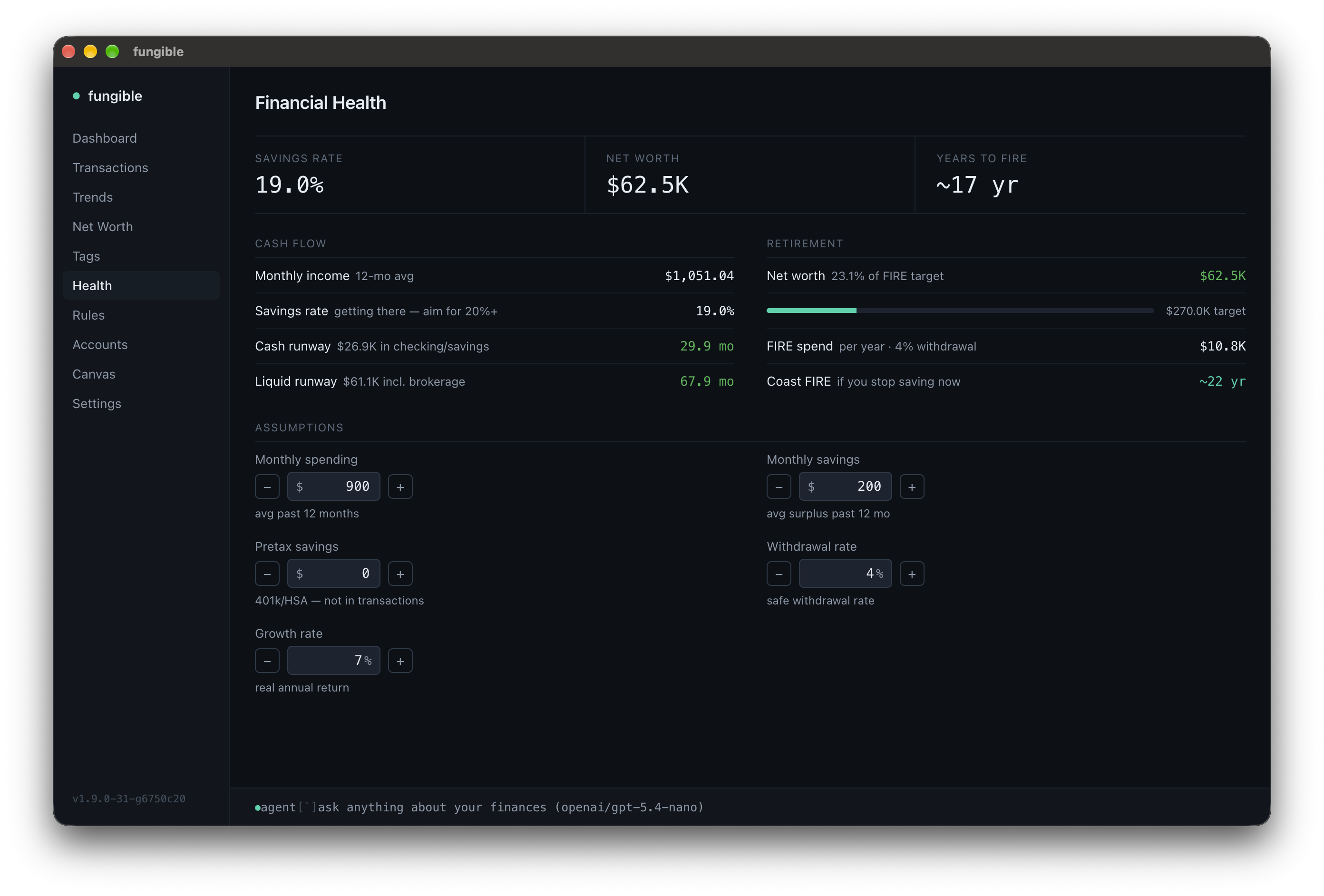 |
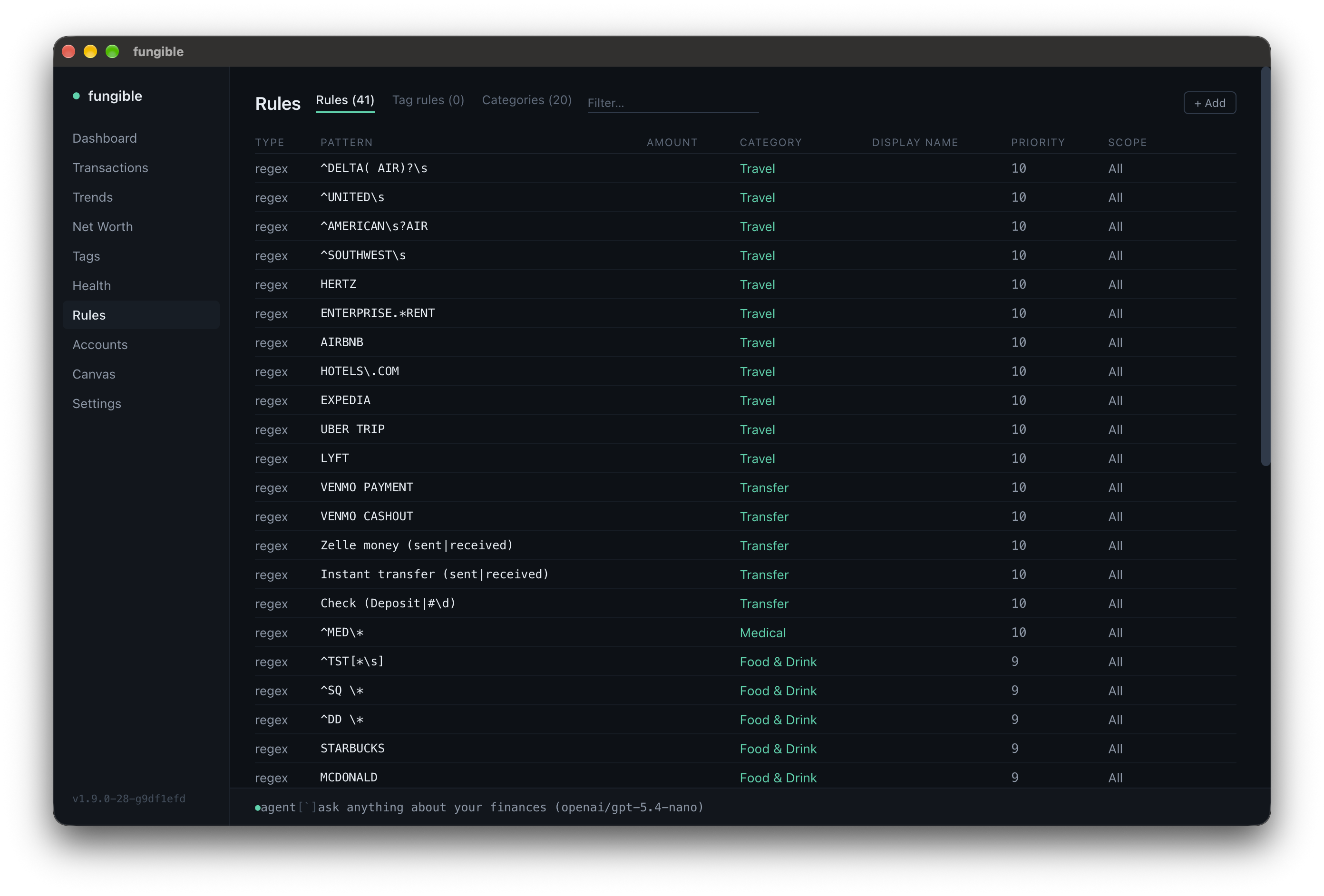 | 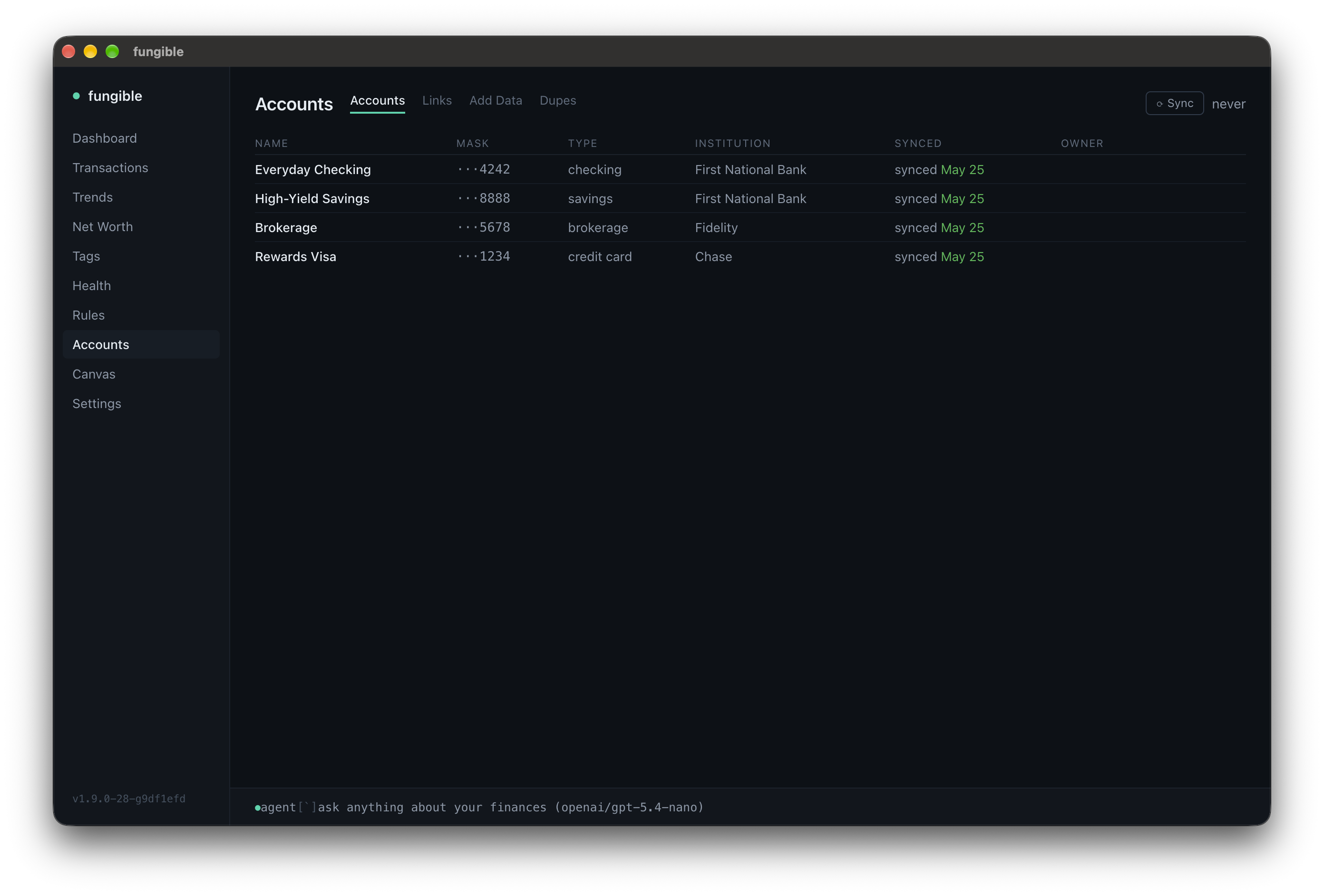 |
date,account,balance CSV to fill in net worth history~/.fungible/backups/, last 7 by default (configurable via FUNGIBLE_BACKUP_DAYS)fungible --demo
Spins up a fully pre-loaded instance with fake accounts, transactions, tags, and rules — completely isolated from any real data. Good for exploring before connecting a bank.
In the desktop app, pick "Try Demo Mode" from the app menu (macOS) or Help menu (Windows/Linux) — the app relaunches with the same isolated demo dataset.
Homebrew (recommended)
brew tap tomfunk/fungible
brew install fungible
fungible --setup     # first-time setup wizard
fungible --version   # print installed version
fungible
From source (Node.js 22+, also works on Linux/WSL)
git clone https://github.com/tomfunk/fungible
cd fungible
npm install
npm run dev -- --setup   # first-time setup
npm run dev
Download an installer from the latest release (macOS arm64, Windows x64, Linux x64), or run from source:
npm install
npm run gui
The GUI reads/writes the same ~/.fungible/ database as the TUI — switch freely.
For first-launch caveats on the un-notarized installers (Gatekeeper, SmartScreen) and packaging details, see docs/gui.md.
Data and config live at ~/.fungible/ (override with $FUNGIBLE_DATA_DIR). Plaid access tokens are encrypted at rest using a key file at ~/.fungible/key — do not delete this file or you will need to re-link your accounts. A free Plaid developer account (sandbox tier) is enough.
These banks send you to their own site to sign in. In a desktop browser Plaid opens that site in a popup, which needs no setup. If Link fails before you reach the bank, the page shows Plaid's error code and Link session ID. In production, a code like INSTITUTION_REGISTRATION_REQUIRED means your Plaid team is not yet enabled for that bank: check US OAuth institutions in the Plaid Dashboard (Chase also requires the security questionnaire).
If popups are not an option, fungible can take the bank's full-page redirect instead. Plaid accepts http://localhost redirect URIs only in sandbox; in production the redirect must be HTTPS, so the local link server needs a certificate for localhost, for example from mkcert:
mkcert -install   # adds mkcert's local CA to your system trust store (once)
mkcert -cert-file ~/.fungible/localhost.pem -key-file ~/.fungible/localhost-key.pem localhost
Then add to ~/.fungible/.env, using full paths (~ is not expanded there):
PLAID_REDIRECT_URI=https://localhost:4747/oauth-return
FUNGIBLE_LINK_TLS_CERT=/Users/you/.fungible/localhost.pem
FUNGIBLE_LINK_TLS_KEY=/Users/you/.fungible/localhost-key.pem
and register the same URI, exactly as written, under Allowed redirect URIs on the Plaid Dashboard's Developers > API page. The link server then listens on that port, over HTTPS. Leave PLAID_REDIRECT_URI unset to keep the default behaviour.
FUNGIBLE_MCP_PORT and FUNGIBLE_API_PORT (in ~/.fungible/.env) override the defaults.
Full per-screen keybindings: docs/keybindings.md.
docs/keybindings.md — per-screen keyboard referencedocs/integrations.md — HTTP API and MCP server setup, full tool listdocs/gui.md — desktop app install, packaging, release flowdocs/testing.md — how to run tests and what each kind should assertCONTRIBUTING.md — branching policy, tests, PRsTerminal UI and Desktop GUI for personal finance — Plaid sync, CSV import, AI assistant, and MCP server
टूल
अभी टूल सूची नहीं है। रिमोट सर्वर को पहले हेल्थ चेक के बाद सूची मिलती है।
FAQ
इस पेज पर Cursor, Claude Desktop, Claude Code या VS Code के लिए stdio कॉन्फ़िग कॉपी करें। यह पब्लिशर का इंस्टॉल इस्तेमाल करता है, PlugMCP प्रॉक्सी नहीं।
इस रिकॉर्ड में कोई ज़रूरी एनवायरनमेंट वेरिएबल दर्ज नहीं है।
Fungible stdio पर लोकल चलता है।
पिछली जाँच 2026-11-05 को हुई। Terminal UI and Desktop GUI for personal finance — Plaid sync, CSV import, AI assistant, and MCP server