Kanban MCP
A full-featured Kanban board with integrated Model Context Protocol (MCP) server, allowing AI coding agents to manage projects and tasks programmatically.
Power your agent
Instal dari penerbit. Bukan endpoint PlugMCP.
URL remote atau perintah di mesin Anda? Perbedaan kedua cara instal
Jalankan di PlugMCP
A new server you create. It is not this listing's official endpoint. Use the publisher install when you want their URL and their credentials.
BukaDari penerbit
A full-featured Kanban board with integrated Model Context Protocol (MCP) server, allowing AI coding agents to manage projects and tasks programmatically.
A full-featured Kanban board with integrated Model Context Protocol (MCP) server, allowing AI coding agents to manage projects and tasks programmatically.
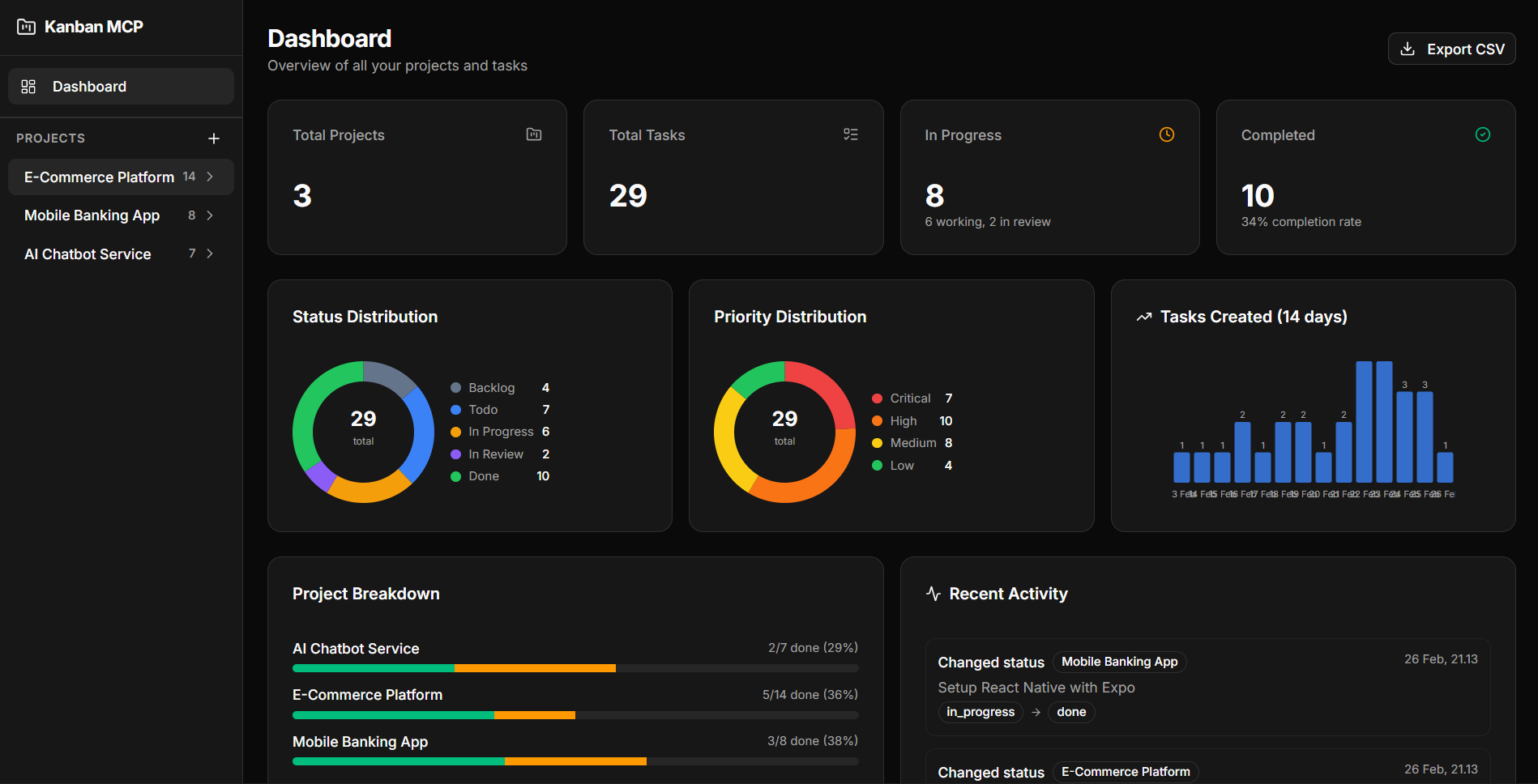
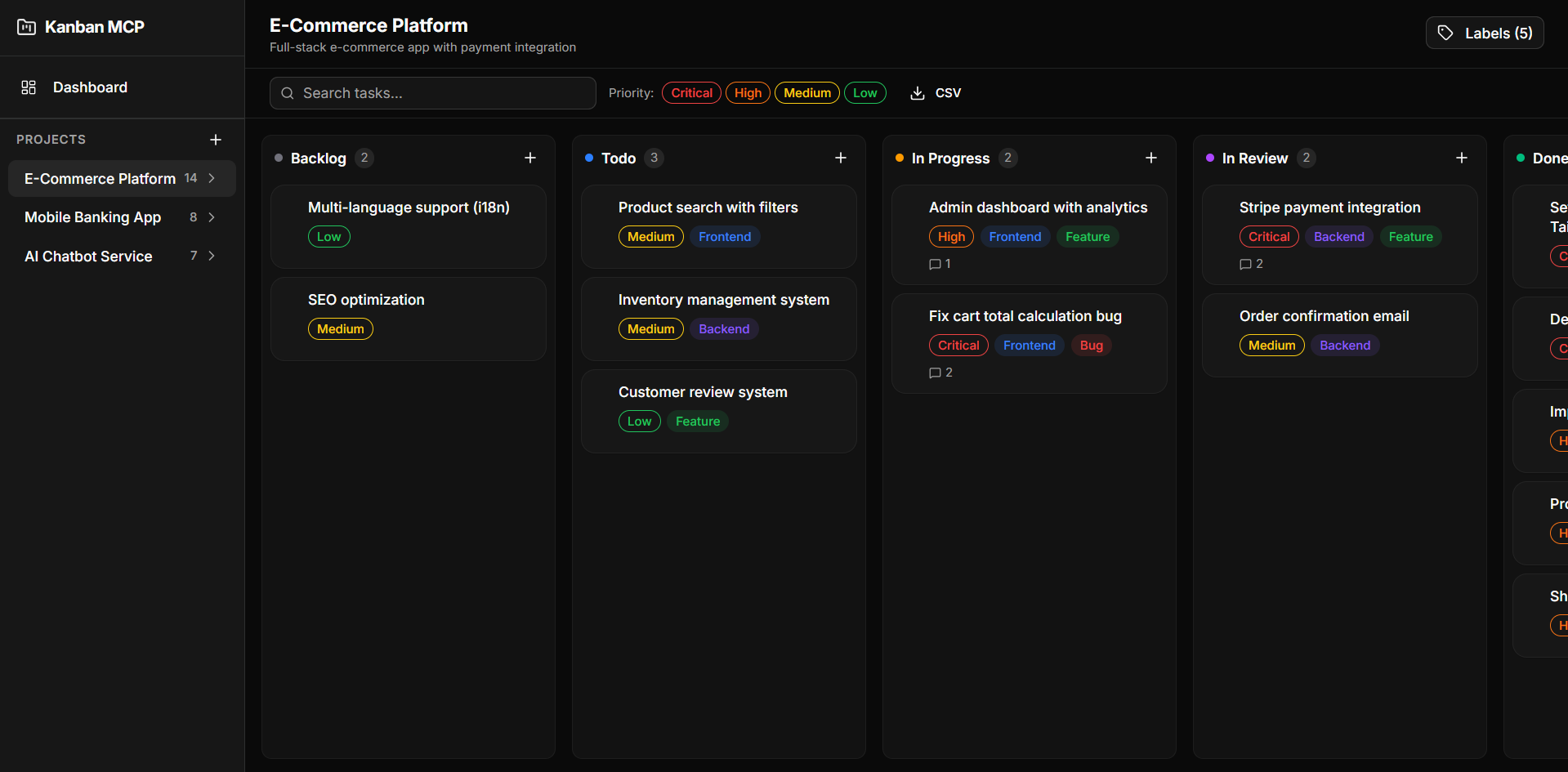
git clone https://github.com/dzikrihilman/kanban-mcp.git
cd kanban-mcp
npm install
npm run db:generate
npm run db:migrate
npm run dev
Open http://localhost:3000.
The MCP server exposes project and task management as tools for AI coding agents (Claude, Cursor, Windsurf, etc).
npm run mcp:start
Add the following to your MCP client configuration:
Claude Desktop (claude_desktop_config.json):
{
  "mcpServers": {
    "kanban-mcp": {
      "command": "npx",
      "args": ["tsx", "/absolute/path/to/kanban-mcp/src/mcp-server/index.ts"]
    }
  }
}
Cursor / Windsurf / Antigravity (mcp_config.json):
{
  "mcpServers": {
    "kanban-mcp": {
      "command": "npx",
      "args": ["tsx", "/absolute/path/to/kanban-mcp/src/mcp-server/index.ts"]
    }
  }
}
Replace
/absolute/path/to/kanban-mcpwith the actual path to your project.
Once configured, your AI agent can:
"Create a new project called 'My App' and add 3 tasks to it"
"Move task X to in_progress"
"Show me the dashboard summary"
"Export all tasks as CSV"
src/
├── app/
│   ├── api/              # API routes
│   │   ├── activity/     # Activity log
│   │   ├── analytics/    # Analytics data
│   │   ├── comments/     # Comments CRUD
│   │   ├── dashboard/    # Dashboard summary
│   │   ├── export/       # CSV export
│   │   ├── labels/       # Labels CRUD
│   │   ├── projects/     # Projects CRUD
│   │   ├── task-labels/  # Task-label junction
│   │   └── tasks/        # Tasks CRUD + reorder
│   ├── projects/[id]/    # Kanban board page
│   └── page.tsx          # Dashboard page
├── components/
│   ├── charts/           # DonutChart, MiniBarChart
│   ├── dashboard/        # DashboardView
│   ├── kanban/           # Board, Column, Card, FilterBar, etc.
│   ├── layout/           # AppSidebar
│   └── ui/               # shadcn/ui components
├── hooks/
│   └── useKanbanStore.ts # Zustand store
├── lib/db/
│   ├── schema.ts         # Drizzle schema
│   ├── index.ts          # DB client
│   └── migrate.ts        # Migration runner
├── mcp-server/
│   ├── index.ts          # MCP server (13 tools, 4 resources)
│   └── db-client.ts      # Standalone DB client for MCP
└── types/
    └── index.ts          # Shared types
To make your AI agent automatically track every development task using Kanban MCP, you can add a system prompt and/or install it as a skill.
Add the system prompt from docs/SYSTEM_PROMPT.md to your AI agent configuration. This instructs the agent to:
[Feature], [Fix], [Refactor], [Docs], [Test])See the file for setup instructions for Claude Desktop, Cursor, Windsurf, and Antigravity.
Copy docs/SKILL.md to your Antigravity skills folder:
mkdir -p ~/.gemini/antigravity/skills/kanban-mcp
cp docs/SKILL.md ~/.gemini/antigravity/skills/kanban-mcp/SKILL.md
Once installed, the agent will automatically activate the skill when it detects keywords like task, project, kanban, track, progress, todo, or backlog.
See docs/SKILL.md for the full workflow reference and rules.
MIT
A full-featured Kanban board with integrated Model Context Protocol (MCP) server, allowing AI coding agents to manage projects and tasks programmatically.
Tool
Belum ada daftar tool. Server remote mendapatkannya setelah pemeriksaan kesehatan pertama.
FAQ
Salin konfigurasi stdio untuk Cursor, Claude Desktop, Claude Code, atau VS Code di halaman ini. Konfigurasi ini memakai instalasi dari penerbit, bukan proxy PlugMCP.
Tidak ada variabel lingkungan wajib yang tercantum di catatan ini.
Kanban berjalan secara lokal melalui stdio.
Terakhir diperiksa 2026-11-05. A full-featured Kanban board with integrated Model Context Protocol (MCP) server, allowing AI coding agents to manage projects and tasks programmatically.
