A Model Context Protocol server for Appwrite.
It exposes Appwrite's API — databases, users, functions, teams, storage, and more
— as tools your MCP client can call.
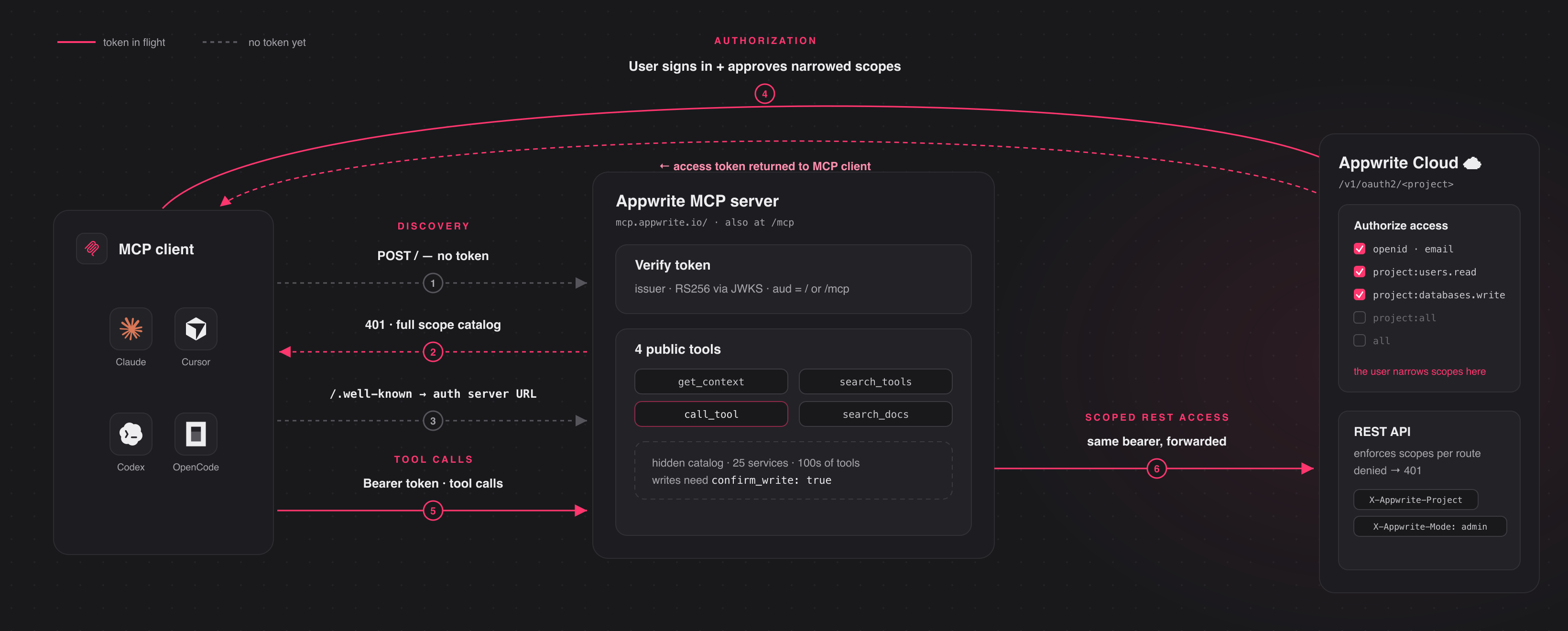
Connect to the hosted server at and authenticate
through your browser. The first time you connect, your client opens an Appwrite
consent screen; approve the scopes and you're connected. There are no keys to
copy. The conventional URL is also supported and
connects to the same server.
Pick your client below. Each adds the hosted Appwrite Cloud server.
claude mcp add --transport http appwrite https://mcp.appwrite.io/
Then, inside a Claude Code session, run /mcp, select appwrite, and follow
the browser prompt to authenticate.
Go to Settings → Connectors → Add custom connector and paste
https://mcp.appwrite.io/. Available on Pro and Max plans; on Team and
Enterprise plans only an organization Owner can add custom connectors.
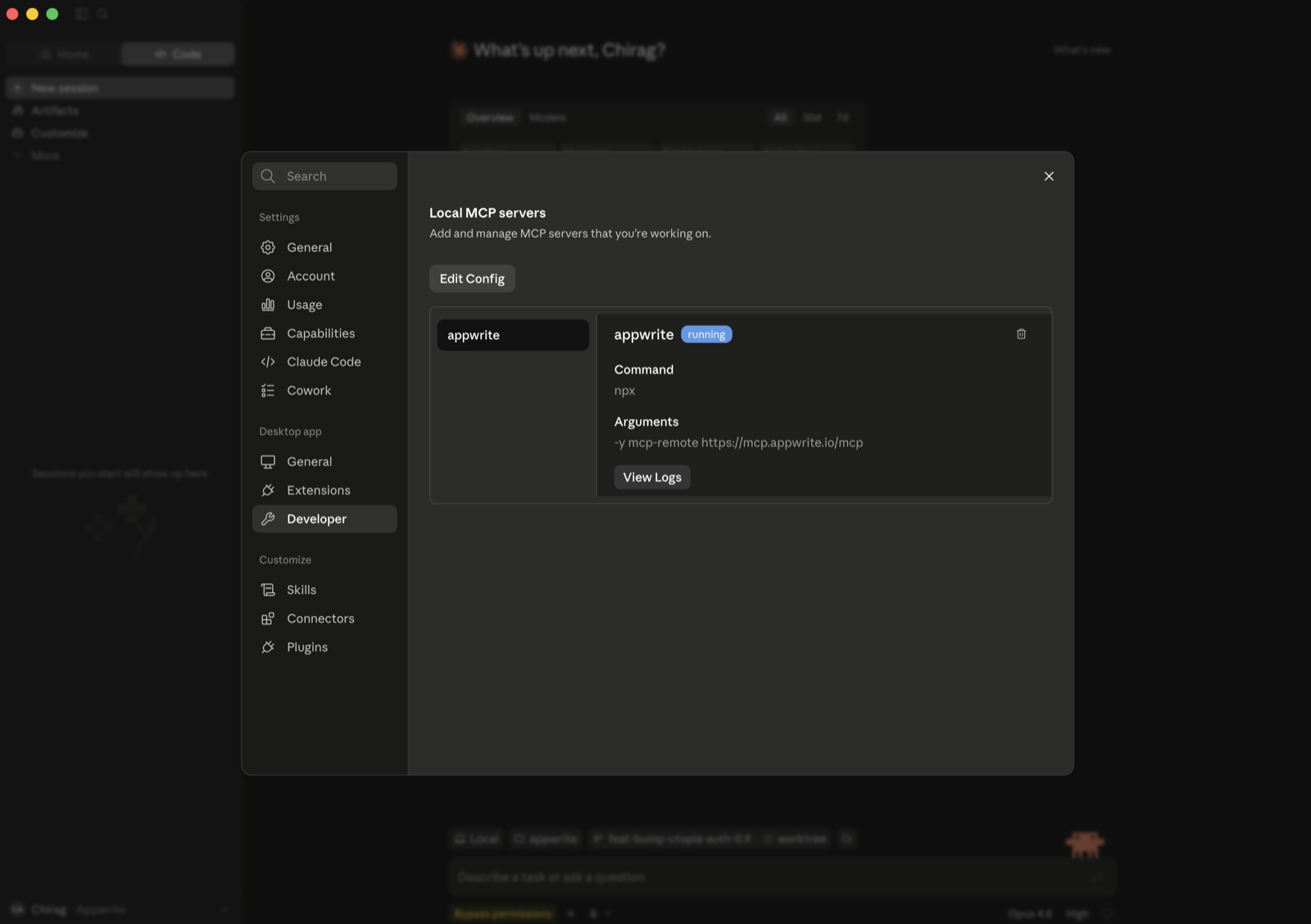
If you don't see that option (free plan, or a Team/Enterprise member), bridge
the remote server through stdio instead (requires Node.js). Go to Settings → Developer → Local MCP servers, click
Edit Config, and add:
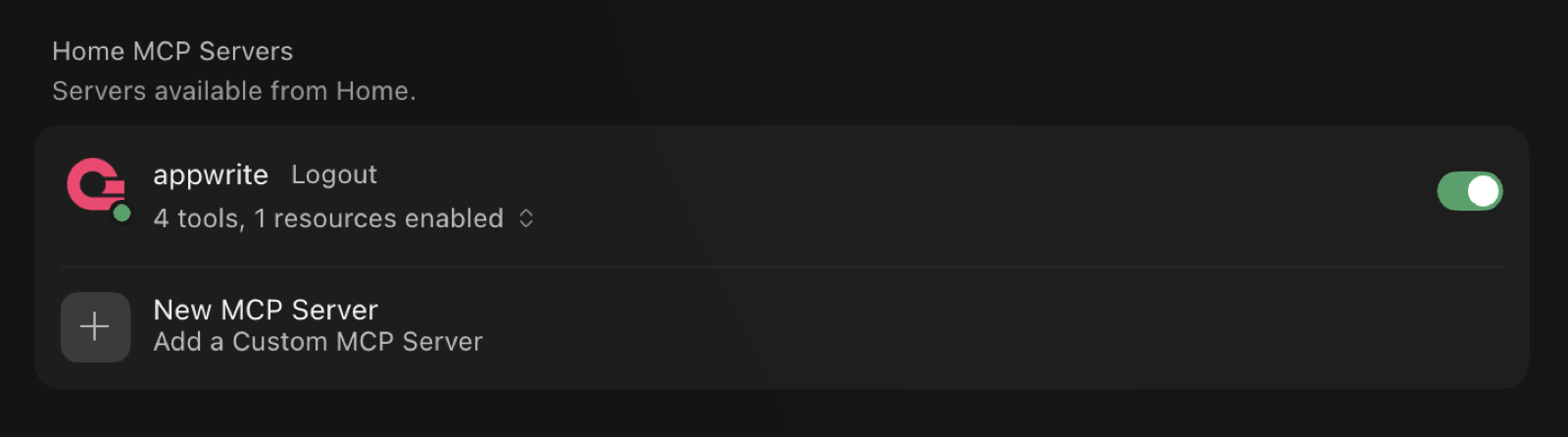
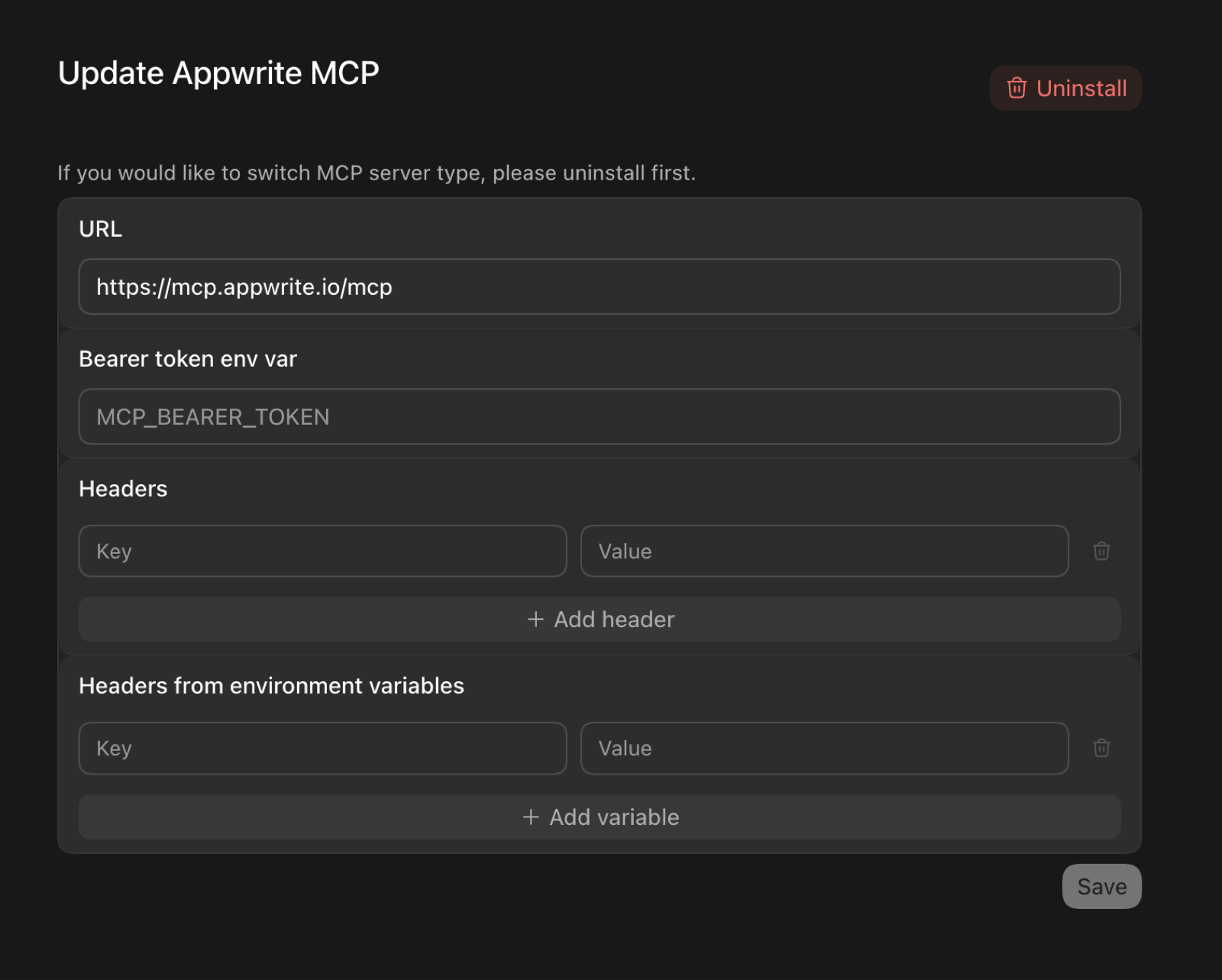
In the Codex GUI, you can instead add the server from the MCP settings —
set the URL to https://mcp.appwrite.io/ and leave the token and header
fields empty (authentication happens through the browser):
Edit opencode.json (project) or ~/.config/opencode/opencode.json (global).
⚠️ Note: Antigravity strictly requires the serverUrl key for remote transport. Using legacy fields like url or httpUrl will cause tool registration to fail silently.
Antigravity opens the browser OAuth flow automatically on first connect. If you manually edit the JSON file, navigate to Settings → Customizations → Installed MCP Servers and click Refresh to reload the tool definitions.
Zed prompts you to authenticate through the browser on first connect.
Go to Settings → Agents → MCP servers → + Add, choose the URL-based
server type, and enter https://mcp.appwrite.io/.
Warp opens a browser window to authenticate on first connect.
JetBrains IDEs don't yet support OAuth for remote MCP servers, so bridge
through stdio (requires Node.js). Go to Settings → Tools → AI Assistant →
Model Context Protocol (MCP) → Add, switch to the JSON view, and paste:
A browser window opens to authenticate on first connect.
Cline doesn't yet support OAuth for remote MCP servers, so bridge through
stdio (requires Node.js). In the Cline panel, open the MCP Servers icon →
Configure tab → Configure MCP Servers, and add:
A browser window opens to authenticate on first connect.
Self-hosted Appwrite
Running your own Appwrite instance? Run the MCP server locally over stdio and
authenticate with a project API key. See docs/self-hosted.md
for per-client setup.
Documentation
Tool surface — the tools exposed to the model and the
internal Appwrite catalog.
Belum ada daftar tool. Server remote mendapatkannya setelah pemeriksaan kesehatan pertama.
FAQ
Pertanyaan
Bagaimana cara menginstal Appwrite?
Salin konfigurasi http untuk Cursor, Claude Desktop, Claude Code, atau VS Code di halaman ini. Konfigurasi ini memakai instalasi dari penerbit, bukan proxy PlugMCP.
Apakah Appwrite memerlukan kunci API?
Tidak ada variabel lingkungan wajib yang tercantum di catatan ini.
Transport apa yang digunakan Appwrite?
Appwrite diakses melalui HTTP.
Kapan Appwrite terakhir diperiksa?
Terakhir diperiksa 2026-11-13. Build and deploy backends: auth, Postgres/MySQL/vector databases, storage, functions, hosting, CDN