PyWry is a cross-platform rendering engine and desktop UI toolkit for Python. One API, three output targets:
Native window — OS webview via PyTauri. Not Qt, not Electron. Use unrestricted HTML/CSS/JS.
Jupyter widget — anywidget + FastAPI + WebSocket, works in JupyterLab, VS Code, and Colab.
PyWry is a cross-platform app factory, rendering engine and UI toolkit for Python that produces native desktop, web, and notebook experiences from a single API.
スター
99
ツール
—
稼働率
—
Browser tab — FastAPI server with Redis state backend for horizontal scaling.
Build Once, Render Anywhere: Prototype interactive data apps in a Jupyter Notebook, easily deploy them as web apps, and seamlessly compile them into secure, lightweight standalone desktop executables via pywry[freeze].
from pywry import PyWry
import plotly.express as px

app = PyWry(theme="light")
fig = px.scatter(px.data.iris(), x="sepal_width", y="sepal_length", color="species")
app.show_plotly(fig)
app.block()
Features
Toolbar components — Button, Select, MultiSelect, TextInput, SecretInput, SliderInput, RangeInput, Toggle, Checkbox, RadioGroup, TabGroup, Marquee, Modal, and more. All Pydantic models; position them around the content edges or inside the chart area.
Two-way events — app.emit() and app.on() bridge Python and JavaScript in both directions. Pre-wired Plotly and AgGrid events included.
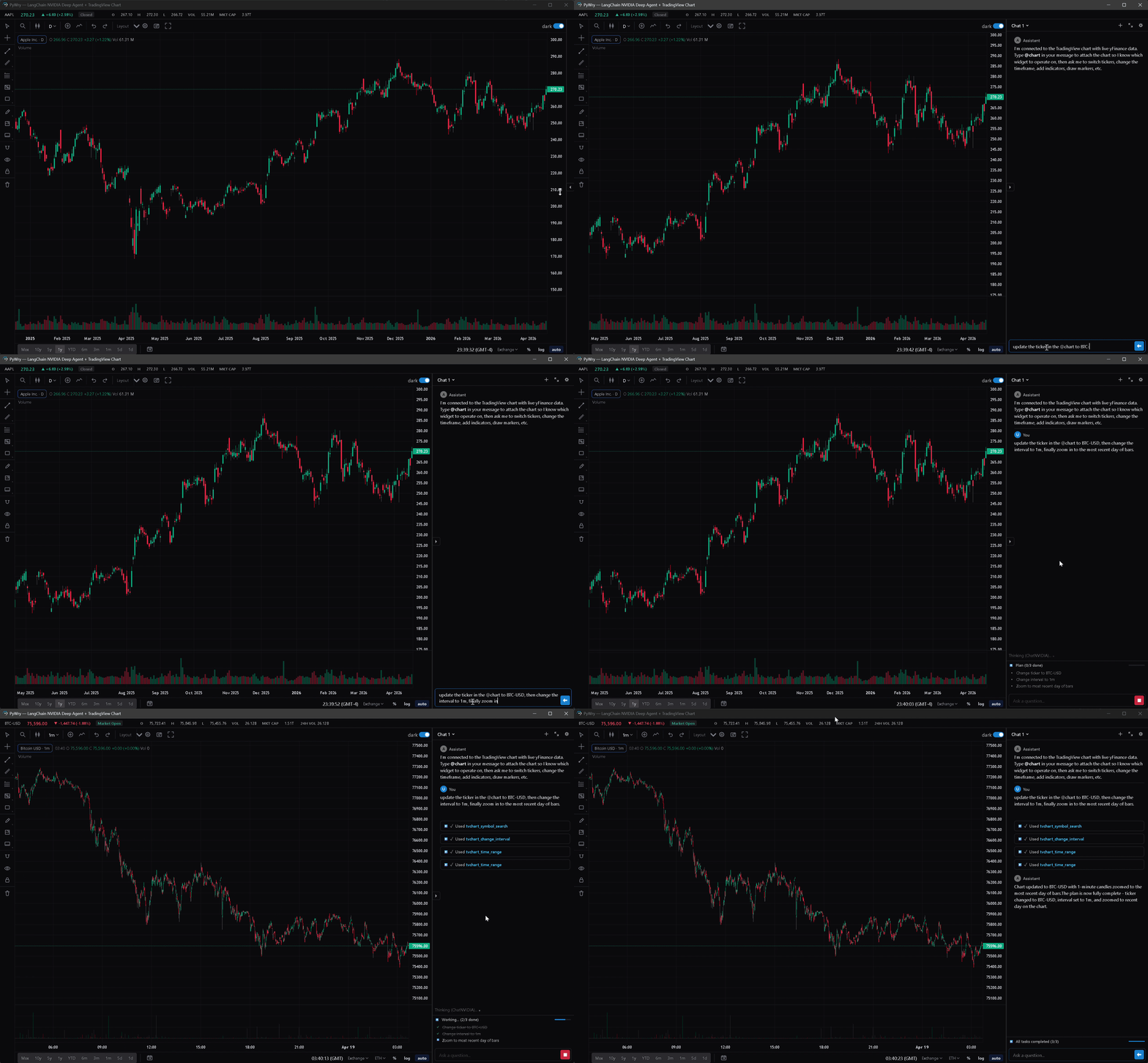
Chat — streaming chat widget with threads, slash commands, artifacts, and pluggable providers: OpenAIProvider, AnthropicProvider, MagenticProvider, CallbackProvider, StdioProvider (ACP subprocess), and DeepagentProvider (LangChain Deep Agents).
TradingView charts — extended Lightweight Charts integration with a full drawing surface (trendlines, fib tools, text annotations, price notes, brushes), pluggable datafeed API, UDF adapter for external quote servers, streaming bar updates, compare overlays, compare-derivative indicators (Spread / Ratio / Sum / Product / Correlation), savable layouts, and a themeable settings panel.
Theming — light / dark / system modes, themeable via --pywry-* CSS variables, hot reload during development.
Security — token auth, CSP headers, SecuritySettings.strict() / .permissive() / .localhost() presets. SecretInput stores values server-side, never in HTML.
State backends — in-memory (default), Redis (multi-worker), or SQLite with SQLCipher encryption at rest.
Standalone executables — PyInstaller hook ships with pywry[freeze]. No .spec edits or --hidden-import flags required.
MCP server — drive widgets, charts, and dashboards from any Model Context Protocol client (Claude Desktop, Claude Code, Cursor, etc.).
Widget-creating tools — create_widget, show_plotly, show_dataframe, show_tvchart, create_chat_widget — return an AppArtifact: a self-contained HTML snapshot delivered as an MCP EmbeddedResource with mimeType: text/html and URI pywry-app://<widget_id>/<revision>. Clients that render HTML resources (Claude Desktop's artifact pane, mcp-ui clients, PyWry's own chat widget) show the app inline.
Each render bumps a per-widget revision. The latest revision keeps a live WebSocket bridge to Python; older revisions freeze at their last known state. Call get_widget_app(widget_id) to re-snapshot after a mutation.
See the MCP docs for tool reference and client setup.
The output in dist/MyApp/ is fully self-contained. Target machines need no Python installation — only the OS webview (WebView2 on Windows 10 1803+, WKWebView on macOS, libwebkit2gtk on Linux).
PyWry is a cross-platform app factory, rendering engine and UI toolkit for Python that produces native desktop, web, and notebook experiences from a single API.
最終チェックは 2026-10-27 です。 PyWry is a cross-platform app factory, rendering engine and UI toolkit for Python that produces native desktop, web, and notebook experiences from a single API.