Perplexity Ask MCP Server
An MCP server implementation that integrates the Sonar API to provide Claude with unparalleled real-time, web-wide research.
Please refer to the official DeepWiki page for assistance with implementation.
에이전트 강화
게시자의 자체 명령입니다. PlugMCP 엔드포인트가 아닙니다.
Host a copy with our keys and logs.
npx -y [email protected]Claude Code에는 로컬 명령용 설치 링크가 없습니다. 아래 명령을 복사해 터미널에서 실행합니다.
claude mcp add chand45-perplexity-ask -- npx -y chand45-perplexity-ask@0.2.0터미널에서 실행합니다.
{ "mcpServers": { "chand45-perplexity-ask": { "command": "npx", "args": [ "-y", "[email protected]" ] } }}claude_desktop_config.json
원격 URL인가요, 내 컴퓨터에서 실행하는 명령인가요? 두 설치 방식의 차이
PlugMCP에서 실행
A new server you create. It is not this listing's official endpoint. Use the publisher install when you want their URL and their credentials.
실행게시자 제공
An MCP server implementation that integrates the Sonar API to provide Claude with unparalleled real-time, web-wide research.
Please refer to the official DeepWiki page for assistance with implementation.
MCP server for Perplexity API integration. Includes tools for search, reason and research.
Credits: DeepWiki powered by Devin
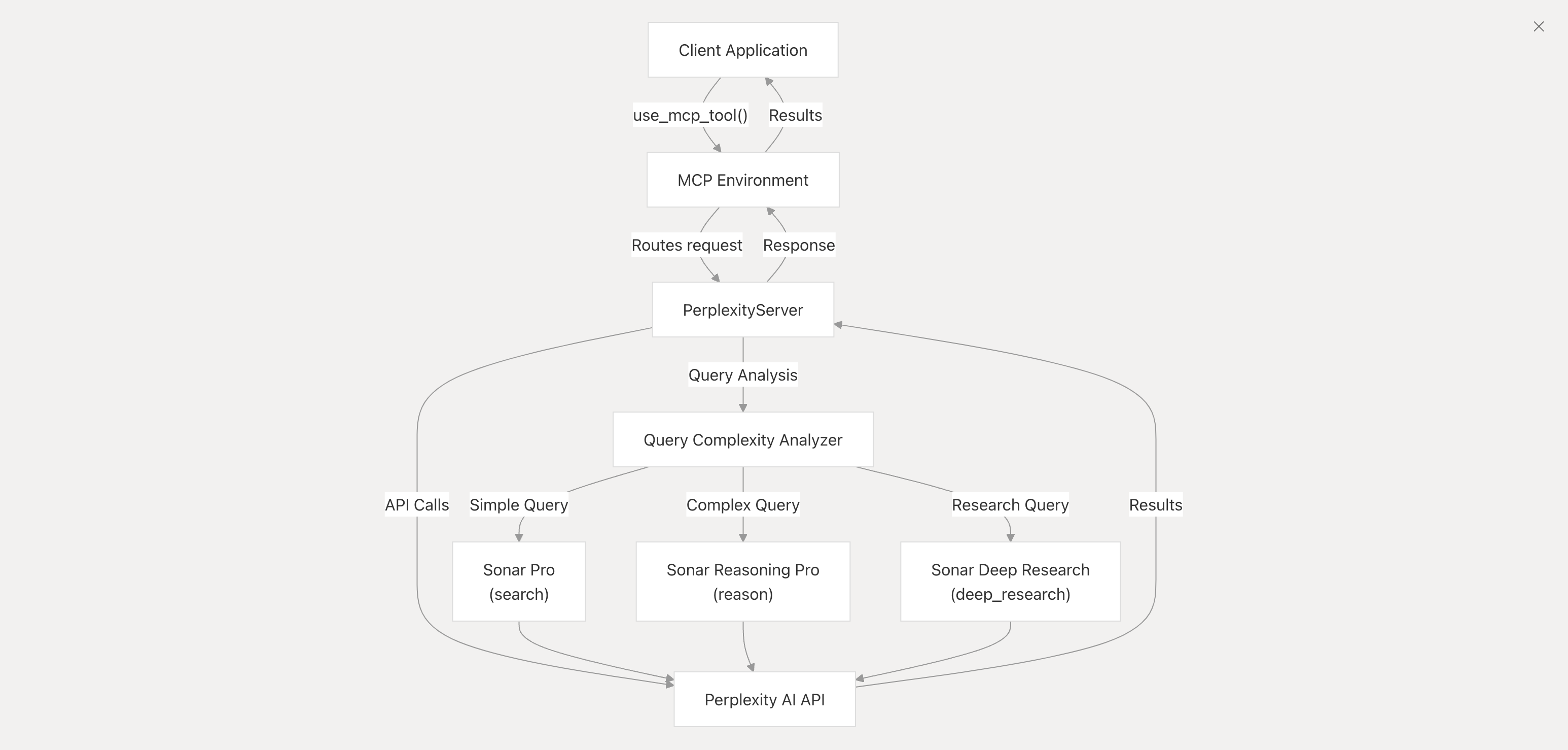
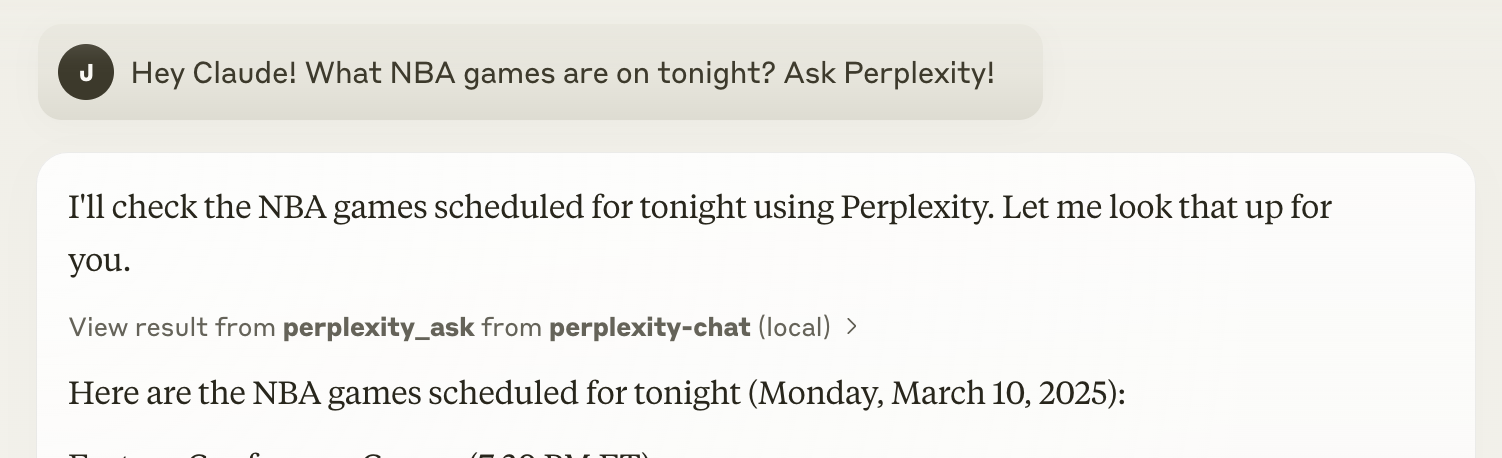
messages (array): An array of conversation messages.
role (string): The role of the message (e.g., system, user, assistant).content (string): The content of the message.Clone this repository:
git clone [email protected]:ppl-ai/modelcontextprotocol.git
Navigate to the perplexity-ask directory and install the necessary dependencies:
cd modelcontextprotocol/perplexity-ask && npm install
PERPLEXITY_API_KEY.Download Claude desktop here.
Add this to your claude_desktop_config.json:
{
  "mcpServers": {
    "perplexity-ask": {
      "command": "docker",
      "args": [
        "run",
        "-i",
        "--rm",
        "-e",
        "PERPLEXITY_API_KEY",
        "mcp/perplexity-ask"
      ],
      "env": {
        "PERPLEXITY_API_KEY": "YOUR_API_KEY_HERE"
      }
    }
  }
}
{
  "mcpServers": {
    "perplexity-ask": {
      "command": "npx",
      "args": [
        "-y",
        "server-perplexity-ask"
      ],
      "env": {
        "PERPLEXITY_API_KEY": "YOUR_API_KEY_HERE"
      }
    }
  }
}
You can access the file using:
vim ~/Library/Application\ Support/Claude/claude_desktop_config.json
Docker build:
docker build -t mcp/perplexity-ask:latest -f Dockerfile .
Let's make sure Claude for Desktop is picking up the two tools we've exposed in our perplexity-ask server. You can do this by looking for the hammer icon:
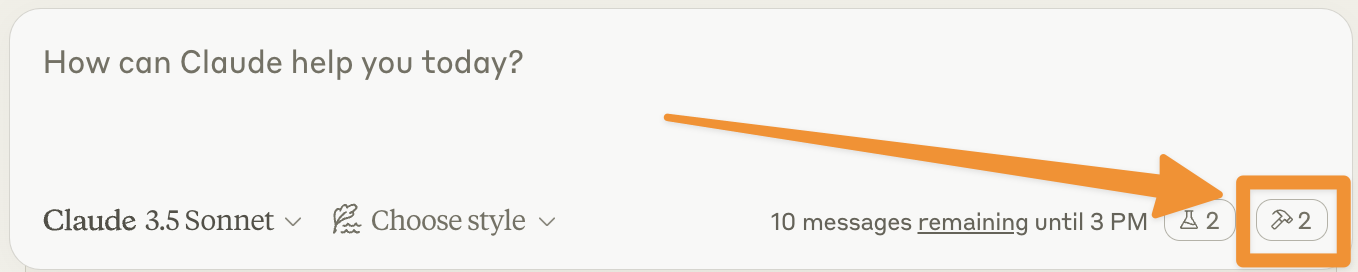
After clicking on the hammer icon, you should see the tools that come with the Filesystem MCP Server:
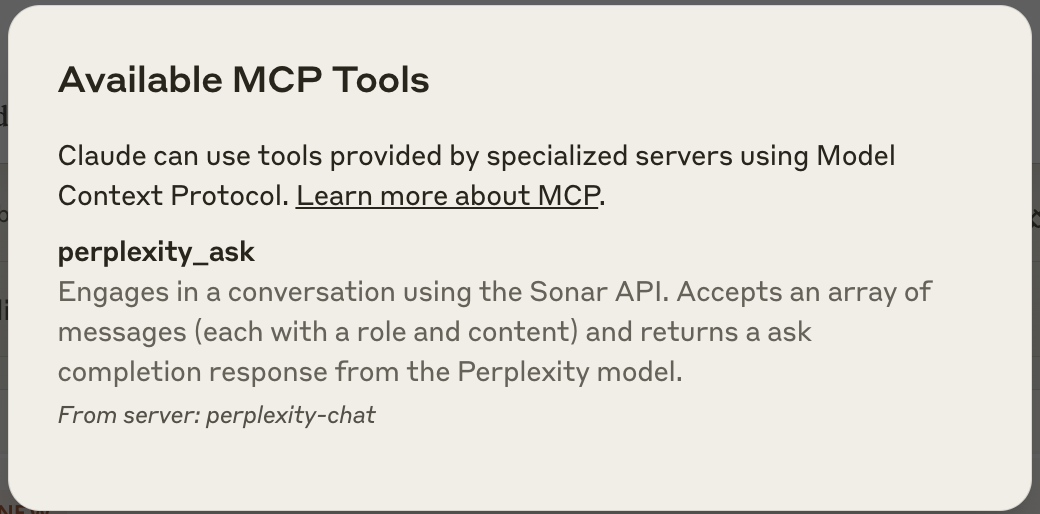
If you see both of these this means that the integration is active. Congratulations! This means Claude can now ask Perplexity. You can then simply use it as you would use the Perplexity web app.
Currently, the search parameters used are the default ones. You can modify any search parameter in the API call directly in the index.ts script. For this, please refer to the official API documentation.
The Claude documentation provides an excellent troubleshooting guide you can refer to. However, you can still reach out to us at [email protected] for any additional support or file a bug.
You can also use our MCP with Cursor (or any other app that supports this). To use Sonar with Cursor, you can follow the following steps.
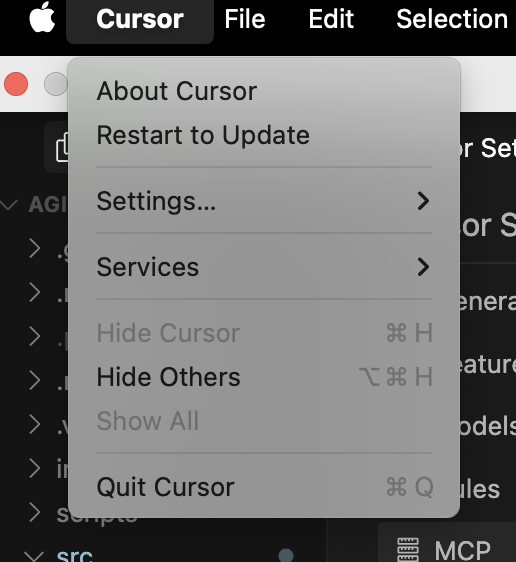
And click on Add new global MCP server
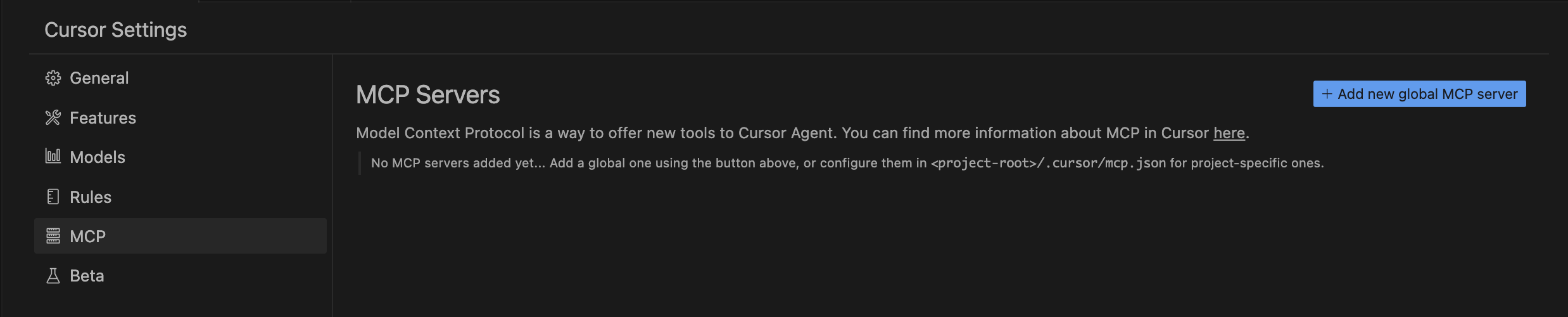
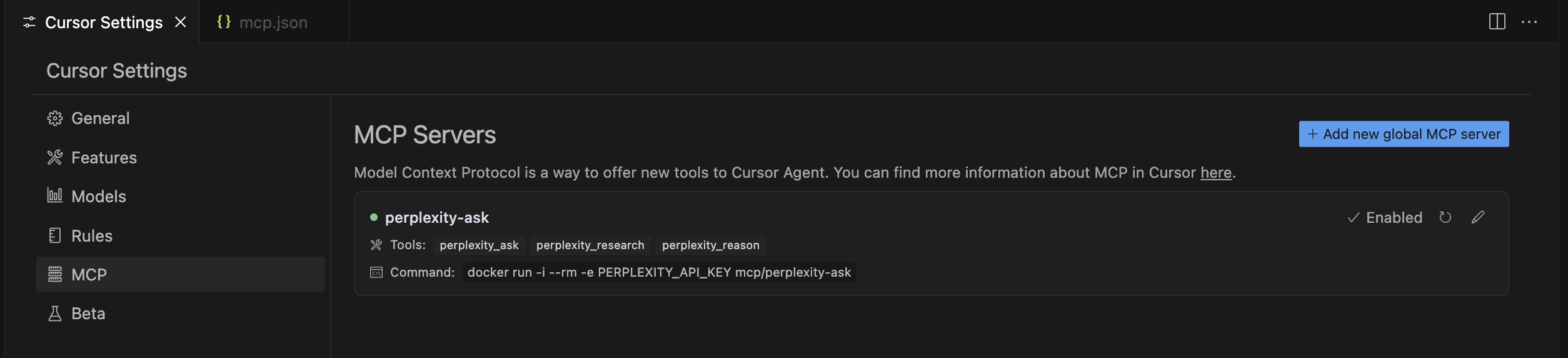
This is the same configuration you would use for any other application that supports MCP.
You should then see the application being part of your available tools like this:
This MCP server is licensed under the MIT License. This means you are free to use, modify, and distribute the software, subject to the terms and conditions of the MIT License. For more details, please see the LICENSE file in the project repository.
MCP server for Perplexity API integration. Includes tools for search, reason and research.
{ "mcpServers": { "chand45-perplexity-ask": { "command": "npx", "args": [ "-y", "[email protected]" ] } }}도구
아직 도구 목록이 없습니다. 원격 서버는 첫 상태 확인 후에 도구 목록이 생깁니다.
FAQ
이 페이지에서 Cursor, Claude Desktop, Claude Code 또는 VS Code용 stdio 설정을 복사합니다. PlugMCP 프록시가 아니라 게시자의 설치 방식을 사용합니다.
이 레코드에는 필수 환경 변수가 등록되어 있지 않습니다.
Chand45 Perplexity Ask은(는) stdio를 통해 로컬에서 실행됩니다.
마지막 확인: 2026-11-16. MCP server for Perplexity API integration. Includes tools for search, reason and research.