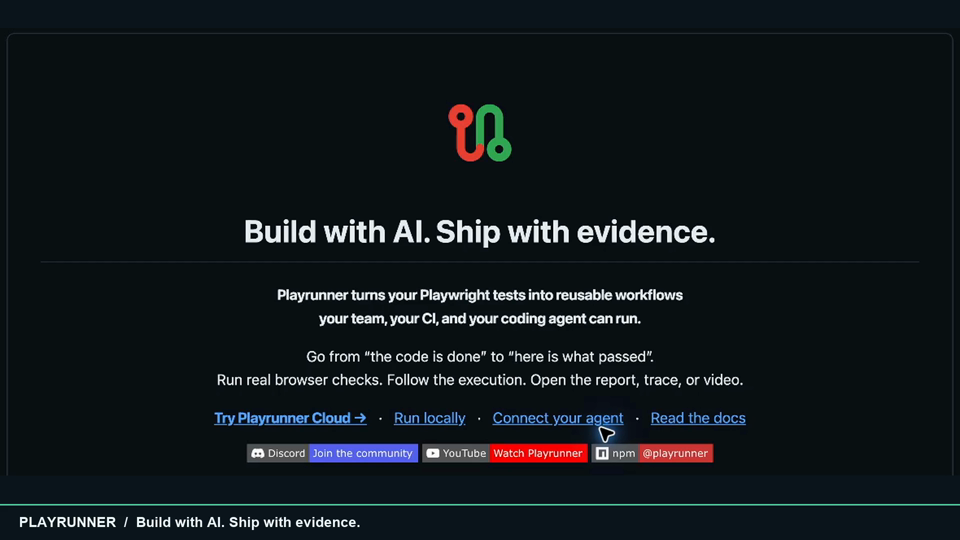
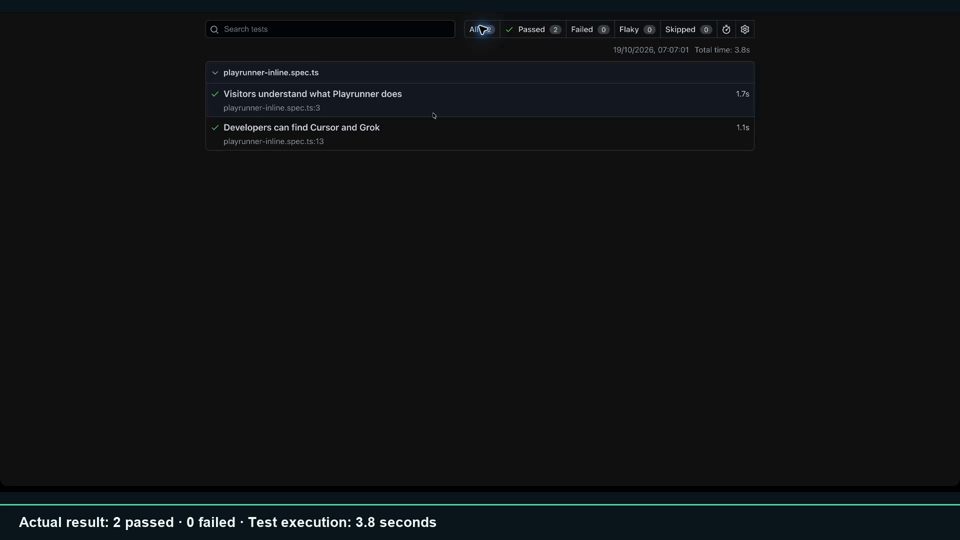
| Product overview · 61 seconds | Workflow & evidence · 51 seconds |
|---|---|
 |
에이전트 강화
게시자의 자체 URL입니다. PlugMCP 엔드포인트가 아닙니다.
Host a copy with our keys and logs.
https://playrunner.cloud/mcp위의 Claude 버튼을 누르면 이름과 URL이 채워진 상태로 Claude가 열립니다. 확인은 Claude에서 직접 해야 합니다.
claude mcp add --transport http dev.playrunner-mcp https://playrunner.cloud/mcpRun in a terminal.
{ "mcpServers": { "dev.playrunner-mcp": { "command": "npx", "args": [ "-y", "mcp-remote", "https://playrunner.cloud/mcp" ] } }}claude_desktop_config.json
원격 URL인가요, 내 컴퓨터에서 실행하는 명령인가요? 두 설치 방식의 차이
PlugMCP에서 실행
A new server you create. It is not this listing's official endpoint. Use the publisher install when you want their URL and their credentials.
실행게시자 제공
| Product overview · 61 seconds | Workflow & evidence · 51 seconds |
|---|---|
|
Discover Playwright workflows, start runs, and inspect results in Playrunner Cloud.
|
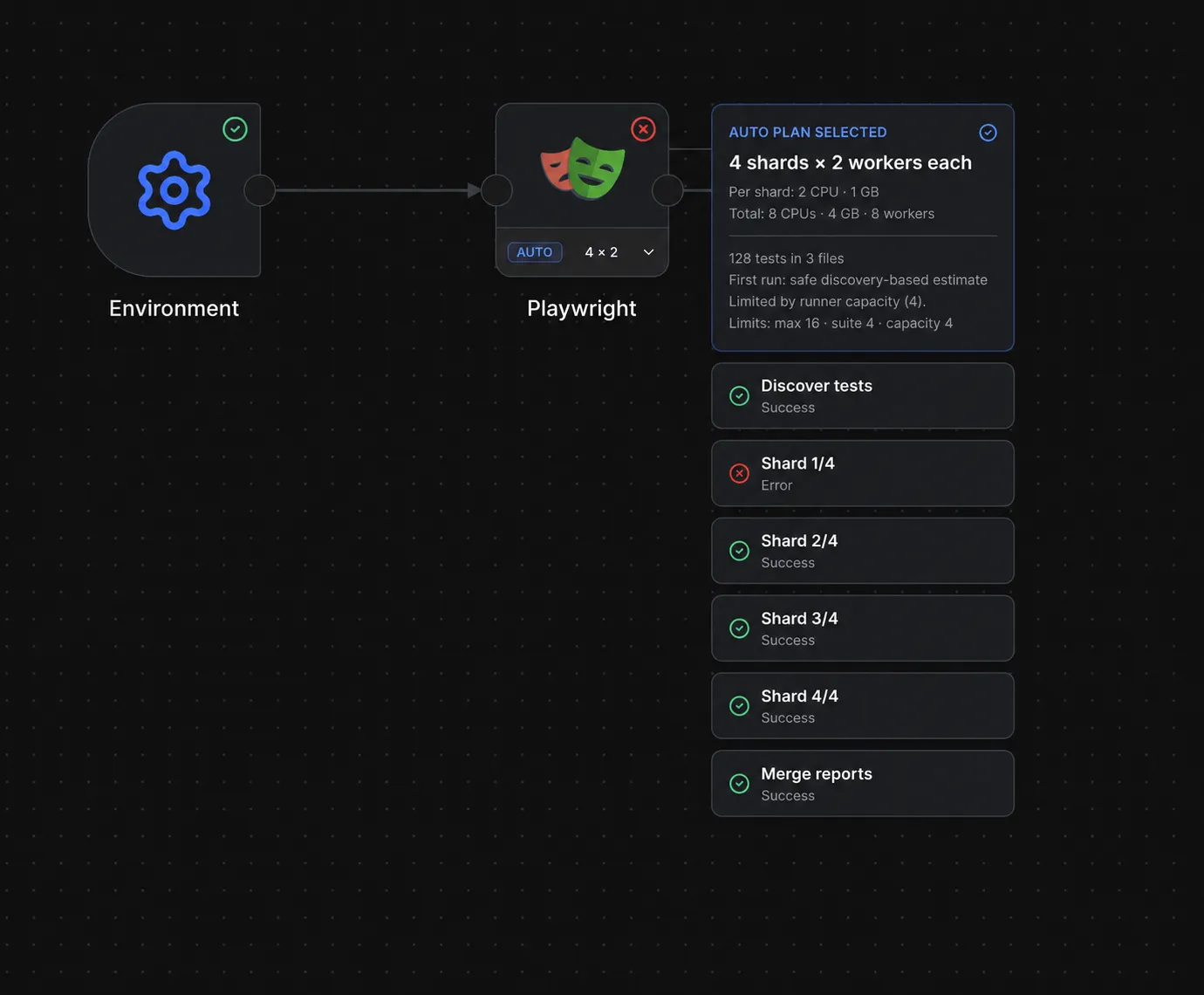
| A narrated tour of reusable workflows, agent connections, and sharding. | A fresh local workflow: two passing checks, the report, and screenshot evidence. |
Recorded with OBS and narrated with AI on 19 October 2026. The overview shows product examples; the workflow video tours a real local run’s saved configuration, passing report, and screenshot evidence. Video notes and transcripts →
A working-looking screen is a good start. A repeatable test with an inspectable result is something your team can build on.
Playrunner gives AI-assisted developers and test teams a shared place to run Playwright, reuse environments and browser sign-ins, and investigate failures. Keep your existing tests. Give them a workflow you can run again after the next change.
Connect a compatible MCP client to Playrunner Cloud, then ask:
Run my checkout smoke workflow once. Wait for it to finish, tell me which tests passed or failed, and include the report links.
The agent can discover projects, create workflows, start runs, and inspect the returned evidence from the same conversation. Your saved workflows remain available to your teammates and CI.
Codex · Claude · Cursor · Gemini CLI · Antigravity · Grok
Connection steps and capabilities vary by client. Use a client with remote Streamable HTTP and OAuth support, or the CLI from a shell-capable agent. Choose your connection → Read the MCP guide →
Your agent / CI / schedule
           ↓
      Environment → Playwright → Pass or fail → Your next action
                         ↓
              Report · traces · screenshots · video
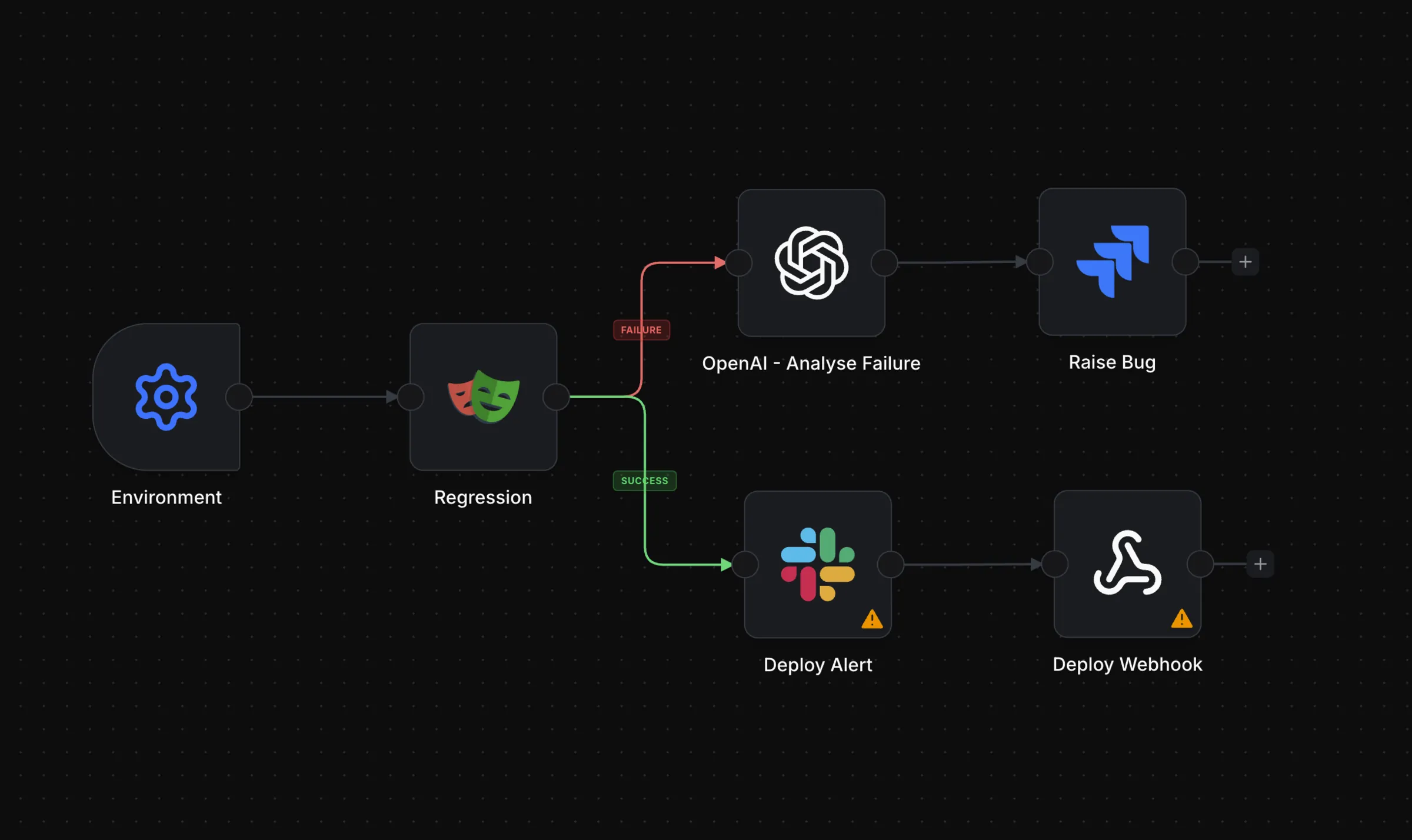
Start a saved workflow, stream its progress, and return a failing exit code when the workflow fails, is cancelled, or times out:
export PLAYRUNNER_URL='https://playrunner.cloud'
export PLAYRUNNER_API_KEY='<your-api-token>'

npx playrunner WORKFLOW_ID
Prefer workflows as code? Keep the definition alongside your application:
npx playrunner workflow create --file playrunner-workflow.json
Capture a browser session interactively, then select the profile on your Playwright node. Playrunner restores the stored session for the execution without storing your identity-provider password.
For Playrunner Cloud, pair your computer with the authentication companion:
npm install --global playrunner@latest
playrunner login
playrunner auth connect
Keep the companion open while capturing or refreshing the session. Hosted workflow runs can restore the encrypted stored state without the companion remaining connected.
git clone https://github.com/playrunner/playrunner.git
cd playrunner
./install-local.sh
./start-local.sh
On the first run, Playrunner opens the setup app. Follow the printed URL to confirm PostgreSQL and create the first admin account. With the default ports:
http://127.0.0.1:3100http://127.0.0.1:3100/setuphttp://127.0.0.1:3104/playrunner/The .env.local file is optional unless you want to change ports before the
first run. If it is missing, ./start-local.sh creates it from the example. For
the complete walkthrough, see the
Getting Started guide.
To reopen the setup wizard:
./start-local.sh --setup
Remove .env.local as well if you want Playrunner to regenerate the local port
and PostgreSQL defaults.
cd docs
npm run start -- --port 3104
Then open http://127.0.0.1:3104/playrunner/.
Package E2E tests run the real Vite frontend and Playrunner API against the
isolated playrunner_e2e PostgreSQL schema. Complete local setup first so
apps/api/.env contains a working DATABASE_URL, and keep PostgreSQL running.
Install Chromium once on a new development machine:
npm exec --prefix apps/frontend -- playwright install chromium
Run the deterministic mock-provider suite:
npm run test:e2e:mock
Run one integration package by its Playwright tag:
npm run test:e2e:mock -- --grep @github
npm run test:e2e -- --grep @github
Mock mode still uses the real frontend, authentication, API, credential encryption, and database; only outbound provider boundaries may be faked. Live-provider scenarios are opt-in and require protected credentials:
npm run test:e2e:live
npm run test:e2e:live -- --grep @github
Set PLAYRUNNER_E2E_DATABASE_URL to use another PostgreSQL server. Open the
latest report with npx playwright show-report, or read the
Testing guide for architecture and package
authoring details.
Try it on one workflow that matters to you. Tell us what worked, what failed, and what would make it useful every day.
Playrunner is source-available under the Playrunner Sustainable Use License, copyright © 2026 Concept AI PTY LTD.
Discover Playwright workflows, start runs, and inspect results in Playrunner Cloud.
{ "mcpServers": { "dev.playrunner-mcp": { "url": "https://playrunner.cloud/mcp", "headers": {} } }}도구
아직 도구 목록이 없습니다. 원격 서버는 첫 상태 확인 후에 도구 목록이 생깁니다.
FAQ
이 페이지에서 Cursor, Claude Desktop, Claude Code 또는 VS Code용 http 설정을 복사합니다. PlugMCP 프록시가 아니라 게시자의 설치 방식을 사용합니다.
이 레코드에는 필수 환경 변수가 등록되어 있지 않습니다.
Playrunner에는 HTTP로 연결합니다.
마지막 확인: 2026-11-08. Discover Playwright workflows, start runs, and inspect results in Playrunner Cloud.