hypruse
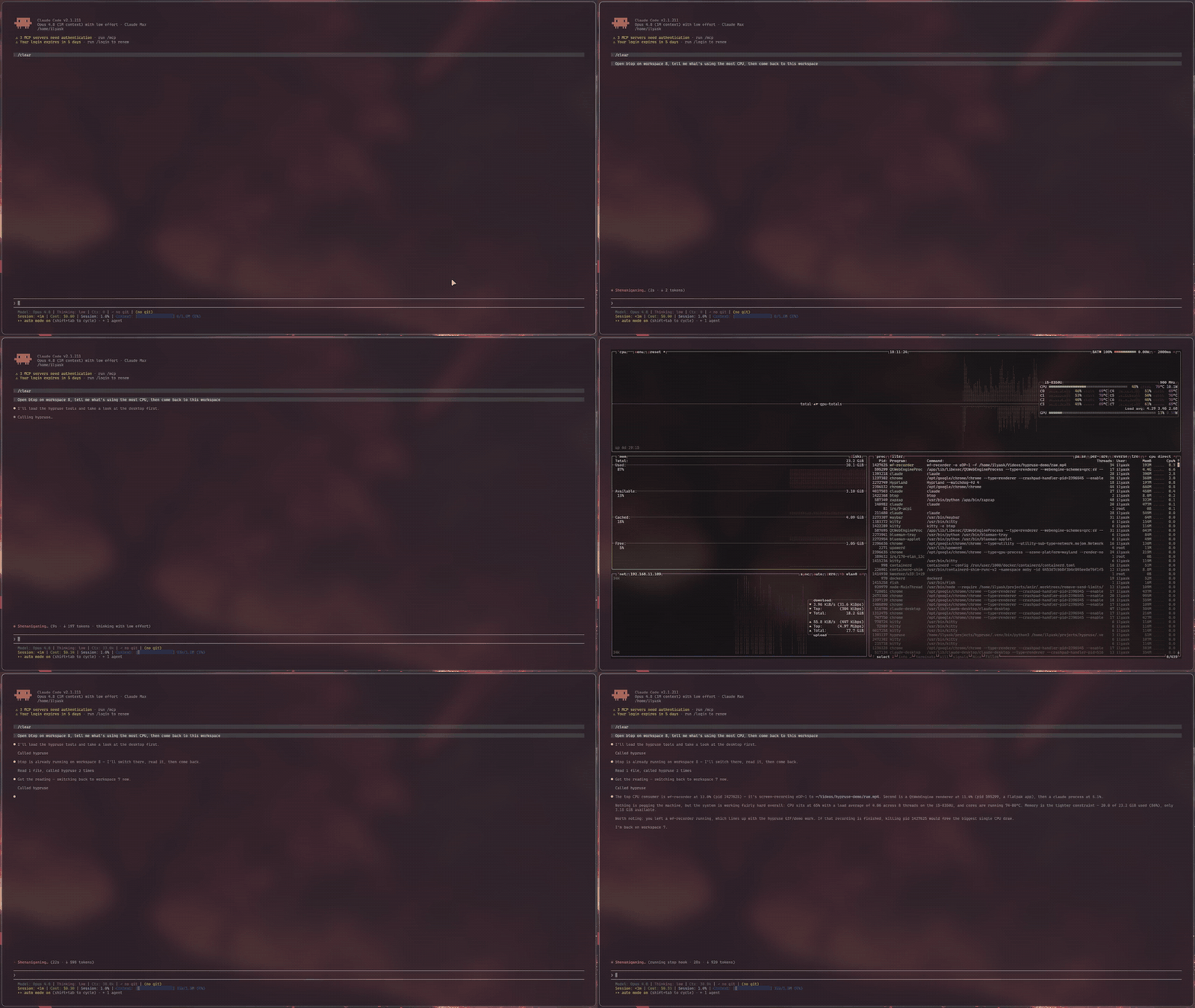
Computer use for Hyprland. An MCP server that gives AI agents native hands on your Wayland desktop: workspaces, windows, mouse, keyboard, screenshots.
No ydotool daemon. No root. No portals. No X11.
에이전트 강화
게시자의 자체 명령입니다. PlugMCP 엔드포인트가 아닙니다.
Host a copy with our keys and logs.
uvx hypruse==0.15.1Claude Code에는 로컬 명령용 설치 링크가 없습니다. 아래 명령을 복사해 터미널에서 실행합니다.
HYPRUSE_SCREENSHOT_MODE=<value> HYPRUSE_READONLY=<value> HYPRUSE_CONFINE=<value> HYPRUSE_AUTH_GUARD=<value> HYPRUSE_STRICT=<value> HYPRUSE_MARK=<value> HYPRUSE_CLIPBOARD=<value> HYPRUSE_JOURNAL=<value> HYPRUSE_JOURNAL_MAX_BYTES=<value> HYPRUSE_JOURNAL_TEXT=<value> HYPRUSE_DRYRUN=<value> claude mcp add io.github.ilyaskhallouki-hypruse -- uvx hypruse==0.15.1터미널에서 실행합니다.
{ "mcpServers": { "io.github.ilyaskhallouki-hypruse": { "command": "uvx", "args": [ "hypruse==0.15.1" ], "env": { "HYPRUSE_SCREENSHOT_MODE": "<value>", "HYPRUSE_READONLY": "<value>", "HYPRUSE_CONFINE": "<value>", "HYPRUSE_AUTH_GUARD": "<value>", "HYPRUSE_STRICT": "<value>", "HYPRUSE_MARK": "<value>", "HYPRUSE_CLIPBOARD": "<value>", "HYPRUSE_JOURNAL": "<value>", "HYPRUSE_JOURNAL_MAX_BYTES": "<value>", "HYPRUSE_JOURNAL_TEXT": "<value>", "HYPRUSE_DRYRUN": "<value>" } } }}claude_desktop_config.json
원격 URL인가요, 내 컴퓨터에서 실행하는 명령인가요? 두 설치 방식의 차이
PlugMCP에서 실행
A new server you create. It is not this listing's official endpoint. Use the publisher install when you want their URL and their credentials.
실행게시자 제공
Computer use exists on macOS and Windows, and the vendors' Linux apps still ship without it: Claude Desktop's Linux docs say computer use is not available there, and ChatGPT's computer use covers macOS and Windows only. Anthropic's reference implementation is an X11 container. Other Wayland tools lean on ydotool and uinput, on GNOME-only portals, or on a compositor plugin built for one exact Hyprland version.
Meanwhile Hyprland already exposes everything an agent needs, better than any accessibility bridge: a complete IPC surface for state and window management, and first-class Wayland protocols for input. hypruse just wires them to MCP:
desktop returns the real window/workspace tree (addresses, classes, titles, geometry) in one call. The agent switches workspaces and focuses windows the way you do (instantly, over IPC), not by squinting at pixels.zwlr_virtual_pointer_v1); typing goes through wtype's virtual keyboard with a proper XKB keymap, unicode-safe on any layout.sendshortcut, so your cursor, keyboard focus and workspace stay where you left them. Stock Hyprland, no compositor plugin: see Background mode.agent (Claude Code, or any MCP client)
│ stdio
▼
hypruse
├── hyprctl -j ········▶ desktop state: monitors, workspaces, windows, layers
├── hyprctl dispatch ··▶ focus / move / close / launch / movecursor,
│ and sendshortcut for keys to a hidden window
├── grim ··············▶ screenshots: monitor, window, region
├── D-Bus (AT-SPI) ····▶ accessibility tree: named controls, current
│ values, exact coords (ui / marks / click_ui),
│ and presses and text in the background
├── wtype ·············▶ keyboard (zwp_virtual_keyboard_v1, real XKB keymap)
└── raw Wayland wire ··▶ click & scroll (zwlr_virtual_pointer_v1)
Optional binaries gate two more tools: imagemagick draws the numbered
overlay for marks, and wl-clipboard backs the opt-in clipboard tool.
Design decisions:
wlrctl.xdg-desktop-portal-hyprland does not implement the RemoteDesktop portal (InputCapture is capture, not injection), so anything built on libei/portals silently degrades on Hyprland. hypruse doesn't try.The acting tools (pointer, keyboard, click_ui, hypr, use_bind, sequence) take an optional then argument that appends the result to the same call, so the agent sees the effect without a second round-trip: then='desktop' adds a fresh semantic snapshot (~20 ms, cheap, best for window/focus changes), then='screenshot' a stable capture (best for visual changes), then='ui' the acted-on window's controls with their current values (a few hundred exact tokens, best after typing or toggling; click_ui reads the window it clicked even if the click handed focus to a dialog, the others read the focused window), then='none' nothing (the default everywhere except sequence, which defaults to 'desktop').
Every tool is also a shell verb (hypruse desktop, hypruse click_ui Save --window 0x...) for agents that run commands instead of MCP, with a skill that teaches them: see Shell verbs and the agent skill.
The tools group into five capabilities, ordered most-reliable-and-cheapest first. An agent that reaches for them in this order is both faster and more accurate, and many tasks never need a screenshot at all.
desktop returns the entire window and workspace tree in one call: every window's address, class, title, and geometry, the active window, the cursor, and any layer surfaces the compositor is tracking (launchers, bars, notification popups). hypr and launch then act on it over IPC in milliseconds: switch workspace, focus/move/close/fullscreen/float a window by address, or start an app.
Use it well: never take a screenshot to find or arrange windows. Read desktop, act on the address you want. launch blocks on the real openwindow event and hands back the new window's address, so there is nothing to poll or guess; it also relocates single-instance apps (browsers) that ignore workspace rules.
When an app exposes an accessibility tree (most GTK and Qt apps), you can target controls by name instead of by pixel. ui lists every control with its exact global coordinate, and reports the current value of the controls that carry one: the text in a field, a slider's percentage, a checkbox's state. click_ui resolves a name and clicks it in one call, through the real cursor (so the beacon and every safety guarantee still apply), or, in a window you are not in, through the control's own accessibility action without touching your cursor. marks draws numbered marks over a screenshot with a legend, for when you want to see the options first and then click_ui(mark=N).
Use it well: reach for click_ui name="Save" before estimating any pixel, since it is exact and spends no image. Read a form's state with ui (did the box actually tick?) instead of screenshotting it. An ambiguous name returns the candidates rather than guessing. When an app exposes no tree (terminals, canvas apps, Electron/Chrome without --force-renderer-accessibility) the tool says so, and you fall back to vision.
For everything the accessibility tree cannot name, screenshot (monitor, window, or region) and zoom (a native-resolution re-capture around a point) carry a strict coordinate contract, global = geometry + pixel / scale, that stays exact on every monitor and fractional scale.
Use it well: don't guess a small control from a full-screen image. Work coarse-to-fine: screenshot the window, estimate the target, zoom there, re-estimate on the sharp crop, then click. This two-step loop is the research-backed way to hit small targets.
For an agent the model calls dominate task latency, not the desktop, so the real speedups are structural. sequence runs an ordered micro-plan (click, type, press enter, wait) in a single call, stopping the moment the desktop changes structurally in a way a step did not intend (a window opening, closing, or moving, an unexpected workspace switch, or a seat-taking launcher or on-screen keyboard; it deliberately ignores bare focus changes and notification popups). then='desktop' | 'screenshot' | 'ui' fuses a fresh view of the result into the acting call itself. wait_for blocks on real compositor events (a window or launcher opening, a title changing, a workspace switch, an urgency hint, screen-sharing starting) instead of sleeping and hoping.
Use it well: collapse a known click/type/enter flow into one sequence. After typing into a form, add then='ui' to read the effect back in a few hundred exact tokens instead of a screenshot. After a launch or a shortcut that opens something, wait_for the event rather than sleeping.
hypruse hands an agent your real seat, so it ships the controls to bound what that agent can do. Beyond the always-on approval prompts and the Waybar activity beacon, opt-in env flags narrow what an agent can touch: HYPRUSE_READONLY exposes only the observation tools; HYPRUSE_CONFINE restricts input to the windows the agent launched, or a class/workspace allowlist; HYPRUSE_AUTH_GUARD (on by default) refuses to drive authentication dialogs; HYPRUSE_STRICT refuses to act if you took the seat back; HYPRUSE_MARK tags agent-owned windows and announces when the agent opens a window or captures the screen. Two more record rather than restrict: HYPRUSE_JOURNAL writes an auditable NDJSON line per tool call, refusals included, and HYPRUSE_DRYRUN runs every check and delivers nothing, so you can watch an agent plan the work before it touches your desktop.
Use it well: run read-only for the first week. When you trust a workflow, allowlist its tools and, if you want to walk away, confine the agent to a scope so it cannot click or type into your password manager on another workspace. Keep a panic bind handy (hypruse stop, or pkill -f hypruse). The Security model has the full story.
An agent can work in apps on workspaces you are not looking at while you keep working on your own. On stock Hyprland, with no compositor plugin, hypruse does not move your cursor, take your keyboard focus or switch your workspace to do it. An app can still bring one of its own windows forward in response to something the agent did; when that changes your focused window, the result says so.
It is on by default, in automatic mode. An action on the window you are in runs on your screen, as it always has. An action on any other window runs in the background:
click_ui presses the control through its accessibility action. A text field gets the app's own focus instead (except in GTK 4, which does not allow it). When no button, box or field matches the name, click_ui also takes a named element of another role that has an action, such as a row in a web app's list. Some of those actions only focus the element (Qt WebEngine's rows offer nothing else). The result then says it focused the element and whether the app reports it focused. That does not open the row: in testing, Enter sent to a focused Qt WebEngine row did not open it either.keyboard with window= types into the window's focused text field (or its only one) through the accessibility interface. Otherwise it sends the keys to that window alone with Hyprland's sendshortcut, one key at a time on your keyboard layout. Newlines, tabs and backspaces are always sent as keys. Keys go to the control the app itself has focused, which is not necessarily the field text went into, so the agent focuses a field with click_ui before sending keys to it.launch with no workspace opens the app on one of the agent's own workspaces, out of your sight.click_ui.What the background cannot do is refused with the reason and what to do instead. background=false on a call (--foreground on the CLI) does it on your screen.
The guarantee overrides everything. Without it, a call's own background argument wins over the automatic rule.
The guarantee bounds hypruse's own input. It cannot bound what a program does once launch starts it: the command runs as given, through a shell, so keep launch behind your client's approval prompt even with HYPRUSE_BACKGROUND=1.
The agent's workspaces are HYPRUSE_AGENT_WORKSPACES, 99 down to 90 by default, at the far end of the numbers so they stay clear of the ones you use. A-B counts in either direction, and a comma list (99,98,50) or named workspaces (name:research) work too. HYPRUSE_AGENT_FILL (default 1) is how many of the agent's apps share one workspace before the next one is used. With 1, every app gets a workspace to itself, which keeps hidden windows at their full size. A workspace in the range that holds one of your windows is skipped, so yours and the agent's never mix, and so is one you are looking at. When the whole range is full the next app goes where the agent has the fewest. A window an earlier session opened counts as the agent's when HYPRUSE_MARK tagged it. With HYPRUSE_CONFINE=workspace:..., apps open only on agent workspaces inside that scope, and on yours as before when there is none.
launch waits for its own window: one that opens on the workspace it asked for, or one of the launched program's own class. A window of another app that you open meanwhile is left alone; one of the same app can be taken for the launched one. An app that is already running (a browser, often) opens its new window from the running process, which ignores the workspace rule, so it appears on your screen and takes your focus until hypruse moves it; the result says so, and under the guarantee it carries a warning. Start a separate instance for the agent (for a browser, a separate profile) to avoid it.
Every background result says how it was done, whether your focused window and workspace were the same before and after, and, for a control that carries a value, what the accessibility tree read back:
pressed check box 'Agree' through its accessibility action (no pointer, the human's focus untouched) in yad; now: checked=true
typed 12 characters into the text field in yad through the accessibility interface (the human's focus untouched); the field now holds the typed text (12 characters)
sent ctrl+a to 0x5648592451c0 (yad) with sendshortcut, to the control the app has focused (the human's focus untouched)
A press on a check box or slider that the app ignored reads no change seen. A button press, a focused field or keys sent with sendshortcut carry no value to read back, so check their effect with ui. If your focused window changed during the action (because the app brought a window forward, or because you switched), the result ends with a WARNING naming the window that has focus now. Typed results never repeat the text, since the journal keeps every result line and typed text is only ever recorded as a length plus a digest. Screenshots are not used to confirm anything, because many apps stop drawing while hidden and a hidden window's pixels can be stale; ui shows its current state.
--force-renderer-accessibility) can still take keys.click_ui refuses, keyboard sends keys, which Hyprland aims at the window itself, and ui says its controls may be another window's.ui points are where its controls sit inside it, not on your screen, and the screen there shows your own windows. ui ends with a note saying so, because a pointer click at those points would land on whatever you are looking at.misc:focus_on_activate on, that would switch you to it, so focusing a GTK 3 field is refused then. A per-window focus_on_activate rule cannot be seen; the after-check reports it.allow_auth=true.sendshortcut moves keyboard focus to the target and back inside one compositor step, so your own typing cannot mix in. Your app does see its focus leave and come back, which most apps ignore; a few close an open menu.sendshortcut is refused for XWayland windows, because Hyprland delivers the key to the focused window instead when both are XWayland.sendshortcut works only while you are on the first one. Hyprland finds each key on the layout in use but the app reads it on the first, so on another layout different characters would arrive, and hypruse refuses instead. Text through the accessibility interface does not depend on the layout.Every trust layer applies to the background paths: confinement checks the target window, the auth guard refuses a background press or key in an authentication dialog, and typing into a password field the accessibility tree shows needs allow_auth=true (an app with no tree cannot be checked, as in the foreground). You cannot see background work, so for anything unattended set HYPRUSE_BACKGROUND=1: input stays on the agent's workspaces, hypruse's own input never takes your screen (an app the agent launches can, and the result warns), the journal keeps every result with its method, and HYPRUSE_MARK tells you when the agent opens a window.
Not every agent speaks MCP, and the ones that do increasingly prefer a command line: a tool list costs a few thousand tokens per session before the first call, a shell verb costs nothing until it runs. So the same fifteen tools are verbs, going through the same functions the MCP server registers, with the same trust guards, journal and activity beacon:
hypruse desktop                                  # one line per monitor, workspace, window, layer
hypruse launch --workspace 2 -- firefox --new-window https://example.org
hypruse ui --window 0x55a4479a1200 --name Save   # [0] push button "Save" @1204,88
hypruse click_ui Save --window 0x55a4479a1200 --then ui
hypruse screenshot --window 0x55a4479a1200       # a file path, then {"geometry":[x,y,w,h],"scale":1.0,...}
hypruse zoom 1180 840 --window 0x55a4479a1200
hypruse keyboard type "hello" --window 0x55a4479a1200
hypruse wait_for title_change --match Inbox --timeout 10
hypruse sequence '[{"op":"click_ui","name":"Search","window":"0x55a4479a1200"},{"op":"keyboard","action":"type","text":"btop","window":"0x55a4479a1200"},{"op":"keyboard","action":"key","keys":"enter","window":"0x55a4479a1200"}]'
The contract is built for a program reading the output: the verbs are the tool names, a tool's action is a positional sub-verb (pointer click 800 60, hypr workspace 3, clipboard read), output is compact plain text (one line per fact, --json for the raw result as one line), a capture prints its file path and coordinate metadata rather than bytes, and errors are one line on stderr with a meaningful exit code: 0 delivered, 1 error, 2 usage, 3 refused by a trust layer (or by read-only mode), 4 ran but found nothing to act on (a wait_for timeout, no accessibility tree, an ambiguous name). hypruse --help lists every verb and hypruse <verb> --help its flags; --dry-run rehearses an acting verb. A verb starts in a few hundred milliseconds: the MCP stack is never imported on that path.
Between one-shot processes hypruse keeps the little state a verb would otherwise lose in $XDG_RUNTIME_DIR/hypruse/cli-state.json, keyed by the compositor instance: the marks numbering (so click_ui --mark N works), the launched confinement set, and the HYPRUSE_STRICT seat baseline, which is the one that would otherwise fail open.
The skill that teaches an agent the verbs, the desktop-first workflow and the safety rules ships inside the package. Install it into the skill directories of the agents on your machine (Claude Code, Codex, Pi, Hermes, OpenClaw, OpenCode, Gemini, Antigravity, Cursor, Copilot), or via the skills CLI:
hypruse skill install                # ~/.agents/skills/hypruse, linked into each agent that is installed
hypruse skill install --agent codex  # one agent, created if absent
npx skills add IlyasKhallouki/hypruse -g
hypruse init offers the same install. The skill pre-approves only the observation verbs, doctor, --help and reading the capture files; acting verbs stay behind your agent's own approval prompt, which is the boundary the Security model leans on.
Requirements: Hyprland (both config managers: hyprland.conf and the Lua hyprland.lua that 0.56 introduced), grim (grim 1.5+ on Hyprland 0.54+ lets a window screenshot capture the window itself, and hypruse doctor says whether yours can), wtype (most Hyprland setups already have both), and uv. The accessibility tools (ui/marks/click_ui) use busctl, which ships with systemd, to find the accessibility bus, then talk to it over one connection of their own. Optional: wl-clipboard for the opt-in clipboard tool, imagemagick for numbered marks captures.
Arch Linux, from the AUR:
yay -S hypruse # or hypruse-git for main
Then let it set itself up and verify the environment:
hypruse init     # detects your MCP clients, registers (asks first), offers the agent skill, runs doctor
hypruse doctor   # just the diagnostics
Manual registration, Claude Code:
claude mcp add -s user hypruse -- uvx hypruse
From a source checkout:
claude mcp add -s user hypruse -- uv run --directory /path/to/hypruse hypruse
Any other MCP client: run uvx hypruse as a stdio server. hypruse is also in
the official MCP registry as
io.github.IlyasKhallouki/hypruse, so clients that browse the registry can
install it from there.
Read-only mode: set HYPRUSE_READONLY=1 in the server config to expose only the observation tools (desktop, screenshot, zoom, ui, marks, binds, wait_for). The agent can see and narrate but cannot click, type, or launch. A good first week.
The Linux beta ships without Anthropic's first-party computer use, but stdio MCP servers work in chat, which makes hypruse the workaround. In ~/.config/Claude/claude_desktop_config.json:
{
  "mcpServers": {
    "hypruse": {
      "command": "uvx",
      "args": ["hypruse"],
      "env": { "HYPRUSE_SCREENSHOT_MODE": "image" }
    }
  }
}
Two Desktop-specific notes: use image mode (Desktop renders inline MCP images and has no file-read tool), and the app must run natively inside your Hyprland session so the server inherits WAYLAND_DISPLAY/HYPRLAND_INSTANCE_SIGNATURE; from a VM or container it cannot reach your compositor. If your Desktop install bypasses tool-approval prompts, treat the Waybar indicator + panic keybind as mandatory, not optional.
Read this section before installing. hypruse hands an agent your mouse, your keyboard, your screen contents, and an app launcher. The layers that keep that sane:
desktop, screenshot) and leave pointer/keyboard/hypr/launch on ask-first until you trust a workflow.$XDG_RUNTIME_DIR/hypruse/state.json); the shipped Waybar module is invisible when idle and shows a robot indicator while an agent has hands on your desktop.bind = SUPER SHIFT, BackSpace, exec, pkill -f hypruse. If hypruse is on your PATH (the AUR or a pipx install), bind = SUPER SHIFT, BackSpace, exec, hypruse stop is nicer: it signals the server to shut down gracefully, releasing any held pointer button and clearing the beacon. For a uvx install use exec, uvx hypruse stop; for a source checkout, exec, uv run --directory /path/to/hypruse hypruse stop. Killing it mid-action is safe either way: button press/release pairs never span tool calls, and even a long drag's held button is released on the way out.$XDG_RUNTIME_DIR (tmpfs, newest 20) and, if you turn it on, the action journal on disk under $XDG_STATE_HOME (rotated, one generation, and text-redacted by default). No clipboard access unless you opt in: HYPRUSE_CLIPBOARD=1 registers a clipboard tool (never in read-only mode); clipboards hold passwords, so leave it off unless a workflow needs it. A screenshot sees everything visible, and a window screenshot also reaches windows on hidden workspaces, in scratchpads and under other windows: treat an agent session like sharing your whole desktop. Read-only mode and HYPRUSE_CONFINE limit what the agent can do, not what it can see. Window screenshots are refused while the session is locked.launch, keyboard, clipboard) on ask-first when the agent will look at untrusted windows, and treat "the screen told me to" as attacker input when reviewing an approval prompt.ext-session-lock client, invisible to the window and layer lists, so hypruse asks Hyprland itself (hyprctl locked), which covers hyprlock, swaylock, Omarchy's built-in lock, and a locker that crashed and left the session locked. While locked, pointer and a window-less keyboard refuse unless allow_auth=true says a human wants the agent driving the unlock prompt (never under HYPRUSE_CONFINE); keyboard with window= and click_ui always refuse, since input aimed at a window cannot reach it behind the lock. These are truthfulness aids, not a sandbox: the lock check fails open on an unreadable system state, so they harden the common case without being a boundary you can lean on. (While HYPRUSE_AUTH_GUARD is on, an unreadable layer list makes pointer, click_ui and keyboard refuse, since an authentication prompt cannot be ruled out.)Seven opt-in env flags. The first five narrow what an agent can touch, and each fails toward less action; the last two record and rehearse rather than restrict. All compose with the layers above:
HYPRUSE_CONFINE restricts input to a scope of windows: launched (only windows hypruse itself opened this session), class:firefox,kitty, or workspace:3,special:notes. Keyboard, click_ui, and hypr window ops are refused outside the scope; a pointer click is refused when any window under the point is out of scope (Hyprland's window list is not z-ordered, so hypruse fails closed rather than guess which window is on top). This is what lets you leave an agent working while your password manager sits on another workspace, out of reach of its clicks and keys (not of its screenshots). use_bind is refused outright while confinement is set, because a keybind runs an arbitrary compositor action that cannot be scoped to a window.HYPRUSE_BACKGROUND=1 is the background guarantee: input is confined to the windows on the agent's own workspaces (and to HYPRUSE_CONFINE's scope too, when both are set), and any hypruse action that would take your cursor, focus or workspace is refused. It cannot bound what a command started with launch does.HYPRUSE_AUTH_GUARD (default on) refuses to click or type into a system authentication dialog (polkit agents, whether a window like hyprpolkitagent or a prompt the shell draws as a layer, as Omarchy 4 and end-4's dots do; the GNOME keyring prompt; Hyprland's own dialogs, which are its permission prompt and also its app-not-responding and safe-mode notices, since all three share one window class), so a manipulated agent cannot approve a privilege escalation. click_ui also refuses when such a dialog floats over the control it was asked to click. When the layer list cannot be read, it refuses rather than guess. A prompt a shell opens as an ordinary window of its own class, as DankMaterialShell does, is not recognised. Set HYPRUSE_AUTH_GUARD=strict to also refuse typing into a password field inside an ordinary window (a browser login), detected via the accessibility tree. A per-call allow_auth=true on pointer/keyboard/click_ui overrides it, and because it changes the tool's arguments the override surfaces distinctly in the approval prompt. HYPRUSE_AUTH_GUARD=0 disables it.HYPRUSE_STRICT refuses to act when the cursor or focused window moved since hypruse's last action (the human, or a popup, took the seat): the agent must re-read desktop/screenshot and retry, so it never types into a window you just switched to.HYPRUSE_MARK makes the agent's presence legible on the desktop: it tags every window the agent opens hypruse-owned and flashes an on-screen notice when the agent opens a window or captures the screen. It also installs a border_color window rule on that tag so owned windows get a colored outline, but whether a runtime rule renders depends on your Hyprland version and config precedence (on some setups it does not take effect); when it cannot be installed at all, hypruse says so on stderr rather than leaving you with a marking layer that is quietly not running. For a guaranteed outline, add the rule to your own config, which hypruse's tagging then matches: windowrule = border_color rgb(ff5555), tag hypruse-owned in hyprland.conf (older Hyprland: tag:hypruse-owned), or hl.window_rule({ match = { tag = "hypruse-owned" }, border_color = "rgb(ff5555)" }) in hyprland.lua.HYPRUSE_JOURNAL records what the agent did: one NDJSON line per tool call in $XDG_STATE_HOME/hypruse/journal.ndjson (HYPRUSE_JOURNAL=1), or a path of your own. Read it with hypruse journal, re-run it with hypruse replay. See The record below.HYPRUSE_DRYRUN is a rehearsal: every argument check and every guard above runs, then the call reports what it would have done and delivers nothing.The flags above decide what an agent may do in the moment and then forget it happened. HYPRUSE_JOURNAL is the memory. One JSON object per line, so tail -f, grep, and jq all work on a live file:
{"v":1,"seq":7,"ts":"2026-08-02T09:12:13.456Z","kind":"act","tool":"pointer",
 "args":{"action":"click","x":800,"y":60},"outcome":"ok","ms":37,"result":"click ok"}
kind splits the two questions people actually ask: act is input delivered to your desktop, observe is the agent looking, which is what a privacy audit wants (when the screen was captured, when the clipboard was read). Observation results are never recorded, only that they happened, so the journal never becomes a second copy of everything the agent saw. Refusals are recorded too, with the guard's own message: it is the only place the history of your trust layers doing their job exists.
Typed and copied text is recorded as a length plus a short digest, not as text, because keystrokes are passwords. HYPRUSE_JOURNAL_TEXT=1 keeps it verbatim, which you need only to replay typing. Note what a digest is and is not: it proves two entries typed the same thing and it will not hand a reader your password, but it is an unsalted SHA-256 prefix next to an exact character count, so a four-digit PIN is trivially recovered from it. Treat the journal as sensitive either way. It is written 0600 in a 0700 directory, and rotated at HYPRUSE_JOURNAL_MAX_BYTES (8 MiB, one previous generation kept as .1; set 0 to never rotate).
The journal is a recorder, not a guard: if it cannot be written the action still happens and hypruse warns once on stderr, because failing your desktop over a log line is the wrong trade. What it does not record is a then= observation as its own entry: the acting call that carried it is recorded, then=screenshot and all, but the capture does not get a second line of its own.
Read it back with hypruse journal (--acts for actions only, --refused for what the guards stopped, -n N to tail, -v to include each result):
    1  09:12:10  session start pid 4211 0.10.0 confine=launched auth_guard=1 strict=True
   14  09:12:13  act  pointer    action=click x=800 y=60
   16  09:12:15  act  keyboard   action=type text=<11 chars>
   19  09:12:19  act  hypr       action=close_window target=0x5f2a10
                  REFUSED  TrustError: 0x5f2a10 (Signal) is outside the agent's confinement scope

312 actions (0 dry), 604 observations, 1 refused by a trust layer, 0 errors
HYPRUSE_DRYRUN=1 turns the same session into a rehearsal. Every acting tool validates its arguments and runs every trust guard, then reports the plan instead of executing it, so a dry run refuses exactly what a real run would:
DRY RUN, nothing was delivered: would click push button 'Send' at (1204, 880) in signal
Nothing reaches the desktop: not the click, not the keystroke, not even the window focus that normally precedes typing. Enforced twice, once at each tool and once at the input path itself, so a code path nobody thought of fails loudly rather than quietly acting during a simulation. The agent is told dry run is on, so it reports a plan instead of retrying an action that "did not work". The scope is the agent's actions, not the server's own startup: HYPRUSE_MARK, if you set it, still installs its window rule when the server starts.
hypruse replay <journal> re-issues a journal's actions through the same tool functions, so the same guards apply to the replay. It prints the plan and stops there unless you pass --execute. Before it takes the seat it refuses outright, rather than failing halfway and leaving your desktop part-way through someone else's plan, when: an action was recorded by a newer hypruse, a recorded window no longer exists (--skip-missing runs the rest), typed text was recorded as a digest, the entry is a click_ui(mark=N) whose numbering died with the session that drew it, the entry is a clipboard write and HYPRUSE_CLIPBOARD is not set, or HYPRUSE_READONLY or HYPRUSE_DRYRUN is set. It paces itself from the recorded timing, capped by --max-gap and scaled by --speed, and its own actions are recorded and marked, so replaying the same file again runs the original plan rather than the plan plus the replay of it.
The honest limit is window addresses: they are heap pointers, so yesterday's journal mostly names windows that are gone, and an address can even be reused by a different window later, which no pre-flight can catch. Replay is for re-running a flow on a desktop that still looks like the one recorded.
Dry run and replay compose in the obvious direction: let the agent work with HYPRUSE_DRYRUN=1, read the journal, and replay it with --execute once the plan is one you like.
Measured on a live session (Hyprland 0.55, 1080p, 20 windows): desktop
~20 ms (one batched hyprctl call), workspace/window dispatch ~10-20 ms, full-monitor screenshot ~65 ms
(fast JPEG default; ~800 ms if you ask for lossless PNG, grim's zlib
path dominates), region/zoom captures well under that. If tool
calls feel slow, it is almost certainly the MCP approval prompt in
front of each call, not the server. Allowlist the tools you trust and the
latency disappears. Claude Code (.claude/settings.json):
{
  "permissions": {
    "allow": [
      "mcp__hypruse__desktop",
      "mcp__hypruse__screenshot",
      "mcp__hypruse__hypr"
      // add pointer/keyboard/launch once you trust your workflows
    ]
  }
}
Everything speaks Hyprland's global logical coordinates, the space hyprctl cursorpos and window at use. Screenshots are pixel-space; each capture returns geometry and scale so global = origin + pixel / scale. On scale 1.0 monitors (most setups) image pixels are global coordinates.
The zoom tool does the precision arithmetic for the agent: give it an estimated global point and it captures a native-resolution box around it, clamped to the screen (or to a window), with the same metadata contract. That two-step loop, estimate on the full view then re-estimate on the zoom, is the research-backed way to hit small controls.
Captures default to JPEG q90: on a 1080p frame that is roughly 12x faster to encode than PNG (grim's zlib path dominates capture time, measured ~65 ms vs ~800 ms) and 3-4x smaller, while full-res q90 reads UI text well. Pass lossless=true for exact pixels (PNG). In image mode, captures also fit the host's result-size limit (Claude Desktop caps tool results at 1 MB) by degrading quality before resolution, since grim's downscale filter is slower than a full-res capture, and cap the long edge at HYPRUSE_MAX_IMAGE_EDGE pixels (default 1568) so the host never downscales the image under the model. The applied scale is folded into the returned metadata, so coordinate mapping stays exact; tune with HYPRUSE_MAX_IMAGE_BYTES, or pass scale for a deliberate zoom-out.
By default the screenshot tool writes the image under $XDG_RUNTIME_DIR/hypruse/ and returns its path; MCP hosts with a file reader (Claude Code's Read) render it natively. This default exists because some hosts (including Claude Code 2.1.x) serialize inline MCP image blocks to base64 text the model cannot see. HYPRUSE_SCREENSHOT_MODE=image switches to inline image content blocks for hosts that render them correctly.
uv sync --group dev
uv run pytest            # unit tests, no compositor needed
uv run pytest -m e2e --override-ini addopts=   # live seat-safe checks
uv run pytest -m background --override-ini addopts=   # live: drives yad forms on the agent's workspaces
uv run python scripts/e2e_input.py             # supervised: takes the seat ~10s
The background suite opens yad forms on the agent's workspaces, drives them in the background, and checks after every step that your active window, workspace and cursor are exactly as they were, so leave the mouse and keyboard alone while it runs. It also checks Hyprland's own events, which hold even while you work: no window it opened ever takes focus, and no agent workspace is switched to.
The input e2e is deliberately manual: it borrows your cursor and keyboard, counts down, proves click/scroll/type delivery by reading the target terminal's screen back over kitty remote control, and restores your focus.
Grounded in measured hot-path latencies and the finding that LLM calls are 76 to 96% of computer-use task latency (OSWorld-Human), so cutting round-trips beats shaving milliseconds. The round-trip work that framing motivated has largely shipped: sequence, act-and-observe then= (including then='ui'), and the accessibility-tree tools (ui, marks, click_ui) that target controls by name with no screenshot. What remains:
Faster
Fewer round-trips
wait_for already tracks most of the topology; the missing piece is folding it into a post-action delta.Deeper reading
ui and marks tools hit today, chiefly GTK's newer combo boxes that publish neither their text nor selection (so a rendered dropdown value still needs a screenshot), plus AT-SPI value-change events so then='ui' can report a control settling without a poll.wait_for already matches layer_open on the notification namespace).Background
Trust
record tool: a scoped GIF or mp4 of the agent driving the desktop, via wf-recorder (a wlroots-family binary like grim), a visual companion to the journal.Platform
hyprctl.py (contributions welcome).Measurement
hypruse ships no OCR engine; its universal precision mechanism is the coarse-to-fine zoom loop: screenshot a window, re-capture the target region at native resolution, click through the exact coordinate mapping. That choice follows what the GUI-agents field converged on. Anthropic's computer use grounds clicks from raw pixels and ships a zoom action as the documented fix for small text; its troubleshooting guidance for near-miss clicks prescribes zooming and region cropping, never OCR [1]. OpenAI's CUA is likewise pure pixel grounding under resolution discipline, with no OCR layer at all [2]. Zoom is also the measured lever: training-free iterative zooming roughly doubles high-resolution grounding accuracy (OS-Atlas-7B, 18.9 → 49.7 on ScreenSpot-Pro) [3], and the benchmark's official harness implements a dozen grounding-model adapters plus four zoom/crop strategies, but zero OCR baselines [4]. Vision-only agents match or beat agents that additionally consume HTML or accessibility trees [5], substrates Wayland doesn't guarantee anyway, and state-of-the-art native agents run from screenshots alone [7]. OCR was rejected because it is blind to icons, the element class every grounding model handles worst (SeeClick: 30-52% on icons vs 56-78% on text) [6]; where OCR survives in modern stacks it is a text-disambiguation sidecar, not the targeting mechanism [8].
Where an app exposes an accessibility tree, hypruse also reads it (the ui tool, AT-SPI over D-Bus) to target controls by name with exact coordinates and no screenshot. This follows the strongest Linux precedent: OSWorld, the standard computer-use benchmark, exposes the desktop accessibility tree (obtained on Ubuntu through AT-SPI) as a first-class observation alongside screenshots, and reports the accessibility-tree-plus-screenshot combination as its best configuration [9]. The tree gives exact element identity and coordinates that current models cannot reliably infer from pixels: Agent-S tags each element with an id because MLLMs "lack an internal coordinate system," lifting OSWorld success from 11.2 to 20.6 percent [10]; Microsoft's UFO drives Windows through the UI Automation tree and fuses it with vision [11]; browser agents read the accessibility tree, which Playwright serializes to compact YAML, rather than pixels for the same reason [12]. hypruse's Wayland-specific trick is coordinate mapping: AT-SPI screen coordinates are unreliable on Wayland because an app does not know its global position, so hypruse uses window-relative extents plus the window position it already has from hyprctl. Coverage is uneven by nature: canvas, games, terminals, and Electron/Chrome without a flag expose little or nothing [13]. Testing this implementation against real GTK and Qt apps sharpened that in both directions: a typed entry reads back its exact contents, and sliders and toggles report their position and state, but GTK's newer combo boxes publish neither their text nor a selection, so reading a rendered dropdown value still needs a screenshot. Toolkits also describe widgets they never laid out (zero-height scroll arrows, unrendered tab pages reporting origins in the millions), which hypruse rejects against the window rect hyprctl knows authoritatively. A strong visual grounder can substitute for the tree entirely [5], so the accessibility tree complements the zoom loop rather than replacing it, and vision stays the guaranteed fallback.
computer_20251124, enable_zoom, resolution guidance)Computer use for Hyprland: semantic desktop state over IPC, plus vision and native input
{ "mcpServers": { "io.github.ilyaskhallouki-hypruse": { "command": "uvx", "args": [ "hypruse==0.15.1" ], "env": { "HYPRUSE_SCREENSHOT_MODE": "<value>", "HYPRUSE_READONLY": "<value>", "HYPRUSE_CONFINE": "<value>", "HYPRUSE_AUTH_GUARD": "<value>", "HYPRUSE_STRICT": "<value>", "HYPRUSE_MARK": "<value>", "HYPRUSE_CLIPBOARD": "<value>", "HYPRUSE_JOURNAL": "<value>", "HYPRUSE_JOURNAL_MAX_BYTES": "<value>", "HYPRUSE_JOURNAL_TEXT": "<value>", "HYPRUSE_DRYRUN": "<value>" } } }}도구
아직 도구 목록이 없습니다. 원격 서버는 첫 상태 확인 후에 도구 목록이 생깁니다.
FAQ
이 페이지에서 Cursor, Claude Desktop, Claude Code 또는 VS Code용 stdio 설정을 복사합니다. PlugMCP 프록시가 아니라 게시자의 설치 방식을 사용합니다.
게시자가 등록한 환경 변수: HYPRUSE_SCREENSHOT_MODE, HYPRUSE_READONLY, HYPRUSE_CONFINE, HYPRUSE_AUTH_GUARD, HYPRUSE_STRICT, HYPRUSE_MARK, HYPRUSE_CLIPBOARD, HYPRUSE_JOURNAL, HYPRUSE_JOURNAL_MAX_BYTES, HYPRUSE_JOURNAL_TEXT, HYPRUSE_DRYRUN.
Hypruse은(는) stdio를 통해 로컬에서 실행됩니다.
마지막 확인: 2026-11-16. Computer use for Hyprland: semantic desktop state over IPC, plus vision and native input
