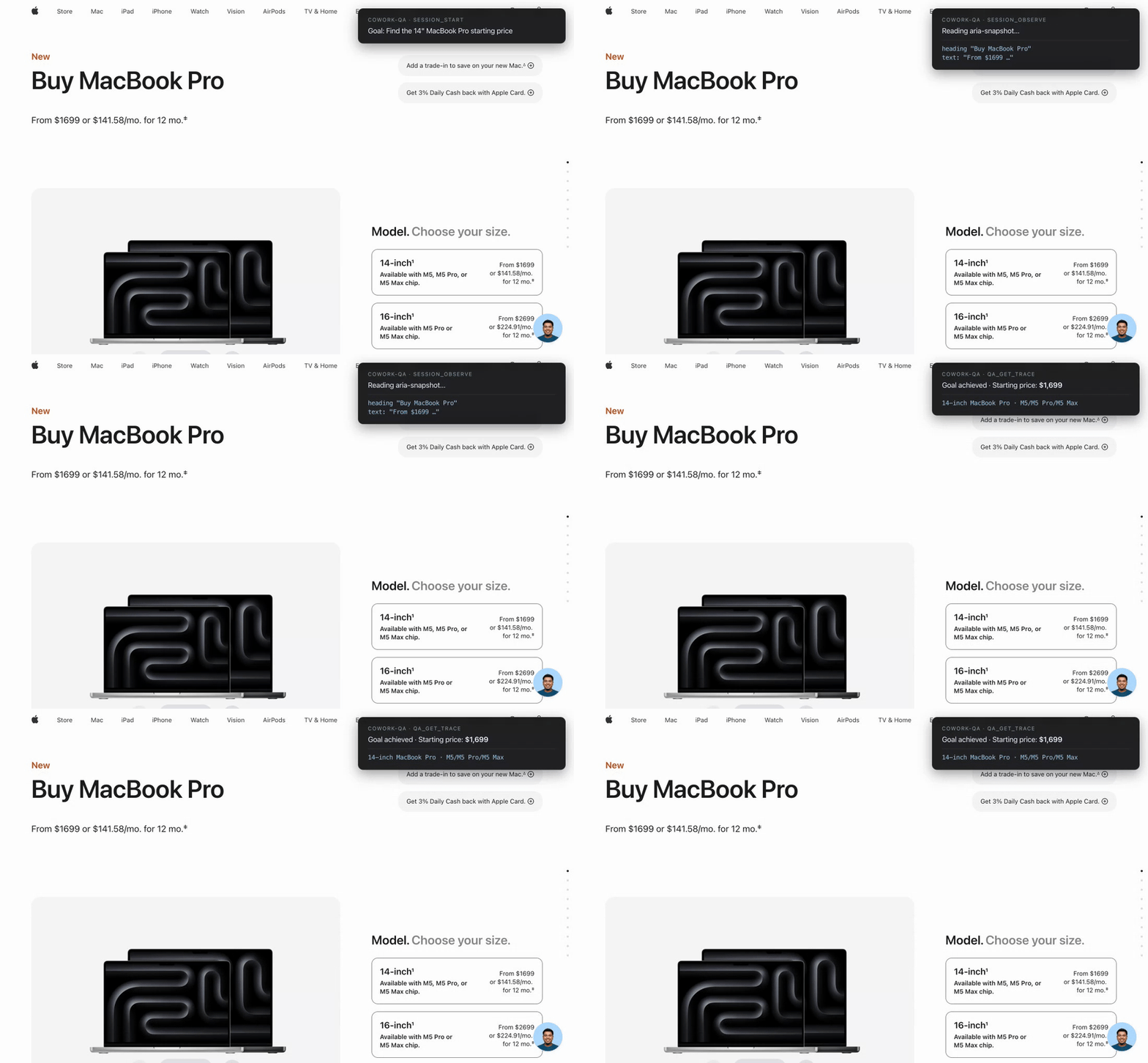
A Model Context Protocol server that gives an LLM a real Chromium browser, records every action it takes toward a stated goal, and hands back a structured trace so the LLM (or a second LLM) can decide whether the goal was actually achieved.
Goal-driven Playwright browser sessions for LLMs, with full action traces and aria-snapshots.
COWORK_QA_HEADED, COWORK_QA_DATA
마지막 확인
2026-11-09
스타
—
도구
—
가동 시간
—
Built on Playwright. Five tools, one binary, no cloud dependency.
Why
Most browser-tool MCP servers are stateless — the LLM clicks, gets HTML back, repeats. There's no record of what happened, no way to grade the run after the fact, and no goal context.
cowork-qa-mcp flips that:
Every session starts with a goal in plain English.
Every action (goto, click, fill, press, eval) is recorded with timestamps, the URL after, and the page's aria-snapshot.
When the session ends, a JSON trace is persisted to disk and exposed via a single qa_get_trace call.
The orchestrating LLM can then reason over the trace ("did this run actually fulfill the goal, or did it click the wrong button?") instead of trusting the run-time chatter.
Tools
Tool
What it does
session_start
Open a fresh tab, optional starting URL, return a session id
session_act
Run one of: goto, click, fill, press, eval. Records the step.
session_observe
Return current URL + full aria-snapshot of the page
session_end
Close the tab, persist the trace to disk, return the file path
qa_get_trace
Return the goal, every step, final URL, and final aria-snapshot — formatted for an LLM to read
Install
Requires Node 20+. The package is on npm — no clone needed.
# Try it once, no install
npx cowork-qa-mcp

# Or install globally
npm install -g cowork-qa-mcp
The first install pulls Chromium via Playwright's postinstall (~150 MB).
Wire into your MCP-compatible client
Claude Code
claude mcp add cowork-qa --scope user -- npx -y cowork-qa-mcp
To watch the browser instead of running headless:
claude mcp add cowork-qa --scope user \
  -e COWORK_QA_HEADED=1 \
  -- npx -y cowork-qa-mcp
Verify with /mcp inside a fresh claude session — you should see cowork-qa ✓ connected and 5 tools.
Claude Desktop
Add to ~/Library/Application Support/Claude/claude_desktop_config.json (macOS) or %APPDATA%\Claude\claude_desktop_config.json (Windows):
Any client that speaks the MCP stdio transport works. Point its server config at npx -y cowork-qa-mcp.
From source (for development)
git clone https://github.com/inSideos-designs/cowork-qa-mcp.git
cd cowork-qa-mcp
npm install
npm run build
node dist/server.js   # stdio server, expects an MCP client
MCP Registry
This server is also published on the official MCP Server Registry as io.github.inSideos-designs/cowork-qa — clients that auto-discover from the registry will find it without any manual config.
Environment variables
Variable
Default
Purpose
COWORK_QA_HEADED
unset (headless)
Set to 1 to launch Chromium with a visible window
COWORK_QA_DATA
<cwd>/.cowork-qa
Directory where <session-id>.json traces are written
Usage example
A typical end-to-end loop the orchestrating LLM runs: