vaults-diagram-tools
에이전트 강화
게시자의 자체 명령입니다. PlugMCP 엔드포인트가 아닙니다.
Host a copy with our keys and logs.
npx -y [email protected]Claude Code에는 로컬 명령용 설치 링크가 없습니다. 아래 명령을 복사해 터미널에서 실행합니다.
claude mcp add io.github.malnati-vaults-diagram-tools -- npx -y vaults-diagram-tools@0.1.4터미널에서 실행합니다.
{ "mcpServers": { "io.github.malnati-vaults-diagram-tools": { "command": "npx", "args": [ "-y", "[email protected]" ] } }}claude_desktop_config.json
원격 URL인가요, 내 컴퓨터에서 실행하는 명령인가요? 두 설치 방식의 차이
PlugMCP에서 실행
A new server you create. It is not this listing's official endpoint. Use the publisher install when you want their URL and their credentials.
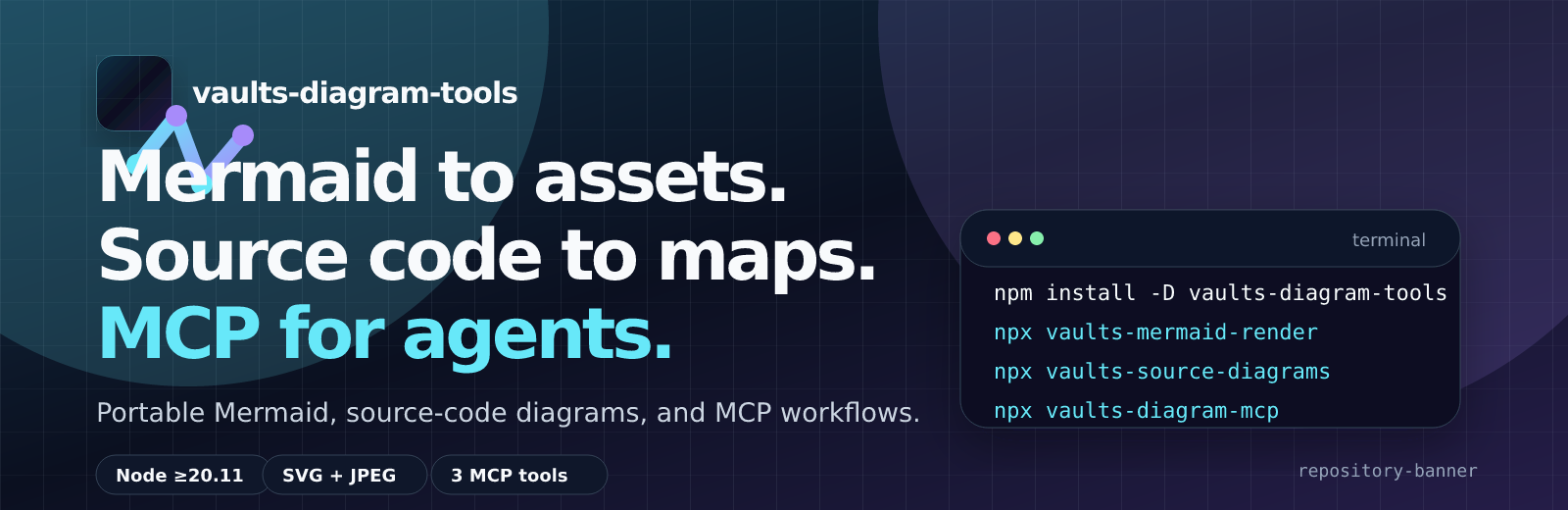
실행Mermaid to assets. Source code to maps. MCP for agents.
vaults-diagram-tools is a standalone toolkit for teams that need reproducible Mermaid SVG/JPEG assets, source-code diagrams, and agent-friendly diagram workflows without carrying Vault-specific content.
[email protected]Vaults Diagram Tools (repo)io.github.Malnati/vaults-diagram-toolsquay.io/ricardomalnati/vaults-diagram-tools:v0.1.0io.github.Malnati/vaults-diagram-tools.Content-management workflows outside diagram generation are not part of this package.
Install in a project:
npm install -D vaults-diagram-tools
Render one Mermaid source to durable assets:
npx vaults-mermaid-render path/to/diagram.mmd --output-dir out --manifest out/manifest.json
Generate Mermaid diagrams from source code:
npx vaults-source-diagrams --source-dir src --output-dir diagrams
Run the MCP stdio server:
npx vaults-diagram-mcp
Use one-shot npx when the project should not keep a dependency:
npx --yes --package vaults-diagram-tools vaults-mermaid-render path/to/diagram.mmd --output-dir out
npx --yes --package vaults-diagram-tools vaults-source-diagrams --source-dir src --output-dir diagrams
npx --yes --package vaults-diagram-tools vaults-diagram-mcp
Additional package binaries are compatibility entrypoints for older Vaults paths, optional text renderers, and Podman workflows.
.mmd, render .svg and .jpg, and show source inline with a fenced mermaid block.0.1.4, and the Smithery server page is already published.Use the published npm package when you want the normal Node.js toolchain installation. Current npm latest is [email protected]:
npm install -D vaults-diagram-tools
npx vaults-mermaid-render path/to/diagram.mmd --output-dir out --manifest out/manifest.json
npx vaults-source-diagrams --source-dir src --output-dir diagrams
npx vaults-diagram-mcp
npxUse --package when the project should not keep the dependency:
npx --yes --package vaults-diagram-tools vaults-mermaid-render path/to/diagram.mmd --output-dir out
npx --yes --package vaults-diagram-tools vaults-source-diagrams --source-dir src --output-dir diagrams
npx --yes --package vaults-diagram-tools vaults-diagram-mcp
Use the dedicated Marketplace action when the diagram workflow should run inside GitHub Actions without adding project-local scripts:
steps:
  - uses: actions/checkout@v4
  - name: Render Mermaid assets
    id: diagrams
    uses: Malnati/vaults-diagram-tools-action@v0
    with:
      mode: render
      input: docs/diagrams
      output-dir: diagram-assets
  - name: Upload diagram assets
    uses: actions/upload-artifact@v4
    with:
      name: diagram-assets
      path: ${{ steps.diagrams.outputs.output-dir }}
v0.1.4; moving compatibility tag: v0.Use the GitHub package source when testing a commit before a registry release:
npm install github:malnati/vaults-diagram-tools
npx vaults-mermaid-render path/to/diagram.mmd --output-dir out
The latest GitHub Release, GHCR image, npm package, MCP Registry metadata, and VS Code VSIX are published at v0.1.4; the Quay.io Podman image remains at v0.1.0:
ghcr.io/malnati/vaults-diagram-tools:v0.1.4quay.io/ricardomalnati/vaults-diagram-tools:v0.1.0Use the checkout for development, validation, or release preparation:
git clone https://github.com/malnati/vaults-diagram-tools.git
cd vaults-diagram-tools
npm ci
npm test
node packages/renderer/render-mermaid-assets.mjs examples/simple/flowchart.mmd --output-dir tmp/rendered
node packages/source-diagrams/source-diagrams.mjs --source-dir packages/mcp --output-dir tmp/source-diagrams
node packages/mcp/server.mjs
Build locally:
docker build -f containers/Containerfile -t vaults-diagram-tools:local .
podman build -f containers/Containerfile -t vaults-diagram-tools:local .
Run a render from the GHCR image:
docker run --rm \
  -v "$PWD/examples/simple:/work/input:ro" \
  -v "$PWD/tmp/container-output:/work/output:rw" \
  ghcr.io/malnati/vaults-diagram-tools:v0.1.4 \
  --output-dir /work/output /work/input/flowchart.mmd
Run the published Podman image from Quay.io:
podman run --rm \
  -v "$PWD/examples/simple:/work/input:ro" \
  -v "$PWD/tmp/container-output:/work/output:rw" \
  quay.io/ricardomalnati/vaults-diagram-tools:v0.1.0 \
  --output-dir /work/output /work/input/flowchart.mmd
Quay.io also exposes 0.1.0 and latest tags for the same published package line.
Podman helper scripts are available through vaults-mermaid-podman-build, vaults-mermaid-podman-render, and vaults-mermaid-podman-test.
The package is CLI-first. CDN endpoints expose browser-safe metadata/helpers only; SVG/JPEG rendering still runs through Node.js, MCP, or the container runtime.
https://cdn.jsdelivr.net/npm/vaults-diagram-tools/packaging/cdn/vaults-diagram-tools.mjs
https://unpkg.com/vaults-diagram-tools/packaging/cdn/vaults-diagram-tools.mjs
The desktop VS Code extension is published as malnati.vaults-diagram-tools and can also be installed directly from the GitHub Release VSIX. It uses a hybrid runtime: a bundled offline fallback plus a managed cache that can follow vaults-diagram-tools@latest without republishing the extension. It contributes:
vaults-diagram-tools stdio server.Install options after v0.1.4 is released:
Local package validation:
npm run vscode:install
npm run vscode:test
npm run vscode:package
code --install-extension dist/vaults-diagram-tools-vscode-0.1.4.vsix
Sequential local publication:
make auth
make publish-all
make publish-all runs local-terminal authentication first, validates guard-only release metadata, packages artifacts, creates the GitHub tag/release, publishes npm, VS Code Marketplace, Open VSX, GHCR, Quay.io, and MCP Registry, then verifies public availability. It fails when the current version/tag/npm package already exists; bump and commit release metadata before running.
After installing from npm, run public CLIs directly from node_modules/.bin, npm exec, or npx:
vaults-mermaid-render path/to/diagram.mmd --output-dir out --png --ascii --manifest out/manifest.json
vaults-source-diagrams --source-dir src --output-dir diagrams --langs auto --diagrams dependency,class
vaults-diagram-mcp
One-shot examples:
npx --yes --package vaults-diagram-tools vaults-mermaid-render examples/simple/flowchart.mmd --output-dir tmp/vaults-diagram-tools
npx --yes --package vaults-diagram-tools vaults-source-diagrams --source-dir packages/mcp --output-dir tmp/source-diagrams --render-mode placeholder
npx --yes --package vaults-diagram-tools vaults-diagram-mcp
Local checkout equivalents:
node packages/renderer/render-mermaid-assets.mjs examples/simple/flowchart.mmd --output-dir tmp/vaults-diagram-tools
node packages/source-diagrams/source-diagrams.mjs --source-dir packages/mcp --output-dir tmp/source-diagrams
node packages/mcp/server.mjs
vaults-diagram-mcp exposes exactly three tools:
render_mermaid_textrender_mermaid_filegenerate_source_diagramsExample client command:
vaults-diagram-mcp
The MCP adapter passes theme and rendering options through to the same renderer used by the CLI, so a client can request theme: "dracula" and receive .svg + .jpg artifacts.
The diagrams below were generated by this repository with vaults-mermaid-render --theme dracula; Markdown links the generated assets instead of embedding SVG/JPEG.
flowchart LR
  Install["Install"] --> Npm["npm registry"]
  Install --> Npx["npx one-shot"]
  Install --> GitHub["GitHub npm"]
  Install --> Local["Local checkout"]
  Install --> Container["Docker Podman GHCR Quay.io"]

  Npm --> Cli["Public CLIs"]
  Npx --> Cli
  GitHub --> Cli
  Local --> Cli
  Container --> Cli

  Cli --> Render["vaults-mermaid-render"]
  Cli --> Source["vaults-source-diagrams"]
  Cli --> Mcp["vaults-diagram-mcp"]

  Render --> Svg["SVG Dracula"]
  Render --> Jpg["JPEG Dracula"]
  Source --> Mermaid["Mermaid source"]
  Source --> Svg
  Mcp --> Tools["3 explicit MCP tools"]
flowchart TB
  User["User or agent"] --> Markdown["Markdown docs"]
  User --> Cli["CLI workflow"]
  User --> McpClient["MCP client"]

  Cli --> Renderer["vaults-mermaid-render"]
  Cli --> SourceDiagrams["vaults-source-diagrams"]
  McpClient --> McpServer["vaults-diagram-mcp"]
  McpServer --> Renderer
  McpServer --> SourceDiagrams

  SourceDiagrams --> SourceTree["Source tree"]
  SourceDiagrams --> GeneratedMmd["Generated .mmd"]
  GeneratedMmd --> Renderer

  Renderer --> Svg[".svg"]
  Renderer --> Jpeg[".jpg"]
  Renderer --> Manifest["manifest.json"]

  Svg --> Markdown
  Jpeg --> Markdown
  GeneratedMmd --> Markdown
flowchart LR
  N1["server.mjs"]
  N2["tests/mcp-tools.test.mjs"]
  N3["tools.mjs"]
  N1 --> N3
  N2 --> N3
The repository, GitHub Pages landing, Actions summaries, release notes, GitHub App badge, and social preview use one deterministic brand kit generated from the current landing visual language.
Regenerate and verify the kit with:
npm run brand:generate
npm run brand:check
Generated Markdown should link artifacts and show source in a mermaid fenced block:
#### Diagram title
- Links: [Mermaid source](docs/assets/diagrams/install-usage-flow.mmd) / [SVG](docs/assets/diagrams/install-usage-flow.svg) / [JPEG](docs/assets/diagrams/install-usage-flow.jpg)

```mermaid
flowchart TD
  A["Source"] --> B["Rendered assets"]
```
SVG and JPEG files are delivery artifacts. Markdown should link them instead of embedding them as images by default.
npm run license:check; refresh generated notices with npm run license:generate.beautiful-mermaid.LICENSE, NOTICE.md, THIRD_PARTY_NOTICES.md, and upstream license files bundled by packaged dependencies or the offline vendor runtime.The source tree does not commit node_modules. Build and release jobs create offline vendor assets with:
npm run vendor:refresh
npm run test:vendor:offline
The renderer can run from normal npm dependencies during development, or from packages/renderer/vendor/node when MMDC_VENDOR_ONLY=1.
The default renderer is the Node/JS/WASM vendor path and does not require Chromium, Puppeteer, mmdc, ImageMagick, or npx. The legacy shell wrapper only uses mmdc when explicitly requested with MMDC_RENDER_ENGINE=mmdc; automatic fallback to Puppeteer is disabled.
The public vaults-diagram-tools GitHub App is the installable read-only app surface for this package.
Vaults Diagram Tools is the Marketplace target for the dedicated Malnati/vaults-diagram-tools-action wrapper repository.Working in v1:
io.github.Malnati/vaults-diagram-tools active at version 0.1.4ricardomalnati/vaults-diagram-toolsVaults Diagram Tools for render/source/policy automationTemplates in v1:
vaults-diagram-tools is published as npm 0.1.4 and MCP Registry server io.github.Malnati/vaults-diagram-tools version 0.1.4. The latest GitHub Release, GHCR image, and VS Code VSIX are v0.1.4; Quay.io carries the Podman image line at v0.1.0.
[email protected]Vaults Diagram Tools (repo)Mermaid to assets. Source code to maps. MCP for agents.
{ "mcpServers": { "io.github.malnati-vaults-diagram-tools": { "command": "npx", "args": [ "-y", "[email protected]" ] } }}도구
아직 도구 목록이 없습니다. 원격 서버는 첫 상태 확인 후에 도구 목록이 생깁니다.
FAQ
이 페이지에서 Cursor, Claude Desktop, Claude Code 또는 VS Code용 stdio 설정을 복사합니다. PlugMCP 프록시가 아니라 게시자의 설치 방식을 사용합니다.
이 레코드에는 필수 환경 변수가 등록되어 있지 않습니다.
Vaults Diagram Tools은(는) stdio를 통해 로컬에서 실행됩니다.
마지막 확인: 2026-11-09. Mermaid to assets. Source code to maps. MCP for agents.
