에이전트 강화
게시자의 자체 명령입니다. PlugMCP 엔드포인트가 아닙니다.
Host a copy with our keys and logs.
uvx hot-memory-mcp==0.9.0Claude Code에는 로컬 명령용 설치 링크가 없습니다. 아래 명령을 복사해 터미널에서 실행합니다.
MEMORY_MCP_DB_PATH=<value> MEMORY_MCP_EMBEDDING_MODEL=<value> claude mcp add io.github.michael-denyer-hot-memory-mcp -- uvx hot-memory-mcp==0.9.0터미널에서 실행합니다.
{ "mcpServers": { "io.github.michael-denyer-hot-memory-mcp": { "command": "uvx", "args": [ "hot-memory-mcp==0.9.0" ], "env": { "MEMORY_MCP_DB_PATH": "<value>", "MEMORY_MCP_EMBEDDING_MODEL": "<value>" } } }}claude_desktop_config.json
원격 URL인가요, 내 컴퓨터에서 실행하는 명령인가요? 두 설치 방식의 차이
PlugMCP에서 실행
A new server you create. It is not this listing's official endpoint. Use the publisher install when you want their URL and their credentials.
실행Stop re-explaining your project every session.
Memory MCP learns what matters and keeps it ready — instant recall for the stuff you use most, semantic search for everything else.
Every new chat starts from scratch. You explain your architecture again. You paste the same patterns again. Your context window bloats with repetition.
Other memory solutions help, but they still require tool calls for every lookup — adding latency and eating into Claude's thinking budget.
Memory MCP fixes this with a two-tier architecture:
SessionStart and UserPromptSubmit hooks before Claude even starts thinking. Claude Code adds a hook's stdout to the conversation, so no tool call is needed.The system learns what you use and promotes it automatically. Your most valuable knowledge becomes instantly available. No manual curation required.
# Install package
uv tool install hot-memory-mcp   # or: pip install hot-memory-mcp

# Add plugin (recommended)
claude plugins add michael-denyer/memory-mcp
The plugin gives you auto-configured hooks and slash commands. Embeddings run on sentence-transformers on every platform, including Apple Silicon.
Add to ~/.claude.json:
{
  "mcpServers": {
    "memory": {
      "command": "memory-mcp"
    }
  }
}
See Reference for full configuration options.
Restart Claude Code. Run memory-mcp-cli bootstrap once to seed memories from your project docs; the hooks inject whatever is promoted, but nothing seeds itself.
First run: Embedding model (~90MB) downloads automatically. Takes 30-60 seconds once.
flowchart LR
    subgraph LLM["Claude"]
        REQ((Request))
    end

    subgraph Hot["HOT CACHE · 0ms"]
        HC[Session context]
        PM[(Promoted memories)]
    end

    subgraph Cold["COLD STORAGE · ~50ms"]
        VS[(Vector search)]
        KG[(Knowledge graph)]
    end

    REQ -->|"hook stdout"| HC
    HC -.->|"draws from"| PM
    REQ -->|"recall()"| VS
    VS <-->|"related"| KG
The hot cache (~10 items) reaches Claude through two plugin hooks. SessionStart runs memory-mcp-cli hot-cache --force and UserPromptSubmit runs memory-mcp-cli hot-cache, and Claude Code adds each command's stdout to the conversation. The command prints only when the text differs from what the session last saw, which is cheap while the set is stable and reprints in full when it shifts. The set combines recent recalls, predicted next memories, and top promoted items. Promoted memories (~20 items) is the backing store of frequently-used memories. Memories used 3+ times auto-promote; unused ones demote after 14 days.
Most memory systems make you pay a tool-call tax on every lookup. Memory MCP's hot cache bypasses this entirely — a hook prints your most-used knowledge into the conversation before Claude starts thinking.
The Engram Insight: Human memory doesn't search — frequently-used patterns are already there. That's what hot cache does for Claude.
See Reference for all 10 slash commands and full tool API.
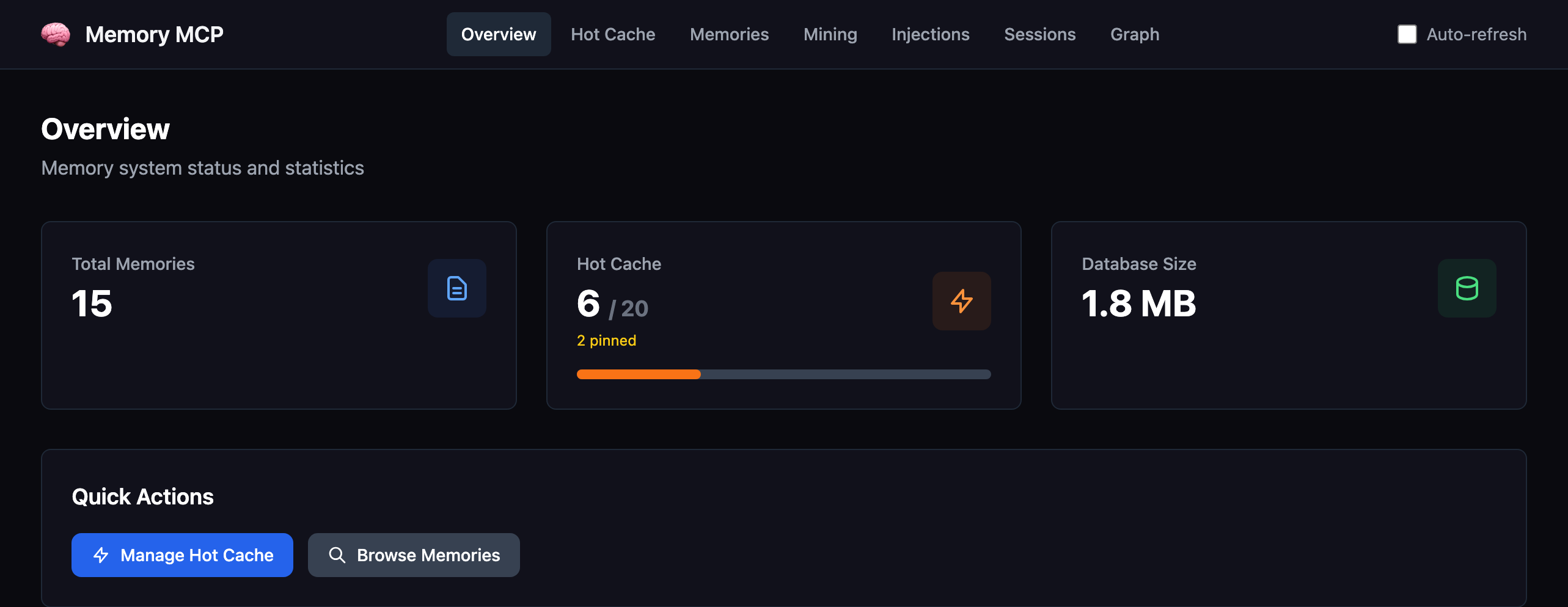
memory-mcp-cli dashboard # Opens at http://localhost:8765
Browse memories, hot cache, injection history, sessions, and the knowledge graph.
Memory MCP is designed to run as three complementary components:
The plugin is recommended for most users — it auto-configures the MCP server and adds productivity features. Run the dashboard alongside when you want visibility into what's being stored.
MIT
Two-tier memory: hot cache (0ms) + semantic search. Self-organizing.
{ "mcpServers": { "io.github.michael-denyer-hot-memory-mcp": { "command": "uvx", "args": [ "hot-memory-mcp==0.9.0" ], "env": { "MEMORY_MCP_DB_PATH": "<value>", "MEMORY_MCP_EMBEDDING_MODEL": "<value>" } } }}도구
아직 도구 목록이 없습니다. 원격 서버는 첫 상태 확인 후에 도구 목록이 생깁니다.
FAQ
이 페이지에서 Cursor, Claude Desktop, Claude Code 또는 VS Code용 stdio 설정을 복사합니다. PlugMCP 프록시가 아니라 게시자의 설치 방식을 사용합니다.
게시자가 등록한 환경 변수: MEMORY_MCP_DB_PATH, MEMORY_MCP_EMBEDDING_MODEL.
Hot Memory은(는) stdio를 통해 로컬에서 실행됩니다.
마지막 확인: 2026-11-15. Two-tier memory: hot cache (0ms) + semantic search. Self-organizing.
