에이전트 강화
게시자의 자체 명령입니다. PlugMCP 엔드포인트가 아닙니다.
Host a copy with our keys and logs.
npx -y [email protected]Claude Code에는 로컬 명령용 설치 링크가 없습니다. 아래 명령을 복사해 터미널에서 실행합니다.
YOUR_API_KEY=<secret> claude mcp add io.github.pshivapr-selenium-mcp -- npx -y selenium-webdriver-mcp@0.4.6터미널에서 실행합니다.
{ "mcpServers": { "io.github.pshivapr-selenium-mcp": { "command": "npx", "args": [ "-y", "[email protected]" ], "env": { "YOUR_API_KEY": "<secret>" } } }}claude_desktop_config.json
원격 URL인가요, 내 컴퓨터에서 실행하는 명령인가요? 두 설치 방식의 차이
PlugMCP에서 실행
A new server you create. It is not this listing's official endpoint. Use the publisher install when you want their URL and their credentials.
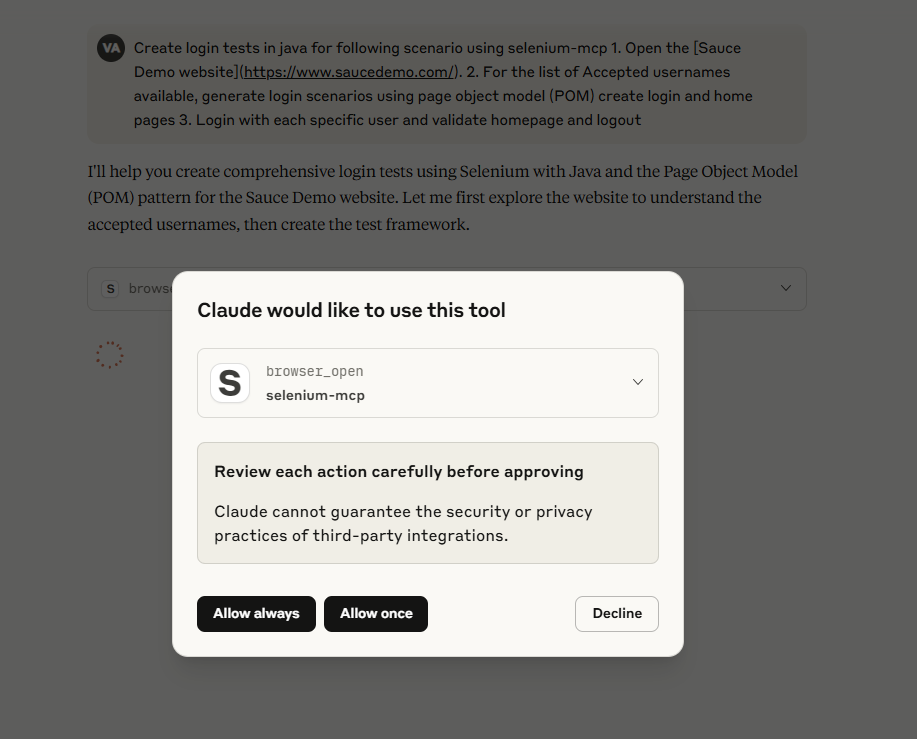
실행This is a server implementation that bridges the gap between MCP clients (AI assistants) and Selenium WebDriver. It exposes Selenium WebDriver's functionalities as MCP tools, allowing AI models to utilize them for tasks like:
In essence, the selenium webdriver mcp setup allows AI assistants to leverage the power of Selenium Webdriver for web automation, by communicating with a dedicated Selenium MCP server via the Model Context Protocol. This facilitates tasks such as automated web interactions, testing, and data extraction, all controlled by AI.
A Model Context Protocol (MCP) server for Selenium that provides comprehensive Selenium WebDriver automation tools for AI assistants and applications. This server enables automated web browser interactions, testing, and scraping through a standardized interface.
Built with TypeScript and modern ES modules, it offers type-safe browser automation capabilities through the Model Context Protocol.
Configure your MCP client to connect to the Selenium server:
{
  "servers": {
    "selenium-mcp": {
      "command": "npx",
      "args": ["-y", "selenium-webdriver-mcp@latest"]
    }
  }
}
Update your mcp.json in VS Code with below configuration
NOTE: If you're new to MCP servers, follow this link Use MCP servers in VS Code
{
  "servers": {
    "selenium-mcp": {
      "command": "npx",
      "args": [
        "-y",
        "selenium-webdriver-mcp@latest"
      ],
      "type": "stdio"
    }
  },
  "inputs": []
}
{
  "servers": {
    "Selenium": {
      "url": "https://smithery.ai/server/@pshivapr/selenium-mcp",
      "type": "http"
    }
  },
  "inputs": []
}
After installation, the Selenium MCP server will be available for use with your GitHub Copilot agent in VS Code.
# For VS Code
code --add-mcp '{\"name\":\"selenium-mcp\",\"command\": \"npx\",\"args\": [\"selenium-webdriver-mcp@latest\"]}'
# For VS Code Insiders
vscode-insiders --add-mcp '{\"name\":\"selenium-mcp\",\"command\": \"npx\",\"args\": [\"selenium-webdriver-mcp@latest\"]}'
Using npm:
npm install -g selenium-webdriver-mcp@latest
Using Smithery
npx @smithery/cli install @pshivapr/selenium-mcp --client claude
Add to your Claude Desktop configuration:
{
  "mcpServers": {
    "selenium-mcp": {
      "command": "npx",
      "args": ["-y", "selenium-webdriver-mcp@latest"]
    }
  }
}
An example prompt to start AI Agent interaction:
Using selenium mcp tools, navigate to <https://parabank.parasoft.com/> click the 'Register' link and signup using dynamic test data and click register. Then generate selenium tests in <YOUR_FAVOURITE_PROGRAMMING_LANGUAGE> using pom, create tests using cucumber features, steps and execute the tests.
Note: For more prompts, look at examples directory of the project
id: Find by element IDcss: Find by CSS selectorxpath: Find by XPath expressionname: Find by name attributetag: Find by HTML tag nameclass: Find by CSS class namegit clone https://github.com/pshivapr/selenium-mcp.git
cd selenium-mcp
npm install
npm run build
npm start
npm run dev
node dist/index.js
After building, you can use the server as a global command:
npx selenium-webdriver-mcp@latest
MIT License - see LICENSE file for details.
Contributions are welcome! Please feel free to submit a Pull Request.
git checkout -b feature/AmazingFeature)git commit -m 'Add some AmazingFeature')git push origin feature/AmazingFeature){ "mcpServers": { "io.github.pshivapr-selenium-mcp": { "command": "npx", "args": [ "-y", "[email protected]" ], "env": { "YOUR_API_KEY": "<secret>" } } }}도구
아직 도구 목록이 없습니다. 원격 서버는 첫 상태 확인 후에 도구 목록이 생깁니다.
FAQ
이 페이지에서 Cursor, Claude Desktop, Claude Code 또는 VS Code용 stdio 설정을 복사합니다. PlugMCP 프록시가 아니라 게시자의 설치 방식을 사용합니다.
게시자가 등록한 환경 변수: YOUR_API_KEY.
Selenium은(는) stdio를 통해 로컬에서 실행됩니다.
마지막 확인: 2026-11-10. Selenium Tools for MCP
