dsh-ticktick
dsh plugin --profile <name> add @perrylink/dsh-ticktick
Release stamp:
0.1.13(2026-10-04).
English | 中文 | | |
에이전트 강화
게시자의 자체 명령입니다. PlugMCP 엔드포인트가 아닙니다.
Host a copy with our keys and logs.
npx -y @perrylink/[email protected]Claude Code에는 로컬 명령용 설치 링크가 없습니다. 아래 명령을 복사해 터미널에서 실행합니다.
claude mcp add perrylink-dsh-ticktick -- npx -y @perrylink/dsh-ticktick@0.1.22터미널에서 실행합니다.
{ "mcpServers": { "perrylink-dsh-ticktick": { "command": "npx", "args": [ "-y", "@perrylink/[email protected]" ] } }}claude_desktop_config.json
원격 URL인가요, 내 컴퓨터에서 실행하는 명령인가요? 두 설치 방식의 차이
PlugMCP에서 실행
A new server you create. It is not this listing's official endpoint. Use the publisher install when you want their URL and their credentials.
실행게시자 제공
dsh plugin --profile <name> add @perrylink/dsh-ticktick
Release stamp:
0.1.13(2026-10-04).
English | 中文 | | |
TickTick (Dida365) task bridge for DeepSeek Harness: a Session-header task panel (list filter, quick add, complete, delete, due dates, drag reorder) over the official TickTick MCP endpoint, a Ticktick Remote service, curated agent tools, and a plugin sett
Package name. This project publishes to npm as
@perrylink/dsh-ticktick. The bare npm namedsh-ticktickbelongs to a different, unrelated project — installing it does not install this plugin.
TickTick / Dida365 (滴答清单) task bridge for DeepSeek Harness: a Session-header task panel (list filter, quick add, complete, delete, due dates, drag reorder), eleven curated agent tools, a configuration page on the Plugins page, and a typed Remote service — all over the official TickTick MCP endpoint.
dsh plugin --profile web add github:PerryLink/dsh-ticktick
# npm (published artifact includes lib/, no build permission needed)
dsh plugin --profile web add @perrylink/dsh-ticktick

# git source (pin a commit; pnpm asks you to allow the prepare build once)
dsh plugin --profile web add "github:PerryLink/dsh-ticktick#<sha>"

# local development
dsh plugin --profile web add link:/path/to/dsh-ticktick
Restart dsh web (bundle plugins activate on restart). The ticktick action appears in the Session header; its configuration page opens from the Configure control on the TickTick row of the Plugins page.
TickTick / Dida365 (滴答清单) task bridge for DeepSeek Harness: a Session-header task panel (list filter, quick add, complete, delete, due dates, drag reorder), eleven curated agent tools, a configuration page on the Plugins page, and a typed Remote service — all over the official TickTick MCP endpoint.
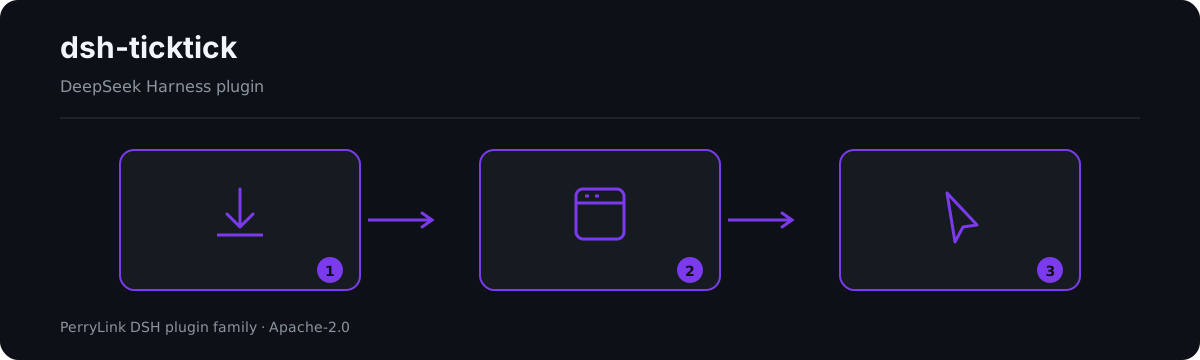
Workflow overview: install → open panel → act. The examples below use the real command surface.
ticktick action in the Session header opens a popup: filter by list (All + every list), toggle undone/completed views, full-text search, add tasks with an optional due date, complete, delete (with confirm), set/clear due dates with overdue/today/tomorrow chips, and drag-reorder (undone, single-list views). A status dot shows the connection state; when no token is configured the panel offers one-step in-panel token setup.ticktick_status, ticktick_lists, ticktick_tasks, ticktick_add, ticktick_complete, ticktick_delete, ticktick_due, ticktick_reorder, ticktick_completed, ticktick_search, ticktick_batch_add; Code Mode gets await tools.ticktick_*(args) for free.$DSH_HOME/.ticktick-token); a 401 resets the client so a rotated token activates without restart.update_task for tasks inside regular projects ("Expecting value: line 1 column 1"); the bridge retries via a move-to-inbox → update → move-back detour. Lists that fail server-side validation (historical repeatFrom: '' data) are skipped and reported as warnings, never silently dropped.These are the plugin's real entry points; install once, then call one.
Command
ticktick_lists
Input
{}
Output
Inbox (inbox)
Work (hex1)
Observed from plugins/dsh-ticktick/src/tools.ts:107-109 (renderer); fixture/assertion at plugins/dsh-ticktick/tests/service.spec.ts:40-46,103-108
Input
{"id":"t-guarded","projectId":"hex1"} (protectedTaskIds: ["t-guarded"])
Output
Error: task t-guarded is protected
Observed from plugins/dsh-ticktick/src/service.ts:344-349; plugins/dsh-ticktick/tests/service.spec.ts:158-163
ticktick_tasksticktick_adddp_-prefixed token) from the Dida365/TickTick web app: Profile → Settings → Account & Security → API 口令.DIDA365_TOKEN environment variable, or a token file (default $DSH_HOME/.ticktick-token, one line). Writing the file activates the bridge without any config change.browser panel ── ctx.remote.ticktick.* ──▶ TicktickService (Typert Remote)
configuration page ── ctx.configForms ──▶ profile entry "ticktick" (Volatile Config)
agent tools ─── ctx.tools (ticktick_*) ──▶ the same service
│
▼
minimal streamable-HTTP MCP client
(session id, protocol version, Retry-After)
│
▼
https://mcp.dida365.com (official TickTick MCP)
mcpUrl defaults to the CN endpoint, and the international MCP URL has not been probed.list_completed_tasks_by_date, search, and batch_add_tasks; their wire contracts come from the published catalogue (dida365-sdk stubs) and re-verification against the live endpoint is pending — run probes/probe-queries.mjs with a real token before claiming them verified.update_task crash and the list-validation failure are server-side behaviors; probes/ re-verifies them against the live endpoint before a release (run with DIDA365_TOKEN exported)./api surface the panel uses is the standard harness Typert gateway; the token is stored locally (settings document or token file) and sent only to TickTick's own servers. Do not expose a dsh web instance to the public internet.# PowerShell
$env:DIDA365_TOKEN='dp_...'
node probes/probe-bootstrap.mjs # handshake + tool catalogue
node probes/probe-crud.mjs # create/complete/delete round trip
node probes/probe-due.mjs # due dates (+ detour with a PROJECT_ID)
node probes/probe-reorder.mjs # sortOrder semantics
node probes/probe-queries.mjs # P2 query-tool contract discovery
dsh plugin --profile web remove @perrylink/dsh-ticktick
Restart dsh web. All runtime registrations (tools, panel, configuration page, prompt section) are removed with the plugin. The only static residue is the token in the user settings document — clear it first with the Clear credentials button on the TickTick configuration page (or remove the token file / DIDA365_TOKEN variable) to detach completely. To keep the package installed but inactive, disable the row instead:
- id: ticktick
  disabled: true
All PerryLink plugins are browsable in the built-in DSH Desktop Market: Market → Sources → add source → paste https://perrylink-dsh-catalog.perrylink.workers.dev/catalog-source.json → select it. Installation still goes through the Market's npm-identity verification and your confirmation.
This project is part of the DeepSeek Harness plugin family from PerryLink. The roster stays collapsed below so every README keeps a short first screen; expand it to see every row and its status.
TickTick (Dida365) task bridge for DeepSeek Harness: a Session-header task panel (list filter, quick add, complete, delete, due dates, drag reorder) over the official TickTick MCP endpoint, a Ticktick
{ "mcpServers": { "perrylink-dsh-ticktick": { "command": "npx", "args": [ "-y", "@perrylink/[email protected]" ] } }}개요
TickTick (Dida365) task bridge for DeepSeek Harness: a Session-header task panel (list filter, quick add, complete, delete, due dates, drag reorder) over the official TickTick MCP endpoint, a Ticktick Remote service, curated agent tools, and a plugin sett
도구
아직 도구 목록이 없습니다. 원격 서버는 첫 상태 확인 후에 도구 목록이 생깁니다.
FAQ
이 페이지에서 Cursor, Claude Desktop, Claude Code 또는 VS Code용 stdio 설정을 복사합니다. PlugMCP 프록시가 아니라 게시자의 설치 방식을 사용합니다.
이 레코드에는 필수 환경 변수가 등록되어 있지 않습니다.
@perrylink/dsh Ticktick은(는) stdio를 통해 로컬에서 실행됩니다.
마지막 확인: 2026-10-28. TickTick (Dida365) task bridge for DeepSeek Harness: a Session-header task panel (list filter, quick add, complete, delete, due dates, drag reorder) over the official TickTick MCP endpoint, a Ticktick Remote service, curated agent tools, and a plugin sett
