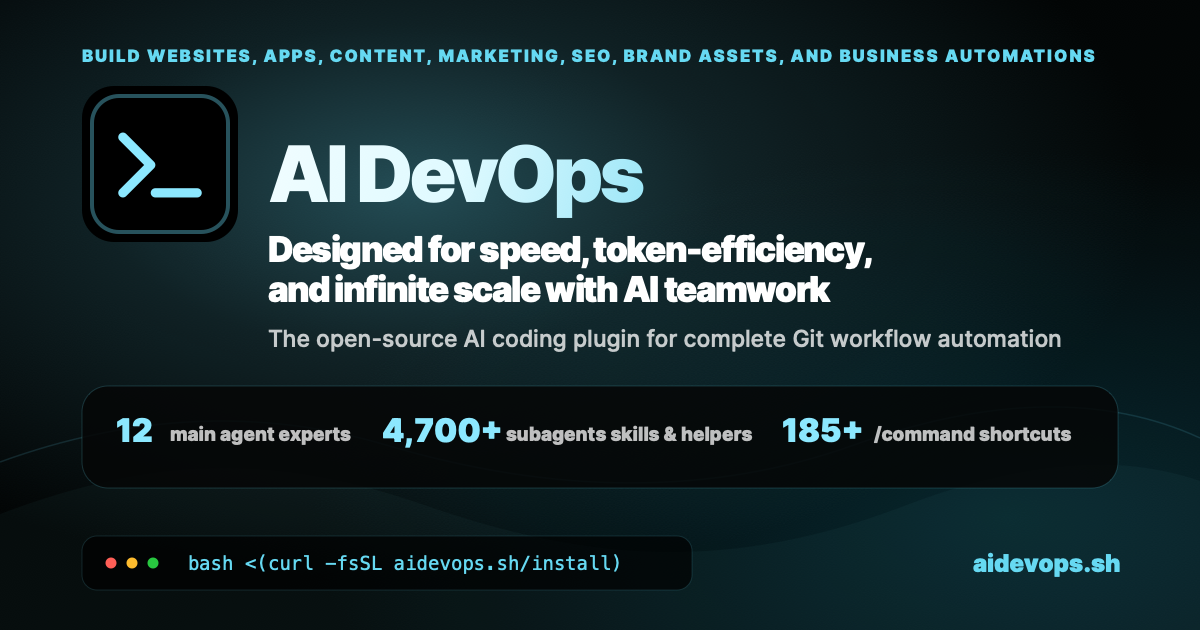
aidevops.sh is an OpenCode
plugin and AI DevOps framework for carrying work from intent to a verified
outcome. It combines specialist agents, durable repository knowledge, safe Git
workflows, model routing, operational automation, and service integrations for
software, infrastructure, business, marketing, content, research, and creative
production.
AI DevOps Framework - AI-assisted development workflows, code quality, and deployment automation
2026-11-14
Estrelas
—
Ferramentas
—
Disponibilidade
—
Instead of treating every job as an isolated chat, aidevops gives people and AI
agents a shared operating system: the right context is loaded on demand, work is
isolated, consequential actions are gated, evidence is retained, and useful
lessons improve later work.
One conversation, autonomous project delivery, with security, teamwork,
token efficiency, and quality control built in.
The Aim
Maximum useful value for your time and money. aidevops is built for the gap
between “the model can probably do this” and “the work is done, verified, safe,
and worth the cost.”
Load focused guidance only when it is relevant.
Match model capability and reasoning effort to the work.
Keep secrets, protected data, and private state out of chat and Git.
Let people and agents work in parallel without sharing unsafe mutable state.
Preserve tasks, plans, decisions, evidence, and progress in durable sources of truth.
Detect stuck work, failing automation, review traps, and repeated friction.
Turn observed lessons into better guidance, checks, helpers, and follow-up work.
Reserve human attention for taste, authority, secrets, and consequential ambiguity.
The “100x more capable” goal is an ambition to substantiate, not a guaranteed or
measured result. The canonical purpose and decision criteria are in
.agents/aidevops/purpose.md.
Quick Setup
New to aidevops? Work through these six steps once, in order, so nothing is
missed. Commands are safe to rerun. For a guided version, type /onboarding in
an AI session after step 2.
Setup deploys agents to ~/.aidevops/agents/, installs and configures
OpenCode, and offers optional tools. Accept Tabby when offered. Other
methods: Installation. Check the result with
aidevops status; aidevops doctor --fix resolves duplicate installs and PATH
conflicts.
2. Open Tabby and start OpenCode
brew install --cask tabby   # macOS, only if you skipped Tabby during setup
aidevops tabby sync         # one Tabby profile per registered project
aidevops opencode           # launch OpenCode with the Build+ agent
Rerun aidevops tabby sync after adding projects in step 4. Profile details:
Tabby profiles.
For persistent remote tmux tabs across configured SSH hosts, use
aidevops tabby sessions new|restore|list|doctor; see
Remote Tabby sessions.
3. Connect model providers
# OpenCode Go subscription: create an API key in your OpenCode account first
opencode auth login                          # choose "OpenCode Go", paste the key

# NanoGPT: create an API key in your NanoGPT account first
opencode auth login                          # choose "NanoGPT", paste the key

# OAuth pool for subscription accounts (browser sign-in, add one or more each)
aidevops model-accounts-pool add anthropic   # Claude Pro/Max
aidevops model-accounts-pool add openai      # ChatGPT Plus/Pro
aidevops model-accounts-pool status          # pool health
aidevops model-accounts-pool check           # live token test
Inside OpenCode, /connect is equivalent to opencode auth login. Add several
accounts per provider so the pool can rotate on rate limits, then restart
OpenCode. Never paste keys or tokens into an AI chat; store other service
credentials with aidevops secret set NAME.
4. Put projects in ~/Git on the local drive
Keep canonical clones on the local disk, not in a cloud-synced folder such as
iCloud Drive, Dropbox, or OneDrive. Layout: personal repositories at
~/Git/<repo>, organization or third-party repositories at
~/Git/<owner>/<repo> (repository organization).
mkdir -p ~/Git
mv ~/path/to/my-project ~/Git/my-project                  # move an existing checkout
gh repo clone example-org/service ~/Git/example-org/service   # or clone fresh
cd ~/Git/my-project && aidevops init                      # add conventions and register
aidevops detect                                           # find and register other projects
aidevops repos clean                                      # drop entries for moved paths
aidevops repos                                            # review the registry
aidevops tabby sync                                       # refresh Tabby profiles
Already-registered repositories in an older layout can use the guarded
aidevops repos migrate-layout plan instead of a manual move.
5. Turn on auto-update, Pulse, workers, and routines
aidevops auto-update enable                                # check for updates every 10 minutes
aidevops repo-sync enable                                  # daily git pull for repos under ~/Git
aidevops config set orchestration.supervisor_pulse true    # unattended Pulse, survives reboots
aidevops setup --scope pulse                               # install or refresh the Pulse scheduler
aidevops pulse status                                      # consent layers, workers, repos
aidevops init-routines                                     # private aidevops-routines repo (--local: no remote)
Pulse runs every 2 minutes and dispatches headless workers only for repositories
marked "pulse": true in ~/.config/aidevops/repos.json; enable it only where
autonomous work is approved. Workers pick up issues labelled auto-dispatch.
Pause with aidevops pulse stop. In an AI session, use /routine to design
recurring jobs, /pulse to supervise, and /runners for runner setup. Details:
routines,
worker diagnostics.
6. Verify and start working
aidevops status
aidevops security
Then, in OpenCode inside a project:
/onboarding
/skills recommend "TASK"
/full-loop "Describe the outcome you want"
aidevops status                 # Installation, runtime and storage health
aidevops init                   # Add aidevops conventions to a repository
aidevops project-config restore owner/repo   # Preview recovery of missing ignored local config
aidevops update                 # Update the framework and registered projects
aidevops features               # Discover framework features
aidevops repos                  # Manage registered projects
aidevops skills                 # Discover available workflows and capabilities
aidevops security               # Security posture, hygiene and supply-chain checks
aidevops metrics generate       # Refresh local repository metrics
For a registered repository whose GitHub Actions cannot run, record
aidevops repos actions off owner/repo "billing blocked". Full-loop and worker
verification then uses the repository's configured local checks with trusted
exact-head PR evidence, without polling unavailable Actions. Restore normal CI
with aidevops repos actions on owner/repo. Non-billing failures, reviews and
native branch protection still block; see the
local-verification contract.
If a registered repository loses its ignored .aidevops.json, first preview
aidevops project-config restore owner/repo --backup /path/to/verified-backup.json.
Without a verified backup, omit --backup to preview only the explicitly enabled
features and init scope recorded in the local registry; other settings (including
plugins and counter_branch) are unknown, not defaults or explicit opt-outs.
After reviewing the target and settings, rerun with --apply in an attached
terminal and type the exact destination path. This operation writes only a new
ignored local config in the registered checkout; it refuses tracked configs,
linked-worktree registrations, symlinks, ambiguous entries, and overwrites.
For tracked configs, use the existing linked-worktree migration instead. Do not
run the full aidevops init workflow as a config-only repair.
In an AI session:
/onboarding
/skills recommend "TASK"
/full-loop "Implement and ship the requested change"
/pulse
/report-render report.md
Source inventory
17 main agents with focused domain ownership
2,250+ individually addressable subagents, skills, workflows, and references
2,060+ production helpers and supporting modules, excluding tests
100+ commands for common workflows
Exact source inventory: 17 main agents, 2,256 sub agents, 2,218 helper scripts, 111 slash commands.
These are tracked source modules and entry points, not simultaneously running
agents. Audit the inventory with
bash .agents/scripts/readme-helper.sh counts --inventory; counting and hero
maintenance rules live in DESIGN.md.
Capabilities at a Glance
Area
What aidevops provides
Software delivery
Planning, implementation, debugging, review, CI, releases, deployment, and maintenance through linked worktrees and evidence gates
SEO/GEO, content, PR, email, outreach, paid ads, CRO, social workflows, and communications platforms
External data
Native data providers and authorized extraction first, with cost-gated GetAnyAPI fallback access whose usage evidence guides graduation into direct aidevops subagents
Custom agents, imported skills, private agent sources, MCPs, API helpers, OpenAPI exploration, and project bundles
For YouTube transcripts, python3 .agents/scripts/youtube-transcript.py VIDEO_ID
tries captions, then local speech-to-text, and emits timestamped JSON. Hosted
TranscriptAPI access is opt-in (--source api). See the
transcription guide for setup, Mac
dictation alternatives, access boundaries, and optional local anonymous
speaker diarization.
The domain index is the human-readable map
from user intent to specialist guidance. The generated
capability registry separately records
runtime readiness requirements.
Catalogue is not readiness. A listed capability may still require local
deployment, compatible runtime support, installation, configuration,
authentication, authorization, network reachability, or explicit operator
approval. aidevops checks these states before provider actions and falls back
rather than pretending unavailable tooling worked.
How Work Gets Done
User intent
   ↓
Build+ or a domain primary
   ↓
Focused guidance + capability-readiness check
   ↓
Linked worktree, bounded operation, or approved service action
   ↓
Runtime evidence + the narrowest applicable quality gates
   ↓
PR / report / artifact / operational receipt
   ↓
Authority-aware merge, publication, handoff, or follow-up
Full-loop delivery
/full-loop keeps one interactive owner responsible for a development task from
implementation through verification and PR completion. The lifecycle uses fresh
linked worktrees, exact-head checks, review evidence, protected merge helpers,
and durable cleanup receipts.
Repository authority controls the terminal path:
Maintained aidevops work: verified PR, merge, and—only with explicit trusted publication intent—snapshot release, postflight, and deployment.
Other maintained repositories: verified PR, merge, and guarded synchronization of the actual PR base branch.
External contributions: verified ready PR handed to upstream maintainers; no unauthorized merge, metadata mutation, or publication.
Releases pin an immutable source snapshot, coordinate through a repository-wide
publisher lane, bind provenance to the exact tag, and reconcile publication and
deployment evidence. See full-loop,
Git workflow, and
release coordination.
Pulse, workers, missions, and routines
Pulse supervises registered repositories: it evaluates ready work, merges eligible PRs, dispatches workers, diagnoses failures, and recovers stalled or orphaned activity within API and resource budgets.
Workers run issue-scoped tasks in isolated worktrees with scoped authority, model routing, runtime limits, and traceable Git outcomes.
Missions decompose larger goals into milestones and validated deliverables with budget tracking and automatic advancement.
Routines turn recurring reports, audits, monitoring, content, outreach, and operational checks into scheduled, evidence-bearing workflows.
Runners and team interfaces provide persistent identities, local scheduling, shared-team adapters, and bounded collaboration without turning observation into provider-write authority.
The repository owns durable work. TODO.md, plans, decisions, evidence, and
progress remain useful even if a forge conversation or AI session disappears.
GitHub, GitLab, Gitea, and Forgejo are linked execution surfaces, not the sole
source of truth.
TODO.md and todo/ hold tasks, PRDs, plans, dependencies, and verification state.
aidevops keeps routing provider-neutral. Canonical simple, standard, and
thinking tiers describe workload needs; runtime adapters map those tiers to
available models and accounts. Stronger models are reserved for consequential
judgement, architecture, and synthesis, while bounded work uses the cheapest
capable route.
Progressive disclosure loads only the relevant agents, references, and tools.
TOON registries, compact terminal summaries, exact code search, context
bundles, prompt caching, and compaction checkpoints reduce unnecessary context
without hiding required evidence. Model comparisons and sealed historical replay
can inform routing, but cannot silently rewrite production policy.
OpenCode defaults resolved models with larger windows to a ~240K usable-input
compaction budget, without expanding smaller native windows or overriding
explicit per-model context/input limits. GPT-6.1 Sol/Terra, GPT-6 Sol/Luna and
their Fast variants also advertise the budget in their model metadata. Run aidevops gpt6-context status to check those models in a fresh process, or disable to restore
their native limits. Restart OpenCode after changes.
See model routing,
context efficiency, and
model-effort evaluation.
Worker dispatch retains priority-first routing by default. Operators can opt
individual tiers into provider-level round-robin in the custom model routing
table; model pins, retries and provider health gates remain unchanged.
Primary Agents
Build+ is the default for development, systems, and applications. Domain
primaries add focused judgement while retaining the same applicable safety,
authority, and verification boundaries.
Agent
Focus
3D Modelling
Editable 3D creation, parametric CAD, reconstruction, configurable products, and rendering
Audio
Music composition, arrangement, sound design, editing, mixing, and reproducible audio projects
Automate
Scheduling, dispatch, monitoring, routines, and background orchestration
Build+
Planning and full-loop delivery for code, apps, systems, CI, releases, and DevOps
Business
Company operations, strategy, accounting, finance, invoices, and management reporting
Content
Writing, images, social, multi-channel stories, and content production coordination
Health
Evidence-aware health, fitness, nutrition, and wellness guidance
Legal
Legal research, contracts, privacy, compliance, and GDPR guidance
Marketing-Sales
Campaigns, CRM, email, outreach, paid ads, direct response, and CRO
PR
Earned media, newsworthiness, journalist research, media lists, and coverage tracking
Private Local AI
Sensitive investigations using verified privacy-first and local-compute boundaries
Product
Product strategy, validation, PRDs, roadmaps, onboarding, growth, and analytics
Reports
Evidence contracts, decision-ready reports, exporters, citations, and routine handoffs
Research
Technical, market, competitive, and source-grounded research
SEO
Technical SEO, GEO/AI search, keyword research, content analysis, schema, and search data
Editing, compositing, grading, animation, source projects, and verified delivery
Specialists under .agents/tools/, .agents/services/, .agents/workflows/,
and .agents/reference/ are loaded on demand. Use /skills recommend "TASK" or
the OpenCode agent picker rather than memorising the catalogue.
Calendar, health, macOS diagnostics, productivity, recurring checks, private/local research
This table describes coverage, not live credentials or provider availability.
Use capability-readiness-helper.py query through the documented workflow when a
task depends on an external runtime or service.
Security and Protected Data
aidevops assumes agents may have powerful local and remote access. Security is
part of normal work rather than a final checklist.
Credentials are stored through aidevops secret or private configuration, never pasted into chat or committed.
Prompt-injection scanning treats external instructions as untrusted content and extracts facts without surrendering control.
Git hooks and wrappers protect canonical branches, secrets, private paths, issue authority, signatures, and exact-head merge evidence.
High-risk destructive operations require explicit confirmation and may require independent cross-provider verification.
Imported skills are scanned before activation; high-severity findings block normal installation.
Source-read approvals are exact-path, digest-bound, session-bound, short-lived, and mediated by a root-owned broker.
Audit logs record security-relevant operations without credential values.
aidevops secret set NAME
aidevops security
aidevops security status
aidevops security scan
aidevops secret audit-credentials  # Names-only JSON Lines, including tenant stores
aidevops security fix             # Separate interactive terminal only
aidevops source-access status
Credential hygiene scans report parser errors, gopass drift, prune candidates,
unsafe permissions, leftover backups and literal MCP environment secrets without
printing values. Interactive fixes delegate to secret import/prune commands,
confirm pruning and trash moves, and leave drift and malformed lines unchanged.
Import and prune target only the active tenant. Scans do not probe provider APIs;
an opt-in --probe may be added later. SSH checks parse ~/.ssh/config and its
Include files as text (never ssh -G, which runs Match exec): passphrase-less
id_* and IdentityFile keys, loose key/config/~/.ssh permissions, and
risky directives such as disabled host-key checking, global agent forwarding and
command hooks, reported by keyword and line only. Fixes offer a per-file
confirmed chmod 600 for owned regular files, never through a symlinked target.
Vault
Vault adds protected-data classes, local encrypted stores, provider-routing
labels, device trust, fleet lock/unlock policy, secure sync guidance, and
approval-aware task metadata. It cannot protect information after that
information is decrypted into a third-party model prompt, and it cannot recover
a lost passphrase. Review Vault boundaries before
using protected data.
Reports and Creative Production
Evidence-led reports
Reports keep Markdown or JSON as the canonical source, then derive styled HTML,
PDF, DOCX, or slide-profile outputs. Shared contracts cover citations, source
cards, evidence states, executive summaries, action prompts, and recurring
handoffs. Domain report guidance supports development, business, marketing, and
SEO/GEO work.
Design: Google DESIGN.md conventions, brand identity, visual concepts, distinctive UI, component guidance, previews, and accessibility verification. On macOS, the Affinity Studio specialist offers opt-in, copy-first native artwork creation/editing and verified exports through its gated MCP connector (setup guide).
Browser: Playwright-first automation with bounded Luna-xhigh browser subagents in OpenCode (Sol-medium/parent fallback), reusable browser-operation learning, authenticated-profile boundaries, crawling, screenshots, and performance diagnostics.
Mobile: Expo, Swift/Xcode, App Store Connect, simulator workflows, device automation, simulator-backed web previews, and opt-in Mobile MCP for local iOS/Android device control. Interactive setup can offer Android adb on macOS and explain full-Xcode simulator prerequisites; updates never silently install host SDKs.
3D/CAD: Blender and FreeCAD specialists, OpenSCAD script-based CAD guidance, dimensional truth, editable source models, configurable products, and rendered verification.
Images: provider routing, reference editing, dimensions, provenance, and publication checks.
Creative work preserves originals, editable projects, dependencies, licences,
decisions, technical checks, and perceptual review where the runtime supports it.
Start with creative production.
Integrations and Extensibility
aidevops combines CLI tools, shell/Python/TypeScript helpers, direct APIs,
OpenAPI exploration, browser automation, and on-demand MCP servers. MCPs remain
disconnected until an approved specialist needs them, reducing idle processes,
tool-schema context, and accidental authority.
Integration families include:
GitHub, GitLab, Gitea, Forgejo, CI systems, quality platforms, and dependency scanners.
Hosting, DNS, cloud, deployment, object storage, networking, monitoring, and local development.
Product analytics, error monitoring, email, communications, social platforms, outreach, and payments.
Accounting, ecommerce, WordPress (including Rank Math SEO MCP), documents, OCR, browser automation, and creative applications.
Context7, exact code search, OpenAPI search, local models, and model-provider account pools.
Imported skills retain source and update metadata, pass through security checks,
and are adapted to aidevops conventions rather than copied blindly. Private
agent repositories can deploy organization- or client-specific guidance beside
the shared framework without publishing it.
Setup deploys the framework under ~/.aidevops/agents/, installs the CLI,
configures detected supported runtimes, and offers optional tools. Existing
personal settings and custom agents are preserved.
Setup/update also manages a persistent OpenCode owner on macOS and on Linux/WSL2
with a systemd user manager. aidevops opencode managed --dir PATH attaches a TUI
to its shared history. Existing databases, routing choices, and disabled services
are preserved; Desktop's first server/project selection remains manual. See the
managed-service guide for platform
verification limits, opt-out, and rollback.
For Desktop builds advertising connection-link support, opt in with
aidevops opencode-desktop --connect-managed --dir PATH. Desktop confirms the
server and folder without replacing saved defaults. Unsupported builds, including
the released 1.18.32 app, retain the manual flow; this does not install a patched Desktop.
Quick Start
For the full first-run checklist (providers, project layout, automation), see
Quick Setup.
Install aidevops using one of the methods above.
Start OpenCode in a project and run /onboarding for account-level setup.
Run aidevops init inside the repository.
Run /setup-git when the repository needs platform-specific secrets or workflows.
Describe the outcome you want, or use /skills recommend "TASK" to discover a route.
Initialize selected features when a repository needs less than the default set:
Depending on selected features and existing files, initialization can add:
.aidevops.json for repository feature and workflow metadata.
.agents/AGENTS.md for project-specific AI guidance.
TODO.md and todo/ for tasks, plans, PRDs, and verification state.
DESIGN.md for repositories with a detected interface.
context/keywords.md search targets (keywords, AI-answer questions, entities)
for standard-scope repositories; public repositories keep the data in a
private team hub (standard).
Deployment and WordPress context manifests when explicitly selected.
Standard project courtesy files only when they do not already exist.
Repository registration lives in ~/.config/aidevops/repos.json; updates can
then check initialized projects for framework and template drift.
Common Workflows
Goal
Entry point
Discover capabilities
/skills recommend "TASK" or aidevops skills
Define a complex objective
/define, /goals, /mission
Plan implementation
/show-plan, PRD/task workflows, TODO.md
Implement through PR
/full-loop "TASK"
Review code or a PR
/review, /cross-review
Run repository checks
.agents/scripts/linters-local.sh --changed
Supervise autonomous work
/pulse, /dashboard, /runners
Create a recurring operation
/routine
Work with protected data
/vault
Audit SEO/GEO
/seo-audit, /seo-geo
Learn browser work
/auto-browse
Produce an editable artifact
/3d-modelling, /video, /audio, /design-artifact
Render a report
/report-render
Capture or recall a lesson
/remember, /recall, /patterns
Runtime command names may be namespaced, such as /aidevops-full-loop, where a
client reserves or groups slash commands differently. OpenCode exposes main
agents in its agent picker.
Registered repositories, platforms, bundles, Pulse, and context metadata
.aidevops.json
Repository-local feature and workflow configuration
configs/*.json.txt
Safe committed templates for service configuration
configs/*.json
Gitignored working service configuration
aidevops config list
aidevops config validate
aidevops config set updates.auto_update false
Precedence is AIDEVOPS_* environment variables, then user configuration, then
built-in defaults. Store secrets with aidevops secret; do not put credential
values in committed templates, command arguments, logs, or AI conversations.
Architecture
aidevops/
├── setup.sh                    # Source installer and deployment entry point
├── aidevops.sh                 # CLI implementation
├── AGENTS.md                   # Contributor guidance
├── .agents/
│   ├── AGENTS.md               # Deployed user guide
│   ├── *.md                    # Main agents
│   ├── workflows/              # Reusable operating workflows
│   ├── tools/                  # Cross-domain capabilities
│   ├── services/               # Provider and service integrations
│   ├── reference/              # Shared contracts and policies
│   └── scripts/                # Deterministic helpers and validators
├── .opencode/                  # OpenCode-native plugin tools
├── configs/                    # Safe configuration templates
├── docs/                       # Public documentation and generated metrics
├── templates/                  # Project and user-home templates
├── tests/                      # Framework verification
└── _*/                         # Repository-local data planes
Strategy and execution are deliberately separated. Models own prioritisation,
semantic judgement, diagnosis, and trade-offs. Deterministic tools own schemas,
path safety, signatures, exact state transitions, reproducible generation, and
other mechanically verifiable invariants.
Repository data planes
Plane
Purpose
_knowledge/
Curated, source-identified knowledge for repository work
_cases/
Structured case material and reusable case evidence
_campaigns/
Campaign inputs, execution state, and reviewed reusable assets
_inbox/
Controlled intake and transit before classification
_feedback/
Product and framework feedback evidence
_projects/
Non-software project work that does not fit task or campaign planes
_performance/
Performance evidence and optimization state
_reports/
Canonical report sources, drafts, examples, and derived outputs
aidevops itself is mostly Markdown, shell, Python, and TypeScript/Bun tooling.
Most software, infrastructure, research, and operational workflows use cloud
models and do not require a local GPU. Media generation, local models, creative
applications, simulators, and voice pipelines have their own optional hardware
and platform requirements.
The framework is developed primarily on macOS and includes Linux support for
documented workflows. Individual tools may require a specific operating system,
architecture, desktop application, licence, API account, or human-present
authorization. Check platform support
and capability readiness before installation or execution.
Common command-line dependencies are discovered by setup rather than assumed.
git, curl, jq, fd, and ripgrep cover many core workflows; optional
tools are installed or configured only through their documented, consent-aware
paths.
Development and Verification
All interactive changes use a linked worktree; canonical main or master
checkouts remain read-only service mirrors. The full lifecycle is documented in
Git workflow.
Exercise the real user-facing path where practical.
Inspect logs, framework diagnostics, or generated evidence.
Run the narrowest existing checks covering changed files and packages.
Broaden to repository-wide gates only when shared contracts or release scope require it.
Review the exact diff and bind remote evidence to the exact PR head.
Tests are added when requested, required by repository policy, or the
lowest-cost way to resolve material uncertainty. New test infrastructure is not
created merely to make a completion report look stronger.
Troubleshooting
Installation or PATH problems
aidevops status
aidevops doctor
aidevops update
Model account or authentication problems
aidevops model-accounts-pool status
aidevops model-accounts-pool check
aidevops model-accounts-pool rotate PROVIDER
Restart the active runtime after changing account assignments. Authentication
for one provider is isolated from other provider pools.
A capability is listed but unavailable
Check the capability registry and its owning guide. Confirm deployment, runtime
compatibility, installation, configuration, authentication, authorization,
reachability, and operator approval. Use the documented fallback when any
mandatory state is missing.
A worker, PR, or Pulse cycle is stuck
Start with the read-only summary and the PR-specific diagnosis documented in
worker diagnostics. Pending CI is a
wait state, not a failure; repair only terminal failing checks tied to the exact
head.
Security advice appears during update
Treat the advisory as evidence to review, not text to follow blindly. Run the
recommended security command in a separate attached terminal and never paste
secrets into the AI session.
Contributions are welcome. Read CONTRIBUTING.md, work from a
safe linked worktree, preserve security and attribution boundaries, run the
applicable checks, and submit a focused pull request with verification evidence.
aidevops is licensed under the MIT License. Reuse, including
commercial use, is welcome when copyright and licence notices are retained.
Derivative frameworks, automation products, and distinctive workflow reuse
should also follow ATTRIBUTION.md.
Ainda não há lista de ferramentas. Servidores remotos recebem uma após a primeira verificação de saúde.
Perguntas frequentes
Perguntas
Como instalo Aidevops?
Copie nesta página a configuração stdio para Cursor, Claude Desktop, Claude Code ou VS Code. Ela usa a instalação do publicador, não um proxy do PlugMCP.
Aidevops precisa de uma chave de API?
Este registro não lista nenhuma variável de ambiente obrigatória.
Qual transporte Aidevops usa?
Aidevops roda localmente via stdio.
Quando Aidevops foi verificado pela última vez?
Última verificação: 2026-11-14. AI DevOps Framework - AI-assisted development workflows, code quality, and deployment automation