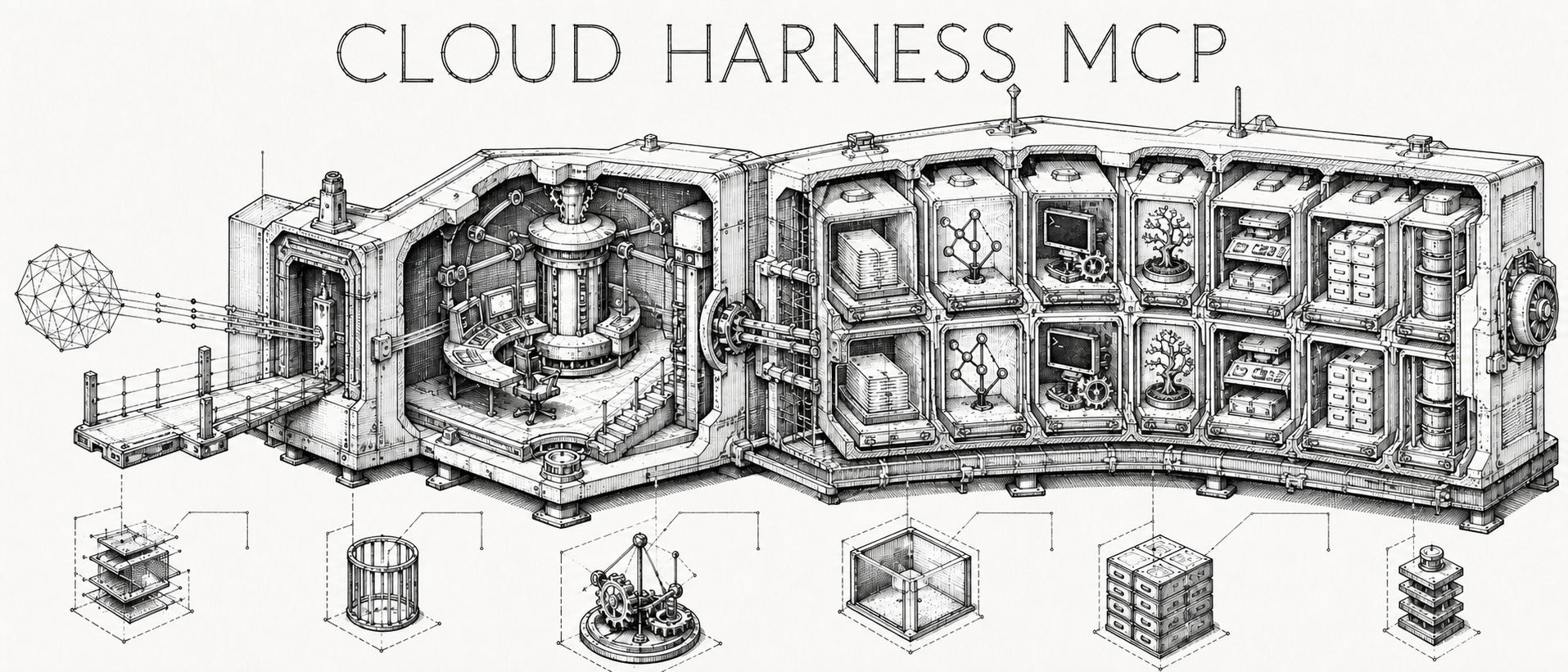
Cloud Harness MCP is an MIT-licensed remote coding harness exposed through
authenticated Streamable HTTP MCP. It opens an isolated clone in a
TTL-limited Docker executor and gives a trusted owner or named mutually trusted
operators structured workspace,
file, code-intelligence, command, shell, session, dependency-task, Git,
worktree, skill, hook, memory, and repository-defined deployment tools.
Remote coding harness exposed as a secure Streamable HTTP MCP server
Estrelas
94
Ferramentas
—
Disponibilidade
—
[!WARNING]
This is a private service for one security domain. Its operators must trust
one another because it is intentionally capable of arbitrary command
execution inside a shared-kernel executor. Principal isolation is not a
hostile multi-tenant sandbox. Read the security model
before operating it.
The Managed OAuth MCP URL is:
https://harness.zuey.me/mcp
Static-header clients use dashboard-managed API keys at the separate gateway:
https://api.harness.zuey.me/mcp
Architecture
MCP is the northbound control protocol; the harness is the execution runtime.
The split keeps Internet-facing request handling away from Docker authority and
keeps repository credentials out of long-lived executors.
flowchart LR
  OAuthClient["Managed OAuth client"] -->|"Access OAuth"| Nginx["nginx + loopback ingress"]
  StaticClient["Static-header client"] -->|"managed API key"| Gateway["Cloudflare Worker gateway"]
  Gateway -->|"Access service assertion + API key"| Nginx

  subgraph Control["Trusted control plane"]
    Nginx --> API["Stateless MCP API"]
    API -->|"private authenticated RPC"| Runner["Runner · policy · lifecycle"]
    Runner --> Store[("SQLite workspace state")]
    Runner --> Docker["Docker authority"]
    Runner --> Broker["GitHub App broker"]
  end

  subgraph Execution["TTL-bound execution plane"]
    Docker --> Executor["Non-root workspace executor"]
    Docker --> GitHelper["Ephemeral Git transfer helper"]
    Executor --> Repo[("Isolated repository clone")]
  end

  Broker -->|"short-lived token over stdin"| GitHelper
  GitHelper -->|"validated HTTPS origin"| GitHub["GitHub repository"]
  Executor -.->|"no control-plane credential"| GitHub
sequenceDiagram
  participant C as AI client
  participant A as MCP API
  participant R as Runner
  participant E as Isolated executor
  participant G as Ephemeral Git helper
  participant H as GitHub

  C->>A: workspace_open(repositoryUrl, idempotencyKey)
  A->>R: authenticated operation
  R->>G: constrained clone + optional short-lived token
  G->>H: credential-free or GitHub App HTTPS clone
  R->>E: start bounded workspace container
  R-->>C: opaque workspaceId
  C->>E: inspect, edit, test, session, task graph, commit
  C->>R: git_push(refspec, forceWithLease?, expectedRemoteOid?)
  R->>G: stage clean bare transfer + short-lived token
  G->>H: origin-only push
  G-->>R: bounded sanitized result
  R-->>C: structured MCP result
  C->>R: workspace_close(workspaceId)
  R->>E: terminate and remove
Remote fetch, pull, and push use a sibling transfer repository that the
executor cannot see. Push requires a GitHub App installation with repository
write access; clone/fetch/pull need read access. See
configuration and
MCP semantics.
Getting started
Read the security model, then configure one of the
supported clients below with the owner token kept in local private
configuration.
Ask the client to call workspace_open with a credential-free HTTPS
repository URL and a fresh idempotency key. Keep the returned opaque
workspaceId; do not derive it from a path or repository name.
Use the bounded tools in the existing workspace, then close shells,
sessions, and unwanted tasks before calling workspace_close.
Start with the normal workflow in MCP usage
for lifecycle, cursor, network, and Git-transfer semantics.
Local stdio workspace mode
In addition to the remote HTTP/Docker service, Cloud Harness MCP can operate directly against an explicitly selected project folder on your local machine over stdio transport.
# Start local stdio server for a project:
cloud-harness-mcp --transport stdio --workspace /path/to/project
In local mode:
The configured folder behaves as an already-opened workspace (with an opaque workspaceId). workspace_open is not required.
File operations, patches, grep search, symbol search, sessions, tasks, and local Git tools operate directly on the folder.
workspace_close terminates owned child processes and tasks but never deletes your local project folder.
Tool paths and working directories are strictly confined within the workspace root.
Commands (exec_run, shells, tasks) execute with host-user permissions. File path confinement is not an OS sandbox.
Network Git (git_fetch, git_pull) and Git push (git_push) are disabled by default and require explicit startup opt-in flags (--git-network, --git-push).
v1 supports POSIX (Linux and macOS); Windows process semantics are a documented follow-up (use WSL on Windows).
To serve several persistent project folders from one process, register them in
a versioned YAML/JSON file and pass --workspace-config <absolute-path> instead
of --workspace. It works over stdio, or over --transport http as an
authenticated local endpoint that needs no Docker runner. Each folder keeps its
own path confinement, processes, and stable workspaceId. See
Several local workspaces from one server
for the file format and client setup, and MCP usage
for selection and failure semantics.
CLI options
Option
Description
--transport <http|stdio>
Select transport protocol: http (default) or stdio
--workspace <path>
Absolute path to one local project folder (stdio)
--workspace-config <path>
Absolute path to a registry of named local folders (stdio or local HTTP); mutually exclusive with --workspace
The public tool names are owned by
RunnerOperationSchema. Inputs,
bounds, and approval annotations are owned by
TOOL_SPECS; the API registers each
of those specs in mcp-server.ts.
The HTTP endpoint also serves built-in and owner skills through the
io.modelcontextprotocol/skills protocol extension (skills/list,
skills/get, resources/read); see
Skills over MCP extension.
The remote HTTP endpoint also offers signed webhook notifications when a durable
task or managed agent finishes, through MCP Events (events/list,
events/subscribe, events/unsubscribe); see
MCP Events.
Use --global to install it for the current user instead of the current
project. The skill includes detailed, portable references for every public
operation, input bound, side effect, recovery path, and security boundary. It
does not install credentials or connect the MCP endpoint; complete one of the
client configurations below separately.
This repository also publishes the same skill as a plugin package for both
Claude Code and OpenAI's plugin format.
claude plugin marketplace add bestagentkits/cloud-harness-mcp
claude plugin install cloud-harness@bestagentkits
The package is skills-only, so register the authenticated MCP connection under
Claude Code below after installation. See Anthropic's
plugin marketplace guide
for update and uninstall commands.
Once this repository has been added to an available OpenAI marketplace, install
the package with:
The OpenAI package contains the portable skill, store metadata, logo, privacy
policy, and terms. It intentionally does not embed an app registration ID,
bearer token, or MCP authorization. OpenAI reviews skills-only and MCP-only
plugins, but a public authenticated remote MCP listing requires a supported
OAuth flow. The owner deployment uses Cloudflare Access Managed OAuth; the
package itself still embeds no deployment-specific authorization or app
registration.
See OpenAI's plugin packaging,
submission, and
authentication guidance.
Connect from AI clients
The owner deployment exposes two remote Streamable HTTP MCP lanes:
Managed OAuth: https://harness.zuey.me/mcp
Static API key: https://api.harness.zuey.me/mcp
The owner deployment uses cloudflare-access: Managed OAuth clients connect to
the first URL and complete GitHub or Google login in the browser. Cloudflare
Access is the OAuth authorization server for that lane; Cloud Harness verifies
the assertion Access forwards (see
how the Managed OAuth lane works). Static-header
clients use only the second URL with Authorization: Bearer <dashboard-api-key>.
Its dashboard is https://harness.zuey.me/dashboard.
Create, list, and revoke API keys under Dashboard → API keys. A new key is
shown once and cannot be recovered; store it only in the client's private
credential store. Keys expire after 1–3,650 days (approximately 10 years), and each identity may have at
most 10 active keys. There are no per-tool scopes or rotation endpoint: replace
a key by creating a new one and then revoking the old one. Every key has the
creator's full MCP authority, including arbitrary command execution in the
executor. Revocation or expiry denies the next request.
The API-key gateway is not an alternate dashboard login and does not accept
Managed OAuth. Conversely, https://harness.zuey.me/mcp does not accept a
dashboard-managed API key. See the security model for
the independent Worker/Access/key checks.
owner-bearer remains the software default for separate private deployments.
The direct-header examples below use CLOUD_HARNESS_MCP_TOKEN. For this owner
deployment, set it to a dashboard-managed key and use
https://api.harness.zuey.me/mcp. For a separate owner-bearer deployment,
use the owner-provided token and https://<owner-bearer-hostname>/mcp. Keep the
credential and URL in client-local private configuration; never put the token
in a repository, prompt, or shared project configuration.
Other operators may deploy cloudflare-access on an eligible hostname in an
owned Cloudflare zone. Access provides Managed OAuth and GitHub/Google SSO;
Cloud Harness verifies the forwarded assertion and exposes the dashboard at
/dashboard. Treat client login as supported only after the exact client,
Access policy, discovery, refresh, and revocation flow has been verified live.
Implementation, merge, and Cloudflare configuration are separate evidence
states. See configuration
and deployment.
Granting either form of access grants remote execution authority. Read the
security model before connecting it.
ChatGPT custom MCP apps are configured in the web app and must be reachable
from OpenAI's infrastructure. Enable Developer mode, then go to Settings or
Workspace settings → Apps → Create, enter the endpoint above, scan its tools,
and create the app. Initially, the connector is in Draft (Dev) state and
can be tested in standard 1-on-1 ChatGPT Web chats with Developer Mode enabled.
To enable access across team members without Developer Mode constraints, a
Workspace Admin/Owner can publish the connector under Workspace settings →
Apps → Drafts → Publish. The exact availability and controls depend on the
ChatGPT plan (Business, Enterprise, or Edu beta for full MCP actions) and
workspace role; follow OpenAI's current Developer mode guide
and the ChatGPT Configuration Guide.
The owner-bearer mode is not a documented direct path because the custom-app
flow has no arbitrary-header field. In cloudflare-access mode, use the
owner-controlled Access URL and complete its OAuth flow; keep the connection
provisional until the live compatibility checklist passes. Never place the
owner bearer in an app definition or a chat. If invocation fails with
FORBIDDEN: This conversation does not support developer MCPs, consult the
Troubleshooting Guide.
Set the token in your shell before starting Codex:
Claude's remote custom connectors are set up from the Claude app and are called
from Anthropic's cloud, rather than from your computer. In Settings →
Connectors, add the public endpoint and complete the connector's supported
authentication flow. The current workflow and plan availability are documented
by Anthropic.
The hosted connector flow is OAuth-oriented and has no documented
static-header field. Use cloudflare-access and complete its OAuth flow for a
hosted connector, subject to live compatibility verification, or use Claude
Code below with the default owner bearer.
Set the token, then register the server for your user account:
export CLOUD_HARNESS_MCP_TOKEN="<owner-provided-token>"
claude mcp add --transport http --scope user \
  --header "Authorization: Bearer $CLOUD_HARNESS_MCP_TOKEN" \
  cloud-harness https://<owner-bearer-hostname>/mcp
Use claude mcp get cloud-harness to inspect the entry, then /mcp in a
Claude Code session to confirm that it is available. Claude Code documents
remote HTTP registration and static headers in its MCP guide.
Restart Gemini CLI if it is already running and use its MCP management command
to confirm the server. See the Gemini CLI MCP-server reference
for the supported transports and header syntax.
Open Customize → MCP and add a remote Streamable HTTP server, or add the
following to the global ~/.cursor/mcp.json (use .cursor/mcp.json for a
trusted project only):
Restart Cursor, approve the server, and check that cloud-harness appears in
the chat's available tools. Cursor documents the configuration locations and
remote MCP support in its MCP guide.
The global file is user-local; do not copy the token-bearing project file into
source control.
In the agent side panel, choose … → MCP Servers → Manage MCP Servers → View
raw config. This opens the global ~/.gemini/config/mcp_config.json; add a
remote server entry:
Save the file and confirm that the server is enabled in the MCP Servers panel.
Antigravity's MCP reference defines the
global path, serverUrl, and headers for remote MCP servers. Keep this local
configuration private.
In Grok web, open the + menu, choose Connectors, then select Add
connector to create a custom MCP connection. It must use a public URL; see
xAI's connector overview. The consumer
connector UI may require an OAuth flow, so use the Access-mode endpoint and
verify that flow live. It is not a documented direct path for owner-bearer
mode.
For the xAI API, Remote MCP Tools support an explicit authorization token. Add
this object to a Responses API request's tools array:
Limit allowed_tools when the request needs only a subset. The xAI Remote MCP
Tools reference documents
Streamable HTTP support, authorization, and tool allowlisting.
Start by asking a connected client to call workspace_open with a
credential-free HTTPS repository URL and a new idempotency key. Reuse the
returned opaque workspaceId for later calls and finish with
workspace_close. See MCP usage for the workflow and
important semantics.
Run locally
Prerequisites are Node.js 24+, npm, Docker Engine, and Docker Compose v2.
npm ci
cp .env.example .env
# Replace every change-me value in .env with an independent random secret.
docker compose --profile images build executor-image api runner
docker compose up -d runner api ingress
curl --fail http://127.0.0.1:3100/readyz
Local Compose publishes only a credential-free TCP ingress proxy on host
loopback. The API and runner remain on separate internal networks; only the
runner has Docker authority. Local Compose does not configure TLS. Stop it with:
docker compose down
Configure environment variables
The local setup command above creates an ignored runtime environment file from
the maintained template. Generate two independent secrets, then replace the
two placeholder values in that runtime file:
Both tokens must contain 32–512 characters. Never commit the runtime file or
paste either value into prompts, logs, or shared project configuration.
When a direct secret and its _FILE alternative are both set, the file value
takes precedence.
The server-side MCP_BEARER_TOKEN is the owner credential accepted by /mcp.
The client examples above store that same value under the client-local name
CLOUD_HARNESS_MCP_TOKEN. RUNNER_TOKEN is a separate, internal API-to-runner
credential and must never be given to an MCP client.
Required and common settings
The values below are runtime defaults when a variable is omitted. The
maintained template may prefill the current public host and browser origin;
replace those entries with the hostname and origins of your deployment.
Variable
Runtime default
Description
MCP_BEARER_TOKEN
required
Owner bearer token for MCP requests. Use MCP_BEARER_TOKEN_FILE instead when a secret is mounted as a file.
RUNNER_TOKEN
required
Independent service token used only between the API and runner. RUNNER_TOKEN_FILE is also supported.
OWNER_ID
owner
Stable identifier attached to the single owner's workspaces. Changing it does not add multi-user isolation.
API_PUBLIC_HOSTS
localhost,127.0.0.1
Comma-separated Host allowlist. Add the public MCP hostname in a deployed environment.
API_ALLOWED_ORIGINS
empty
Comma-separated exact browser origins allowed to send requests. CLI clients that omit Origin do not need an entry.
ALLOWED_GIT_HOSTS
github.com
Comma-separated repository-host allowlist. Repository URLs must still use credential-free HTTPS.
WORKSPACE_NETWORK_PROFILE
dependency-access
Executor networking default. dependency-access permits only public DNS and TCP 80/443 via a Linux host firewall attested before each executor start, and is required for gh and the GitHub API; network-none blocks all egress. A default saved on the dashboard Settings page overrides this variable, and workspace_open.networkProfile overrides both. The legacy WORKSPACE_NETWORK_MODE is rejected.
WORKSPACE_WALL_TTL_SECONDS
900
Maximum workspace lifetime, from 60 to 86,400 seconds.
WORKSPACE_IDLE_TTL_SECONDS
300
Maximum idle time, from 30 to 43,200 seconds.
JOBS_ROOT
/var/lib/cloud-harness/jobs
Runner path for ephemeral workspace directories.
STATE_DB
/var/lib/cloud-harness/state/cloud-harness.db
Runner SQLite state-file path.
EXECUTOR_IMAGE
cloud-harness-executor:local
Trusted executor image selected by the operator, never by MCP callers.
NETWORK_GUARD_IMAGE
cloud-harness-network-guard:local
Trusted NET_ADMIN-only image used to attest the host firewall for dependency-access.
The maintained template contains every setting needed for the normal local
Compose workflow. The following limits are optional; omit them to use their
validated defaults.
Resource and request limits
Variable
Default
Allowed value / purpose
REQUEST_TIMEOUT_MS
60000
API-to-runner timeout; 1,000–300,000 ms. Keep client tool timeouts at least this long.
MAX_BODY_BYTES
1048576
Maximum API JSON request size; 1,024–4,194,304 bytes.
MAX_OUTPUT_BYTES
262144
Maximum bounded runner/worker result; 1,024–10,485,760 bytes.
MIN_FREE_BYTES
2147483648
Minimum free host storage required to admit a workspace; at least 104,857,600 bytes.
MAX_WORKSPACE_BYTES
2147483648
Soft workspace-size ceiling; at least 104,857,600 bytes. This is checked periodically, not enforced as a filesystem quota.
REAPER_INTERVAL_SECONDS
30
Interval for lifecycle and storage cleanup checks; 10–3,600 seconds.
LOG_LEVEL
info
Pino log level for API and runner processes, such as debug, info, warn, or error.
Optional private GitHub repositories
Public repositories need no additional credential. For private clone, fetch,
pull, or push, configure all three GitHub App values together:
Variable
Description
GITHUB_APP_ID
Numeric GitHub App ID.
GITHUB_APP_INSTALLATION_ID
Numeric installation ID with access to the target repository.
GITHUB_APP_PRIVATE_KEY_FILE
Preferred path to the mounted PEM private key. Use GITHUB_APP_PRIVATE_KEY only when a file mount is unavailable.
The App needs Contents read permission for clone, fetch, and pull; push needs
Contents read and write. Production Compose mounts the root-owned host
directory /etc/cloud-harness-mcp read-only at /run/cloud-harness-secrets,
so the maintained container path is
/run/cloud-harness-secrets/github-app-private-key.pem. Prefer the file form
instead of placing a private key directly in an environment variable. Follow
the private GitHub repository setup guide
for App creation, least-privilege permissions, installation, key handling,
verification, troubleshooting, and rotation.
Compose overrides
Variable
Default
Description
CLOUD_HARNESS_ENV_FILE
local runtime file
Selects the Compose environment file. Production defaults to /etc/cloud-harness-mcp/runtime.env.
API_HOST_PORT
3100
Loopback host port published by the credential-free ingress proxy.
HOST_JOBS_ROOT
/var/lib/cloud-harness/jobs
Host directory mounted for workspace data.
HOST_STATE_ROOT
/var/lib/cloud-harness/state
Host directory mounted for persistent runner state.
Compose fixes API_HOST=0.0.0.0, API_PORT=3000,
RUNNER_HOST=0.0.0.0, RUNNER_PORT=3001, and
RUNNER_URL=http://runner:3001 on its private networks. Those variables are
available when starting the Node.js processes directly, but changing them in
the Compose runtime file has no effect because the service definition owns the
wiring. Keep the API and runner private and publish only the loopback ingress.
Ainda não há lista de ferramentas. Servidores remotos recebem uma após a primeira verificação de saúde.
Perguntas frequentes
Perguntas
Como instalo Cloud Harness?
Copie nesta página a configuração stdio para Cursor, Claude Desktop, Claude Code ou VS Code. Ela usa a instalação do publicador, não um proxy do PlugMCP.
Cloud Harness precisa de uma chave de API?
Este registro não lista nenhuma variável de ambiente obrigatória.
Qual transporte Cloud Harness usa?
Cloud Harness roda localmente via stdio.
Quando Cloud Harness foi verificado pela última vez?
Última verificação: 2026-10-28. Remote coding harness exposed as a secure Streamable HTTP MCP server