| Deck Management | Card Review (Question) |
|---|---|
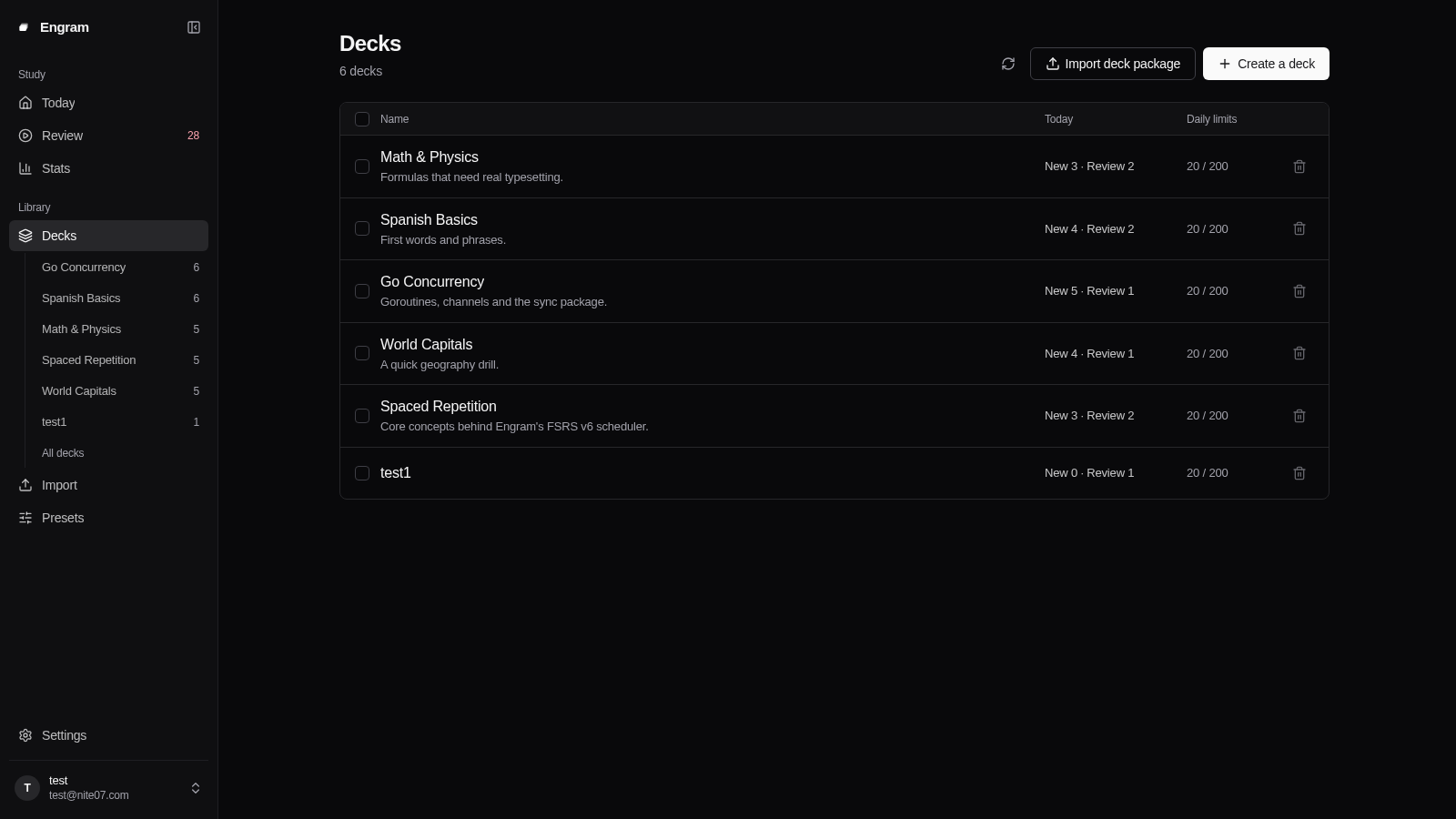 | 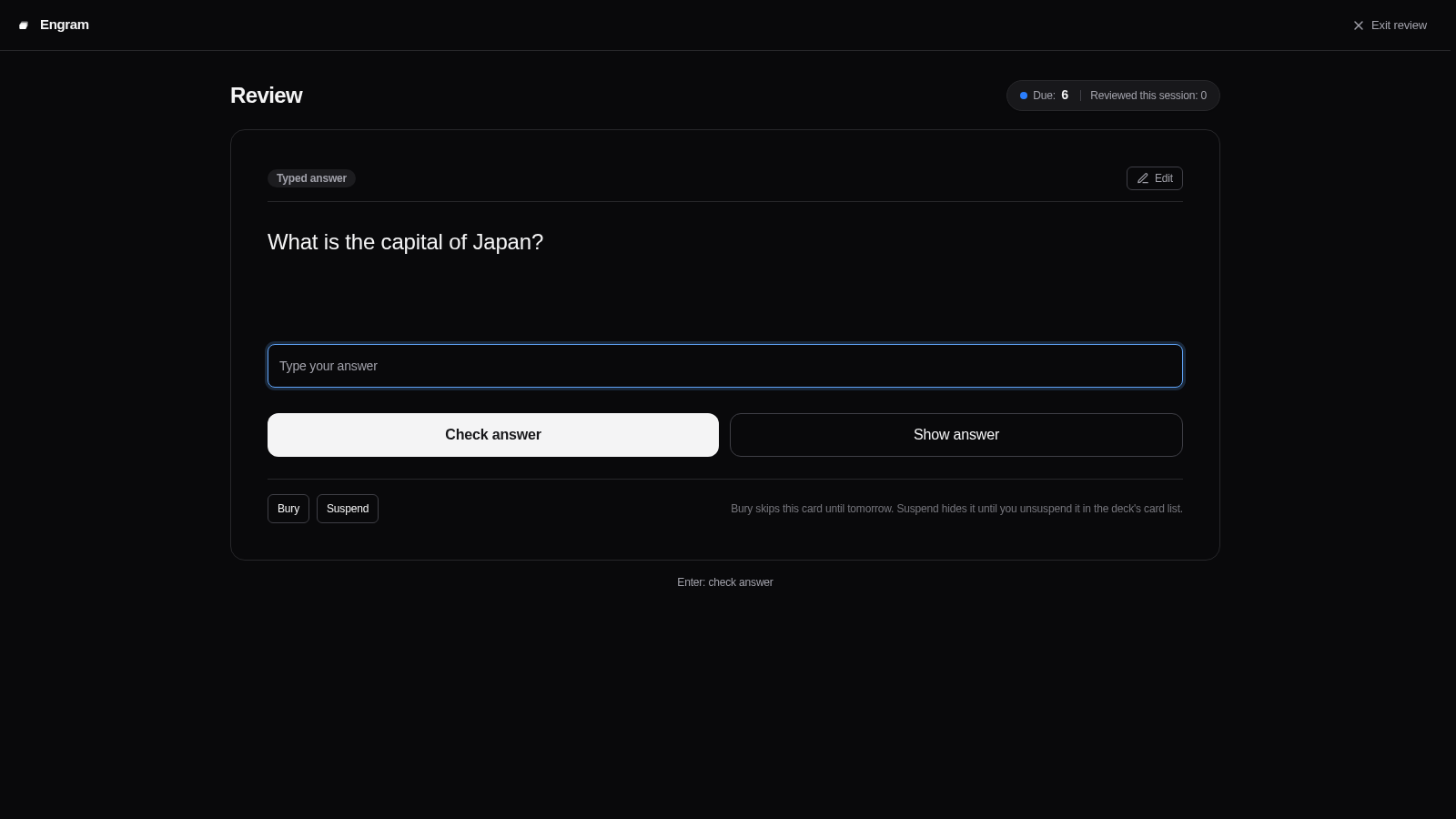 |
| Answer Revealed | Instant Feedback |
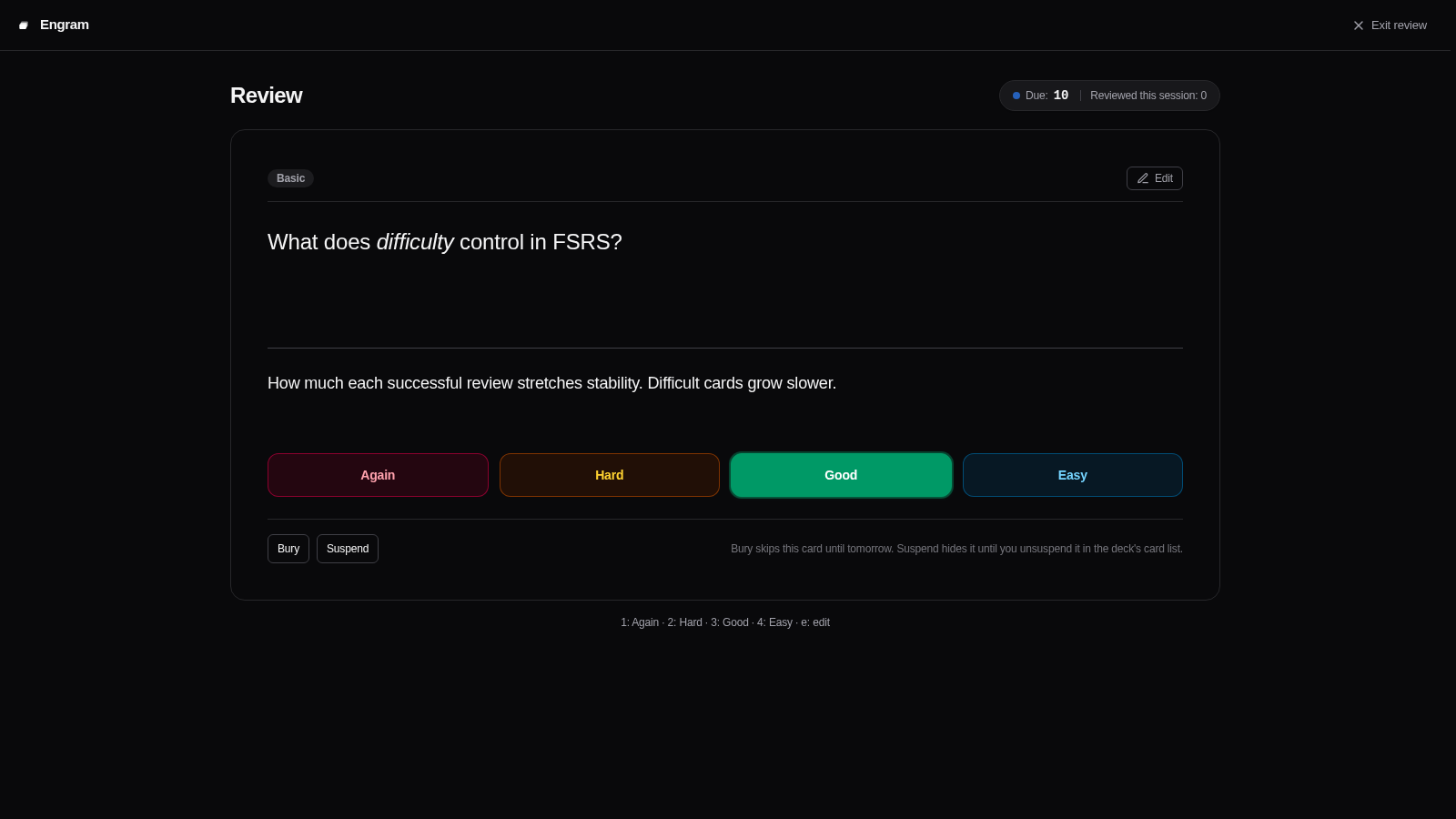 | 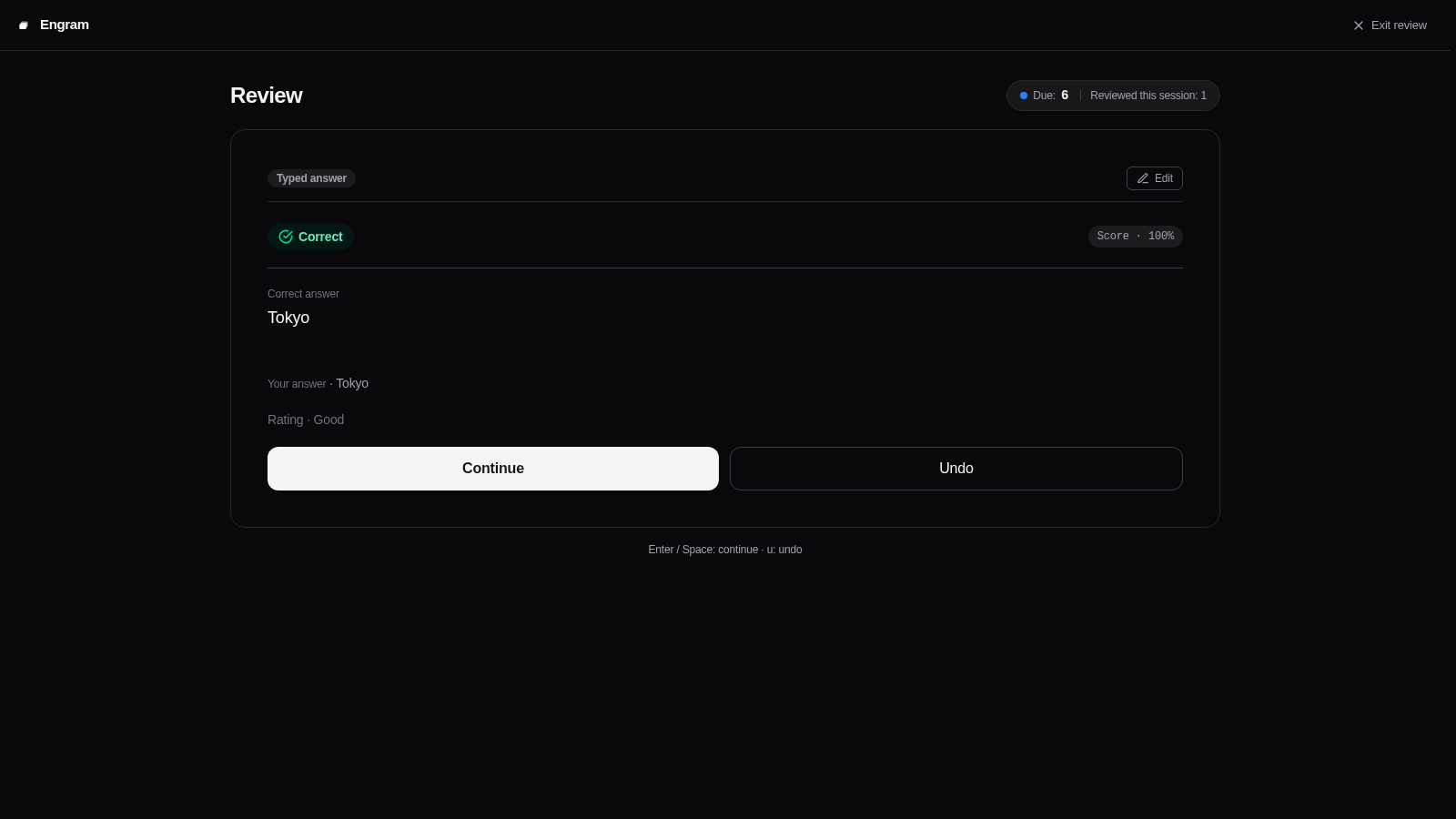 |
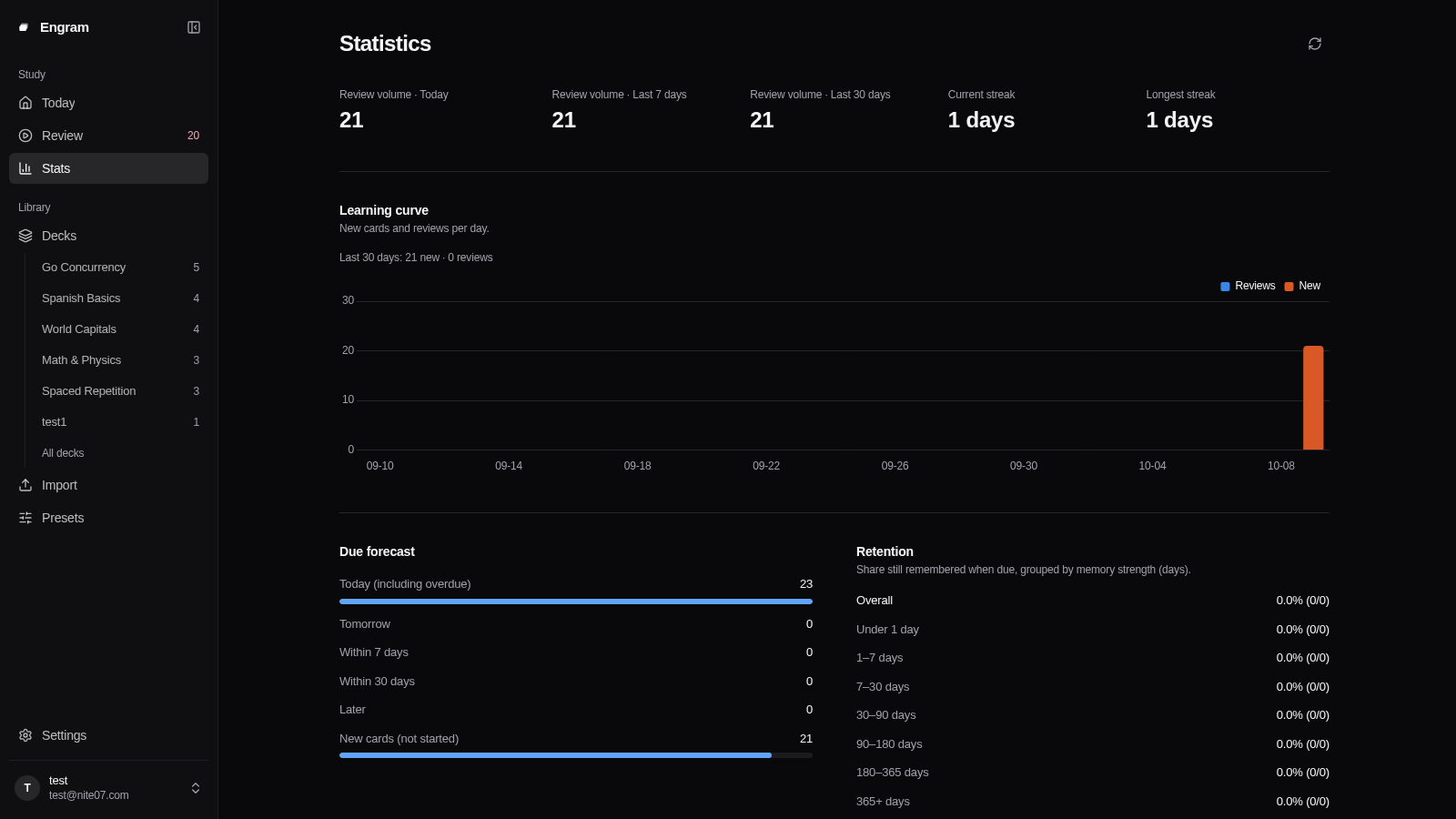
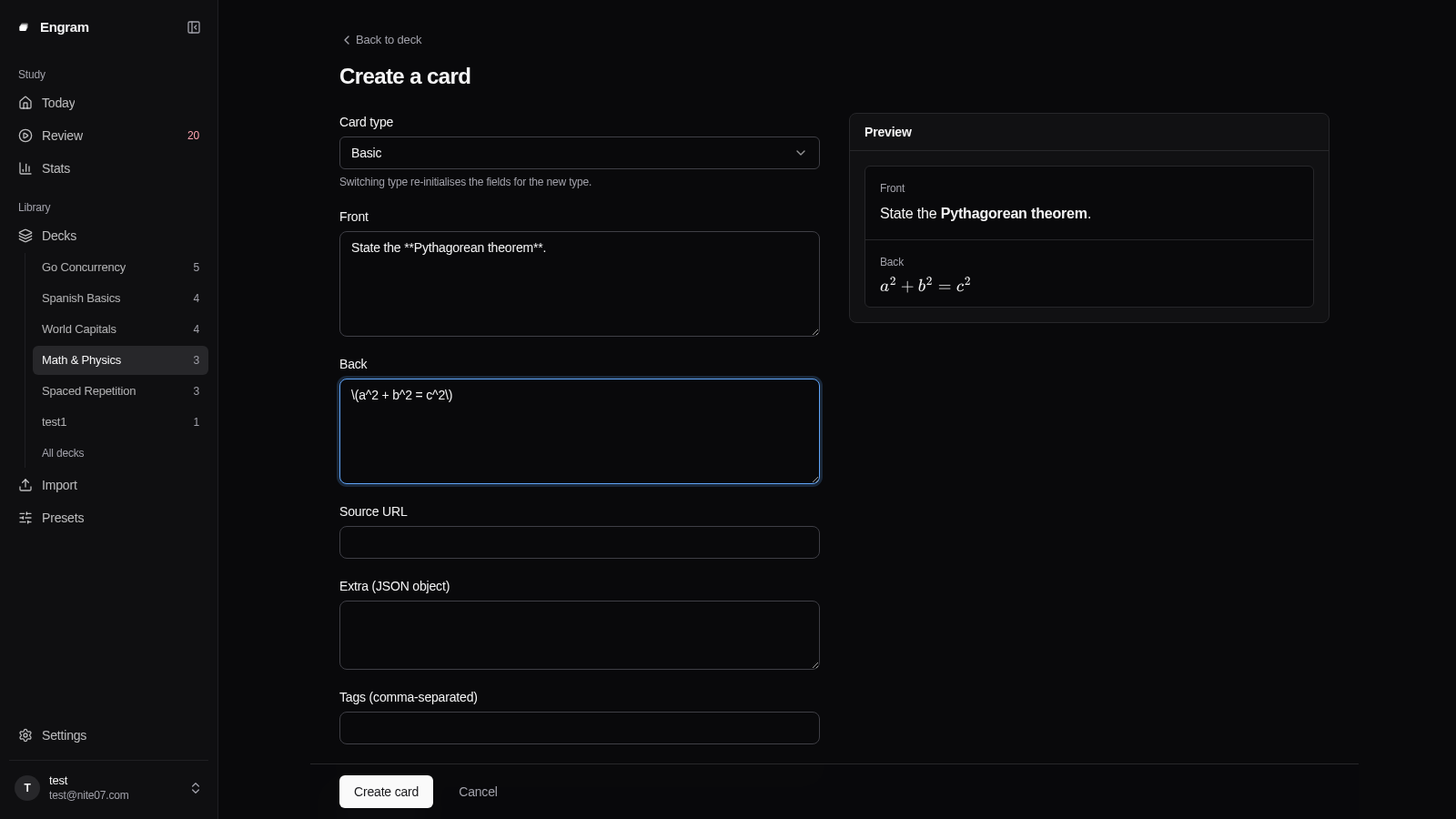
| Study Statistics & Insights | Card Creation & Editor |
 |  |
Potencialize seu agente
Instalação do publicador. Não é um endpoint do PlugMCP.
Host a copy with our keys and logs.
Ainda não há uma versão empacotada no registro. Siga o README do repositório.
URL remota ou um comando na sua máquina? Como as duas instalações diferem
Rodar no PlugMCP
A new server you create. It is not this listing's official endpoint. Use the publisher install when you want their URL and their credentials.
AbrirEnglish | 中文
Engram is an open-source, self-hosted spaced repetition flashcard service. Built with a modern Svelte 5 SPA frontend and a Go backend, it pairs the state-of-the-art FSRS v6 scheduling algorithm with a native Model Context Protocol (MCP) server for AI-assisted card creation and workflow automation.
Live demo: https://engram.nite07.com/ (registration is closed; sign in with the test account test / testdemo)
| Deck Management | Card Review (Question) |
|---|---|
| |
| Answer Revealed | Instant Feedback |
| |
| Study Statistics & Insights | Card Creation & Editor |
| |
zh-CN and en), and PWA support.Ready-to-import .edeck packages live in decks/. Pick one, then import it from the Import page (upload the file, or paste the file's public direct link), the CLI (engram import), or the MCP import_deck tool. See decks/README.md for the deck list and the step-by-step instructions.
Engram exposes a built-in Streamable HTTP MCP server at /mcp authenticated by user API keys. Any MCP-compatible client or agent (such as Claude Desktop, Cursor, or Hermes) can interact with your flashcards directly.
Create an API key in the Settings panel, then add Engram to your MCP client configuration:
{
  "mcpServers": {
    "engram": {
      "url": "http://localhost:8080/mcp",
      "headers": {
        "Authorization": "Bearer YOUR_API_KEY"
      }
    }
  }
}
Engram provides 19 dedicated MCP tools:
list_decks / create_deck / update_deck: Inspect accessible decks, create new ones with custom scheduling presets, or rename and describe them.delete_deck: Delete a deck together with its notes, cards and progress. Only the owner can do this, and the deletion cannot be undone.list_card_types: List the supported card types with each type's fields and a validated example note, so an agent can write notes without guessing field names or syntax.search_notes / get_note / list_deck_tags: Query notes with tag and keyword filters, read a single note, and list the tags used in a deck.create_notes / update_note / delete_note / bulk_notes: Create, update and delete notes across all supported card types, with dry-run validation, bulk insertion and bulk tag or delete actions.get_due_cards / submit_review: Fetch cards due for review and record reviews. Self-assessed cards take a rating (Again, Hard, Good, Easy), and a short-answer card may also carry the answer the learner wrote, stored with the review; answer-type cards (cloze, list, typed, numeric, choice, true/false) take the answer instead, and the server grades it.add_extra_new_cards: After the daily new card limit is reached, allow extra new cards in one deck for the current review day only. The deck settings do not change, and the next day returns to the daily limit.get_stats: Retrieve learning summaries, queue counts, and retention rates.export_deck / import_deck: Export and import portable deck packages (.edeck).create_import_upload: Get a single-use upload URL for a deck package. The agent sends the file to it with an HTTP client such as curl, so a large package never passes through the model and the API key never leaves the MCP client.Uses an embedded SQLite database suitable for personal use or testing:
docker run -d --name engram -p 8080:8080 \
  -e SESSION_SECRET="${SESSION_SECRET:-$(openssl rand -base64 32)}" \
  -e ENCRYPTION_KEY="${ENCRYPTION_KEY:-$(openssl rand -base64 32)}" \
  -v engram-data:/data \
  docker.io/nite07/engram:latest
Open http://localhost:8080/. On a fresh instance, navigate to /setup to create the initial administrator account.
For multi-user deployments, PostgreSQL is recommended.
Save the following as docker-compose.yaml (or use the repository's docker-compose.yaml):
services:
  db:
    image: postgres:18
    restart: unless-stopped
    environment:
      POSTGRES_USER: engram
      POSTGRES_PASSWORD: engram_password
      POSTGRES_DB: engram
    healthcheck:
      test: ["CMD-SHELL", "pg_isready -U engram -d engram"]
      interval: 5s
      timeout: 3s
      retries: 20
    volumes:
      - pg-data:/var/lib/postgresql

  engram:
    image: nite07/engram:latest
    restart: unless-stopped
    depends_on:
      db:
        condition: service_healthy
    ports:
      - "8080:8080"
    environment:
      DB_DRIVER: postgres
      DB_DSN: "postgres://engram:engram_password@db:5432/engram?sslmode=disable"
      SESSION_SECRET: "${SESSION_SECRET:?run: openssl rand -base64 32}"
      ENCRYPTION_KEY: "${ENCRYPTION_KEY:?run: openssl rand -base64 32}"
      BASE_URL: "https://engram.example.com"
    volumes:
      - engram-media:/data/media

volumes:
  pg-data:
  engram-media:
Start the stack:
SESSION_SECRET="$(openssl rand -base64 32)" \
ENCRYPTION_KEY="$(openssl rand -base64 32)" \
docker compose up -d
When placing Engram behind a reverse proxy (such as Caddy, Nginx, or Traefik):
BASE_URL to your public URL (e.g., https://engram.example.com).TRUSTED_PROXIES to the address your proxy connects from, as Engram sees it (comma-separated IPs or CIDRs). Login rate limiting, audit logs and new-device alerts use the client IP; until this is set, every request appears to come from the proxy.TRUSTED_PROXIES is empty by default, so X-Forwarded-For and X-Real-IP are ignored. This is deliberate: a header is only as trustworthy as the hop that set it. List the proxies you run, never client networks or 0.0.0.0/0.
The right value depends on how the proxy reaches Engram:
To find the address without guessing, start Engram behind your proxy with TRUSTED_PROXIES unset and send one request. If the request carried a forwarded header from a loopback or private address that is not trusted, Engram logs one warning, forwarded client ip header ignored ..., and its remote_ip field is the address to add. At startup Engram also logs which proxies it trusts.
Core environment variables required for startup:
Additional settings (SMTP email, registration policy, OIDC provider, upload quotas) can be configured directly in the Admin Panel without restarting the service. See .env.example for the complete list of overrides.
See CONTRIBUTING.md for local development setup, build instructions, and testing requirements.
Engram builds on these projects:
Friend link: LINUX DO — a Chinese-language tech community.
Self-hosted, multi-user spaced-repetition (SRS) service: FSRS v6 scheduling, 10 card types, Markdown/TeX, REST API and built-in MCP server. Written in Go.
Ferramentas
Ainda não há lista de ferramentas. Servidores remotos recebem uma após a primeira verificação de saúde.
Perguntas frequentes
Copie nesta página a configuração stdio para Cursor, Claude Desktop, Claude Code ou VS Code. Ela usa a instalação do publicador, não um proxy do PlugMCP.
Este registro não lista nenhuma variável de ambiente obrigatória.
Engram roda localmente via stdio.
Última verificação: 2026-10-28. Self-hosted, multi-user spaced-repetition (SRS) service: FSRS v6 scheduling, 10 card types, Markdown/TeX, REST API and built-in MCP server. Written in Go.
