ShellyAdmin
English | Deutsch
Potencialize seu agente
Instalação do publicador. Não é um endpoint do PlugMCP.
Host a copy with our keys and logs.
Ainda não há uma versão empacotada no registro. Siga o README do repositório.
URL remota ou um comando na sua máquina? Como as duas instalações diferem
Rodar no PlugMCP
A new server you create. It is not this listing's official endpoint. Use the publisher install when you want their URL and their credentials.
AbrirDo publicador
English | Deutsch
Self-hosted web app to discover, inventory, firmware-check, and provision Shelly Gen2+ devices on a trusted LAN. Single Go binary + Svelte UI, Docker-ready, with an opt-in MCP server.
ShellyAdmin is a self-hosted web app for discovering, inventorying, checking, and managing Shelly Gen2+ devices on a trusted local network.
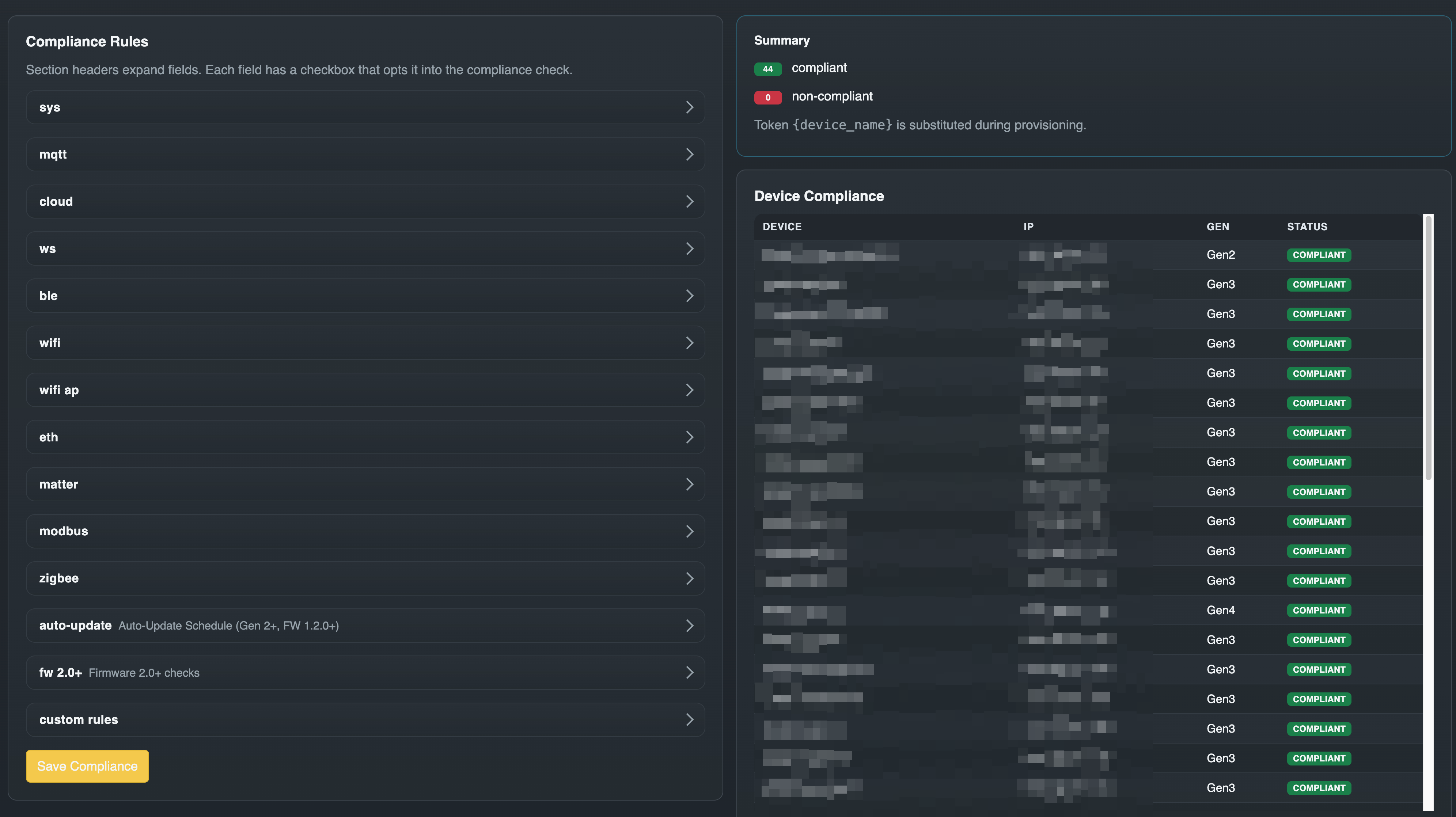
The Shelly cloud requires opting each device into a third-party service. Home Assistant's Shelly integration covers control, automation, and a per-entity view but not fleet-wide firmware management, compliance auditing, bulk provisioning, or an audit log of operator actions. ShellyAdmin sits next to those tools as the fleet ops console: scan a subnet, enroll devices into an inventory, push templated config to many at once, check/install firmware in bulk, and verify each device matches a compliance rule set — with every action audited.
It is designed as a single-container deployment with:
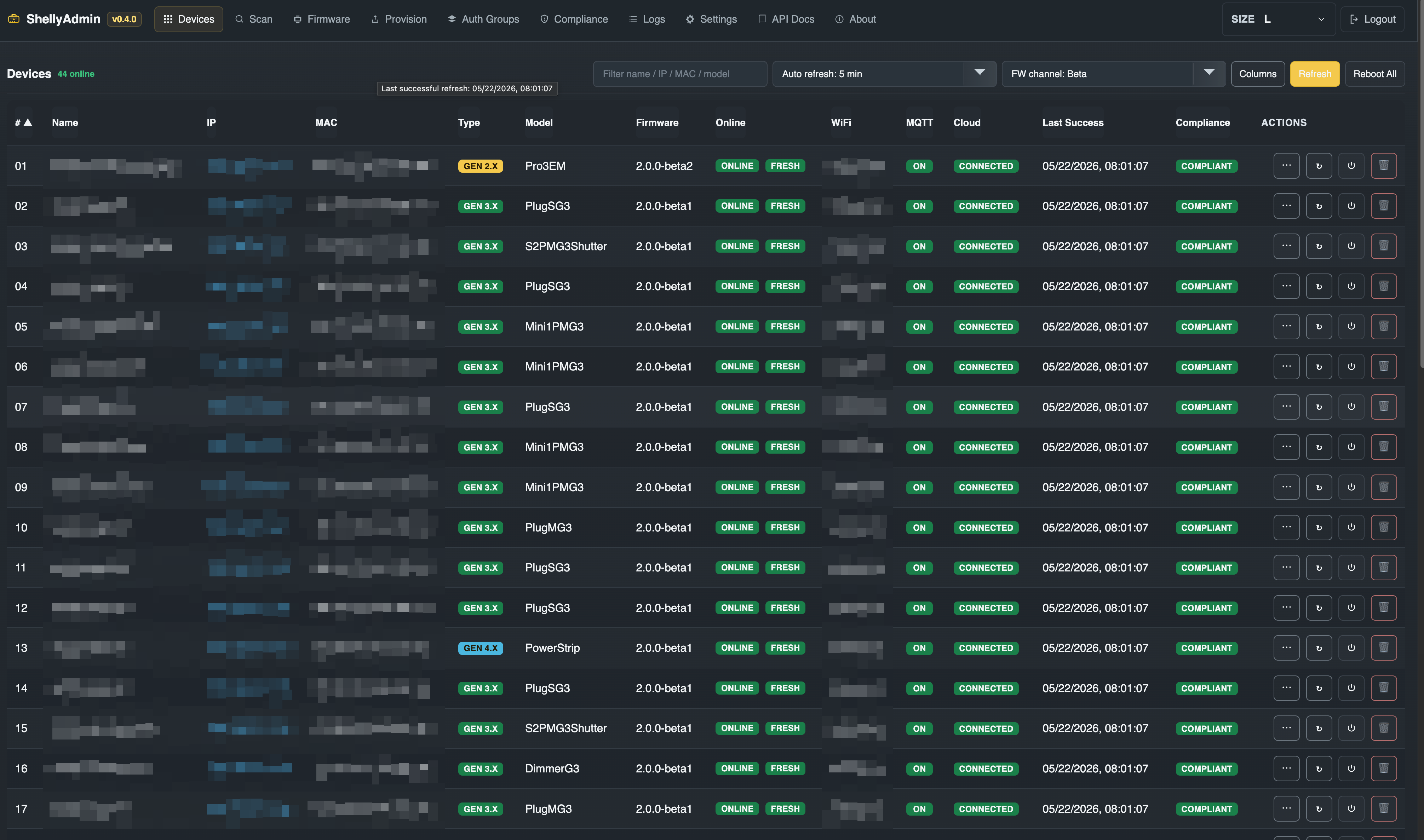
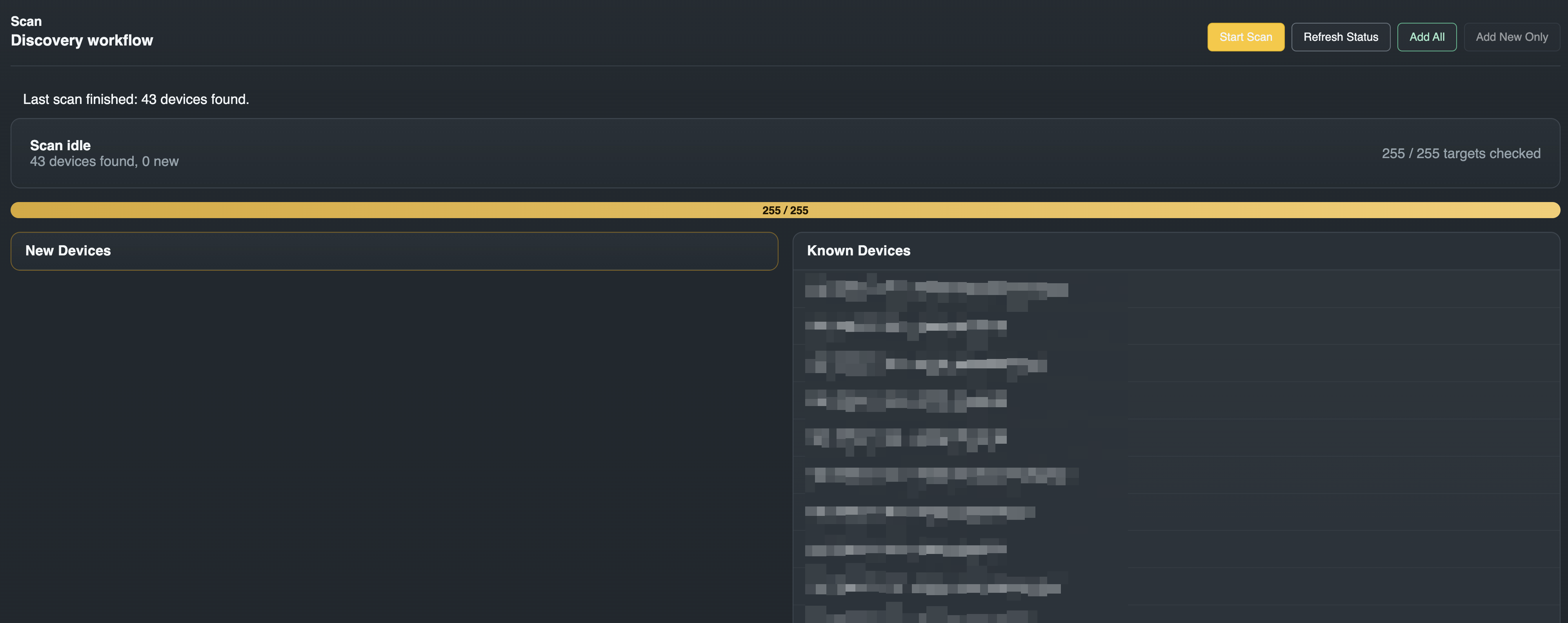
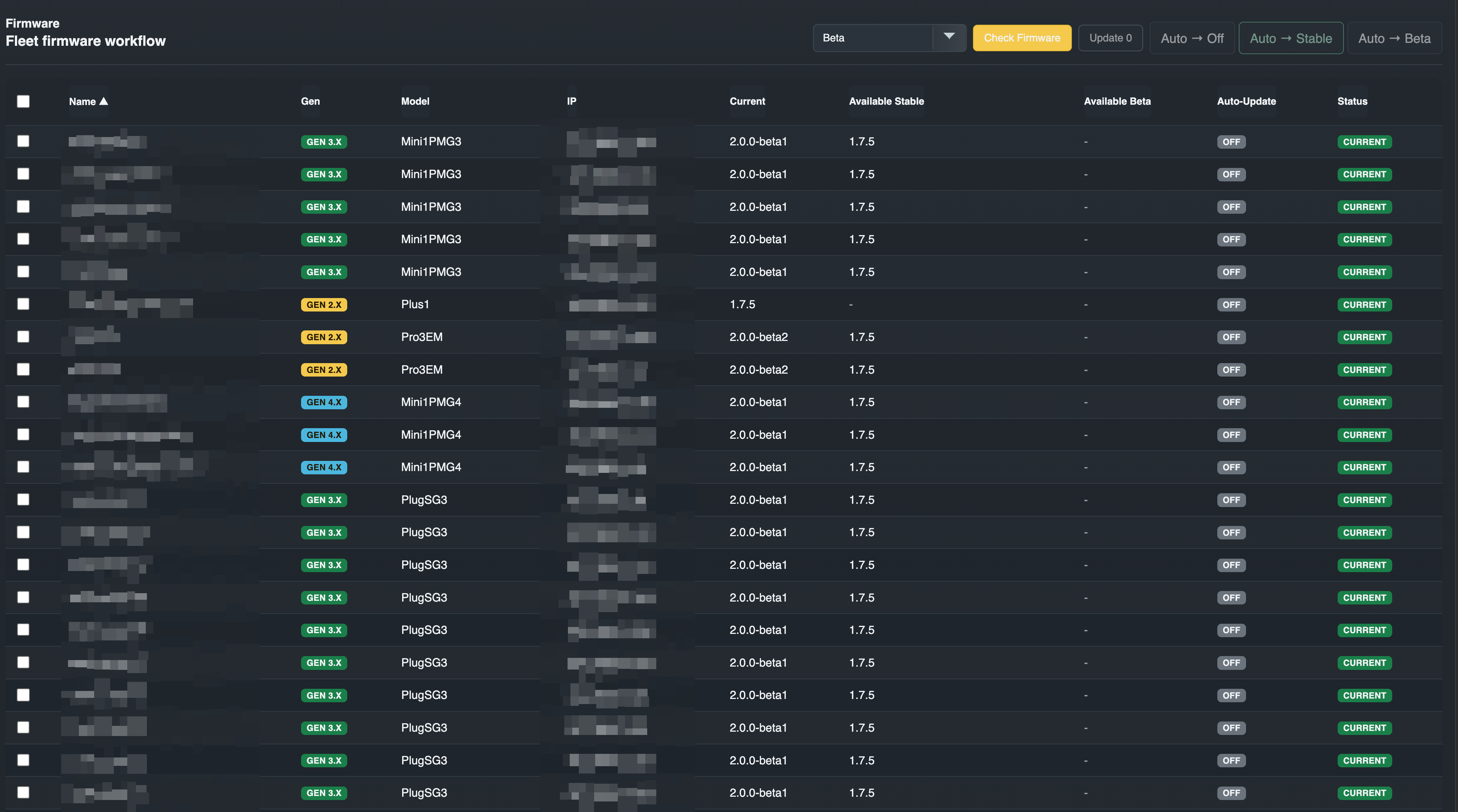
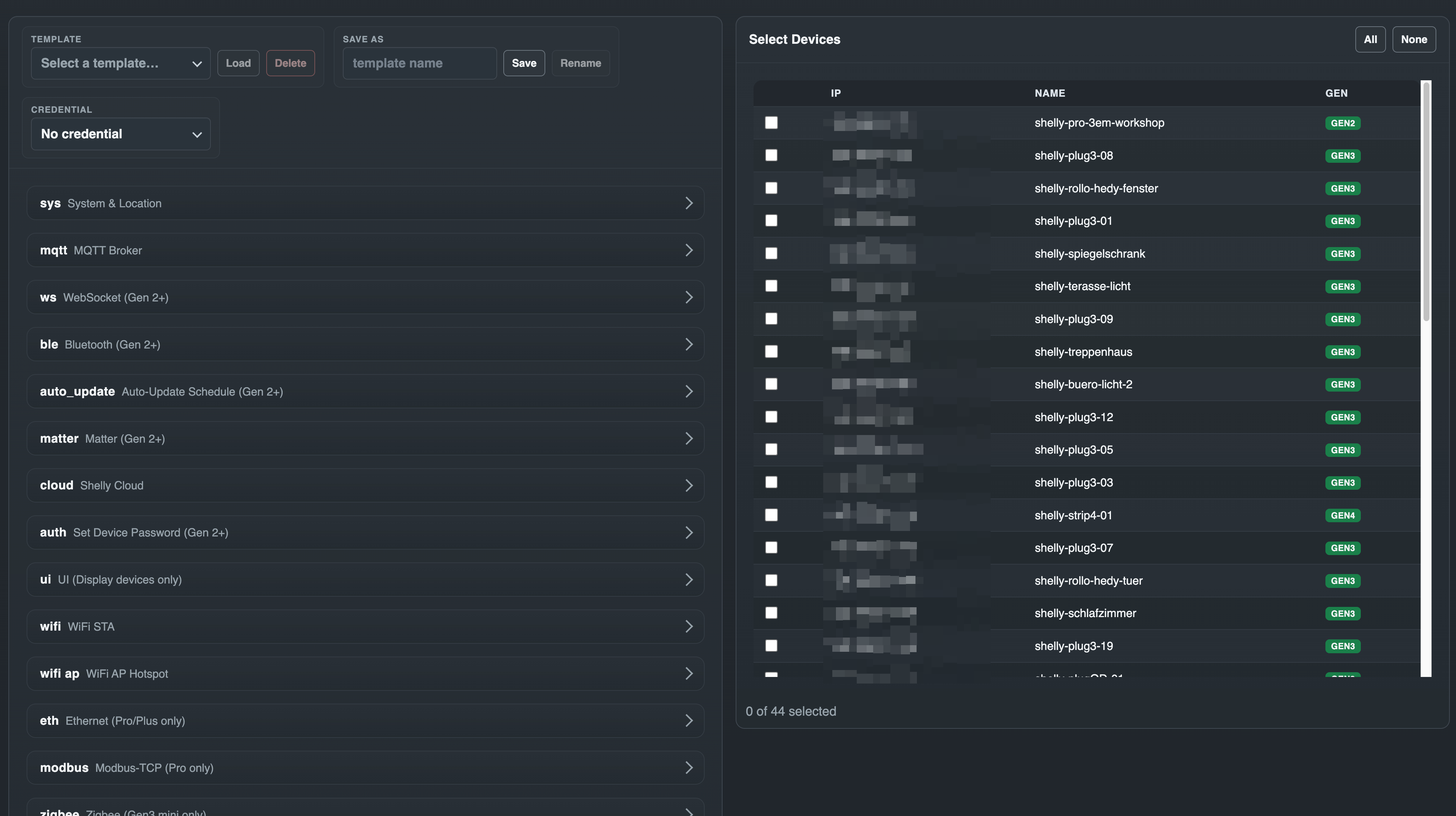
Under active development. The current release is the one listed on the Releases page — this file deliberately does not repeat the number, because it has gone stale here four times. The UI/API baseline is unchanged since v0.4.0; releases since then have carried fixes, dependency and CI work. Since v1.0.0 the project follows semver, and the HTTP API at /api/* is stable: routes may gain optional parameters and optional response fields, breaking changes are reserved for a future /api/v2/* (ADR-0018).
Intended posture:
The target architecture is documented in docs/ARCHITECTURE.md.
Open defects and accepted limitations, so they are found here rather than in
the field. Details and measurements live in CLAUDE.md.
shelly-hz2): its median answer is 30 ms, but under the burst
of a sweep its TCP handshake occasionally takes several seconds (up to
~11 s captured) — past the default 2 s scan_timeout. Raising
scan_timeout in Settings covers most of that tail; an occasional miss
remains. Before confirming a scan, check that every known device is in the
pending list — confirming treats a missing device as a failed refresh.premature end of data, at random progress percentages. It is not
ShellyAdmin's polling and not the CDN. Devices that failed repeatedly were
traced to packet loss behind a wirelessly meshed access point; the occasional
one-off abort elsewhere is still unexplained. Retrying usually works, and
Shelly's own phased rollout updates devices regardless..local names through the system resolver, and the
runtime image is Alpine/musl without nss-mdns. Subnet scanning is the
supported discovery path.gin's BSON binding. Accepted, not fixed: no code path reaches it — the
tree imports gin/binding nowhere and contains no c.Bind* call, every
handler decodes through a size-limited JSON decoder — and gin ships no
build tag to drop it.Fastest Docker run for a trusted LAN test setup:
docker run -d \
  --name shellyadmin \
  -p 8080:8080 \
  -v shellyadmin-data:/data \
  -e SHELLYADMIN_SECRET="$(openssl rand -hex 32)" \
  -e SHELLYADMIN_ENCRYPTION_KEY="$(openssl rand -base64 32)" \
  -e COOKIE_SECURE=false \
  ghcr.io/buliwyf42/shellyadmin:latest
Then open http://localhost:8080 and create the admin account on the first-run setup screen. Forgot the password later? docker exec shellyadmin shellyctl reset-auth --force returns the instance to setup mode.
SHELLYADMIN_ENCRYPTION_KEY is required since v0.3.0 — the container won't start without it. Generate it once and reuse the same value on every recreate; swapping in a new key without rotation orphans all stored credentials. To rotate to a new key deliberately, use shellyctl rotate-key (v0.5.3) — see docs/SECURITY.md.
COOKIE_SECURE=false is only safe on plain HTTP over a trusted LAN. Set COOKIE_SECURE=true (and front the container with TLS) for any other deployment.
To skip the setup screen on a fresh instance, generate a hash and pass it as SHELLYADMIN_PASS_HASH:
HASH="$(docker run --rm ghcr.io/buliwyf42/shellyadmin:latest hash-password 'change-this-admin-password')"

docker run -d \
  --name shellyadmin \
  -p 8080:8080 \
  -v shellyadmin-data:/data \
  -e SHELLYADMIN_SECRET="$(openssl rand -hex 32)" \
  -e SHELLYADMIN_ENCRYPTION_KEY="$(openssl rand -base64 32)" \
  -e SHELLYADMIN_PASS_HASH="$HASH" \
  -e COOKIE_SECURE=false \
  ghcr.io/buliwyf42/shellyadmin:latest
The hash is imported into the database once at boot, then ignored. To rotate the password after that, use Settings → Operator Account in the UI.
For a Compose-based deployment, see docker/docker-compose.yml:
docker compose -f docker/docker-compose.yml up -d
See docs/DEPLOYMENT.md for the full deployment guide, including hardening flags, MCP exposure, and pre-deploy DB snapshots.
Schedule.*, the same mechanism the device's own web UI usesWifi.SetConfig surface: primary STA, secondary STA (STA1), roaming (RSSI threshold, interval), static IPv4 per STAauto_update section (off / stable / beta) — synthesised onto the device as a Schedule.* jobdelete_all toggle, delete-by-id, new-webhook entries (cid/event/name/enable/URLs)slat sub-object for venetian-blind tiltZigbee.SendCommand / Zigbee.ReadAttr / Zigbee.WriteAttr, generates a gen2_rpc template sectionrestart_required badge per device in results; "Reboot restart-required devices" buttonusername, password/ha1, tags){device_name} token matching)See docs/roadmap.md for the current roadmap. Headline items:
shellyctl write commands (read-only CLI shipped in v0.3.6)v1.0.0cmd/shellyctl Application entrypoint (server + CLI subcommands)
internal/api HTTP routing and handlers
internal/services Workflow orchestration
internal/core Shelly protocol logic (scanner, firmware, provisioner)
internal/mcp Read-only MCP server (HTTP + stdio transports)
internal/db SQLite persistence and migrations
internal/models Shared data models
web Svelte frontend
docker Container files
docs Architecture, deployment, and ADR documentation
Requirements:
go.mod floor)CI and the Docker build pin newer toolchains than these floors. The versions live in docker/Dockerfile and .github/workflows/test.yml, which the Toolchain sync check keeps in step — read them there rather than from prose.
In two terminals:
# Terminal 1 — backend on :8080
make dev-backend

# Terminal 2 — frontend dev server on :5173 (proxies /api and /health)
cd web
npm install
npm run dev
Open http://localhost:5173 and log in with admin / dev-secret.
To run the Go binary with embedded frontend assets instead of the Vite dev server:
make frontend   # build + sync the SPA into cmd/shellyctl/dist
make backend
./bin/shellyctl
For the full development reference (tests, lint, bundle-size budget, deployment workflow, release process), see docs/DEVELOPMENT.md.
ShellyAdmin runs as a single container. Tagged releases publish a multi-arch image to GHCR via .github/workflows/publish-image.yml:
ghcr.io/buliwyf42/shellyadmin:vX.Y.Z (immutable)ghcr.io/buliwyf42/shellyadmin:latest (mover)The reference Compose file at docker/docker-compose.yml pulls :latest by default. To build locally instead of pulling:
docker compose -f docker/docker-compose.yml up -d --build
See docs/DEPLOYMENT.md for the full deployment guide.
ShellyAdmin can expose a read-only Model Context Protocol server so LLM-driven agents (Claude Desktop, Claude Code, custom MCP clients) can introspect the fleet — list devices, check scan/firmware status, read compliance, inspect logs — without scraping the SPA. State-changing operations (refresh, scan, firmware update, provision, settings writes) are deliberately not exposed in v1; see docs/adr/0011-mcp-read-only-server.md.
The listener is off by default and can be enabled either by setting SHELLYADMIN_MCP_TOKEN (env var; takes precedence — useful for headless / CI / Compose-managed deploys) or by toggling MCP Server → Enable on the Settings page and entering a token there (since v0.1.20; encrypted at rest). When both are set, the env var wins and the Settings UI shows a "managed by environment variable" notice. Clients can authenticate either via the standard Authorization: Bearer <token> header or by putting the token as the first URL path segment (e.g. http://host:8081/<token>/) — convenient for clients like mcp-remote where a header arg is awkward.
Example Claude Desktop config (mcp.json) — header form:
{
  "mcpServers": {
    "shellyadmin": {
      "url": "http://your-shellyadmin-host:8081/",
      "headers": { "Authorization": "Bearer your-token-here" }
    }
  }
}
Same client routed through mcp-remote (which doesn't natively expose a header field) using the URL-path form:
{
  "mcpServers": {
    "shellyadmin": {
      "command": "npx",
      "args": [
        "-y",
        "mcp-remote",
        "http://your-shellyadmin-host:8081/your-token-here",
        "--allow-http"
      ]
    }
  }
}
When MCP is enabled, every tool call writes to the same audit log the SPA shows on the Logs page (prefixed with mcp , filterable by request id).
This project is intended for trusted LAN use, not direct internet exposure. See SECURITY.md for the reporting flow and supported-versions policy; docs/SECURITY.md carries the deeper threat model and deployment expectations.
Found a vulnerability? Open a private security advisory.
Documented in:
The project is still being shaped, so architecture changes should align with the documented design goals before implementation. See CONTRIBUTING.md for the development and PR workflow, and CODE_OF_CONDUCT.md for community expectations.
MIT © 2026 buliwyf42
Self-hosted web app to discover, inventory, firmware-check, and provision Shelly Gen2+ devices on a trusted LAN. Single Go binary + Svelte UI, Docker-ready, with an opt-in MCP server.
Ferramentas
Ainda não há lista de ferramentas. Servidores remotos recebem uma após a primeira verificação de saúde.
Perguntas frequentes
Copie nesta página a configuração stdio para Cursor, Claude Desktop, Claude Code ou VS Code. Ela usa a instalação do publicador, não um proxy do PlugMCP.
Este registro não lista nenhuma variável de ambiente obrigatória.
Shellyadmin roda localmente via stdio.
Última verificação: 2026-10-28. Self-hosted web app to discover, inventory, firmware-check, and provision Shelly Gen2+ devices on a trusted LAN. Single Go binary + Svelte UI, Docker-ready, with an opt-in MCP server.
