docker run -i --rm ghcr.io/pad01g/yacy-search-mcp:1.0.0
Credenciais do publicador
YACY_URL — Base URL of your YaCy peer as seen from the MCP server container, e.g. http://yacy:8090 on a shared Docker network (docker run --network ...), or http://host.docker.internal:8090
YACY_ADMIN_USER — YaCy administrator account, needed for crawling and settings
YACY_ADMIN_PASSWORD — YaCy administrator password; without it crawl, settings and the index counts of index_status are not available
YACY_CRAWL_ALLOW_PRIVATE — 1 lets crawl reach loopback and private addresses (intranets); off by default
YACY_ALLOW_TRUST_SETTINGS — 1 lets set_ranking_setting change the trust filter settings (acceptUnverified, excludeTags); off by default
O Claude Code não tem link de instalação para um comando local. Copie o comando abaixo e execute-o em um terminal.
A peer-to-peer web search engine you run yourself, usable by AI agents without a search API or API key. This fork of YaCy adds stricter ranking, Chinese/Japanese/Korean search, author signatures on every document, coordinator-signed trust lists and NAT traversal through a libp2p relay. Agents: MCP server (io.github.pad01g/yacy-search), skill, . Run it: (keep the volume: it holds the peer key; change the default password first). See the , and the experiments in . It does not interoperate with the public YaCy network by default.
Web search, crawling and ranking evaluation on your own YaCy peer: no API key, no central service.
Join without asking anyone: run a peer with -e YACY_P2P_BOOTSTRAP_PEERS=http://<any member>:8090 (works across Tailscale too), publish your own pages and services, list your peer in pad01g/yacy-trust or run your own coordinator (a key and a signed file, no server). How to join — 日本語 · 简体中文 · Español · Português · 한국어 · Deutsch · Français. Pull requests are welcome (branch improved-search): code, measurements, translations.
Search Engine Software
What is YaCy?
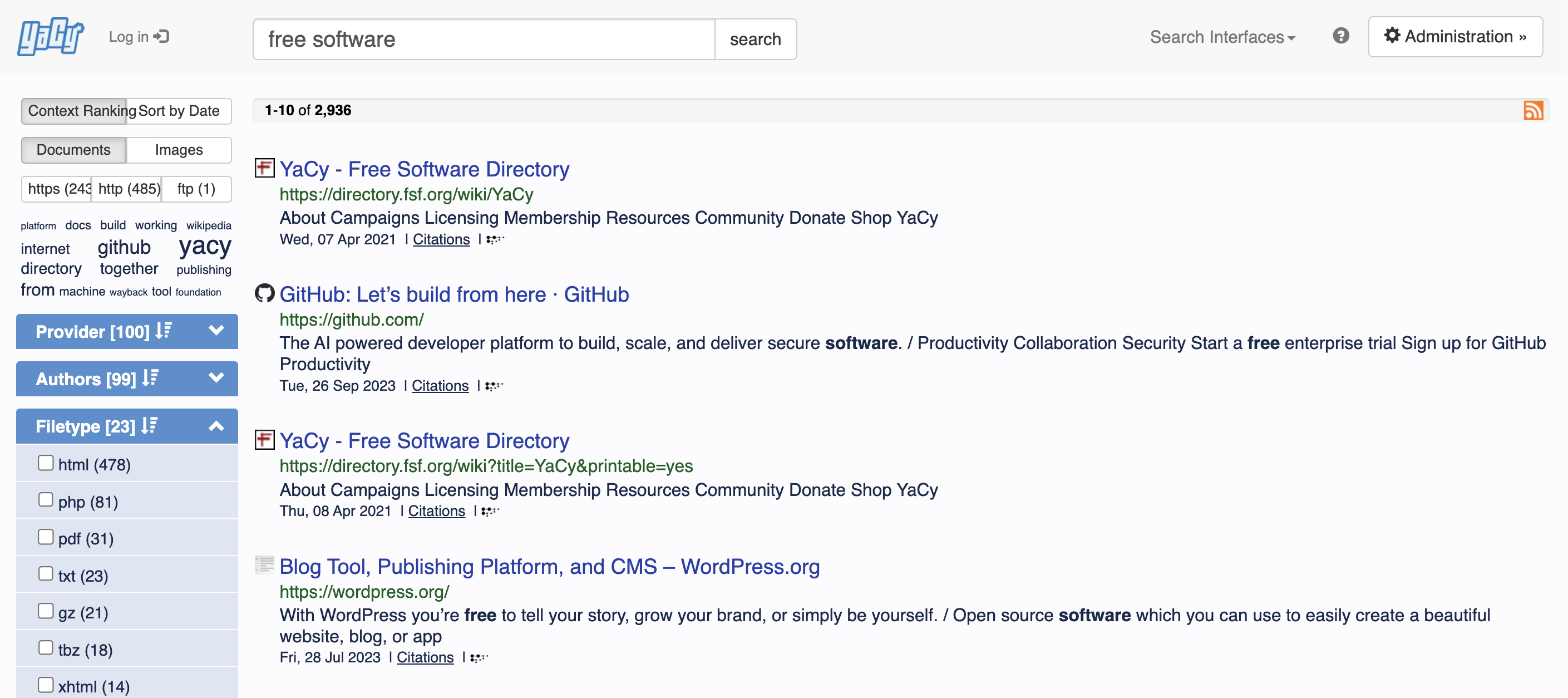
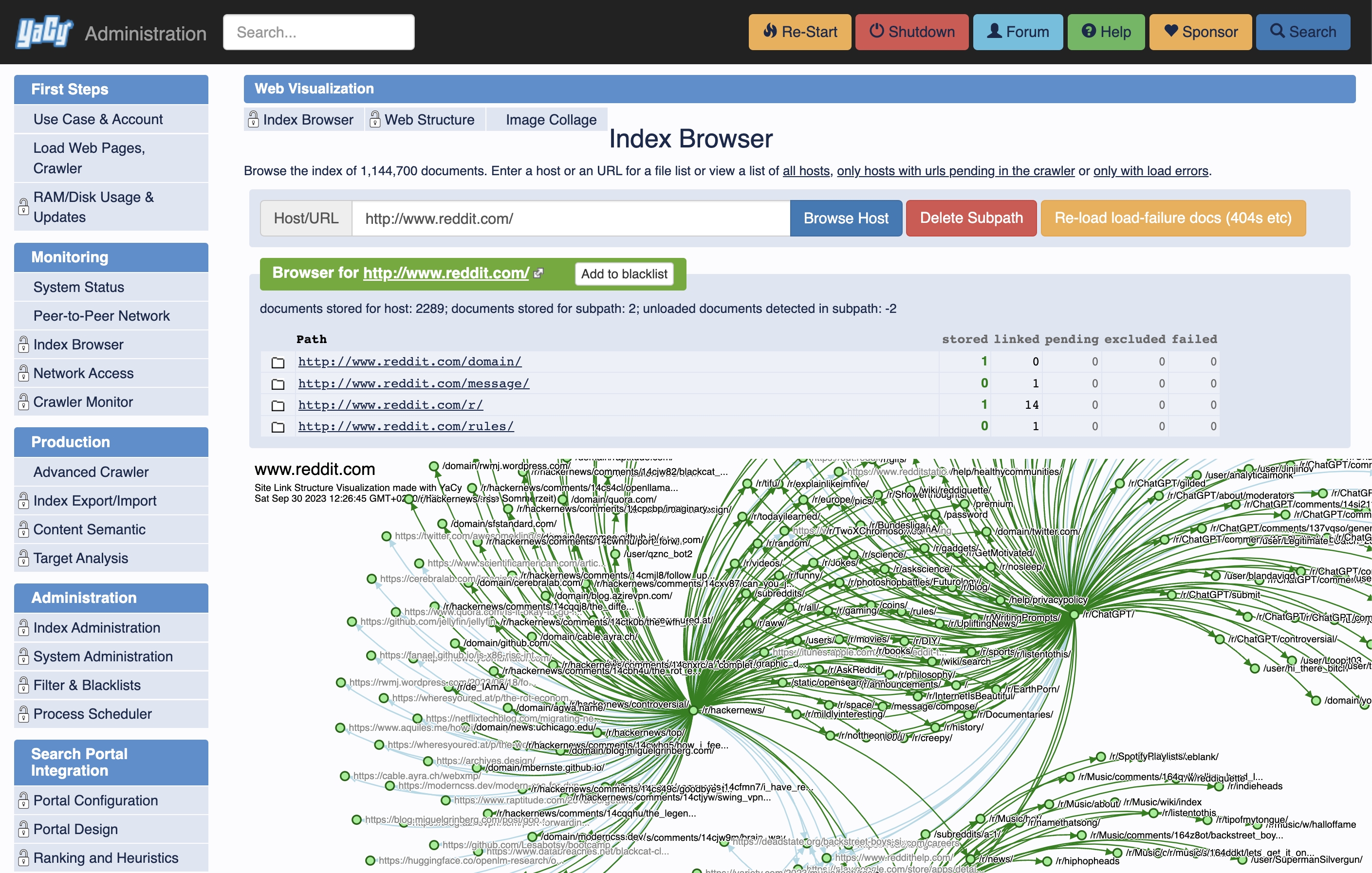
YaCy is a full search engine application containing a server hosting a search index,
a web application to provide a nice user front-end for searches and index creation
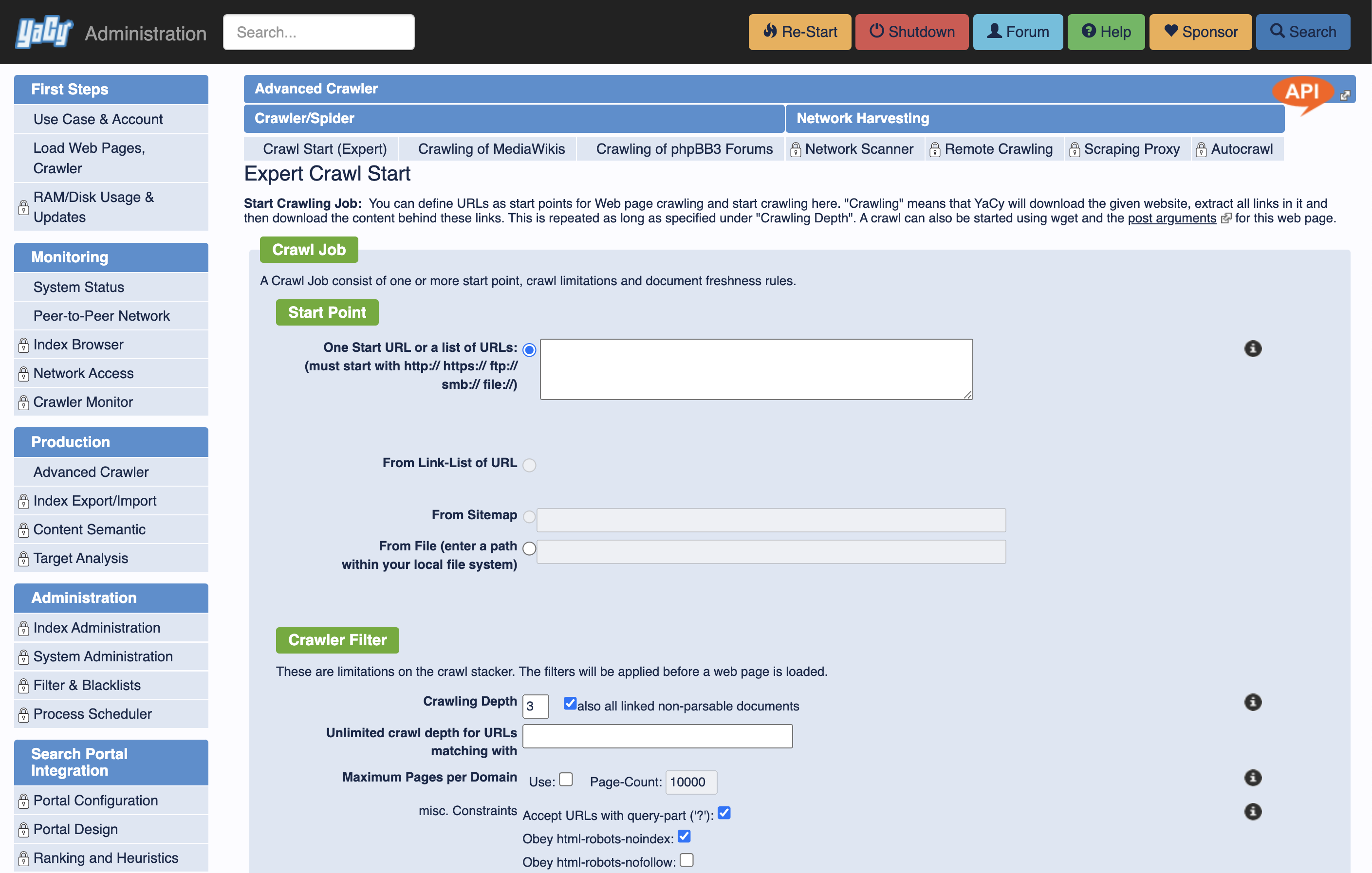
and a production-ready web crawler with a scheduler to keep a search index fresh.
YaCy search portals can also be placed in an intranet environment, making
it a replacement for commercial enterprise search solutions. A network
scanner makes it easy to discover all available HTTP, FTP and SMB servers.
Running a personal Search Engine is a great tool for privacy; indeed YaCy
was created with the privacy aspect as priority motivation for the project.
You can also use YaCy with a customized search page in your own web applications.
Large-Scale Web Search with a Peer-to-Peer Network
Each YaCy peer can be part of a large search network where search indexes can be
exchanged with other YaCy installation over a built-in peer-to-peer network protocol.
This is the default operation that enables new users to instantly access
a large-scale search cluster, operated only by YaCy users.
You can opt-out from the YaCy cluster operation by choosing a different operation
mode in the web interface. You can also opt-out from the network in individual searches,
turning the use of YaCy a completely privacy-aware tool - in this operation mode search
results are computed from the local index only.
Installation
We recommend to compile YaCy yourself and install it from the git sources.
Pre-compiled YaCy packages exist but are not generated on a regular basis.
Automaticaly built latest developer release is available at
release.yacy.net.
To get a ready-to-run production package, run YaCy from Docker.
Compile and run YaCy from git sources
You need Java 17 or later to run YaCy and ant to build YaCy.
This would install the requirements on debian:
sudo apt-get install openjdk-17-jdk-headless ant
Then clone the repository and build the application:
git clone --depth 1 https://github.com/yacy/yacy_search_server.git
cd yacy_search_server
ant clean all
To start YaCy, run
./startYACY.sh
The administration interface is then available in your web browser at http://localhost:8090.
Some of the web pages are protected and need an administration account; these pages are usually
also available without a password from the localhost, but remote access needs a log-in.
The default admin account name is admin and the default password is yacy.
Please change it after installation using the http://<server-address>:8090/ConfigAccounts_p.html service.
Stop YaCy on the console with
./stopYACY.sh
Build the Windows installer
Windows installers are built with NSIS and require the release payload produced by Ant.
Install NSIS (makensis) and then run:
ant distWinInstaller
This runs the full build, stages files into RELEASE/MAIN, and produces the installer
in RELEASE/ as yacy_v<version>_*.exe.
If you want it in two steps, you can run:
ant copyMain4Dist
makensis RELEASE/WINDOWS/build.nsi
YaCy has many built-in interfaces, and they are all based on HTTP/XML and
HTTP/JSON. You can discover these interfaces if you notice the orange "API" icon in
the upper right corner of some web pages in the YaCy web interface. Click it, and
you will see the XML/JSON version of the respective webpage.
You can also use the shell script provided in the /bin subdirectory.
The shell scripts also call the YaCy web interface. By cloning some of those
scripts you can easily create more shell API access methods.
License
This project is available as open source under the terms of the GPL 2.0 or later. However, some elements are being licensed under GNU Lesser General Public License. For accurate information, please check individual files. As well as for accurate information regarding copyrights.
The (GPLv2+) source code used to build YaCy is distributed with the package (in /source and /htroot).
Questions and requests for paid customization and integration into enterprise solutions.
can be sent to the maintainer, Michael Christen per e-mail (at [email protected])
with a meaningful subject including the word 'YaCy' to prevent it getting stuck in the spam filter.
Ainda não há lista de ferramentas. Servidores remotos recebem uma após a primeira verificação de saúde.
Perguntas frequentes
Perguntas
Como instalo YaCy Peer To Peer Search?
Copie nesta página a configuração stdio para Cursor, Claude Desktop, Claude Code ou VS Code. Ela usa a instalação do publicador, não um proxy do PlugMCP.
YaCy Peer To Peer Search precisa de uma chave de API?
O publicador lista estas variáveis de ambiente: YACY_URL, YACY_ADMIN_USER, YACY_ADMIN_PASSWORD, YACY_CRAWL_ALLOW_PRIVATE, YACY_ALLOW_TRUST_SETTINGS.
Qual transporte YaCy Peer To Peer Search usa?
YaCy Peer To Peer Search roda localmente via stdio.
Quando YaCy Peer To Peer Search foi verificado pela última vez?
Última verificação: 2026-11-10. Web search, crawling and ranking evaluation on your own YaCy peer: no API key, no central service.