FLUJO
Build private AI agents visually. Run them your way.
Connect your AIs and apps, build an agent, then talk to it, automate it, or call it from other software.
Simple + visual builders · MCP-native connections · Multi-model · ·
Potencialize seu agente
Instalação do publicador. Não é um endpoint do PlugMCP.
Host a copy with our keys and logs.
Ainda não há uma versão empacotada no registro. Siga o README do repositório.
URL remota ou um comando na sua máquina? Como as duas instalações diferem
Rodar no PlugMCP
A new server you create. It is not this listing's official endpoint. Use the publisher install when you want their URL and their credentials.
AbrirDo publicador
Connect your AIs and apps, build an agent, then talk to it, automate it, or call it from other software.
Simple + visual builders · MCP-native connections · Multi-model · ·
Multi-Agent + Automation Harness: Graph-based Workflows, MCP, Self-Improving Agents. NextJs+React
FLUJO is an open-source, local-first AI workspace. Save your model and app connections once, build reusable agents as plain-language steps or visual flows, and inspect what happens when they run. Combine models, tools and other agents; branch, loop and hand off work; use the same setup in chat, background automations and external applications.
Your workspace is stored on your computer. Cloud models and connected services receive the requests you send them. Privacy and workspace controls.

Connect your AI, create an agent, then use it. Walkthrough screenshots show real FLUJO 3.46.2 screens; select an image to view it at full size.
FLUJO feels complicated, you're missing a feature, or you're stuck? Join Discord or open a GitHub issue. We can only improve if we know what's wrong.
AI Setup · Connected Apps · Agent Builder · Talk & debugging · Automations · Meetings · Personas · Integrations · Project vision
The installers set up FLUJO and useful tool runtimes such as Git, Node.js, Python, uv and ripgrep. They download dependencies and need an internet connection.
Windows installer: Download the latest flujo-setup.exe.
Windows PowerShell:
irm https://raw.githubusercontent.com/mario-andreschak/FLUJO/main/scripts/install.ps1 | iex
Linux / macOS:
curl -fsSL https://raw.githubusercontent.com/mario-andreschak/FLUJO/main/scripts/install.sh | bash
Already have Node.js 22.19+ within 22.x, or 24.2+ within 24.x? Run the published package:
npx flujo-ai@latest
Open localhost:4200 and keep the FLUJO server running. Some connected tools need additional runtimes or credentials. Shell installers follow the development branch by default; check the release notes for a Windows installer's version and channel.

Give agents access to files, browsers, APIs and other services through the Model Context Protocol.

Import a repository, install and build its server, configure its run command, then test and save the connection.

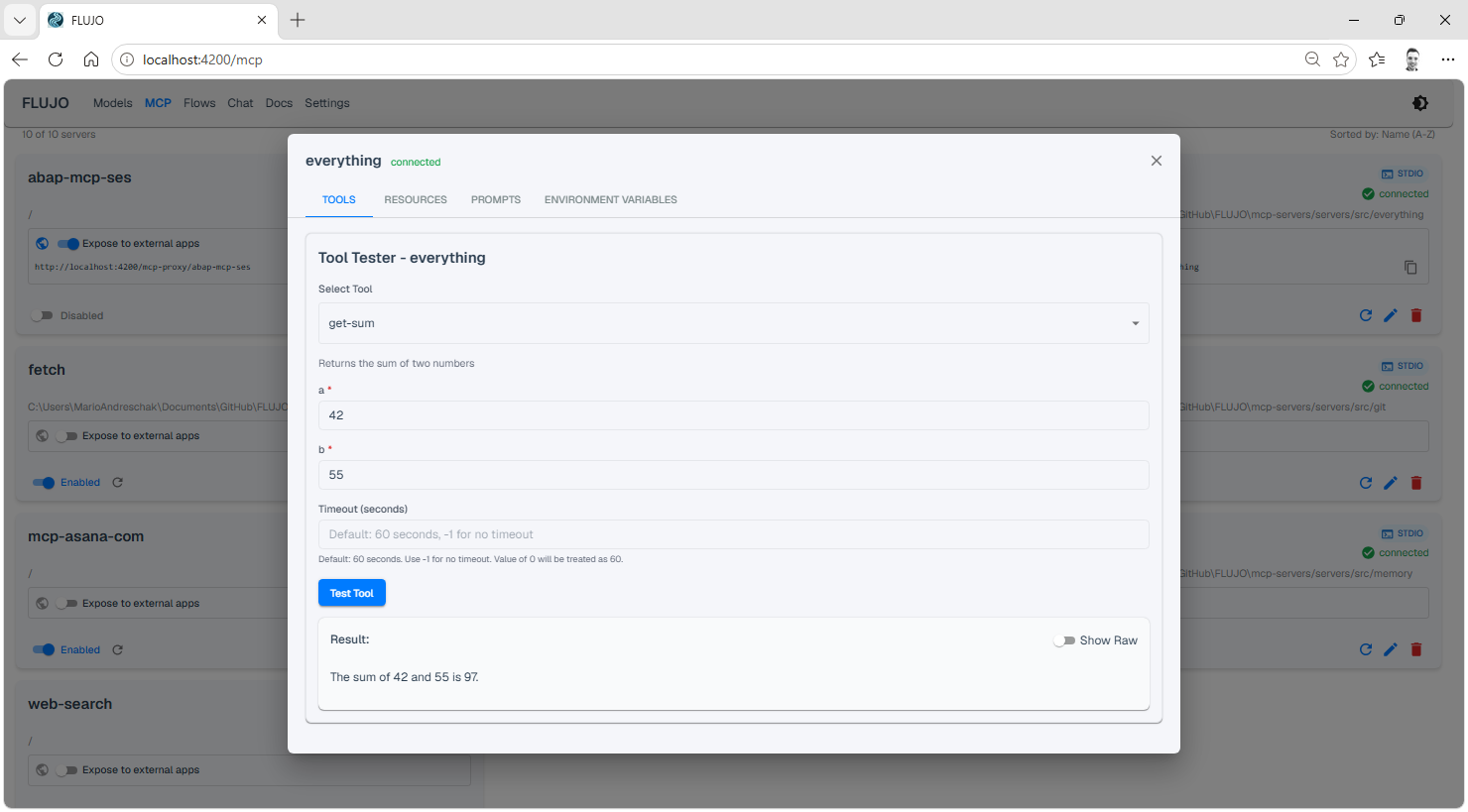
The tool inspector lets you browse and call a connected server's capabilities directly:
Start simple, then add the structure your task needs.

Easy and Expert are views of the same agent. This recording uses a Website Builder as one example.

Connect one node to several successors, then describe when its handoff tools should choose each path. Connect a node back to an earlier step to create a loop. Combine these patterns to coordinate several specialists.
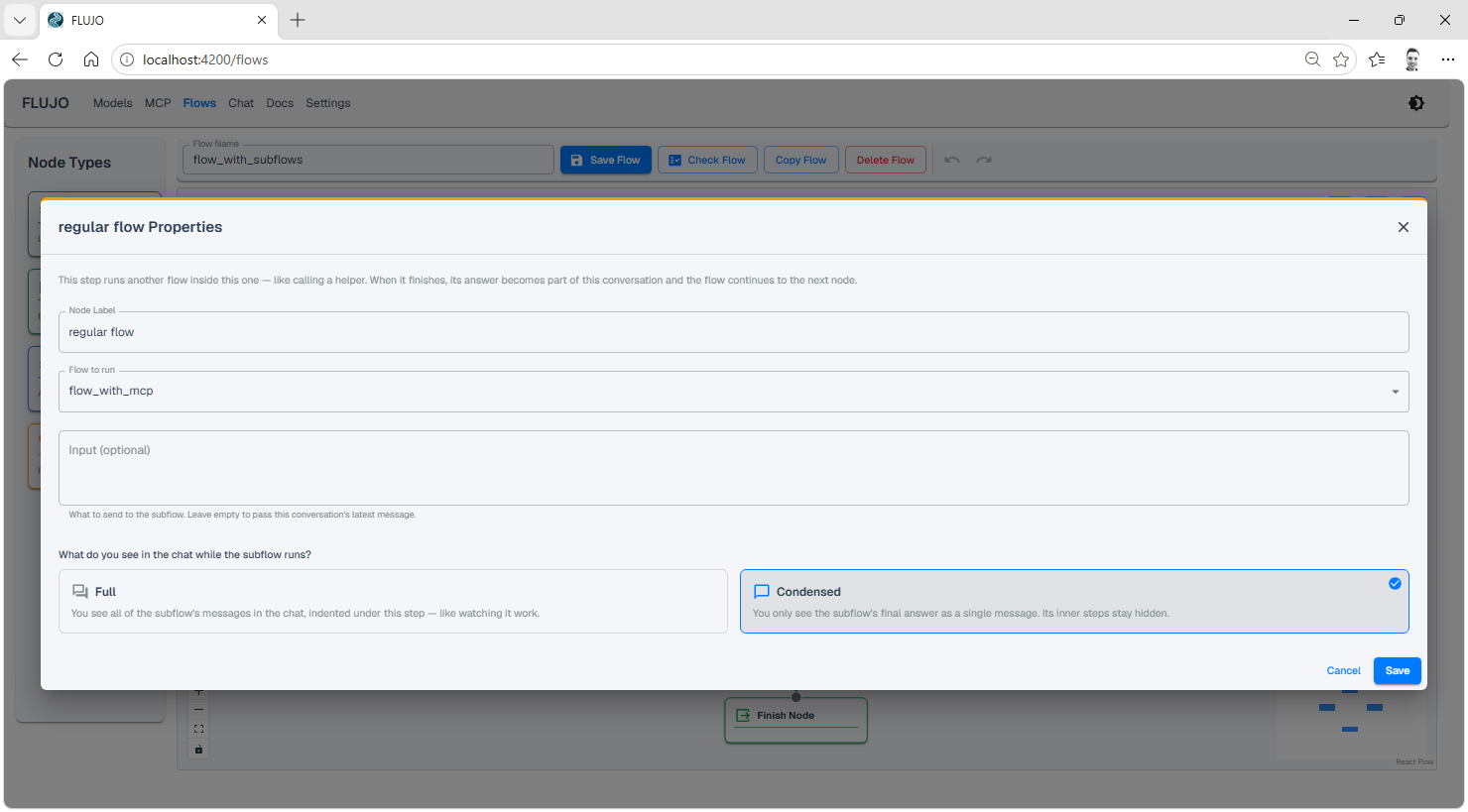
Drop in a Subflow node to call another flow. Choose what context it receives and how its output appears in the parent run.
Run a saved agent on a schedule or when something happens. The FLUJO server must stay running; the browser tab can be closed.

Choose what starts the work. Each saved trigger has its own run history and results.
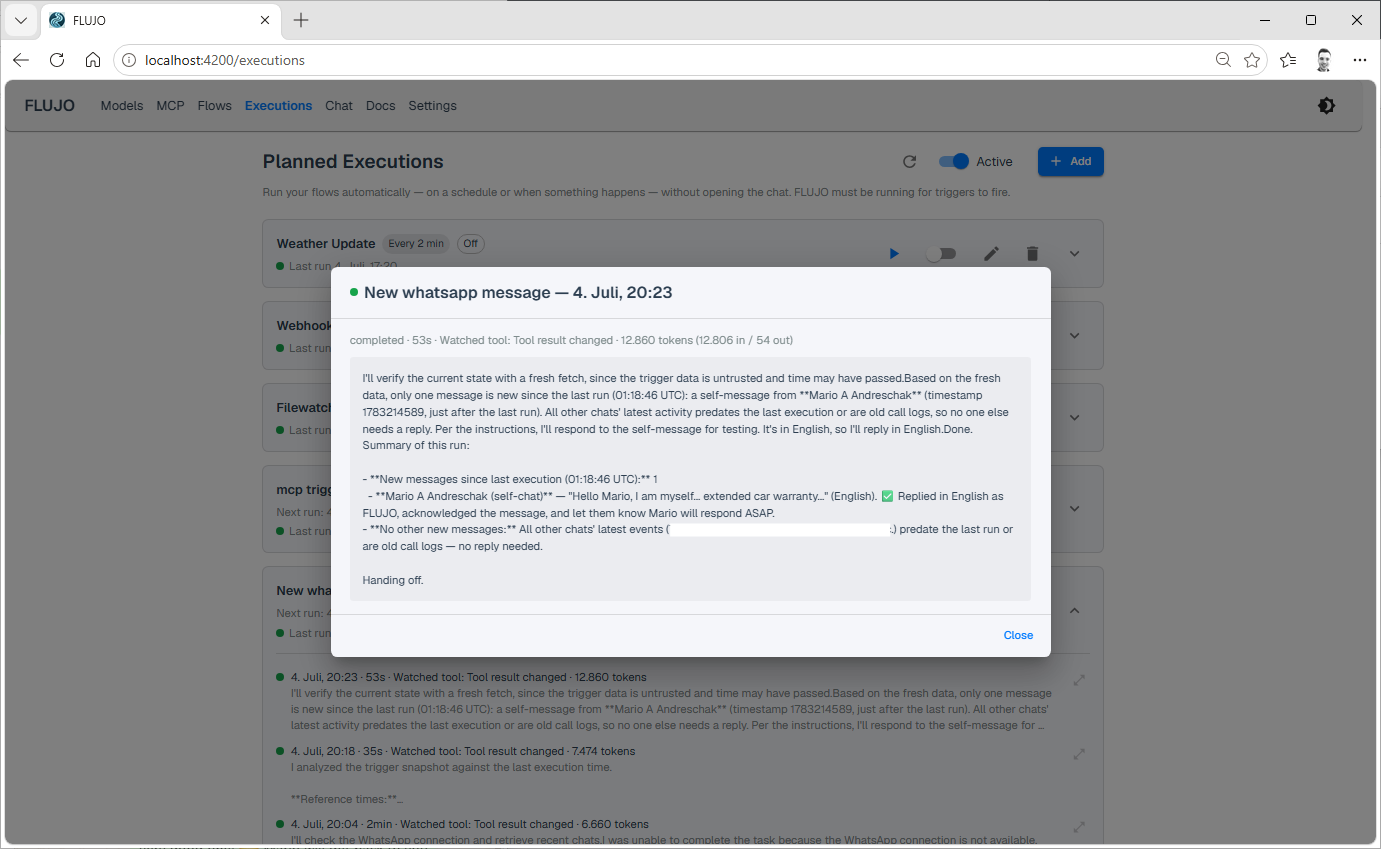
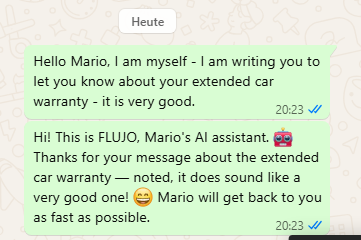
Combine a Watch a tool trigger with a WhatsApp MCP server to build an auto-responder. Its operation depends on the connected server, account access and agent configuration.
Failed tools, provider limits and approvals can need attention. Schedule catch-up can admit one missed occurrence; it does not replay every missed run. The Triggers page retains saved schedules during refresh errors and offers Try again. Pause changes wait for confirmation, failed deletions remain retryable, and stalled requests release the controls after 30 seconds.
Bring multiple agents into a shared conversation around a topic. Choose participants and facilitation in More → Meetings.

The walkthrough previews this setup without creating or running a meeting.
A Persona is an ongoing helper with a name, a Role, memories, conversations and goals. Review its work and memories, adjust its setup, and pause or stop ongoing goals. Enable experimental features in Settings to explore Personas.

Follow Maya's workshop example. Its three “days” are compressed demonstration sessions, with operator review and corrections; they do not establish unattended reliability over elapsed days.
See flows and their relationships in one place, or explore planned timing in the Day view. The overview is read-only; forecasts are distinct from execution results.

Reuse FLUJO from Cline, Roo Code, Cursor, an OpenAI SDK client or another compatible MCP client.
The default local profile accepts a compatibility API-key value; that value is not authentication. An explicitly enabled owner policy requires an issued, scoped bearer. These interfaces have exposure and workspace-access rules; see the API reference.
FLUJO connects to Ollama as a model provider. It does not expose an Ollama-compatible server endpoint.
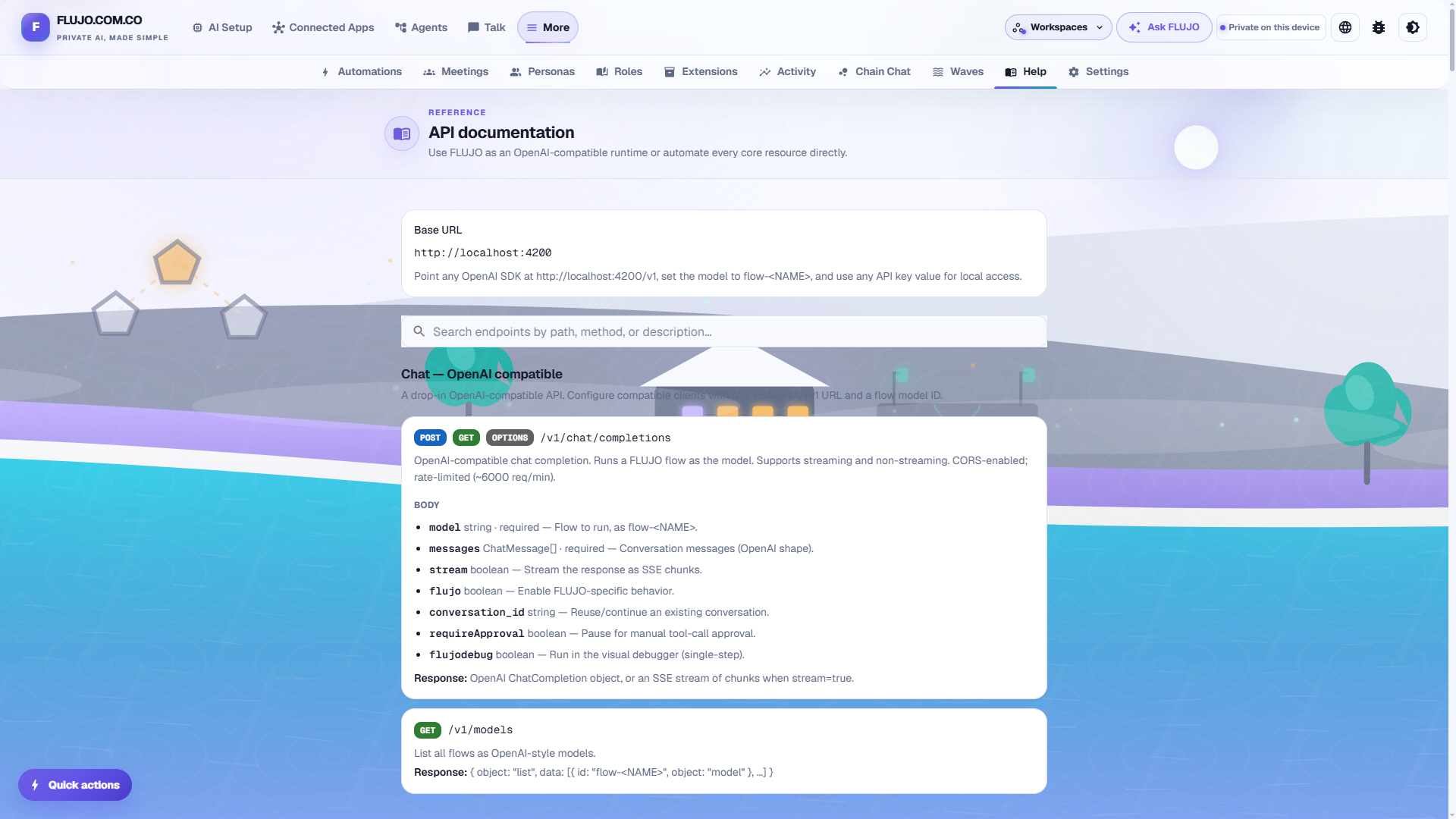
Open /docs in the running app for searchable HTTP documentation with examples for chat, conversations, models, flows, MCP, automations and administration. The reference is curated; the route inventory covers the source handlers.
Choose an example:
Everyday use and recovery · Compare working styles with Claude, Goose, Dify, n8n, OpenClaw and Hermes · Full documentation
The detailed instructions remain available for each setup:
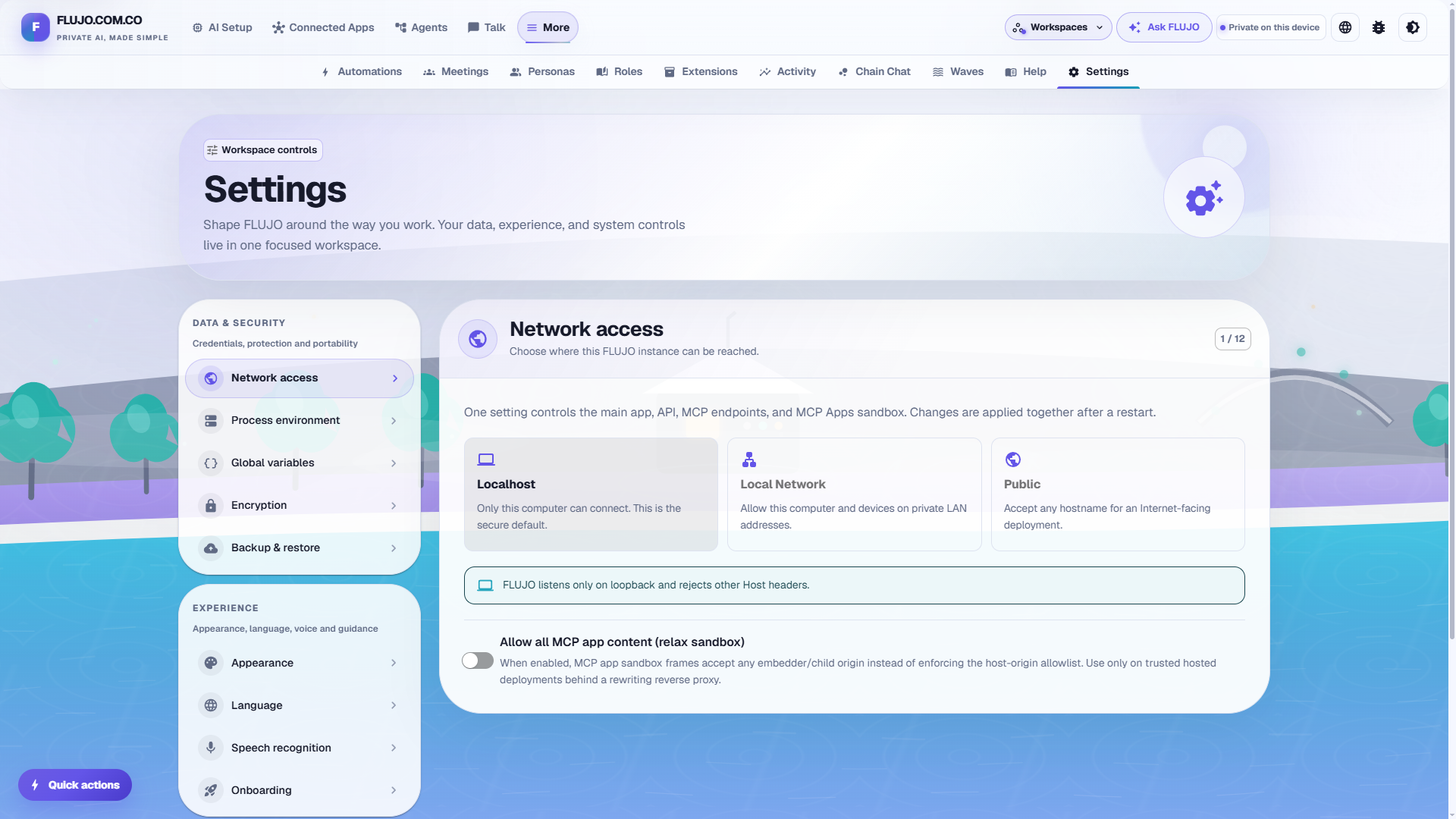
The default installation is for one trusted operator on localhost, without a sign-in screen or separate user accounts. Settings → Network access controls exposure, not authentication. Deliberate LAN or public exposure needs appropriate authenticating controls; public/shared hosting acceptance remains open. Workspace selection does not provide user isolation.
World: one avatar, one voice, and work that happens in the background. One virtual home to bring everything into one place.
Swarms: bring FLUJO into the cloud. One machine, ten machines, a hundred machines — with a long-term ambition of thousands of agents working together, using supported Claude/Codex subscription access and a copy of your local MCP configuration.
These are longer-term ambitions. Related directions include real-time voice, deeper roots/checkpoint support and builds suited to smaller devices. See the current project status or share a feature request.
Contributions, bug reports and ideas are welcome. Read the contributor guide, pick a starter task, or open a pull request. Maintainers have a separate release procedure.
FLUJO is MIT licensed, powered by PocketFlow, and built with Cline, Claude Code and a lot of love.
Multi-Agent + Automation Harness: Graph-based Workflows, MCP, Self-Improving Agents. NextJs+React
Ferramentas
Ainda não há lista de ferramentas. Servidores remotos recebem uma após a primeira verificação de saúde.
Perguntas frequentes
Copie nesta página a configuração stdio para Cursor, Claude Desktop, Claude Code ou VS Code. Ela usa a instalação do publicador, não um proxy do PlugMCP.
Este registro não lista nenhuma variável de ambiente obrigatória.
FLUJO roda localmente via stdio.
Última verificação: 2026-11-15. Multi-Agent + Automation Harness: Graph-based Workflows, MCP, Self-Improving Agents. NextJs+React