Potencialize seu agente
Instalação do publicador. Não é um endpoint do PlugMCP.
Host a copy with our keys and logs.
Ainda não há uma versão empacotada no registro. Siga o README do repositório.
URL remota ou um comando na sua máquina? Como as duas instalações diferem
Rodar no PlugMCP
A new server you create. It is not this listing's official endpoint. Use the publisher install when you want their URL and their credentials.
AbrirDo publicador
A Model Context Protocol (MCP) server that provides access to OKX trading and portfolio management functionality. This package allows AI assistants to interact with your OKX account to retrieve portfolio information, trading positions, order history, and more.
This MCP server is designed with security as a top priority. Here's what makes it safe to use:
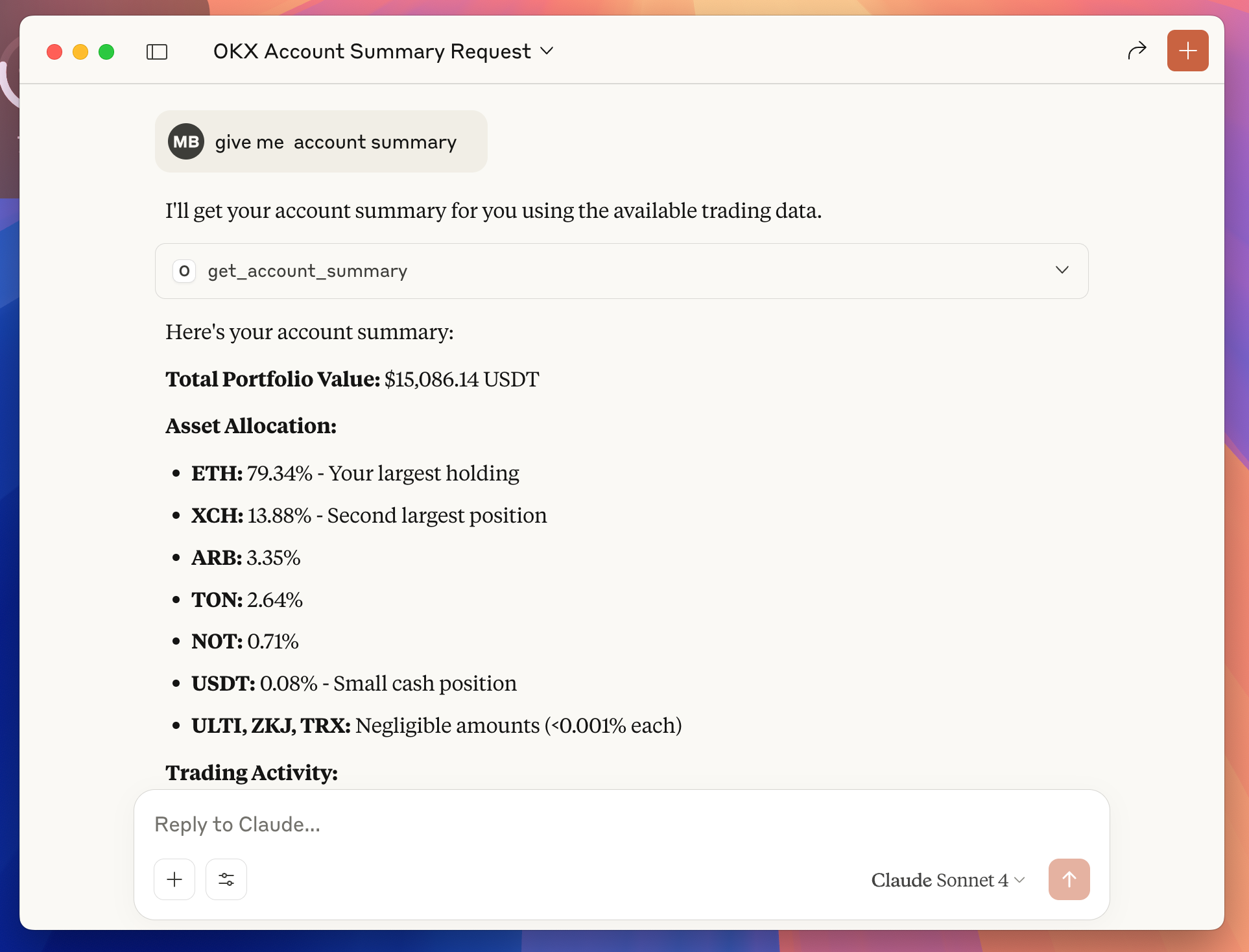
Example: Ask Claude "give me account summary" and instantly get your portfolio breakdown, asset allocation, and trading insights—all from your OKX account data.
Transform your trading experience with AI-powered portfolio insights. Once configured, you can ask Claude natural language questions about your OKX account:
The AI can provide instant analysis, generate insights, and help you make informed trading decisions—all through simple conversation.
Access Your OKX Account:
Open API Management:
Create Your API Key:
Set Read-Only Permissions:
Generate and Copy Credentials:
Your credentials will look like this:
apikey = "12345678-abcd-1234-efgh-123456789abc"
secretkey = "ABCD1234EFGH5678IJKL9012MNOP3456"
IP = ""
API key name = "MCP Server"
Permissions = "Read"
Secure Your Credentials:
Before configuring Claude Desktop, you need to install Node.js.
Option 1: Download from Official Website
Open Claude Desktop Settings:
Access Developer Section:
Edit Configuration:
claude_desktop_config.json file in your default text editorAdd OKX MCP Server Configuration:
{
  "mcpServers": {
    "okx-mcp": {
      "command": "okx-mcp",
      "env": {
        "OKX_API_KEY": "your_api_key_here",
        "OKX_API_SECRET": "your_secret_key_here",
        "OKX_API_PASSPHRASE": "your_passphrase_here"
      }
    }
  }
}
Update Your Credentials:
your_api_key_here with your actual API Key from Step 1your_secret_key_here with your actual Secret Key from Step 1your_passphrase_here with your actual Passphrase from Step 1Restart Claude Desktop:
Test the Connection:
This MCP server provides the following tools for AI assistants:
get_account_summaryget_portfolioget_positionsget_open_ordersget_order_historyinstId (required): Instrument ID (e.g., "BTC-USDT")begin (optional): Start timestampend (optional): End timestamp# Clone the repository
git clone https://github.com/maxbarinov/okx-mcp.git
cd okx-mcp
# Install dependencies
npm install
# Set up environment variables
cp .env.example .env
# Edit .env with your OKX API credentials
# Run in development mode
npm run dev
npm run build
src/
├── services/
│   └── okxApiClient.ts    # OKX API client wrapper
└── tools/                # MCP tool implementations
    ├── get_account_summary.ts
    ├── get_portfolio.ts
    ├── get_positions.ts
    ├── get_open_orders.ts
    └── get_order_history.ts
MIT
If you encounter any issues or have questions:
A Model Context Protocol (MCP) server that provides access to OKX trading and portfolio management functionality. This package allows AI assistants to interact with your OKX account to retrieve portfo
Visão geral
A Model Context Protocol (MCP) server that provides access to OKX trading and portfolio management functionality. This package allows AI assistants to interact with your OKX account to retrieve portfolio information, trading positions, order history, and more.
Ferramentas
Ainda não há lista de ferramentas. Servidores remotos recebem uma após a primeira verificação de saúde.
Perguntas frequentes
Copie nesta página a configuração stdio para Cursor, Claude Desktop, Claude Code ou VS Code. Ela usa a instalação do publicador, não um proxy do PlugMCP.
Este registro não lista nenhuma variável de ambiente obrigatória.
Okx roda localmente via stdio.
Última verificação: 2026-10-28. A Model Context Protocol (MCP) server that provides access to OKX trading and portfolio management functionality. This package allows AI assistants to interact with your OKX account to retrieve portfolio information, trading positions, order history, and more.
