Screenshots
Potencialize seu agente
O comando do próprio publicador. Não é um endpoint do PlugMCP.
Host a copy with our keys and logs.
npx -y @myrialabs/[email protected]O Claude Code não tem link de instalação para um comando local. Copie o comando abaixo e execute-o em um terminal.
claude mcp add myrialabs-clopen -- npx -y @myrialabs/clopen@0.4.48Execute em um terminal.
{ "mcpServers": { "myrialabs-clopen": { "command": "npx", "args": [ "-y", "@myrialabs/[email protected]" ] } }}claude_desktop_config.json
URL remota ou um comando na sua máquina? Como as duas instalações diferem
Rodar no PlugMCP
A new server you create. It is not this listing's official endpoint. Use the publisher install when you want their URL and their credentials.
AbrirDo publicador
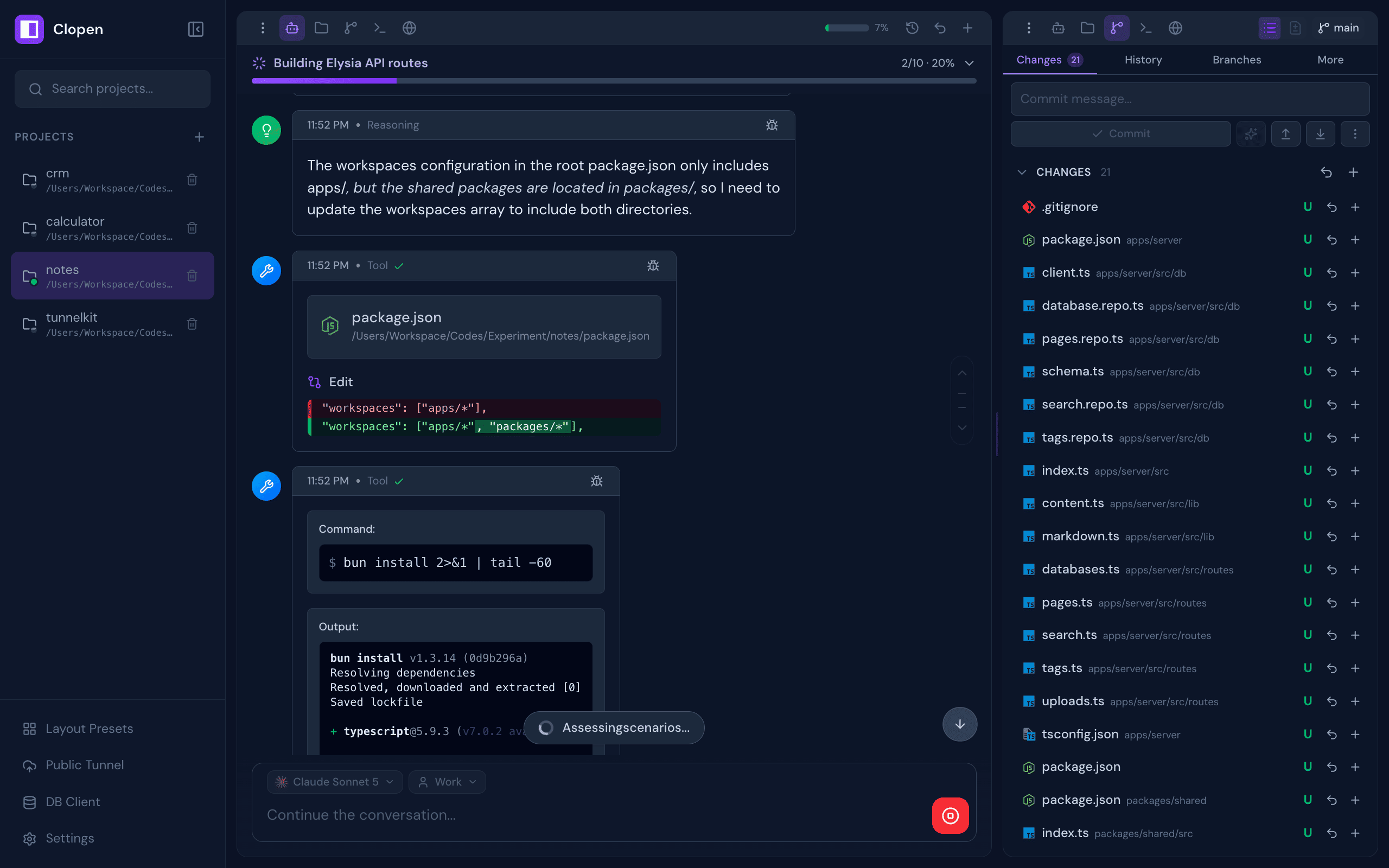
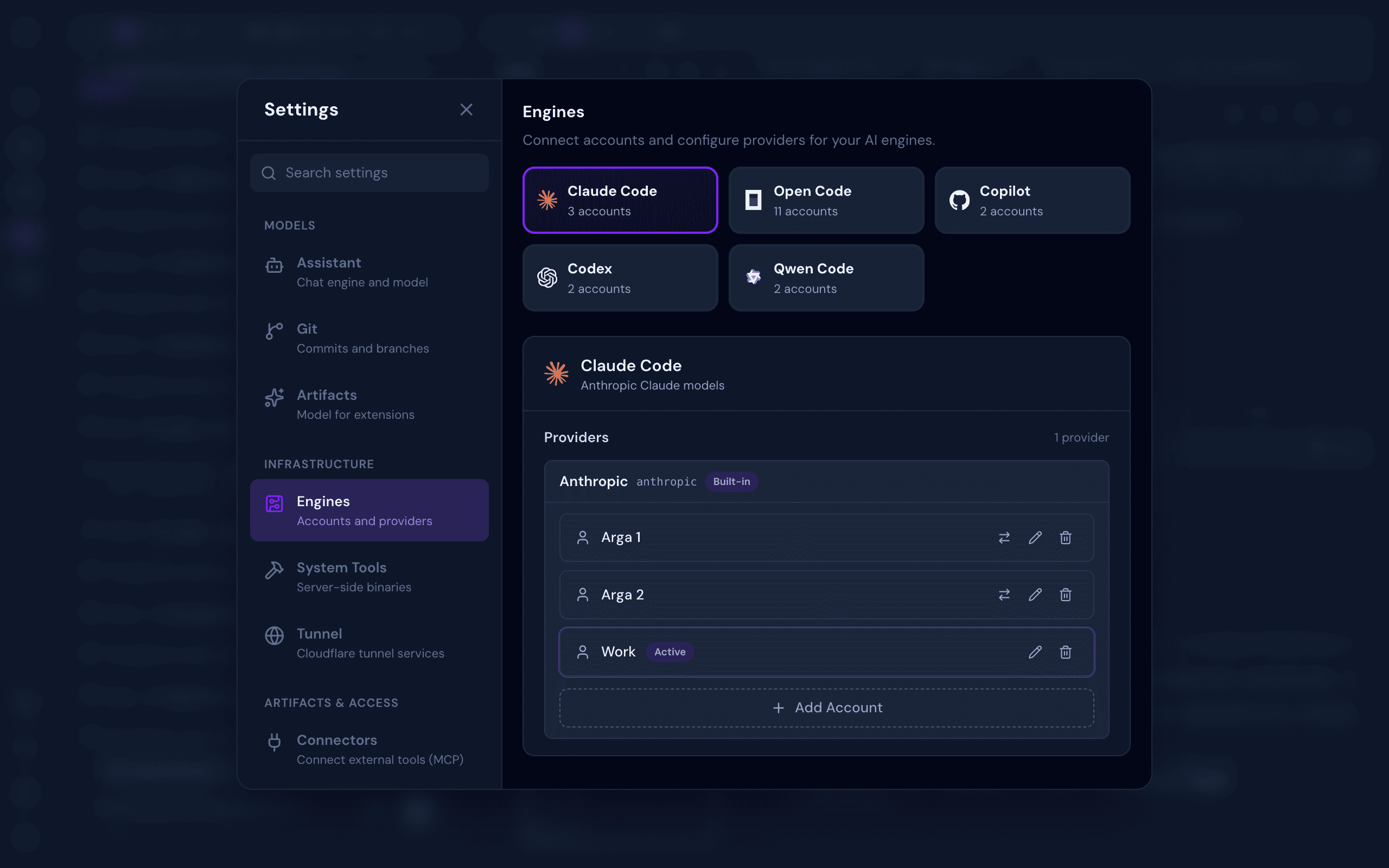
All-in-one web workspace for AI coding agents — Claude Code, OpenCode, Codex, Copilot, Qwen Code, Pi, Cline, and Cursor — with chat, terminal, git, browser preview, database client, checkpoints, and real-time collaboration
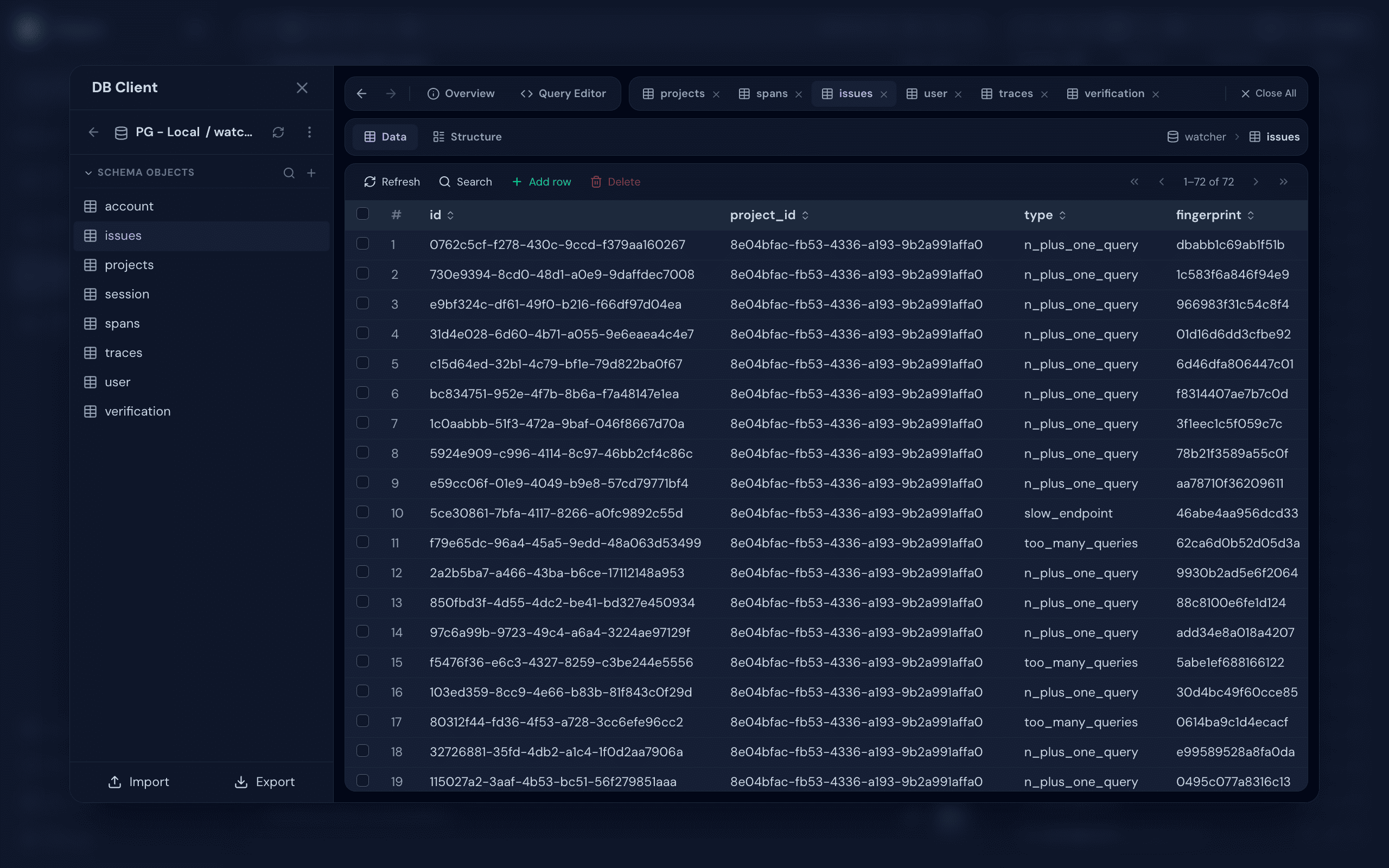
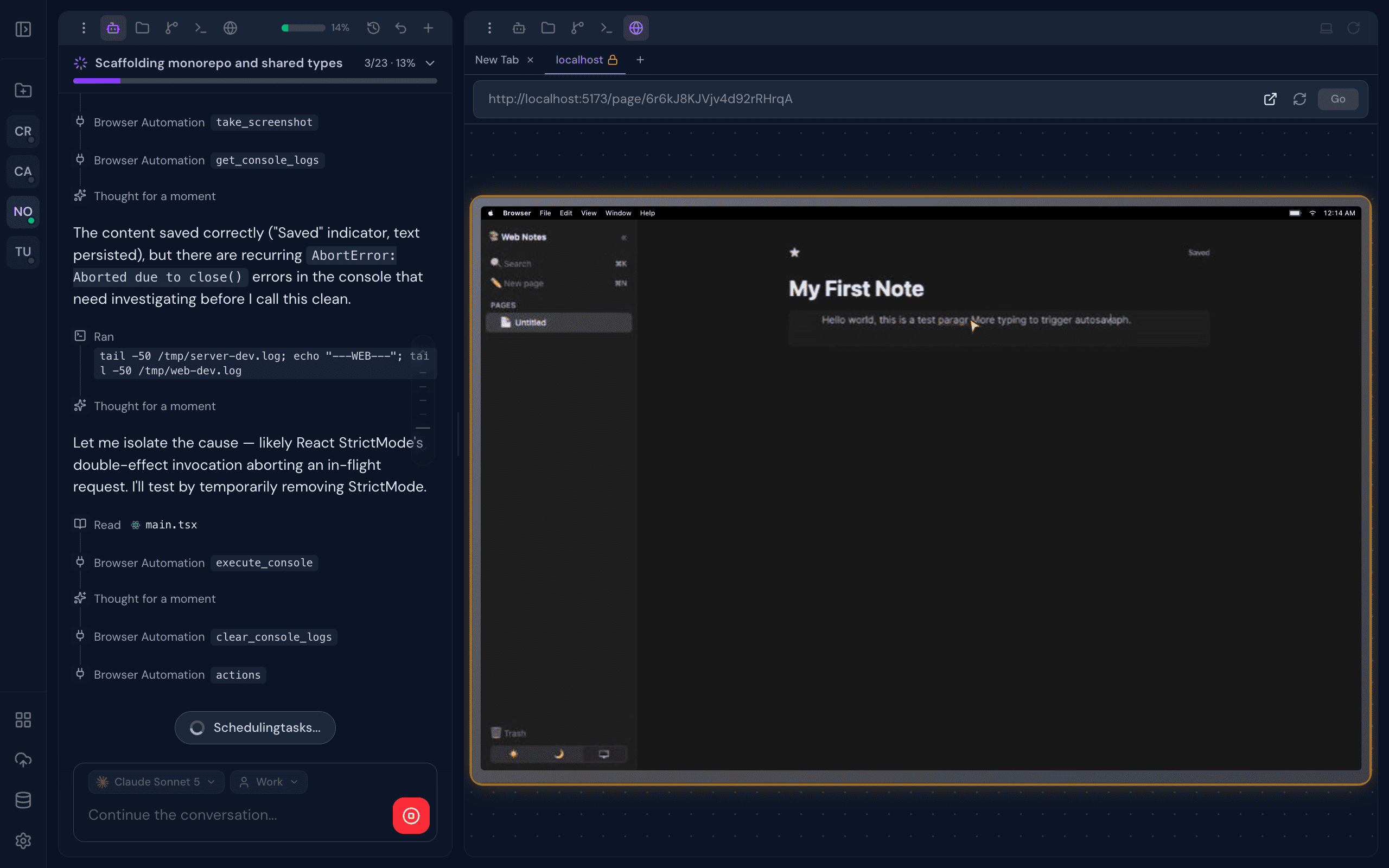
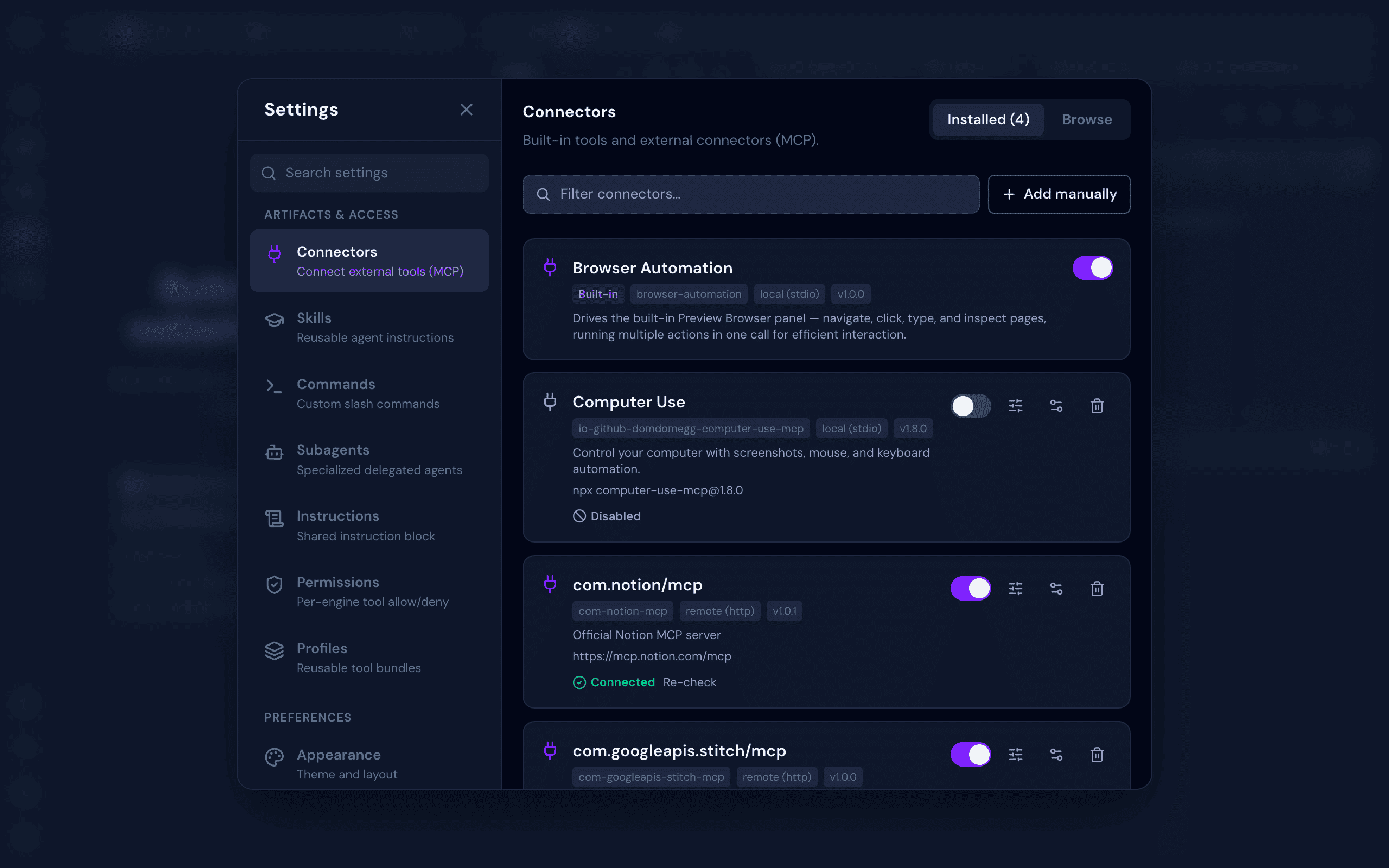
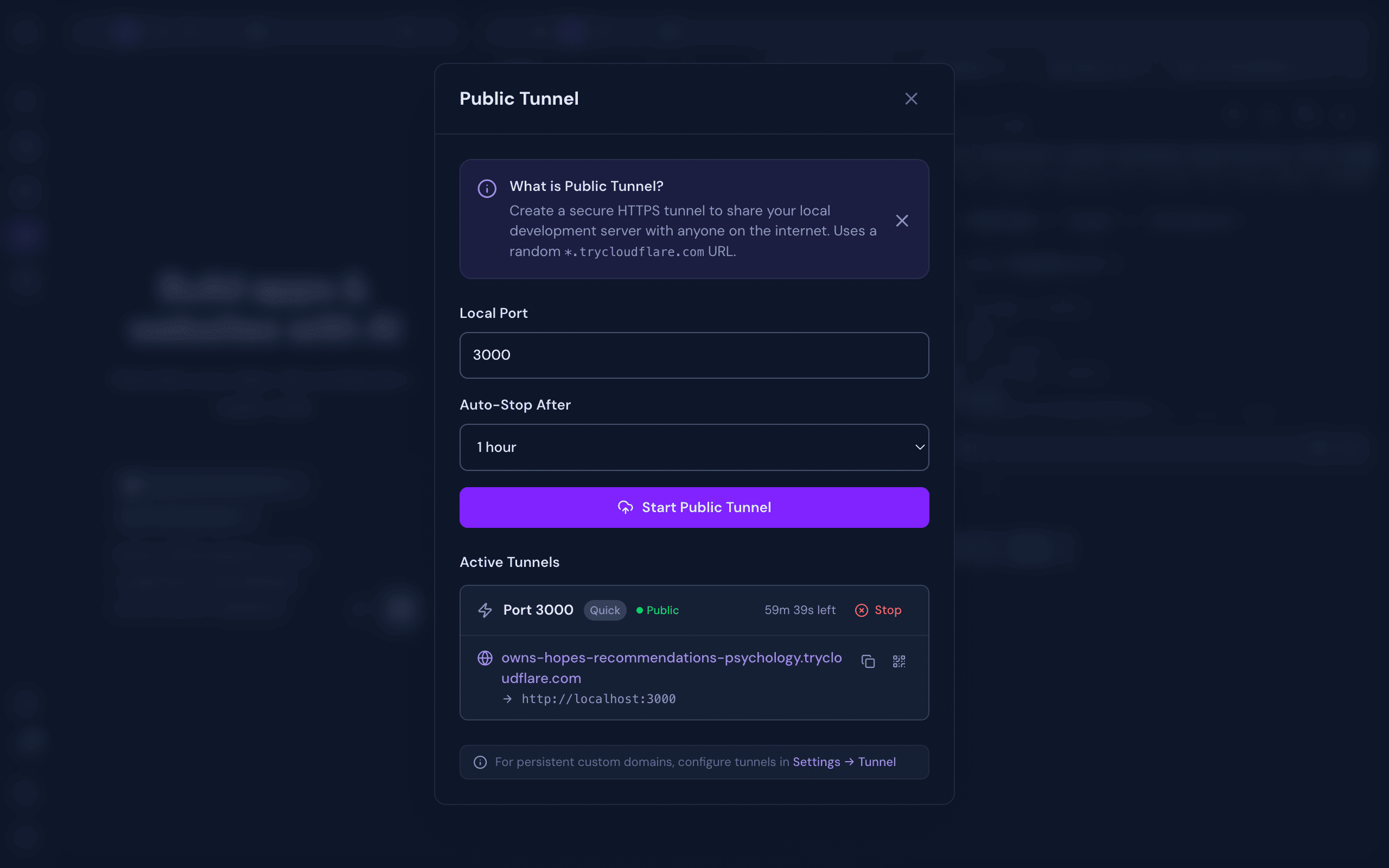
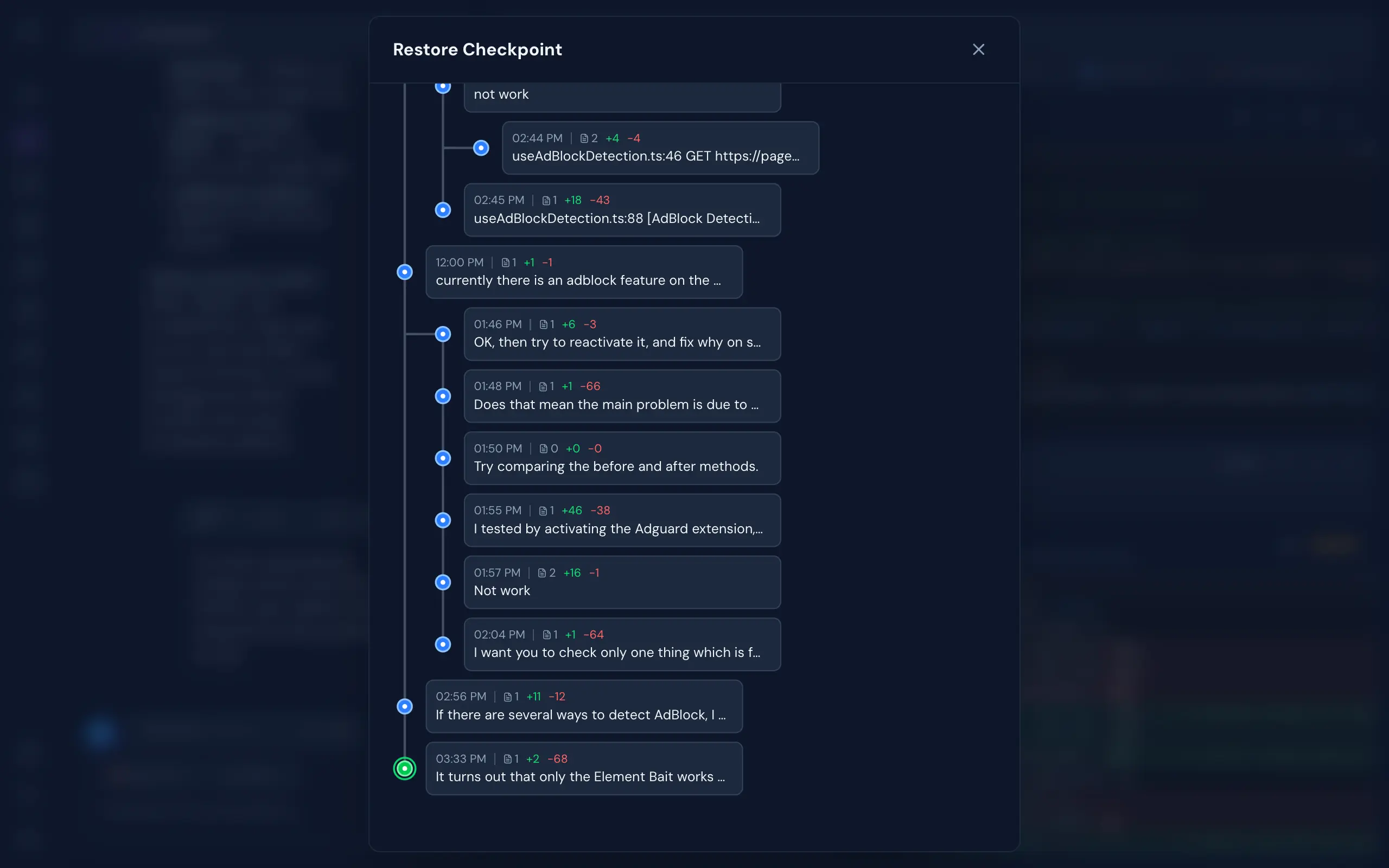
A complete development environment designed around AI-assisted workflows, built to disappear into the background and just work.
~/.clopen/stack/engines) — isolated from your global setup, no PATH pollutionbun add -g @myrialabs/clopen
clopen update
Or manually via Bun:
bun add -g @myrialabs/clopen
You can also update from the Settings → Maintenance → Updates section in the web UI.
clopen
Starts the server on http://localhost:9141.
On first launch, a setup wizard guides you through:
You can change the authentication mode anytime in Settings → Security → Authentication.
To invite team members (With Login mode), go to Settings → Team → Invite and generate an invite link (valid for 15 minutes).
If you lose your admin token:
clopen reset-pat
This regenerates and displays a new admin PAT.
Clopen is open source and contributions are welcome! Whether it's a bug fix, new feature, or improvement to docs — feel free to open an issue or submit a pull request.
git clone https://github.com/myrialabs/clopen.git
cd clopen
bun install
bun run dev     # Start development server
bun run check   # Type checking
When running in development mode, Clopen uses ~/.clopen-dev instead of ~/.clopen, keeping dev data separate from any production instance.
Each AI engine's config/state (credentials, sessions, logs) is isolated under ~/.clopen/engine/<engine>/user/ rather than the engine's global location (~/.codex, ~/.copilot, ~/.qwen, the OpenCode XDG dirs), so Clopen never mixes with — or disturbs — your own standalone CLI usage.
See CONTRIBUTING.md for guidelines and DECISIONS.md for architectural decisions.
clopen --port 9145
Or kill the existing process:
# Unix/Linux/macOS
lsof -ti:9141 | xargs kill -9

# Windows
netstat -ano | findstr :9141
taskkill /PID <PID> /F
MIT License - see LICENSE for details.
If Clopen is useful to you, consider supporting its development:
Repository: github.com/myrialabs/clopen · Issues: Report a bug or request a feature
All-in-one web workspace for AI coding agents — Claude Code, OpenCode, Codex, Copilot, Qwen Code, Pi, Cline, and Cursor — with chat, terminal, git, browser preview, database client, checkpoints, and r
{ "mcpServers": { "myrialabs-clopen": { "command": "npx", "args": [ "-y", "@myrialabs/[email protected]" ] } }}Visão geral
All-in-one web workspace for AI coding agents — Claude Code, OpenCode, Codex, Copilot, Qwen Code, Pi, Cline, and Cursor — with chat, terminal, git, browser preview, database client, checkpoints, and real-time collaboration
Ferramentas
Ainda não há lista de ferramentas. Servidores remotos recebem uma após a primeira verificação de saúde.
Perguntas frequentes
Copie nesta página a configuração stdio para Cursor, Claude Desktop, Claude Code ou VS Code. Ela usa a instalação do publicador, não um proxy do PlugMCP.
Este registro não lista nenhuma variável de ambiente obrigatória.
@myrialabs/clopen roda localmente via stdio.
Última verificação: 2026-11-16. All-in-one web workspace for AI coding agents — Claude Code, OpenCode, Codex, Copilot, Qwen Code, Pi, Cline, and Cursor — with chat, terminal, git, browser preview, database client, checkpoints, and real-time collaboration