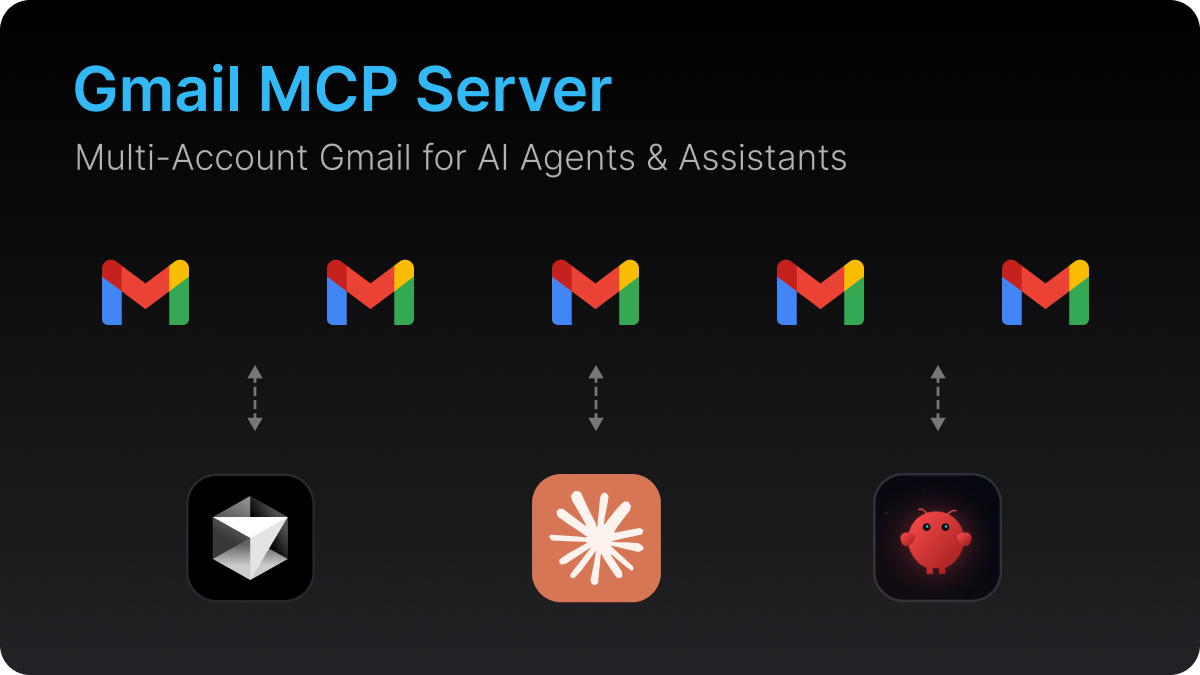
An open-source Model Context Protocol (MCP) server that gives AI agents and assistants full read and write access to Gmail. Connect multiple Gmail accounts, search emails, archive, label, and auto-unsubscribe. All through one server.
Open-source Gmail MCP server. Multi-account, read, write, archive, label, auto-unsubscribe. Works with Claude, OpenClaw, Cursor, Windsurf, Cline, and any MCP-compatible AI agent or assistant.
Estrelas
16
Ferramentas
—
Disponibilidade
—
Works with Claude, OpenClaw, Cursor, Windsurf, Cline, Continue, and any MCP-compatible client.
Why This Exists
Most AI tools ship with a Gmail integration that can only read emails from a single account. No archiving. No labeling. No unsubscribing. And if you use multiple Gmail accounts? You're out of luck.
This MCP server fixes that. One server, all your accounts, full read and write access.
Gmail MCP Server vs Built-in Connectors
Feature
Built-in Gmail (Claude)
Gmail MCP Server
Read emails
Yes
Yes
Write / modify emails
No
Yes
Multiple Gmail accounts
No
Yes
Archive emails
No
Yes
Apply labels
No
Yes
Auto-unsubscribe
No
Yes
Works with OpenClaw
No
Yes
Works with Cursor
No
Yes
Works with Windsurf
No
Yes
Works with Cline
No
Yes
Open source
No
Yes
What is an MCP Server?
Model Context Protocol (MCP) is an open standard that lets AI agents and assistants connect to external tools and data sources. An MCP server exposes tools that any compatible client can call. Think of it as a plugin system for AI.
This Gmail MCP server turns any MCP-compatible AI client into a full-featured email agent.
Gmail MCP Server Features
Multi-account support. Connect multiple Gmail accounts and switch between them, or query all at once.
Full read and write access. Not just reading emails. Archive, label, modify, and unsubscribe.
Gmail search syntax. Use Gmail's query language: is:unread, from:, newer_than:7d, has:attachment, and more.
Auto-unsubscribe. Finds and triggers unsubscribe links automatically. Supports List-Unsubscribe headers, mailto links, and body link scanning.
Batch operations. Fetch batches of emails for AI-powered triage and bulk actions.
Import this repo in Vercel. vercel.json sets the Express preset
In the project, go to Storage and add Upstash for Redis (free plan). This sets KV_REST_API_URL and KV_REST_API_TOKEN, which is where connected accounts are saved (Vercel's disk does not persist)
Add the environment variables from the table below, with SERVER_URL set to https://<project>.vercel.app and no PORT
Add https://<project>.vercel.app/oauth/callback as an Authorized redirect URI in Google Cloud Console
Deploy
Option B: Deploy to Railway
Click the Deploy button above, or create a new project on Railway connected to this repo
Add these environment variables:
Variable
Value
GOOGLE_CLIENT_ID
Your OAuth Client ID
GOOGLE_CLIENT_SECRET
Your OAuth Client Secret
ENCRYPTION_KEY
Any random string (32+ characters)
ADMIN_PASSWORD
Password for the setup page
MCP_SECRET
A long random string (openssl rand -hex 24). The MCP endpoint is /mcp/<MCP_SECRET>; without it every MCP request returns 404
SERVER_URL
Your app URL (e.g., https://your-app.railway.app)
PORT
3000
Generate a domain in Railway (Service → Settings → Networking → Generate Domain)
Update SERVER_URL with the generated domain
Update the Authorized redirect URI in Google Cloud Console to https://your-domain.railway.app/oauth/callback
Option C: Self-Host
git clone https://github.com/navbuildz/gmail-mcp-server.git
cd gmail-mcp-server
npm install
cp .env.example .env
# Edit .env with your values
npm run build
npm start
Railway users without Redis: After adding accounts, copy the TOKENS_DATA= value from the server logs and add it as an environment variable in Railway. This keeps your accounts connected across redeploys.
AI Agent / Assistant (Claude, OpenClaw, Cursor, Windsurf, Cline)
  ↓ MCP Protocol (Streamable HTTP)
Gmail MCP Server (Vercel / Railway / Self-hosted / Docker)
  ├── /mcp/<secret>    MCP endpoint (tools)
  ├── /setup           Admin page (add/remove accounts)
  ├── /oauth/callback  Google OAuth callback
  └── Token Store      Encrypted refresh tokens (Upstash Redis, or a file)
        ↓
Gmail API (per-account OAuth tokens)
Security
OAuth 2.0 for authentication with Google
AES-256-GCM encrypted refresh token storage
Minimal scopes using only gmail.readonly and gmail.modify
No passwords stored. Your Gmail password never touches the server
Secret MCP endpoint./mcp/<MCP_SECRET> is the only way in; anyone with that URL can use every tool, so treat it like a password
Sending is explicit.create_draft never sends; send_email does, immediately. Set send_email to require approval in your MCP client if you want a confirmation step
Password-protected setup. The /setup page requires admin authentication
If this project is useful to you, give it a star. It helps others find it.
G
Gmail
navbuildz·16 estrelas·
Open-source Gmail MCP server. Multi-account, read, write, archive, label, auto-unsubscribe. Works with Claude, OpenClaw, Cursor, Windsurf, Cline, and any MCP-compatible AI agent or assistant.
Ainda não há lista de ferramentas. Servidores remotos recebem uma após a primeira verificação de saúde.
Perguntas frequentes
Perguntas
Como instalo Gmail?
Copie nesta página a configuração stdio para Cursor, Claude Desktop, Claude Code ou VS Code. Ela usa a instalação do publicador, não um proxy do PlugMCP.
Gmail precisa de uma chave de API?
Este registro não lista nenhuma variável de ambiente obrigatória.
Qual transporte Gmail usa?
Gmail roda localmente via stdio.
Quando Gmail foi verificado pela última vez?
Última verificação: 2026-10-28. Open-source Gmail MCP server. Multi-account, read, write, archive, label, auto-unsubscribe. Works with Claude, OpenClaw, Cursor, Windsurf, Cline, and any MCP-compatible AI agent or assistant.