Potencialize seu agente
Instalação do publicador. Não é um endpoint do PlugMCP.
Host a copy with our keys and logs.
Ainda não há uma versão empacotada no registro. Siga o README do repositório.
URL remota ou um comando na sua máquina? Como as duas instalações diferem
Rodar no PlugMCP
A new server you create. It is not this listing's official endpoint. Use the publisher install when you want their URL and their credentials.
AbrirDo publicador
Open-source, multi-platform harness for AI agents - a native, multi-threaded operator's console (JVM, not Electron) to run Claude Code, Codex, Gemini or OpenCode with a real browser, terminal, editor, secrets & 200+ MCP tools. Built for enterprises, science & research.
Create your own always-on agent with a real browser, terminal, editor, and an extensible toolbox. Choose its tools, keep it running in BOSS, and follow its work from anywhere.
Chat with your Fluck agents at fluck.ai. Open shared terminals and BOSS windows at cli.risaboss.com.
Create an always-on agent around the work your business does. BOSS brings the browser, terminal, editor, and plugins together so you can build an agent for your team and customers.
Ask Optimist is an always-on healthcare agent for doctors and patients, built on BOSS.
Want early access to an always-on agent for your business? Connect with us at [email protected] and tell us what you want to build.
Keep the page you are researching beside the agent working on it. Run commands, inspect files, review changes, and arrange everything into split panes and saved Spaces.
BOSS runs on the JVM with Kotlin and Compose Multiplatform. Its browser, terminal, editor, and other tools come from dynamic plugins, so the workspace can grow with the work.
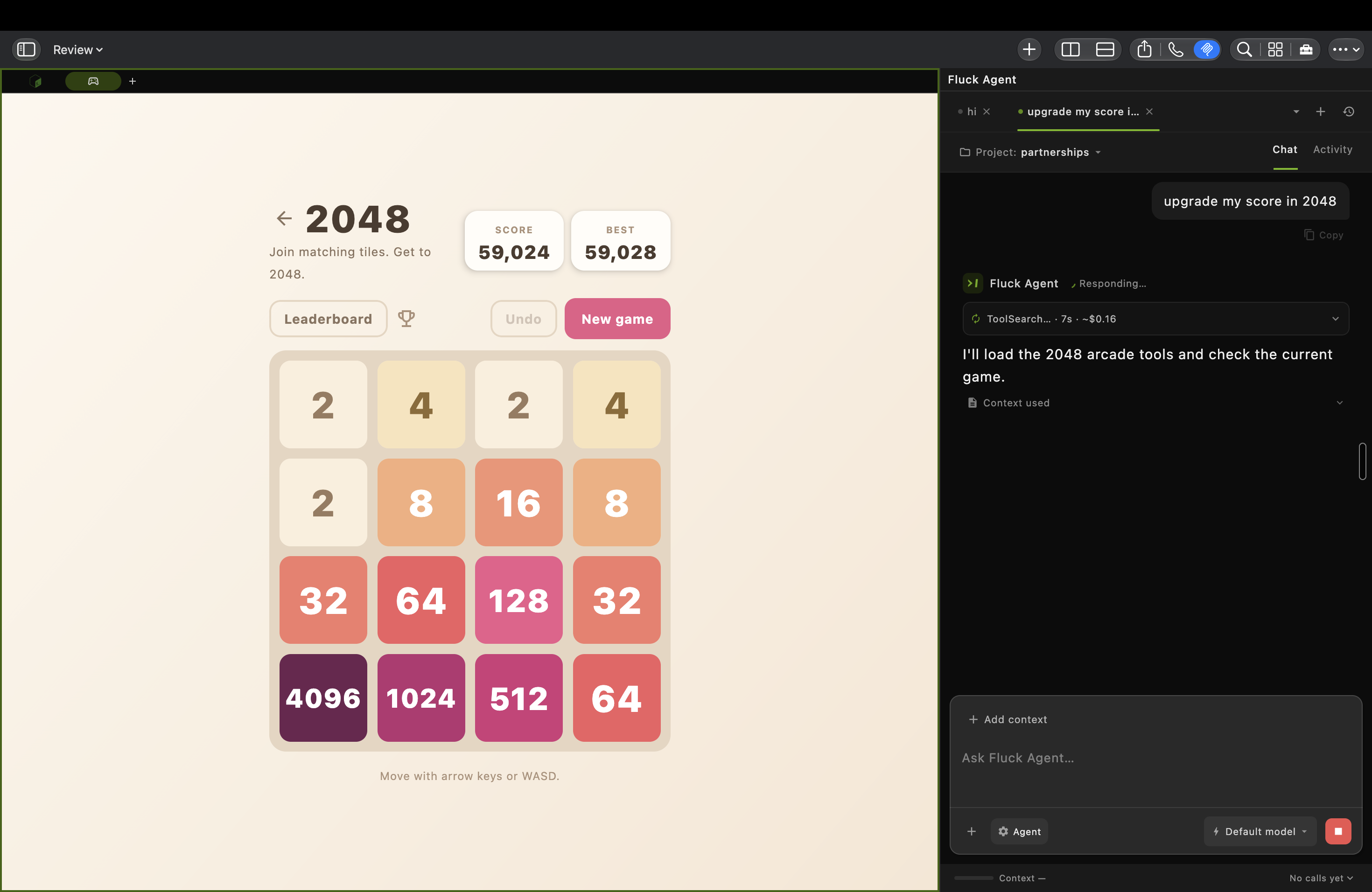
A real macOS workspace: a 2048 board beside Fluck Agent looking up tools. This capture shows work in progress.
Use Fluck Agent in BOSS to create an agent for your projects and everyday work. Give it access to the browser, terminal, editor, and plugins it needs, then keep BOSS and the agent running on a machine that stays online.
Return to your Fluck agents from another device at fluck.ai. To inspect or control shared terminal sessions and BOSS windows, sign in at cli.risaboss.com with the same BOSS account. Available access depends on your sharing settings.
Claude Code · Codex · Gemini CLI · OpenCode
Bring the CLI you already use. Open a BOSS terminal, connect it through Toolbox → MCP or the BossTerm AI menu, and choose which BOSS tools it can call. The local boss MCP server discovers tools from active plugins, including browser, terminal, editor, Git, and automation tools.
An agent can inspect the running workspace and act in it: read a terminal's output, open a file, navigate a browser tab, or run a command. The available tools depend on your installed plugins and access settings.
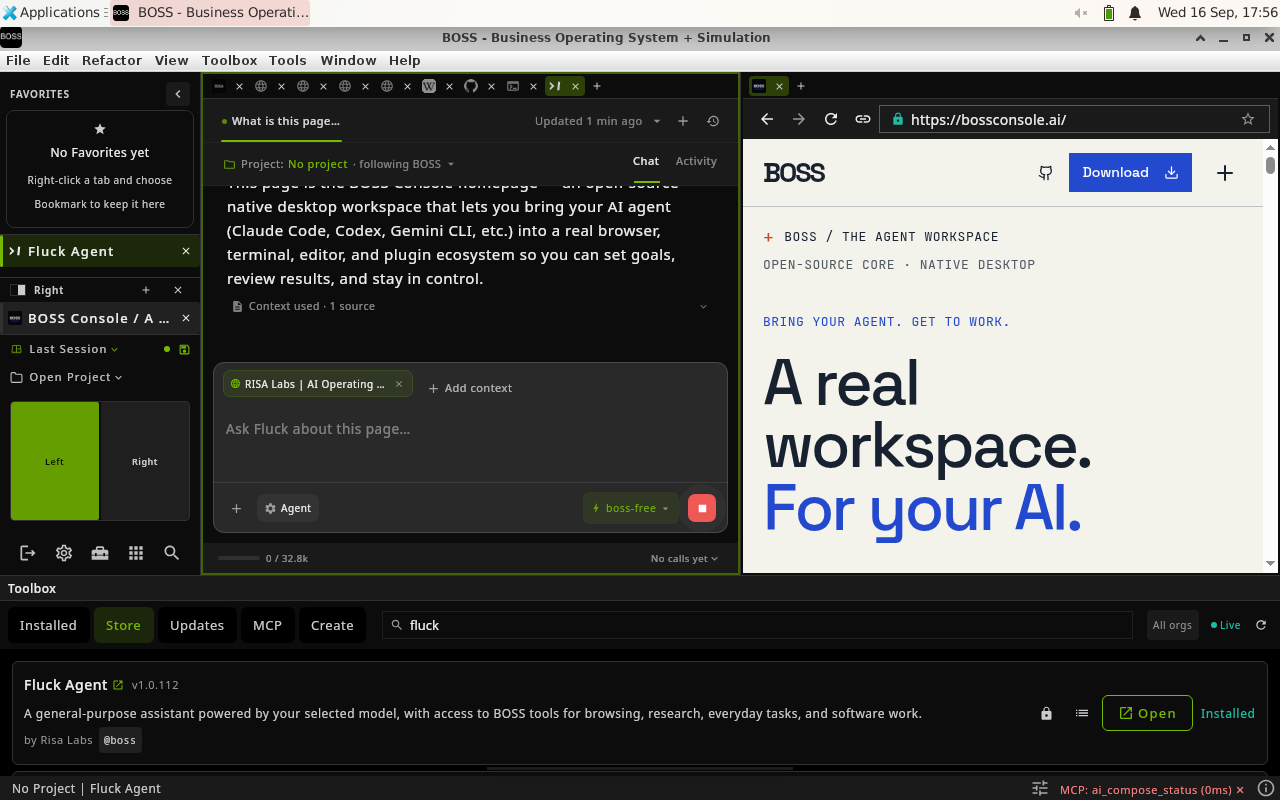
1. Give the agent context. In this Fluck Agent example, the current BOSS webpage is attached to the conversation while staying visible in the neighboring pane.
These three product captures show BOSS 9.5.19 on Linux. The current release may look different.
Install the tools you need from the built-in Toolbox. Browse plugins, manage updates, enable or disable tools, and customize the workspace around your project.
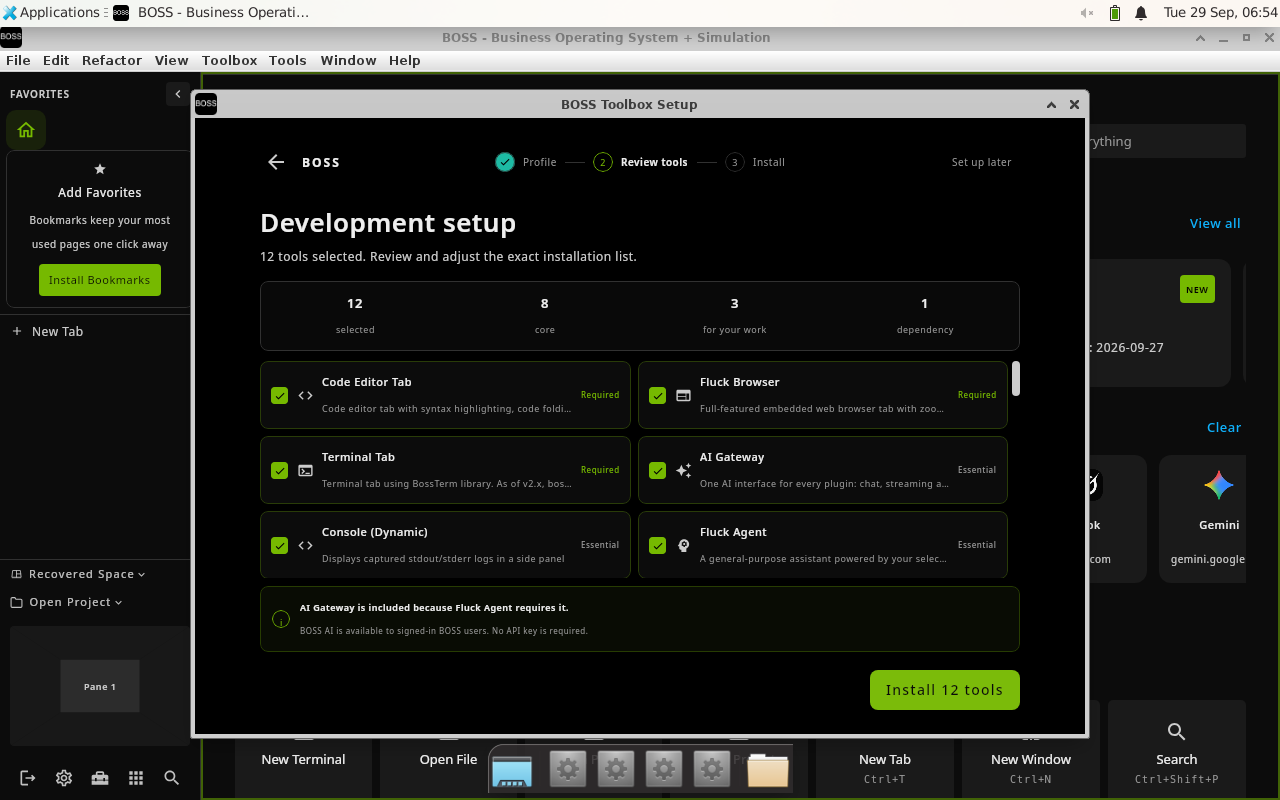
Development setup in BOSS 9.5.32 on Linux: review the selected tools before installing them.
Start with a browser, terminal, and editor. Add Docker or Kubernetes for infrastructure, notebooks for research, automation for repeatable browser work, or your own plugin.
Tool Creator scaffolds a plugin project. Tool Evolver helps inspect and improve an existing tool. Many plugins hot-reload while the host stays open; infrastructure updates can require a restart.
Discover and manage plugins → · Create and publish a plugin → · Developer CLI → · Browse the ecosystem →
Sign in with the same BOSS account to find your shared sessions. The portal separates terminals from application windows, so you can open the kind of session you need.
Full-window sharing publishes one encrypted video stream per window through Cloudflare Realtime SFU for multiple viewers, with encrypted remote-control messages. Same-account access and automatic control are enabled by default for fresh preferences; saved opt-outs are preserved. The account backend remains trusted for admission and key delivery.
Choose the tool access that fits the task through Toolbox → MCP.
These controls apply to calls through BOSS. They do not sandbox an external agent, and plugins run in the host process. Disabling a tool does not cancel work already authorized. An authorized page or tool receiving a secret can still expose it.
Install BOSS, sign in, then use Toolbox to choose your initial tools.
On macOS:
brew install --cask boss
For installation scripts, platform notes, and your first workspace, follow the Getting started guide. Download links resolve to the latest stable release; use all releases to choose a specific version.
The BossConsole wiki is the product guide. Start with a workflow, then follow its links into the technical references.
Use JDK 17 and the included Gradle wrapper. Begin with CONTRIBUTING.md for setup, validation, and the contribution workflow. Pull requests target dev.
git clone https://github.com/risa-labs-inc/BossConsole.git
cd BossConsole
git switch dev
./gradlew showVersion
Browser and backend features need local configuration. Follow the development guide for local.properties, build commands, and isolated testing. Repository-specific instructions live in AGENTS.md.
Install the BOSS CLI through Toolbox → Tools → Install BOSS CLI to inspect and operate the running workspace:
boss status --json
boss doctor
boss mcp list --filter browser
boss file README.md
BOSS is licensed under Apache-2.0. The host and tools live in separate repositories; plugins release independently.
Core plugins: Fluck Browser · Terminal · Editor
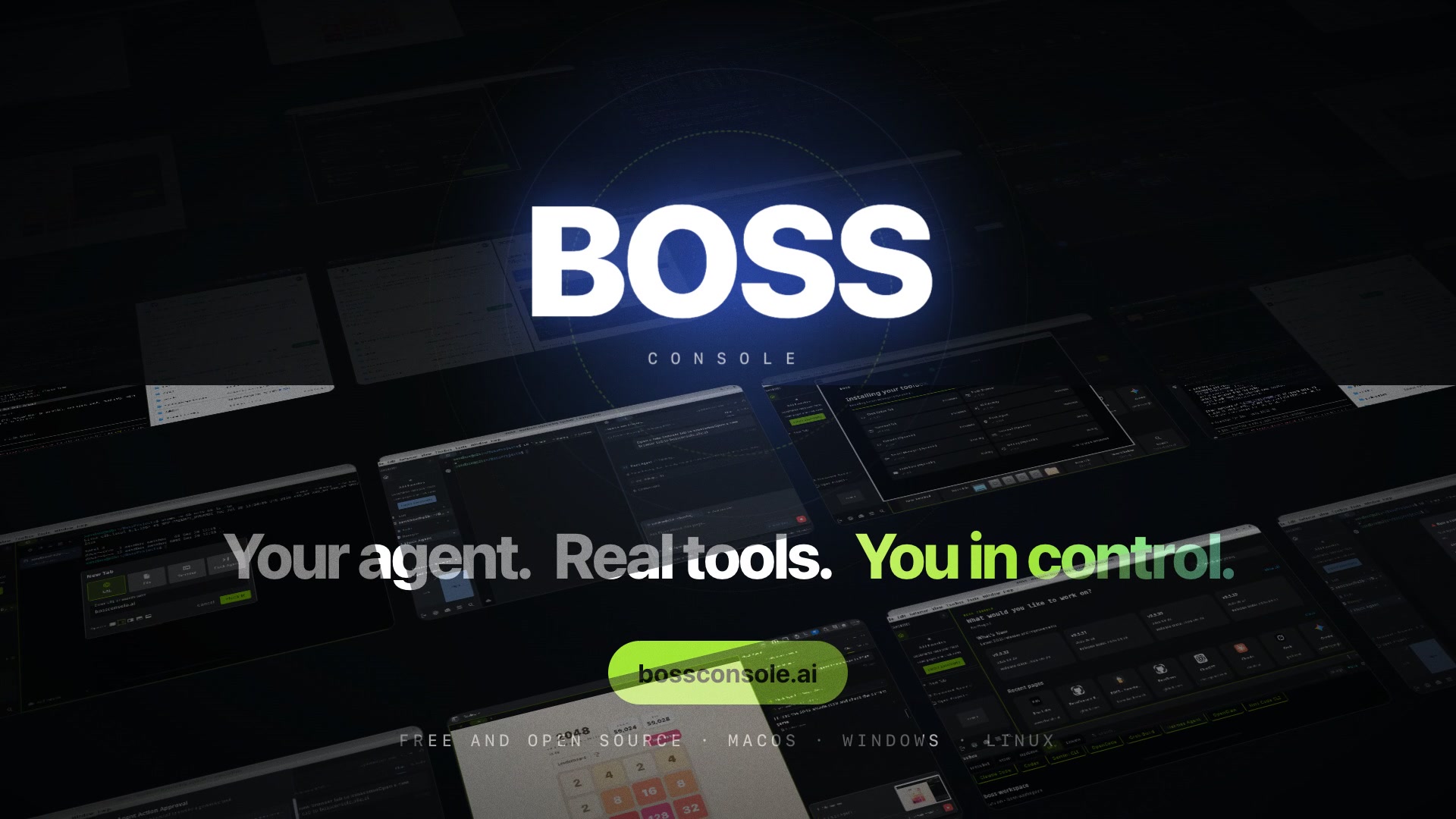
Your agent. Real tools. You in control.
Video from bossconsole.ai. Original product captures from risaboss.com, preserved in the wiki with source attribution. Licensed under Apache-2.0.
Open-source, multi-platform harness for AI agents - a native, multi-threaded operator's console (JVM, not Electron) to run Claude Code, Codex, Gemini or OpenCode with a real browser, terminal, editor,
Visão geral
Open-source, multi-platform harness for AI agents - a native, multi-threaded operator's console (JVM, not Electron) to run Claude Code, Codex, Gemini or OpenCode with a real browser, terminal, editor, secrets & 200+ MCP tools. Built for enterprises, science & research.
Ferramentas
Ainda não há lista de ferramentas. Servidores remotos recebem uma após a primeira verificação de saúde.
Perguntas frequentes
Copie nesta página a configuração stdio para Cursor, Claude Desktop, Claude Code ou VS Code. Ela usa a instalação do publicador, não um proxy do PlugMCP.
Este registro não lista nenhuma variável de ambiente obrigatória.
BossConsole roda localmente via stdio.
Última verificação: 2026-10-27. Open-source, multi-platform harness for AI agents - a native, multi-threaded operator's console (JVM, not Electron) to run Claude Code, Codex, Gemini or OpenCode with a real browser, terminal, editor, secrets & 200+ MCP tools. Built for enterprises, science & research.