Potencialize seu agente
O comando do próprio publicador. Não é um endpoint do PlugMCP.
Host a copy with our keys and logs.
npx -y @string-utility-belt/[email protected]O Claude Code não tem link de instalação para um comando local. Copie o comando abaixo e execute-o em um terminal.
claude mcp add string-utility-belt-string-utility-belt -- npx -y @string-utility-belt/mcp@1.10.4Execute em um terminal.
{ "mcpServers": { "string-utility-belt-string-utility-belt": { "command": "npx", "args": [ "-y", "@string-utility-belt/[email protected]" ] } }}claude_desktop_config.json
URL remota ou um comando na sua máquina? Como as duas instalações diferem
Rodar no PlugMCP
A new server you create. It is not this listing's official endpoint. Use the publisher install when you want their URL and their credentials.
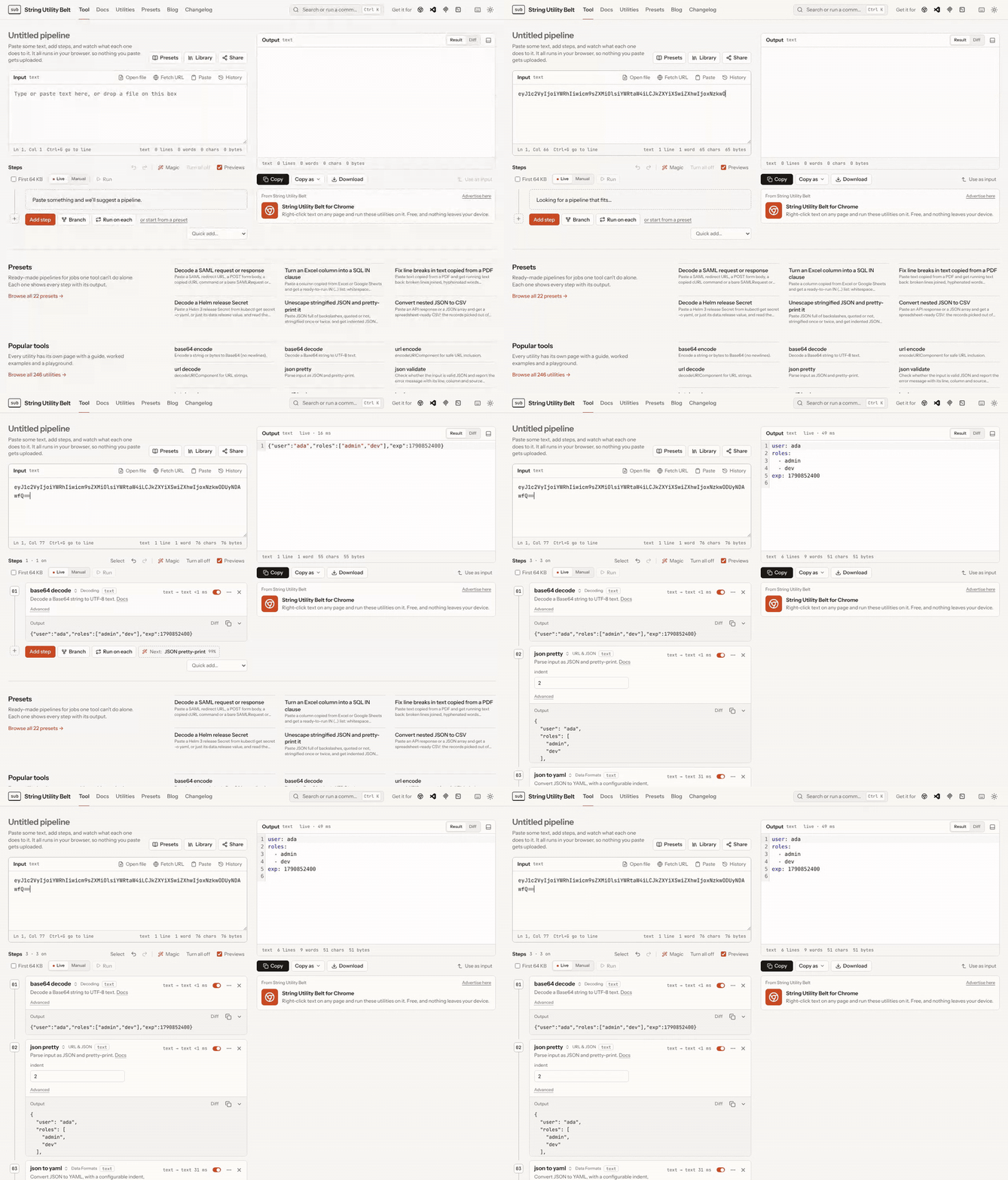
AbrirChain string transformations into visual pipelines with live, per-step previews. 246 utilities — encodings, hashes, ciphers, compression, data formats (JSON/YAML/TOML/CSV/XML), line and text operations, analysis, generators, web/dev helpers, numbers, dates and colours — all running client-side, with the same engine available as a CLI, an HTTP API, an MCP server, a browser extension and a VS Code extension.
Every utility also runs on your own machine, outside the browser:
# Give Claude Code (or any MCP client) exact hashing, encoding and decoding instead of a guess
claude mcp add subelt -- npx -y @string-utility-belt/mcp

# Pipe text through a pipeline from the shell
echo 'eyJ1c2VyIjoiYWRhIn0=' | npx subelt base64_decode json_pretty
@string-utility-belt/mcp: five tools (search, describe, run a
utility, run a pipeline, detect a format); config for Claude Desktop, Cursor and other clients in its README.subelt: steps as arguments, stdin to stdout, share links and pipeline files.@string-utility-belt/core, the engine with every utility, for your own code.#/p/… links, a named
pipeline library with JSON import/export, a preset gallery, an embeddable #/embed/… widget.?), fuzzy utility search with
favourites/recents and type-aware badges, light/dark themes, per-utility doc pages with a live
playground, installable PWA with offline support and an OS share target, i18n scaffold.Open stringutilitybelt.com — nothing to install, and every
transformation runs in your browser (see the privacy policy
for the few features that contact the server). The site sets no cookies and runs no tracking
scripts: Cloudflare Web Analytics counts page views without cookies, the site's own server counts
clicks on sponsor and tool links, utilities added, and editor opens and runs by id alone, neither ever receives
what you paste, and the site's
Content-Security-Policy blocks scripts from anywhere else. The how-to guide lives in the app
itself: click Docs in the header, or go to /docs/. Each
utility's settings and examples are on its own page, listed at
/utilities/.
From a terminal, the same engine is one command away:
echo -n hello | npx subelt trim base64_encode hash # SHA-256 of the base64
Requires Node.js 20.19+ or 22.12+.
git clone https://github.com/String-Utility-Belt/string-utility-belt.git
cd string-utility-belt
npm ci
npm run dev          # generates the utility manifest, then starts Vite
npm test             # Vitest (unit, component, golden-example and property tests)
npm run lint
npm run typecheck
String Utility Belt is free, open source and has no paid tier. If it saves you time, you can support its development through GitHub Sponsors: it pays for hosting and keeps new utilities, presets and fixes coming. Companies can also sponsor a page on the site.
Contributions are welcome — bug reports, utility ideas and pull requests. Start with CONTRIBUTING.md (setup, adding a utility, PR checklist) and the Code of Conduct. CLAUDE.md is the detailed architecture reference.
Found a security issue? Please report it privately — see SECURITY.md.
Chain string transformations into visual pipelines with live previews — 246 utilities as a web app, CLI, HTTP API, MCP server and browser/VS Code extensions.
{ "mcpServers": { "string-utility-belt-string-utility-belt": { "command": "npx", "args": [ "-y", "@string-utility-belt/[email protected]" ] } }}Ferramentas
Ainda não há lista de ferramentas. Servidores remotos recebem uma após a primeira verificação de saúde.
Perguntas frequentes
Copie nesta página a configuração stdio para Cursor, Claude Desktop, Claude Code ou VS Code. Ela usa a instalação do publicador, não um proxy do PlugMCP.
Este registro não lista nenhuma variável de ambiente obrigatória.
String Utility Belt roda localmente via stdio.
Última verificação: 2026-10-28. Chain string transformations into visual pipelines with live previews — 246 utilities as a web app, CLI, HTTP API, MCP server and browser/VS Code extensions.