pilot — browser automation MCP for AI agents
Native Playwright-backed browser sessions by default. No Chrome extension required for QA automation.
Potencialize seu agente
Instalação do publicador. Não é um endpoint do PlugMCP.
Host a copy with our keys and logs.
Ainda não há uma versão empacotada no registro. Siga o README do repositório.
URL remota ou um comando na sua máquina? Como as duas instalações diferem
Rodar no PlugMCP
A new server you create. It is not this listing's official endpoint. Use the publisher install when you want their URL and their credentials.
Abrir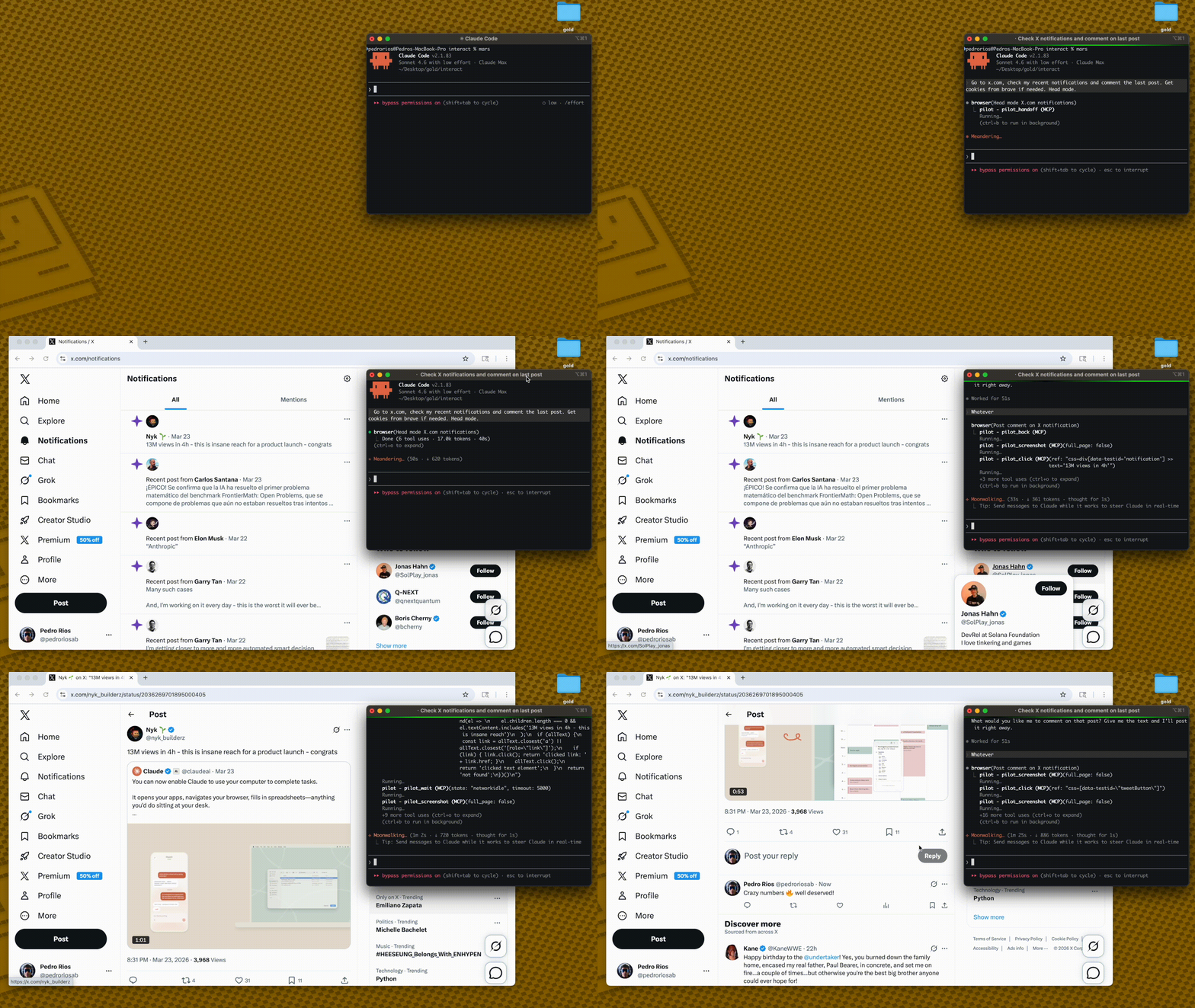
Pilot has two browser backends:
Native mode avoids chrome.tabs.captureVisibleTab() entirely, so screenshots do not depend on Chrome being foregrounded, a tab being visibly active, or the extension service worker being fresh.
AI Agent → MCP Server → Broker on 127.0.0.1:3131 → Native browser session
         (stdio)       (first process owns broker)  (Playwright context/page)
codex mcp add pilot \
  --env PILOT_BROWSER_MODE=native \
  --env PILOT_PROFILE=full \
  -- npx -y pilot-mcp
For a local checkout:
npm install
npm run build
codex mcp add pilot \
  --env PILOT_BROWSER_MODE=native \
  --env PILOT_PROFILE=full \
  -- node /absolute/path/to/pilot/dist/index.js
"Open https://example.com, take a screenshot, and summarize the page."
No extension install. No Chrome foreground requirement.
For full native-mode operations, stress commands, and cleanup checks, see docs/native-mode.md.
Other tools dump 50K+ chars per page into your context window. Pilot keeps things small:
Other tools:   navigate(58K) → navigate(58K) → answer        = 116K chars
Pilot:         navigate(2K)  → navigate(2K)  → snapshot(9K)  =  13K chars
snapshot_diff shows only what changed between actions — no redundant re-reads.
Less context = faster responses, cheaper API calls, fewer hallucinations.
LLMs degrade as tool lists grow. Load only what you need:
{
  "mcpServers": {
    "pilot": {
      "command": "npx",
      "args": ["-y", "pilot-mcp"],
      "env": { "PILOT_PROFILE": "standard" }
    }
  }
}
Default: standard. Full tool reference →
Native mode is the default:
PILOT_BROWSER_MODE=native
Use it for QA automation, parallel MCP sessions, and screenshot evidence.
Verify it before QA runs:
PILOT_HEADLESS=1 npm run stress:screenshots
npm run stress:codex
Expected: both report 6/6 passed.
Extension mode is legacy and opt-in:
PILOT_BROWSER_MODE=extension
Use it only when you need a user's already-authenticated real Chrome profile.
Import cookies from your real browser: pilot_import_cookies({ browser: "chrome", domains: [".github.com"] })
Supports Chrome, Arc, Brave, Edge, Comet via macOS Keychain / Linux libsecret. For CAPTCHAs: pilot_handoff → you intervene → pilot_resume.
If Chromium is missing:
npx playwright install chromium
PILOT_OUTPUT_DIRPILOT_PROFILE controls which tools are exposed (core / standard / full)Core architecture — ref-based element selection, snapshot diffing, annotated screenshots — ported from gstack by Garry Tan. Built on Playwright and the MCP SDK.
If Pilot is useful, star the repo — it helps others find it.
Chrome extension + MCP server — AI agents control a tab in your real browser, already logged in
Ferramentas
Ainda não há lista de ferramentas. Servidores remotos recebem uma após a primeira verificação de saúde.
Perguntas frequentes
Copie nesta página a configuração stdio para Cursor, Claude Desktop, Claude Code ou VS Code. Ela usa a instalação do publicador, não um proxy do PlugMCP.
Este registro não lista nenhuma variável de ambiente obrigatória.
Pilot roda localmente via stdio.
Última verificação: 2026-10-28. Chrome extension + MCP server — AI agents control a tab in your real browser, already logged in
