Potencialize seu agente
O comando do próprio publicador. Não é um endpoint do PlugMCP.
Host a copy with our keys and logs.
npx -y @timurtekb/[email protected]O Claude Code não tem link de instalação para um comando local. Copie o comando abaixo e execute-o em um terminal.
claude mcp add timurtekb-tekjobs -- npx -y @timurtekb/tekjobs@0.61.0Execute em um terminal.
{ "mcpServers": { "timurtekb-tekjobs": { "command": "npx", "args": [ "-y", "@timurtekb/[email protected]" ] } }}claude_desktop_config.json
URL remota ou um comando na sua máquina? Como as duas instalações diferem
Rodar no PlugMCP
A new server you create. It is not this listing's official endpoint. Use the publisher install when you want their URL and their credentials.
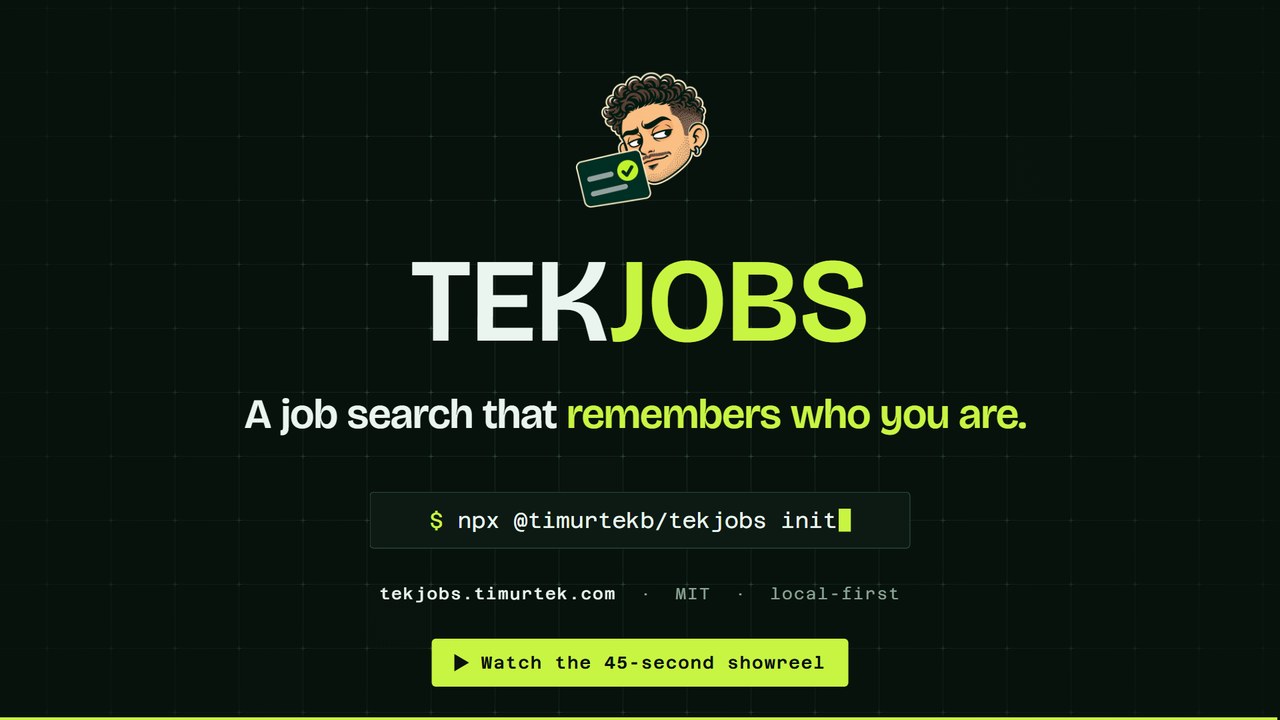
AbrirA local career memory for you and your AI. TekJobs scans hundreds of public company job boards every morning, scores each posting against criteria you control, and saves the results as readable markdown files on your machine. Connect it to Claude Code, Codex, Cursor or Claude Desktop over MCP and your agent can weigh roles, prepare truthful application material and track the search, without ever making the final submission.
What it does, in forty-five seconds. Watch the showreel (mp4, vertical and square cuts). For one real, unedited run on the fictional sample resume (install, interview, first scan, first Today), watch the 57-second demo.
Most job-search products keep what they learn about your search inside their platform. TekJobs keeps it with you. Your resume, preferences, decisions, job notes, application history and drafts form a record on your own disk that gets more useful the longer you search, and you can change models, editors and AI clients without rebuilding it from zero.
It fits if you apply across more than one kind of role and want criteria you can read and change; if you want to know why a job was recommended, point by point; if you already use Claude Code, Codex, Cursor or another MCP client and want it working from your notes; if you keep career notes in Markdown or Obsidian, or would like to; and if you want help with applications without anything being submitted for you.
It does not fit if you want a hosted service with nothing to install (TekJobs is a command and a folder), if you want one-click applications sent on your behalf (it stops before send, on purpose), or if you do not want any AI provider to see your resume (the scan and the notes never leave your machine, but the interview and the drafting send what you choose to the model you connect).
~/.tekjobs/profile): your profile, your resume as text, the scoring criteria, the board watchlist, one note per matched job, your application history, and scan logs. Plain markdown, readable in Obsidian or anything else.Inbox/ are read too, which is how LinkedIn and Indeed listings get in without anything contacting those sites. Tens of thousands of postings a run, deduplicated, scored with every point written down as a reason, and cut to the ones that fit you.Create your search. The folder can be anywhere; inside an Obsidian vault is the nicest place.
npx @timurtekb/tekjobs init ~/Obsidian/JobSearch --resume ~/Downloads/resume.pdf
Install the command, so the morning task has a home that lasts (npx's cache does not).
npm install -g @timurtekb/tekjobs
Connect your AI client. Claude Code is one line; Codex, Cursor and Claude Desktop each take the same command, tekjobs mcp.
claude mcp add tekjobs -- tekjobs mcp
Then say:
Use the tekjobs MCP server. Call onboarding_status, then onboarding_materials, and follow its script: interview me, write my profile, set the criteria, run a dry scan, and show me the top matches.
The interview reads your resume, asks the few things a resume cannot say (target titles, seniority, work mode, pay floor, hard exclusions, links), writes Profile/Profile.md and the criteria, and runs the first scan. LinkedIn: give it your LinkedIn data export, not a URL; it will not scrape profile pages.
Run the app, and schedule the mornings.
tekjobs up           # the app on http://127.0.0.1:8787, detached: it stays up until `tekjobs down`
tekjobs schedule     # the scan, then the read-only mail and calendar passes, daily at 07:30 (--time to change it)
About twenty-five minutes end to end on a fresh machine, most of it the interview. To change the code, or to run the app from source, clone instead: git clone https://github.com/Timurtek/tekjobs && cd tekjobs && npm install, then npm run init -- --resume <file>; the app is cd app && npm install && npm run dev with npm run server beside it. The clone's app/.mcp.json connects the server for Claude Code on its own.
samples/vault is a complete, fictional profile folder: Jordan Example, a design engineer three weeks into a search, with fourteen postings at companies that do not exist, one application in interview, a rejection, two passes, a closed listing, three people on the threads, two scan logs and the dashboard. Every note in it was written by the product's own code (npm run sample rebuilds it with today's dates), so it is always in the shape the app expects.
npx @timurtekb/tekjobs init --sample    # copies it to ~/.tekjobs/sample and points the app there
tekjobs up
The app shows a search in progress instead of an empty folder. tekjobs init afterwards starts your own profile and leaves the sample where it is. From a clone, TEKJOBS_PROFILE=$PWD/samples/vault npm run serve reads it in place. Nothing in it is a real person, company or posting.
LinkedIn will give you everything it holds about you as a zip. Request the larger archive at linkedin.com/mypreferences/d/download-my-data (the smaller one has no connections or messages); a partial arrives by email in about ten minutes and the complete one within a day. Then:
tekjobs import linkedin ~/Downloads/Complete_LinkedInDataExport_2026-09-24.zip
The archive is read in place and never copied. Into your profile folder, and nowhere else, go: an index of who you know at which company, so every job note and the Jobs sheet show your connections there, recruiters first; People notes for the recruiters and hiring managers who wrote to you since a date (90 days by default, --since to change), with the thread as their log and a link to any open job note at that company. Applications and saved jobs are indexed for what comes next. Ads, reactions, searches, phone numbers and birth date are never opened. Re-running is safe. --preview shows the numbers first; over MCP the same is import_linkedin and connections_at. The docs page has the walk-through.
TekJobs keeps your profile, criteria, job notes, decisions and application history in files on your machine. It has no account and keeps no hosted copy of those records. There is no telemetry.
Two kinds of request do leave: the scan's reads of public job boards, and whatever context you choose to send to the AI provider you connect, which processes it under that provider's terms. Optional sources (Adzuna, USAJOBS) call their APIs with your key. The app's page also loads its typefaces from Google Fonts, which sees your browser ask for the fonts (its address and user agent) and nothing from your files. Your files remain the durable record whichever model you use.
With Tailscale, the same app opens on your phone at https://tekjobs.<your-tailnet>.ts.net: your own machine, on your own private network, never on the public internet. A request through Tailscale gets in only with a login you name in ~/.tekjobs/config.json ("allowedLogins": ["[email protected]"]); the list starts empty.
The short way is tailscale serve --bg 8787 on the machine. With Docker Desktop, deploy/tailscale runs a small Tailscale container that gives TekJobs its own name and starts with Docker, while TekJobs keeps running on the machine, where your AI command line and profile folder are. The full guide covers both, keeping the server up, and checking it.
On a machine that stays on, such as a NAS, a home server or a small VPS, TekJobs can run in a container, so the daily scan and your phone do not depend on your laptop being awake. deploy/docker has a compose file with two containers: TekJobs, and Tailscale as its only way in. No port is opened, your profile folder is mounted from the host, and the image ghcr.io/timurtek/tekjobs is published for amd64 and arm64 with every release. Scanning and the app work out of the box. Cover letters, tailored resumes, mail and calendar need the Claude CLI in the image signed in with a token. The guide walks through it.
claude -p --output-format text, and another command goes under "llm" in ~/.tekjobs/config.json or on the Settings page. No separate model API key: TekJobs adds no per-call AI billing, and usage follows the client you already have."contact" in ~/.tekjobs/config.json so the user agent on scan requests names a way to reach you.Nothing personal lives in this repository. Your profile folder (profile, resume, criteria, watchlist, job notes, logs, mail state) and ~/.tekjobs/config.json are outside it; the repository is the code and the starter notes a new profile folder begins with.
Inbox/, or through a link you paste. Indeed blocks signed-out reads, so paste the company's own link instead.Each job has a Cover letter tab. "Write cover letter" runs a local LLM CLI you are already signed in to (Claude Code by default; set another under "llm" in ~/.tekjobs/config.json), so there is no API key and nothing metered. It writes from the live posting and your resume, and your resume is the only source of facts. How it sounds comes from Profile/Voice.md in your profile folder: your voice rules, the shape of a letter you would send, the patterns you never use, and samples of your own prose. Edit that note to change every letter after it; there is a generic fallback for a profile without one. The prompt makes the model draft and then edit against the same checklist (portability test, repeated shapes, self-adjectives, quote count). The result is saved under ## Cover letter in the job note and checked: a figure that is not on your resume, your profile or the posting is flagged, along with dashes, placeholders, stock phrases, a letter that never names the company, and the tells of a generated letter: a "decade" opener, "You ask for X" stanzas, tag lines, "not X but Y" contrasts, colon reveals, applicant boilerplate, adjectives about yourself. An agent connected over MCP can do the same with cover_letter_materials and save_cover_letter. If the CLI is signed out or out of date the tab says so and what to run.
Each job also has a Resume tab. "Tailor my resume to this posting" produces a version of your resume of record with the summary rewritten for the posting and the bullets, capabilities and products reordered and pruned to what it asks for. It may not add anything: the check traces every bullet back to a line of your real resume and flags any bullet, figure, date range or job header that is not there. The result is saved under ## Tailored resume in the job note (headings nested, restored on read) and the print view at /api/jobs/<id>/resume.html is where the PDF you upload comes from: print, save as PDF, margins and page size are set. Over MCP: tailored_resume_materials and save_tailored_resume.
The scan watches boards. For the posting you saw on LinkedIn, in a newsletter, or in a friend's message, paste the link: the "Add by link" button in the Jobs view, tekjobs add <url> [<url>...] on the command line, or the add_job MCP tool. Each link is read once, turned into the same job shape the scan produces, scored with your criteria, and written as a note unless the scan already has it, a note already points at that link, or an existing note has the same company and title. A Greenhouse, Lever or Ashby link is read through the board's API, so the note is as full as a scanned one; a Google or Apple job page is read by the same parsers the scan uses on those sites; any other page is read through its JSON-LD posting data when it has some, and its best title (not a "Job details" label), site name and text when it does not. A LinkedIn job link is opened once as a signed-out visitor, the way a browser would open it, and when the posting names the company's own apply page on one of those boards, that page is imported instead and the LinkedIn link is kept as where it was seen. Nothing searches or crawls: one link in, one request or two out. Indeed blocks signed-out reads; paste the company's own link instead. A note that has no posting (created from an email, say) takes one later through the job sheet's Attach posting: Attach reads the posting and replaces the note's facts and score, Link only records just the link, for a page that cannot be read or when the note is already right; either way Open posting then goes somewhere real.
Applications come back as email: a confirmation, a rejection, an interview request. "Check mail" on Today reads those through the same local CLI that writes the letters, using the Gmail connector already attached to it, and with the run boxed: only the Gmail read tools are allowed and every write tool is denied by name, so a run can read and nothing else. A recruiter or hiring manager writing about a specific role, including through LinkedIn's InMail relay, is reported too, as outreach: confirming it makes a note at reviewing, or records it on the note that exists, and adds the person to People. The model only extracts (company, role, kind, date, one-line gist, message id); matching each email to a note and everything that changes a note is ordinary code, and nothing changes until you confirm an item. A confirmation on a note you had not marked applied marks it applied as of the mail's date; a rejection marks it rejected; an interview request marks it interviewing; an email about a job with no note offers to create one. Every confirmed item writes a dated line with the gist and a link to the message into the note, and fills the packet's Applied on when it is empty, which is what makes the response numbers on Overview real. Also tekjobs mail [--days N], and mail_check / mail_items over MCP (read and start only; confirming is yours). The daily task runs the read right after the morning scan (run.cmd), and the envelope in the top bar shows how many email groups wait on you from any page, with a Check now for between-times.
Interviews, follow-ups and deadlines live in the notes: the packet's Interview on, Follow-up due and Deadline fields. The Calendar page reads them as a list by day, and the server serves the same dates as an .ics feed at /api/calendar.ics that Apple Calendar or Outlook on this machine can subscribe to (Google imports the download). "Check Google Calendar" is the other direction and works like mail: the local CLI reads your calendar through its Google Calendar connector with only the read tools allowed, reports interviews, screens, recruiter calls and deadlines about jobs on your board, and each one waits for you to confirm; confirming puts the time into the note's Interview on field and moves a note that is not yet interviewing. Past events read as happened. Nothing is ever written to your calendar. The morning task runs the calendar read after the mail read; also tekjobs calendar check, and calendar_check / calendar_items over MCP.
The recruiters, hiring managers, interviewers and referrals a search meets: one note each under People/ (role, company, email, links, a line of context, the job notes they are on, a dated log of contacts), and a ## People section on each job note naming who is on that thread. Most arrive from the mail check: when the email a person confirms was written by a human rather than a no-reply address, that human is added, put on the note, and gets the email on their log. The rest are added on the People page or from a job sheet's People tab. Nothing is enriched or looked up anywhere; the record is who actually wrote to you and who you actually met. Over MCP: list_people, get_person, add_person, attach_person, log_contact.
Application forms ask for the same dozen things. The clipboard icon in the top bar opens a panel of one-click snippets: name, email, phone, location, links, availability, the salary answer, and anything you add (a work-authorization line, a standard "why this role" opener, a multi-line blurb). Type a few letters and Enter copies the first match. The list is yours: Customize edits labels, groups, values and order, and it is stored in Profile/Snippets.md as a json block, so Obsidian can edit it too. Until you save once, the panel offers a set read from your profile's Basics. Over MCP, list_snippets gives an agent the same answers verbatim.
TekJobs never submits an application. The agent tailors the resume and cover letter from the note, prefills what it can, and stops. You review and click. Every field it drafts is written into the job note so the record survives.
Everything is in the criteria JSON block in Targets/Search Criteria.md, which the interview writes and you can edit: title terms (weighted), hard exclusions, description keywords, seniority, remote rule, a pay floor with a stretch band beneath it, recency, and which aggregator feeds are on. A posting needs minScore to become a note. Notes are never rewritten once they exist; only their listing: line flips to closed when a posting disappears. Your status: edits are the record.
The app's Criteria page edits the same JSON as fields (bar, penalties, title and description terms, seniority words, location and pay rules, recency, source toggles) with the raw JSON one tab over; keys the form does not know about are kept. Presets are named criteria sets under Targets/Criteria/: save the current form as one, load one to edit it, make one the active set, or run a single scan with it without touching the daily scan (tekjobs scan --criteria "<name>", the Score with picker on Runs, or run_scan with criteria over MCP). Every run logs which set it scored with, and every note carries that set's weights fingerprint. After a criteria change, tekjobs rescore --full --dry shows what the existing notes would score under the new rules (rebuilt from each note, recency judged at the day it was found, description points kept where the note holds only part of the posting) and --full without --dry applies it: score, pay band, the match reasons, and a status-log line on every note that moved.
The Profile page edits the notes applications are written from: Profile/Profile.md (who you are), Positioning.md (how the story is told), Voice.md (how you write), each with an Edit and a Preview; the resume note is shown read-only because tekjobs resume sync replaces it. Above it, resume variants: every PDF, DOCX, Markdown or text file in the variants folder (Templates/Resume inside the profile folder unless Settings says otherwise), each one a click from being the resume of record, and offered by name in the packet's Resume variant field.
Settings (System) holds two kinds of thing. About this computer, in ~/.tekjobs/config.json: the profile folder itself (a change takes effect on the next server start; tekjobs init <dir> starts a new one), the writing CLI's command and arguments, and the optional contact for scan requests. About this search, inside the profile in .tekjobs/settings.json: the resume of record and the resume variants folder, so a second profile on the same machine (the sample, a test persona) never sees another person's resumes.
tekjobs init [dir] [--resume <file>]   create (or adopt) a profile folder and remember it
tekjobs resume <file>                  import or replace the resume (PDF, DOCX, Markdown, text)
tekjobs status                         what the onboarding still needs
tekjobs scan [--dry] [--min N] [--floor N] [--only <slug>] [--criteria <preset name | file>] [--retry-failed]
tekjobs add <url> [<url>...] [--dry]   add postings you found yourself
tekjobs mail [--days N]                the read-only mail pass
tekjobs calendar check [--days N]      the read-only calendar pass
tekjobs journal [YYYY-MM-DD] [--write] the day's journal from the record
tekjobs rescore [--full] [--dry]       what existing notes score under the current criteria
tekjobs schedule [--time HH:MM] [--print]   the morning task, for Windows, macOS or Linux
tekjobs up [--dev] [--port N]          start the API (and with --dev, Vite) detached; they stay up until `down`
tekjobs down                           stop what `up` started
tekjobs ps                             what `up` has running
tekjobs serve                          the app + API on http://127.0.0.1:8787, in this terminal
tekjobs mcp                            the MCP server on stdio
tekjobs --version
From a clone the same commands are node cli.mjs <command>. The profile folder is resolved from TEKJOBS_PROFILE, then ~/.tekjobs/config.json, then ~/.tekjobs/profile.
cli.mjs                    tekjobs command
run.mjs                    the scan
scraper/config.mjs         profile folder resolution, the two config notes
scraper/profile.mjs        init, resume import, onboarding status, interview materials, save profile, fetch link
scraper/resume.mjs         PDF / DOCX / Markdown text extraction
scraper/sources.mjs        Greenhouse, Lever, Ashby, Workday, RemoteOK, HN
scraper/sources-extra.mjs  the other platforms, career APIs, aggregators
scraper/score.mjs          scoring and pay-range parsing
scraper/health.mjs         per-board health for the Sources page
scraper/vault.mjs          job notes, dedupe state, closed detection, log, dashboard
scraper/starter/           the notes a new profile folder starts with (including the board registry)
app/                       Zengin UI front end, API server, MCP server
site/                      tekjobs.timurtek.com: the landing page and docs (Next.js on Zengin UI, deployed from this folder on Vercel)
samples/vault/             the fictional profile folder
tools/                     board discovery scripts, the sample-vault builder, the landing screenshots (npm run screens), the counts the README and the site print
The package on npm is @timurtekb/tekjobs (the bare name was too close to an existing package for npm's liking); every release that changes the scan, the CLI or the app is published there by the release workflow, and npx @timurtekb/tekjobs runs the latest. Versions come from the commit messages, by semantic-release on every push to main (.github/workflows/release.yml): tests, the app's type check and zengin check run first; then feat: commits make a minor release and fix: and perf: a patch. The project is at 0.x on purpose, so a BREAKING CHANGE: footer or a ! after the type also bumps the minor (the releaseRules line in release.config.cjs); delete that line when 1.0 is earned and breaking changes become majors. The release bumps package.json, writes CHANGELOG.md, tags vX.Y.Z, publishes the notes on GitHub and publishes the package to npm through Trusted Publishing, so no npm token exists anywhere; the repository variable NPM_PUBLISH switches that last step on. Commit messages are checked locally by commitlint through a husky hook (npm install at the root sets it up), in the Conventional Commits shape: type(scope): summary, scope optional, and a prose body is welcome. The app's sidebar footer shows the running version.
Questions, ideas and what you built with it go in Ideas and questions (GitHub Discussions: Ideas, Q&A, Show and tell); bugs go in issues. The software sends nothing back, so this is the only way we hear how it went.
The two things that compound are data files: the board registry (scraper/starter/companies-table.md, platform + slug per company) and, soon, criteria presets per role. Pull requests to either are the most useful contribution. CONTRIBUTING.md has the mechanics (three installs, the design-system check, the commit format); SECURITY.md says where to report a vulnerability, and what counts as one.
Built by Timurtek for his own search first. MIT licensed.
A local-first job-search machine: watches hundreds of company job boards, scores every posting against your profile, and files matches into a folder of markdown notes you own. Bring your own LLM throu
{ "mcpServers": { "timurtekb-tekjobs": { "command": "npx", "args": [ "-y", "@timurtekb/[email protected]" ] } }}Visão geral
A local-first job-search machine: watches hundreds of company job boards, scores every posting against your profile, and files matches into a folder of markdown notes you own. Bring your own LLM through MCP.
Ferramentas
Ainda não há lista de ferramentas. Servidores remotos recebem uma após a primeira verificação de saúde.
Perguntas frequentes
Copie nesta página a configuração stdio para Cursor, Claude Desktop, Claude Code ou VS Code. Ela usa a instalação do publicador, não um proxy do PlugMCP.
Este registro não lista nenhuma variável de ambiente obrigatória.
@timurtekb/tekjobs roda localmente via stdio.
Última verificação: 2026-11-14. A local-first job-search machine: watches hundreds of company job boards, scores every posting against your profile, and files matches into a folder of markdown notes you own. Bring your own LLM through MCP.