flstudio-mcp
Control FL Studio with Claude: AI mixing, composition, and mix diagnosis through natural language.
Усильте агента
Собственная команда издателя. Не эндпоинт PlugMCP.
Host a copy with our keys and logs.
uvx fl-studio-mcp==1.0.0У Claude Code нет ссылки для установки локальной команды. Скопируйте команду ниже и выполните её в терминале.
claude mcp add rosasynthesiz-flstudio-mcp -- uvx fl-studio-mcp==1.0.0Выполните в терминале.
{ "mcpServers": { "rosasynthesiz-flstudio-mcp": { "command": "uvx", "args": [ "fl-studio-mcp==1.0.0" ] } }}claude_desktop_config.json
Удалённый URL или команда на вашем компьютере? Чем различаются два способа установки
Запустить на PlugMCP
A new server you create. It is not this listing's official endpoint. Use the publisher install when you want their URL and their credentials.
ЗапускОт издателя
Control FL Studio with Claude: AI mixing, composition, and mix diagnosis through natural language.
AI-powered FL Studio control via the Model Context Protocol. Beyond piano-roll notes — full in-DAW mixing (Mix Doctor, gain staging, EQ/comp/reverb, reference matching), routing, and composition through Claude and other MCP clients. 67 tools. Windows & macOS.
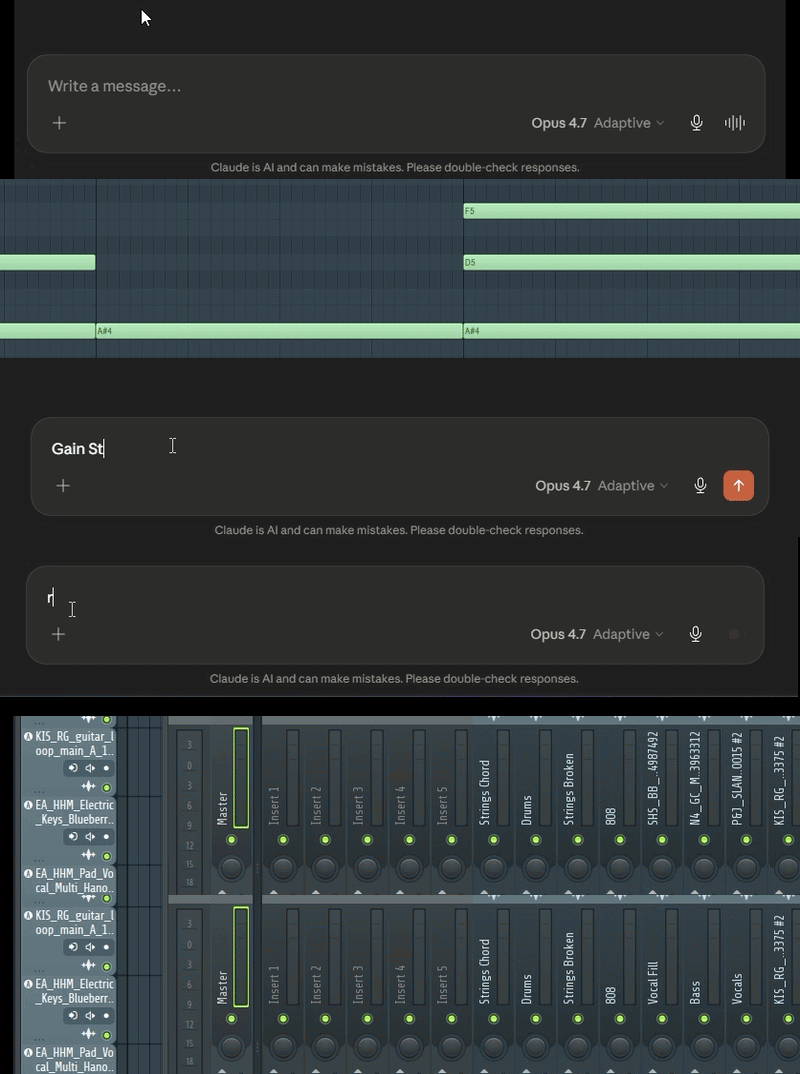
Claude diagnosing and fixing a mix in FL Studio through natural language.
flstudio-mcp is a Model Context Protocol (MCP) server that lets Claude Desktop drive FL Studio 2025 directly — the mixer, plugins, piano roll, routing, and project — from plain-language requests. Ask for a mix diagnosis, a vocal chain, a chord progression in a particular scale, or a full arrangement, and Claude carries it out through FL's scripting API and a set of calibrated, safety-checked tools.
It is genre- and producer-agnostic: nothing about it assumes a particular style of music.
scripts\install_windows.bat        :: controller + server + note bridge
fl-studio-mcp-daemon               :: start the bridge, keep it running
./scripts/install_macos.sh         # macOS: controller + server + note bridge
fl-studio-mcp-daemon               # start the bridge, keep it running
Wire the two virtual MIDI ports in FL (loopMIDI on Windows, IAC Driver on
macOS), arm MCP_Apply once in the piano roll, then ask Claude in plain
language:
"Scan my mix and tell me what's wrong." — "Set up a vocal chain from my plugins." — "Export this arrangement to MIDI."
Full setup is below.
The server exposes 67 tools across 14 categories, plus 6 live resources (project, mixer, transport, channels, patterns, status) that Claude can read directly.
flstudio-mcp is built as a mixing and production assistant, not only a note sender. It diagnoses and repairs a whole mix, makes decisions from real measured levels rather than guesswork, and is aware of your actual plugin and preset library when it makes suggestions. Every change that touches the project is shown before it is applied, logged, and reversible.
These are properties of FL Studio's scripting API, stated plainly:
Linux is not yet supported — contributions welcome.
Create two virtual MIDI ports, named exactly FLStudioMCP RX and
FLStudioMCP TX.
Windows: create both ports in loopMIDI.
macOS:
FLStudioMCP RXFLStudioMCP TXInstall the controller script and server:
Windows:
git clone https://github.com/rosasynthesiz/flstudio-mcp
cd flstudio-mcp
scripts\install_windows.bat
macOS:
git clone https://github.com/rosasynthesiz/flstudio-mcp
cd flstudio-mcp
chmod +x scripts/install_macos.sh
./scripts/install_macos.sh
This copies the controller script, seeds the note-bridge pyscript
(MCP_Apply), installs the server, and checks that your virtual MIDI ports
exist. For audio features, add the optional extras:
pip install -e ".[audio]"
pip install -e ".[audio,audio-accurate]"
Configure FL Studio — Options > MIDI Settings:
FLStudioMCP RX as an input, set its controller type to FLStudioMCP, and give it a port number.FLStudioMCP TX as an output with the same port number.[FLStudioMCP] Ready.Start the bridge daemon (recommended) so the MIDI port is held by a stable process:
fl-studio-mcp-daemon
Register the server with Claude Desktop:
Windows: %APPDATA%\Claude\claude_desktop_config.json
macOS: ~/Library/Application Support/Claude/claude_desktop_config.json
{
  "mcpServers": {
    "fl-studio": {
      "command": "fl-studio-mcp",
      "env": { "FLSTUDIO_MCP_TRANSPORT": "tcp" }
    }
  }
}
tcp routes through the daemon, which works regardless of how Claude Desktop launches the server. Omit the env var to let the server open the MIDI ports directly instead.
Arm the note bridge (per session) — open the piano roll and run MCP_Apply once from its scripting menu, so note-writing works.
On macOS, the note bridge re-triggers the armed script with Cmd+Opt+Y.
Grant Accessibility permission to the app running the MCP server or daemon,
for example Terminal, iTerm, Claude Desktop, or Cursor:
System Settings > Privacy & Security > Accessibility.
Verify the connection by asking Claude to call fl_ping.
Plain-language prompts:
A thin controller script runs inside FL Studio and returns only cheap, raw data; all judgement — diagnosis, calibration, planning — happens server-side. A standalone daemon owns the MIDI port so the server works regardless of how the MCP client is launched. Note authoring uses a generated pyscript bridge: the daemon re-triggers the armed MCP_Apply script with the platform run-last-script shortcut after a brief window force-focus. Every project-modifying tool routes through a snapshot → write → readback → rollback safety layer backed by a persisted change log.
Design notes and findings are in docs/.
MIT — see LICENSE.
Beta — the public 1.0 release. Windows and macOS are supported; Linux contributions are welcome. Issues and pull requests: github.com/rosasynthesiz/flstudio-mcp.
AI-powered FL Studio control via the Model Context Protocol. Beyond piano-roll notes — full in-DAW mixing (Mix Doctor, gain staging, EQ/comp/reverb, reference matching), routing, and composition throu
{ "mcpServers": { "rosasynthesiz-flstudio-mcp": { "command": "uvx", "args": [ "fl-studio-mcp==1.0.0" ] } }}Обзор
AI-powered FL Studio control via the Model Context Protocol. Beyond piano-roll notes — full in-DAW mixing (Mix Doctor, gain staging, EQ/comp/reverb, reference matching), routing, and composition through Claude and other MCP clients. 67 tools. Windows & macOS.
Инструменты
Списка инструментов пока нет. У удалённых серверов он появляется после первой проверки состояния.
FAQ
Скопируйте на этой странице конфигурацию stdio для Cursor, Claude Desktop, Claude Code или VS Code. Она использует установку издателя, а не прокси PlugMCP.
В этой записи не указано обязательных переменных окружения.
Flstudio работает локально через stdio.
Последняя проверка: 2026-10-28. AI-powered FL Studio control via the Model Context Protocol. Beyond piano-roll notes — full in-DAW mixing (Mix Doctor, gain staging, EQ/comp/reverb, reference matching), routing, and composition through Claude and other MCP clients. 67 tools. Windows & macOS.
