Power your agent
การติดตั้งจากผู้เผยแพร่ ไม่ใช่เอนด์พอยต์ของ PlugMCP
URL แบบรีโมตหรือคำสั่งบนเครื่องของคุณ? การติดตั้งสองแบบต่างกันอย่างไร
รันบน PlugMCP
A new server you create. It is not this listing's official endpoint. Use the publisher install when you want their URL and their credentials.
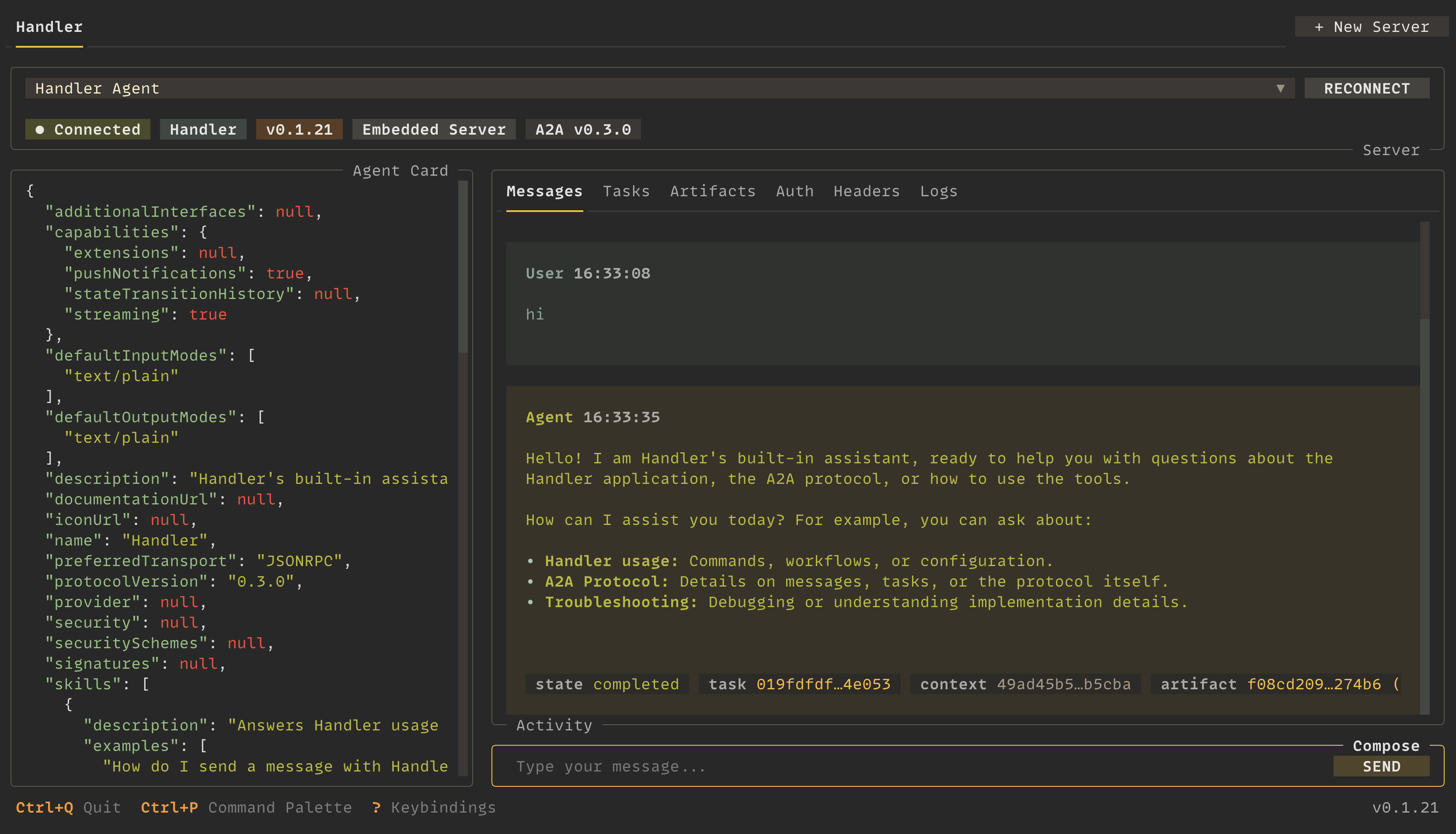
เปิดHandler is an open-source A2A protocol client for software engineers building, testing, and operating agentic systems. It provides an interactive TUI, a scriptable CLI with structured output, and an MCP server that lets other agents integrate with A2A services directly. Handler also supports global and repo-scoped A2A server configuration with bearer, API key, HTTP Basic, mTLS, OAuth2 client credentials, and OpenID Connect auth.
grpc extra,
and lets the agent card pick the transportInstall Handler from the PyPI package as a uv tool:
uv tool install a2a-handler
Or with pipx:
pipx install a2a-handler
Or with pip:
pip install a2a-handler
Open the interactive terminal UI:
handler tui
Inspect an A2A server's agent card:
handler card get --url http://localhost:8000
Send a message from the CLI:
handler message send --url URL --text "hello"
Stream the reply, with a file attached:
handler message stream --url URL --text "Review this" --file ./report.pdf
List the agent's tasks:
handler task list --url URL
Open the full documentation:
handler docs
Run Handler with uvx:
uvx --from a2a-handler handler
Run Handler with pipx:
pipx run a2a-handler
Read the documentation at https://handler.alduncanson.com.
The docs ship as an agent skill, regenerated on every deploy. Install it into
Claude Code, Cursor, Windsurf, or any agent that reads the SKILL.md format:
npx skills add https://handler.alduncanson.com
Or fetch it by hand from https://handler.alduncanson.com/skill.md. For live lookups, agents can also use the hosted documentation MCP server at https://handler.alduncanson.com/mcp or the page index at https://handler.alduncanson.com/llms.txt. See the agent skill guide.
A2A protocol client for your terminal
เครื่องมือ
ยังไม่มีรายการเครื่องมือ เซิร์ฟเวอร์แบบรีโมตจะได้รายการหลังการตรวจสอบสถานะครั้งแรก
FAQ
คัดลอกคอนฟิก stdio สำหรับ Cursor, Claude Desktop, Claude Code หรือ VS Code ได้ในหน้านี้ คอนฟิกนี้ใช้การติดตั้งของผู้เผยแพร่ ไม่ใช่พร็อกซีของ PlugMCP
ระเบียนนี้ไม่ได้ระบุตัวแปรสภาพแวดล้อมที่จำเป็น
Handler ทำงานแบบโลคัลผ่าน stdio
ตรวจสอบล่าสุดเมื่อ 2026-11-10 A2A protocol client for your terminal