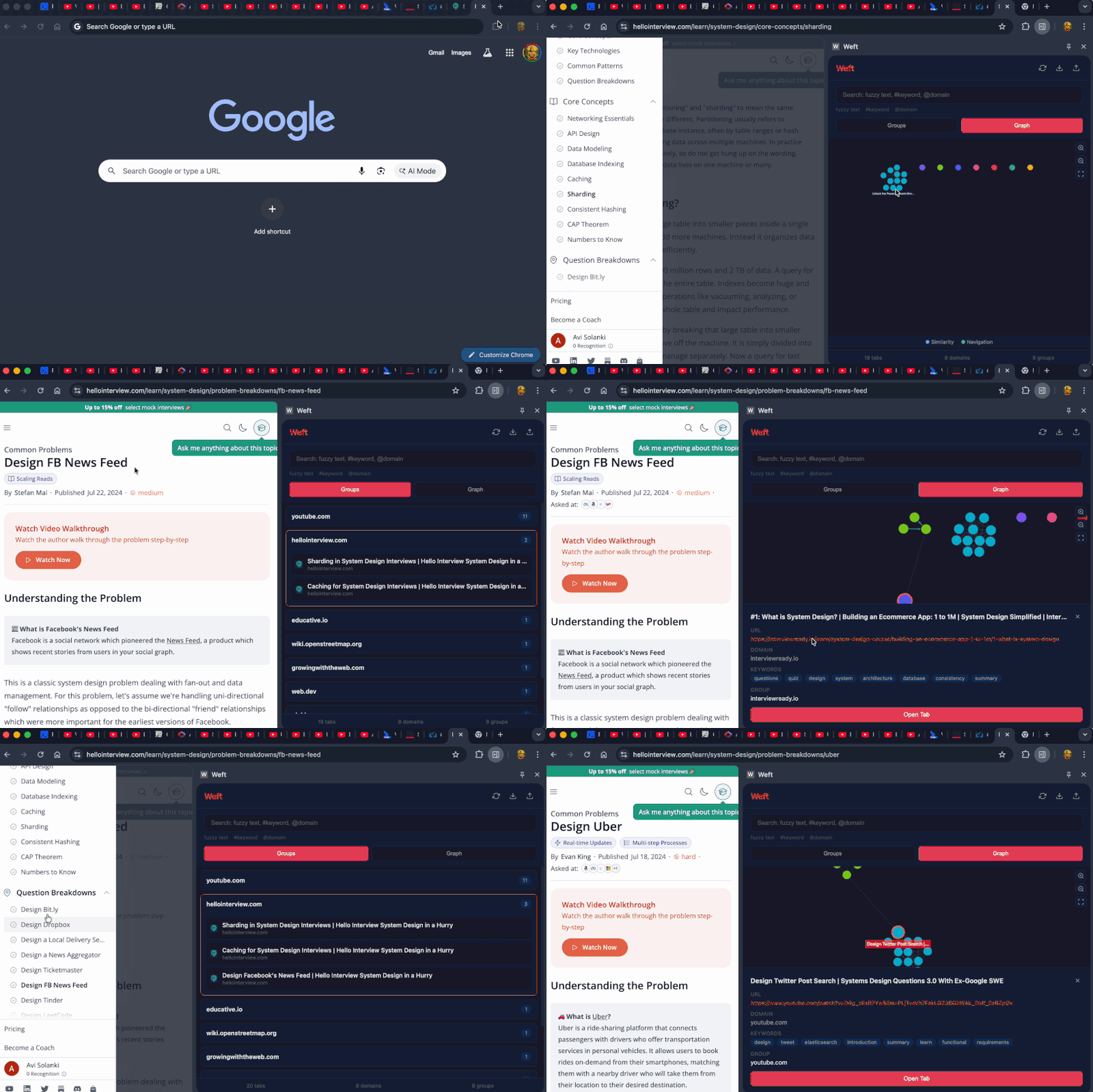
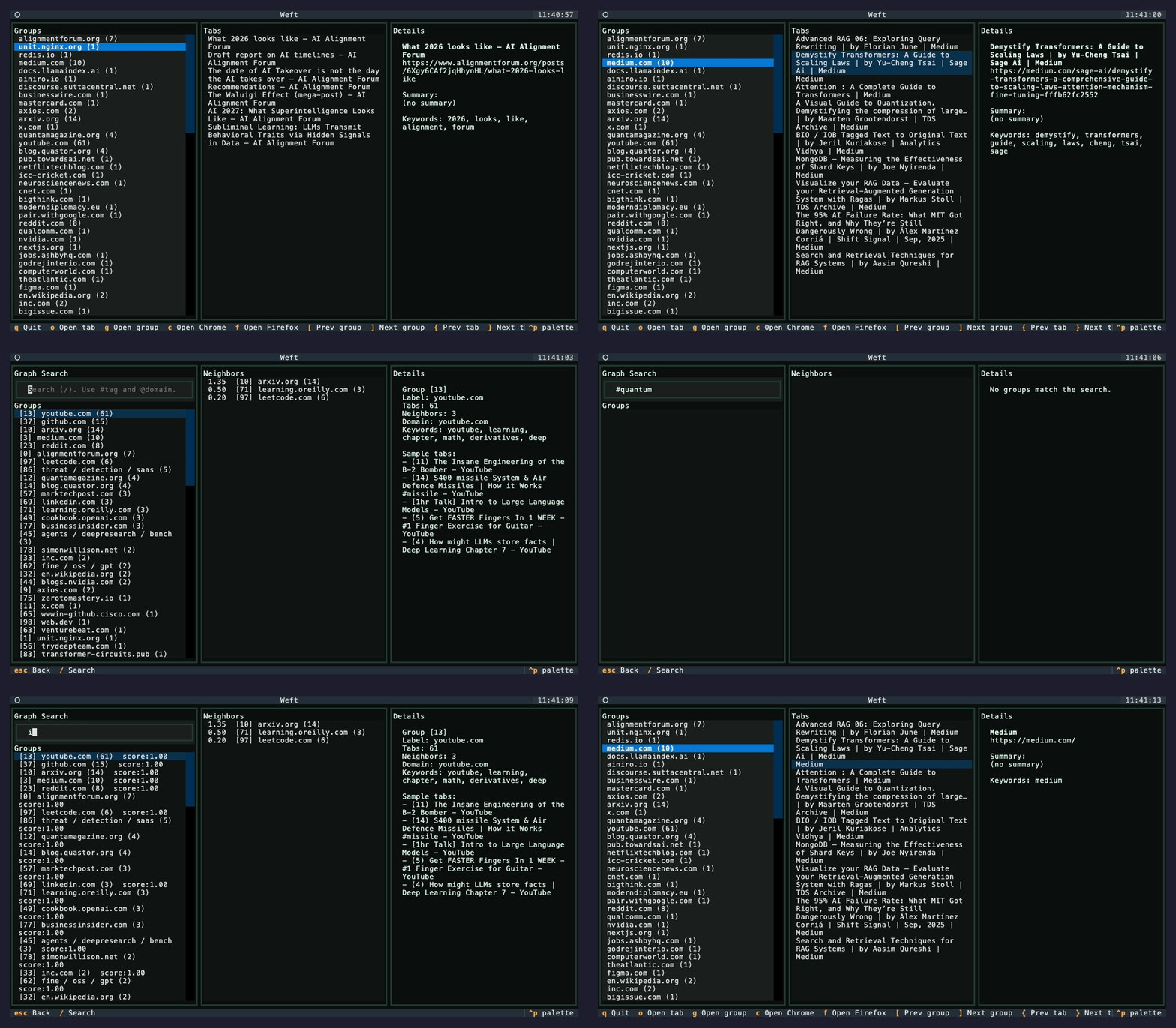
Weft turns browser tabs into a searchable, clustered knowledge graph using Louvain community detection and PageRank. No cloud. No accounts. Everything runs on your machine.
Think: Obsidian graph view, but for the web you already have open.
Local-first knowledge graph for browser tabs. Louvain clustering, PageRank, MCP server for AI assistants, Chrome extension, CLI. 100% private.
Why Weft
You have 80 tabs open. Some are related. Some are duplicates. You can't remember what you were researching yesterday.
Weft fixes this:
Clusters tabs by topic using graph algorithms, not manual folders
Deduplicates with URL canonicalization + SimHash near-duplicate detection
Tracks navigation so "A led to B" is a first-class relationship
Runs locally — your browsing data never leaves your machine
Two Ways to Use Weft
Chrome Extension
CLI (Python)
Best for
Live tracking, visual exploration
Batch processing, scripting, MCP
Graph View
Interactive sidepanel with Cytoscape.js
Terminal UI with Textual
Clustering
Real-time Louvain
Configurable Louvain or Union-Find
Install
Load unpacked extension
pip install weft-graph
Chrome Extension
Live knowledge graph that tracks your browsing in real-time.
Features
Live Tab Tracking — captures tabs as you browse, extracts content automatically
Louvain Clustering — groups related pages using community detection, not arbitrary thresholds
PageRank Sorting — most important tabs surface to the top of each group
Navigation Edges — tracks how you move between pages, including SPA navigations
Graph Visualization — interactive Cytoscape.js graph with color-coded clusters
Smart Search — fuzzy text, #keyword, and @domain filters with search history
Group Actions — open all, close all, or copy links for any cluster
Live Tab Indicators — see which tabs are open, closed, or stale at a glance
Stale Tab Detection — highlights tabs you haven't touched in 24+ hours
Keyboard Navigation — full j/k/Enter/o navigation, vim-style
Settings — configurable server URL, auto-rebuild, stale threshold
Onboarding — guided first-run experience
Import/Export — JSON format compatible with CLI
Offline Insights — browsing report works without the server
Install Extension
Clone or download this repo
Open Chrome → chrome://extensions
Enable "Developer mode" (top right)
Click "Load unpacked" → select the extension/ folder
Click the Weft icon to open the sidepanel
Keyboard Shortcuts (Extension)
Key
Action
/
Focus search
g / v / i
Switch to Groups / Graph / Insights
r
Rebuild graph
j / k
Navigate groups and tabs
Enter
Expand group or open tab
o
Open focused tab
Esc
Close panel / exit settings
CLI Tool
Batch processing, terminal UI, API server, and MCP integration.
Install CLI
pip install weft-graph
Or from source:
git clone https://github.com/Avi-141/weft.git
cd weft
pip install -e .
Quick Start
# Build knowledge graph from browser tabs
weft weave

# Explore in terminal UI
weft explore

# Start API + MCP server
weft serve
Commands
weft weave
Extracts tabs from browsers and builds a knowledge graph.
Weft uses the Louvain method for clustering tabs. Instead of forcing tabs together by domain or arbitrary thresholds, Louvain optimizes modularity — finding groups where internal similarity is denser than expected by chance.
How it works:
Build a weighted graph from the similarity matrix (edges above threshold)
Start with each tab in its own community
For each tab, compute the modularity gain of moving it to each neighbor's community
Move it to the community with the highest gain (if positive)
Repeat until no single move improves modularity
Resolution parameter: Controls cluster granularity. Default is 1.0. Values >1.0 produce smaller, tighter clusters. Values <1.0 produce larger, looser ones.
Modularity Q: A score from -0.5 to 1.0 measuring cluster quality. Values above 0.3 indicate meaningful community structure. Weft reports this in graph stats and the extension UI.
PageRank
Each tab gets a PageRank score based on its position in the similarity graph. Tabs that are highly connected to other important tabs rank higher.
Used for:
Sorting — tabs within each group are ordered by importance
Labeling — group labels are generated using PageRank-weighted TF-IDF, so the label reflects the most central content in the cluster, not just the most frequent words
search_knowledge(query) — ranked search across titles, summaries, keywords, URLs. Scores by keyword overlap + PageRank.
get_group_details(group_id) — cluster deep-dive: synthesized summary, tabs sorted by PageRank, top keywords and domains
get_tab_neighbors(tab_id) — graph neighborhood: all tabs connected by similarity or navigation edges, with edge weights
find_recent_tabs(hours) — temporal query: tabs active within the last N hours
find_stale_tabs(stale_hours) — cleanup candidates: tabs not accessed in N+ hours, sorted by staleness
find_related_to_topic(topic) — topic expansion: finds direct keyword matches, then follows graph edges to discover related content you wouldn't find by search alone
# Install MCP for Claude Desktop
weft install-mcp

# Start the server
weft serve
Example prompts for Claude:
"What was I researching about Python async?"
"Show me tabs related to database optimization"
"What have I been browsing in the last 2 hours?"
"Find stale tabs I should close"
"What's connected to the React hooks guide I was reading?"