What is Grapheteria?
A structured workflow framework bringing uniformity to agent orchestration:
- 🎨 Build complex agentic systems with visual building blocks and a consistent API
Power your agent
การติดตั้งจากผู้เผยแพร่ ไม่ใช่เอนด์พอยต์ของ PlugMCP
URL แบบรีโมตหรือคำสั่งบนเครื่องของคุณ? การติดตั้งสองแบบต่างกันอย่างไร
รันบน PlugMCP
A new server you create. It is not this listing's official endpoint. Use the publisher install when you want their URL and their credentials.
เปิด"Oh no 😵💫, not ANOTHER workflow library! " - I hear you. But being fashionably late means we've learned from everyone else's mistakes and cherry-picked their best ideas, while adding our own secret sauce.
While agent creation and tool-calling have standards, workflow creation is still a mess. Grapheteria fixes that with a clean framework that gives you what you need while letting you extend things however you want.
Code-based workflow builders make your brain hurt:
UI-only tools hit walls quickly:
Grapheteria blends code and UI seamlessly. Bounce between visual design and code customization without compromises. Get all the power of code with the clarity of visual debugging.
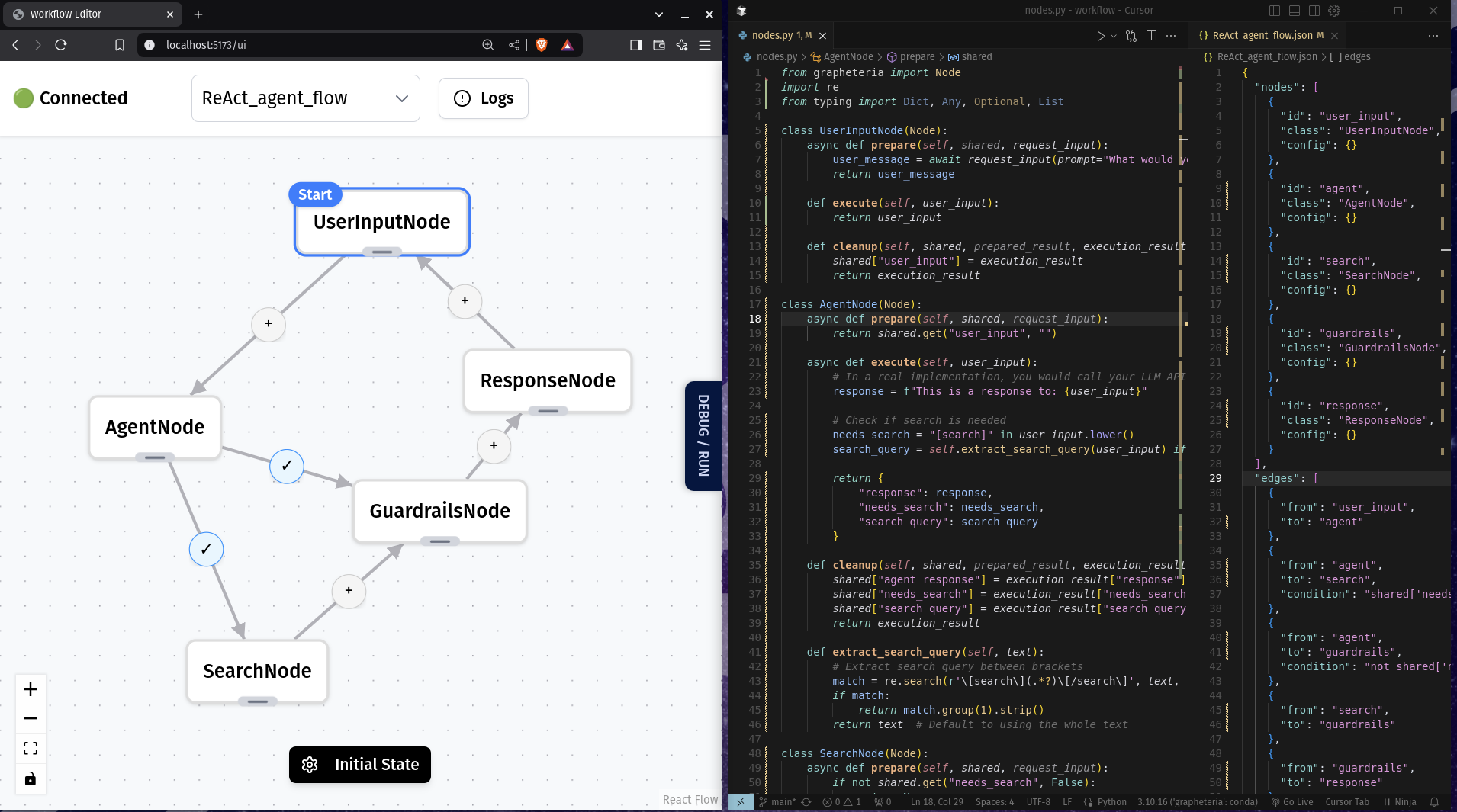
Write workflows without a PhD in API-ology:
start_node = InputNode(id="get_name")
process_node = ProcessNode(id="greet")
output_node = OutputNode(id="display")

start_node > process_node > output_node
Build sophisticated agent architectures with proven patterns:
%%{init: {'theme': 'neutral' }}%%
graph TD
    %% Chain of Thought
    subgraph "Chain of Thought"
    A1[Task Input] --> B1[Reasoning Step 1]
    B1 --> C1[Reasoning Step 2]
    C1 --> D1[Reasoning Step 3]
    D1 --> E1[Final Output]
    end

    %% Verification Loop
    subgraph "Verification Loop"
    A2[Input] --> B2[Generator]
    B2 --> C2[Critic]
    C2 -->|Pass| D2[Output]
    C2 -->|Fail| B2
    end

    %% ReAct Framework
    subgraph "ReAct Framework"
    A4[Problem] --> B4[Reason]
    B4 --> C4[Act]
    C4 --> D4[Observe]
    D4 -->|Repeat| B4
    D4 -->|Complete| E4[Solution]
    end

    %% Human-in-the-Loop
    subgraph "Human-in-the-Loop"
    A5[Input] --> B5[Agent Process]
    B5 -->|Uncertain| C5[Human Review]
    C5 --> D5[Incorporate Feedback]
    D5 --> B5
    B5 -->|Confident| E5[Output]
    end
Edit visually or with code - they stay perfectly in sync!
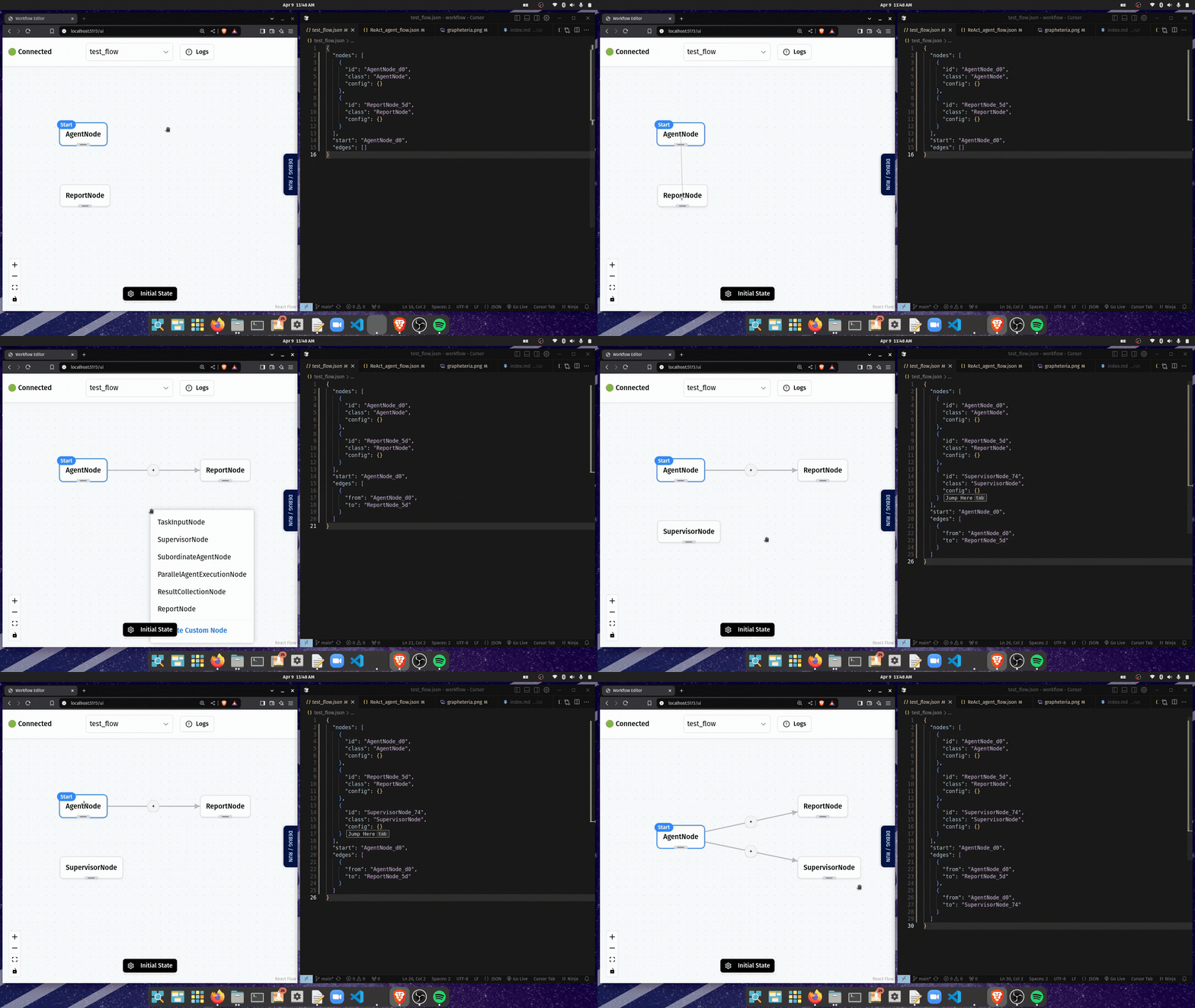
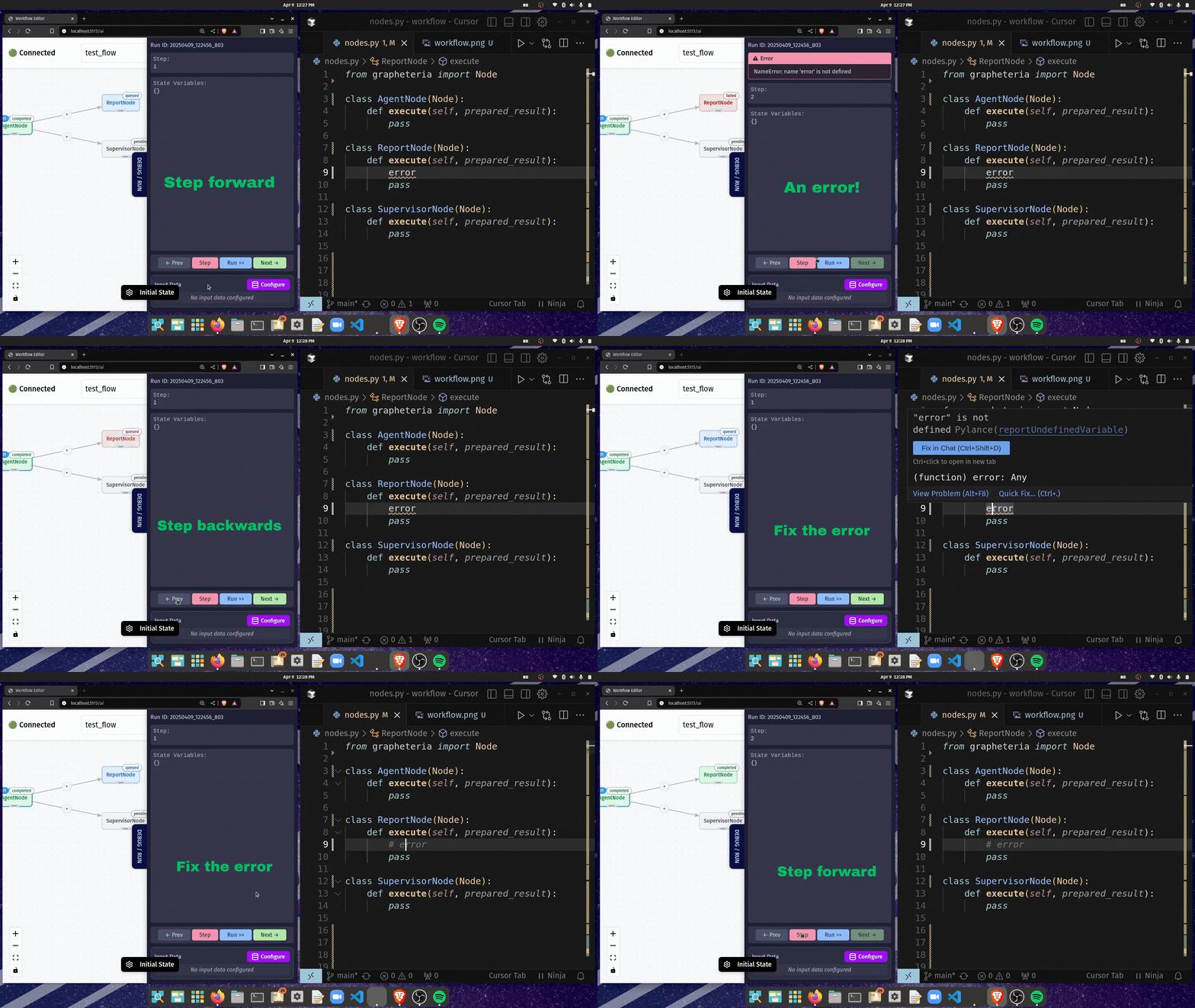
Made a mistake? No sweat:
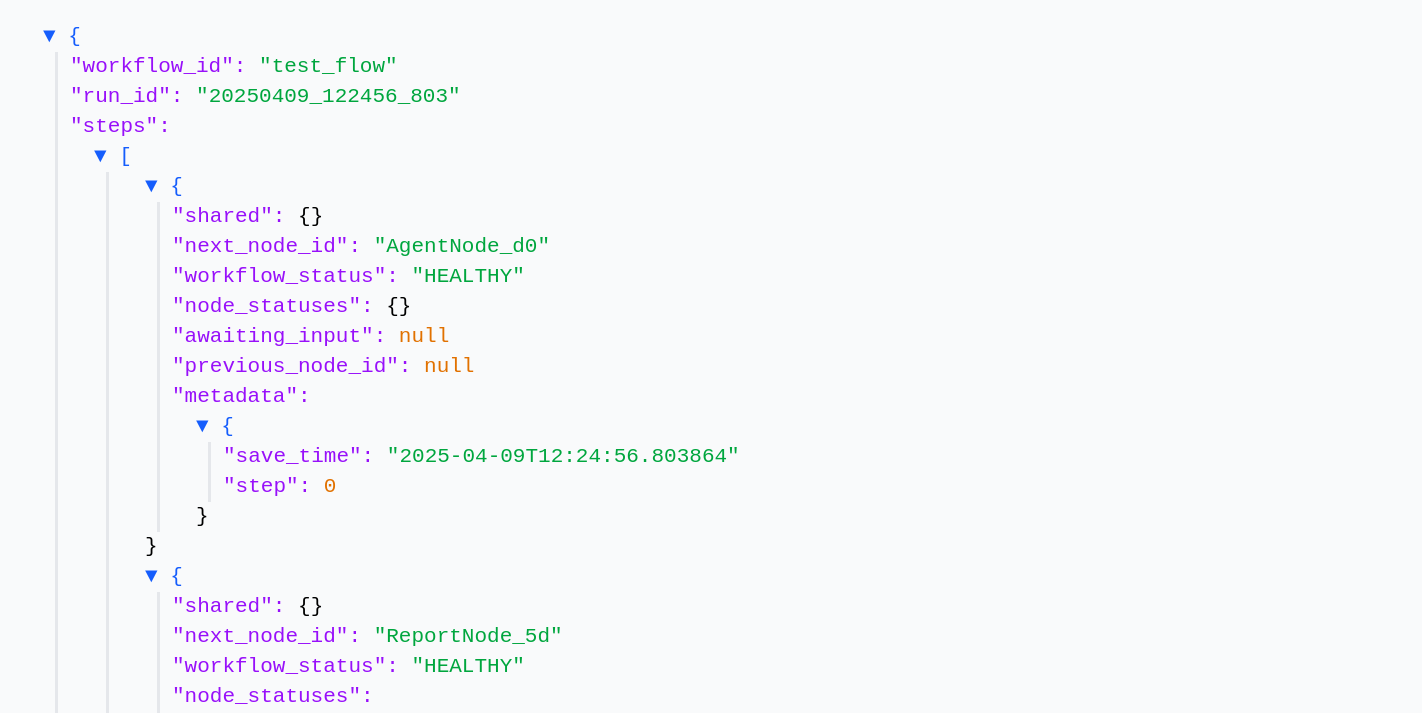
From your laptop to the cloud with minimal changes:
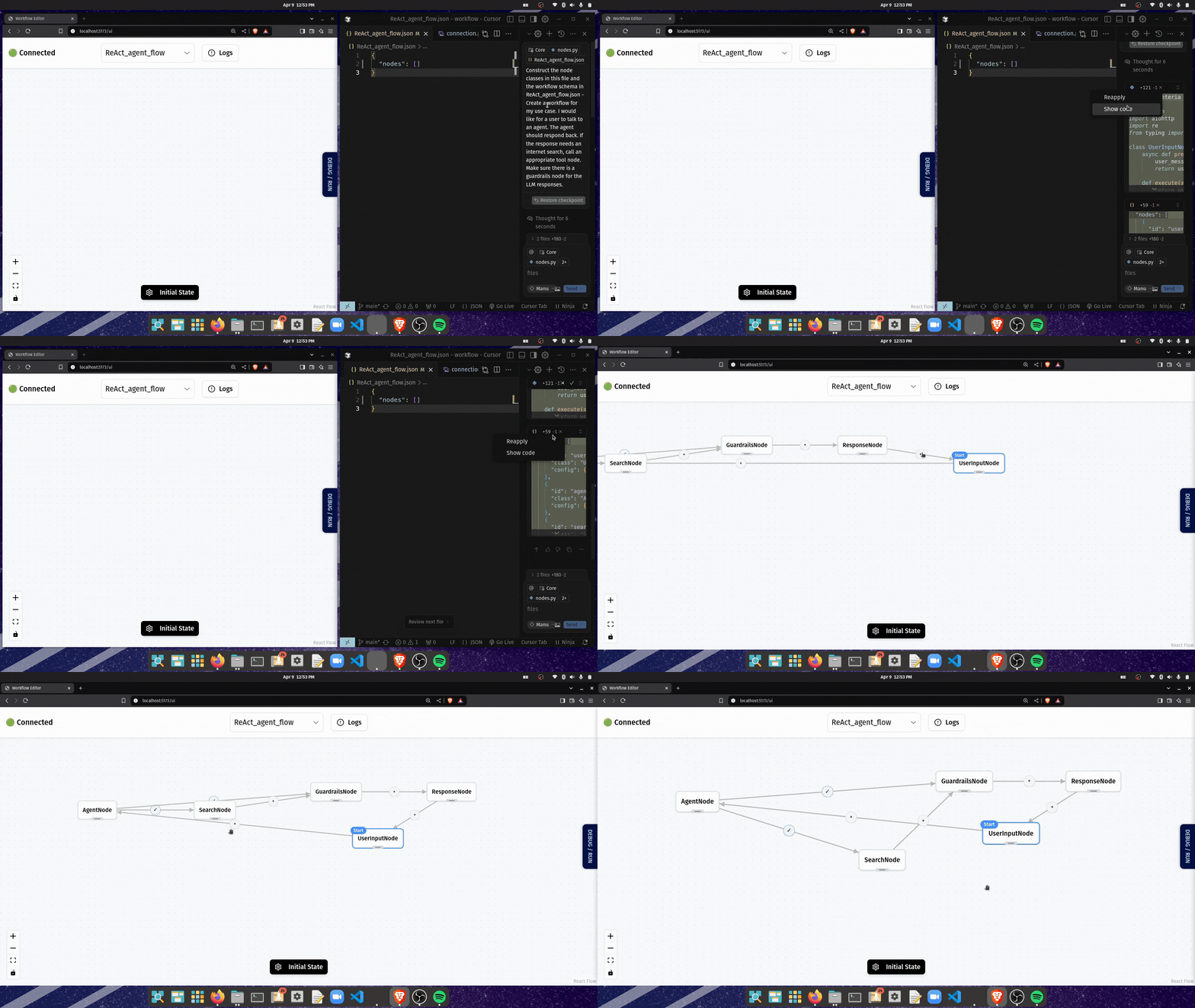
Describe what you want, then fine-tune:
# Create a virtual environment (recommended)
python -m venv venv
source venv/bin/activate  # On Windows: venv\Scripts\activate

# Install Grapheteria
pip install grapheteria
Note: Grapheteria requires Python 3.6 or higher.
Once installed, fire up the UI with:
grapheteria
This starts the Grapheteria interface and automatically syncs with your code.
Grapheteria: A structured framework bringing uniformity to agent orchestration!
เครื่องมือ
ยังไม่มีรายการเครื่องมือ เซิร์ฟเวอร์แบบรีโมตจะได้รายการหลังการตรวจสอบสถานะครั้งแรก
FAQ
คัดลอกคอนฟิก stdio สำหรับ Cursor, Claude Desktop, Claude Code หรือ VS Code ได้ในหน้านี้ คอนฟิกนี้ใช้การติดตั้งของผู้เผยแพร่ ไม่ใช่พร็อกซีของ PlugMCP
ระเบียนนี้ไม่ได้ระบุตัวแปรสภาพแวดล้อมที่จำเป็น
Grapheteria ทำงานแบบโลคัลผ่าน stdio
ตรวจสอบล่าสุดเมื่อ 2026-10-27 Grapheteria: A structured framework bringing uniformity to agent orchestration!