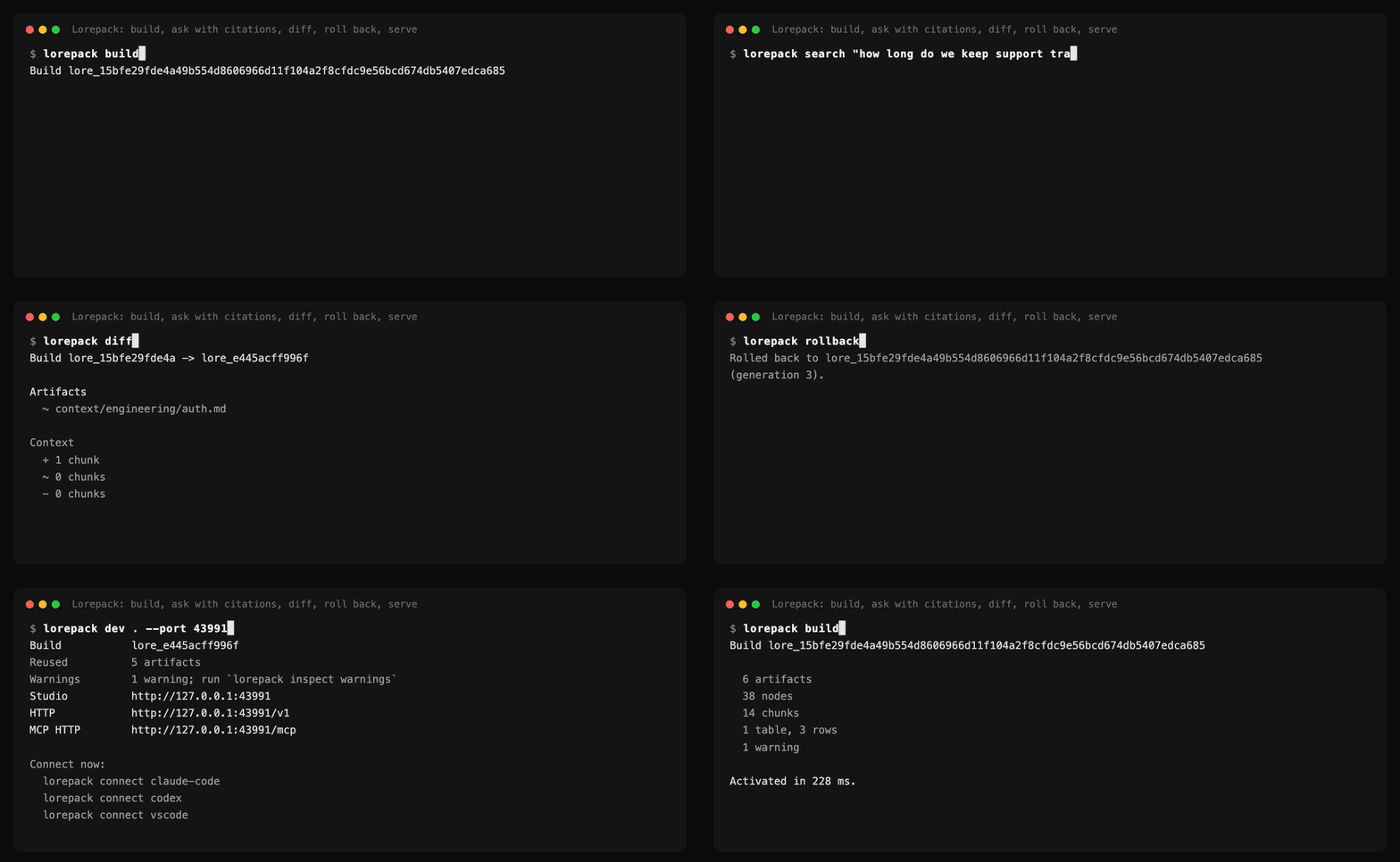
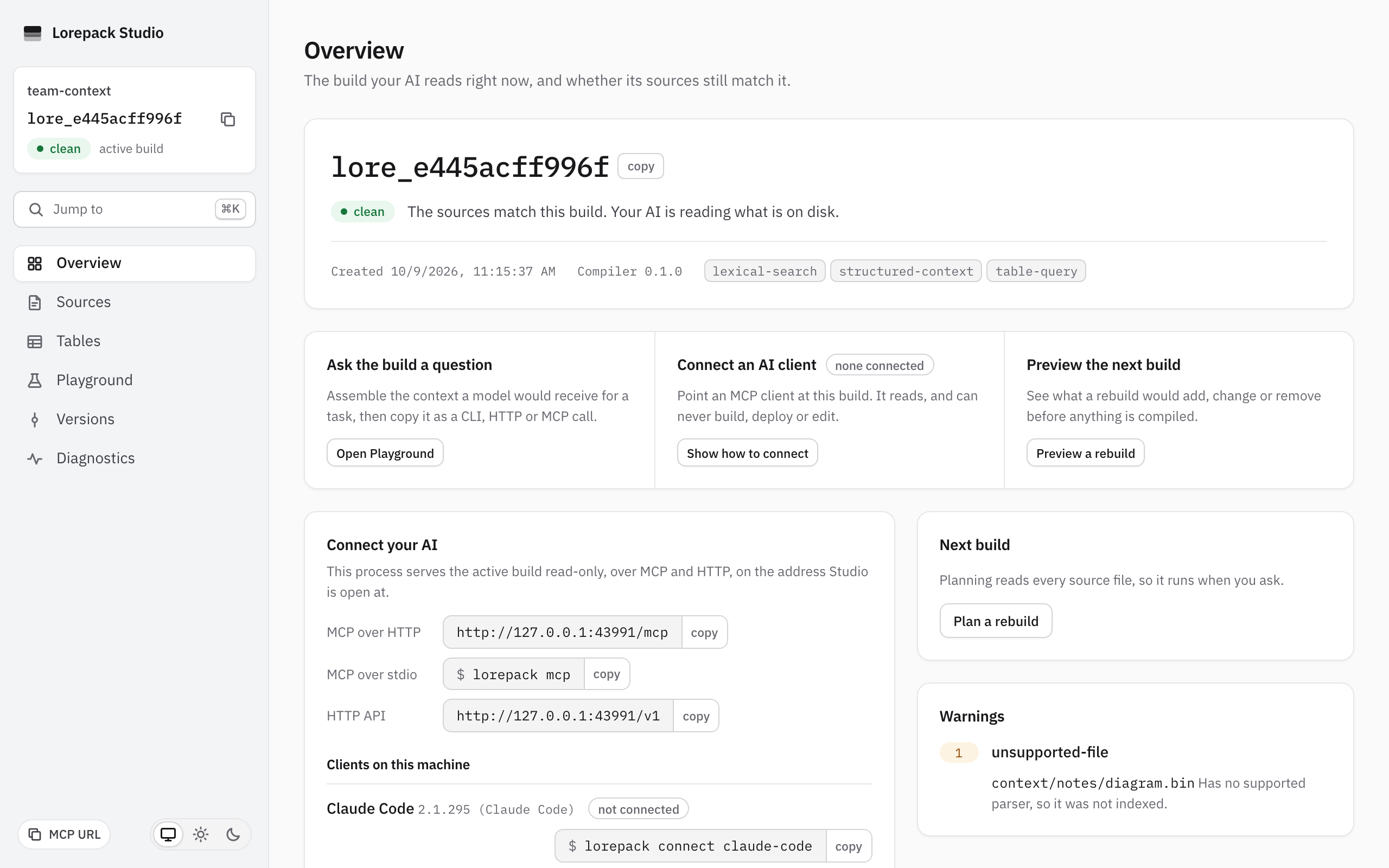
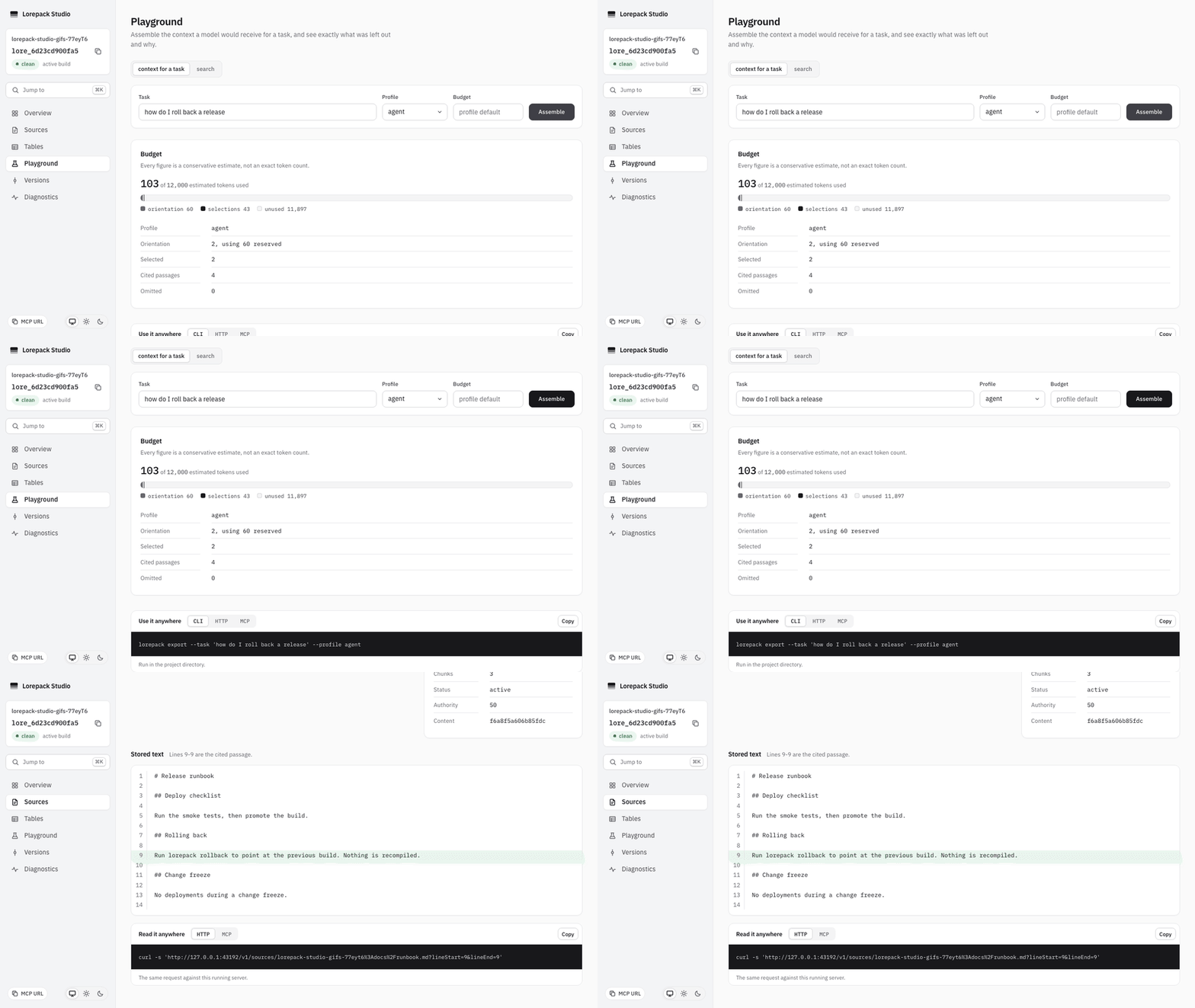
Lorepack compiles documents, spreadsheets and project files into an immutable build that
AI clients can read through MCP, HTTP or a bounded export. Inspect what went in, review
changes between versions, activate a known build and roll back without rebuilding.
· · · · ·
Give AI agents cited, versioned context from your docs and spreadsheets. Build, diff and roll back what Claude Code, Codex and any MCP client read. Local-first, no API keys.
Use Lorepack when the context your AI depends on changes, and you need to control which
version it reads.
Coding agents: share one context build across Claude Code, Codex, VS Code or another MCP client.
Teams: review specifications, runbooks, policies and research before activating an update.
Documents and spreadsheets: preserve document structure and query typed tables with source coordinates.
CI and deployment: validate and package a reproducible context artifact, with optional Cloudflare deployment.
The build is the source of truth. Search and task context read that build and carry source
locators. Model-facing tools are read-only; developers control builds, activation and deployment
through the CLI or Studio. Lorepack does not decide which document is true.
Performance on measured workloads
On the v0.1 Linux x64 reference machine (Ryzen 9 3900X, Node.js 24.18.1), warm lexical
search p95 was 21.45 ms and task-context assembly p95 was 199.96 ms over 50,000 chunks.
The measured gates are 250 ms and 1,500 ms. These are reference measurements, not latency
guarantees across machines. See the performance report and artifacts
for the workload, machine and limits.
A separate provisional, reported-only experiment on an Apple M1 Pro (8,520 chunks) measured
warm-search p95 at 12.78 ms for Lorepack's full runtime and 0.29 ms for direct SQLite
FTS5. The SQLite index starts from already parsed chunks and returns ranked rows; it does not
measure build, provenance, context assembly, typed tables, activation or rollback. See the
comparison method and results.
Requires Node.js >=24.19.0 <25. Install the alpha from npm's next channel and open a
folder of documents:
npm install -g @lorepack/cli@next
lorepack dev ./my-docs
dev builds the folder, watches for changes, opens Studio and prints the HTTP and MCP
endpoints. Reads continue from the active build during rebuilds.
No Python, Docker, native add-on, model download, API key or account is required.
Connect an installed AI client:
lorepack connect claude-code
The command previews its configuration change and asks before writing it. Verification
checks the intended build and a cited source read; the client's own trust prompt is separate.
Use the full build IDs printed by the commands. build activates on success unless you
pass --no-activate. lorepack rollback selects the previously active build without
recompiling sources.
mcp --follow-active serves the reviewed active build and reports source freshness without
rebuilding it. See MCP serving modes for other startup policies.
Search returns source excerpts. Task exports assemble bounded context with provenance,
cited table schema references and explicit omissions.
Table rows stay behind separate query reads. Exports do not call a model or generate summaries.
Markdown, plain text, source code, HTML, DOCX, text-layer PDF, CSV and XLSX are supported.
Lorepack preserves the structure each parser exposes and reports unsupported or excluded
content. Spreadsheet formulas are retained as text and never executed.
Formula and conversion evidence distinguishes saved
values from unevaluated formulas.
v0.1 does not include OCR, image understanding, PPTX, SaaS connectors, multi-user tenancy
or embeddings in the default install. Retrieval is lexical; authority and precedence are
user-declared hints. Review the limitations before choosing a production integration.
Give AI agents cited, versioned context from your docs and spreadsheets. Build, diff and roll back what Claude Code, Codex and any MCP client read. Local-first, no API keys.
คัดลอกคอนฟิก stdio สำหรับ Cursor, Claude Desktop, Claude Code หรือ VS Code ได้ในหน้านี้ คอนฟิกนี้ใช้การติดตั้งของผู้เผยแพร่ ไม่ใช่พร็อกซีของ PlugMCP
Lorepack ต้องใช้ API key ไหม?
ระเบียนนี้ไม่ได้ระบุตัวแปรสภาพแวดล้อมที่จำเป็น
Lorepack ใช้ทรานสปอร์ตแบบใด?
Lorepack ทำงานแบบโลคัลผ่าน stdio
Lorepack ถูกตรวจสอบล่าสุดเมื่อใด?
ตรวจสอบล่าสุดเมื่อ 2026-10-27 Give AI agents cited, versioned context from your docs and spreadsheets. Build, diff and roll back what Claude Code, Codex and any MCP client read. Local-first, no API keys.