Figma Agent Kit
简体中文 | English
Power your agent
การติดตั้งจากผู้เผยแพร่ ไม่ใช่เอนด์พอยต์ของ PlugMCP
URL แบบรีโมตหรือคำสั่งบนเครื่องของคุณ? การติดตั้งสองแบบต่างกันอย่างไร
รันบน PlugMCP
A new server you create. It is not this listing's official endpoint. Use the publisher install when you want their URL and their credentials.
เปิดจากผู้เผยแพร่
简体中文 | English
Open-source Figma plugin + MCP bridge for AI agents (Cursor, Claude Code, Codex). Local WebSocket bridge, MessagePack transport, AI layer rename/grouping.
开源 Figma Desktop 插件 + 本地 MCP 桥:让 AI 编程 Agent 读写当前打开的设计稿,无需经 Figma REST API 上传画布。
已适配 Cursor · Claude Code · Codex · Qoder · CodeBuddy · Trae(以及其他支持 stdio MCP 的宿主)。
flowchart LR
  Agent[AI_Agent] -->|stdio_MCP| McpProc[figma_agent_mcp]
  McpProc -->|Election| Role{Leader_or_Follower}
  Role -->|WS_MsgPack| PluginUI[Plugin_UI]
  PluginUI -->|postMessage| PluginMain[Plugin_main]
  PluginMain --> FigmaAPI[Figma_Plugin_API]
深入阅读:文档站 · 架构说明 · 截图图库 · 中文文档索引 · English README
figma-agent-mcp 是标准 stdio MCP 服务,可接入你正在用的 AI 编辑器:
完整复制粘贴配置:接入 AI Agent · English guide
其他兼容 MCP 的客户端同样适用:用 stdio 运行
npx -y figma-agent-mcp即可。
save_screenshots — TinyPNG 风格 PNG 压缩;scale=3 与插件切图一致从 Releases 下载 figma-agent-plugin-v*.zip,解压后在 Figma Desktop:
Plugins → Development → Import plugin from manifest… → 选择 manifest.json → 运行 Figma Agent Kit。
状态显示绿色 MCP Bridge 已连接 表示插件可与本地 MCP 通信:
| 完整面板 | Mini 模式 |
|---|---|
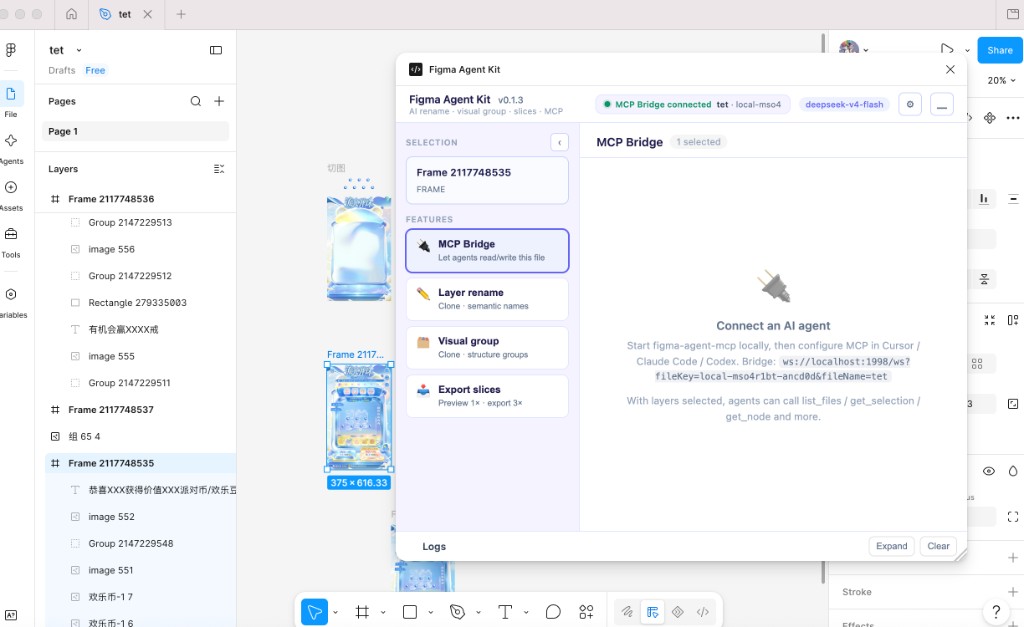 | 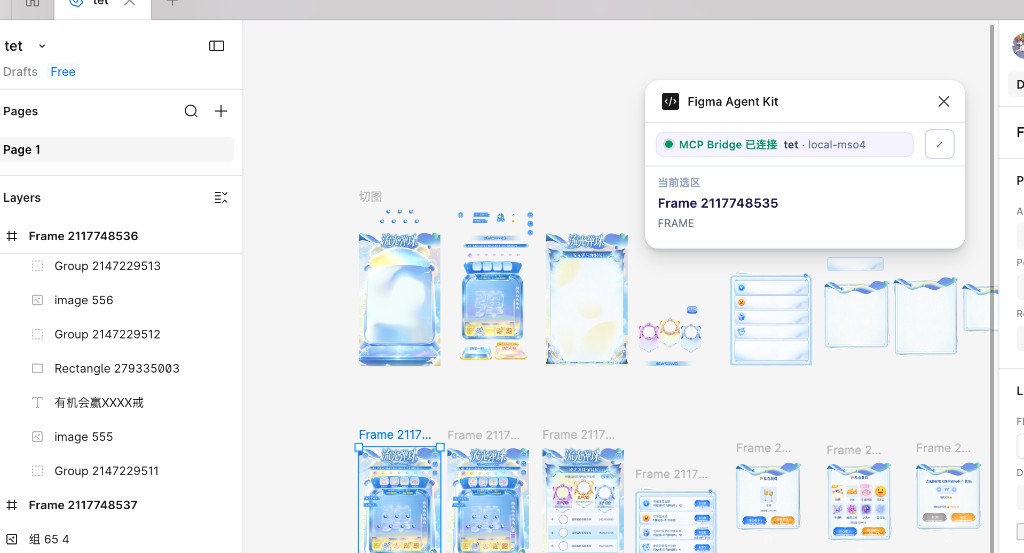 |
先在 支持的编辑器 选中你的工具,再按对应章节配置:
Cursor 快速示例 — ~/.cursor/mcp.json:
{
  "mcpServers": {
    "figma-agent-mcp": {
      "command": "npx",
      "args": ["-y", "figma-agent-mcp"]
    }
  }
}
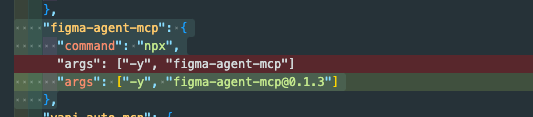
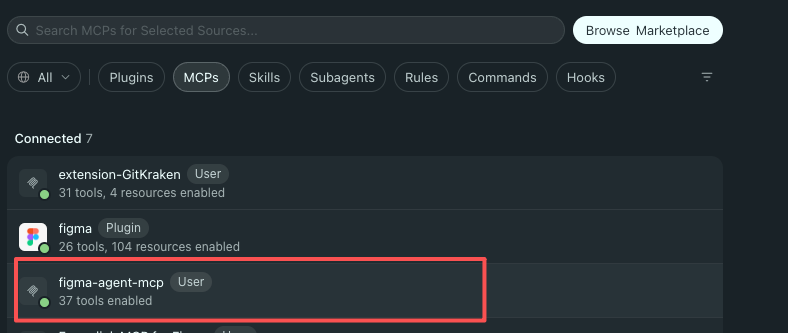
重启 MCP,打开文件并运行插件。在 Cursor → MCP 设置中应看到 figma-agent-mcp 且 37 tools enabled:
然后让 Agent 调用 list_files → get_selection。
git clone https://github.com/ChinaCarlos/figma-agent-kit.git
cd figma-agent-kit
pnpm install
pnpm build:all
# 导入 packages/figma-agent-plugin/manifest.json
# pnpm start:mcp   # 可选本地启动
完整步骤见 上手指南。
在线文档(Rspress / GitHub Pages,中英切换):https://chinacarlos.github.io/figma-agent-kit/
本地预览:pnpm install && pnpm dev:docs
clientStorage。pnpm install
pnpm build:all
pnpm sync:bridge # 修改 bridge.config.json 后
灵感来自社区中各类本地 Figma ↔ Agent 桥接实践,面向 Desktop + MCP 优先工作流打造。
如果本项目对你有帮助,欢迎点个 Star 支持一下 ⭐
Open-source Figma plugin + MCP bridge for AI agents (Cursor, Claude Code, Codex). Local WebSocket bridge, MessagePack transport, AI layer rename/grouping.
เครื่องมือ
ยังไม่มีรายการเครื่องมือ เซิร์ฟเวอร์แบบรีโมตจะได้รายการหลังการตรวจสอบสถานะครั้งแรก
FAQ
คัดลอกคอนฟิก stdio สำหรับ Cursor, Claude Desktop, Claude Code หรือ VS Code ได้ในหน้านี้ คอนฟิกนี้ใช้การติดตั้งของผู้เผยแพร่ ไม่ใช่พร็อกซีของ PlugMCP
ระเบียนนี้ไม่ได้ระบุตัวแปรสภาพแวดล้อมที่จำเป็น
Figma Agent Kit ทำงานแบบโลคัลผ่าน stdio
ตรวจสอบล่าสุดเมื่อ 2026-10-28 Open-source Figma plugin + MCP bridge for AI agents (Cursor, Claude Code, Codex). Local WebSocket bridge, MessagePack transport, AI layer rename/grouping.
