AiBrowser for Android
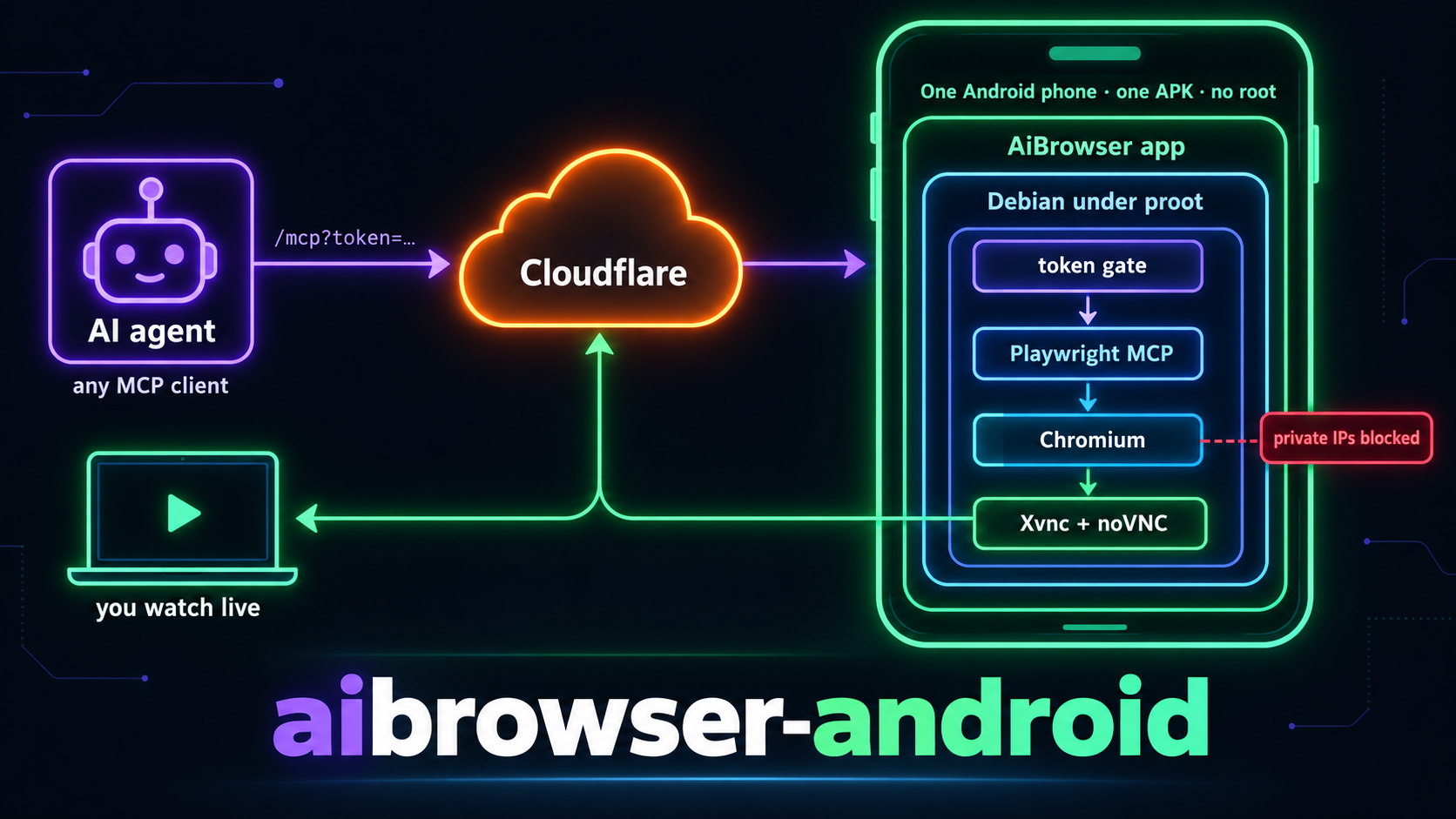
Turn a spare Android phone into a headed Chromium that AI agents drive over MCP from anywhere, with a live view of the screen for you. One APK, no root, no Termux.
Power your agent
การติดตั้งจากผู้เผยแพร่ ไม่ใช่เอนด์พอยต์ของ PlugMCP
URL แบบรีโมตหรือคำสั่งบนเครื่องของคุณ? การติดตั้งสองแบบต่างกันอย่างไร
รันบน PlugMCP
A new server you create. It is not this listing's official endpoint. Use the publisher install when you want their URL and their credentials.
เปิดจากผู้เผยแพร่
Turn a spare Android phone into a headed Chromium that AI agents drive over MCP from anywhere, with a live view of the screen for you. One APK, no root, no Termux.
Turn a spare Android phone into a headed Chromium that AI agents drive over MCP, with a live view of the screen. One APK, no root, no Termux.
Inside the app a Debian userland runs under proot and holds Chromium, a VNC server, noVNC, the Playwright MCP server, a token gate, a health service and a Cloudflare tunnel. The app supervises those processes and gives you a control panel: first-run setup, service switches and status, a live preview, tunnel token and API tokens.
Status: in development, used daily on one phone. Requires arm64 Android 9 (API 28) or newer, about 1.5 GB free for the userland, and a Cloudflare account for the tunnel.
A phone on a residential connection with a real, headed browser passes the bot checks that datacenter browsers fail, costs nothing to run, and survives reboots. Measured on a Realme RMX3998: Chromium under proot loads pages as fast as a native build.
agent (any MCP client)
   |  https://<mcp host>/mcp?token=...
   v
Cloudflare tunnel  ->  phone: gate (8931)  ->  Playwright MCP (18931)  ->  Chromium
you                ->  phone: noVNC (6080)  ->  VNC server  ->  the same screen
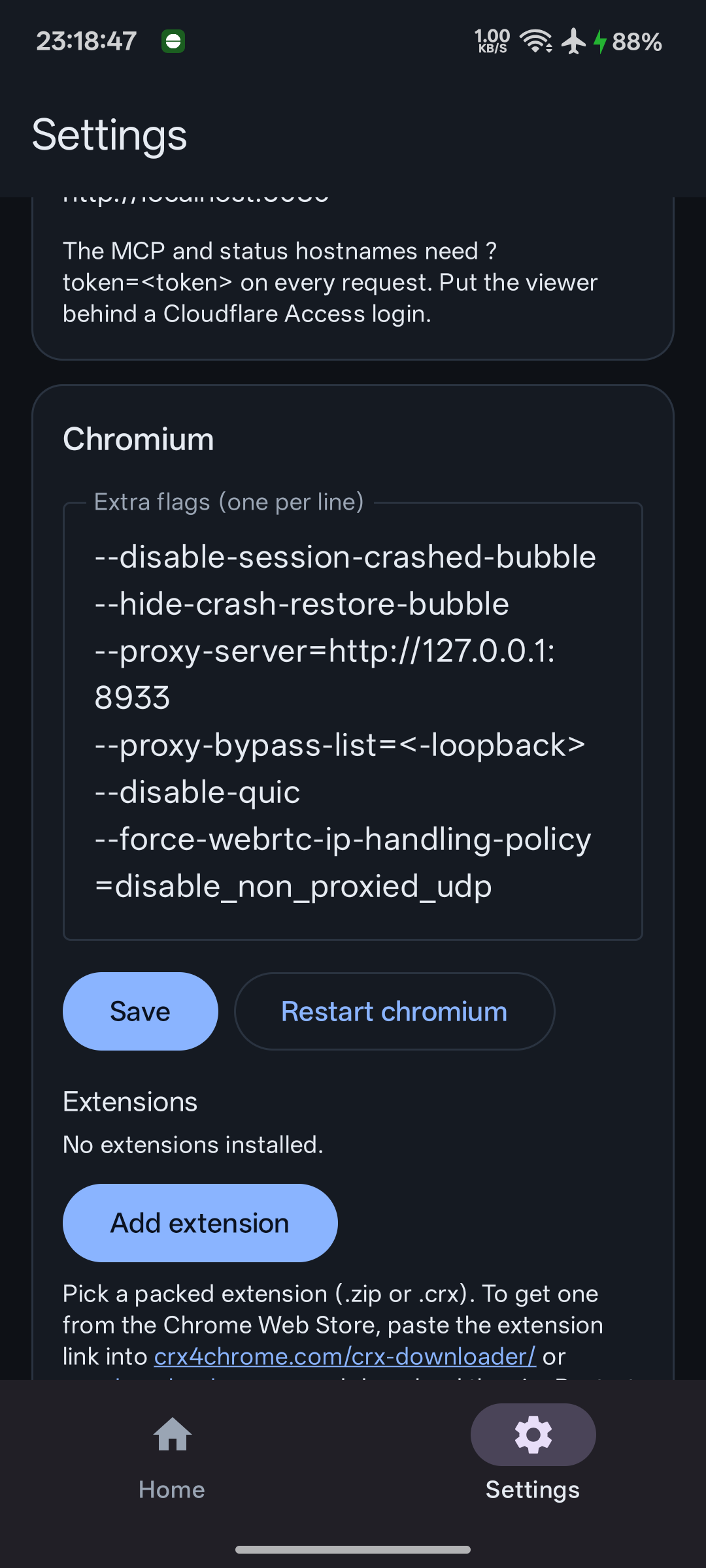
| Control panel | Landscape | Settings |
|---|---|---|
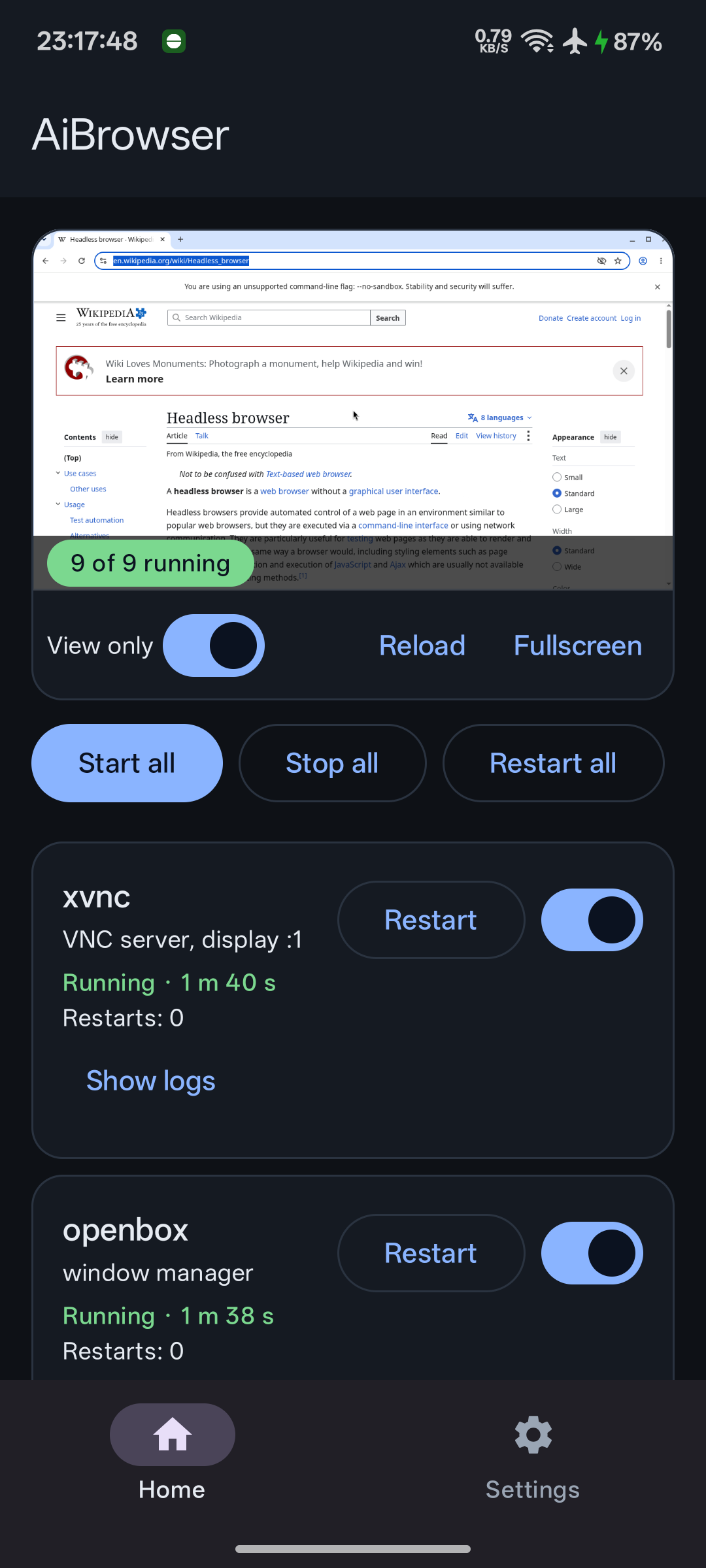 | 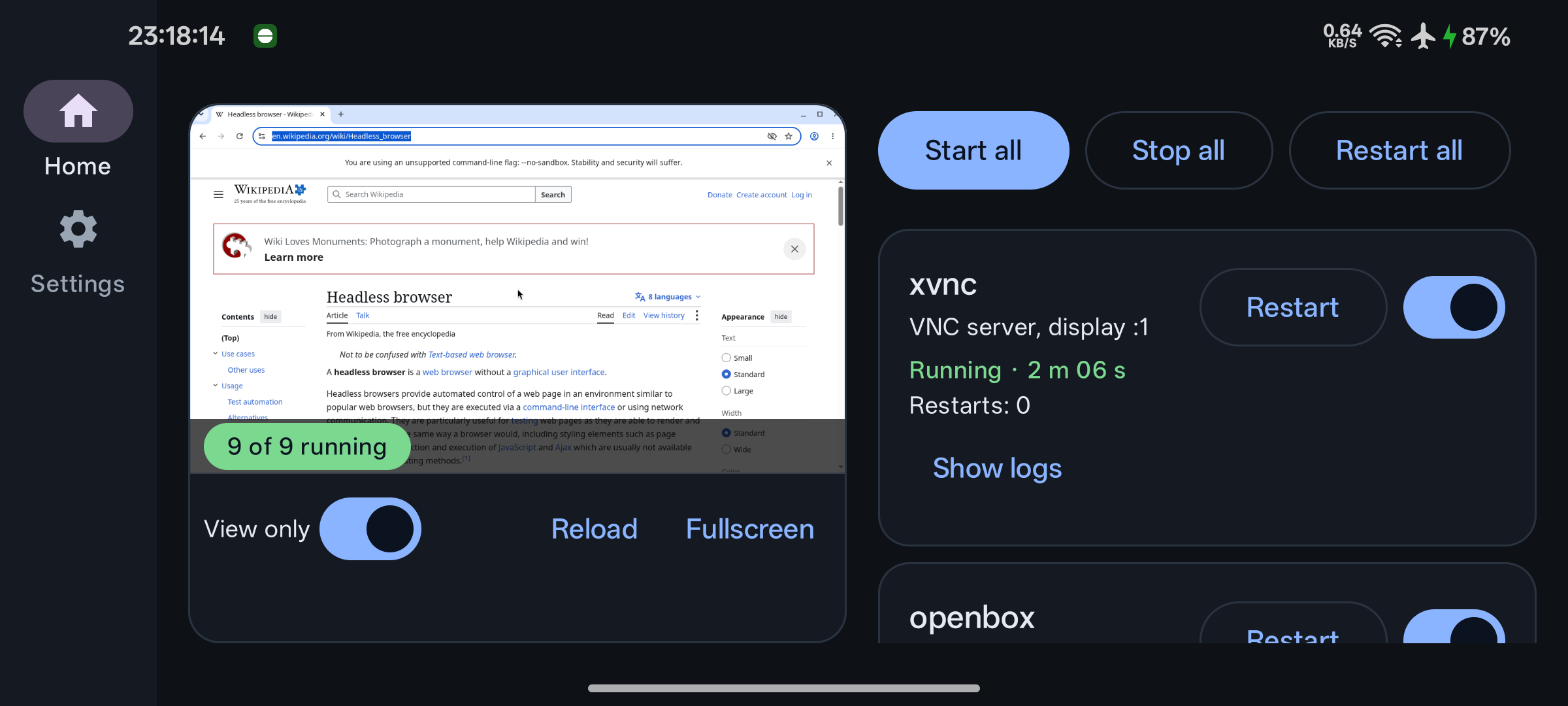 |  |
The live view is the real Chromium on the phone, over noVNC. Flip "View only" off to click and type in it yourself.
Sideload the APK from the latest release, or build one yourself (below), then open the app. SETUP.md walks through the six setup steps with a screenshot of each.
rootfs release, then a few minutes
of extraction); then do the Android checks
(battery optimisation exemption, disable child process restrictions).The three public hostnames you create in Zero Trust map to these local ports:
The MCP URL for your agent is https://<mcp host>/mcp?token=<token>. Put the
viewer hostname behind a Cloudflare Access login so the screen stays private.
Requirements: JDK 17, the Android SDK (platform 36, build-tools 35), Docker for the rootfs image. Then:
scripts/fetch-native.sh          # proot, busybox, tar as jniLibs
./gradlew assembleDebug          # app/build/outputs/apk/debug/app-debug.apk
scripts/make-keystore.sh         # release.jks + keystore.properties (signing)
./gradlew assembleRelease        # app/build/outputs/apk/release/app-release.apk
scripts/rootfs/build.sh          # scripts/rootfs/out/aibrowser-rootfs-<v>-arm64.tar.xz
The app downloads it from the rolling rootfs
release of this repository, which always carries the newest manifest.json,
tarball and .sha256. Because the tag never changes, publishing a new
userland there is offered as an update in Settings without an app update:
gh release upload rootfs manifest.json aibrowser-rootfs-<v>-arm64.tar.xz{,.sha256} --clobber
To host it yourself instead, put those three files in one folder on any HTTPS
host and point the app's manifest URL at https://<host>/<folder>/manifest.json.
The tarball is fetched from the same folder, resumed on a dropped connection,
and checked against the size and SHA-256 in the manifest before it replaces
anything.
MIT for the app. The bundled proot, busybox and tar binaries are GPL programs
built from termux-packages, executed as separate processes; see
THIRD_PARTY.md. The rootfs is Debian.
Turn a spare Android phone into a headed Chromium that AI agents drive over MCP, with a live view of the screen. One APK, no root, no Termux.
เครื่องมือ
ยังไม่มีรายการเครื่องมือ เซิร์ฟเวอร์แบบรีโมตจะได้รายการหลังการตรวจสอบสถานะครั้งแรก
FAQ
คัดลอกคอนฟิก stdio สำหรับ Cursor, Claude Desktop, Claude Code หรือ VS Code ได้ในหน้านี้ คอนฟิกนี้ใช้การติดตั้งของผู้เผยแพร่ ไม่ใช่พร็อกซีของ PlugMCP
ระเบียนนี้ไม่ได้ระบุตัวแปรสภาพแวดล้อมที่จำเป็น
Aibrowser Android ทำงานแบบโลคัลผ่าน stdio
ตรวจสอบล่าสุดเมื่อ 2026-10-27 Turn a spare Android phone into a headed Chromium that AI agents drive over MCP, with a live view of the screen. One APK, no root, no Termux.
